Intermittent Exit code -1073741819 while using 2 core cpus on 1.13.2 and above, runs fine on 1.13.1
If you are encountering a crash with exit code -1073741819, this indicates a native access violation exception. These can have a variety of causes. A JVM native crash dump should be generated in your Minecraft install directory, with a name like: `hs_err_pid_xxxx.log`. Please submit a new report with this file attached. Thanks!
Using 1.13.2, when launching the game pressing "Play", the game crashes while loading. If you switch the same profile to 1.13.1, it runs fine. I've tested with MC reinstalled in a fully default state, with all background software and tasks stopped with the same results.
The Windows event log (attached) indicates 0xc0000005 exception in lwjgl.dll. Game log and Launcher Output also attached.
Environment
Windows 10-1803, bundled java, default settings.
Linked Issues
is duplicated by34
 MC-137408Game Crash on LaunchDuplicateMC-137412Minecraft 1.13.2 will not start upDuplicateMC-139285Game crash from launcher on startupDuplicateMC-139491Game keeps crashing when I launch it. I've been dealing with this for a week can someone PLEASE help meDuplicateMC-140350Snapshots 1.14 do not start and give an errorDuplicateMC-141489Process crashed with exit code -1073741819DuplicateMC-141573Crash at Mojang screenDuplicateMC-141685 Process crashed with exit code -1073741819DuplicateMC-141748Process crashed with exit code -1073741819DuplicateMC-142513MC 1.13.2 crashesDuplicateMC-143961can't even start my minecraft! crashing instantly i start it! This is the error report its under the (invironment)DuplicateMC-146680Crash on Mojang ScreenDuplicateMC-146838minecraft will not start upDuplicateMC-146856Minecraft corrupts everything it downloadsDuplicateMC-159790minecraft doesn't openDuplicateMC-160341Minecraft crashes on startup exit -1073741819DuplicateMC-163363Crashes instantly on launch without error log. Exit Code -1073741819DuplicateMC-169190Game CrachedDuplicateMC-176634Game crashes when startingDuplicateMC-176846Error Launching Minecraft Java editionDuplicateMC-179702On attemted startup of Version 1.15.2 and other post 2018 versionsDuplicateMC-181055error al inicar minecraftDuplicateMC-208454Minecraft sometimes won't start with exit code -1073741819DuplicateMC-208814Minecraft crashes when i minimize and then re-open the gameDuplicateMC-210268Error Code: 0DuplicateMC-210689Game crashes randomly for no reason every ~10minutes!DuplicateMC-217129Game won't launchDuplicateMC-228764the game will not launch due to some sort of corruption Duplicate
 MCL-10076so my launchers crashes after I press playDuplicateMCL-10175Minecraft won't launchDuplicateMCL-10240Game Crash - Process crashed with exit code 1073741819DuplicateMCL-10896 Process crashed with exit code -1073741819DuplicateMCL-12047Error Game Crashed message at initializationDuplicateMCL-16788Minecraft startet nicht mehr Fehlercode 0 Duplicate

 Very Important
Created Issue:
1.13.2 crashes when clicking "play", though 1.13.1 runs fine using the same profile
Using 1.13.2, when launching the game pressing "Play", the game crashes while loading. If you switch the same profile to 1.13.1, it runs fine. I've tested in a reinstalled fully default state with the same results.
The Windows event log (attached) indicates 0xc0000005 exception in lwjgl.dll. Game log and Launcher Output also attached.
Environment
Windows 10-1803, bundled java, default settings.
Linked Issues
is duplicated by1
TRASH-36686
Attachments3
latest.log
Using 1.13.2, when launching the game pressing "Play", the game crashes while loading. If you switch the same profile to 1.13.1, it runs fine. I've tested
in areinstalled fully default state with the same results.
The Windows event log (attached) indicates 0xc0000005 exception in lwjgl.dll. Game log and Launcher Output also attached.
Using 1.13.2, when launching the game pressing "Play", the game crashes while loading. If you switch the same profile to 1.13.1, it runs fine. I've tested with MC reinstalled fully default state with the same results.
The Windows event log (attached) indicates 0xc0000005 exception in lwjgl.dll. Game log and Launcher Output also attached.
Using 1.13.2, when launching the game pressing "Play", the game crashes while loading. If you switch the same profile to 1.13.1, it runs fine. I've tested with MC reinstalled fully default state, with all background software and tasks stopped with the same results.
The Windows event log (attached) indicates 0xc0000005 exception in lwjgl.dll. Game log and Launcher Output also attached.
Using 1.13.2, when launching the game pressing "Play", the game crashes while loading. If you switch the same profile to 1.13.1, it runs fine. I've tested with MC reinstalled in a fully default state, with all background software and tasks stopped with the same results.
The Windows event log (attached) indicates 0xc0000005 exception in lwjgl.dll. Game log and Launcher Output also attached.
![[Mod] Neko](../../../data/avatars/users/92901.png)
![[Bot] Arisa](../../../data/assets/gravatar/mustek2.png)
1.13.2 crashes when clicking "play", though1.13.1runs fineusing the same profileExit code -1073741819 on 1.13.2, runs fine on 1.13.1
Using 1.13.2, when launching the game pressing "Play", the game crashes while loading. If you switch the same profile to 1.13.1, it runs fine.
I've tested with MC reinstalled in a fully default state, with all background software and tasks stopped with the same results.
The Windows event log (attached) indicates 0xc0000005 exception in lwjgl.dll. Game log and Launcher Output also attached.
![[Mod] Urielsalis](../../../data/assets/gravatar/urielsalis.jpeg)
Exit code -1073741819 on 1.13.2, runs fine on 1.13.1 while using 2 core cpus
Intermittent Exit code -1073741819 on 1.13.2, runs fine on 1.13.1 while using 2 core cpus

relates to
![[Mod] Michael Wobst](../../../data/avatars/users/37868.png)
is duplicated by
is duplicated by
is duplicated by
is duplicated by

is duplicated by
is duplicated by
![[Mod] bemoty](../../../data/avatars/users/50554.png)
is duplicated by
is duplicated by
![[Mod] violine1101](../../../data/avatars/users/92858.png)
is duplicated by
WorkaroundRestarting the PC will work for the first launch
Using 1.13.2, when launching the game pressing "Play", the game crashes while loading. If you switch the same profile to 1.13.1, it runs fine. I've tested with MC reinstalled in a fully default state, with all background software and tasks stopped with the same results.
The Windows event log (attached) indicates 0xc0000005 exception in lwjgl.dll. Game log and Launcher Output also attached.
is duplicated by
is duplicated by
is duplicated by
![[Mojang] Nathan Adams](../../../data/assets/gravatar/dinnerbone.png)
is duplicated by
is duplicated by
is duplicated by

is duplicated by
Intermittent Exit code -1073741819on 1.13.2, runs fine on 1.13.1 while using 2 core cpusIntermittent Exit code -1073741819 while using 2 core cpus on 1.13.2 and above, runs fine on 1.13.1
is duplicated by
is duplicated by
is duplicated by
is duplicated by
is duplicated by
is duplicated by
is duplicated by
is duplicated by
is duplicated by
is duplicated by
![[Bot] Arisa](../../../data/avatars/users/43007.png)
is duplicated by
is duplicated by
is duplicated by
is duplicated by
is duplicated by
![[Mojang] Adrian Östergård](../../../data/assets/gravatar/nighter.jpeg)
WorkaroundRestarting the PC will work for the first launch
Extra infoIt only happens on CPUs with 2 cores and 2 logical threads(no hyperthreading) that run at low clock speeds. Can be recreated by disabling cores and lowering the clock speed of newer CPUs
Using 1.13.2, when launching the game pressing "Play", the game crashes while loading. If you switch the same profile to 1.13.1, it runs fine. I've tested with MC reinstalled in a fully default state, with all background software and tasks stopped with the same results.
The Windows event log (attached) indicates 0xc0000005 exception in lwjgl.dll. Game log and Launcher Output also attached.
WorkaroundRestarting the PC will work for the first launch
Extra infoIt only happens on CPUs with 2 cores and 2 logical threads(no hyperthreading) that run at low clock speeds. Can be recreated some times by disabling cores and lowering the clock speed of newer CPUs
Using 1.13.2, when launching the game pressing "Play", the game crashes while loading. If you switch the same profile to 1.13.1, it runs fine. I've tested with MC reinstalled in a fully default state, with all background software and tasks stopped with the same results.
The Windows event log (attached) indicates 0xc0000005 exception in lwjgl.dll. Game log and Launcher Output also attached.
is duplicated by
is duplicated by
is duplicated by

@MisterZero This report has been given a Mojang Priority, meaning that Mojang consider it a valid bug.
![[Mojang] slicedlime](../../../data/assets/gravatar/slicedlime.jpeg)
Workaround
Restarting the PC will work for the first launchExtra infoIt only happens on CPUs with 2 cores and 2 logical threads(no hyperthreading) that run at low clock speeds. Can be recreated some times by disabling cores and lowering the clock speed of newer CPUs
Using 1.13.2, when launching the game pressing "Play", the game crashes while loading. If you switch the same profile to 1.13.1, it runs fine. I've tested with MC reinstalled in a fully default state, with all background software and tasks stopped with the same results.
The Windows event log (attached) indicates 0xc0000005 exception in lwjgl.dll. Game log and Launcher Output also attached.
NoticeIf you are encountering
Extra infoIt only happens on CPUs with 2 cores and 2 logical threads(no hyperthreading) that run at low clock speeds. Can be recreated some times by disabling cores and lowering the clock speed of newer CPUs
Using 1.13.2, when launching the game pressing "Play", the game crashes while loading. If you switch the same profile to 1.13.1, it runs fine. I've tested with MC reinstalled in a fully default state, with all background software and tasks stopped with the same results.
The Windows event log (attached) indicates 0xc0000005 exception in lwjgl.dll. Game log and Launcher Output also attached.
NoticeIf you are encountering
Extra infoI
t only happens on CPUs with 2 coresand2 logical threads(no hyperthreading) that run at low clock speeds. Can be recreated some times by disabling cores and lowering the clock speed of newer CPUsUsing 1.13.2, when launching the game pressing "Play", the game crashes while loading. If you switch the same profile to 1.13.1, it runs fine. I've tested with MC reinstalled in a fully default state, with all background software and tasks stopped with the same results.
The Windows event log (attached) indicates 0xc0000005 exception in lwjgl.dll. Game log and Launcher Output also attached.
NoticeIf you are encountering a crash with exit code -1073741819, this indicates a native access violation exception. These can have a variety of causes. A JVM native crash dump should be generated in your Minecraft install directory, with a name like: `hs_err_pid_xxxx.log`. Please submit a new report with this file attached. Thanks!
Using 1.13.2, when launching the game pressing "Play", the game crashes while loading. If you switch the same profile to 1.13.1, it runs fine. I've tested with MC reinstalled in a fully default state, with all background software and tasks stopped with the same results.
The Windows event log (attached) indicates 0xc0000005 exception in lwjgl.dll. Game log and Launcher Output also attached.
sounds like MC-138093 then
From @marcono1234
It is not documented, but `commonPool()` has available processors -1 (http://hg.openjdk.java.net/jdk8u/jdk8u/jdk/file/478a4add975b/src/share/classes/java/util/concurrent/ForkJoinPool.java#l3435)

And https://docs.oracle.com/javase/8/docs/api/java/util/concurrent/CompletableFuture.html says
> All async methods without an explicit Executor argument are performed using the ForkJoinPool.commonPool() (unless it does not support a parallelism level of at least two, in which case, a new Thread is created to run each task)
And also https://bugs.openjdk.java.net/browse/JDK-8213114, so explicit usage of the `commonPool()` can cause use of thread per task as well
DataFixerUpper uses number of cores - 1, so in 2 core processors the parallelism ends up being 1, so a thread is created for each thread
This makes the OS run out of native threads while running in 32 bits(this bug), and cause a weird crash in 64 bit(MC-138093)
See MC-138093.
This is a technical support issue; this site is for bug reports only. We do not have the resources to provide you with technical support.
Please contact the community support, linked below.
Quick Links:
📓 Issue Guidelines – 💬 Community Support – 📧 Customer Support – 📖 Game Wiki
Does MC-138093 describe your problem?
Thank you for your report!
However, this issue is a Duplicate of MC-138093.
If you have additional information, please add it to that report.
Please search before reporting, as it's likely that one exists already.
Quick Links:
📓 Issue Guidelines – 💬 Community Support – 📧 Customer Support – 📖 Game Wiki
See MC-138093.
This is a technical support issue; this site is for bug reports only. We do not have the resources to provide you with technical support.
Please contact the community support, linked below.
Quick Links:
📓 Issue Guidelines – 💬 Community Support – 📧 Customer Support – 📖 Game Wiki
See MC-138093, also note; we only accept reports in English.
This is a technical support issue; this site is for bug reports only. We do not have the resources to provide you with technical support.
Please contact the community support, linked below.
Quick Links:
📓 Issue Guidelines – 💬 Community Support – 📧 Customer Support – 📖 Game Wiki

Duplicate of MC-138093.
Thank you for your report!
However, this issue is a Duplicate of MC-138093.
If you have additional information, please add it to that report.
Please search before reporting, as it's likely that one exists already.
Quick Links:
📓 Issue Guidelines – 💬 Community Support – 📧 Customer Support – 📖 Game Wiki
1.13.2 changed the amount of threads to just spawn thousands of them, so its known to just 100% your CPU while it loads
Related to MC-137353 and MC-138093 but intended according to the PR that added it https://github.com/Mojang/DataFixerUpper/pull/29
Duplicate of MC-138093
If this only occurs in 1.13.2, MC-138093 is your issue. Otherwise, your problem is MC-20220.
This is a technical support issue; this site is for bug reports only. We do not have the resources to provide you with technical support.
Please contact the community support, linked below.
Quick Links:
📓 Issue Guidelines – 💬 Community Support – 📧 Customer Support – 📖 Game Wiki
If this only occurs in 1.13.2, MC-138093 is your issue. Otherwise, your problem is MC-20220.
This is a technical support issue; this site is for bug reports only. We do not have the resources to provide you with technical support.
Please contact the community support, linked below.
Quick Links:
📓 Issue Guidelines – 💬 Community Support – 📧 Customer Support – 📖 Game Wiki
Same problem as https://bugs.mojang.com/browse/MC-137429.
It says resolved, but no resolution is provided. There is a link to a supposed duplicate, 20220, which seems to be a different issue as the user is able to actually start playing and try to jump. The, um, duplicate, has this sea of so-called duplicates:
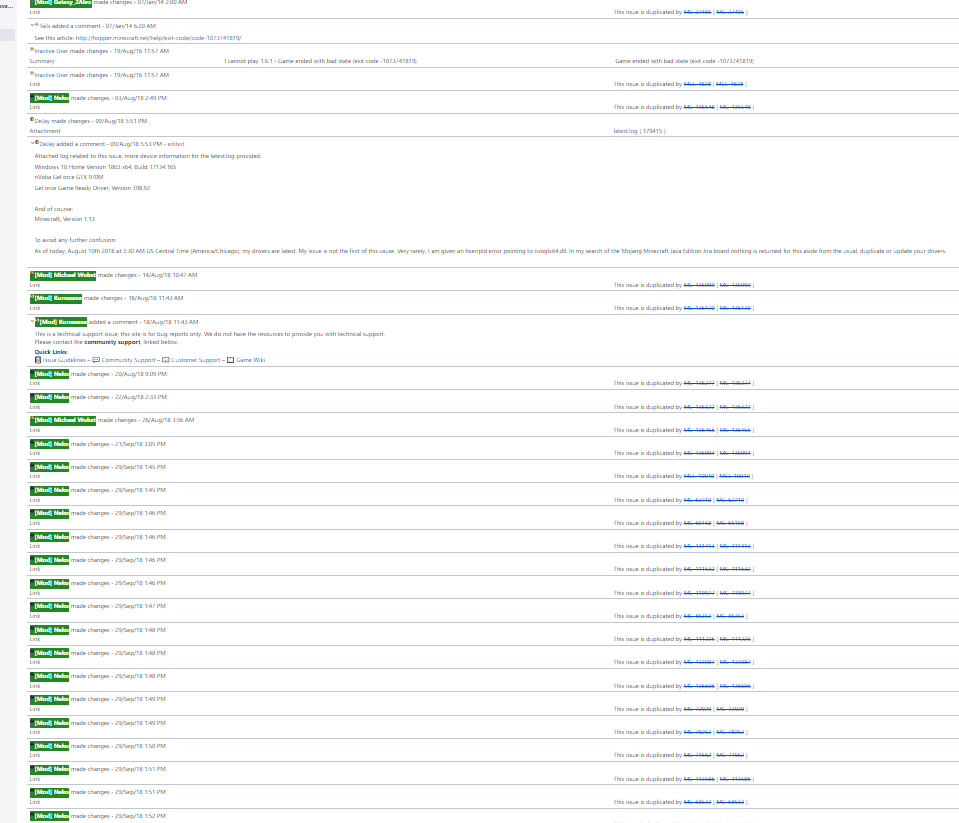
What am I supposed to do with that? Check every single one for a possible answer?
I see a reference to updating java, ok done, same problem.
I see a reference to MC-138093, which is re-opened, not resolved.
I see a reference to http://hopper.minecraft.net/help/exit-code/code-1073741819/
"We are currently investigating the root cause of this issue"
That's not resolved. Some possible workarounds, some stabs in the dark that require users to re-install one thing after another in the hope they might solve something, is not a solution. Why do we have to guess and check to fix the bugs mojang has introduced? When this was beta I understood, but really now, have the honesty to at least keep the issue open. When I stopped playing this game it was working, now, without doing anything except watching it update, it's broken. Close the issue only when the updates you force on us have actually fixed it, or there is a clear understanding of some fundamental problem, marked on the issue....not a suggestion to spend an hour re-installing everything because, hey, maybe it'll work. Have some pride ffs.

Duplicate of MC-138093
Thank you for your report!
We're actually already tracking this issue in MC-138093, so I resolved and linked this ticket as a duplicate.
If you would like to add a vote and any extra information to the main ticket it would be appreciated.
If you haven't already, you might like to make use of the search feature in the future to see if the issue has already been reported.
Thank you for your report!
We're actually already tracking this issue in MC-138093, so I resolved and linked this ticket as a duplicate.
If you would like to add a vote and any extra information to the main ticket it would be appreciated.
If you haven't already, you might like to make use of the search feature in the future to see if the issue has already been reported.
Quick Links:
📓 Issue Guidelines – 💬 Community Support – 📧 Customer Support – 📖 Game Wiki
Thanks!
This is a known issue with old dual-core CPUs, see MC-138093. If you need assistance with solving the issue, you might want to contact Community Support, linked below.
Quick Links:
📓 Issue Guidelines – 💬 Community Support – 📧 Customer Support – 📖 Game Wiki
Thank you for your report!
This is a technical support issue, which we're already tracking in MC-138093, so I resolved and linked this ticket as a duplicate. We do not have the resources to provide you with technical support.
Please check that ticket for help with solving your issue. If you need further assistance, please contact Community Support, linked below.
If you haven't already, you might like to make use of the search feature in the future to see if the issue has already been reported.
Quick Links:
📓 Issue Guidelines – 💬 Community Support – 📧 Customer Support – 📖 Game Wiki
Thank you for your report!
We're actually already tracking this issue in MC-138093, so I resolved and linked this ticket as a duplicate.
If you would like to add a vote and any extra information to the main ticket it would be appreciated.
If you haven't already, you might like to make use of the search feature in the future to see if the issue has already been reported.
Quick Links:
📓 Issue Guidelines – 💬 Community Support – 📧 Customer Support – 📖 Game Wiki
Thank you for your report!
This is a technical support issue, which we're already tracking in MC-138093, so I resolved and linked this ticket as a duplicate. We do not have the resources to provide you with technical support.
Please check that ticket for help with solving your issue. If you need further assistance, please contact Community Support, linked below.
If you haven't already, you might like to make use of the search feature in the future to see if the issue has already been reported.
Quick Links:
📓 Issue Guidelines – 💬 Community Support – 📧 Customer Support – 📖 Game Wiki
Thank you for your report!
This is a technical support issue, which we're already tracking in MC-138093, so I resolved and linked this ticket as a duplicate. We do not have the resources to provide you with technical support.
Please check that ticket for help with solving your issue. If you need further assistance, please contact Community Support, linked below.
If you haven't already, you might like to make use of the search feature in the future to see if the issue has already been reported.
Quick Links:
📓 Issue Guidelines – 💬 Community Support – 📧 Customer Support – 📖 Game Wiki
Thank you for your report!
This is a technical support issue, which we're already tracking in MC-138093, so I resolved and linked this ticket as a duplicate. We do not have the resources to provide you with technical support.
Please check that ticket for help with solving your issue. If you need further assistance, please contact Community Support, linked below.
If you haven't already, you might like to make use of the search feature in the future to see if the issue has already been reported.
Quick Links:
📓 Issue Guidelines – 💬 Community Support – 📧 Customer Support – ✍️ Feedback and Suggestions – 📖 Game Wiki
Thank you for your report!
This is a technical support issue, which we're already tracking in MC-138093, so I resolved and linked this ticket as a duplicate. We do not have the resources to provide you with technical support.
Please check that ticket for help with solving your issue. If you need further assistance, please contact Community Support, linked below.
If you haven't already, you might like to make use of the search feature in the future to see if the issue has already been reported.
Quick Links:
📓 Issue Guidelines – 💬 Community Support – 📧 Customer Support – ✍️ Feedback and Suggestions – 📖 Game Wiki
![[Mod] Avoma](../../../data/avatars/users/86198.png)
Hey there!
Does MC-138093 happen to describe your issue?
Thank you for your report!
We're tracking this issue in MC-138093, so this ticket is being resolved and linked as a duplicate.
That ticket has already been resolved as invalid, which means this is a technical support issue. Please take a look at the parent ticket (MC-138093) and see if a solution is provided there.
If you need additional help to fix this problem, please contact the Community Support and refer to this ticket (e.g. "I have reported this issue on Mojira as MC-XYZ.").
If you haven't already, you might like to make use of the search feature to see if the issue has already been mentioned.
Quick Links:
📓 Bug Tracker Guidelines – 💬 Community Support – 📧 Mojang Support
📓 Project Summary – ✍️ Feedback and Suggestions – 📖 Game Wiki
See also MC-138093
Thank you for your report!
We're tracking this issue in MC-138093, so this ticket is being resolved and linked as a duplicate.
That ticket has already been resolved as invalid, which means this is a technical support issue. Please take a look at the parent ticket (MC-138093) and see if a solution is provided there.
If you need additional help to fix this problem, please contact the Community Support and refer to this ticket (e.g. "I have reported this issue on Mojira as MC-XYZ.").
If you haven't already, you might like to make use of the search feature to see if the issue has already been mentioned.
Quick Links:
📓 Bug Tracker Guidelines – 💬 Community Support – 📧 Mojang Support
📓 Project Summary – ✍️ Feedback and Suggestions – 📖 Game Wiki
Thank you for your report!
We're tracking this issue in MC-138093, so this ticket is being resolved and linked as a duplicate.
That ticket has already been resolved as invalid, which means this is a technical support issue. Please take a look at the parent ticket (MC-138093) and see if a solution is provided there.
If you need additional help to fix this problem, please contact the Community Support and refer to this ticket (e.g. "I have reported this issue on Mojira as MCL-XYZ.").
If you haven't already, you might like to make use of the search feature to see if the issue has already been mentioned.
Quick Links:
📓 Bug Tracker Guidelines – 💬 Community Support – 📧 Mojang Support
📓 Project Summary – ✍️ Feedback and Suggestions – 📖 Game Wiki
Thank you for your report!
We're tracking this issue in MC-138093, so this ticket is being resolved and linked as a duplicate.
That ticket has already been resolved as invalid, which means this is a technical support issue. Please take a look at the parent ticket (MC-138093) and see if a solution is provided there.
If you need additional help to fix this problem, please contact the Community Support and refer to this ticket (e.g. "I have reported this issue on Mojira as MC-XYZ.").
If you haven't already, you might like to make use of the search feature to see if the issue has already been mentioned.
Quick Links:
📓 Bug Tracker Guidelines – 💬 Community Support – 📧 Mojang Support
📓 Project Summary – ✍️ Feedback and Suggestions – 📖 Game Wiki
Sounds like MC-138093, what CPU you have and what else is running on the server?
Can you run ```cat /proc/sys/kernel/threads-max``` and make sure the limit is not too low? (can be changed in policies)
Thank you for your report!
We're tracking this issue in MC-138093, so this ticket is being resolved and linked as a duplicate.
That ticket has already been resolved as invalid, which means this is a technical support issue. Please take a look at the parent ticket (MC-138093) and see if a solution is provided there.
If you need additional help to fix this problem, please contact Community Support and refer to this ticket (e.g. "I have reported this issue on Mojira as MC-XYZ.").
If you haven't already, you might like to make use of the search feature to see if the issue has already been mentioned.
Quick Links:
📓 Bug Tracker Guidelines – 💬 Community Support – 📧 Mojang Support
📓 Project Summary – ✍️ Feedback and Suggestions – 📖 Game Wiki
![[Mod] Asteraoth](../../../data/avatars/users/92886.png)
Thank you for your report!
However, this issue has been temporarily closed as Awaiting Response.
We do not have enough information to find the cause of this issue.
Please attach the launcher log (.minecraft/launcher_log.txt) here.
Once attached, the report will be reopened automatically.
Quick Links:
📓 Issue Guidelines – 💬 Community Support – 📧 Customer Support – 📖 Game Wiki
See -1073741819.
Thank you for the reply, Neko. These are not the solutions. I am testing with both the bundled Java and a clean install of jre1.8.0_181. Both produce the same error. I do not have D3Dgear installed. I have tested with several versions of Nvidia drivers, including 398.82 and 416.34 (latest version, clean install) for my 660Ti, all with the same result.
Again, 1.13.1 runs without any error. Only 1.13.2 and 18w43b produce the error.
This should not be marked as resolved or a duplicate. All known causes as well as other unrelated fixes were attempted in the #minecrafthelp IRC. With other instances of that exit code, it is a problem on the PC that effects all installed versions. This user only experienced the problem on the latest release version and further snapshots.
Reopening.
Crash is in lwjgl.dll, attaching dxdiag with old version of driver https://paste.ubuntu.com/p/SNBPQGxHZP/
and latest from 3 users https://paste.ubuntu.com/p/r8rh5VYmBj/ https://paste.ubuntu.com/p/5kf2dDrrfh/ https://paste.ubuntu.com/p/HMThSv8zmq/
All of them with weak 2 core cpus
Doesnt affect 1.13.2-pre1 but it affects 1.13.2-pre2
After doing my own testing, this is what I have concluded about this issue:
It only occurs on old 2 core processors which do not fully load the game during the LWJGL startup process and just terminates. Any 2c/4t processor should not have this issue. It can only be replicated on 2c/2t processors which are either very old or have very low clock speeds.
If you cripple an FX-8350 to run at 2GHz and only 2 cores (2 threads) then you can occasionally get the error. Same with a Ryzen 1500. However, it is inconsistent at best, and not constantly going to produce the issue.
As the minimum requirements for the game specifically reference 2 core/4 thread processors released within even the last 5 years should not have this issue.
Essentially: your machines have not met the minimum requirements for some time and use 10 year old hardware. The hardware requirements have been this way for over a year now, so it's fair to say it's just too old to support.
https://help.mojang.com/customer/portal/articles/325948-what-are-the-system-requirements-
From @marcono1234
DataFixerUpper uses number of cores - 1, so in 2 core processors the parallelism ends up being 1, so a thread is created for each thread
This makes the OS run out of native threads while running in 32 bits(
MC-137353), and seems to trigger this bug in 64 bit@Lord_kalex apparently it doesn't only happen for pcs and laptops that are "too old", it seems like it happens to any new or old PC as long as it has low enough specs, I would know since I am having this exact issue on this laptop that I bought a couple of months ago so it is new https://support.hp.com/us-en/document/c05987723, I didn't have much money at the time so its all I could buy but I figured it would at LEAST run lower end games like MC, but nope, I am getting the exact same OutOfMempry error about not being able to create enough native threads on 18w50a. It is 64 bit but has a dual core CPU so I assume that is the issue. I didn't know MC would require a 4 core cpu, guess I am stuck playing 1.13 for a while ;~;
@therektafire This happens on 2 core 2 threads machines, so any 2 core PC without hyperthreading, which are usually really old PCs as even cellphones nowadays have 4 or more cores
Workaround - Install optifine for 1.13.2. Worked in my case.
i have this problem but on a quad core cpu. the game worked for a bit after installing before deciding to crash on launch enverytime i try to play
Fixed in the latest snapshot.
I'm having this issue since the update to 1.14.
("Process crashed with exit code -1073741819")
Win 10 on i7 w/ 16 GB RAM
BUT only at every other first start after a while; at the second start, the game runs fine….
i have tried all the suggested solutions on a i7-5820K 6 core 12 thread CPU with 32Gb of RAM and the problem persists.
My first start after installing Forge on 20w17a, and this came up after 'Setting user: PoolloverNathan', along with a good ol' launcher blackscreen.
This tracker is for Vanilla. We don't support mods and their loaders.
I have the same issue on 1.16.4...
NVIDIA Quadro K2100M
Intel(R) Core(TM) i7-4810MQ CPU @ 2.80GHz
16 GB memory
Windows 10 Pro (64 bits)
Hey I might have something that would help. Uninstall Player.me from your system because it interferes with the minecraft launcher. This worked for me as I was in the same situation. Heres the video I watched, https://www.youtube.com/watch?v=dNnJhbmX4lI
Roy Korteweg Your issue is http://hopper.minecraft.net/help/exit-code/code-1073741819/
Hunter James MacLennan Same thing, no player.me installed
Has someone found a solution for this problem? I kinda want my money back... I just bought Minecraft and to face this kind of problem is just so disappoiting...
Still seems to be an issue through 22w16b.
This is an issue with your setup, not an issue with Mojang.
I was experiencing this as well, but I just restarted or shut down my computer and it went smoothly after starting it back up.
@MisterZero This report has been given a Mojang Priority, meaning that Mojang consider it a valid bug.
[Mojang] Gegy What about this is incomplete? Which question needs to be answered to reopen this?
If you are encountering a crash with exit code -1073741819, this indicates a native access violation exception. These can have a variety of causes, but this report is likely a collection of unrelated issues without enough information to understand what went wrong unfortunately. 🙂 In the case of this error, a JVM native crash dump should be generated in your Minecraft install directory, with a name like: `hs_err_pid_xxxx.log`. Please submit a new report with this file attached. Thanks!