 MC-270452
Floating spruce block entities?
It's been here for a while now, and it gets in the way. It has no hitbox, and it just looks ugly. Do I have to delete something from the entities folder in the game files?
Environment
Windows 11 23h2
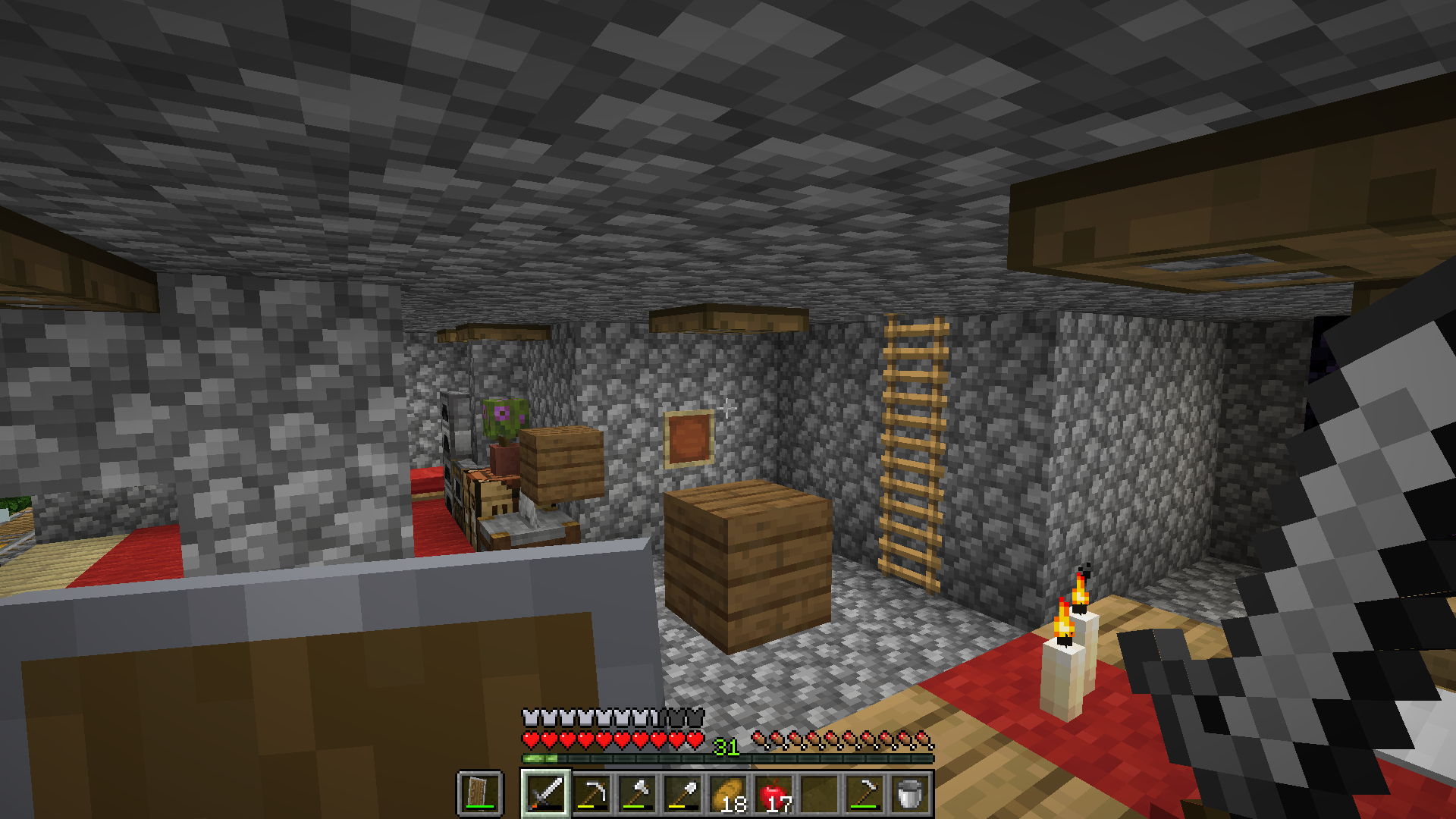


Created Issue:
Floating spruce block entities?
It's been here for a while now, and it gets in the way. It hhas no hitbox, but it just looks ugly. Do I have to delete something from the entities folder in the game files?
Environment
Windows 11 23h2
Attachments1
It's been here for a while now, and it gets in the way. It
hhas no hitbox, but it just looks ugly. Do I have to delete something from the entities folder in the game files?
It's been here for a while now, and it gets in the way. It has no hitbox,
butit just looks ugly. Do I have to delete something from the entities folder in the game files?It's been here for a while now, and it gets in the way. It has no hitbox, and it just looks ugly. Do I have to delete something from the entities folder in the game files?
![[Mod] Chandler](../../../data/assets/gravatar/triwonder81.png)
Minecraft_ 1.20.4 - Singleplayer 2024-04-06 14-05-10.mp4
![[Bot] Arisa](../../../data/avatars/users/43007.png)
![[Mod] Greymagic27](../../../data/avatars/users/92875.png)
Cannot reproduce this, can you please provide a video to you're report?
Do you have any datapacks enabled? If so, does disabling the datapack fix the issue?Invalid, the game is modded.
What indicates that the game is modified? (I was just asking, because I didn't notice anything myself)
It does look like an issue with a possible datapack structure, so knowing whether or not the structure was built by the player, or if it was generated would be helpful.
[Mod] Jiingy, the reporter previously uploaded a wrong video contains better grass and connected texture, which are not things you would normally seen from a vanilla environment.
And if you look at the current video's name, it has a _ after Minecraft, which may represent Minecraft*. I have only seen that in a modded game.
Please attach a screenshot of this occurring while the F3 debug screen is enabled.
This issue is being temporarily resolved as Awaiting Response. Once the requested information has been delivered, the report will be reopened automatically.
Quick Links:
📓 Bug Tracker Guidelines – 💬 Community Support – 📧 Mojang Support (Technical Issues) – 📧 Microsoft Support (Account Issues)
📓 Project Summary – ✍️ Feedback and Suggestions – 📖 Game Wiki
For everyone saying that it's modded, it is, but it happens in vanilla also. There are no datapacks on the world.
We do not have enough information to find the cause of this issue.
Please attach the affected (zipped) world file. If the file size is too large, please upload it somewhere else and then link to it here.
This issue is being temporarily resolved as Awaiting Response. Once the requested information has been delivered, the report will be reopened automatically.
Quick Links:
📓 Bug Tracker Guidelines – 💬 Community Support – 📧 Mojang Support (Technical Issues) – 📧 Microsoft Support (Account Issues)
📓 Project Summary – ✍️ Feedback and Suggestions – 📖 Game Wiki
Please attach it as a straight .zip file so I can import it into my game, rather than as a .torrent
The file size is too large.
World .zip: https://mega.nz/file/Fzc2SSQS#fjDrBCOHXL-Dk0tICwlUJrwR90XgiHm4TpkiMnq6ocA
I can confirm they're there in your world. I have checked via 3rd party world editor and they don't appear there. Deleting the entity folder removes them however.
Do you know how these became to exist?
What will happen if I delete the entities folder? Is it safe?
Yes it's safe, but it does remove every entity in your world. Armour stands, item frames, pictures (I believe), and mobs
Thank you! The floating blocks are gone now!
Awesome! Resolving this as CR.
Glad we managed to track it down. I wonder what caused it though in the first place 🤔