 MC-29320
Slot Selection Offset / Graphics not centered on screen
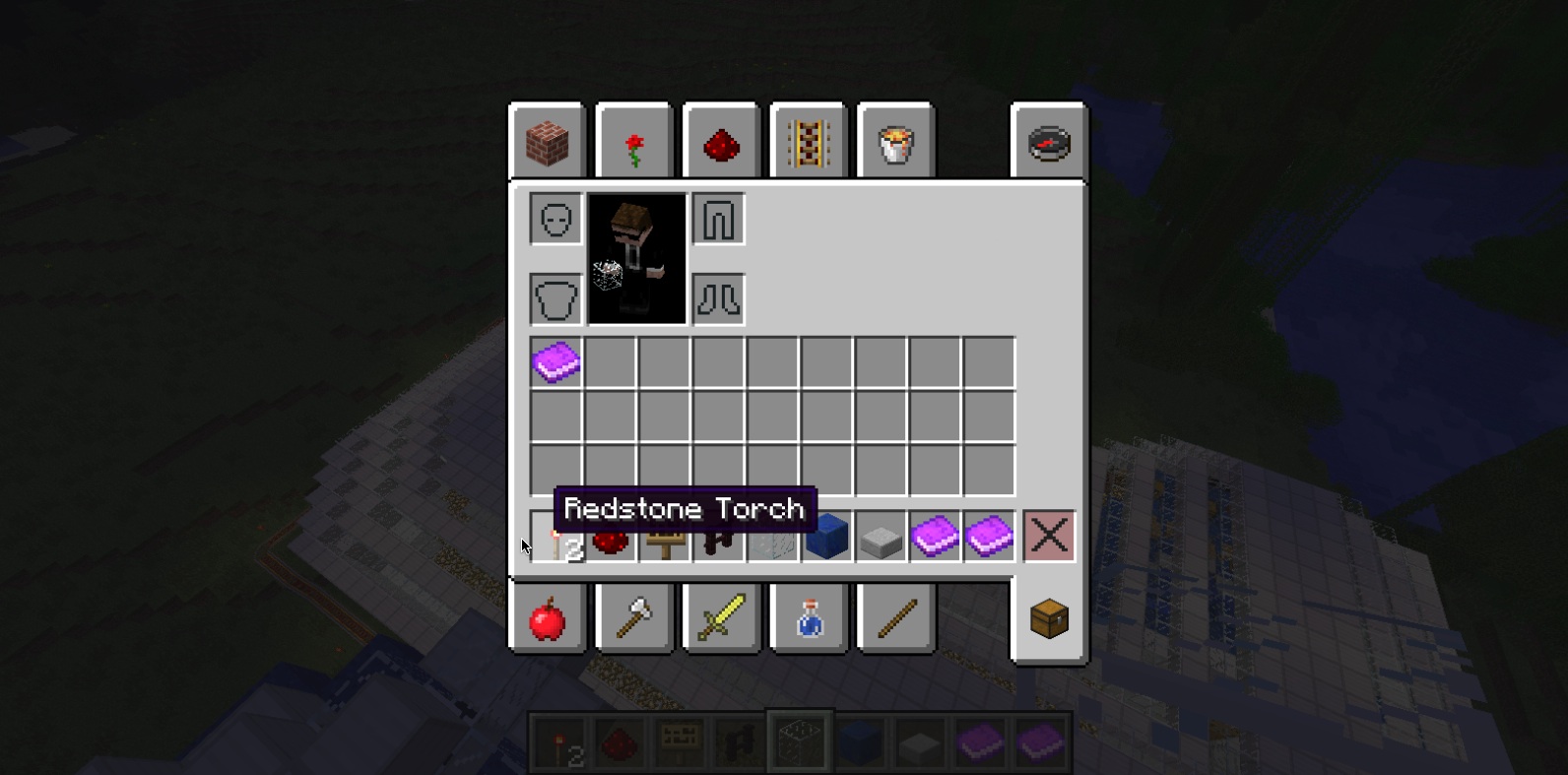
I was playing minecraft and I was using the inventory when I noticed that there was an offset when i was selecting items in the slots, as you can see in the attached screenshot. This was really bugging me because when I was moving items in and out of my inventory i would accidentally move the wrong item.
Environment
Mac OS X 10.8.4
Java 6


Created Issue:
Slot Selection Offset
I was playing minecraft and I was using the inventory when I noticed that there was an offset when i was selecting items in the slots, as you can see in the attached screenshot. This was really bugging me because when I was moving items in and out of my inventory i would accidentally move the wrong item.
Environment
Mac OS X 10.8.4
Java 7
Attachments2
Slot Offset.tiff
Removed Attachments:
Added Attachments:
Deleted Comment:
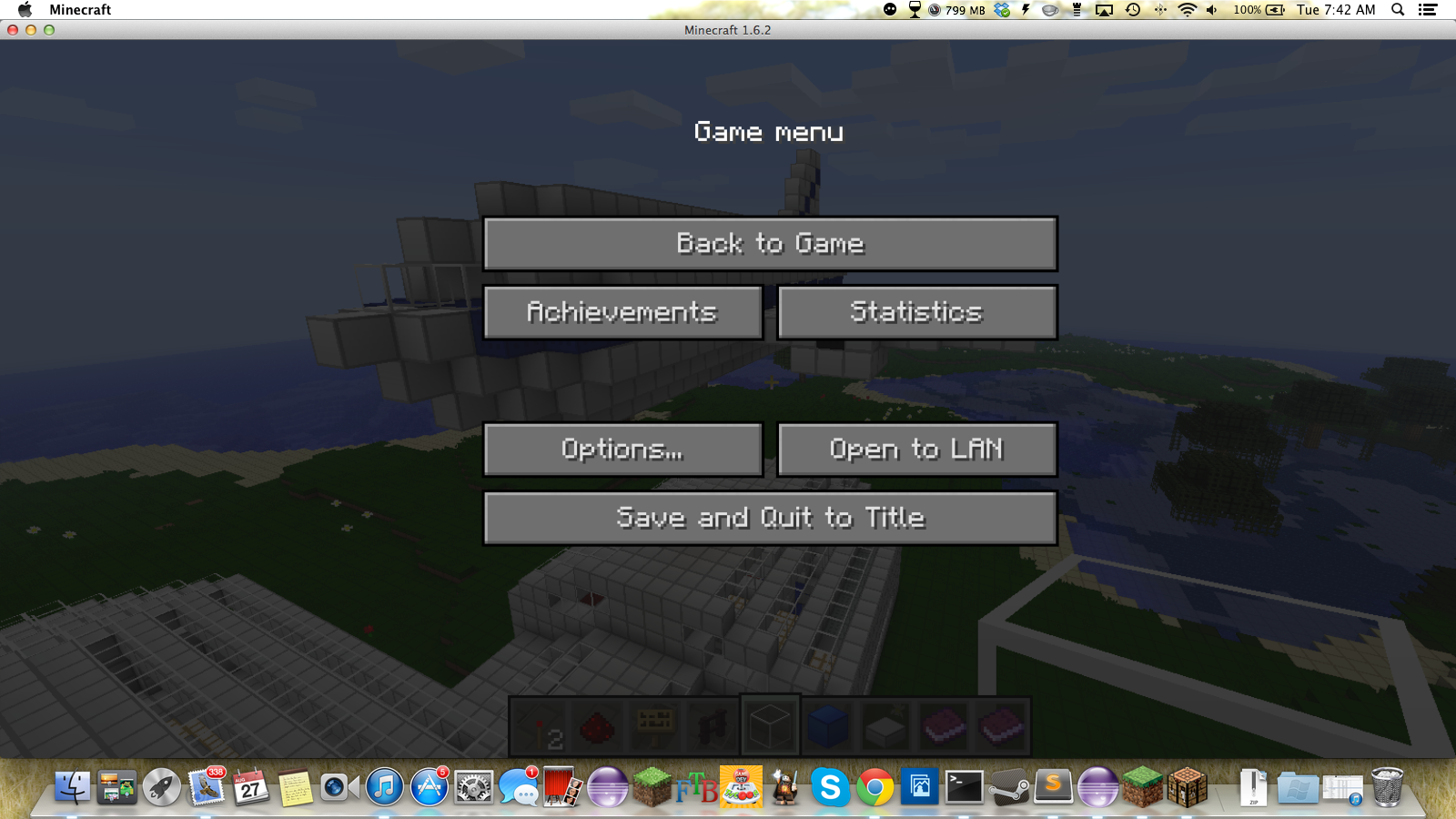
Menu not aligned with minecraft title
Changed Environment:
Mac OS X 10.8.4
Java7Mac OS X 10.8.4
Java 6
Added Attachments:


Changed Summary:
Slot Selection Offset / Graphics not centered on screen

![[Mod] Ezekiel (ezfe)](../../../data/assets/gravatar/ezekielelin.jpeg)
Please force a crash by pressing F3 + C for 10 seconds while in-game and attach the crash report (minecraft/crash-reports/crash-<DATE>-client.txt) here.
I just attached the crash report to the bug report.
Is your trackpad uncalibrated ?
I think it's calibrated, and I wasn't using my trackpad.
Also, I just noticed that the window is a bit uneven, and I think that is why.
I attached a screenshot to the bug report, and in the screenshot, you can see that the Minecraft 1.6.2 title is supposed to be lined up with the gamemenu on the vertical axis, but it isn't.
Unable to reproduce.
Does this also happen if you
Is this still a concern in the current Minecraft version 1.7.2 / Launcher version 1.3.4 or later? If so, please update the affected versions in order to best aid Mojang ensuring bugs are still valid in the latest releases/pre-releases.
No more updates, assuming no longer an issue.