 MC-30723
Smooth Camera mode turning on randomly
The camera has randomly activated smooth camera mode several times during my most recent game. Pressing F8 does not resolve the issue, and I'm forced to close the game and re-open it. The problem occurs seemingly without reason, as I'm crafting in my base, or running through the woods. The most recent time, I noticed it started immediately after a slowdown.
Environment
Windows 7, Java version 7 update 17
Linked Issues


Created Issue:
Smooth Camera mode turning on randomly
The camera has randomly activated smooth camera mode several times during my most recent game. Pressing F8 does not resolve the issue, and I'm forced to close the game and re-open it. The problem occurs seemingly without reason, as I'm crafting in my base, or running through the woods. The most recent time, I noticed it started immediately after a slowdown.
Environment
Windows 7, Java version 7 update 17
![[Mod] Ezekiel (ezfe)](../../../data/assets/gravatar/ezekielelin.jpeg)

duplicates
Stop pressing F4 (smooth camera was remapped to F4)
edit: ts was supposed to be mapped to it. Go to your options>controls> and see what its mapped to... if none, map it and turn it off
Smooth camera is not bound to any of the F keys, and cannot be rebound in the vanilla options panel.
RESOLVED: turns out the smooth camera key was bound to my keyboard volume up button.
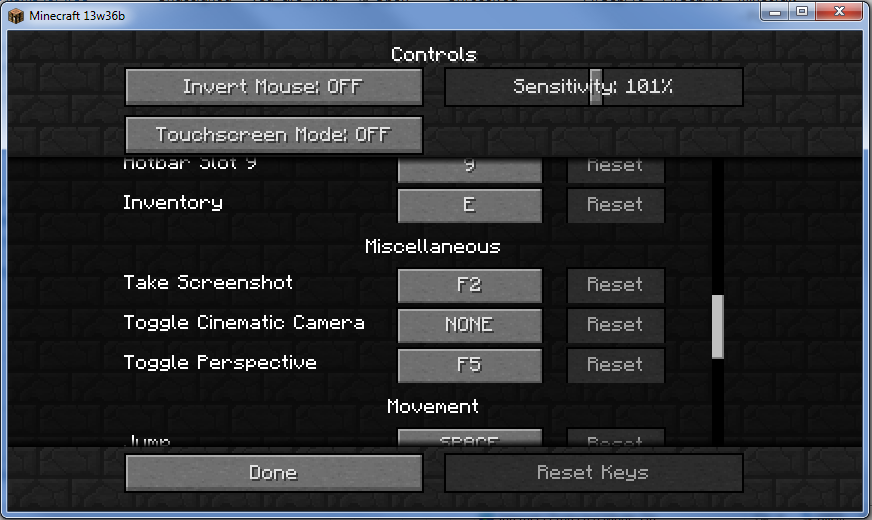
I just rebonded mine through the vanilla option menu (see screen shots). just click the "NONE" option and then hit the "F" key you want it to use
Marked as invalid due to it being user error