 MCL-13020
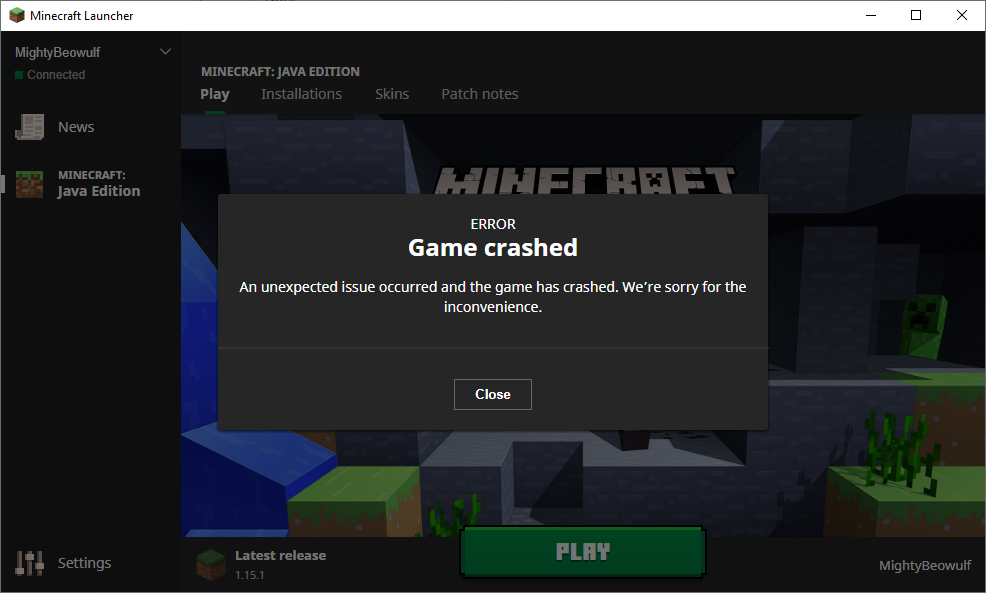
Error game crashed
Howdy Mojang team!
After I reset my PC and then reinstalled Minecraft: Java Edition. And then I clicked on "Play" green button. I see "Preparing" green loading bar... then bam! Pop up saying: Error game crashed. An unexpected issue occurred and the game has crashed. We're sorry for the inconvenience.
Yes, it was fine before reset my PC for other reasons.
My PC:
Windows 10 Home 64-bit
AMD Radeon HD 6540
Java version: 8 Update 241 (build 1.8.0_241-b07)
I hope this is enough information you need?
Kindly how to solve this issue please?
Thanks,
MightyBeowulf
Linked Issues


Created Issue:
Error game crashed
Howdy Mojang team!
After I reset my PC and then reinstalled Minecraft: Java Edition. And then I clicked on "Play" green button. I see "Preparing" green loading bar... then bam! Pop up saying: Error game crashed. An unexpected issue occurred and the game has crashed. We're sorry for the inconvenience.
Yes, it was fine before reset my PC for other reasons.
My PC:
Windows 10 Home 64-bit
AMD Radeon HD 6540
Java version: 8 Update 241 (build 1.8.0_241-b07)
I hope this is enough information you need?
Kindly how to solve this issue please?
Thanks,
MightyBeowulf
Attachments2
![[Mod] violine1101](../../../data/avatars/users/92858.png)
duplicates

Your PC username has '!' character. Java applications cannot run correctly under this directory. Either change game directory to a folder that does not contain '!', or create new user. (You cannot just rename the user, name of the folder will remain the same). And of course do not rename user directory manually.
See
MCL-774.I have made a code snippet that tries to fix this issue:
Probably more cases shuold be handled, but this might be a fix.