 MCL-16267
Minecraftinstaller.msi error
the computer has a hard drive, but it began to die due to its age. Naturally, I replaced it, set a new letter (dying hard drive E:, new hard drive K: ), now I need to reinstall all games that were once on E:, but the Minecraft installer requires me to drive E:, while without giving the opportunity to choose a different installation path. Before changing the hard drive, there were no such problems
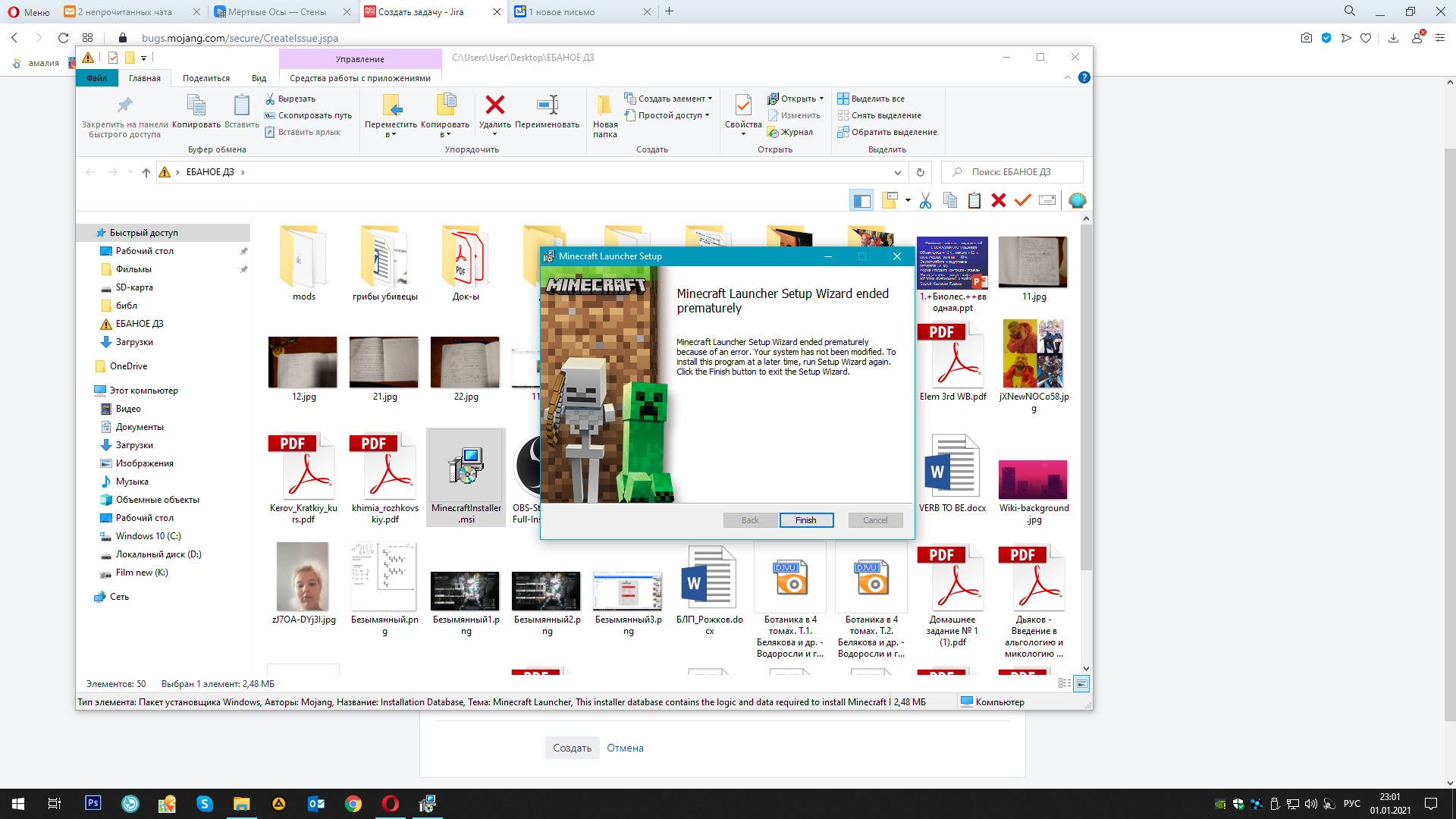
I have attached pictures of how the installer requires the "E" drive. At the same time, there was a folder ".minecraft" in the path you specified (%AppData%\Roaming). Even so, the already installed game would not start. I decided to delete this folder and then install the game again, but MinecraftInstaller.msi requires an "E" drive. This is the problem, that drive "E" did not contain OC files, especially minecraft files, but the installer requires me to drive "E"
Linked Issues


Created Issue:
Minecraftinstaller.msi error
the computer has a hard drive, but it began to die due to its age. Naturally, I replaced it, set a new letter (dying hard drive E:, new hard drive K: ), now I need to reinstall all games that were once on E:, but the Minecraft installer requires me to drive E:, while without giving the opportunity to choose a different installation path. Before changing the hard drive, there were no such problems
I have attached pictures of how the installer requires the "E" drive. At the same time, there was a folder ".minecraft" in the path you specified (%AppData%\Roaming). Even so, the already installed game would not start. I decided to delete this folder and then install the game again, but MinecraftInstaller.msi requires an "E" drive. This is the problem, that drive "E" did not contain OC files, especially minecraft files, but the installer requires me to drive "E"
Attachments3
![[Mod] violine1101](../../../data/avatars/users/92858.png)
duplicates
Please don't create duplicates of your own bug reports.
Thank you for your report!
We're tracking this issue in
MCL-16260, so this ticket is being resolved and linked as a duplicate.If you would like to add a vote and any extra information to the main ticket it would be appreciated.
If you haven't already, you might like to make use of the search feature to see if the issue has already been mentioned.
Quick Links:
📓 Bug Tracker Guidelines – 💬 Community Support – 📧 Mojang Support
📓 Project Summary – ✍️ Feedback and Suggestions – 📖 Game Wiki
– I am a bot. This action was performed automatically! Please report any issues on Discord or Reddit