 MCL-16260
Minecraftinstaller.msi requires E: drive to be present
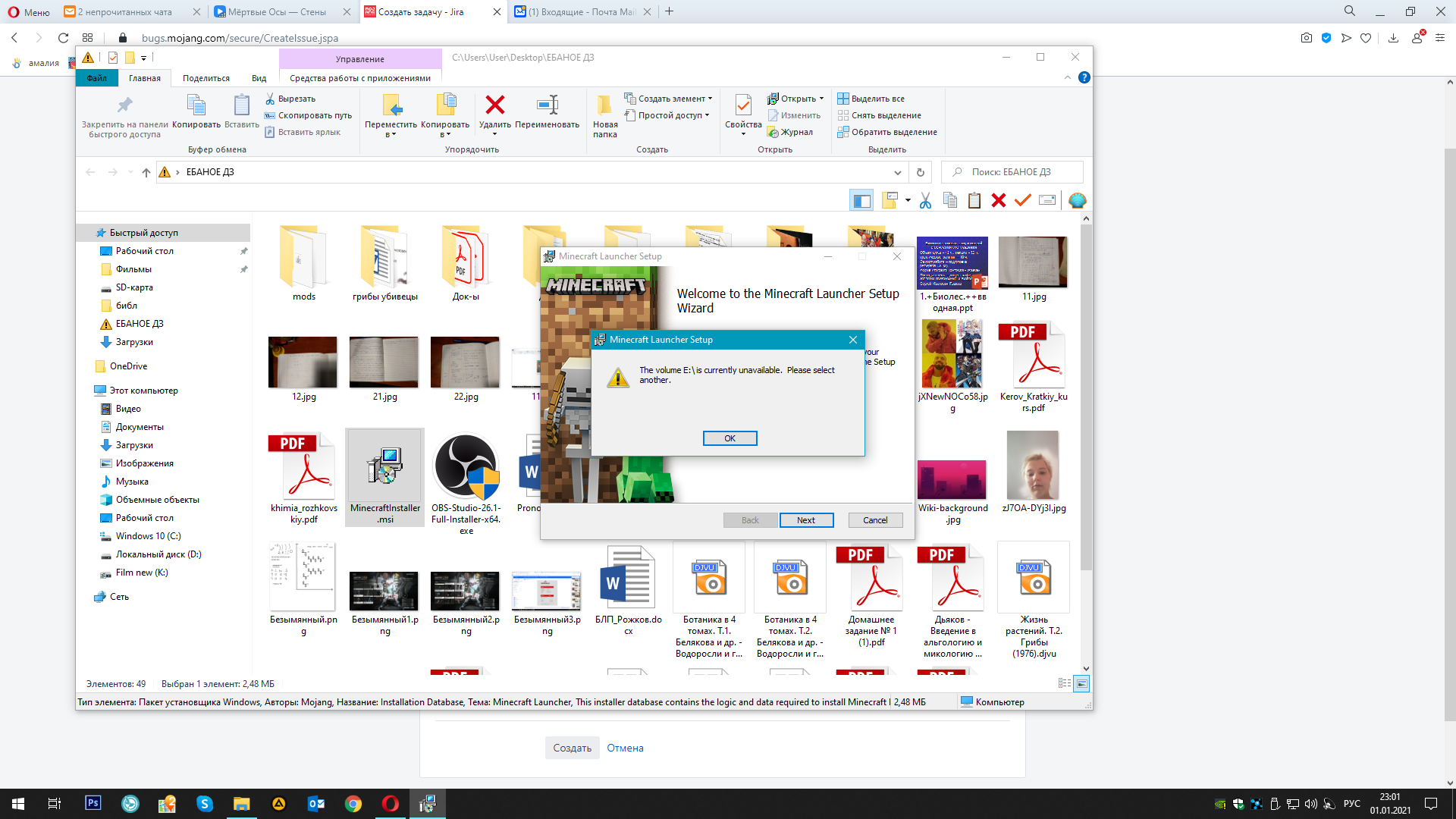
the computer has a hard drive, but it began to die due to its age. Naturally, I replaced it, set a new letter (dying hard drive E:, new hard drive K: ), now I need to reinstall all games that were once on E:, but the Minecraft installer requires me to drive E:, while without giving the opportunity to choose a different installation path. Before changing the hard drive, there were no such problems
Linked Issues
is duplicated by1


Created Issue:
Minecraftinstaller.msi error
the computer has a hard drive, but it began to die due to its age. Naturally, I replaced it, set a new letter (dying hard drive E:, new hard drive K
, now I need to reinstall all games that were once on E:, but the Minecraft installer requires me to drive E:, while without giving the opportunity to choose a different installation path. Before changing the hard drive, there were no such problems
Attachments3
the computer has a hard drive, but it began to die due to its age. Naturally, I replaced it, set a new letter (dying hard drive E:, new hard drive K
the computer has a hard drive, but it began to die due to its age. Naturally, I replaced it, set a new letter (dying hard drive E:, new hard drive K: ), now I need to reinstall all games that were once on E:, but the Minecraft installer requires me to drive E:, while without giving the opportunity to choose a different installation path. Before changing the hard drive, there were no such problems
![[Mod] violine1101](../../../data/avatars/users/92858.png)
Minecraftinstaller.msierrorMinecraftinstaller.msi requires E: drive to be present
is duplicated by

![[Bot] Arisa](../../../data/avatars/users/43007.png)
the solution turned out to be unexpected: go to the registry editor -> HKEY_CURRENT_USER -> SOFTWARE -> find the "Mojang" folder and delete it. After that minecraftinstaller.msi started working correctly. The game is installed, the launcher is checked
Thank you for your report!
We're tracking this issue in MCL-16260, so this ticket is being resolved and linked as a duplicate.
If you would like to add a vote and any extra information to the main ticket it would be appreciated.
If you haven't already, you might like to make use of the search feature to see if the issue has already been mentioned.
Quick Links:
📓 Bug Tracker Guidelines – 💬 Community Support – 📧 Mojang Support
📓 Project Summary – ✍️ Feedback and Suggestions – 📖 Game Wiki
– I am a bot. This action was performed automatically! Please report any issues on Discord or Reddit
Thank you for your report!
We're tracking this issue in
MCL-16024, so this ticket is being resolved and linked as a duplicate.That ticket has already been resolved as working as intended, which means this is not considered a bug and won't be fixed. Please do not leave a comment on the linked ticket.
If you haven't already, you might like to make use of the search feature to see if the issue has already been mentioned.
Quick Links:
📓 Bug Tracker Guidelines – 💬 Community Support – 📧 Mojang Support
📓 Project Summary – ✍️ Feedback and Suggestions – 📖 Game Wiki
Minecraft will always be installed at %appdata%/.minecraft, there is no way to change that. You can however change where all your save data is located (with the launcher), but the launcher itself will always be installed on your OS drive.
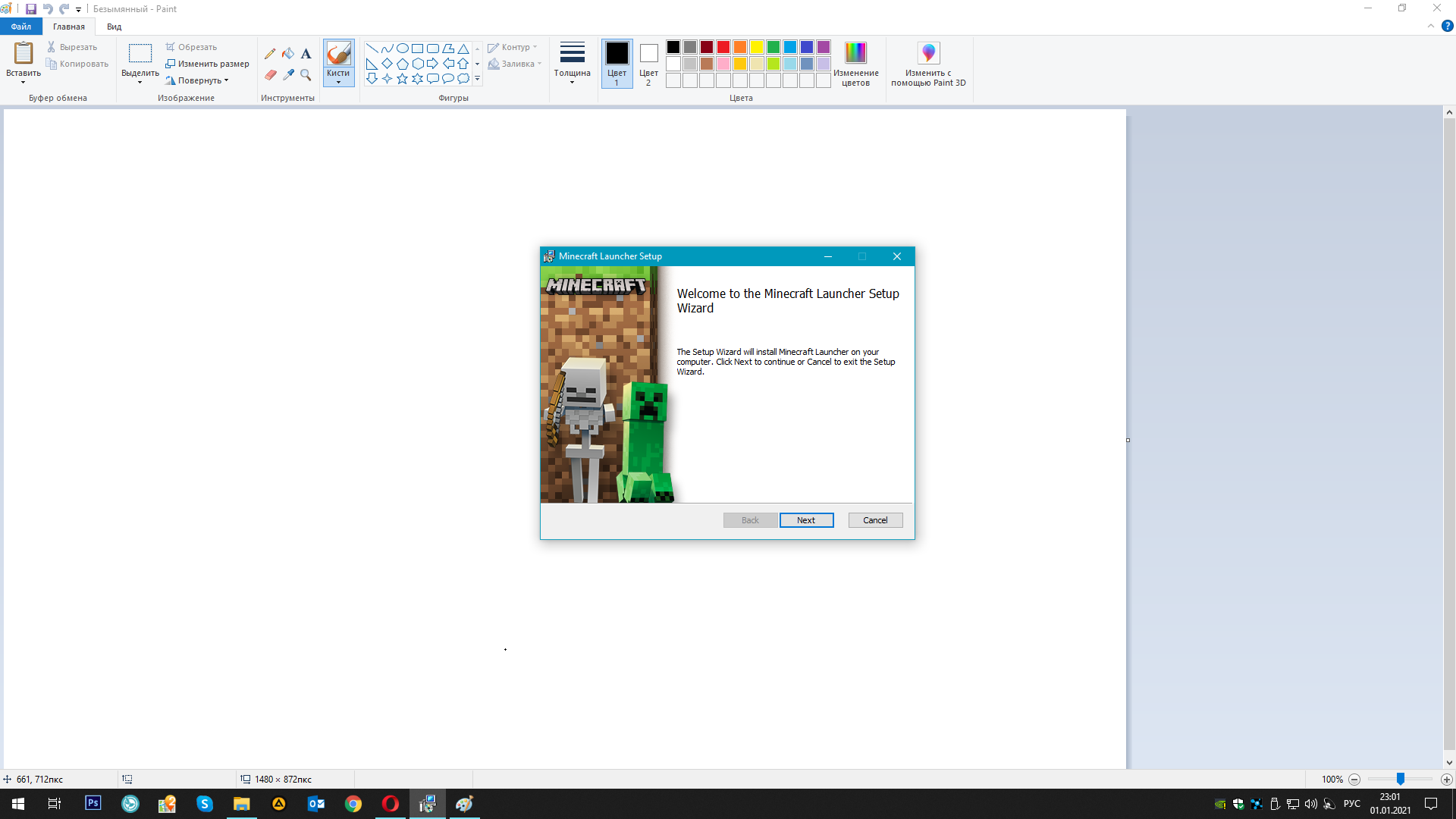
I have attached pictures of how the installer requires the "E" drive. At the same time, there was a folder ". Minecraft" in the path you specified. Even so, the already installed game would not start. I decided to delete this folder and then install the game again, but MinecraftInstaller.msi requires an "E" drive. This is the problem, that drive "E" did not contain OC files, especially minecraft files, but the installer requires me to drive "E"
Ah, okay, thanks. That's odd. I thought E: was your system drive.
Hi, maybe you've fixed this issue already but I would very much like to know if you could try to uninstall Minecraft Launcher before attempting to install it again?
Go to Windows Settings, Apps, and search for Minecraft Launcher. Then try clicking "Uninstall".
whatever I delete, it requires drive E. At the same time minecraft Win10Edit (BE) works fine. But I need Java edit... (ಥ﹏ಥ)
the solution turned out to be unexpected: go to the registry editor -> HKEY_CURRENT_USER -> SOFTWARE -> find the "Mojang" folder and delete it. After that minecraftinstaller.msi started working correctly. The game is installed, the launcher is checked
Closing the issue as cannot reproduce per reporters comment.