 MCLG-438
Steam Version Fails to link to Microsoft account
I experience a similar issue as reported here MCLG-98. I created a support request (5935858) and was directed to that issue. But that bug is reported resolved as of 14/Jun/23 and I am still having the problem. When I informed the Minecraft help of that they adviced me to create a an individual bug report.
Issue:
Steam Version Fails to link to Microsoft account
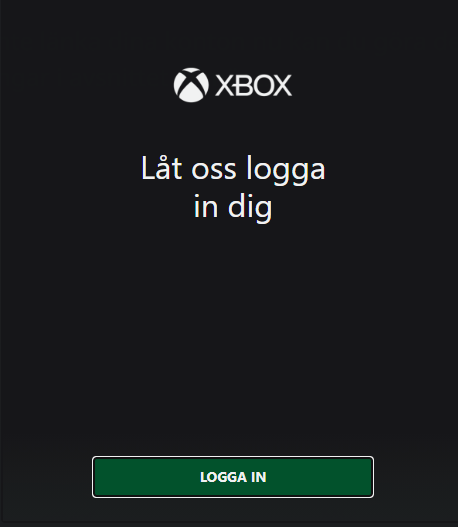
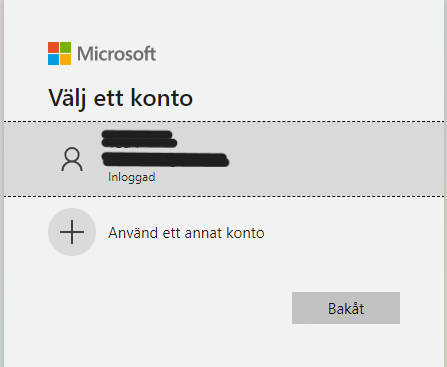
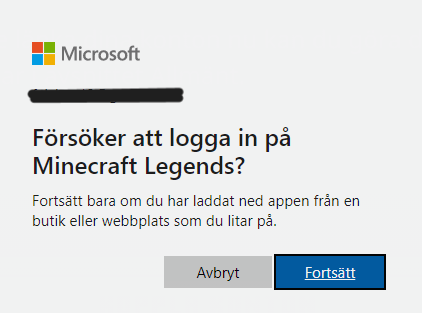
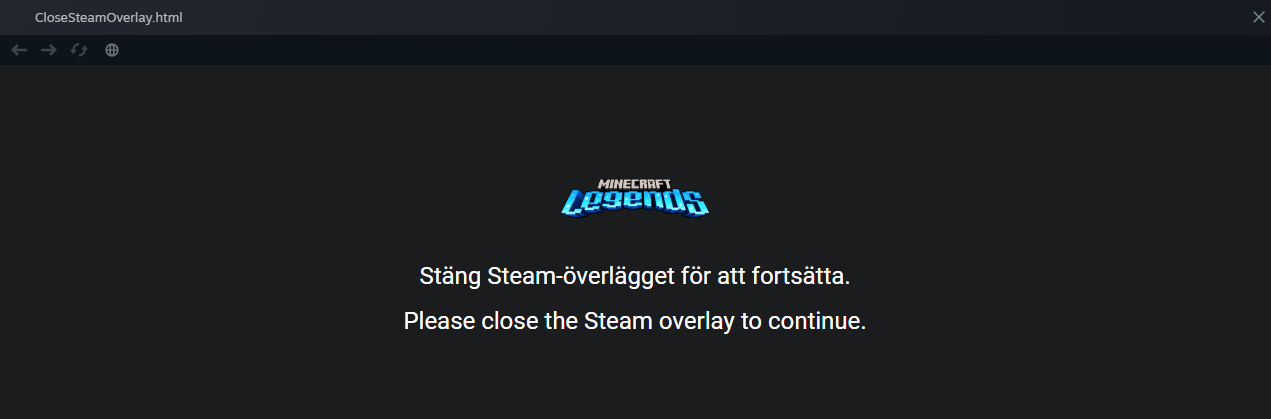
I launch the game from Steam and follow the ingame menu to make the connection (pic1). When I click connect account, I get a pop up saying Welcome to Xbox - let us log you in (pic2). I click login in and chose my Microsoft account, it shows as logged in (pic3). A new message says "Trying to login to Minecraft Legends" (pic4) and to only continue if you trust the site. Clicking Continue results in a new pop up that says "Please close the Steam overlay to continue" (pic5) and nothing happens. Closing the message with X removes the message but then I am stuck on the previous message (pic4) and clicking continue no longer works.
I tried to deactivate the overlay in Steam but I only come back to the Trying to login message, and now nothing happens when I press continue. If I close the overlay with task manager, Minecraft Legends says "Login failed. We could not connect your Microsoft account."
Please advice.
Steam Build-ID: 11472438


Created Issue:
Steam Version Fails to link to Microsoft account
I experience a similar issue as reported here https://bugs.mojang.com/browse/MCLG-98. I created a support request (5935858) and was directed to that issue. But that bug is reported resolved as of 14/Jun/23 and I am still having the problem. When I informed the Minecraft help of that they adviced me to create a an individual bug report.
Issue:
Steam Version Fails to link to Microsoft account
I launch the game from Steam and follow the ingame menu to make the connection (pic1). When I click connect account, I get a pop up saying Welcome to Xbox - let us log you in (pic2). I click login in and chose my Microsoft account, it shows as logged in (pic3). A new message says "Trying to login to Minecraft Legends" (pic4) and to only continue if you trust the site. Clicking Continue results in a new pop up that says "Please close the Steam overlay to continue" (pic5) and nothing happens. Closing the message with X removes the message but then I am stuck on the previous message (pic4) and clicking continue no longer works.
I tried to deactivate the overlay in Steam but I only come back to the Trying to login message, and now nothing happens when I press continue. If I close the overlay with task manager, Minecraft Legends says "Login failed. We could not connect your Microsoft account."
Please advice.
Steam Build-ID: 11472438
Attachments5
- Unresolved
- Open
- Unconfirmed
- Steam
- Windows 11 Pro
- Version #21511
![[Bot] Arisa](../../../data/avatars/users/43007.png)
I experience a similar issue as reported here
https://bugs.mojang.com/browse/MCLG-98. I created a support request (5935858) and was directed to that issue. But that bug is reported resolved as of 14/Jun/23 and I am still having the problem. When I informed the Minecraft help of that they adviced me to create a an individual bug report.
Issue:
Steam Version Fails to link to Microsoft account
I launch the game from Steam and follow the ingame menu to make the connection (pic1). When I click connect account, I get a pop up saying Welcome to Xbox - let us log you in (pic2). I click login in and chose my Microsoft account, it shows as logged in (pic3). A new message says "Trying to login to Minecraft Legends" (pic4) and to only continue if you trust the site. Clicking Continue results in a new pop up that says "Please close the Steam overlay to continue" (pic5) and nothing happens. Closing the message with X removes the message but then I am stuck on the previous message (pic4) and clicking continue no longer works.
I tried to deactivate the overlay in Steam but I only come back to the Trying to login message, and now nothing happens when I press continue. If I close the overlay with task manager, Minecraft Legends says "Login failed. We could not connect your Microsoft account."
Please advice.
Steam Build-ID: 11472438
I experience a similar issue as reported here
MCLG-98. I created a support request (5935858) and was directed to that issue. But that bug is reported resolved as of 14/Jun/23 and I am still having the problem. When I informed the Minecraft help of that they adviced me to create a an individual bug report.
Issue:
Steam Version Fails to link to Microsoft account
I launch the game from Steam and follow the ingame menu to make the connection (pic1). When I click connect account, I get a pop up saying Welcome to Xbox - let us log you in (pic2). I click login in and chose my Microsoft account, it shows as logged in (pic3). A new message says "Trying to login to Minecraft Legends" (pic4) and to only continue if you trust the site. Clicking Continue results in a new pop up that says "Please close the Steam overlay to continue" (pic5) and nothing happens. Closing the message with X removes the message but then I am stuck on the previous message (pic4) and clicking continue no longer works.
I tried to deactivate the overlay in Steam but I only come back to the Trying to login message, and now nothing happens when I press continue. If I close the overlay with task manager, Minecraft Legends says "Login failed. We could not connect your Microsoft account."
Please advice.
Steam Build-ID: 11472438
![[Mod] Greymagic27](../../../data/avatars/users/92875.png)
We do not have enough information to find the cause of this issue.
Please record a video of this happening and attach it to this report.
If you are on Windows, you can use Windows+Alt+R to open a built-in app for recording game footage.
If you are on Mac (Mojave or later), you can use Shift+Command+5 to open a built-in app for recording your screen.
In case you don't have a program to record videos, we recommend using the free recording software OBS.
In case the resulting video file is too large to be uploaded to the bug tracker directly, please upload it elsewhere (e.g. as unlisted video on YouTube) and link to it here.
This issue is being temporarily resolved as Awaiting Response. Once the requested information has been delivered, the report will be reopened automatically.
Quick Links:
📓 Bug Tracker Guidelines – 📧 Mojang Support
📓 Project Summary – ✍️ Feedback and Suggestions – 📖 Game Wiki – 📖 FAQs
See links below for videos of the issues.
In 1, Steam overlay is enabled in the Steam client and I get the message "Please close the Steam overlay to continue". Nothing happens if I wait or if I close the pop up. In video 3, I try to close the Steam ovelay with task manager. But that does not work either.
In video 2 I have disabled Steam overlay in the Steam client before I start the game, but then nothing happens when I click the button to login on Microsoft account.
1: https://youtu.be/W1NIsg9v3QI
2: https://youtu.be/8MIHFHQS1_E
3: https://youtu.be/q6WbvgESe4k
It's been over three weeks since I provided the requested information. Can you please provide a status update?