 MCPE-120818
Steve skin color is missing from character creator
Steps to Reproduce:
- Check character creator for skin colors
- See "Steve" skin color
- Look at skin color of the default Steve character
Observed Results:
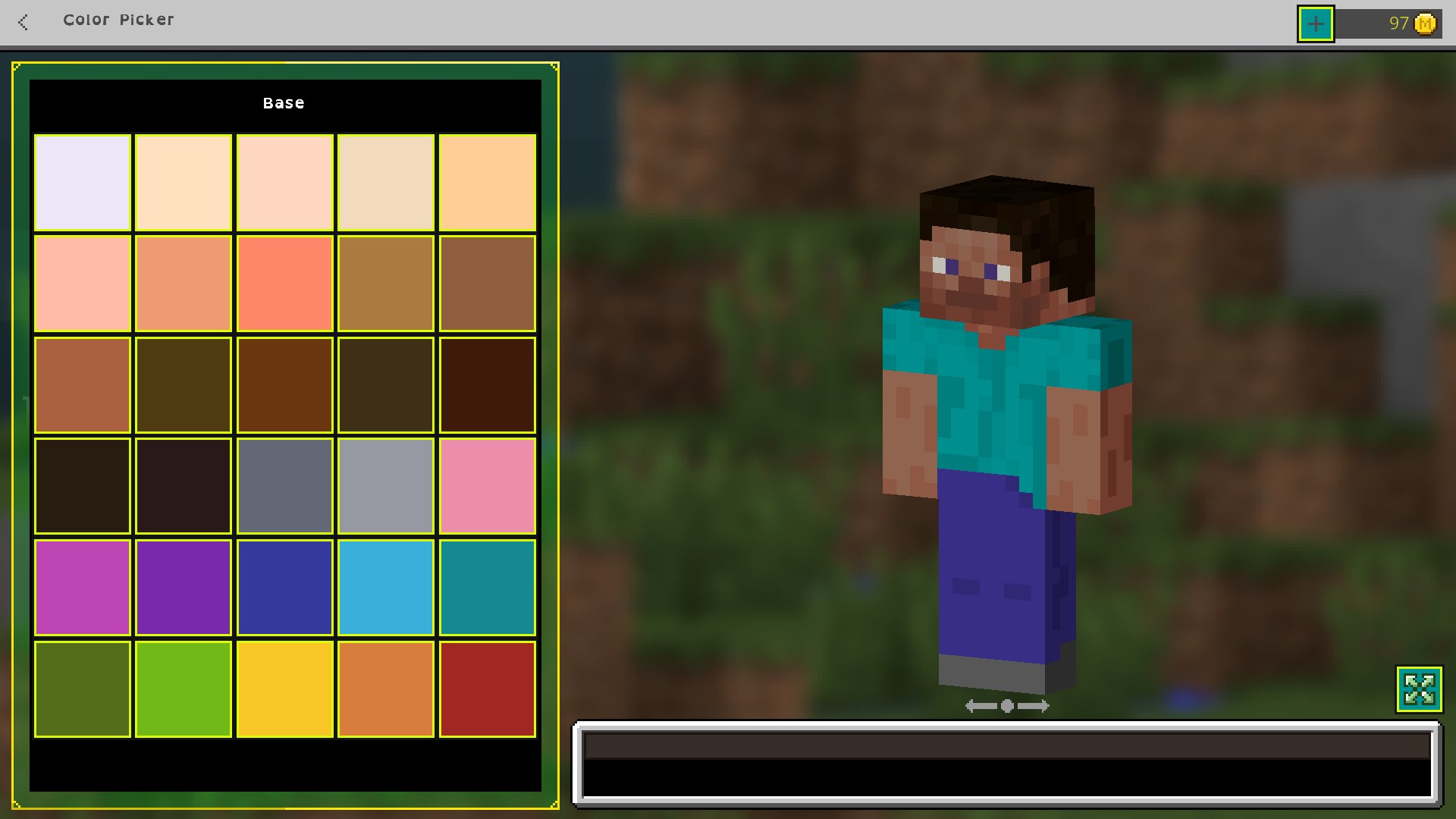
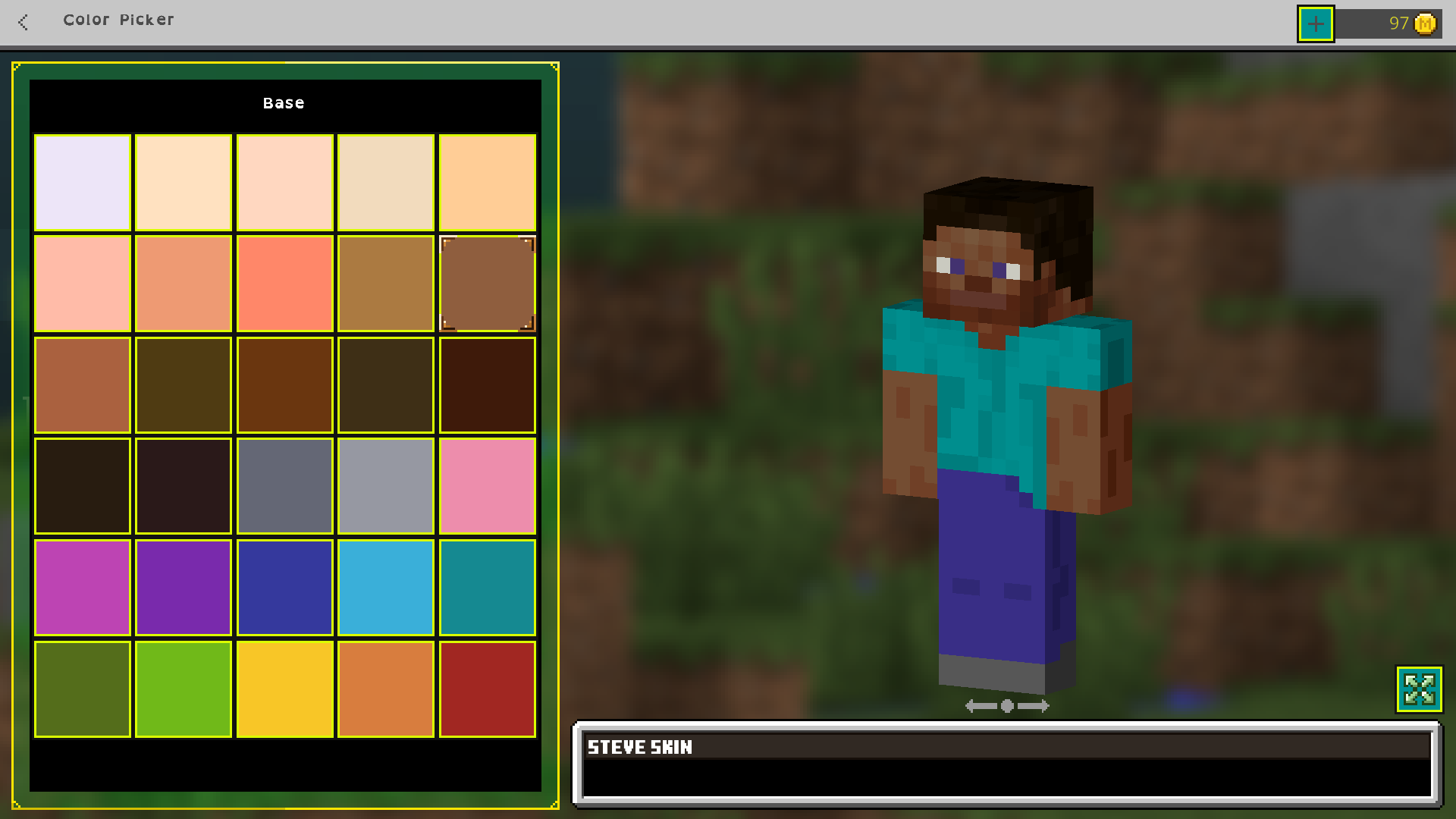
Default Steve's skin color is nameless and unselectable while the color named "Steve skin" is different.
Expected Results:
Current "Steve" color should have a different name and give its old name to the unselectable steve color. The true steve color should also be selectable.
The steve skin color is gone and there is one in its place that is obviously too dark to be right. I have a character with the color but no color shown is selected.(the character in green has the true steve skin)
Linked Issues



Created Issue:
Steve skin color is missing from character creator
The steve skin color is gone and there is one in it's place that is obviously too dark to be right. I have a character with the color but no color shown is selected.(the character in green has the true steve skin)
Attachments2
- Unresolved
- Open
- Unconfirmed
- Android
- Android 10
- 1.16.210
![[MCQA] Kinga Izdebska](../../../data/avatars/users/18949.svg)
Steps to Reproduce:
1.check character creator for skin colors
2.see "steve" skin color
3.look at skin color of the default steve characterObserved Results:
Default Steve's skin color is nameless and unselectable while the color named "steves skin" is differentExpected Results:
Current "steve" solor should have a differnt name and give its onld name to the unselectable steve color. The true steve color should also be selectable.The steve skin color is gone and there is one in it's place that is obviously too dark to be right. I have a character with the color but no color shown is selected.(the character in green has the true steve skin)
![[Bot] Arisa](../../../data/avatars/users/43007.png)
![[Mod] OcelotOnesie](../../../data/avatars/users/43220.png)
is duplicated by
Steps to Reproduce:
1.check character creator for skin colors
2.see "steve" skin color
3.look at skin color of the default steve characterObserved Results:
Default Steve's skin color is nameless and unselectable while the color named "stevesskin" is differentExpected Results:
Current "steve"solor should have a differnt name and give its onld name to the unselectable steve color. The true steve color should also be selectable.The steve skin color is gone and there is one in it
's place that is obviously too dark to be right. I have a character with the color but no color shown is selected.(the character in green has the true steve skin)Steps to Reproduce:
- Check character creator for skin colors
- See "Steve" skin color
- Look at skin color of the default Steve character
Observed Results:
Default Steve's skin color is nameless and unselectable while the color named "Steve skin" is different.Expected Results:
Current "Steve" color should have a different name and give its old name to the unselectable steve color. The true steve color should also be selectable.The steve skin color is gone and there is one in its place that is obviously too dark to be right. I have a character with the color but no color shown is selected.(the character in green has the true steve skin)
![[MCQA] Bartłomiej Słodkowski](../../../data/avatars/users/18941.svg)
Thank you for your report!
We're tracking this issue in MCPE-120818, so this ticket is being resolved and linked as a duplicate.
If you would like to add a vote and any extra information to the main ticket it would be appreciated.
If you haven't already, you might like to make use of the search feature to see if the issue has already been mentioned.
Quick Links:
📓 Bug Tracker Guidelines – 💬 Community Support – 📧 Mojang Support
📓 Project Summary – ✍️ Feedback and Suggestions – 📖 Game Wiki
– I am a bot. This action was performed automatically! If you think it was incorrect, please notify us on Discord or Reddit
Thank you for your report!
However, this issue has been temporarily closed as Awaiting Response
Is this still an issue in the latest version? If so, can you please add it to the affected versions (or mention it if you are not the reporter).
Also, just a reminder, to make your bug report as effective as possible, please try and include the following steps to reproduce the problem:
If your ticket does not look like the example given here, then it's likely to be closed as incomplete.
This ticket will automatically reopen when you reply.
Quick Links:
📓 Issue Guidelines – 💬 Mojang Support – 📧 Suggestions – 📖 Minecraft Wiki
This problem is still present in the latest update
Can confirm this issue as well, the selectable Steve color i nthe Character Creator is far darker than the actual skin color for Steve, making it impossible to create a steve-themed skin without deleting and recreating a skin until Steve is chosen as the random default (Alex seems to have higher priority, or I just have bad luck with coin tosses)

Correct Color:
Incorrect Color:
Also, for the record @King Izdebeska, the format you copy pasted doesn't apply to an issue like this. At all.