 MCPE-190306
(OreUI screens) Some icons don't display properly, they only show a white square instead
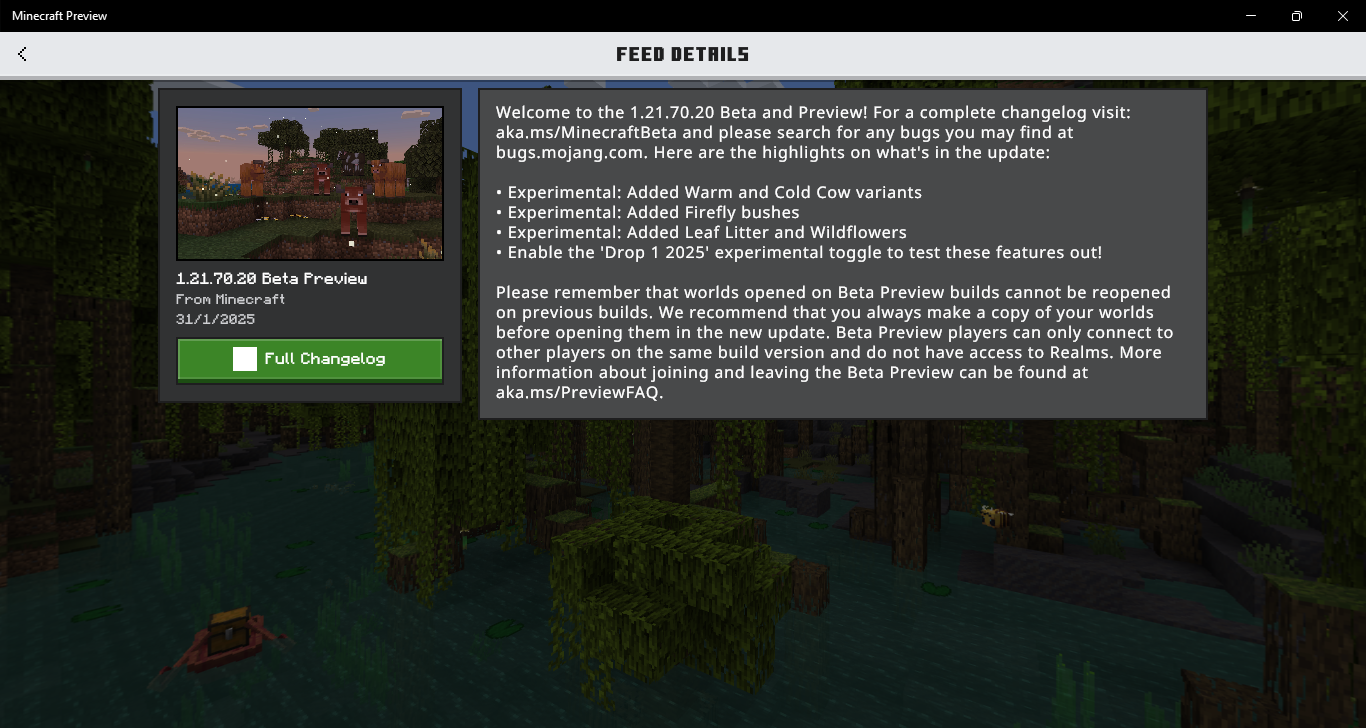
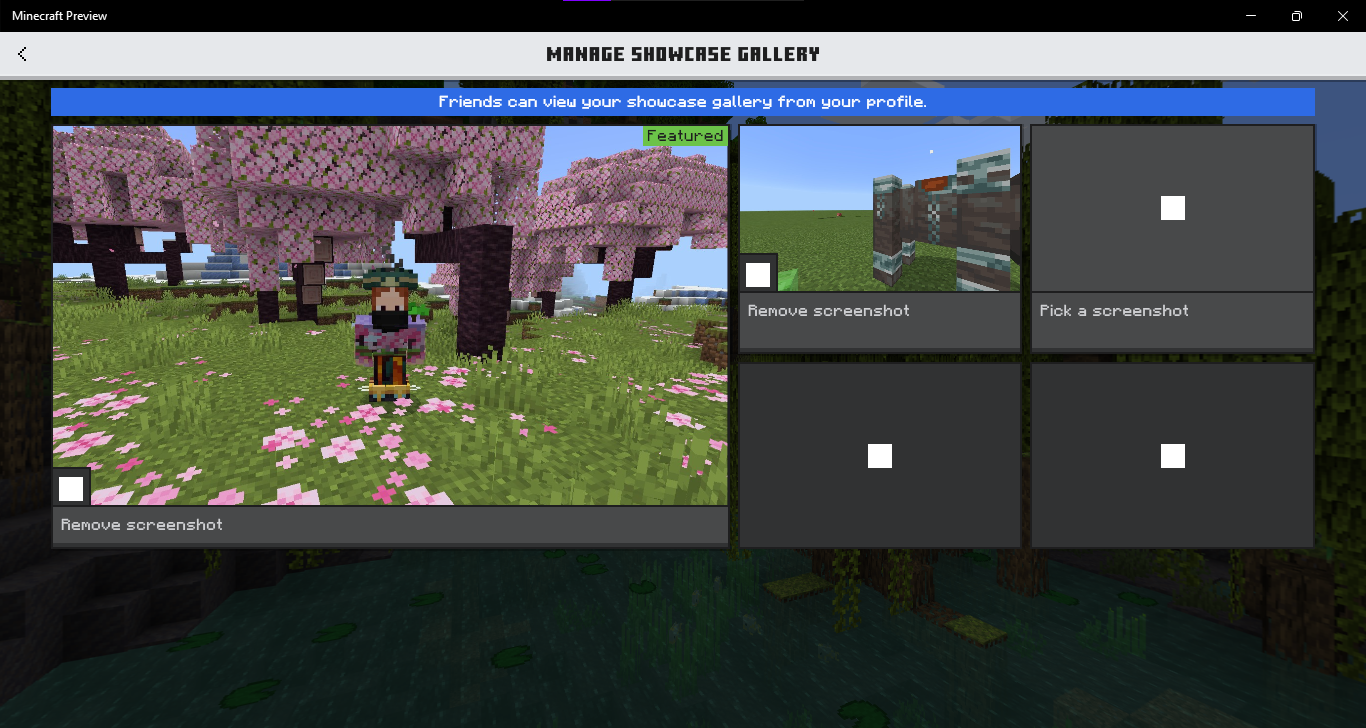
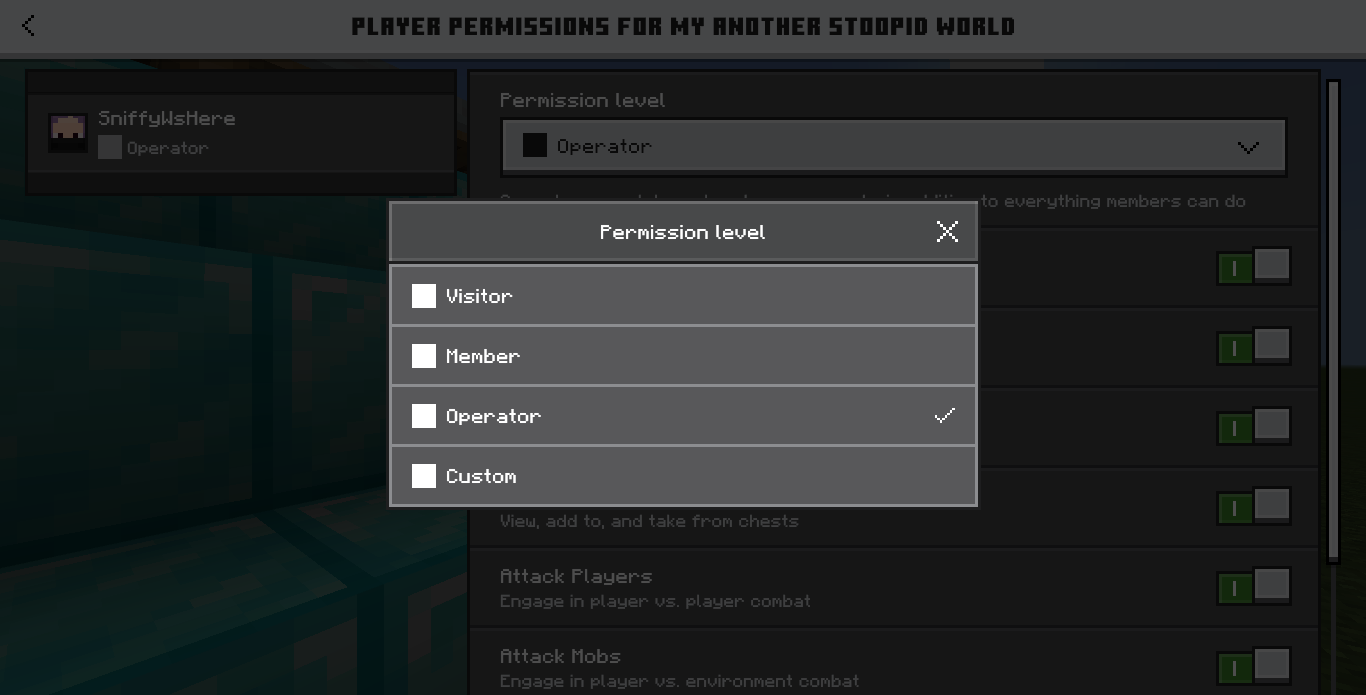
This has been a problem since 1.21.40 betas/previews. Some icons (such as edit pen, worlds list sorting) don't show its actual icon on some OreUI screens. Instead they only show a white square. I tried to reinstalled the preview, refreshed the hbui\assets folder but it won't fix. This only happens in Minecraft Windows
And no, I'm not using any unofficial launcher, I update the preview directly thru the Windows Store. This is also not an issue caused by resource packs
The first screenshot wasn't mine, it was from @ibxtoycat on Twitter
Attachments10







Created Issue:
(OreUI screens) Some icons don't display properly, they only show a white square
This has been a problem since 1.21.40 betas/previews. Some icons (such as edit pen, worlds list sorting) don't show its actual icon on some OreUI screens. Instead they only show a white square. I tried to reinstalled the preview, refreshed the hbui\assets folder but it won't fix. This only happens in Minecraft Windows
Attachments8
(OreUI screens) Some icons don't display properly, they only show a white squareSome icons in OreUI screens don't display properly, they only show a white square
This has been a problem since 1.21.40 betas/previews. Some icons (such as edit pen, worlds list sorting) don't show its actual icon on some OreUI screens. Instead they only show a white square. I tried to reinstalled the preview, refreshed the hbui\assets folder but it won't fix. This only happens in Minecraft Windows
And no, I'm not using any unofficial launcher, I update the preview directly thru the Windows Store
This has been a problem since 1.21.40 betas/previews. Some icons (such as edit pen, worlds list sorting) don't show its actual icon on some OreUI screens. Instead they only show a white square. I tried to reinstalled the preview, refreshed the hbui\assets folder but it won't fix. This only happens in Minecraft Windows
And no, I'm not using any unofficial launcher, I update the preview directly thru the Windows Store
This has been a problem since 1.21.40 betas/previews. Some icons (such as edit pen, worlds list sorting) don't show its actual icon on some OreUI screens. Instead they only show a white square. I tried to reinstalled the preview, refreshed the hbui\assets folder but it won't fix. This only happens in Minecraft Windows
And no, I'm not using any unofficial launcher, I update the preview directly thru the Windows Store
The first screenshot wasn't mine, it was from @ibxtoycat on Twitter
This has been a problem since 1.21.40 betas/previews. Some icons (such as edit pen, worlds list sorting) don't show its actual icon on some OreUI screens. Instead they only show a white square. I tried to reinstalled the preview, refreshed the hbui\assets folder but it won't fix. This only happens in Minecraft Windows
And no, I'm not using any unofficial launcher, I update the preview directly thru the Windows Store. This is also not an issue caused by resource packs
The first screenshot wasn't mine, it was from @ibxtoycat on Twitter
![[Mod] Jarl-Penguin](../../../data/avatars/users/92849.png)
Some icons in OreUI screens don't display properly, they only show a white square(OreUI screens) Some icons don't display properly, they only show a white square
(OreUI screens) Some icons don't display properly, they only show a white square instead
![[MCQA] Zgajak](../../../data/avatars/users/10122.svg)
image-2025-02-05-21-41-42-235.png
![[Bot] Arisa](../../../data/avatars/users/43007.png)
![[MCQA] jakublu](../../../data/avatars/users/94174.png)
Are you using the unofficial Bedrock Launcher?
no I'm not using launcher, I update directy thru the windows store
I could confirm this issue, The Ore UI icons appears covered by white boxes that only affected on my Windows laptop, Android does not affected.
Interesting, I cannot reproduce the issue on Windows or iOS, I don't have any resource packs activated on my Preview. So could it be the issue with resource packs and be worked around by disabling them?
nope, it's not an issue caused by rp
Hi!
Did this issue occur to anybody on standard PC? Or only Laptop?
Can you also share your PC specs?
This ticket will automatically reopen when you reply.
Reply to [MCQA] Zgajak
It's an old laptop. This white square issue didn't happen on my lap before 1.20.40 previews