![[Mod] Jarl-Penguin](../../../data/avatars/users/92849.png) [Mod] Jarl-Penguin
[Mod] Jarl-Penguin
- Jarl-Penguin
- jarl-penguin
- Europe/Moscow
- Yes
- No
 WEB-1147
 MCPE-65477MCPE-69860MCPE-69861
 MC-180166
![[Mojang] Cory Scheviak](../../../data/avatars/users/92893.png) MCPE-70866
MCPE-70866









 MCL-24342






When
locking the deviceor waking itup from a locked state, randomly a white screen appears. Backing out to the recents view and going back into the game causes the game to load forever (3 bars are filled) until the game is restarted by swiping the app out of the recents view. Seems to only happen when playing in a world.When waking the device up from a locked state after it has automatically gone to sleep, randomly a white screen appears. Backing out to the recents view and going back into the game causes the game to load forever (3 bars are filled) until the game is restarted by swiping the app out of the recents view. Seems to only happen when playing in a world.
Gamerandomlystops working when unlocking the deviceGame stops working when unlocking the device after it sleeps
When waking the device up from a locked state after it has automatically gone to sleep,
randomlya white screen appears. Backing out to the recents view and going back into the game causes the game to load forever (3 bars are filled) until the game is restarted by swiping the app out of the recents view.Seems to only happen when playing in a world.
When waking the device up from a locked state after it has automatically gone to sleep, a white screen appears. Backing out to the recents view and going back into the game causes the game to load forever (3 bars are filled) until the game is restarted by swiping the app out of the recents view.
I paused my game and either 1) turned off the screen or 2) let the screen go to sleep.
What I expected to happen was... :
When I wake the device, the game would resume normally.What actually happened was... :
Instead, the game gave me a white screen. Going to the recents view and re-entering the game would have it load infinitely.Steps to Reproduce :
1. Open the game.
2. Let your device go to sleep.
3. Unlock the device.I could not reproduce this bug all the time, but it happens enough to notice it.
Game does not supportall screen aspect ratiosGame does not support notched displays
The Game does not scale to the 18.5:9 aspect ratio or the galaxy s8, s8+ or note 8. This creates black bar on the sides or the app. This issue also happens on the. pixel 2 xl, essential phone, or any phone without a 16:9 aspect ratio. I would suggest updating minecraft to be able to scale to any aspect ratio. Please fix this as i want the full screen minecraft experience. Also minecraft does not support split screen on iOS or android. This was fixed on iPhone X but not on any other phone this is disappointing it’s an easy fix.
Summary
Summary
The game doesn't support notched displays on Android, resulting in a black bar on one side of the screen.
Game does not support notched/punch-hole displays
Summary
The game doesn't support notched/punch-holed displays on Android, resulting in a black bar on one side of the screen.
Summary
The game doesn't support notched/punch-holed displays on Android, resulting in a black bar on one side of the screen.Workaround
Force the game to go in fullscreen mode in settings. However, this may cause your controls/menu buttons to overlap with your display cutout.
Summary
The game doesn't support notched/punch-holed displays on Android, resulting in a black bar on one side of the screen.Workaround
Force the game to go in fullscreen mode in settings. However, this may cause your controls/menu buttons to overlap with your display cutout.List of affected devices:
- Moto G7
- Samsung Galaxy S20 series
- Xiaomi Redmo K30
Summary
The game doesn't support notched/punch-holed displays on Android, resulting in a black bar on one side of the screen.Workaround
Force the game to go in fullscreen mode in settings. However, this may cause your controls/menu buttons to overlap with your display cutout.List of currently affected devices (constantly updated):
- Moto G7
- Samsung Galaxy S20 series
- Xiaomi Redmo K30
Summary
The game doesn't support notched/punch-holed displays on Android, resulting in a black bar on one side of the screen.Workaround
Force the game to go in fullscreen mode in settings. However, this may cause your controls/menu buttons to overlap with your display cutout.List of currently affected devices (constantly updated):
- Moto G7
- Samsung Galaxy S20 series
- Xiaomi Redm
oK30Summary
The game doesn't support notched/punch-holed displays on Android, resulting in a black bar on one side of the screen.Workaround
Force the game to go in fullscreen mode in settings. However, this may cause your controls/menu buttons to overlap with your display cutout.List of currently affected devices (constantly updated):
- Moto G7
- Samsung Galaxy S20 series
- Xiaomi Redmi K30
Summary
The game doesn't support notched/punch-holed displays on Android and Amazon, resulting in a black bar on one side of the screen.Workaround
Force the game to go in fullscreen mode in settings. However, this may cause your controls/menu buttons to overlap with your display cutout.List of currently affected devices (constantly updated):
- Moto G7
- Samsung Galaxy S20 series
- Xiaomi Redmi K30
Summary
The game doesn't support notched/punch-holed displays on Android and Amazon, resulting in a black bar on one side of the screen.Workaround
Force the game to go in fullscreen mode in settings. However, this may cause your controls/menu buttons to overlap with your display cutout.List of currently affected devices (constantly updated):
- Moto G
7- Samsung Galaxy S20 series
- Xiaomi Redmi K30
Summary
The game doesn't support notched/punch-holed displays on Android and Amazon, resulting in a black bar on one side of the screen.Workaround
Force the game to go in fullscreen mode in settings. However, this may cause your controls/menu buttons to overlap with your display cutout.List of currently affected devices (constantly updated):
- Cherry Mobile S9 Max
- Moto G7 series
- Moto G8 series
- Samsung Galaxy S20 series
- Xiaomi Redmi K30
Summary
The game doesn't support notched/punch-holed displays on Android and Amazon, resulting in a black bar on one side of the screen.Workaround
Force the game to go in fullscreen mode in settings. However, this may cause your controls/menu buttons to overlap with your display cutout.List of currently affected devices (constantly updated):
- Cherry Mobile S9 Max
Moto G7series- Moto G
8seriesSamsung Galaxy S20series- Xiaomi Redmi K30
Summary
The game doesn't support notched/punch-holed displays on Android and Amazon, resulting in a black bar on one side of the screen.Workaround
Force the game to go in fullscreen mode in settings. However, this may cause your controls/menu buttons to overlap with your display cutout.List of currently affected devices (constantly updated):
- Cherry Mobile S9 Max
- Google Pixel 4a series
- Moto G7 series
- Moto G8 series
- Samsung Galaxy S20 series
- Samsung Galaxy S21+ and Ultra
- Xiaomi Redmi K30
Summary
The game doesn't support notched/punch-holed displays on Android and Amazon, resulting in a black bar on one side of the screen.Workaround
Force the game to go in fullscreen mode in settings. However, this may cause your controls/menu buttons to overlap with your display cutout.List of currently affected devices (constantly updated):
- Cherry Mobile S9 Max
- Google Pixel 4a series
- Moto G7 series
- Moto G8 series
- Samsung Galaxy S20 series
- Samsung Galaxy S21+ and Ultra
- Xiaomi Redmi
K30Summary
The game doesn't support notched/punch-holed displays on Android and Amazon, resulting in a black bar on one side of the screen.Workaround
Force the game to go in fullscreen mode in settings. However, this may cause your controls/menu buttons to overlap with your display cutout.List of currently affected devices (constantly updated):
- Cherry Mobile S9 Max
- Google Pixel 4a series
- Moto G7 series
- Moto G8 series
- Samsung Galaxy S20 series
- Samsung Galaxy S21+ and Ultra
- Samsung Galaxy Note20+
- Xiaomi Redmi K30
- Xiaomi Redmi K40 Pro
- Xiaomi Redmi Note 9 Pro
Summary
The game doesn't support notched/punch-holed displays on Android and Amazon, resulting in a black bar on one side of the screen.Workaround
Force the game to go in fullscreen mode in settings. However, this may cause your controls/menu buttons to overlap with your display cutout.List of currently affected devices (constantly updated):
- Cherry Mobile S9 Max
- Google Pixel 4a series
- Moto G7 series
- Moto G8 series
- Samsung Galaxy S20 series
- Samsung Galaxy S21+ and Ultra
- Samsung Galaxy Note20+
- Xiaomi Redmi K30
- Xiaomi Redmi K40 Pro
- Xiaomi Redmi Note
9ProSummary
The game doesn't support notched/punch-holed displays on Android and Amazon, resulting in a black bar on one side of the screen.Workaround
Force the game to go in fullscreen mode in settings. However, this may cause your controls/menu buttons to overlap with your display cutout.List of currently affected devices (constantly updated):
- Cherry Mobile S9 Max
- Google Pixel 4a series
- Moto G7 series
- Moto G8 series
- Samsung Galaxy S20 series
- Samsung Galaxy S21+ and Ultra
- Samsung Galaxy Note20+
- Xiaomi Redmi K30
- Xiaomi Redmi K40 Pro
- Xiaomi Redmi Note 8 Pro
- Xiaomi Redmi Note 9 Pro
Summary
The game doesn't support notched/punch-holed displays on Android and Amazon, resulting in a black bar on one side of the screen.Workaround
Force the game to go in fullscreen mode in settings. However, this may cause your controls/menu buttons to overlap with your display cutout.List of currently affected devices (constantly updated):
- Cherry Mobile S9 Max
- Google Pixel 4a series
- Moto G7 series
- Moto G8 series
- Samsung Galaxy S
20 series- Samsung Galaxy S2
1+ and Ultra- Samsung Galaxy
Note20+- Xiaomi Redmi K30
- Xiaomi Redmi K40 Pro
- Xiaomi Redmi Note 8 Pro
- Xiaomi Redmi Note 9 Pro
Summary
The game doesn't support notched/punch-holed displays on Android and Amazon, resulting in a black bar on one side of the screen.Workaround
Force the game to go in fullscreen mode in settings. However, this may cause your controls/menu buttons to overlap with your display cutout.List of currently affected devices (constantly updated):
- Cherry Mobile S9 Max
- Google Pixel 4a series
- Moto G7 series
- Moto G8 series
- Samsung Galaxy S10 series
- Samsung Galaxy S20 series
- Samsung Galaxy S21+ and Ultra
- Samsung Galaxy Note20+
- Xiaomi Redmi K30
- Xiaomi Redmi K40 Pro
- Xiaomi Redmi Note 8 Pro
- Xiaomi Redmi Note 9 Pro
Summary
The game doesn't support notched/punch-holed displays on Android and Amazon, resulting in a black bar on one side of the screen.Workaround
Force the game to go in fullscreen mode in settings. However, this may cause your controls/menu buttons to overlap with your display cutout.List of currently affected devices (constantly updated):
- Cherry Mobile S9 Max
- Google Pixel 4a series
- Moto G7 series
- Moto G8 series
- Samsung Galaxy S10 series
- Samsung Galaxy S20 series
- Samsung Galaxy S21+ and Ultra
- Samsung Galaxy Note20+
- Xiaomi Redmi
K30- Xiaomi Redmi K
40 Pro- Xiaomi Redmi
Note 8Pro- Xiaomi Redmi Note
9ProSummary
The game doesn't support notched/punch-holed displays on Android and Amazon, resulting in a black bar on one side of the screen.Workaround
Force the game to go in fullscreen mode in settings. However, this may cause your controls/menu buttons to overlap with your display cutout.List of currently affected devices (constantly updated):
- Cherry Mobile S9 Max
- Google Pixel 4a series
- Moto G7 series
- Moto G8 series
- Samsung Galaxy S10 series
- Samsung Galaxy S20 series
- Samsung Galaxy S21+ and Ultra
- Samsung Galaxy Note20+
- Xiaomi Redmi 7
- Xiaomi Redmi K30
- Xiaomi Redmi K40 Pro
- Xiaomi Redmi Note 8 Pro
- Xiaomi Redmi Note 9 Pro
Summary
The game doesn't support notched/punch-holed displays on Android and Amazon, resulting in a black bar on one side of the screen.Workaround
Force the game to go in fullscreen mode in settings. However, this may cause your controls/menu buttons to overlap with your display cutout.List of currently affected devices (constantly updated):
- Cherry Mobile S9 Max
- Google Pixel 4a series
- Moto G7 series
- Moto G8 series
- Samsung Galaxy S10 series
- Samsung Galaxy S20 series
- Samsung Galaxy S21+ and Ultra
- Samsung Galaxy Note20+
- Xiaomi Redmi 7
- Xiaomi Redmi
K30- Xiaomi Redmi K
40 Pro- Xiaomi Redmi
Note 8Pro- Xiaomi Redmi Note
9ProSummary
The game doesn't support notched/punch-holed displays on Android and Amazon, resulting in a black bar on one side of the screen.Workaround
Force the game to go in fullscreen mode in settings. However, this may cause your controls/menu buttons to overlap with your display cutout.List of currently affected devices (constantly updated):
- Cherry Mobile S9 Max
- Google Pixel 4a series
- Moto G7 series
- Moto G8 series
- Samsung Galaxy S10 series
- Samsung Galaxy S20 series
- Samsung Galaxy S21+ and Ultra
- Samsung Galaxy Note20+
- Xiaomi Redmi 7
- Xiaomi Redmi 9A
- Xiaomi Redmi K30
- Xiaomi Redmi K40 Pro
- Xiaomi Redmi Note 8 Pro
- Xiaomi Redmi Note 9 Pro
Summary
The game doesn't support notched/punch-holed displays on Android and Amazon, resulting in a black bar on one side of the screen.Workaround
Force the game to go in fullscreen mode in settings. However, this may cause your controls/menu buttons to overlap with your display cutout.List of currently affected devices (constantly updated):
- Cherry Mobile S9 Max
- Google Pixel 4a series
Moto G7 series- Moto G
8seriesSamsung Galaxy S10series- Samsung Galaxy S
20 series- Samsung Galaxy S2
1+ and Ultra- Samsung Galaxy
Note20+- Xiaomi Redmi 7
- Xiaomi Redmi 9A
- Xiaomi Redmi K30
- Xiaomi Redmi K40 Pro
- Xiaomi Redmi Note 8 Pro
- Xiaomi Redmi Note 9 Pro
Summary
The game doesn't support notched/punch-holed displays on Android and Amazon, resulting in a black bar on one side of the screen.Workaround
Force the game to go in fullscreen mode in settings. However, this may cause your controls/menu buttons to overlap with your display cutout.List of currently affected devices (constantly updated):
- Cherry Mobile S9 Max
- Google Pixel 4a series
- Google Pixel 5a 5G
- Moto G7 series
- Moto G8 series
- Samsung Galaxy S10 series
- Samsung Galaxy S20 series
- Samsung Galaxy S21+ and Ultra
- Samsung Galaxy Note20+
- Xiaomi Redmi 7
- Xiaomi Redmi 9A
- Xiaomi Redmi K30
- Xiaomi Redmi K40 Pro
- Xiaomi Redmi Note 8 Pro
- Xiaomi Redmi Note 9 Pro
Summary
The game doesn't support notched/punch-holed displays on Android and Amazon, resulting in a black bar on one side of the screen.Workaround
Force the game to go in fullscreen mode in settings. However, this may cause your controls/menu buttons to overlap with your display cutout.List of currently affected devices (constantly updated):
- Cherry Mobile S9 Max
- Google Pixel 4a series
- Google Pixel 5a 5G
Moto G7 series- Moto G
8seriesSamsung Galaxy S10series- Samsung Galaxy S
20 series- Samsung Galaxy S2
1+ and Ultra- Samsung Galaxy
Note20+- Xiaomi Redmi 7
- Xiaomi Redmi 9A
- Xiaomi Redmi K30
- Xiaomi Redmi K40 Pro
- Xiaomi Redmi Note 8 Pro
- Xiaomi Redmi Note 9 Pro
Summary
The game doesn't support notched/punch-holed displays on Android and Amazon, resulting in a black bar on one side of the screen.Workaround
Force the game to go in fullscreen mode in settings. However, this may cause your controls/menu buttons to overlap with your display cutout.List of currently affected devices (constantly updated):
- Cherry Mobile S9 Max
- Google Pixel 4a series
- Google Pixel 5a 5G
- Google Pixel 6
- Moto G7 series
- Moto G8 series
- Samsung Galaxy S10 series
- Samsung Galaxy S20 series
- Samsung Galaxy S21+ and Ultra
- Samsung Galaxy Note20+
- Xiaomi Redmi 7
- Xiaomi Redmi 9A
- Xiaomi Redmi K30
- Xiaomi Redmi K40 Pro
- Xiaomi Redmi Note 8 Pro
- Xiaomi Redmi Note 9 Pro
Summary
The game doesn't support notched/punch-holed displays on Android and Amazon, resulting in a black bar on one side of the screen.Workaround
Force the game to go in fullscreen mode in settings. However, this may cause your controls/menu buttons to overlap with your display cutout.List of currently affected devices (constantly updated):
- Cherry Mobile S9 Max
- Google Pixel 4a series
- Google Pixel 5a 5G
- Google Pixel 6
- Moto G7 series
- Moto G8 series
- Samsung Galaxy S10 series
- Samsung Galaxy S20 series
- Samsung Galaxy S21+ and Ultra
- Samsung Galaxy Note20+
- Xiaomi
Redmi 7- Xiaomi Redmi
9A- Xiaomi Redmi
K30- Xiaomi Redmi K
40 Pro- Xiaomi Redmi
Note 8Pro- Xiaomi Redmi Note
9ProSummary
The game doesn't support notched/punch-holed displays on Android and Amazon, resulting in a black bar on one side of the screen.Workaround
Force the game to go in fullscreen mode in settings. However, this may cause your controls/menu buttons to overlap with your display cutout.List of currently affected devices (constantly updated):
- Cherry Mobile S9 Max
- Google Pixel 4a series
- Google Pixel 5a 5G
- Google Pixel 6
- Moto G7 series
- Moto G8 series
- Samsung Galaxy S10 series
- Samsung Galaxy S20 series
- Samsung Galaxy S21+ and Ultra
- Samsung Galaxy Note20+
- Xiaomi Poco X3
- Xiaomi Redmi 7
- Xiaomi Redmi 9A
- Xiaomi Redmi K30
- Xiaomi Redmi K40 Pro
- Xiaomi Redmi Note 8 Pro
- Xiaomi Redmi Note 9 Pro
Summary
The game doesn't support notched/punch-holed displays on Android and Amazon, resulting in a black bar on one side of the screen.Workaround
Force the game to go in fullscreen mode in settings. However, this may cause your controls/menu buttons to overlap with your display cutout.List of currently affected devices (constantly updated):
- Cherry Mobile S9 Max
- Google Pixel 4a series
- Google Pixel 5a 5G
- Google Pixel 6
- Moto G7 series
- Moto G8 series
- Samsung Galaxy S10 series
- Samsung Galaxy S20 series
- Samsung Galaxy S21+ and Ultra
- Samsung Galaxy Note20+
- Xiaomi Poco X3 series
- Xiaomi Redmi 7
- Xiaomi Redmi 9A
- Xiaomi Redmi K30
- Xiaomi Redmi K40 Pro
- Xiaomi Redmi Note 8 Pro
- Xiaomi Redmi Note 9 Pro
Summary
The game doesn't support notched/punch-holed displays on Android and Amazon, resulting in a black bar on one side of the screen.Workaround
Force the game to go in fullscreen mode in settings. However, this may cause your controls/menu buttons to overlap with your display cutout.List of currently affected devices (constantly updated):
- Cherry Mobile S9 Max
- Google Pixel 4a series
- Google Pixel 5a 5G
- Google Pixel 6
- Moto
G7 series- Moto G
8seriesSamsung Galaxy S10series- Samsung Galaxy S
20 series- Samsung Galaxy S2
1+ and Ultra- Samsung Galaxy
Note20+- Xiaomi Poco X3 series
- Xiaomi Redmi 7
- Xiaomi Redmi 9A
- Xiaomi Redmi K30
- Xiaomi Redmi K40 Pro
- Xiaomi Redmi Note 8 Pro
- Xiaomi Redmi Note 9 Pro
Summary
The game doesn't support notched/punch-holed displays on Android and Amazon, resulting in a black bar on one side of the screen.Workaround
Force the game to go in fullscreen mode in settings. However, this may cause your controls/menu buttons to overlap with your display cutout.List of currently affected devices (constantly updated):
- Cherry Mobile S9 Max
- Google Pixel 4a series
- Google Pixel 5a 5G
- Google Pixel 6
- Moto Edge S/G100
- Moto G7 series
- Moto G8 series
- Samsung Galaxy S10 series
- Samsung Galaxy S20 series
- Samsung Galaxy S21+ and Ultra
- Samsung Galaxy Note20+
- Xiaomi Mi 11 Lite 5G
- Xiaomi Mix X4
- Xiaomi Poco X3 series
- Xiaomi Redmi 7
- Xiaomi Redmi 9A
- Xiaomi Redmi K30
- Xiaomi Redmi K40 Pro
- Xiaomi Redmi Note 8 Pro
- Xiaomi Redmi Note 9 Pro
Summary
The game doesn't support notched/punch-holed displays on Android and Amazon, resulting in a black bar on one side of the screen.Workaround
Force the game to go in fullscreen mode in settings. However, this may cause your controls/menu buttons to overlap with your display cutout.List of currently affected devices (constantly updated):
- Cherry Mobile S9 Max
- Google Pixel 4a series
- Google Pixel 5a 5G
- Google Pixel 6
- Moto Edge S/G100
- Moto G7 series
- Moto G8 series
- Samsung Galaxy S10 series
- Samsung Galaxy S20 series
- Samsung Galaxy S21+ and Ultra
- Samsung Galaxy Note20+
- Xiaomi Mi 11 Lite 5G
- Xiaomi Mix X4
- Xiaomi Poco X3 series
- Xiaomi Redmi 7
- Xiaomi Redmi
9A- Xiaomi Redmi
K30- Xiaomi Redmi K
40 Pro- Xiaomi Redmi
Note 8Pro- Xiaomi Redmi Note
9ProSummary
The game doesn't support notched/punch-holed displays on Android and Amazon, resulting in a black bar on one side of the screen.Workaround
Force the game to go in fullscreen mode in settings. However, this may cause your controls/menu buttons to overlap with your display cutout.List of currently affected devices (constantly updated):
- Cherry Mobile S9 Max
- Google Pixel 4a series
- Google Pixel 5a 5G
- Google Pixel 6
- Moto Edge S/G100
- Moto G7 series
- Moto G8 series
- Samsung Galaxy S10 series
- Samsung Galaxy S20 series
- Samsung Galaxy S21+ and Ultra
- Samsung Galaxy Note20+
- Xiaomi Mi 11 Lite 5G
- Xiaomi Mix X4
- Xiaomi Poco X3 series
- Xiaomi Redmi 7
- Xiaomi Redmi 8
- Xiaomi Redmi 9A
- Xiaomi Redmi K30
- Xiaomi Redmi K40 Pro
- Xiaomi Redmi Note 8 Pro
- Xiaomi Redmi Note 9 Pro
Summary
The game doesn't support notched/punch-holed displays on Android and Amazon, resulting in a black bar on one side of the screen.Workaround
Force the game to go in fullscreen mode in settings. However, this may cause your controls/menu buttons to overlap with your display cutout.List of currently affected devices (constantly updated):
- Cherry Mobile S9 Max
- Google Pixel 4a series
- Google Pixel 5a 5G
- Google Pixel 6
- Google Pixel 8 Pro
- Moto Edge S/G100
- Moto G7 series
- Moto G8 series
- Samsung Galaxy
S10 series- Samsung Galaxy S
20 series- Samsung Galaxy S2
1+ and Ultra- Samsung Galaxy
Note20+- Xiaomi Mi 11 Lite 5G
- Xiaomi Mix X4
- Xiaomi Poco X3 series
- Xiaomi Redmi 7
- Xiaomi Redmi 8
- Xiaomi Redmi 9A
- Xiaomi Redmi K30
- Xiaomi Redmi K40 Pro
- Xiaomi Redmi Note 8 Pro
- Xiaomi Redmi Note 9 Pro
Summary
The game doesn't support notched/punch-holed displays on Android and Amazon, resulting in a black bar on one side of the screen.Workaround
Force the game to go in fullscreen mode in settings. However, this may cause your controls/menu buttons to overlap with your display cutout.List of currently affected devices (constantly updated):
- Cherry Mobile S9 Max
- Google Pixel 4a series
- Google Pixel 5a 5G
- Google Pixel 6
- Google Pixel 8 Pro
- Moto Edge S/G100
- Moto G7 series
- Moto G8 series
- Samsung Galaxy A02s
- Samsung Galaxy S10 series
- Samsung Galaxy S20 series
- Samsung Galaxy S21+ and Ultra
- Samsung Galaxy Note20+
- Xiaomi Mi 11 Lite 5G
- Xiaomi Mix X4
- Xiaomi Poco X3 series
- Xiaomi Redmi 7
- Xiaomi Redmi 8
- Xiaomi Redmi 9A
- Xiaomi Redmi K30
- Xiaomi Redmi K40 Pro
- Xiaomi Redmi Note 8 Pro
- Xiaomi Redmi Note 9 Pro
Is this still an issue in the latest version/Preview?
is duplicated by
Xbox Live multiplayer does not work with mobile data enabled. I've verified that the "Use cellular data" option is enabled for both phones, and that Multiplayer Game was enabled. However, upon entering the world, it gets disabled automatically. Over WiFi everything works as expected. The world is visible with Mobile Data on the device if the host is connected to WiFi. However, the device with Mobile Data enabled still fails to connect to the world.
I was trying to play on my singleplayer world with my friend over mobile data (since we didn't have any WiFi access there).
What I expected to happen was...:
When I joined a world with "Use Cellular Data" option enabled, the Multiplayer Game settings would be enabled and my friend would be able to join me.What actually happened was...:
The Multiplayer Game settings were disabled automaticalSteps to Reproduce:
1. Find a squid (though we all know how difficult they are to find when you actually want to find one).
2. Kill the squid.
3. Notice that it drops apples instead of ink sacs. How am I supposed to get black dye now?Xbox Live multiplayer does not work with mobile data enabled. I've verified that the "Use cellular data" option is enabled for both phones, and that Multiplayer Game was enabled. However, upon entering the world, it gets disabled automatically. Over WiFi everything works as expected. The world is visible with Mobile Data on the device if the host is connected to WiFi. However, the device with Mobile Data enabled still fails to connect to the world.
I was trying to play on my singleplayer world with my friend over mobile data
(since we didn't have any WiFi access there).What I expected to happen was...
:
When I joined a world with "Use Cellular Data" option enabled, the Multiplayer Game settings would be enabled and my friend would be able to join me.What actually happened was...
:
The Multiplayer Game settings were disabled automaticalSteps to Reproduce
:
1.Find a squid (though we all know how difficult they are to find when youactually want to find one).
2.Kill the squid.
3.Notice thatit drops apples instead of ink sacs. How am I supposed to get black dye now?
Xbox Live multiplayer does not work with mobile data enabled. I've verified that the "Use cellular data" option is enabled for both phones, and that Multiplayer Game was enabled. However, upon entering the world, it gets disabled automatically. Over WiFi everything works as expected.The world is visible with Mobile Data on the device if the host is connected to WiFi. However, the device with Mobile Data enabled still fails to connect to the world.I was trying to play on my singleplayer world with my friend over mobile data.
What I expected to happen was...:
When I joined a world with "Use Cellular Data" option enabled, the Multiplayer Game settings would be enabled and my friend would be able to join me.What actually happened was...:
The Multiplayer Game settings were disabled automatically and my friend couldn't join me.Steps to Reproduce:
1. Disable WiFi and enable Mobile Data.
2. Open Minecraft.
3. Enter a world with Multiplayer Game settings enabled.
4. Observe that they are disabled by default and that the world doesn't appear in the "Friends" tab.The world is visible with Mobile Data on the device if the host is connected to WiFi. However, the device with Mobile Data enabled still fails to connect to the world.
Affects: Android, Windows 10
Villagers do not gossip. There is no reputation system within the game.
This causes several issues:
1) "scare" tactics do not work, thus causing iron farms based on gossip not functional
2) when you trade a lot with villagers they don't offer discounts/spread the news about it
3) when you cure a villager only that villager gives you discounts, instead of spreading gossip and increasing the player's reputation (which is supposed to give discounts from other villagers)
4) iron golems do not work based on the reputation system, instead if you hit a villager you're dead
5) villagers do not raise prices if you hit/kill a villagerHow to reproduce:
1) Find or make a village
2) Hit multiple villagers/kill some of them
3) Observe the phenomena.
or
1) Find or make a village
2) Cure a zombie villager
3) Observe the phenomena.
You didn't change the name at all.
Villagers can be punched through walls by zombies.
How to reproduce:
Create a formation like this (wall needs to be 2 or3blocks high)
w - wall
v - villager
z - zombie
z w z
w v w
z w zNotice that the villager gets damaged and killed pretty soon.
Villagers can be punched through walls by zombies.
How to reproduce:
Create a formation like this (wall needs to be 2 or more blocks high)
w - wall
v - villager
z - zombie
z w z
w v w
z w zNotice that the villager gets damaged and killed pretty soon.
Villagers can be punched through walls by zombies.
How to reproduce:
Create a formation like this (wall needs to be 2 or more blocks high)
w - wall
v - villager
z - zombie
z w z
w v w
z w zNotice that the villager gets damaged and killed pretty soon.
Edit: It seems to happen only when the villager is pushed/punched towards the corners of the walls
Drowneds are neutral towards iron golems, while it is not so vice versa, and zombies are naturally hostile towards iron golems.
How to reproduce:
Spawn an iron golem
Spawn some drowneds
Notice that the iron golem has to attack the drowned first for them to become hostile towards the golemDrowneds are neutral towards iron golems in daytime outside water, while it is not so vice versa, and zombies are naturally hostile towards iron golems.
Unlike the bug described in
MCPE-65098, the drowned correctly attack iron golems in nighttime outside of water.How to reproduce:
Spawn an iron golem in the day
Spawn some drowneds
Notice that the iron golem has to attack the drowned first for them to become hostile towards the golem
Drowneds are neutral toward iron golems outside water in daytime, while it is not so vice versa, and zombies are naturally hostile towards iron golems.
Unlike the bug described inMCPE-65098, the drowned correctly attack iron golems in nighttime outside of water.How to reproduce
:
Spawn an iron golem in the day
Spawn some drowneds
Notice that the iron golem has to attack the drowned first for them to become hostile towards the golemSummary
Drowneds are neutral toward iron golems, players and villageds outside water in daytime.How to reproduce:
- Spawn an iron golem/villager in the day
- Spawn some drowneds
-> The drowned don't attack the iron golem/you/the villager until the iron golem/you attack them
Summary
Drowneds are neutral toward iron golems, players and villageds outside water in daytime.How to reproduce:
- Spawn an iron golem/villager in the day
- Spawn some drowneds
-> The drowned don't attack the iron golem/you/the villager until the iron golem/you attack themSummary
Drowneds are neutral toward iron golems, players and villageds outside water in daytime.How to reproduce:
- Spawn an iron golem/villager in the day
- Spawn some drowneds
-> The drowned don't attack the iron golem/you/the villager until the iron golem/you attack them
Summary
Drowneds are neutral toward iron golems, players and villageds outside water in daytime.How to reproduce:
- Spawn an iron golem/villager in the day
- Spawn some drowneds
-> The drowned don't attack the iron golem/you/the villager until the iron golem/you attack them
Summary
Drowneds are neutral toward iron golems, players and villageds outside water in daytime.How to reproduce:
- Spawn an iron golem/villager in the day
- Spawn some drowneds
-> The drowned don't attack the iron golem/you/the villager until the iron golem/you attack them
The bug
Striders shaking is very unnoticeable, while their head doesn't shake at all when outside of lava.
How to reproduce:
1. Spawn a strider outside of lava.
2. Observe that the shaking doesn't happen with their heads and is almost unnoticeable with their legs.
The bug
Striders shaking is very unnoticeable compared to how striders shake in Java Edition, while their head doesn't shake at all when outside of lava.
How to reproduce:
1. Spawn a strider outside of lava.
2. Observe that the shaking doesn't happen with their heads and is almost unnoticeable with their legs.
Strider shaking is unnoticeable compared to Java Edition
The bug
Striders shaking is very unnoticeable compared to how striders shake in Java Edition, while their head doesn't shake at all when outside of lava.
How to reproduce:
1. Spawn a strider outside of lava.
2. Observe that the shaking doesn't happen with their heads and is almost unnoticeable with their legs.
The bug
Striders shaking is very unnoticeable compared to how striders shake in Java Edition, while their head doesn't shake at all when outside of lava.
How to reproduce:
- Spawn a strider outside of lava.
-> The shaking doesn't happen with their heads and is almost unnoticeable with their legs
The bug
Striders shaking is very unnoticeable compared to how striders shake in Java Edition, while their head doesn't shake at all when outside of lava.
How to reproduce:
- Spawn a strider outside of lava.
-> The shaking doesn't happen with their heads and is almost unnoticeable with their legs
Summary
Striders shaking is very unnoticeable compared to how striders shake in Java Edition, while their head doesn't shake at all when outside of lava.
How to reproduce:
- Spawn a strider outside of lava.
-> The shaking doesn't happen with their heads and is almost unnoticeable with their legs
Summary
Striders shaking is
veryunnoticeable compared to how striders shake in Java Edition, while their head doesn't shake at all when outside of lava.
Howto reproduce:
- Spawn a strider outside of lava
.-> The shaking doesn't happen with their heads and is almost unnoticeable with their legs
Striders shaking is unnoticeable compared to how striders shake in Java Edition. Their head doesn't shake at all when outside of lava.
Steps to reproduce:
- Spawn a strider outside of lava
Observed result:
The shaking doesn't happen with their heads and is almost unnoticeable with their legs.Expected result:
The shaking is more prominent, like in Java Edition.
The bug
Hoglins' and Zoglins' hitboxes are too small, allowing their bodies/heads to clip through blocks.
How to reproduce:
1. Spawn a zoglin or hoglin next to a wall.
2. Wait until it turns its head into it.
The bugHoglins' and Zoglins' hitboxes are too small, allowing their bodies/heads to clip through blocks.
How to reproduce
:1. Spawn a zoglin or hoglin next to a wall.
2. Wait until it turns its head into it.
Summary
Hoglins' and Zoglins' hitboxes are too small, allowing their bodies/heads to clip through blocks.How to reproduce:
- Spawn a zoglin or hoglin inside a 1x1 hole.
-> Its head and body clip through the walls
Onecan glitch the main handYou can glitch the main hand
You can glitch the mainhandIt is possible to glitch your hand
The bug
One can make it so that the player's hand displays instead of the item that is selected on the hotbar.
How to reproduce:
- Take one of any edible/drinkable item.
- Continuously press the "Use/Place block" key.
- After you've eaten/drank the item, switch to another item in your hotbar using the number keys (1-9) while still holding down the "Use/Place block" key.
- -> You've selected an item in your hotbar but you're not holding it in your main hand
The bug
One can make it so that the player's hand displays instead of the item that is selected on the hotbar.
How to reproduce:
- Take one of any edible/drinkable item.
- Continuously press the "Use/Place block" key.
- After you've eaten/drank the item, switch to another item in your hotbar using the number keys (1-9) while still holding down the "Use/Place block" key.
-> You've selected an item in your hotbar but you're not holding it in your main hand
The Bug
One can make it so that the player's hand displays instead of the item that is selected on the hotbar.
How to Reproduce:
- Take one of any edible/drinkable item.
- Continuously press the "Use/Place block" key.
- After you've eaten/drank the item, switch to another item in your hotbar using the number keys (1-9) while still holding down the "Use/Place block" key.
-> You've selected an item in your hotbar but you're not holding it in your main hand
How to Reproduce on Touch Screen: (from [~osfanjoshua])
- Take one of any item
- Tap on the hotbar and elsewhere on the screen at the same time
-> You've selected an item in your hotbar but it is actually showing an empty hand
The Bug
One can make it so that the player's hand displays instead of the item that is selected on the hotbar.
How to Reproduce:
- Take one of any edible/drinkable item.
- Continuously press the "Use/Place block" key.
- After you've eaten/drank the item, switch to another item in your hotbar using the number keys (1-9) while still holding down the "Use/Place block" key.
-> You've selected an item in your hotbar but you're not holding it in your main hand
How to Reproduce on Touch Screen: (from [Helper] osfanbuff63)
- Take one of any item
- Tap on the hotbar and elsewhere on the screen at the same time
-> You've selected an item in your hotbar but it is actually showing an empty hand
Observed results:
In Java Edition, Nylium drops nylium instead of netherrack when mined with a pickaxe.
In Bedrock Edition, Nylium drops netherrack when mined with a pickaxe without Silk Touch.
Expected results:
Parity
Observed results:
In Java Edition, Nylium drops nylium instead of netherrack when mined with a pickaxe. This is wokring as intended per
MC-170900?focusedCommentId=632902&page=com.atlassian.jira.plugin.system.issuetabpanels:comment-tabpanel#comment-632902In Bedrock Edition, Nylium drops netherrack when mined with a pickaxe without Silk Touch. This is working as intended per
MCPE-66941.Expected results:
Parity
Observed results:
In Java Edition, Nylium drops nylium instead of netherrack when mined with a pickaxe. This is wokring as intended per
MC-170900?focusedCommentId=632902&page=com.atlassian.jira.plugin.system.issuetabpanels:comment-tabpanel#comment-632902In Bedrock Edition, Nylium drops netherrack when mined with a pickaxe without Silk Touch. This is working as intended per
MCPE-66941.Expected results:
Parity
Observed results:
In Java Edition, Nylium drops nylium instead of netherrack when mined with a pickaxe. This is wokring as intended per the comment in
MC-170900In Bedrock Edition, Nylium drops netherrack when mined with a pickaxe without Silk Touch. This is working as intended per
MCPE-66941.Expected results:
Parity
Observed results:
In Java Edition, Nylium drops nylium instead of netherrack when mined with a pickaxe. This is wokring as intended per the comment in
MC-170900.In Bedrock Edition, Nylium drops netherrack when mined with a pickaxe without Silk Touch. This is working as intended per
MCPE-66941.Expected results:
Parity
The bug
Baby piglins don't try to steal
anyitem from players.How to reproduce:
- Give a baby piglin a lava bucket.
-> It doesn't try to steal it
The bug
Baby piglins don't try to steal items from players.
How to reproduce:
- Give a baby piglin a lava bucket.
-> It doesn't try to steal it
The bug
Baby piglins don't try to steal items from players.
How to reproduce:
- Give a baby piglin a lava bucket.
-> It doesn't try to steal it
The bug
Baby piglins don't try to steal items from players.
How to reproduce:
- /summon minecraft:piglin ~ ~ ~ spawn_baby
- Give the baby piglin a lava bucket.
-> It doesn't try to steal it
The bug
Baby piglins don't try to steal items from players.
Howto reproduce:
- /summon minecraft:piglin ~ ~ ~ spawn_baby
- Give the baby piglin a
lava bucket.-> It doesn't try to steal it
Steps to reproduce:
- Run /summon minecraft:piglin ~ ~ ~ ~ ~ spawn_baby
- Give the summoned baby piglin any non-golden item
Observed result:
The baby piglin doesn't try to steal the item from the player.Expected result:
The baby piglin steals the item from the player, like in Java Edition.
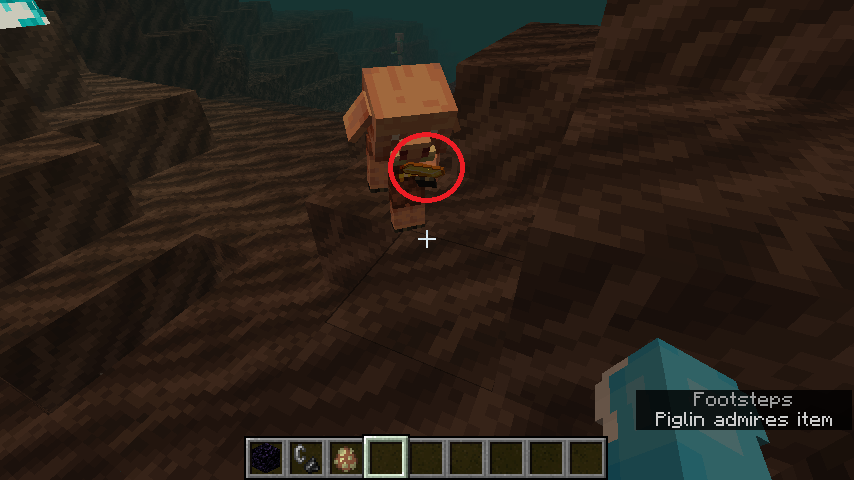
The bug
Items in baby piglins' hands are too small, and are almost invisible.
How to reproduce:
1. Give a baby piglin a gold ingot.
The bug
Items in baby piglins' hands are too small, and are almost invisible.
How to reproduce:
- Give a baby piglin a gold ingot.
-> It's almost invisible
image-2020-04-20-10-53-51-291.png
Piglins are not always attracted to gold ingots/gold items
I dropped a couple of gold ingots around a piglin.
What I expected to happen was...:
The piglin would follow the gold ingots.What actually happened was...:
The piglin lost interest.Steps to Reproduce:
Find/Spawn a piglin.
Drop a couple of gold ingots.According to
MCPE-72088this seems to be related to different Y-levels.
I dropped a couple of gold ingots around a piglin.
What I expected to happen was...:
The piglin would follow the gold ingots.What actually happened was...:
The piglin lost interest.Steps to Reproduce:
Find/Spawn a piglin.
Drop a couple of gold ingots.According to
MCPE-72088this seems to be related to piglins not being able to notice gold items at different Y-levels.
ARISA_ADD_VERSION 1.16.0.53 Beta
The bug
While adult zombified piglins correctly spawn with golden swords, baby zombified piglins do not.
How to reproduce:
1. Spawn a baby zombified piglin using a spawn egg/find it naturally in the Nether.
The bug
While adult zombified piglins correctly spawn with golden swords, baby zombified piglins do not.
How to reproduce:
- Spawn a baby zombified piglin using a spawn egg/find it naturally in the Nether.
The bug
While adult zombified piglins correctly spawn with golden swords, baby zombified piglins do not.
How to reproduce:
- Spawn a baby zombified piglin using a spawn egg/find it naturally in the Nether.
-> It doesn't have a sword in its hand
Zombified piglins/Zoglins do not receive the nausea effect for a few seconds upon being converted
The bug
Zombified piglins do not receive the nausea effect upon being converted to from piglins.
How to reproduce:
- Spawn a piglin in the overworld.
- Wait for it to become a zombified
piglin.-> It doesn't receive the nausea effect
The bug
Zombified piglins and Zoglins do not receive the nausea effect upon being converted to from piglins/hoglins.
How to reproduce:
- Spawn a piglin/hoglin in the overworld.
- Wait for it to become a zombified.
-> It doesn't receive the nausea effect
The bug
Zombified piglins and Zoglins do not receive the nausea effect upon being converted to from piglins/hoglins.
Howto reproduce:
- Spawn a piglin/hoglin in the overworld
.- Wait for it to become a zombified
.-> It doesn't receive the nausea effect
Zombified piglins and Zoglins do not receive the nausea effect upon being converted to from piglins/piglin brutes/hoglins.
Steps to reproduce:
- Spawn a piglin/piglin brute/hoglin in the overworld
- Wait for it to become a zombified
Observed result:
It doesn't receive the nausea effect.Expected result:
It receives the nausea effect for a couple of seconds, like in Java Edition.
The bug
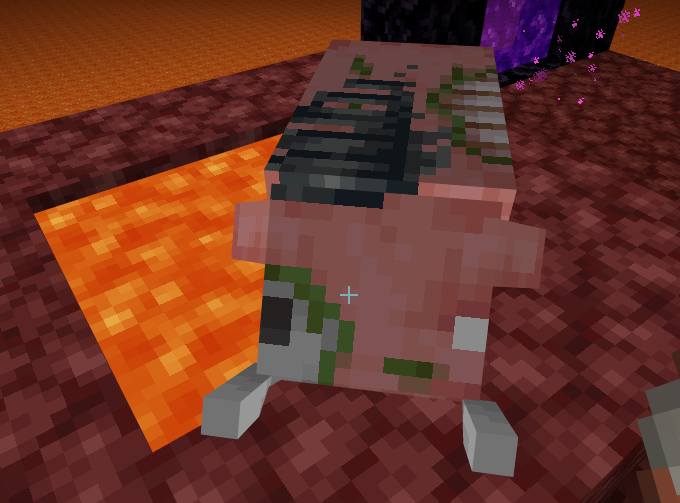
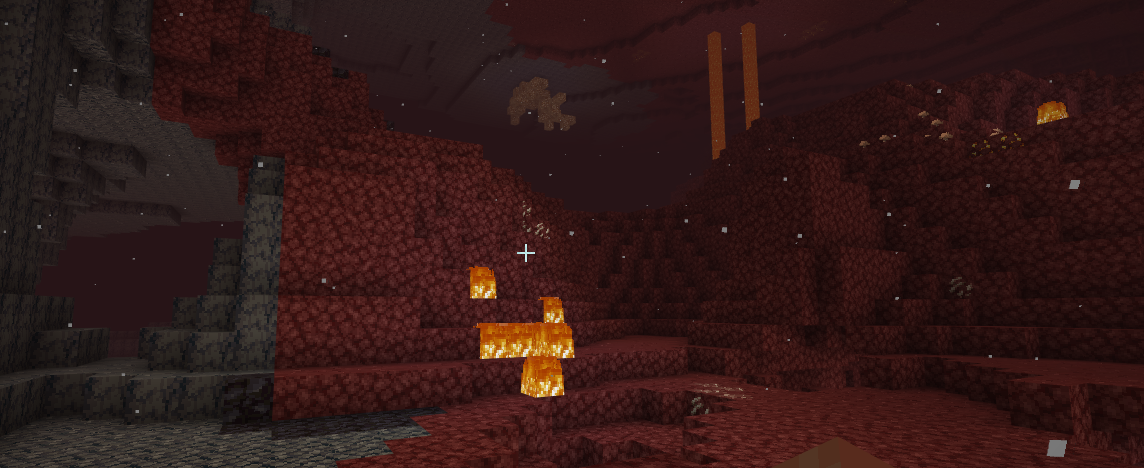
Soul fire do
esnot repel piglins.How to reproduce:
1. Place down a soul campfire.
2. Spawn some piglins.
-> They don't run away
The bug
Soul campfires do not repel piglins.
How to reproduce:
1. Place down a soul campfire.
2. Spawn some piglins.
-> They don't run away
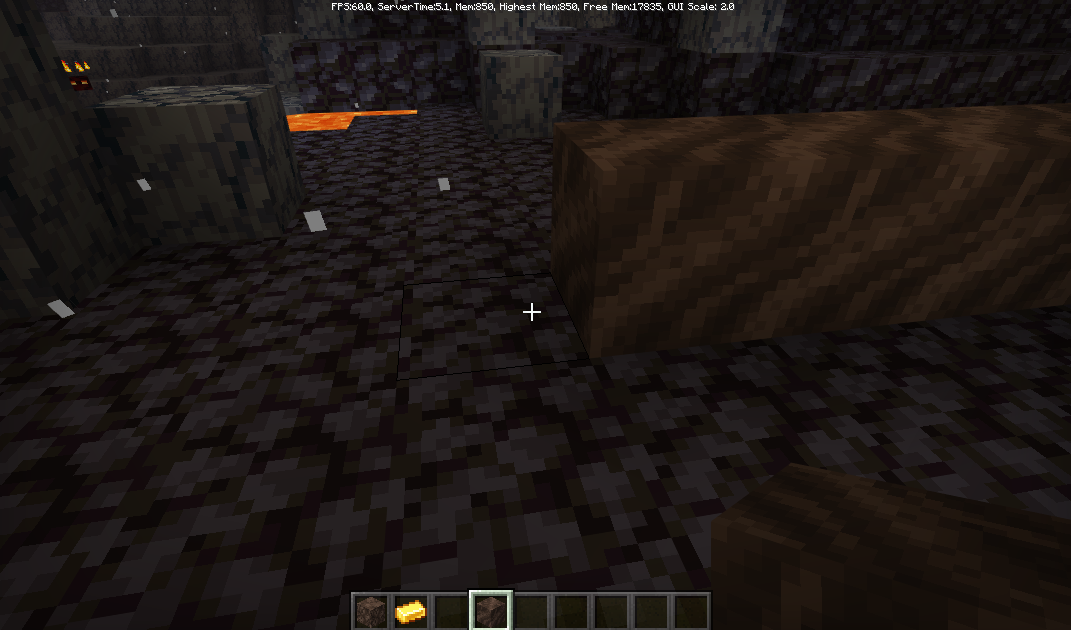
The bug
Soul
firetorches cannot be crafted with charcoal.How to reproduce:
1. Try crafting soul
firetorches with charcoal.-> You can't
Soulfiretorches can't be crafted with charcoal

Update by [Mod] Jarl-Penguin
Summary
Piglins that have crossbows will shoot arrows even when you replace their crossbow with a golden sword using /replaceitem, and piglins that have golden swords will hit their targets with a crossbow when their golden sword is replaced.
How to reproduce:
- Summon a piglin.
- If it has a golden sword, do /replaceitem entity @e[type=piglin] slot.weapon.mainhand 0 crossbow
- If it has a crossbow, do /replaceitem entity @e[type=piglin] slot.weapon.mainhand 0 golden_sword
- /difficulty easy
- /clear
- /gamemode survival
-> They don't correctly use the weapons 
Original Description
Piglins that spawn with crossbows are not able to use swords given by commands! They just shoot arrows with the sword! and if a piglin spawns with a sword ,it will melee you with a crossbow!

Update by [Mod] Jarl-Penguin
Summary
In the recipe book, when trying to see the recipe for a stone tool, it shows that blackstone is required to craft the tool.
How to reproduce:
- /gamemode survival
- /clear
- /give @s crafting_table
- Place the crafting table down.
- /give @s stick
- Open the crafting table.
- Click on the recipe for a stone sword.
-> It shows that you need blackstone for it
Original Description
I started a new world in the new beta and when I was going to make a stone sword, it required Blackstone instead of cobblestone

Update by [Mod] Jarl-Penguin
Summary
Piglins will randomly raise/lower their arms rapidly in Peaceful mode when attacked/when a piglin nearby is killed.
How to reproduce:
- Go into survival mode
- Change difficulty to peaceful
- Hit/kill a piglin (preferably with other piglins nearby)
-> The piglins raise and lower their arms rapidly
Original Description
Im in peaceful and there are hoglins and piglins here. I'm unsure if that's a glitch itself but the piglins keep raising and lowering their arms as if they are hostile then peaceful then hostile again. Also, when hit, they float down to a lower platform. This could be caused by the lag that I'm also experiencing
![[Mod] LateLag](../../../data/avatars/users/92884.png)
[Mod] Jarl-Penguin They aren't, the poster refers to iron boots. Piglins, as well as other humanoid mobs, have a chance of equipping dropped tools and armor. That's why this occurs.

Hi Allyson,
As [Mod] Jarl-Penguin mentioned, understanding what's near your spawn point is important in understanding this bug, there isn't much we or the developers can do with a random death from spawning under bedrock if we're unable to reproduce it.
If your spawn point is on or near a pressure plate its likely you are affected by MCPE-65487. Thats the only way we have been able to reproduce this issue.
I'm going to put this ticket in Awaiting Response, commenting will re-open the ticket automagically.
Ionic

Update by [Mod] Jarl-Penguin
Summary
Villagers can drop items they are offering to trade when killed.
How to reproduce:
- Summon a villager and give him a job.
- Take an emerald and hold it up until the villager offers an item
- /effect @s strength 999999 14
- Switch to another slot in your hotbar and quickly kill the villager.
-> Sometimes he drops the item that he was holding
Original Description
When holding an item a villager will hold a bunch of different items they could said item for, if the player kills them while they are have the item out, the villager can drop the item. It's not every time but it does happen.

Update by [Mod] Jarl-Penguin
Summary
The new Mojang Studios logo does not appear on Android devices, instead the Minecraft loading bar appears immediately.
How to reproduce:
- Open the game on an Android device
-> There is no startup Mojang Studios logo
Original Description
From the old "Mojang" It was also not seen

Update by [Mod] Jarl-Penguin
Summary
Igloos are not listed in the structures list for the /locate command.
How to reproduce:
- /locate igloo
-> It doesn't work
Original Description
If you don’t understand what I mean look at the picture down below
Update by [Mod] Jarl-Penguin
Summary
In Java Edition, cured zombie villagers have a certain type of gossip (major_positive) that does not reduce over time and therefore grants the player a permanent discount, but in Bedrock Edition, popularity is not separated into groups, so the discounts will reduce over time and (eventually) disappear.
How to reproduce:
- Spawn a villager.
- Turn him into a zombie villager.
- Cure the zombie villager.
- Give it a profession and a bed.
- Check that he has discounts on his items.
- Wait for a few days.
-> The villager's discounts will drop to a point where they completely disappear
Original Description
When you cure a zombie villager, the discounts don't last forever. The more you trade with him the more his prices will get. This is normal, but eventually when you trade a lot with them their prices will not go down and will eventually reset back to the original prices. On the wiki page for Java is says that the discounts are permanent. So far this has only been affecting Librarians and Farmers from what I've noticed with the villagers I have.

Sure,[Mod] Jarl-Penguin, but specifically, it’s the player count or the command blocks. I don’t crash sometimes, even when I’m idling(AFK). The world may not crash on you this only affecting me. I think.
[Mod] Jarl-Penguin here is the world; bugged world.zip
The bug maybe because of the world.

@[Mod] Jarl-Penguin Yes, Im on a realm
Update by [Mod] Jarl-Penguin
Summary
When connecting a mouse to an Android device, Minecraft does not utilize it like an actual mouse, but utilizes it like a touch device.
How to reproduce:
- Connect a mouse to a phone with Android Oreo or above.
- Launch Minecraft and enter a world.
-> You can't look around with the mouse
Original Description
For a long time, we have been asking Minecraft players to automatically detect the mouse cursor on the android 8.1 oreo system.However, at this time, we are trying to fix the cursor with 3rd party applications, using applications such as toolbox For Minecraft PE. We want the control settings to be re-encoded. Please see this error. Please  .
.
Update by [Mod] Jarl-Penguin
Summary
Item frames are not affected at all by lava.
Original Description
Is this a bug or a feature thats scarry
Updated description by [Mod] Jarl-Penguin:
Summary:
The sneak button flickers when touching the left side of the screen with Lefty and Swap Jump and Sneak options enabled.
Steps to reproduce:
- Enable Lefty and Swap Jump and Sneak options.
- Touch the left side of the screen.
Observed results:
Sneak button flickers.
Expected results:
Sneak button doesn't flicker.
Original description:
The sneak button disappear when using (lefty) and (swap jump and sneak) settings and touching or moving the left corner

Seems to work as intended, this is what's supposed to happen when running /playsound minecraft:music_disc.*name of disc music @p*. You have to provide the <pos>, <volume>, <pitch>, <minVolume>, in the command as [Mod] Jarl-Penguin said.

[Mod] Jarl-Penguin I cannot reproduce this issue either.
In addition to what [Mod] Jarl-Penguin requested, you can also provide a copy of the world which will help in reproducing the bug.
If your issue is the same as [Mod] Jarl-Penguin mentioned, it is a duplicate of MC-103511.
[Mod] Jarl-Penguin Can you reproduce this in 1.20.6? I was unable to, but I just want to make sure that it isn't just me who can't reproduce it.
In addition to what [Mod] Jarl-Penguin said, you also run the command below to get an Ominous Vault item directly, but it will show up as a Vault, since an Ominous Vault is a block state of the Vault:
/give @s minecraft:vault[minecraft:block_state={ominous:"true"}]
This may be a bit buggy; see MC-270062. A workaround is to run this command (from [Mod] ampolive):
/setblock ~ ~ ~ vault[ominous=true]{config:{key_item:{count:1,id:"ominous_trial_key"},loot_table:"minecraft:chests/trial_chambers/reward_ominous"}}
[Mod] Jarl-Penguin The title says that this was produced in Feather client. Therefore, it is probably invalid.
![[Mod] Avoma](../../../data/avatars/users/86198.png)
Would MC-163637 happen to describe your issue here? If not, please follow the instructions provided in the comment by [Mod] Jarl-Penguin.
[Mod] Jarl-Penguin It does seem to be the same issue. This can be resolved as a duplicate of MC-273450.
Yep, this is also a thing in Java.
I've been using /summon minecraft:boat ~ ~ ~ {type:"birch"}, because it's the only command I can find on the internet being suggested.
The command executes, but it summons oak.
Reply from [Mod] Jarl-Penguin:
Wrong command, type needs to be capitalized:
/summon boat ~ ~ ~ {Type:birch}
Can confirm in 1.20.4
[Mod] Jarl-Penguin: Please confirm issues only in the latest version or the latest snapshot.

[Mod] Jarl-Penguin where its this repeating command block? have some in the world to replace items for dispenser/hopper/composter. also have command blocks to tp glow squid and slime out of world glow squid mess around with structure spawn has long its blocks of water and dies and the slime makes bit of noise and they can spawn bit too much of them so iron golem dies easy.
quoting the minecraft wwiki
''The poison, instant damage, evoker fangs, warden's sonic boom and the Thorns enchantment magical sources are 85% less effective against witches''
Reply from [Mod] Jarl-Penguin:
The wiki is not a valid source for whether certain behavior is intended or not.
Issue is still present till this day, 1.20.4+.
Reply from [Mod] Jarl-Penguin:
Please confirm issues only in the latest release/snapshot version.
[Mod] Jarl-Penguin Bug report MC-206356 does not describe my issue. My issue has nothing to do with the slowness of the falling block visual, but rather a bug regarding how the falling block renderer offsets the visual position of specific block types (example: flowers, pointed dripstone, short and tall grass, most foliage) depending on their XZ coordinates. Bug report MC-206356 does not include any of the aforementioned blocks that have the issue I've demonstrated, and in general seems to be demonstrating an entirely different issue than what I've presented.
Mine is also significantly easier to replicate, only requiring a single command rather than a redstone machine or fishing rod trick as seen in theirs.
My cousin experienced a more serious version of this where, instead of taking damage, the entire biome the portal appeared in reverted to its original state, taking the portal along with it. We had built a bunker that the portal was contained in that ceased to exist for a few seconds. cdaa079d-8bc3-4400-83f1-7c725690df83.mov
Reply from [Mod] Jarl-Penguin:
The issue you're describing is being tracked at MCPE-169059.

Same problem. They are only "close" my ticket for duplicate... GG mojang.
Still waiting for my cape. Nick: TenWhajt
Reply from [Mod] Jarl-Penguin:
Reports are resolved as duplicates because only 1 ticket is needed to track the issue. Please read the Bug Tracker Guidelines for more information on how to properly use the bug tracker.

What version does the bug exist on?
Reply from [Mod] Jarl-Penguin:
Please look at the Affects Version/s list.
Please answer the question by [Mod] Jarl-Penguin.

[Mod] Jarl-Penguin I've been using resource packs that allow you to see chunk borders by holding a firework in your off hand, no matter what I do to it, if it has a player.Entity.Json file capes will not be usable. It didn't seem intended that if you have a player.Entity.Json file in your resource pack at all it would be impossible to use a Cape, even if the file explicitly tells it to render one. apologies if this is an intended feature. I would love to be able to use resource packs and the Cape at the same time since most resource packs use a player.Entity.Json file. i think it only should make changes to the cape if those fields are specified, not just make capes impossible. Personally I think it is definitely a bug. I would just like someone to look a little bit deeper into it because a lot of people seem to be having this problem.
[Mod] Jarl-Penguin, Yes, that's the issue.
[Mod] Jarl-Penguin I didn't actually see the duplicate when I made the post because I included resource pack in the search, sorry for the duplicate it wasn't intentional.

Good point, [Mod] Jarl-Penguin. Also, can you confirm that this Add-On works on Bedrock, outside of Realms? Otherwise you just might have downloaded a bad mod there Other thing is that if you are playing with multiple mods, two (or more) may be conflicting with each other (multiple mods may be trying to change the texture of the same block), as the black-purple texture you see there usually means a texture is missing from that object.
[Mod] Jarl-Penguin I really don't understand what the reporter of MCPE-186515 is saying; but this does appear to still be an issue. Furthermore, I can't both equip back items and a cape now at the same time. It may relate to MCPE-183453 (not reported by me), and MCPE-186820, as I just re-equipped my emotes, upon which:
- My cape un-eqipped
- My character's eyes turned blue.

This is a duplicate of both MCPE-189055 and MCPE-188936.
[Mod] Jarl-Penguin asked you before to stop making duplicates of your own reports.
Check out the Bug Tracker Guidelines before creating any new reports.
You may end up receiving repercussions on your account since you have already created too many reports regarding this issue.
Works as intended?
After all, this is what online-mode is for. To make people not authenticated with Xbox Live not be able to be joined.
BDS-85?Mojang then should post system requirements on their page...
Confirmed on version 1.7.
Can confirm this issue happening on the Motorola Moto G7
I attached some screenshots.
As one can see the left part of the display is black. Whereas it's fine in other apps
Can confirm on v1.14.20
Why is this in the Bedrock Edition section? You should report it here:
https://bugs.mojang.com/browse/MC
It's only generated on naturally-generated trees.
Can confirm that this also happens on Android.
Update: The world is visible with Mobile Data on the device if the host is connected to WiFi. However, the device with Mobile Data enabled still fails to connect to the world.
Updated.
Update: Happens both on Amazon and Google Play version of the app.
Duplicate of https://bugs.mojang.com/browse/MCPE-59043
Still happens on 1.14.30
Still happens on 1.14.30
Still happens on 1.14.30
Relates to
MCPE-62648Duplicate of
MCPE-62903Cheats are enabled?
Can anyone confirm this?
Cheats must be enabled for the Owner to be able to perform commands like the ones you used.
WAI. That's the whole point of the stone button, not being affected by anything except direct interaction.
Can't confirm on 1.14.30
Still affects 1.14.30
Note: this happens with all zombies spawned with armor and tools, not just ones that picked them up
Did you try /summon boat ~ ~ ~
{Type:spruce}?
Don't know about spawning in caves, but imo spawning in oceans and on land is intentional
Affects 1.14.30
I can confirm on 1.14.30.
When sprinting on stairs you lose a ton of hunger very fast.
On Easy difficulty they just die, on normal difficulty they have a 50% chance, and on Hard they 100% should turn into zombie villagers. What difficulty are you playing on?
Is this the same as
MCPE-62648?Can confirm. What is strange is that on a realm it is fine, but when I download the realm this happens.
Can't confirm on 1.14.30
Can't confirm in 1.14.30
1.14.30 should not be in the affected versions, since the feature isn't there.
Affects 1.14.30
Affects 1.14.30
WAI. Effect level 0 is I, 1 is II, 2 is III, etc.
So it's intentional that the wither kills the wither skeletons it spawned? I don't think so... Also, according to the wiki, the wither doesn't do damage to undead mobs in Java Edition, but I'll have to test myself.
In nighttime they attack. Also,
MCPE-65098hasn't been resolved as WAI, so no, we don't know if drowned are supposed to be passive in the day.You can download a world editor (like Blocktopograph or MCC Toolchest PE) and then download the world from Realms, remove the items using the world editor and reupload the world.
Can confirm on Android. Happens only when offline
Please verify your game is set to using "External" storage, instead of "Application".
Cannot reproduce on 1.16.0.51 Windows 10.
Can confirm on Windows 10 1.16.0.51
Can confirm on Android.
Alright, no problem
Do you have experimental features turned on?
Works as Intended. They do this in Java Edition
Cannot reproduce on Windows 10 and Android.
Do you have a resource pack on?
Doesn't mean it's not a bug.
Did you turn it on at world creation or after creating the world?
Was it on peaceful mode? Also the walking animation bug is being tracked in a different ticket.
Also makes zombie invincible to damage.
@Jason how is it WAI? The wiki doesn't state what works as intended or not, it only says what the state of the game is at one point in time (in this case, right now).
Why did you open a separate ticket on this issue if you know that a lot of people wrote about it? There is already an existing bug report about this issue.
@Jason that still doesn't make it WAI. Maybe crossbows should break in Bedrock Edition, but they don't.
Respawn anchors haven't been implemented.
Are you on peaceful mode?
Cannot reproduce in 1.16.0.57 Windows 10
Not intended, vindicators are hostile mobs.
No, it isn't fixed. They don't burn under the sun, but still take fire damage.
Affects beta 1.16.0.57, attached an example.
Duplicate of
MCPE-65381. Please search next time for the issue.@Jason it shouldn't depend on the version since the end goal is version parity.
Golden boots aren't even supposed to be part of the loot table... Strange
Cannot confirm on Windows 10, seems like an Android-specific problem.
This should be WAI per
MC-179163.Works for me here.
Rain does not extinguish it. It also doesn't spread
The "soul fire" also deals damage in half hearts instead of full hearts it is supposed to.
Did any mob pass through the portal?
If anything it only happens on Java Edition when you switch beds.
He could've passed through the nether portal.
The mob must be touching water or it must be raining.
You must've pressed F1 by mistake.
Has nothing to do with rails, Daniil
I can reproduce this. I always found it strange that it took more than one it from an Impaling 5 trident to kill a zombie/drowned in water when creepers always died with one hit.
Did a mob pass through the portal? If so, it's a duplicate of
MCPE-66678Did a mob pass through the portal? If so, it's a duplicate of
MCPE-66678Did a mob pass through your nether portal?
Did a mob pass through your nether portal?
Did a mob pass through your nether portal?
Adult piglins are. Baby piglins, however, are "mischievous", and steal any item from the player as seen here: https://minecraft.gamepedia.com/File:BabyPiglinHoldingLavaBucket.png
Trade values were changed to match with Java.
You're not supposed to be able to change the priority level. It's for staff
When does it not melt?
9 bookshelves for one emerald is intended, it's like that in Java Edition
Piglins rarely spawn in the Nether Wastes and commonly spawn in Crimson Forests. Zombified piglins spawn commonly in most biomes.
Do you have fire tick turned off?
You have to restart the game for the settings to take effect.
No, that's not true
I do not believe this is a bug in Java Edition. As DrownedZombie mentioned, the JE behavior is working as intended (which makes sense since soul campfires are crafted with 1 soul soil/soul sand, and thus should drop soul soil).
Cannot reproduce in 1.16.0.57 or 1.16.0.58
Updated and circled the incorrect positions. May be caused by
MCPE-70864.The wiki does not define what is intended or unintended behavior. It merely describes the state of the game.
Cannot reproduce in 1.16.0.58
What do you mean by "look"? Do you mean that they don't inspect/admire Netherite items?
Updated to include hoglin/zoglin.
Appear to affect baby zombified piglins as well.
Cannot reproduce. I consistently got 5-8 Redstone pieces from Redstone ore with Fortune 3.
Still affects baby zoglins. Baby hoglins have big heads now.
Cannot reproduce on latest beta. Stood around a hoglin for a minute and it didn't attack.
Partially fixed in 1.16.0.59, still affects lodestone_block and twisting_vines_block
Can confirm. Random tick speed is set to 1, but fire extinguishes instantly when raining. Also burns through wood and leaves very fast.
Unable to reproduce on 1.16.0.59.
Fixed in 1.16.0.59
Affects 1.16.0.59 and also affects certain mobs.
Is your spawn set near pressure plates?
MC-180166was originally a Bedrock ticket. Hence bugsbugsbugs saying it is a duplicate.bugsbugsbugs They correctly flee from nether portals in Bedrock Edition.
Please attach a screenshot. Can't reproduce on 1.16.0.60.
Zabir Humaid Community Consensus is a type of confirmation status.
Even then he's not always attracted. That's the bug here.
Could you attach the affected world?
Cannot reproduce either.
Is randomTickSpeed set to 0?
Are you in the Nether/End?
Cannot reproduce on 1.16.0.63
Cannot reproduce on 1.16.0.63 Windows 10 or Android
Seems fixed in 1.16.0.63?
Works As Intended per 1.16.0.63 changelog:
Works As Intended per 1.16.0.51 changelog:
Fixed as of 1.16.0.63. As CSpider mentioned, not all mobs have the ability to pick up loot, only a percentage of them do.
Confirmed in 1.16.0.63. Piglins will randomly raise and lower their arms rapidly when you hit or kill them in peaceful mode.
Confirmed in 1.16.0.63. Piglins will never put down their crossbows after attacking.
Confirmed. Currently tested golden blocks, nether gold ore and gold ore. Piglins always pickup a stack of these items if a stack are dropped on the floor.
Cannot reproduce on 1.16.0.63. While it may not look like they're shaking, when they stand still you can see that they are indeed shaking.
Thank you for your report!
We're tracking this issue in
MCPE-39599, so this ticket is being resolved and linked as a duplicate.If you would like to add a vote and any extra information to the main ticket it would be appreciated.
If you haven't already, you might like to make use of the search feature to see if the issue has already been mentioned.
Quick Links:
📓 Issue Guidelines – 💬 Community Support – 📧 Customer Support – ✍️ Feedback and Suggestions – 📖 Game Wiki
Thank you for your report!
We're tracking this issue in
MCPE-79376, so this ticket is being resolved and linked as a duplicate.If you would like to add a vote and any extra information to the main ticket it would be appreciated.
If you haven't already, you might like to make use of the search feature to see if the issue has already been mentioned.
Quick Links:
📓 Issue Guidelines – 💬 Community Support – 📧 Customer Support – ✍️ Feedback and Suggestions – 📖 Game Wiki
Thank you for your report!
We're tracking this issue in
MCPE-79376, so this ticket is being resolved and linked as a duplicate.If you would like to add a vote and any extra information to the main ticket it would be appreciated.
If you haven't already, you might like to make use of the search feature to see if the issue has already been mentioned.
Quick Links:
📓 Issue Guidelines – 💬 Community Support – 📧 Customer Support – ✍️ Feedback and Suggestions – 📖 Game Wiki
Thank you for your report!
However, this issue is Incomplete.
Your report does not contain enough information. As such, we're unable to understand or reproduce the problem.
Please review the guidelines linked below before making further reports.
Quick Links:
📓 Issue Guidelines – 💬 Community Support – 📧 Customer Support – ✍️ Feedback and Suggestions – 📖 Game Wiki
Thank you for your report!
However, this issue is Incomplete.
Your report does not contain enough information. As such, we're unable to understand or reproduce the problem.
Please review the guidelines linked below before making further reports.
Quick Links:
📓 Issue Guidelines – 💬 Community Support – 📧 Customer Support – ✍️ Feedback and Suggestions – 📖 Game Wiki
Thank you for your report!
We're tracking this issue in
MCPE-69271, so this ticket is being resolved and linked as a duplicate.If you would like to add a vote and any extra information to the main ticket it would be appreciated.
If you haven't already, you might like to make use of the search feature to see if the issue has already been mentioned.
Quick Links:
📓 Issue Guidelines – 💬 Community Support – 📧 Customer Support – ✍️ Feedback and Suggestions – 📖 Game Wiki
Confirmed in 1.16.0.63 Windows 10
Thank you for your report!
However, this issue is Invalid.
You have posted a feature request or a suggestion. This site is for bug reports only.
For suggestions, please visit Minecraft Suggestions on Reddit or visit the Feedback website.
Quick Links:
📓 Issue Guidelines – 💬 Community Support – 📧 Customer Support – ✍️ Feedback and Suggestions – 📖 Game Wiki
Thank you for your report!
We're tracking this issue in
MCPE-69037, so this ticket is being resolved and linked as a duplicate.That ticket has already been resolved as Fixed. The fix will arrive in the next version or is already included in the latest development version of the game, you can check the Fix Version/s field in that ticket to learn more.
If you haven't already, you might like to make use of the search feature to see if the issue has already been mentioned.
Quick Links:
📓 Issue Guidelines – 💬 Community Support – 📧 Customer Support – ✍️ Feedback and Suggestions – 📖 Game Wiki
Have you applied a resource pack made for 1.14 or below?
How did you attempt to make it explode? As of the latest beta, respawn anchors only explode in the Overworld and the End if you set your respawn point using it.
Thank you for your report!
We're tracking this issue in
MCPE-63401, so this ticket is being resolved and linked as a duplicate.That ticket has already been resolved as invalid, which means this is a technical support issue. Please take a look at the parent ticket (
MCPE-63401) and see if a solution is provided there.If you need additional help to fix this problem, please contact the Community Support
If you haven't already, you might like to make use of the search feature to see if the issue has already been mentioned.
Quick Links:
📓 Issue Guidelines – 💬 Community Support – 📧 Customer Support – ✍️ Feedback and Suggestions – 📖 Game Wiki
As [Mod] LateLag mentioned, only a small percentage of mobs can pick up armor and weapons.
Couldn't reproduce in a 1.14 world in 1.16. Only a few zombies I spawned using a spawn egg had the ability to pick up items.
Thank you for your report!
We're tracking this issue in MCPE-63099, so this ticket is being resolved and linked as a duplicate.
If you would like to add a vote and any extra information to the main ticket it would be appreciated.
If you haven't already, you might like to make use of the search feature to see if the issue has already been mentioned.
Quick Links:
📓 Issue Guidelines – 💬 Community Support – 📧 Customer Support – ✍️ Feedback and Suggestions – 📖 Game Wiki
Thank you for your report!
We're tracking this issue in
MCPE-62421, so this ticket is being resolved and linked as a duplicate.If you would like to add a vote and any extra information to the main ticket it would be appreciated.
If you haven't already, you might like to make use of the search feature to see if the issue has already been mentioned.
Quick Links:
📓 Issue Guidelines – 💬 Community Support – 📧 Customer Support – ✍️ Feedback and Suggestions – 📖 Game Wiki
Thank you for your report!
We're tracking this issue in
MCPE-70890, so this ticket is being resolved and linked as a duplicate.If you would like to add a vote and any extra information to the main ticket it would be appreciated.
If you haven't already, you might like to make use of the search feature to see if the issue has already been mentioned.
Quick Links:
📓 Issue Guidelines – 💬 Community Support – 📧 Customer Support – ✍️ Feedback and Suggestions – 📖 Game Wiki
Thank you for your report!
We're tracking this issue in
MCPE-72477, so this ticket is being resolved and linked as a duplicate.If you would like to add a vote and any extra information to the main ticket it would be appreciated.
If you haven't already, you might like to make use of the search feature to see if the issue has already been mentioned.
Quick Links:
📓 Issue Guidelines – 💬 Community Support – 📧 Customer Support – ✍️ Feedback and Suggestions – 📖 Game Wiki
Thank you for your report!
We're tracking this issue in
MCPE-44422, so this ticket is being resolved and linked as a duplicate.If you would like to add a vote and any extra information to the main ticket it would be appreciated.
If you haven't already, you might like to make use of the search feature to see if the issue has already been mentioned.
Quick Links:
📓 Issue Guidelines – 💬 Community Support – 📧 Customer Support – ✍️ Feedback and Suggestions – 📖 Game Wiki
Can you disable the resource pack that is hiding your beta version info on the top of the screen, and then send another screenshot?
Thank you for your report!
However, this issue is Incomplete.
Your report does not contain enough information. As such, we're unable to understand or reproduce the problem.
Please review the guidelines linked below before making further reports.
Quick Links:
📓 Issue Guidelines – 💬 Community Support – 📧 Customer Support – ✍️ Feedback and Suggestions – 📖 Game Wiki
Thank you for your report!
Crashes such as these are now logged automatically, this will therefore be investigated further by the development team internally.
Quick Links:
📓 Issue Guidelines – 💬 Community Support – 📧 Customer Support – ✍️ Feedback and Suggestions – 📖 Game Wiki
Red sand can't be made into concrete powder in Java Edition as well.
Thank you for your report!
However, this issue is Working as Intended.
The report you have submitted is working as intended: Drowned no longer drop tridents if they aren't equipped with them, see
MCPE-32731. Drowned also aren't supposed to get equipped with tridents when being converted from a zombie, seeMC-129579.Please note, that mechanics of the game may change between updates.
Things such as graphics, sounds, world creation, biomes, redstone, villagers, and animals may not work the same in current versions.
Full Version History – Snapshot Version History – Feature Requests and Suggestions
Quick Links:
📓 Issue Guidelines – 💬 Community Support – 📧 Customer Support – ✍️ Feedback and Suggestions – 📖 Game Wiki
Please send a screenshot, with no resource packs applied
Thank you for your report!
However, this issue is Invalid.
Please put only one bug report in each ticket. It is very difficult to keep track of bugs when they are not in their own tickets, and it is easier for you to make multiple tickets than for the mods to separate them.
Quick Links:
📓 Issue Guidelines – 💬 Community Support – 📧 Customer Support – ✍️ Feedback and Suggestions – 📖 Game Wiki
Did you enable sounds in your game and operating system settings?
Did an entity go through your nether portal before you went in?
Thank you for your report!
We're tracking this issue in
MCPE-21416, so this ticket is being resolved and linked as a duplicate.If you would like to add a vote and any extra information to the main ticket it would be appreciated.
If you haven't already, you might like to make use of the search feature to see if the issue has already been mentioned.
Quick Links:
📓 Issue Guidelines – 💬 Community Support – 📧 Customer Support – ✍️ Feedback and Suggestions – 📖 Game Wiki
Thank you for your report!
We're tracking this issue in
MCPE-69271, so this ticket is being resolved and linked as a duplicate.If you would like to add a vote and any extra information to the main ticket it would be appreciated.
If you haven't already, you might like to make use of the search feature to see if the issue has already been mentioned.
Quick Links:
📓 Issue Guidelines – 💬 Community Support – 📧 Customer Support – ✍️ Feedback and Suggestions – 📖 Game Wiki
Do you have experimental gameplay turned on?
Please send a screenshot with your beta version info available.
Thank you for your report!
We're tracking this issue in
MCPE-79376, so this ticket is being resolved and linked as a duplicate.If you would like to add a vote and any extra information to the main ticket it would be appreciated.
If you haven't already, you might like to make use of the search feature to see if the issue has already been mentioned.
Quick Links:
📓 Issue Guidelines – 💬 Community Support – 📧 Customer Support – ✍️ Feedback and Suggestions – 📖 Game Wiki
Thank you for your report!
However, this issue is Incomplete.
Your report does not contain enough information. As such, we're unable to understand or reproduce the problem.
Please review the guidelines linked below before making further reports.
Quick Links:
📓 Issue Guidelines – 💬 Community Support – 📧 Customer Support – ✍️ Feedback and Suggestions – 📖 Game Wiki
The items themselves are smaller than in Java Edition in their right hand; items in their left hand are correctly sized.
Thank you for your report!
We're tracking this issue in
MCPE-53033, so this ticket is being resolved and linked as a duplicate.That ticket has already been resolved as Fixed. The fix will arrive in the next version or is already included in the latest development version of the game, you can check the Fix Version/s field in that ticket to learn more.
If you haven't already, you might like to make use of the search feature to see if the issue has already been mentioned.
Quick Links:
📓 Issue Guidelines – 💬 Community Support – 📧 Customer Support – ✍️ Feedback and Suggestions – 📖 Game Wiki
Thank you for your report!
We're tracking this issue in
MCPE-63228, so this ticket is being resolved and linked as a duplicate.If you would like to add a vote and any extra information to the main ticket it would be appreciated.
If you haven't already, you might like to make use of the search feature to see if the issue has already been mentioned.
Quick Links:
📓 Issue Guidelines – 💬 Community Support – 📧 Customer Support – ✍️ Feedback and Suggestions – 📖 Game Wiki
Affects piglins as well
Thank you for your report!
We're tracking this issue in
MCPE-62421, so this ticket is being resolved and linked as a duplicate.If you would like to add a vote and any extra information to the main ticket it would be appreciated.
If you haven't already, you might like to make use of the search feature to see if the issue has already been mentioned.
Quick Links:
📓 Issue Guidelines – 💬 Community Support – 📧 Customer Support – ✍️ Feedback and Suggestions – 📖 Game Wiki
Do you have a texture pack applied?
Thank you for your report!
We're tracking this issue in
MCPE-72076, so this ticket is being resolved and linked as a duplicate.If you would like to add a vote and any extra information to the main ticket it would be appreciated.
If you haven't already, you might like to make use of the search feature to see if the issue has already been mentioned.
Quick Links:
📓 Issue Guidelines – 💬 Community Support – 📧 Customer Support – ✍️ Feedback and Suggestions – 📖 Game Wiki
Thank you for your report!
We're tracking this issue in
MCPE-74537, so this ticket is being resolved and linked as a duplicate.If you would like to add a vote and any extra information to the main ticket it would be appreciated.
If you haven't already, you might like to make use of the search feature to see if the issue has already been mentioned.
Quick Links:
📓 Issue Guidelines – 💬 Community Support – 📧 Customer Support – ✍️ Feedback and Suggestions – 📖 Game Wiki
Thank you for your report!
However, this issue is Invalid.
You have posted a feature request or a suggestion. This site is for bug reports only.
For suggestions, please visit Minecraft Suggestions on Reddit or visit the Feedback website.
Quick Links:
📓 Issue Guidelines – 💬 Community Support – 📧 Customer Support – ✍️ Feedback and Suggestions – 📖 Game Wiki
Thank you for your report!
However, this issue is Invalid.
Please put only one bug report in each ticket. It is very difficult to keep track of bugs when they are not in their own tickets, and it is easier for you to make multiple tickets than for the mods to separate them.
Quick Links:
📓 Issue Guidelines – 💬 Community Support – 📧 Customer Support – ✍️ Feedback and Suggestions – 📖 Game Wiki
Thank you for your report!
We're tracking this issue in
MCPE-48207, so this ticket is being resolved and linked as a duplicate.If you would like to add a vote and any extra information to the main ticket it would be appreciated.
If you haven't already, you might like to make use of the search feature to see if the issue has already been mentioned.
Quick Links:
📓 Issue Guidelines – 💬 Community Support – 📧 Customer Support – ✍️ Feedback and Suggestions – 📖 Game Wiki
Thank you for your report!
We're tracking this issue in MCPE-26064, so this ticket is being resolved and linked as a duplicate.
If you would like to add a vote and any extra information to the main ticket it would be appreciated.
If you haven't already, you might like to make use of the search feature to see if the issue has already been mentioned.
Quick Links:
📓 Issue Guidelines – 💬 Community Support – 📧 Customer Support – ✍️ Feedback and Suggestions – 📖 Game Wiki
Thank you for your report!
We're tracking this issue in
MCPE-69420, so this ticket is being resolved and linked as a duplicate.If you would like to add a vote and any extra information to the main ticket it would be appreciated.
If you haven't already, you might like to make use of the search feature to see if the issue has already been mentioned.
Quick Links:
📓 Issue Guidelines – 💬 Community Support – 📧 Customer Support – ✍️ Feedback and Suggestions – 📖 Game Wiki
Thank you for your report!
However, this issue is Invalid.
You have posted a feature request or a suggestion. This site is for bug reports only.
For suggestions, please visit Minecraft Suggestions on Reddit or visit the Feedback website.
Quick Links:
📓 Issue Guidelines – 💬 Community Support – 📧 Customer Support – ✍️ Feedback and Suggestions – 📖 Game Wiki
Are the villagers located near a chunk border?
Thank you for your report!
However, this issue is Incomplete.
Your report does not contain enough information. As such, we're unable to understand or reproduce the problem.
Please review the guidelines linked below before making further reports.
Quick Links:
📓 Issue Guidelines – 💬 Community Support – 📧 Customer Support – ✍️ Feedback and Suggestions – 📖 Game Wiki
Thank you for your report!
However, this issue is Incomplete.
Your report does not contain enough information. As such, we're unable to understand or reproduce the problem.
Please review the guidelines linked below before making further reports.
Quick Links:
📓 Issue Guidelines – 💬 Community Support – 📧 Customer Support – ✍️ Feedback and Suggestions – 📖 Game Wiki
Thank you for your report!
We're tracking this issue in
MCPE-78030, so this ticket is being resolved and linked as a duplicate.If you would like to add a vote and any extra information to the main ticket it would be appreciated.
If you haven't already, you might like to make use of the search feature to see if the issue has already been mentioned.
Quick Links:
📓 Issue Guidelines – 💬 Community Support – 📧 Customer Support – ✍️ Feedback and Suggestions – 📖 Game Wiki
Thank you for your report!
We're tracking this issue in
MCPE-62067, so this ticket is being resolved and linked as a duplicate.That ticket has already been resolved as Fixed. The fix will arrive in the next version or is already included in the latest development version of the game, you can check the Fix Version/s field in that ticket to learn more.
If you haven't already, you might like to make use of the search feature to see if the issue has already been mentioned.
Quick Links:
📓 Issue Guidelines – 💬 Community Support – 📧 Customer Support – ✍️ Feedback and Suggestions – 📖 Game Wiki
I can't reproduce this on the latest beta. Are you sure you're on 1.16.0.63?
Thank you for your report!
However, this issue is Invalid.
This is related to a different project. Use one of the links below to go to the correct project.
– Minecraft: Java Edition — Windows, Mac, and Linux
– Minecraft Launcher — Bugs about the Minecraft Launcher specifically
– Minecraft: Bedrock Edition — Gear VR, iOS, Android, Windows 10 (from the Windows store), Xbox One, Windows 10 Mobile, Fire TV, Nintendo Switch, and PS4
– Minecraft Earth — AR Compatible Devices
– Minecraft Dungeons — Action-adventure title set in the Minecraft universe
Please don't forget to search for an existing issue matching yours in the appropriate project before raising a new one.
Quick Links:
📓 Issue Guidelines – 💬 Community Support – 📧 Customer Support – ✍️ Feedback and Suggestions – 📖 Game Wiki
Thank you for your report!
However, this issue is Invalid.
Please put only one bug report in each ticket. It is very difficult to keep track of bugs when they are not in their own tickets, and it is easier for you to make multiple tickets than for the mods to separate them.
Quick Links:
📓 Issue Guidelines – 💬 Community Support – 📧 Customer Support – ✍️ Feedback and Suggestions – 📖 Game Wiki
Thank you for your report!
We're tracking this issue in
MCPE-21416, so this ticket is being resolved and linked as a duplicate.If you would like to add a vote and any extra information to the main ticket it would be appreciated.
If you haven't already, you might like to make use of the search feature to see if the issue has already been mentioned.
Quick Links:
📓 Issue Guidelines – 💬 Community Support – 📧 Customer Support – ✍️ Feedback and Suggestions – 📖 Game Wiki
Thank you for your report!
We're tracking this issue in
MCPE-63228, so this ticket is being resolved and linked as a duplicate.That ticket has already been resolved as Fixed. The fix will arrive in the next version or is already included in the latest development version of the game, you can check the Fix Version/s field in that ticket to learn more.
If you haven't already, you might like to make use of the search feature to see if the issue has already been mentioned.
Quick Links:
📓 Issue Guidelines – 💬 Community Support – 📧 Customer Support – ✍️ Feedback and Suggestions – 📖 Game Wiki
Thank you for your report!
However, this issue is Incomplete.
Your report does not contain enough information. As such, we're unable to understand or reproduce the problem.
Please review the guidelines linked below before making further reports.
Quick Links:
📓 Issue Guidelines – 💬 Community Support – 📧 Customer Support – ✍️ Feedback and Suggestions – 📖 Game Wiki
Thank you for your report!
However, this issue is Invalid.
Please put only one bug report in each ticket. It is very difficult to keep track of bugs when they are not in their own tickets, and it is easier for you to make multiple tickets than for the mods to separate them.
Quick Links:
📓 Issue Guidelines – 💬 Community Support – 📧 Customer Support – ✍️ Feedback and Suggestions – 📖 Game Wiki
Thank you for your report!
However, this issue is Invalid.
This is related to a different project. Use one of the links below to go to the correct project.
– Minecraft: Java Edition — Windows, Mac, and Linux
– Minecraft Launcher — Bugs about the Minecraft Launcher specifically
– Minecraft: Bedrock Edition — Gear VR, iOS, Android, Windows 10 (from the Windows store), Xbox One, Windows 10 Mobile, Fire TV, Nintendo Switch, and PS4
– Minecraft Earth — AR Compatible Devices
– Minecraft Dungeons — Action-adventure title set in the Minecraft universe
Please don't forget to search for an existing issue matching yours in the appropriate project before raising a new one.
Quick Links:
📓 Issue Guidelines – 💬 Community Support – 📧 Customer Support – ✍️ Feedback and Suggestions – 📖 BDS Wiki – 📖 FAQs
Thank you for your report!
However, this issue is Invalid.
This is related to a different project. Use one of the links below to go to the correct project.
– Minecraft: Java Edition — Windows, Mac, and Linux
– Minecraft Launcher — Bugs about the Minecraft Launcher specifically
– Minecraft: Bedrock Edition — Gear VR, iOS, Android, Windows 10 (from the Windows store), Xbox One, Windows 10 Mobile, Fire TV, Nintendo Switch, and PS4
– Minecraft Earth — AR Compatible Devices
– Minecraft Dungeons — Action-adventure title set in the Minecraft universe
Please don't forget to search for an existing issue matching yours in the appropriate project before raising a new one.
Quick Links:
📓 Issue Guidelines – 💬 Community Support – 📧 Customer Support – ✍️ Feedback and Suggestions – 📖 BDS Wiki – 📖 FAQs
Thank you for your report!
We're tracking this issue in
MCPE-55407, so this ticket is being resolved and linked as a duplicate.If you would like to add a vote and any extra information to the main ticket it would be appreciated.
If you haven't already, you might like to make use of the search feature to see if the issue has already been mentioned.
Quick Links:
📓 Issue Guidelines – 💬 Community Support – 📧 Customer Support – ✍️ Feedback and Suggestions – 📖 BDS Wiki – 📖 FAQs
Thank you for your report!
We're tracking this issue in
MCPE-35406, so this ticket is being resolved and linked as a duplicate.That ticket has already been resolved as Fixed. The fix will arrive in the next version or is already included in the latest development version of the game, you can check the Fix Version/s field in that ticket to learn more.
If you haven't already, you might like to make use of the search feature to see if the issue has already been mentioned.
Quick Links:
📓 Issue Guidelines – 💬 Community Support – 📧 Customer Support – ✍️ Feedback and Suggestions – 📖 BDS Wiki – 📖 FAQs
Also, I have two villagers with Power V and Sharpness V on my realm.
Thank you for your report!
However, this issue is Invalid.
This is related to a different project. Use one of the links below to go to the correct project.
– Minecraft: Java Edition — Windows, Mac, and Linux
– Minecraft Launcher — Bugs about the Minecraft Launcher specifically
– Minecraft: Bedrock Edition — Gear VR, iOS, Android, Windows 10 (from the Windows store), Xbox One, Windows 10 Mobile, Fire TV, Nintendo Switch, and PS4
– Minecraft Earth — AR Compatible Devices
– Minecraft Dungeons — Action-adventure title set in the Minecraft universe
Please don't forget to search for an existing issue matching yours in the appropriate project before raising a new one.
Quick Links:
📓 Issue Guidelines – 💬 Community Support – 📧 Customer Support – ✍️ Feedback and Suggestions – 📖 BDS Wiki – 📖 FAQs
Is it error -9?
Thank you for your report!
However, this issue is Invalid.
This is related to a different project. Use one of the links below to go to the correct project.
– Minecraft: Java Edition — Windows, Mac, and Linux
– Minecraft Launcher — Bugs about the Minecraft Launcher specifically
– Minecraft: Bedrock Edition — Gear VR, iOS, Android, Windows 10 (from the Windows store), Xbox One, Windows 10 Mobile, Fire TV, Nintendo Switch, and PS4
– Minecraft Earth — AR Compatible Devices
– Minecraft Dungeons — Action-adventure title set in the Minecraft universe
Please don't forget to search for an existing issue matching yours in the appropriate project before raising a new one.
Quick Links:
📓 Issue Guidelines – 💬 Community Support – 📧 Customer Support – ✍️ Feedback and Suggestions – 📖 BDS Wiki – 📖 FAQs
Thank you for your report!
However, this issue is Invalid.
This is related to a different project. Use one of the links below to go to the correct project.
– Minecraft: Java Edition — Windows, Mac, and Linux
– Minecraft Launcher — Bugs about the Minecraft Launcher specifically
– Minecraft: Bedrock Edition — Gear VR, iOS, Android, Windows 10 (from the Windows store), Xbox One, Windows 10 Mobile, Fire TV, Nintendo Switch, and PS4
– Minecraft Earth — AR Compatible Devices
– Minecraft Dungeons — Action-adventure title set in the Minecraft universe
Please don't forget to search for an existing issue matching yours in the appropriate project before raising a new one.
Quick Links:
📓 Issue Guidelines – 💬 Community Support – 📧 Customer Support – ✍️ Feedback and Suggestions – 📖 BDS Wiki – 📖 FAQs
Thank you for your report!
However, this issue is Invalid.
This is related to a different project. Use one of the links below to go to the correct project.
– Minecraft: Java Edition — Windows, Mac, and Linux
– Minecraft Launcher — Bugs about the Minecraft Launcher specifically
– Minecraft: Bedrock Edition — Gear VR, iOS, Android, Windows 10 (from the Windows store), Xbox One, Windows 10 Mobile, Fire TV, Nintendo Switch, and PS4
– Minecraft Earth — AR Compatible Devices
– Minecraft Dungeons — Action-adventure title set in the Minecraft universe
Please don't forget to search for an existing issue matching yours in the appropriate project before raising a new one.
Quick Links:
📓 Issue Guidelines – 💬 Community Support – 📧 Customer Support – ✍️ Feedback and Suggestions – 📖 BDS Wiki – 📖 FAQs
Thank you for your report!
We're tracking this issue in
MCPE-35876, so this ticket is being resolved and linked as a duplicate.If you would like to add a vote and any extra information to the main ticket it would be appreciated.
If you haven't already, you might like to make use of the search feature to see if the issue has already been mentioned.
Quick Links:
📓 Issue Guidelines – 💬 Community Support – 📧 Customer Support – ✍️ Feedback and Suggestions – 📖 BDS Wiki – 📖 FAQs