Command block text disappearing
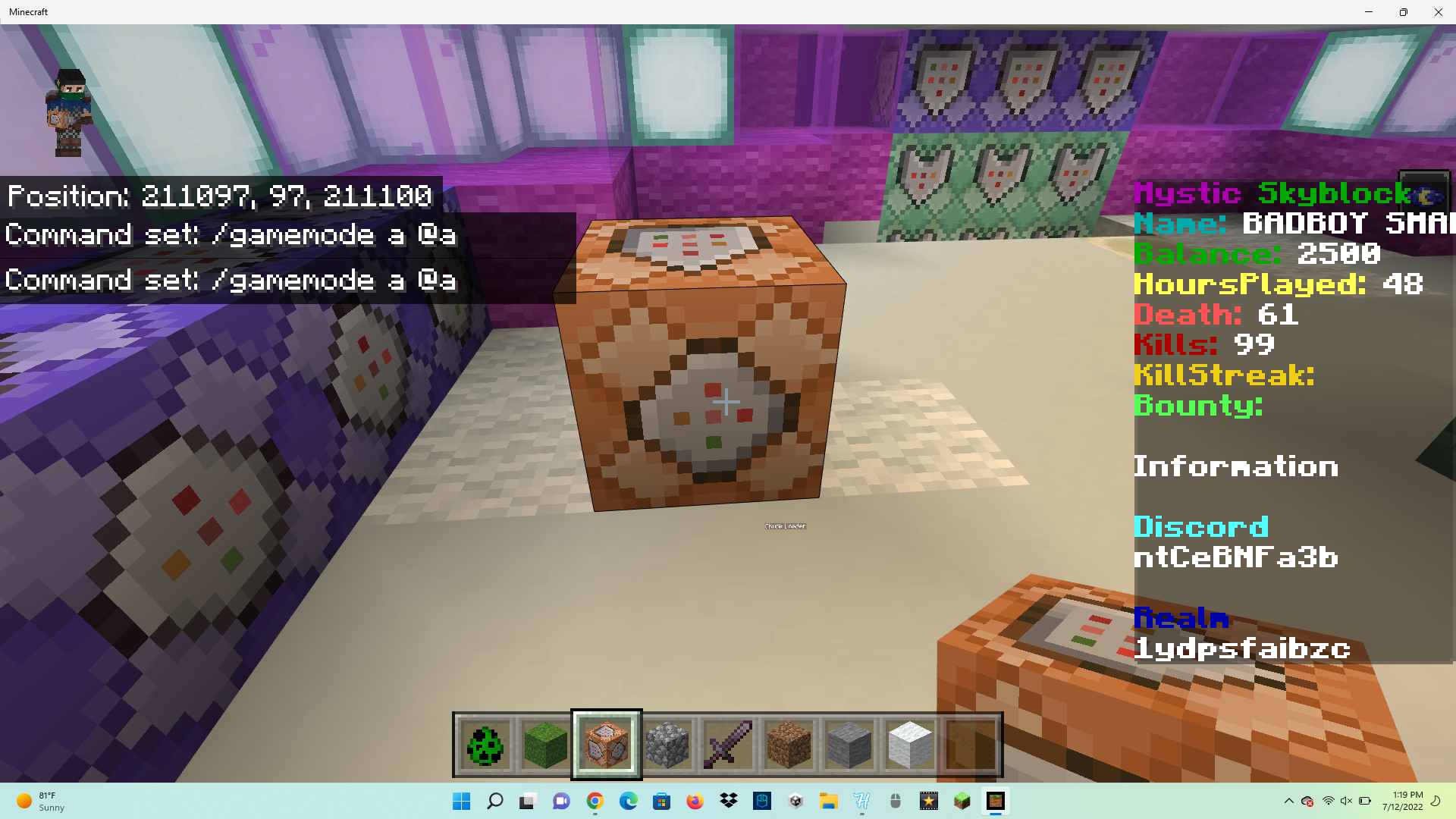
Hi, I'm reporting this bug because I have a realm using command blocks but the text in the commands disappears once I type something in it.
Once i click on the command block again it resets everything
This glitch ONLY happens on realms for some reason since it didn't do it when I tested it on a world
Steps to Reproduce:
- Create and join a Realm
- Place and open a command block
- Type any text in the command block
- Close and reopen the command block
Observed Results:
The text disappears.
Expected Results:
The text should not disappear.
Linked Issues
 MCPE-158910


Created Issue:
command block text dissapering
Hi, I'm reporting this bug because I have a realm using command blocks but the text in the commands disappears once I type something innit pls fix this quickly.
Attachments3
Hi, I'm reporting this bug because I have a realm using command blocks but the text in the commands disappears once I type something innit pls fix this quickly.
Once i click on the command block again it resets everything
Hi, I'm reporting this bug because I have a realm using command blocks but the text in the commands disappears once I type something innit pls fix this quickly.
Once i click on the command block again it resets everything
This glitch ONLY happens on realms for some reason since it didnt do it when i tested it on a world
![[Mod] OcelotOnesie](../../../data/avatars/users/43220.png)
 BDS-17267 →
  REALMS-10484
Hi, I'm reporting this bug because I have a realm using command blocks but the text in the commands disappears once I type something in
nit pls fix this quickly.
Once i click on the command block again it resets everything
This glitch ONLY happens on realms for some reason since it didnt do it when i tested it on a world
Hi, I'm reporting this bug because I have a realm using command blocks but the text in the commands disappears once I type something in it.
Once i click on the command block again it resets everything
This glitch ONLY happens on realms for some reason since it didnt do it when i tested it on a world
Steps to Reproduce:
- Create and join a Realm
- Place and open a command block
- Type any text in the command block
- Close and reopen the command block
Observed Results:
The text disappears.Expected Results:
The text should not disappear.
command block text dissaperingCommand block text disappearing
Hi, I'm reporting this bug because I have a realm using command blocks but the text in the commands disappears once I type something in it.
Once i click on the command block again it resets everything
This glitch ONLY happens on realms for some reason since it didnt do it when
itested it on a worldSteps to Reproduce:
- Create and join a Realm
- Place and open a command block
- Type any text in the command block
- Close and reopen the command block
Observed Results:
The text disappears.Expected Results:
The text should not disappear.Hi, I'm reporting this bug because I have a realm using command blocks but the text in the commands disappears once I type something in it.
Once i click on the command block again it resets everything
This glitch ONLY happens on realms for some reason since it didn't do it when I tested it on a world
Steps to Reproduce:
- Create and join a Realm
- Place and open a command block
- Type any text in the command block
- Close and reopen the command block
Observed Results:
The text disappears.Expected Results:
The text should not disappear.
is duplicated by
duplicates
![[Bot] Arisa](../../../data/avatars/users/43007.png)
is duplicated by
Thank you for your report!
We're tracking this issue in REALMS-10484, so this ticket is being resolved and linked as a duplicate.
If you would like to add a vote and any extra information to the main ticket it would be appreciated.
If you haven't already, you might like to make use of the search feature to see if the issue has already been mentioned.
Quick Links:
📓 Bug Tracker Guidelines – 💬 Community Support – 📧 Mojang Support
📓 Project Summary – ✍️ Feedback and Suggestions – 📖 Game Wiki – 📖 FAQs
– I am a bot. This action was performed automatically! The ticket was resolved by one of our moderators, and I left this message to give more information to you.
I'm having the same issue, they were working fine in my realm this morning but after the game updated, I keep getting this bug.
Can confirm. Hopefully they will fix this sooner rather than later.
New patch 1.19.10 was when it started
Just discovered that Structure Blocks and Jigsaws are also affected by this bug, so basically any Creative/command-exclusive block with a GUI doesn't function.
The data in the command block isn't being cleared Its just not being saved. if you had previous command blocks that had content. They work fine but trying to modify them doesn't work it just reverts back to the original content
My realm is a survival creative world. Basically I used universal Minecraft editor to give myself command blocks then set the world to never be in creative mode so I can get achievements. Yet now not only are my command input disappearing, but I can’t get achievements before despite being to after I edited everything like a week or so ago. So I assume Minecraft might of patched it and command blocks without activating cheats on meaning no more achievements in creative mode.
So I added a hover note to my new command block and it appeared to save that. So I added a command into the command input and it saved. Even ones I put them down before the command input started disappearing didn’t have hover notes and wouldn’t update when I tried putting them into always active. Yet added a hover note to both of them and they finally saved.
I agree with the recent comment made by Jack. I've been having this command issue for a week now. It's been frustrating as I use command blocks a lot in all my realms. I tested out what Jack said, by giving a hover note/name for the command block, and it saved the command too. Great solution that's suitable enough till things are fixed correctly. I recommend it; thank you, Jack!
Update on this issue:
Yesterday, naming a command block using a hover note is fine, but until now, naming a command block using a hover note and a structure block using a structure name will not work for me. This bug may now be severe at this point.
Seems to be working for me @D3vinRil3y, have you tried changing the hover note and structure name that you're using to a different one after each edit?