 2No2Name
- 2No2Name
- 2no2name
- Europe/Stockholm
- Yes
- No
 MC-140544
![[Mojang] slicedlime](../../../data/assets/gravatar/slicedlime.jpeg)
![[Mojang] Cory Scheviak](../../../data/avatars/users/92893.png)
![[Mojang] elvendorke](../../../data/avatars/users/81677.png)
![[Mojang] Grum (Erik Broes)](../../../data/assets/gravatar/grum.png)
![[Mojang] Panda](../../../data/avatars/users/41658.png)
 Low
Low![[Mojang] Gnembon](../../../data/avatars/users/93709.png)




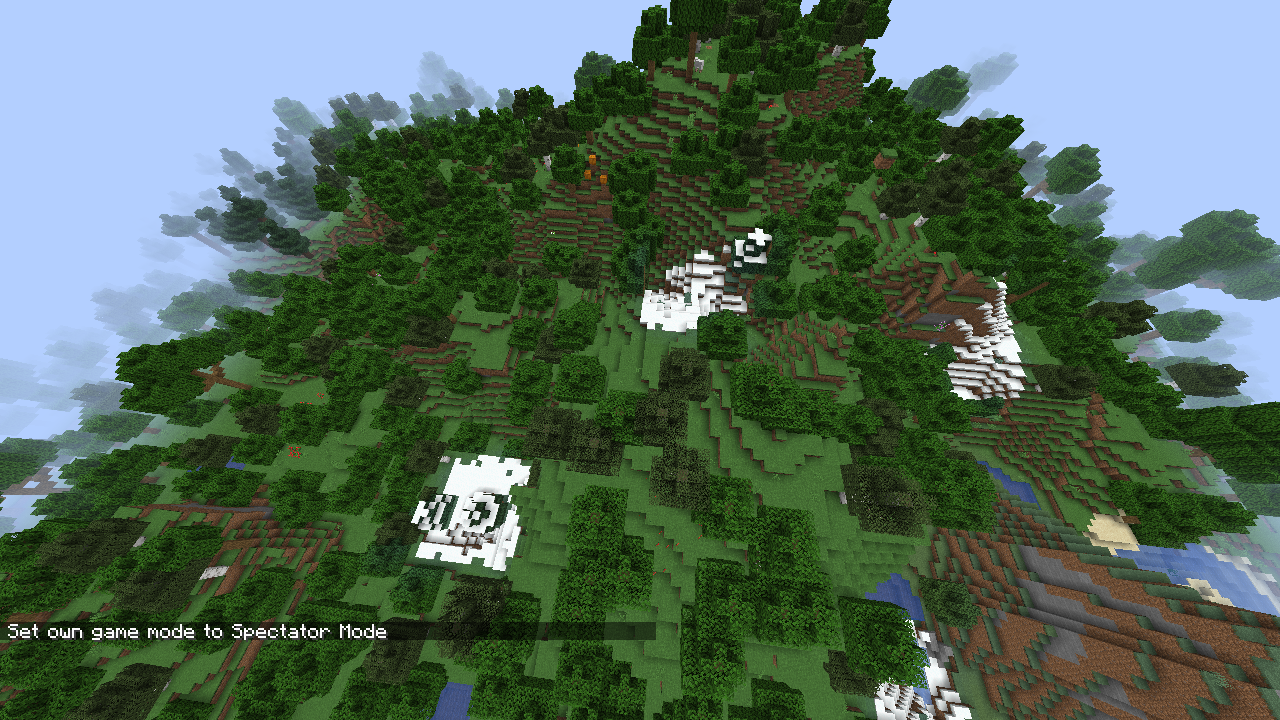
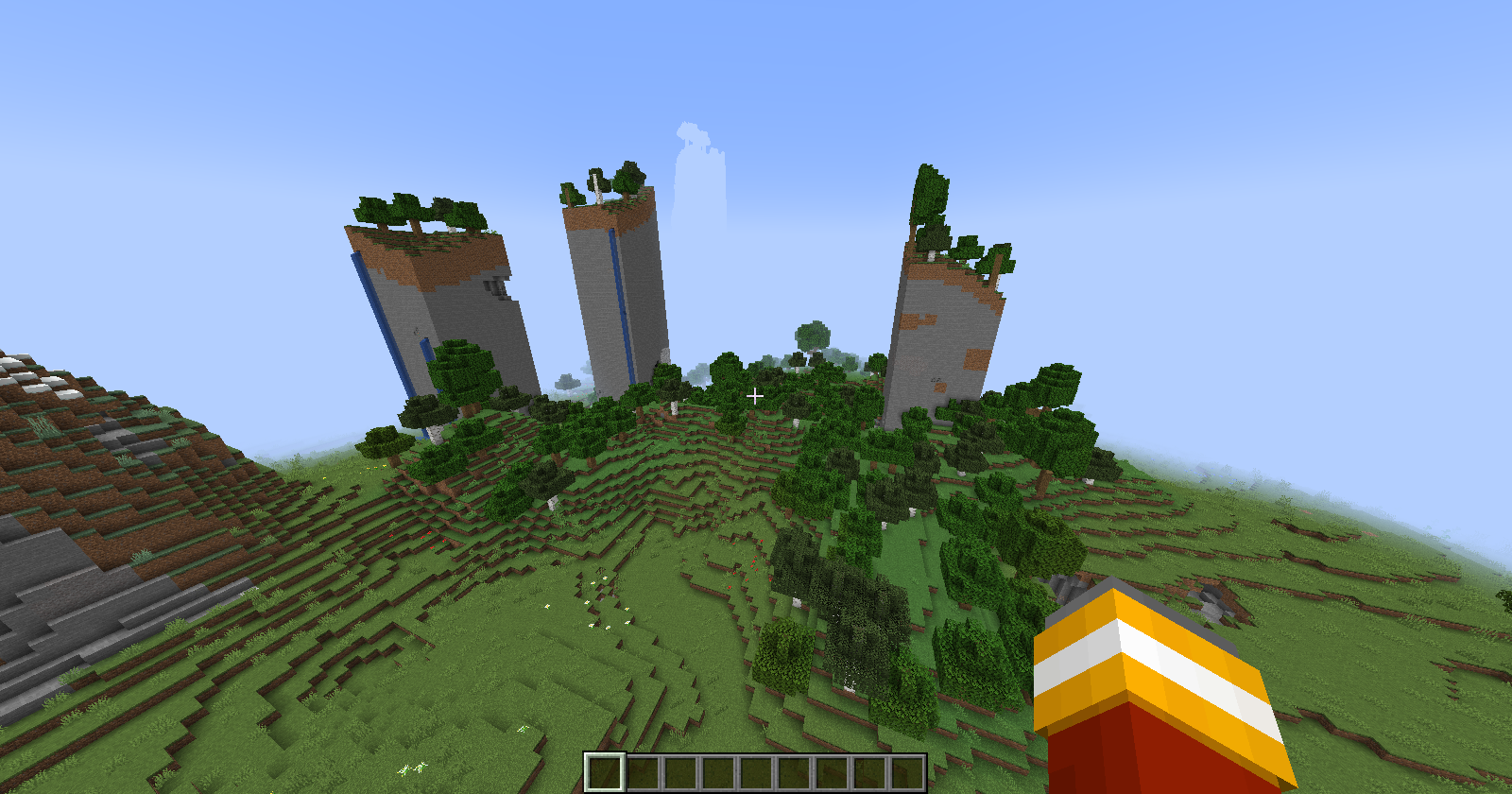

Loading a chunk with a hopper and a furnace will crash the game when the hopper transfers an item into the furnace before the furnace is ticked the first time.
This is caused by the furnace's blockentity's world field being used without nullcheck and not being initialized in the constructor.
There are probably more bugs related to the world field not being initialized and being used without a nullcheck.
Edit: I attached a worlddownload with a region file that demonstrates this crash.
Loading a chunk with a hopper and a furnace will crash the game
whenthe hopper transfers an item into the furnace before the furnace is ticked the first time.This is caused by the furnace's blockentity's world field being used without nullcheck and not being initialized in the constructor.
There are probably more bugs related to the world field not being initialized and being used without a nullcheck.
Edit: I attached a worlddownload with a region file that demonstrates this crash.
Loading a chunk with a hopper and a furnace will crash the game if the hopper transfers an item into the furnace before the furnace is ticked the first time.
This is caused by the furnace's blockentity's world field being used without a nullcheck and not being initialized in the blockentity constructor.
There are probably more bugs related to the world field not being initialized and being used without a nullcheck.
Edit: I attached a worlddownload with a region file that demonstrates this crash.
worldNullPointerCrash.zip
Loading a chunk with a hopper and a furnacecrashes the gameHopper creating a furnace blockentity by transferring an item crashes the game
Loading a chunk with a hopper and a furnace will crash the game if the hopper transfers an item into the furnace
before the furnace is ticked the first time.Th
is is caused by the furnace'sblockentity's world field being used without a nullcheck and not being initialized in the blockentity constructor.There are probably more bugs related to the world field not being initialized and being used without a nullcheck.
Edit: I attached a
worlddownload with a region file that demonstrates this crash.Crash report
19w38b: [^crash-2019-09-23_16.29.14-server.txt]Description: Ticking block entity java.lang.NullPointerException: Ticking block entity at bve.h(SourceFile:359) at bve.a(SourceFile:434) at bwd.a(SourceFile:310) at bwd.a(SourceFile:274) at bwd.t(SourceFile:180) at bwd.a(SourceFile:122) at bwd.Y_(SourceFile:109) at bjc.K(SourceFile:597) at wq.a(SourceFile:407) at net.minecraft.server.MinecraftServer.b(SourceFile:843) at net.minecraft.server.MinecraftServer.a(SourceFile:782) at ebv.a(SourceFile:128) at net.minecraft.server.MinecraftServer.run(SourceFile:650) at java.lang.Thread.run(Thread.java:748)Loading a chunk with a hopper and a furnace will crash the game if the hopper transfers an item into the furnace if:
The furnace blockentity doesn't exist for some reason. The hopper's getBlockEntity call will create it and add it to the pending blockentity list (as currently iterating over blockentities). As the world field is only initialized later, accessing the world field of the furnace causes a null pointer exception.
The defect seems to be that the world field of a block entity may not be initialized, even though it is accessible to things that happen in the world. There are probably more bugs related to the world field not being initialized and being used without a nullcheck. A simple nullcheck in the furnace code is likely not enough, as other blockentities (e.g. beacons playing their sound when broken) might be affected by this (not limited to hopper interactions) as well.
Edit: I attached a (modded (loadable in vanilla), nontheless the bug is in vanilla) worlddownload with a region file that demonstrates this crash. (Furnace block without blockentity accessed by a hopper that tries to transfer an item)
Crash report
19w38b: crash-2019-09-23_16.29.14-server.txtDescription: Ticking block entity java.lang.NullPointerException: Ticking block entity at bve.h(SourceFile:359) at bve.a(SourceFile:434) at bwd.a(SourceFile:310) at bwd.a(SourceFile:274) at bwd.t(SourceFile:180) at bwd.a(SourceFile:122) at bwd.Y_(SourceFile:109) at bjc.K(SourceFile:597) at wq.a(SourceFile:407) at net.minecraft.server.MinecraftServer.b(SourceFile:843) at net.minecraft.server.MinecraftServer.a(SourceFile:782) at ebv.a(SourceFile:128) at net.minecraft.server.MinecraftServer.run(SourceFile:650) at java.lang.Thread.run(Thread.java:748)
Loading a chunk with a hopper and a furnace will crash the game if the hopper transfers an item into the furnace
if:
The furnace blockentity doesn't exist for some reason. The hopper's getBlockEntity call will createit and add it to the pending blockentity list (as currently iterating over blockentities). As the world field is only initialized later, accessing the world field of the furnace causes a null pointer exception.The defect seems to be that the world field of a block entity may not be initialized, even though it is accessible to things that happen in the world. There are probably more bugs related to the world field not being initialized and being used without a nullcheck. A simple nullcheck in the furnace code is likely not enough, as other blockentities (e.g. beacons playing their sound when broken) might be affected by this (not limited to hopper interactions) as well.
Edit: I attached a (modded (loadable in vanilla), nontheless the bug is in vanilla) worlddownload with a region file that demonstrates this crash. (Furnace block without blockentity accessed by a hopper that tries to transfer an item)
Crash report
19w38b: crash-2019-09-23_16.29.14-server.txtDescription: Ticking block entity java.lang.NullPointerException: Ticking block entity at bve.h(SourceFile:359) at bve.a(SourceFile:434) at bwd.a(SourceFile:310) at bwd.a(SourceFile:274) at bwd.t(SourceFile:180) at bwd.a(SourceFile:122) at bwd.Y_(SourceFile:109) at bjc.K(SourceFile:597) at wq.a(SourceFile:407) at net.minecraft.server.MinecraftServer.b(SourceFile:843) at net.minecraft.server.MinecraftServer.a(SourceFile:782) at ebv.a(SourceFile:128) at net.minecraft.server.MinecraftServer.run(SourceFile:650) at java.lang.Thread.run(Thread.java:748)Loading a chunk with a hopper and a furnace will crash the game if the hopper transfers an item into the furnace under rare circumstances.
If the furnace blockentity doesn't exist for some reason, the hopper's getBlockEntity call will create the missing blockentity and add it to the pending blockentity list (as currently iterating over blockentities). As the world field is only initialized later, the hopper accessing the world field of the furnace causes a null pointer exception.
The defect seems to be that the world field of a block entity may not be initialized, even though it is accessible to things that happen in the world. There are probably more bugs related to the world field not being initialized and being used without a nullcheck. A simple nullcheck in the furnace code is likely not enough, as other blockentities (e.g. beacons playing their sound when broken) might be affected by this (not limited to hopper interactions) as well.
Edit: I attached a (modded (loadable in vanilla), nontheless the bug is in vanilla) worlddownload with a region file that demonstrates this crash. (Furnace block without blockentity accessed by a hopper that tries to transfer an item)
Crash report
19w38b: crash-2019-09-23_16.29.14-server.txtDescription: Ticking block entity java.lang.NullPointerException: Ticking block entity at bve.h(SourceFile:359) at bve.a(SourceFile:434) at bwd.a(SourceFile:310) at bwd.a(SourceFile:274) at bwd.t(SourceFile:180) at bwd.a(SourceFile:122) at bwd.Y_(SourceFile:109) at bjc.K(SourceFile:597) at wq.a(SourceFile:407) at net.minecraft.server.MinecraftServer.b(SourceFile:843) at net.minecraft.server.MinecraftServer.a(SourceFile:782) at ebv.a(SourceFile:128) at net.minecraft.server.MinecraftServer.run(SourceFile:650) at java.lang.Thread.run(Thread.java:748)
Loading a chunk with a hopper and a furnace will crash the game if the hopper transfers an item into the furnace under rare circumstances.
If the furnace blockentity doesn't exist for some reason, the hopper's getBlockEntity call will create the missing blockentity and add it to the pending blockentity list (as currently iterating over blockentities). As the world field is only initialized later, the hopper accessing the world field of the furnace causes a null pointer exception.
The defect seems to be that the world field of a block entity may not be initialized, even though it is accessible to things that happen in the world. There are probably more bugs related to the world field not being initialized and being used without a nullcheck. A simple nullcheck in the furnace code is likely not enough, as other blockentities (e.g. beacons playing their sound when broken) might be affected by this (not limited to hopper interactions) as well.
Suggested fix: Make sure that all newly created blockentities have their world field initialized when/before becoming accessible to the rest of the world. I suggest doing this always at the same time as setting their blockPos field.
Edit: I attached a (modded (loadable in vanilla), nontheless the bug is in vanilla) worlddownload with a region file that demonstrates this crash. (Furnace block without blockentity accessed by a hopper that tries to transfer an item)
Crash report
19w38b: crash-2019-09-23_16.29.14-server.txtDescription: Ticking block entity java.lang.NullPointerException: Ticking block entity at bve.h(SourceFile:359) at bve.a(SourceFile:434) at bwd.a(SourceFile:310) at bwd.a(SourceFile:274) at bwd.t(SourceFile:180) at bwd.a(SourceFile:122) at bwd.Y_(SourceFile:109) at bjc.K(SourceFile:597) at wq.a(SourceFile:407) at net.minecraft.server.MinecraftServer.b(SourceFile:843) at net.minecraft.server.MinecraftServer.a(SourceFile:782) at ebv.a(SourceFile:128) at net.minecraft.server.MinecraftServer.run(SourceFile:650) at java.lang.Thread.run(Thread.java:748)
Loading a chunk with a hopper and a furnace will crash the game if the hopper transfers an item into the furnace under rare circumstances.
If the furnace blockentity doesn't exist for some reason, the hopper's getBlockEntity call will create the missing blockentity and add it to the pending blockentity list (as currently iterating over blockentities). As the world field is only initialized later, the hopper accessing the world field of the furnace causes a null pointer exception.
The defect seems to be that the world field of a block entity may not be initialized, even though it is accessible to things that happen in the world. There are probably more bugs related to the world field not being initialized and being used without a nullcheck. A simple nullcheck in the furnace code is likely not enough, as other blockentities (e.g. beacons playing their sound when broken) might be affected by this (not limited to hopper interactions) as well.
Suggested fix: Make sure that all newly created blockentities have their world field initialized when/before becoming accessible to the rest of the world. I suggest doing this always at the same time as setting their blockPos field.
Edit: I attached a
(modded (loadable in vanilla), nontheless the bug is in vanilla)worlddownload with a region file that demonstrates this crash. (Furnace block without blockentity accessed by a hopper that tries to transfer an item)Crash report
19w38b: crash-2019-09-23_16.29.14-server.txtDescription: Ticking block entity java.lang.NullPointerException: Ticking block entity at bve.h(SourceFile:359) at bve.a(SourceFile:434) at bwd.a(SourceFile:310) at bwd.a(SourceFile:274) at bwd.t(SourceFile:180) at bwd.a(SourceFile:122) at bwd.Y_(SourceFile:109) at bjc.K(SourceFile:597) at wq.a(SourceFile:407) at net.minecraft.server.MinecraftServer.b(SourceFile:843) at net.minecraft.server.MinecraftServer.a(SourceFile:782) at ebv.a(SourceFile:128) at net.minecraft.server.MinecraftServer.run(SourceFile:650) at java.lang.Thread.run(Thread.java:748)Loading a chunk with a hopper and a furnace will crash the game if the hopper transfers an item into the furnace under rare circumstances.
If the furnace blockentity doesn't exist for some reason, the hopper's getBlockEntity call will create the missing blockentity and add it to the pending blockentity list (as currently iterating over blockentities). As the world field is only initialized later, the hopper accessing the world field of the furnace causes a null pointer exception.
The defect seems to be that the world field of a block entity may not be initialized, even though it is accessible to things that happen in the world. There are probably more bugs related to the world field not being initialized and being used without a nullcheck. A simple nullcheck in the furnace code is likely not enough, as other blockentities (e.g. beacons playing their sound when broken) might be affected by this (not limited to hopper interactions) as well.
Suggested fix: Make sure that all newly created blockentities have their world field initialized when/before becoming accessible to the rest of the world. I suggest doing this always at the same time as setting their blockPos field.
Edit: I attached a worlddownload with a region file that demonstrates this crash. (Furnace block without blockentity accessed by a hopper that tries to transfer an item)
Note: Updated worlddownload to an equivalent world that was created with vanilla server and client only.
Crash report
19w38b: crash-2019-09-23_16.29.14-server.txtDescription: Ticking block entity java.lang.NullPointerException: Ticking block entity at bve.h(SourceFile:359) at bve.a(SourceFile:434) at bwd.a(SourceFile:310) at bwd.a(SourceFile:274) at bwd.t(SourceFile:180) at bwd.a(SourceFile:122) at bwd.Y_(SourceFile:109) at bjc.K(SourceFile:597) at wq.a(SourceFile:407) at net.minecraft.server.MinecraftServer.b(SourceFile:843) at net.minecraft.server.MinecraftServer.a(SourceFile:782) at ebv.a(SourceFile:128) at net.minecraft.server.MinecraftServer.run(SourceFile:650) at java.lang.Thread.run(Thread.java:748)
When the player leashes a standing dog or cat to a fencepost, moves away (~20 blocks) and relogs, the pet will teleport to the player even though it is leashed.
Entity spawn packets use integers for yaw and pitch values unlike all other packets which use bytes to store yaw and pitch of entities. During the serialization they are converted to byte, but this serialization does not happen on singleplayer when receiving packets from integrated servers. This leads to singleplayer clients displaying entities (that aren't mobs) (e.g. boats) rotated slightly different from multiplayer clients.
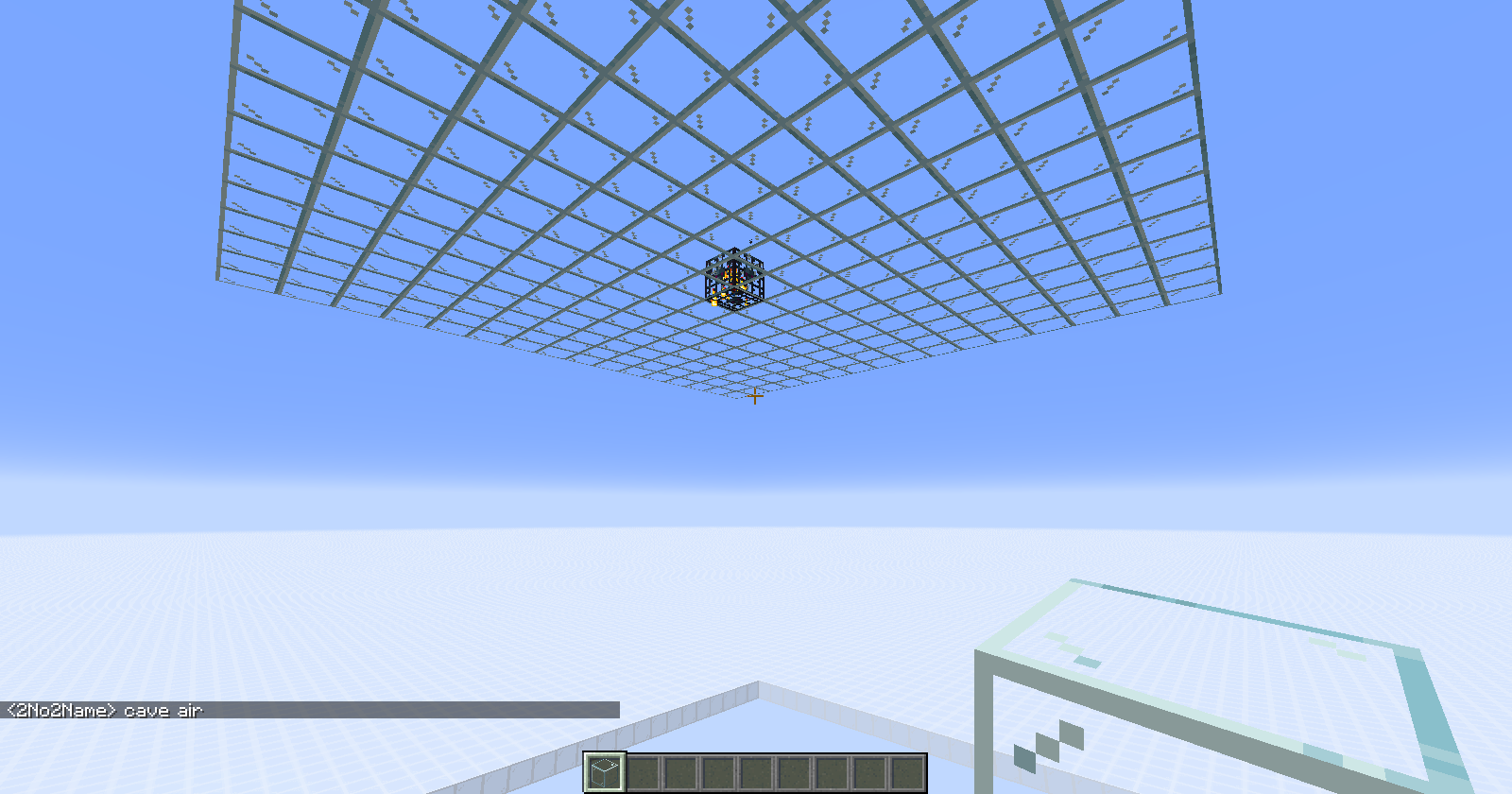
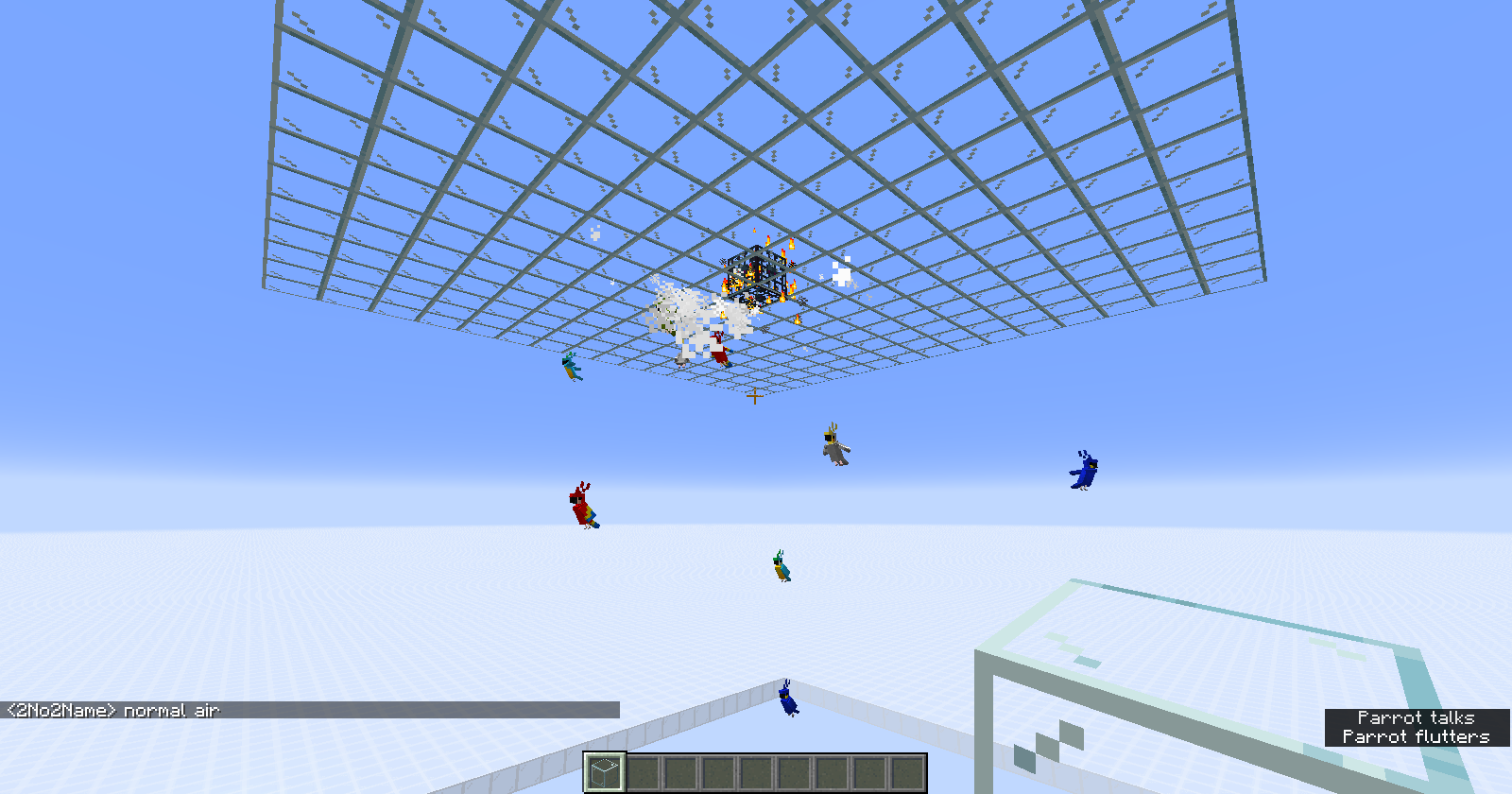
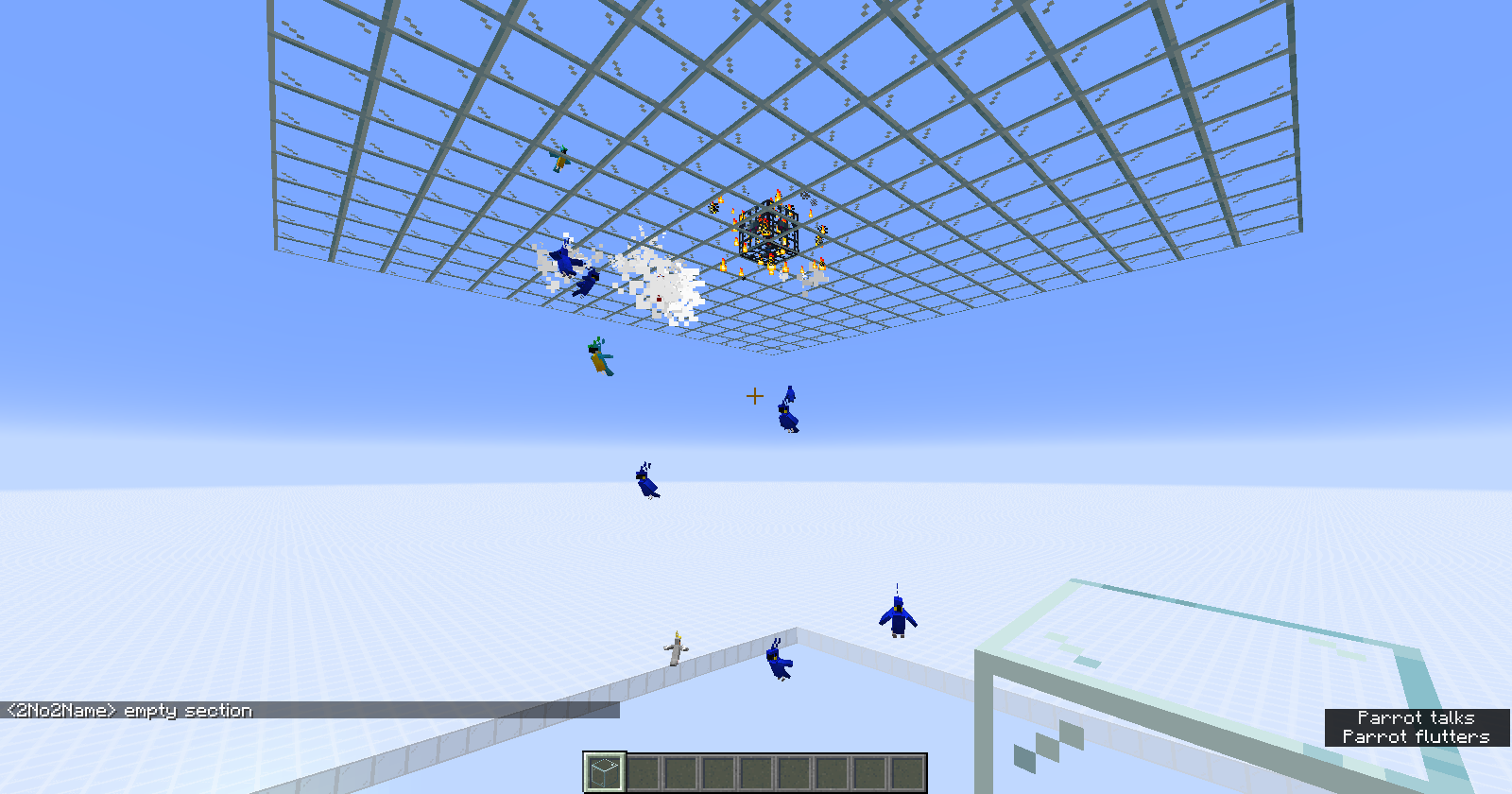
When using a parrot monster spawner using commands, for example:
/setblock ~
{id:"minecraft:parrot"}16~ minecraft:spawner{Delay:0s,MaxNearbyEntities:5s,MaxSpawnDelay:20s,MinSpawnDelay:10s,RequiredPlayerRange:15s,SpawnCount:5s,SpawnData:,SpawnPotentials:[{Entity:
{id:"minecraft:parrot"},Weight:1}],SpawnRange:4s}
it will spawn parrots mid air. However when the air is cave_air, it will not spawn any parrots.
Note: When using the fill command to place cave_air, make sure to place another block, e.g. stone. Replacing air with cave_air seems to fail.
When using a parrot monster spawner using commands, for example:
/setblock ~ ~ ~ minecraft:spawner{Delay:0s,MaxNearbyEntities:5s,MaxSpawnDelay:20s,MinSpawnDelay:10s,RequiredPlayerRange:15s,SpawnCount:5s,SpawnData:
{id:"minecraft:parrot"},SpawnPotentials:[{Entity:
{id:"minecraft:parrot"},Weight:1}],SpawnRange:4s}
it will spawn parrots mid air. However when the air is cave_air, it will not spawn any parrots.
Note: When using the fill command to place cave_air, make sure to place another block, e.g. stone. Replacing air with cave_air seems to fail.
Chunk sections with certain properties fail to load in 1.18 snapshots, which cause the whole chunk to fail loading. Code for this case that was present from (at least!) 1.14 to 1.17 seems to be gone.
E.g. a palette with 15 entries requires 4 bits of data per block. Some chunks however seem to have an oversized data array sized for 5 bits of data per block. Chunks with this format seem to exist in some minecraft 1.17 worlds (maybe produced by upgrading chunks from earlier versions).
These chunks will fail to load in 1.18 snapshots and lead to severe corruption of worlds (completely different terrain generates, possibly replacing player-built structures).
Upon request I can provide such a worldThe core of the problem is that Minecraft 1.18 snapshots do not accept all save formats that were previously accepted. Minecraft 1.17 handled chunk sections with a mismatched palette size (e.g. 14 entries -> 4 bits per block) and data size (342 longs -> 12 blocks per long -> 5 bits per block) properly. It calculated the bits per block from the data size, and therefore was able to read the block data correctly.
Minecraft 1.17 snapshots load chunk sections differently. The expected data size is calculated from the required bits blocks from the palette size. If the data size does not match the expected valueI haven't checked whether vanilla ever created chunks with this exact format in the past. But I have to assume that the code handling the mismatched size case existed for a reason. I hope you can look up that reason in your version control system (PalettedContainer, deserialization of the NBT, at the end). The code existed since at least minecraft 1.14.4.
For example the optimization mod lithium-fabric relied on chunk sections with this format being loaded properly and created lots of chunk sections with this format. This will lead to world corruption when hundred tousands of users upgrade their worlds to 1.18 (snapshots).I attached a world that I created with the optimization mod lithium that includes lots of chunk sections with a size mismatch (data larger than palette requires). This world loads fine in vanilla 1.17. It breaks in the current 1.18 snapshots, cf. screenshots. As said before, it is possible that previous minecraft vanilla versions also created chunk sections with this save format, which is no longer accepted by 1.18.
As a fix I suggest to:
add a datafixer that fixes the size mismatch (rewrite data to match the palette's required bit resolution, similar to 1.17 loading code.
or reintroduce the code that handles this case when deserializing chunk sections.
Regarding the screenshots:
The corruptions do not look severe here, but it will replace player bases with new chunks!
PalettedContainerfailstoload chunks with palette/data bit resolution mismatchSevere world corruption due to 1.18 Snapshots failing to deserialize chunks that 1.17 loads fine.
The core of the problem is that Minecraft 1.18 snapshots do not accept all save formats that were previously accepted. Minecraft 1.17 handled chunk sections with a mismatched palette size (e.g. 14 entries -> 4 bits per block) and data size (342 longs -> 12 blocks per long -> 5 bits per block) properly. It calculated the bits per block from the data size, and therefore was able to read the block data correctly.
Minecraft 1.17 snapshots load chunk sections differently.The expected data size is calculated from the required bits blocksfrom the palette size. If the data size does not match the expected valueI haven't checked whether vanilla ever created chunks with this exact format in the past. But I have to assume that the code handling the mismatched size case existed for a reason. I hope you can look up that reason in your version control system (PalettedContainer, deserialization of the NBT, at the end). The code existed since at least minecraft 1.14.4.
For example the optimization mod lithium-fabric relied on chunk sections with this format being loaded properly and created lots of chunk sections with this format. This will lead to world corruption when hundred tousands of users upgrade their worlds to 1.18 (snapshots).I attached a world that I created with the optimization mod lithium that includes lots of chunk sections with a size mismatch (data larger than palette requires). This world loads fine in vanilla 1.17. It breaks in the current 1.18 snapshots, cf. screenshots. As said before, it is possible that previous minecraft vanilla versions also created chunk sections with this save format, which is no longer accepted by 1.18.
As a fix I suggest to:
add a datafixer that fixes the size mismatch (rewrite data to match the palette's required bit resolution, similar to 1.17 loading code.
or reintroduce the code that handles this case when deserializing chunk sections.
Regarding the screenshots:
The corruptions do not look severe here, but it will replace player bases with new chunks!The core of the problem is that Minecraft 1.18 snapshots do not accept all save formats that were previously accepted. Minecraft 1.17 handled chunk sections with a mismatched palette size (e.g. 14 entries -> 4 bits per block) and data size (342 longs -> 12 blocks per long -> 5 bits per block) properly. It calculated the bits per block from the data size, and therefore was able to read the block data correctly.
The expected data size is calculated from the required bits per block which is calculated from the palette size. If the data size does not match the expected value 1.18 will throw an exception and generate a new chunk instead. Minecraft 1.17 snapshots handle this mismatch without any issue.I haven't checked whether vanilla ever created chunks with this exact format in the past. But I have to assume that the code handling the mismatched size case existed for a reason. I hope you can look up that reason in your version control system (PalettedContainer, deserialization of the NBT, at the end). The code existed since at least minecraft 1.14.4.
For example the optimization mod lithium-fabric relied on chunk sections with this format being loaded properly and created lots of chunk sections with this format. This will lead to world corruption when hundreds of thousands of users upgrade their worlds to 1.18 (snapshots).I attached a world that I created with the optimization mod lithium that includes lots of chunk sections with a size mismatch (data larger than palette requires). This world loads fine in vanilla 1.17. It breaks in the current 1.18 snapshots, cf. screenshots. As said before, it is possible that previous minecraft vanilla versions also created chunk sections with this save format, which is no longer accepted by 1.18.
As a fix I suggest to:
add a datafixer that fixes the size mismatch (rewrite data to match the palette's required bit resolution, similar to 1.17 loading code.
or reintroduce the code that handles this case when deserializing chunk sections.
Regarding the screenshots:
The corruptions do not look severe here, but it will replace player bases with new chunks!
Update 1.18pre-1: It looks like the new chunk's terrain blends a lot better than before, I will provide a world that contains player built structures asap to demonstrate the issue more clearly.
The bug
The core of the problem is that Minecraft 1.18 snapshots do not accept all save formats that were previously accepted. Minecraft 1.17 handled chunk sections with a mismatched palette size (e.g. 14 entries -> 4 bits per block) and data size (342 longs -> 12 blocks per long -> 5 bits per block) properly. It calculated the bits per block from the data size, and therefore was able to read the block data correctly.
The expected data size is calculated from the required bits per block which is calculated from the palette size. If the data size does not match the expected value 1.18 will throw an exception and generate a new chunk instead. Minecraft 1.17 snapshots handle this mismatch without any issue.I haven't checked whether vanilla ever created chunks with this exact format in the past. But I have to assume that the code handling the mismatched size case existed for a reason. I hope you can look up that reason in your version control system (PalettedContainer, deserialization of the NBT, at the end). The code existed since at least minecraft 1.14.4.
For example the optimization mod lithium-fabric relied on chunk sections with this format being loaded properly and created lots of chunk sections with this format. This will lead to world corruption when hundreds of thousands of users upgrade their worlds to 1.18 (snapshots).I attached a world that I created with the optimization mod lithium that includes lots of chunk sections with a size mismatch (data larger than palette requires). This world loads fine in vanilla 1.17. It breaks in the current 1.18 snapshots, cf. screenshots. As said before, it is possible that previous minecraft vanilla versions also created chunk sections with this save format, which is no longer accepted by 1.18.
How to reproduce
- Download the attached world Palette_Data size mismatch dfu.zip
and save two copies in the saves folder
- Load one copy in 1.17.1
Notice that the world looks normal, all chunks loaded fine
- Load the second copy in the latest 1.18 snapshot
Notice that some chunks are corrupted (have regenerated), there are errors in the log
Fixes
As a fix I suggest to:
add a datafixer that fixes the size mismatch (rewrite data to match the palette's required bit resolution, similar to 1.17 loading code.
or reintroduce the code that handles this case when deserializing chunk sections.
Regarding the screenshots:
The corruptions do not look severe here, but it will replace player bases with new chunks!
Update 1.18pre-1: It looks like the new chunk's terrain blends a lot better than before, I will provide a world that contains player built structures asap to demonstrate the issue more clearly.
The bug
The core of the problem is that Minecraft 1.18 snapshots do not accept all save formats that were previously accepted. Minecraft 1.17 handled chunk sections with a mismatched palette size (e.g. 14 entries -> 4 bits per block) and data size (342 longs -> 12 blocks per long -> 5 bits per block) properly. It calculated the bits per block from the data size, and therefore was able to read the block data correctly.
The expected data size is calculated from the required bits per block which is calculated from the palette size. If the data size does not match the expected value 1.18 will throw an exception and generate a new chunk instead. Minecraft 1.17 snapshots handle this mismatch without any issue.I haven't checked whether vanilla ever created chunks with this exact format in the past. But I have to assume that the code handling the mismatched size case existed for a reason. I hope you can look up that reason in your version control system (PalettedContainer, deserialization of the NBT, at the end). The code existed since at least minecraft 1.14.4.
For example the optimization mod lithium-fabric relied on chunk sections with this format being loaded properly and created lots of chunk sections with this format. This will lead to world corruption when hundreds of thousands of users upgrade their worlds to 1.18 (snapshots).I attached a world that I created with the optimization mod lithium that includes lots of chunk sections with a size mismatch (data larger than palette requires). This world loads fine in vanilla 1.17. It breaks in the current 1.18 snapshots, cf. screenshots. As said before, it is possible that previous minecraft vanilla versions also created chunk sections with this save format, which is no longer accepted by 1.18.
How to reproduce
- Download the attached world Palette_Data size mismatch dfu.zip
- Load one copy in 1.17.1
- Load the second copy in the latest 1.18 snapshot
Fixes
As a fix I suggest to:
add a datafixer that fixes the size mismatch (rewrite data to match the palette's required bit resolution, similar to 1.17 loading code.
or reintroduce the code that handles this case when deserializing chunk sections.
Regarding the screenshots:
The corruptions do not look severe here, but it will replace player bases with new chunks!
The bug
The core of the problem is that Minecraft 1.18 snapshots do not accept all save formats that were previously accepted. Minecraft 1.17 handled chunk sections with a mismatched palette size (e.g. 14 entries -> 4 bits per block) and data size (342 longs -> 12 blocks per long -> 5 bits per block) properly. It calculated the bits per block from the data size, and therefore was able to read the block data correctly.
The expected data size is calculated from the required bits per block which is calculated from the palette size. If the data size does not match the expected value 1.18 will throw an exception and generate a new chunk instead. Minecraft 1.17 snapshots handle this mismatch without any issue.I haven't checked whether vanilla ever created chunks with this exact format in the past. But I have to assume that the code handling the mismatched size case existed for a reason. I hope you can look up that reason in your version control system (PalettedContainer, deserialization of the NBT, at the end). The code existed since at least minecraft 1.14.4.
For example the optimization mod lithium-fabric relied on chunk sections with this format being loaded properly and created lots of chunk sections with this format. This will lead to world corruption when hundreds of thousands of users upgrade their worlds to 1.18 (snapshots).I attached a world that I created with the optimization mod lithium that includes lots of chunk sections with a size mismatch (data larger than palette requires). This world loads fine in vanilla 1.17. It breaks in the current 1.18 snapshots, cf. screenshots. As said before, it is possible that previous minecraft vanilla versions also created chunk sections with this save format, which is no longer accepted by 1.18.
How to reproduce
- Download the attached world Palette_Data size mismatch dfu.zip
- Load one copy in 1.17.1
- Load the second copy in the latest 1.18 snapshot
Fixes
As a fix I suggest to:
add a datafixer that fixes the size mismatch (rewrite data to match the palette's required bit resolution, similar to 1.17 loading code.
or reintroduce the code that handles this case when deserializing chunk sections.
Regarding the screenshots:
The corruptions do not look severe here, but it will replace player bases with new chunks!
Description
With multiple passengers on a camel, the data command and saving the world use wrong coordinates for the passengers' locations. The incorrectly saved coordinates also affect gameplay in the first world simulation step after reloading the chunks.
Steps to reproduce:
- Place a command block high up in the air and power it.
{{/summon minecraft:camel ~ ~2 ~Unknown macro: {Passengers}}}
- Check the Position of the camel and passenger: (
)
/data get entity @e[type=minecraft:pig,sort=nearest,limit=1] Pos
Use F3+I on the pig, compare the coordinates. The coordinates are different.Code Analysis
The position of the passenger and the camel are the same horizontally according to the command. However, the passengers are clearly offset sideways. Therefore the coordinates are incorrect. Code analysis shows that saving an Entity to an NBT tag explicitly uses the vehicle's X and Z coordinates. This is probably a historical artifact that does not consider the relatively new two passenger camels. F3+I seems to use a different method to find the entity coordinates.
{ nbt.put("Pos", this.toNbtList(this.vehicle.getX(), this.getY(), this.vehicle.getZ())); }
{{if (this.vehicle != null)else
{ nbt.put("Pos", this.toNbtList(this.getX(), this.getY(), this.getZ())); }}}
Proposed Solution
Do not store the vehicle's coordinates in the NBT. If the use of the vehicle's coordinates is a bugfix for another issue, the valid passenger position can be stored instead.
Description
With multiple passengers on a camel, the data command and saving the world use wrong coordinates for the passengers' locations. The incorrectly saved coordinates also affect gameplay in the first world simulation step after reloading the chunks.
Steps to reproduce:
- Place a command block high up in the air and power it.
/summon minecraft:camel ~ ~2 ~Unknown macro: {Passengers}- Check the Position of the camel and passenger:
/data get entity @e[type=minecraft:pig,sort=nearest,limit=1] Pos
Use F3+I on the pig, compare the coordinates. The coordinates are different.Code Analysis
The position of the passenger and the camel are the same horizontally according to the command. However, the passengers are clearly offset sideways. Therefore the coordinates are incorrect. Code analysis shows that saving an Entity to an NBT tag explicitly uses the vehicle's X and Z coordinates. This is probably a historical artifact that does not consider the relatively new two passenger camels. F3+I seems to use a different method to find the entity coordinates.
if (this.vehicle != null)
{ nbt.put("Pos", this.toNbtList(this.vehicle.getX(), this.getY(), this.vehicle.getZ())); }else
{ nbt.put("Pos", this.toNbtList(this.getX(), this.getY(), this.getZ())); }Proposed Solution
Do not store the vehicle's coordinates in the NBT. If the use of the vehicle's coordinates is a bugfix for another issue, the valid passenger position can be stored instead.
Description
With multiple passengers on a camel, the data command and saving the world use wrong coordinates for the passengers' locations. The incorrectly saved coordinates also affect gameplay in the first world simulation step after reloading the chunks.
Steps to reproduce:
- Place a command block high up in the air and power it.
/summon minecraft:camel ~ ~2 ~Unknown macro: {Passengers}- Check the Position of the camel and passenger:
/data get entity @e[type=minecraft:pig,sort=nearest,limit=1] Pos
Use F3+I on the pig, compare the coordinates. The coordinates are different.Code Analysis
The position of the passenger and the camel are the same horizontally according to the command. However, the passengers are clearly offset sideways. Therefore the coordinates are incorrect. Code analysis shows that saving an Entity to an NBT tag explicitly uses the vehicle's X and Z coordinates. This is probably a historical artifact that does not consider the relatively new two passenger camels. F3+I seems to use a different method to find the entity coordinates.
if (this.vehicle != null)
{ nbt.put("Pos", this.toNbtList(this.vehicle.getX(), this.getY(), this.vehicle.getZ())); }else
{ nbt.put("Pos", this.toNbtList(this.getX(), this.getY(), this.getZ())); }Proposed Solution
Do not store the vehicle's coordinates in the NBT. If the use of the vehicle's coordinates is a bugfix for another issue, the valid passenger position can be stored instead.
Description
With multiple passengers on a camel, the data command and saving the world use wrong coordinates for the passengers' locations. The incorrectly saved coordinates also affect gameplay in the first world simulation step after reloading the chunks.
Steps to reproduce:
- Place a command block high up in the air and power it.
/summon minecraft:camel ~ ~2 ~ {Passengers:[
Unknown macro: {id},{id:"minecraft:sheep"}]}
{{}}- Check the Position of the camel and passenger:
/data get entity @e[type=minecraft:pig,sort=nearest,limit=1] Pos
Use F3+I on the pig, compare the coordinates. The coordinates are different.Code Analysis
The position of the passenger and the camel are the same horizontally according to the command. However, the passengers are clearly offset sideways. Therefore the coordinates are incorrect. Code analysis shows that saving an Entity to an NBT tag explicitly uses the vehicle's X and Z coordinates. This is probably a historical artifact that does not consider the relatively new two passenger camels. F3+I seems to use a different method to find the entity coordinates.
if (this.vehicle != null)
{ nbt.put("Pos", this.toNbtList(this.vehicle.getX(), this.getY(), this.vehicle.getZ())); }else
{ nbt.put("Pos", this.toNbtList(this.getX(), this.getY(), this.getZ())); }Proposed Solution
Do not store the vehicle's coordinates in the NBT. If the use of the vehicle's coordinates is a bugfix for another issue, the valid passenger position can be stored instead.
Description
With multiple passengers on a camel, the data command and saving the world use wrong coordinates for the passengers' locations. The incorrectly saved coordinates also affect gameplay in the first world simulation step after reloading the chunks.
Steps to reproduce:
- Place a command block high up in the air and power it.
/summon minecraft:camel ~ ~2 ~ {Passengers:[
Unknown macro: {id}
,{id:"minecraft:sheep"}]}
{{}}- Check the Position of the camel and passenger:
/data get entity @e[type=minecraft:pig,sort=nearest,limit=1] Pos
Use F3+I on the pig, compare the coordinates. The coordinates are different.Code Analysis
The position of the passenger and the camel are the same horizontally according to the command. However, the passengers are clearly offset sideways. Therefore the coordinates are incorrect. Code analysis shows that saving an Entity to an NBT tag explicitly uses the vehicle's X and Z coordinates. This is probably a historical artifact that does not consider the relatively new two passenger camels. F3+I seems to use a different method to find the entity coordinates.
if (this.vehicle != null)
{ nbt.put("Pos", this.toNbtList(this.vehicle.getX(), this.getY(), this.vehicle.getZ())); }else
{ nbt.put("Pos", this.toNbtList(this.getX(), this.getY(), this.getZ())); }Proposed Solution
Do not store the vehicle's coordinates in the NBT. If the use of the vehicle's coordinates is a bugfix for another issue, the valid passenger position can be stored instead.
Description
With multiple passengers on a camel, the data command and saving the world use wrong coordinates for the passengers' locations. The incorrectly saved coordinates also affect gameplay in the first world simulation step after reloading the chunks.
Steps to reproduce:
- Place a command block high up in the air and power it.
/summon minecraft:camel ~ ~2 ~ {Passengers:[{id:"minecraft:pig"},{id:"minecraft:sheep"}]}
{{}}- Check the Position of the camel and passenger:
/data get entity @e[type=minecraft:pig,sort=nearest,limit=1] Pos
Use F3+I on the pig, compare the coordinates. The coordinates are different.Code Analysis
The position of the passenger and the camel are the same horizontally according to the command. However, the passengers are clearly offset sideways. Therefore the coordinates are incorrect. Code analysis shows that saving an Entity to an NBT tag explicitly uses the vehicle's X and Z coordinates. This is probably a historical artifact that does not consider the relatively new two passenger camels. F3+I seems to use a different method to find the entity coordinates.
if (this.vehicle != null)
{ nbt.put("Pos", this.toNbtList(this.vehicle.getX(), this.getY(), this.vehicle.getZ())); }else
{ nbt.put("Pos", this.toNbtList(this.getX(), this.getY(), this.getZ())); }Proposed Solution
Do not store the vehicle's coordinates in the NBT. If the use of the vehicle's coordinates is a bugfix for another issue, the valid passenger position can be stored instead.
Description
With multiple passengers on a camel, the data command and saving the world use wrong coordinates for the passengers' locations. The incorrectly saved coordinates also affect gameplay in the first world simulation step after reloading the chunks.
Steps to reproduce:
- Place a command block high up in the air and power it.
/summon minecraft:camel ~ ~2 ~ {Passengers:[{id:"minecraft:pig"},{id:"minecraft:sheep"}]}
{{}}- Check the Position of the camel and passenger:
/data get entity @e[type=minecraft:pig,sort=nearest,limit=1] Pos
Use F3+I on the pig, compare the coordinates. The coordinates are different.Code Analysis
The position of the passenger and the camel are the same horizontally according to the command. However, the passengers are clearly offset sideways. Therefore the coordinates are incorrect. Code analysis shows that saving an Entity to an NBT tag explicitly uses the vehicle's X and Z coordinates. This is probably a historical artifact that does not consider the relatively new two passenger camels. F3+I seems to use a different method to find the entity coordinates.
if (this.vehicle != null)
{ nbt.put("Pos", this.toNbtList(this.vehicle.getX(), this.getY(), this.vehicle.getZ())); }else
{ nbt.put("Pos", this.toNbtList(this.getX(), this.getY(), this.getZ())); }Proposed Solution
Do not store the vehicle's coordinates in the NBT. If the use of the vehicle's coordinates is a bugfix for another issue, the valid passenger position can be stored instead.
Description
With multiple passengers on a camel, the data command and saving the world use wrong coordinates for the passengers' locations. The incorrectly saved coordinates also affect gameplay in the first world simulation step after reloading the chunks.
Steps to reproduce:
- Place a command block high up in the air and power it.
/summon minecraft:camel ~ ~2 ~ {Passengers:[{id:"minecraft:pig"},{id:"minecraft:sheep"}]}
- Check the Position of the camel and passenger:
/data get entity @e[type=minecraft:pig,sort=nearest,limit=1] Pos
Use F3+I on the pig, compare the coordinates. The coordinates are different.Code Analysis
The position of the passenger and the camel are the same horizontally according to the command. However, the passengers are clearly offset sideways. Therefore the coordinates are incorrect. Code analysis shows that saving an Entity to an NBT tag explicitly uses the vehicle's X and Z coordinates. This is probably a historical artifact that does not consider the relatively new two passenger camels. F3+I seems to use a different method to find the entity coordinates.
if (this.vehicle != null)
{ nbt.put("Pos", this.toNbtList(this.vehicle.getX(), this.getY(), this.vehicle.getZ())); }else
{ nbt.put("Pos", this.toNbtList(this.getX(), this.getY(), this.getZ())); }Proposed Solution
Do not store the vehicle's coordinates in the NBT. If the use of the vehicle's coordinates is a bugfix for another issue, the valid passenger position can be stored instead.
Mob AI behaves differently after using tick freeze.
Goal based Mob AI ticks some Goals only every 2 ticks. This is decided by using the Minecraft server's tick counter. During tick freeze, the frozen ticks modify this counter. Freezing and unfreezing modifies the counter, effectively randomizing whether the next Mob AI tick will try to tick all Goals, or only important Goals.
This breaks contraptions which are dependent on specific mob ai behaviors
Mob AI behaves differently after using tick freeze.
Goal based Mob AI ticks some Goals only every 2 ticks. This is decided by using the Minecraft server's tick counter. During tick freeze, the frozen ticks modify this counter. Freezing and unfreezing modifies the counter, effectively randomizing whether the next Mob AI tick will try to tick all Goals, or only important Goals.
This breaks contraptions which are dependent on specific mob ai behaviors. For example the contraption shown here: https://youtu.be/F9WopDkCgCs?feature=shared&t=269 (world download in video description if needed)
Slime blocks cannot launch players in any direction for me.
confirmed in 19w40a
confirmed for 1.13
does not occur in 1.12.2 with the given furnace + hopper setup
This means the 1.13 furnace rewrite makes this bug surface, even though the furnace rewrite is not the source of the bug
The bug seems to be caused by the collision check of the shulker box opening area using the wrong box: The box is expanded by 10^-7 blocks in all directions, which causes it to intersect the shulker.
cannot reproduce in 1.15.2
Confirmed in 1.15.2
Confirmed in 20w11a. Make sure to place the cat with the leash outside the spawnchunks. Make sure to be in a position where the cat can teleport to you. Then log out (no other player nearby loading the chunk) and log back in after a while
The problem is that the composter is resetting itself when its inventory is told that it is changed, but it doesn't actually check that someone took the bonemeal out of the inventory.
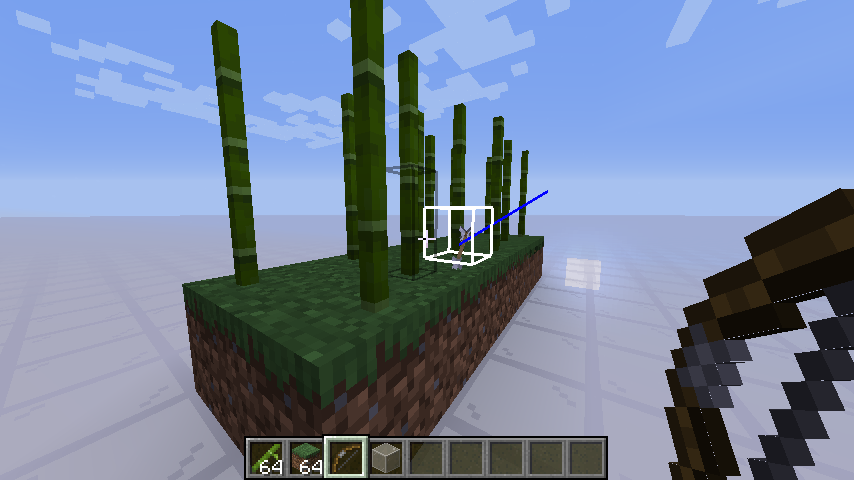
This is probably caused by bamboo having a shapeCache in the code even though the collision is location dependent (random offset).
There might be more blocks that have this problem. When fixing this bug that has to be considered. Also this bug manifests so rarely only, because in lots of cases the shape chache isn't used, even though it could.
This mistake also affects lava blocks (has shape cache even though it has a entity dependent hitbox).
Confirmed in 1.16.2 pre 1
Manually shot some arrows: this one is not despawning
Steps to reproduce:
use a mostly empty world
/tp @s 72 10 -93
/setblock 72 0 -93 grass_block
/fill 72 1 -93 72 10 -93 bamboo
/summon minecraft:arrow 72.2 12.00 -92.8
Then the arrow will be stuck mid air like this and not despawn, it can also not be picked up. This also confirms the theory that this is about the invalid data in the shape cache.
/summon minecraft:arrow 72.2 12.00 -92.8
Yes it is still a problem in 1.16.4. There is no known way to observe the issue ingame, besides slightly increased CPU time. You can reproduce this by loading an empty world and then adding water to chunks. The chunk sections will then be randomticked for no good reason, it might show up in the profiler. The issue I am reporting here is not about the lag, but about the defect that makes the randomtickable fluid counter be essentially useless. When lavalogged blocks are added it will immediately become observable by loading a chunk with lots of water and then removing the water. The lava from the lavalogged blocks would then no longer spread fire.
Confirmed in 20w48a. Also affects the new pointed dripstone blocks.
cave_air is only relevant to world generation and should never be saved. Currently there are other bugs in the game (such as this one and https://bugs.mojang.com/browse/MC-232359) which make it possible to detect a difference between the air types.
Due to the latest terrain blending features, the issue is visually harder to see (unless cutting through a player base). Looking at the log and then checking those chunks for cut off trees and cut off caves reliably shows that this bug is not fixed.
Still not fixed. One of my cats just died after they teleported to me after a friend went to the base to get some materials. I hope this bug will be fixed before 1.18 comes out.
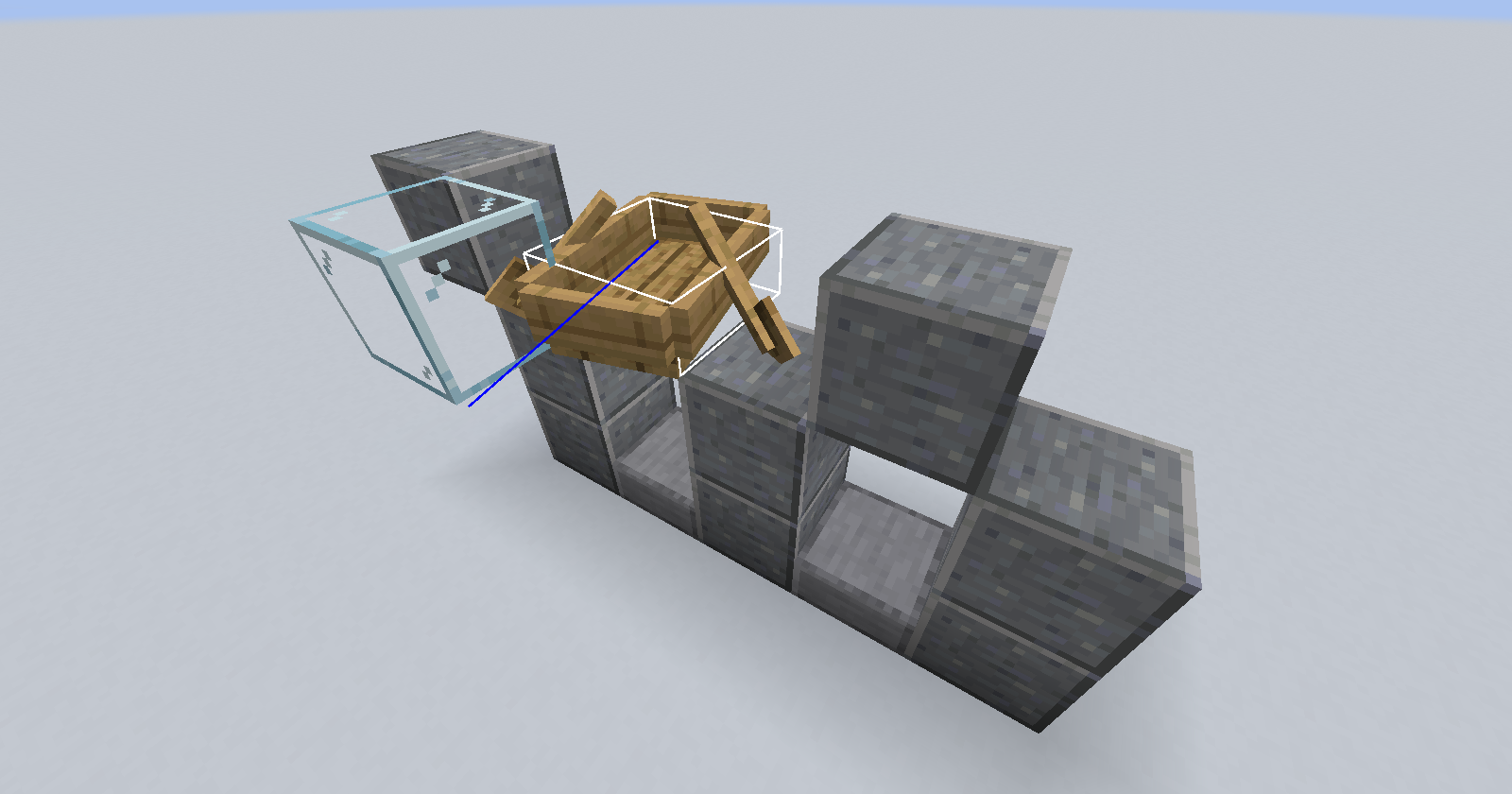
Place a mob inside a boat, so that the head of the mob is inside two blocks. Set the blocks at the head to shulker boxes using /setblock. Observe the behavior when opening the different boxes
Relates to similar wrong collision box checking when suffocating
MC-242543Fixed in 22w14a
I think this should be reopened as referring to a technical restriction doesn't make sense here, removing technical limitations is part of the day to day work of the minecraft developers.
Minecraft live showed that hidden passageways with movable bookshelves are intended, the footage showing the old bookshelves is the workaround for now. The fact that the new bookshelves are not movable in the first snapshot shows that the developers did not allocate time to fix it yet, it does not mean that immovable bookshelves are "working as intended". Minecraft Live clearly showed that the bookshelves are planned to be movable.
This ticket is also not a duplicate of the ticket regarding all block entities, which is a completely different design decision.
Reproduced in 23w07a
Instead of relogging I walked 32 blocks away from the standing tamed leashed wolf and teleported 1000 blocks towards positive x and then teleported 1000 blocks towards negative x after a few seconds of waiting
The creeper in the example is not ridden by the player
Relates to other tick freeze issues:
MC-268355MC-268353Relates to other tick freeze issues: MC-268358
MC-268353Relates to other tick freeze issues: MC-268358
MC-268355