 Aeldrion
- Aeldrion
- aeldrion
- Europe/Stockholm
- Yes
- No
 MC-109895
 Normal
![[Mojang] Nathan Adams](../../../data/assets/gravatar/dinnerbone.png)
![[Mojang] Bartosz Bok](../../../data/avatars/users/10122.svg)
 Low
Low BDS-17848
![[Mojang] SHugoh](../../../data/avatars/users/18947.svg)

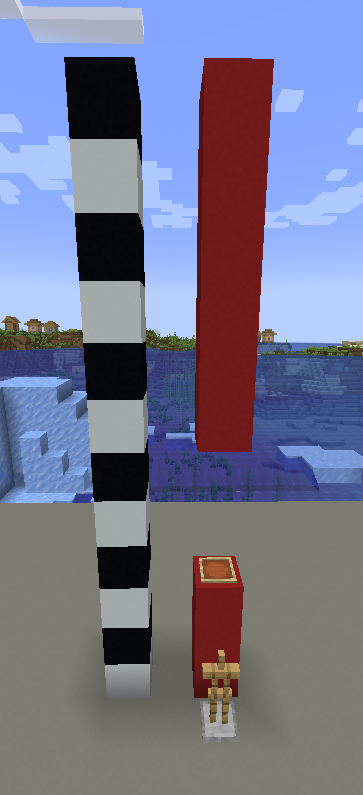
I tried to summon an armour stand centered on a block using this command:
{id:ArmorStand}
/summon LeashKnot ~ ~ ~ {Passengers:[]}
When the leash knot broke, the game crashed. I retried and it happened again. It crashes in the Nether, on void superflat and normal superflat presets.
I was on creative singleplayer and I wasn't laggingHere's the crash report:
---- Minecraft Crash Report ----
// Everything's going to plan. No, really, that was supposed to happen.Time: 09/11/16 16:10
Description: Ticking entityjava.lang.NullPointerException: Ticking entity
at sf.A(SourceFile:1316)
at sf.p(SourceFile:1873)
at rw.aw(SourceFile:1534)
at sf.aw(SourceFile:1879)
at aid.a(SourceFile:1525)
at ls.a(SourceFile:718)
at aid.g(SourceFile:1505)
at aid.a(SourceFile:1571)
at ls.a(SourceFile:718)
at aid.g(SourceFile:1505)
at aid.k(SourceFile:1388)
at ls.k(SourceFile:551)
at net.minecraft.server.MinecraftServer.D(SourceFile:626)
at net.minecraft.server.MinecraftServer.C(SourceFile:554)
at bzl.C(SourceFile:155)
at net.minecraft.server.MinecraftServer.run(SourceFile:458)
at java.lang.Thread.run(Thread.java:745)A detailed walkthrough of the error, its code path and all known details is as follows:
---------------------------------------------------------------------------------------– Head –
Thread: Server thread
Stacktrace:
at sf.A(SourceFile:1316)
at sf.p(SourceFile:1873)
at rw.aw(SourceFile:1534)
at sf.aw(SourceFile:1879)
at aid.a(SourceFile:1525)
at ls.a(SourceFile:718)
at aid.g(SourceFile:1505)
at aid.a(SourceFile:1571)
at ls.a(SourceFile:718)
at aid.g(SourceFile:1505)– Entity being ticked –
Details:
Entity Type: LeashKnot (ya)
Entity ID: 20373
Entity Name: entity.LeashKnot.name
Entity's Exact location: 17,50, 4,50, -2,50
Entity's Block location: World: (17,4,-3), Chunk: (at 1,0,13 in 1,-1; contains blocks 16,0,-16 to 31,255,-1), Region: (0,-1; contains chunks 0,-32 to 31,-1, blocks 0,0,-512 to 511,255,-1)
Entity's Momentum: 0,00, 0,00, 0,00
Entity's Passengers: []
Entity's Vehicle: ~ERROR~ NullPointerException: null
Stacktrace:
at aid.k(SourceFile:1388)
at ls.k(SourceFile:551)– Affected level –
Details:
Level name: Elevator module
All players: 1 total; [lu['Aeldrion'/20331, l='Elevator module', x=20,79, y=4,00, z=-3,14]]
Chunk stats: ServerChunkCache: 256 Drop: 0
Level seed: -5086448452386085159
Level generator: ID 01 - flat, ver 0. Features enabled: false
Level generator options:
Level spawn location: World: (0,10,0), Chunk: (at 0,0,0 in 0,0; contains blocks 0,0,0 to 15,255,15), Region: (0,0; contains chunks 0,0 to 31,31, blocks 0,0,0 to 511,255,511)
Level time: 154346 game time, 182 day time
Level dimension: 0
Level storage version: 0x04ABD - Anvil
Level weather: Rain time: 1 (now: false), thunder time: 1 (now: false)
Level game mode: Game mode: creative (ID 1). Hardcore: false. Cheats: true
Stacktrace:
at net.minecraft.server.MinecraftServer.D(SourceFile:626)
at net.minecraft.server.MinecraftServer.C(SourceFile:554)
at bzl.C(SourceFile:155)
at net.minecraft.server.MinecraftServer.run(SourceFile:458)
at java.lang.Thread.run(Thread.java:745)– System Details –
Details:
Minecraft Version: 1.10.2
Operating System: Windows 7 (x86) version 6.1
Java Version: 1.8.0_25, Oracle Corporation
Java VM Version: Java HotSpot(TM) Client VM (mixed mode), Oracle Corporation
Memory: 183129240 bytes (174 MB) / 285876224 bytes (272 MB) up to 523501568 bytes (499 MB)
JVM Flags: 6 total; -XX:HeapDumpPath=MojangTricksIntelDriversForPerformance_javaw.exe_minecraft.exe.heapdump -Xmx512M -XX:+UseConcMarkSweepGC -XX:+CMSIncrementalMode -XX:-UseAdaptiveSizePolicy -Xmn128M
IntCache: cache: 0, tcache: 0, allocated: 0, tallocated: 0
Profiler Position: N/A (disabled)
Player Count: 1 / 8; [lu['Aeldrion'/20331, l='Elevator module', x=20,79, y=4,00, z=-3,14]]
Type: Integrated Server (map_client.txt)
Is Modded: Probably not. Jar signature remains and both client + server brands are untouched. -> I don't have any mods installedSorry for eventual grammar/spelling mistakes, I'm not a native speaker.
I tried to summon an armour stand centered on a block using this command:
{id:ArmorStand}
/summon LeashKnot ~ ~ ~ {Passengers:[]}
When the leash knot broke, the game crashed. I retried and it happened again. It crashes in the Nether, on void superflat and normal superflat presets.
I was on creative singleplayer and I wasn't laggingHere's the crash report:
---- Minecraft Crash Report ----
// Everything's going to plan. No, really, that was supposed to happen.Time: 09/11/16 16:10
Description: Ticking entityjava.lang.NullPointerException: Ticking entity
at sf.A(SourceFile:1316)
at sf.p(SourceFile:1873)
at rw.aw(SourceFile:1534)
at sf.aw(SourceFile:1879)
at aid.a(SourceFile:1525)
at ls.a(SourceFile:718)
at aid.g(SourceFile:1505)
at aid.a(SourceFile:1571)
at ls.a(SourceFile:718)
at aid.g(SourceFile:1505)
at aid.k(SourceFile:1388)
at ls.k(SourceFile:551)
at net.minecraft.server.MinecraftServer.D(SourceFile:626)
at net.minecraft.server.MinecraftServer.C(SourceFile:554)
at bzl.C(SourceFile:155)
at net.minecraft.server.MinecraftServer.run(SourceFile:458)
at java.lang.Thread.run(Thread.java:745)A detailed walkthrough of the error, its code path and all known details is as follows:
---------------------------------------------------------------------------------------– Head –
Thread: Server thread
Stacktrace:
at sf.A(SourceFile:1316)
at sf.p(SourceFile:1873)
at rw.aw(SourceFile:1534)
at sf.aw(SourceFile:1879)
at aid.a(SourceFile:1525)
at ls.a(SourceFile:718)
at aid.g(SourceFile:1505)
at aid.a(SourceFile:1571)
at ls.a(SourceFile:718)
at aid.g(SourceFile:1505)– Entity being ticked –
Details:
Entity Type: LeashKnot (ya)
Entity ID: 20373
Entity Name: entity.LeashKnot.name
Entity's Exact location: 17,50, 4,50, -2,50
Entity's Block location: World: (17,4,-3), Chunk: (at 1,0,13 in 1,-1; contains blocks 16,0,-16 to 31,255,-1), Region: (0,-1; contains chunks 0,-32 to 31,-1, blocks 0,0,-512 to 511,255,-1)
Entity's Momentum: 0,00, 0,00, 0,00
Entity's Passengers: []
Entity's Vehicle: ~ERROR~ NullPointerException: null
Stacktrace:
at aid.k(SourceFile:1388)
at ls.k(SourceFile:551)– Affected level –
Details:
Level name: Elevator module
All players: 1 total; [lu['Aeldrion'/20331, l='Elevator module', x=20,79, y=4,00, z=-3,14]]
Chunk stats: ServerChunkCache: 256 Drop: 0
Level seed: -5086448452386085159
Level generator: ID 01 - flat, ver 0. Features enabled: false
Level generator options:
Level spawn location: World: (0,10,0), Chunk: (at 0,0,0 in 0,0; contains blocks 0,0,0 to 15,255,15), Region: (0,0; contains chunks 0,0 to 31,31, blocks 0,0,0 to 511,255,511)
Level time: 154346 game time, 182 day time
Level dimension: 0
Level storage version: 0x04ABD - Anvil
Level weather: Rain time: 1 (now: false), thunder time: 1 (now: false)
Level game mode: Game mode: creative (ID 1). Hardcore: false. Cheats: true
Stacktrace:
at net.minecraft.server.MinecraftServer.D(SourceFile:626)
at net.minecraft.server.MinecraftServer.C(SourceFile:554)
at bzl.C(SourceFile:155)
at net.minecraft.server.MinecraftServer.run(SourceFile:458)
at java.lang.Thread.run(Thread.java:745)– System Details –
Details:
Minecraft Version: 1.10.2
Operating System: Windows 7 (x86) version 6.1
Java Version: 1.8.0_25, Oracle Corporation
Java VM Version: Java HotSpot(TM) Client VM (mixed mode), Oracle Corporation
Memory: 183129240 bytes (174 MB) / 285876224 bytes (272 MB) up to 523501568 bytes (499 MB)
JVM Flags: 6 total; -XX:HeapDumpPath=MojangTricksIntelDriversForPerformance_javaw.exe_minecraft.exe.heapdump -Xmx512M -XX:+UseConcMarkSweepGC -XX:+CMSIncrementalMode -XX:-UseAdaptiveSizePolicy -Xmn128M
IntCache: cache: 0, tcache: 0, allocated: 0, tallocated: 0
Profiler Position: N/A (disabled)
Player Count: 1 / 8; [lu['Aeldrion'/20331, l='Elevator module', x=20,79, y=4,00, z=-3,14]]
Type: Integrated Server (map_client.txt)
Is Modded: Probably not. Jar signature remains and both client + server brands are untouched. -> I don't have any mods installedSorry for eventual grammar/spelling mistakes, I'm not a native speaker.
I tried to summon an armour stand centered on a block using this command:
{id:ArmorStand}
/summon LeashKnot ~ ~ ~ {Passengers:[]}
When the leash knot broke, the game crashed. I retried and it happened again. It crashes in the Nether, on void superflat and normal superflat presets.
I was on creative singleplayer and I wasn't laggingHere's the crash report:
---- Minecraft Crash Report ----
// Everything's going to plan. No, really, that was supposed to happen.Time: 09/11/16 16:10
Description: Ticking entityjava.lang.NullPointerException: Ticking entity
at sf.A(SourceFile:1316)
at sf.p(SourceFile:1873)
at rw.aw(SourceFile:1534)
at sf.aw(SourceFile:1879)
at aid.a(SourceFile:1525)
at ls.a(SourceFile:718)
at aid.g(SourceFile:1505)
at aid.a(SourceFile:1571)
at ls.a(SourceFile:718)
at aid.g(SourceFile:1505)
at aid.k(SourceFile:1388)
at ls.k(SourceFile:551)
at net.minecraft.server.MinecraftServer.D(SourceFile:626)
at net.minecraft.server.MinecraftServer.C(SourceFile:554)
at bzl.C(SourceFile:155)
at net.minecraft.server.MinecraftServer.run(SourceFile:458)
at java.lang.Thread.run(Thread.java:745)A detailed walkthrough of the error, its code path and all known details is as follows:
---------------------------------------------------------------------------------------– Head –
Thread: Server thread
Stacktrace:
at sf.A(SourceFile:1316)
at sf.p(SourceFile:1873)
at rw.aw(SourceFile:1534)
at sf.aw(SourceFile:1879)
at aid.a(SourceFile:1525)
at ls.a(SourceFile:718)
at aid.g(SourceFile:1505)
at aid.a(SourceFile:1571)
at ls.a(SourceFile:718)
at aid.g(SourceFile:1505)– Entity being ticked –
Details:
Entity Type: LeashKnot (ya)
Entity ID: 20373
Entity Name: entity.LeashKnot.name
Entity's Exact location: 17,50, 4,50, -2,50
Entity's Block location: World: (17,4,-3), Chunk: (at 1,0,13 in 1,-1; contains blocks 16,0,-16 to 31,255,-1), Region: (0,-1; contains chunks 0,-32 to 31,-1, blocks 0,0,-512 to 511,255,-1)
Entity's Momentum: 0,00, 0,00, 0,00
Entity's Passengers: []
Entity's Vehicle: ~ERROR~ NullPointerException: null
Stacktrace:
at aid.k(SourceFile:1388)
at ls.k(SourceFile:551)– Affected level –
Details:
Level name: Elevator module
All players: 1 total; [lu['Aeldrion'/20331, l='Elevator module', x=20,79, y=4,00, z=-3,14]]
Chunk stats: ServerChunkCache: 256 Drop: 0
Level seed: -5086448452386085159
Level generator: ID 01 - flat, ver 0. Features enabled: false
Level generator options:
Level spawn location: World: (0,10,0), Chunk: (at 0,0,0 in 0,0; contains blocks 0,0,0 to 15,255,15), Region: (0,0; contains chunks 0,0 to 31,31, blocks 0,0,0 to 511,255,511)
Level time: 154346 game time, 182 day time
Level dimension: 0
Level storage version: 0x04ABD - Anvil
Level weather: Rain time: 1 (now: false), thunder time: 1 (now: false)
Level game mode: Game mode: creative (ID 1). Hardcore: false. Cheats: true
Stacktrace:
at net.minecraft.server.MinecraftServer.D(SourceFile:626)
at net.minecraft.server.MinecraftServer.C(SourceFile:554)
at bzl.C(SourceFile:155)
at net.minecraft.server.MinecraftServer.run(SourceFile:458)
at java.lang.Thread.run(Thread.java:745)– System Details –
Details:
Minecraft Version: 1.10.2
Operating System: Windows 7 (x86) version 6.1
Java Version: 1.8.0_25, Oracle Corporation
Java VM Version: Java HotSpot(TM) Client VM (mixed mode), Oracle Corporation
Memory: 183129240 bytes (174 MB) / 285876224 bytes (272 MB) up to 523501568 bytes (499 MB)
JVM Flags: 6 total; -XX:HeapDumpPath=MojangTricksIntelDriversForPerformance_javaw.exe_minecraft.exe.heapdump -Xmx512M -XX:+UseConcMarkSweepGC -XX:+CMSIncrementalMode -XX:-UseAdaptiveSizePolicy -Xmn128M
IntCache: cache: 0, tcache: 0, allocated: 0, tallocated: 0
Profiler Position: N/A (disabled)
Player Count: 1 / 8; [lu['Aeldrion'/20331, l='Elevator module', x=20,79, y=4,00, z=-3,14]]
Type: Integrated Server (map_client.txt)
Is Modded: Probably not. Jar signature remains and both client + server brands are untouched. -> I don't have any mods installedSorry for eventual grammar/spelling mistakes, I'm not a native speaker.
Windows 7, i3
Windows 7 professional, Java 1.8.0_91-b14, Old "alternative" launcher, Intel HD Graphics 2000 GL 3.1.0 (I have no idea of what this means), i3, not modded, no shaders
Ctrl+Adoes nothing and I have to waste these two precious seconds of my life pressing the backspace button to delete the "New world" text.The select all keybinding (ctrl+a for me) does nothing and I have to waste these two precious seconds of my life pressing the backspace button to delete the "New world" text.
I can't use CTRL+Ato select the text in the World name entry fieldI can't use CTRL+Q to select the text in the World name entry field
I can't use CTRL+Ato select the text in the World name entry fieldI can't use CTRL+Q to select the text in the World name entry field
The bug
Summoning an entity with a
custom name containingcustomfontswill still display the namelabelusing the minecraft:default font.How to reproduce
Summon a mob with a name using the minecraft:alt font:
summon minecraft:cow ~ ~ ~ {CustomName:'{"text": "Joe", "font":"minecraft:alt"}'}The name
displayshould use enchanting table characters, as it would in a tellraw message, but only dislays 'Joe'.The bug
Summoning an entity with a formatted custom name will still display the nameplate using the minecraft:default font, in white, without italics, bold. This only affects the nameplate, and chat messages mentioning the entity are correctly formatted.
How to reproduce
Summon a mob with a name using the minecraft:alt font, or with bold, italic, strikethrough, underlined, coloured or obfuscated characters:
summon minecraft:cow ~ ~ ~ {CustomName: '{"text": "Joe", "font": "minecraft:alt", "italic": true}'}The nameplate should use enchanting table characters, as it would in a tellraw message, but only dislays 'Joe'.
Custom entity names do not support custom fontsText component formatting (e.g. italics, color, fonts) is not displayed in entity nameplates
The bug
Summoning an entity with a formatted custom name will still display the nameplate using the minecraft:default font, in white, without italics, bold. This only affects the nameplate, and chat messages mentioning the entity are correctly formatted.
How to reproduce
Summon a mob with a name using the minecraft:alt font, or with bold, italic, strikethrough, underlined, coloured or obfuscated characters:
summon minecraft:cow ~ ~ ~ {CustomName: '{"text": "Joe", "font": "minecraft:alt", "italic": true}'}The nameplate should use enchanting table characters, as it would in a tellraw message, but only dislays 'Joe'.
The bug
Summoning an entity with a formatted custom name will still display the nameplate using the minecraft:default font, in white, without italics, bold. This only affects the nameplate, and chat messages mentioning the entity are correctly formatted.
How to reproduce
Summon a mob with a name using the minecraft:alt font, or with bold, italic, strikethrough, underlined, coloured or obfuscated characters:
summon minecraft:cow ~ ~ ~ {CustomName: '{"text": "Joe", "font": "minecraft:alt", "bold": true}'}The nameplate should use bold enchanting table characters, as it would in a tellraw message, but only dislays 'Joe'.
Edit: I found that this is already reported for coloured names specifically at
MC-181418.
The bug
Summoning an entity with a formatted custom name will still display the nameplate using the minecraft:default font, in white, without italics, bold. This only affects the nameplate, and chat messages mentioning the entity are correctly formatted.
How to reproduce
Summon a mob with a name using the minecraft:alt font, or with bold, italic, strikethrough, underlined, coloured or obfuscated characters:
summon minecraft:cow ~ ~ ~ {CustomName: '{"text": "Joe", "font": "minecraft:alt", "bold": true}'}The nameplate should use bold enchanting table characters, as it would in a tellraw message, but only dislays 'Joe'.
Edit: I found that this is already reported for coloured names specifically at
MC-181418.The bug
Summoning an entity with a formatted custom name will still display the nameplate using default font and style. This also affects mentions of the entity in chat.
How to reproduce
Summon a mob with a name using the minecraft:alt font, or with bold, italic, strikethrough, underlined, coloured or obfuscated characters:
summon minecraft:cow ~ ~ ~ {CustomName: '{"text": "Joe", "font": "minecraft:alt", "bold": true}'}The nameplate should use bold enchanting table characters, as it would in a tellraw message, but only dislays 'Joe' with default formatting.
Edit: I found that this is already reported for coloured names specifically at
MC-181418.
Text component formatting (e.g. italics, color, fonts) is not displayed in entity nameplates
How to reproduce:
1. Create the following advancement, and save it as mojira:use_item
{ "criteria": { "used": { "trigger": "minecraft:item_used_on_block" } }, "rewards": { "function": "mojira:item_used" } }2. Create the following function, and save it as mojira:item_used
advancement revoke @s only mojira:use_item say An item was usedA message is now sent in chat every time the item_used_on_block trigger triggers.
3. Pick up water with awaterbucket.
No message appears.Placing, picking up water/lava or waterlogging blocks with a bucket, interacting with a Redstone ore, placing boats or lily pads, or summoning mobs on water does not trigger the minecraft:item_used_on_block advancement trigger.
How to reproduce:
1. Create the following advancement, and save it as mojira:use_item
{ "criteria": { "used": { "trigger": "minecraft:item_used_on_block" } }, "rewards": { "function": "mojira:item_used" } }2. Create the following function, and save it as mojira:item_used
advancement revoke @s only mojira:use_item say An item was usedA message is now sent in chat every time the item_used_on_block trigger triggers.
3. Pick up water with an empty bucket.
No message appears.
Picking up or placing water/lava using a bucketdoesnot trigger the "minecraft:item_used_on_block" advancement triggerSeveral block actions do not trigger the "minecraft:item_used_on_block" advancement trigger
Placing, picking up water/lava or waterlogging blocks with a bucket, interacting with a Redstone ore, placing boats or lily pads, or summoning mobs on water does not trigger the minecraft:item_used_on_block advancement trigger.
How to reproduce:
1. Create the following advancement, and save it as mojira:use_item
{ "criteria": { "used": { "trigger": "minecraft:item_used_on_block" } }, "rewards": { "function": "mojira:item_used" } }2. Create the following function, and save it as mojira:item_used
advancement revoke @s only mojira:use_item say An item was usedA
message is now sent in chat every time theitem_used_on_block trigger triggers.
3. Pick up water with an empty bucket.
No message appears.Placing, picking up water/lava or waterlogging blocks with a bucket, interacting with a Redstone ore, placing boats or lily pads, or summoning mobs on water does not trigger the minecraft:item_used_on_block advancement trigger.
How to reproduce:
1. Create the following advancement, and save it as mojira:use_item
{ "criteria": { "used": { "trigger": "minecraft:item_used_on_block" } }, "rewards": { "function": "mojira:item_used" } }2. Create the following function, and save it as mojira:item_used
advancement revoke @s only mojira:use_item say An item was usedAlternatively, install the attached datapack: [^MC-183804 data pack.zip]
A message is now sent in chat every time the item_used_on_block trigger triggers.
3. Pick up water with an empty bucket.
No message appears.
Placing, picking up water/lava or waterlogging blocks with a bucket, interacting with a Redstone ore, placing boats or lily pads, or summoning mobs on water does not trigger the minecraft:item_used_on_block advancement trigger.
How to reproduce:
1. Create the following advancement, and save it as mojira:use_item
{ "criteria": { "used": { "trigger": "minecraft:item_used_on_block" } }, "rewards": { "function": "mojira:item_used" } }2. Create the following function, and save it as mojira:item_used
advancement revoke @s only mojira:use_item say An item was usedAlternatively, install the
attached datapack:[^MC-183804 data pack.zip]
A message is now sent in chat every time the item_used_on_block trigger triggers.
3. Pick up water with an empty bucket.
No message appears.Placing, picking up water/lava or waterlogging blocks with a bucket, interacting with a Redstone ore, placing boats or lily pads, or summoning mobs on water does not trigger the minecraft:item_used_on_block advancement trigger.
How to reproduce:
1. Create the following advancement, and save it as mojira:use_item
{ "criteria": { "used": { "trigger": "minecraft:item_used_on_block" } }, "rewards": { "function": "mojira:item_used" } }2. Create the following function, and save it as mojira:item_used
advancement revoke @s only mojira:use_item say An item was usedAlternatively, install the data pack from
MC-183804.
A message is now sent in chat every time the item_used_on_block trigger triggers.
3. Pick up water with an empty bucket.
No message appears.
Clicking on a redstone ore does not trigger the minecraft:item_used_on_block advancement trigger, even though you can see the use arm animation.
How to reproduce:
1. Create the following advancement, and save it as mojira:use_item
{ "criteria": { "used": { "trigger": "minecraft:item_used_on_block" } }, "rewards": { "function": "mojira:item_used" } }2. Create the following function, and save it as mojira:item_used
advancement revoke @s only mojira:use_item say An item was usedAlternatively, install the attached datapack: MC-183804 data pack.zip

A message is now sent in chat every time the item_used_on_block trigger triggers.
3. Click on a redstone ore. Your arm animates, but no message appears.Edit: I merged this issue to MC-183801.
Clicking on a redstone ore does not trigger the minecraft:item_used_on_block advancement trigger, even though you can see the use arm animation.
How to reproduce:
1. Create the following advancement, and save it as mojira:use_item
{ "criteria": { "used": { "trigger": "minecraft:item_used_on_block" } }, "rewards": { "function": "mojira:item_used" } }2. Create the following function, and save it as mojira:item_used
advancement revoke @s only mojira:use_item say An item was usedAlternatively, install the attached datapack: MC-183804 data pack.zip
A message is now sent in chat every time the item_used_on_block trigger triggers.
3. Click on a redstone ore. Your arm animates, but no message appears.
When multiple configured structure features with the same type are referenced in a biome's starts, only the latter generates. For example, it is impossible to have both taiga villages and desert villages generate in the same biome.
How to reproduce:
- Create a custom biome with both minecraft:village_desert and minecraft:village_taiga in starts, or modify a default biome.
- Look for a desert village in your custom biome: only taiga villages generate.
Alternatively, download the attached data pack.
With this data pack, only swamps will generate in the overworld, and all villages are set to generate in the swamp biome. You can locate new villages with execute positioned ~3000 ~ ~ run locate village. All generated villages are plains villages.The bug
When multiple configured structure features with the same type are referenced in a biome's starts, only the latter generates. For example, it is impossible to have both taiga villages and desert villages generate in the same biome.
How to reproduce:
- Download the attached data pack
- Create a new world and import the data pack. It will replace the overworld with swamps and attempt to generate all types of villages in the swamp biome.
- Locate villages at different positions with the following command:
execute positioned ~3000 ~ ~ run locate villageOnly plains villages generate.
If a custom biome uses multiple configured structure features of the same type, onlythe lattercan generateIf a custom biome uses multiple configured structure features of the same type, only one of them can generate
The bug
When multiple configured structure features with the same type are referenced in a biome's starts, only
the lattergenerates. For example, it is impossible to have both taiga villages and desert villages generate in the same biome.How to reproduce:
- Download the attached data pack
- Create a new world and import the data pack. It will replace the overworld with swamps and attempt to generate all types of villages in the swamp biome.
- Locate villages at different positions with the following command:
execute positioned ~3000 ~ ~ run locate villageOnly plains villages generate.
The bug
When multiple configured structure features with the same type are referenced in a biome's starts, only one of them generates. For example, it is impossible to have both taiga villages and desert villages generate in the same biome.
How to reproduce:
- Download the attached data pack
- Create a new world and import the data pack. It will replace the overworld with swamps and attempt to generate all types of villages in the swamp biome.
- Locate villages at different positions with the following command:
execute positioned ~3000 ~ ~ run locate villageOnly taiga villages generate.
Note: in the pre-releases, the last feature of the same type would always generate, meaning that only plains villages would generate. This seems to have changed in 1.16.2, as I now only get taiga villages.
MC-127128.zip
An entity_properties predicate with the player sub-predicate can only be evaluated as true if the gamemode field is specified, meaning that a predicate testing for a player's experience level, recipes, advancements or statistics will need to test for a game mode as well.
Likewise, an advancement criterion with the player condition in its legacy form using the player sub-predicate will only be automatically granted if conditions.player.player.gamemode exists and matches the player's game mode.The bug
An entity_properties predicate with the player sub-predicate can only be evaluated as true if the gamemode field is specified, meaning that a predicate testing for a player's experience level, recipes, advancements or statistics will need to test for a game mode as well.
Likewise, an advancement criterion with the player condition in its legacy form using the player sub-predicate will only be automatically granted if conditions.player.player.gamemode exists and matches the player's game mode.How to reproduce
Create a new creative mode world with the attached data pack. This data pack contains fourteen advancements. The root advancement will be obtained automatically to reveal the advancement tab with all other advancements. Advancements with legacy in the name use `conditions.player.player`. Advancements with predicate in the name use `conditions.player` as an array of predicates. Advancements with gamemode in the name test for the player's game mode being creative, while advancements with no_gamemode in the name do not test for game mode.
- Granting yourself the mojira:foo advancement while in creative mode will grant mojira:advancement_legacy_gamemode and mojira:advancement_predicate_gamemode but will not grant mojira:advancement_legacy_no_gamemode and mojira:advancement_predicate_no_gamemode.
- Giving yourself at least one level of experience while in creative mode will grant mojira:level_legacy_gamemode and mojira:level_predicate_gamemode but will not grant mojira:level_legacy_no_gamemode and mojira:level_predicate_no_gamemode.
- Riding on a minecart for ten blocks while in creative mode will grant mojira:stats_legacy_gamemode and mojira:stats_predicate_gamemode but will not grant mojira:stats_legacy_no_gamemode and mojira:stats_predicate_no_gamemode.
- Unlocking the acacia pressure plate recipe while in creative mode will grant mojira:recipe_legacy_gamemode and mojira:recipe_predicate_gamemode but will not grant mojira:recipe_legacy_no_gamemode and mojira:recipe_predicate_no_gamemode.
The bug
An entity_properties predicate with the player sub-predicate can only be evaluated as true if the gamemode field is specified, meaning that a predicate testing for a player's experience level, recipes, advancements or statistics will need to test for a game mode as well.
Likewise, an advancement criterion with the player condition in its legacy form using the player sub-predicate will only be automatically granted if conditions.player.player.gamemode exists and matches the player's game mode.How to reproduce
Create a new creative mode world with the attached data pack. This data pack contains fourteen advancements. The root advancement will be obtained automatically to reveal the advancement tab with all other advancements. Advancements with legacy
in the name use `conditions.player.player`. Advancements withpredicatein the name use `conditions.player`as an array of predicates. Advancements with gamemode in the name test for the player's game mode being creative, while advancements with no_gamemode in the name do not test for game mode.
- Granting yourself the mojira:foo advancement while in creative mode will grant mojira:advancement_legacy_gamemode and mojira:advancement_predicate_gamemode but will not grant mojira:advancement_legacy_no_gamemode and mojira:advancement_predicate_no_gamemode.
- Giving yourself at least one level of experience while in creative mode will grant mojira:level_legacy_gamemode and mojira:level_predicate_gamemode but will not grant mojira:level_legacy_no_gamemode and mojira:level_predicate_no_gamemode.
- Riding on a minecart for ten blocks while in creative mode will grant mojira:stats_legacy_gamemode and mojira:stats_predicate_gamemode but will not grant mojira:stats_legacy_no_gamemode and mojira:stats_predicate_no_gamemode.
- Unlocking the acacia pressure plate recipe while in creative mode will grant mojira:recipe_legacy_gamemode and mojira:recipe_predicate_gamemode but will not grant mojira:recipe_legacy_no_gamemode and mojira:recipe_predicate_no_gamemode.
The bug
An entity_properties predicate with the player sub-predicate can only be evaluated as true if the gamemode field is specified, meaning that a predicate testing for a player's experience level, recipes, advancements or statistics will need to test for a game mode as well.
Likewise, an advancement criterion with the player condition in its legacy form using the player sub-predicate will only be automatically granted if conditions.player.player.gamemode exists and matches the player's game mode.How to reproduce
Create a new creative mode world with the attached data pack. This data pack contains fourteen advancements. The root advancement will be obtained automatically to reveal the advancement tab with all other advancements. Advancements with legacy in the name use conditions.player.player. Advancements with predicate in the name use conditions.player as an array of predicates. Advancements with gamemode in the name test for the player's game mode being creative, while advancements with no_gamemode in the name do not test for game mode.
- Granting yourself the mojira:foo advancement while in creative mode will grant mojira:advancement_legacy_gamemode and mojira:advancement_predicate_gamemode but will not grant mojira:advancement_legacy_no_gamemode and mojira:advancement_predicate_no_gamemode.
- Giving yourself at least one level of experience while in creative mode will grant mojira:level_legacy_gamemode and mojira:level_predicate_gamemode but will not grant mojira:level_legacy_no_gamemode and mojira:level_predicate_no_gamemode.
- Riding on a minecart for ten blocks while in creative mode will grant mojira:stats_legacy_gamemode and mojira:stats_predicate_gamemode but will not grant mojira:stats_legacy_no_gamemode and mojira:stats_predicate_no_gamemode.
- Unlocking the acacia pressure plate recipe while in creative mode will grant mojira:recipe_legacy_gamemode and mojira:recipe_predicate_gamemode but will not grant mojira:recipe_legacy_no_gamemode and mojira:recipe_predicate_no_gamemode.
In previous versions, including entity selectors as part of the message of a /say command would display the list of entities targeted by the selector. This seems to no longer be the case in 22w18a.
- How to reproduce:
Open or create a world with cheats enabled and run /say @e
in chat. The message shouldinclude a list of all entities in the world. Instead, the message that is sent is just [playername]@e.In previous versions, including entity selectors as part of the message of a /say command would display the list of entities targeted by the selector. This seems to no longer be the case in 22w18a.
How to reproduce
Open or create a world with cheats enabled and run /say @e in chat.
In 1.18.2, the message that is sent in chat includes a list of the names of all entities in the world, separated by commas. In 22w18a, the message that is sent in chat is just [playername]@e.
In previous versions, including entity selectors as part of the message of a /say command would display the list of entities targeted by the selector. This seems to no longer be the case in 22w18a.
How to reproduce
Open or create a world with cheats enabled and run /say @e in chat.
In 1.18.2, the message that is sent in chat includes a list of the names of all entities in the world, separated by commas. In 22w18a, the message that is sent in chat is just [playername]@e.
In previous versions, including entity selectors as part of the message of a /say command would display the list of entities targeted by the selector. This seems to no longer be the case in 22w18a.
How to reproduce
Open or create a world with cheats enabled and run /say @e in chat.
In 1.18.2, the message that is sent in chat includes a list of the names of all entities in the world, separated by commas. In 22w18a, the message that is sent in chat is just [playername]@e.
The bug
The data modify command works inconsistently when attempting to modify the elements in an NBT list using the [] pattern in an NBT path. Specifically, when modifying the elements of a non-empty list (e.g. data modify storage foo:bar MyList[] set value 0), all elements of the list are modified and the length of the list is unchanged. However, if the list is initially empty, one element is added to the list.
How to reproduce
- Run the following chat commands:
/data modify storage foo:bar MyList set value [] /data modify storage foo:bar AnotherList set value [1, 2, 3] /data modify storage foo:bar MyList[] set value 5 /data modify storage foo:bar AnotherList[] set value 5 /data get storage foo:bar
AnotherList has been set to [5, 5, 5]
MyList has been set to [5]. It is expected that MyList would rather be unchanged, consistently with what happens on non-empty lists.
This also effects other data modify subcommands. data modify foo:bar MyList[] append value 0 creates a list inside MyList containing 0, {{data modify foo:bar MyList[] merge value
{example: 0}}} creates a compound inside MyList, etc.
Oops this is totally the wrong project please disregard ty
The bug
The data modify command works inconsistently when attempting to modify the elements in an NBT list using the [] pattern in an NBT path. Specifically, when modifying the elements of a non-empty list (e.g. data modify storage foo:bar MyList[] set value 0), all elements of the list are modified and the length of the list is unchanged. However, if the list is initially empty, one element is added to the list.
How to reproduce
- Run the following chat commands:
/data modify storage foo:bar MyList set value [] /data modify storage foo:bar AnotherList set value [1, 2, 3] /data modify storage foo:bar MyList[] set value 5 /data modify storage foo:bar AnotherList[] set value 5 /data get storage foo:bar
This also effects other data modify subcommands. data modify foo:bar MyList[] append value 0 creates a list inside MyList containing 0, {{data modify foo:bar MyList[] merge value
{example: 0}
}} creates a compound inside MyList, etc.The bug
The data modify command works inconsistently when attempting to modify the elements in an NBT list using the [] pattern in an NBT path. Specifically, when modifying the elements of a non-empty list (e.g. data modify storage foo:bar MyList[] set value 0), all elements of the list are modified and the length of the list is unchanged. However, if the list is initially empty, one element is added to the list.
How to reproduce
- Run the following chat commands:
/data modify storage foo:bar MyList set value [] /data modify storage foo:bar AnotherList set value [1, 2, 3] /data modify storage foo:bar MyList[] set value 5 /data modify storage foo:bar AnotherList[] set value 5 /data get storage foo:bar
This also effects other data modify subcommands. data modify foo:bar MyList[] append value 0 creates a list inside MyList containing 0, data modify foo:bar MyList[] merge value {example: 0} creates a compound inside MyList, etc.
The bug
The data modify command works inconsistently when attempting to modify the elements in an NBT list using the [] pattern in an NBT path. Specifically, when modifying the elements of a non-empty list (e.g. data modify storage foo:bar MyList[] set value 0), all elements of the list are modified and the length of the list is unchanged. However, if the list is initially empty, one element is added to the list.
How to reproduce
- Run the following chat commands:
/data modify storage foo:bar MyList set value [] /data modify storage foo:bar AnotherList set value [1, 2, 3] /data modify storage foo:bar MyList[] set value 5 /data modify storage foo:bar AnotherList[] set value 5 /data get storage foo:bar
This also effects other data modify subcommands. data modify foo:bar MyList[] append value 0 creates a list inside MyList containing 0, data modify foo:bar MyList[] merge value {example: 0} creates a compound inside MyList, etc.
The bug
The data modify command works inconsistently when attempting to modify the elements in an NBT list using the [] pattern in an NBT path. Specifically, when modifying the elements of a non-empty list (e.g. data modify storage foo:bar MyList[] set value 0), all elements of the list are modified and the length of the list is unchanged. However, if the list is initially empty, one element is added to the list.
How to reproduce
- Run the following chat commands:
/data modify storage foo:bar MyList set value [] /data modify storage foo:bar AnotherList set value [1, 2, 3] /data modify storage foo:bar MyList[] set value 5 /data modify storage foo:bar AnotherList[] set value 5 /data get storage foo:bar
This also effects other data modify subcommands. data modify foo:bar MyList[] append value 0 creates a list inside MyList containing 0, data modify foo:bar MyList[] merge value {example: 0} }} creates a compound inside {{MyList, etc.
The bug
The data modify command works inconsistently when attempting to modify the elements in an NBT list using the [] pattern in an NBT path. Specifically, when modifying the elements of a non-empty list (e.g. data modify storage foo:bar MyList[] set value 0), all elements of the list are modified and the length of the list is unchanged. However, if the list is initially empty, one element is added to the list.
How to reproduce
- Run the following chat commands:
/data modify storage foo:bar MyList set value [] /data modify storage foo:bar AnotherList set value [1, 2, 3] /data modify storage foo:bar MyList[] set value 5 /data modify storage foo:bar AnotherList[] set value 5 /data get storage foo:bar
This also effects other data modify subcommands. data modify foo:bar MyList[] append value 0 creates a list inside MyList containing 0, data modify foo:bar MyList[] merge value {example: 0
} }} creates a compound inside {{MyList, etc.The bug
The data modify command works inconsistently when attempting to modify the elements in an NBT list using the [] pattern in an NBT path. Specifically, when modifying the elements of a non-empty list (e.g. data modify storage foo:bar MyList[] set value 0), all elements of the list are modified and the length of the list is unchanged. However, if the list is initially empty, one element is added to the list.
How to reproduce
- Run the following chat commands:
/data modify storage foo:bar MyList set value [] /data modify storage foo:bar AnotherList set value [1, 2, 3] /data modify storage foo:bar MyList[] set value 5 /data modify storage foo:bar AnotherList[] set value 5 /data get storage foo:bar
This also effects other data modify subcommands. data modify foo:bar MyList[] append value 0 creates a list inside MyList containing 0, data modify foo:bar MyList[] merge value {example: 0} creates a compound inside MyList, etc.
They do take relative coordinates. You just have to use dx, dy and dz and not x, y and z.
I can confirm this bug also occurs while using advancements command rewards.
Which is annoying.
From Bartosz Bok in a Discord message on the Minecraft Commands server:
So it seems to be intended.
More generally, it looks like features that belong in a certain biome are cut off when generating near the edge of a biome, because they cannot generate in neighbouring biomes. This happens for custom worldgen features in the latest snapshots as well.
It is incredibly common for end cities because they are quite big and end biomes are quite small, if you open the F3 menu you can tell that the structure is often cut along the frontier between end midlands and end highlands. I've seen it happen for end ships too (See the end ship at [-3130, 100, -1290] in seed 1888182844041881602).
I think this is intended. For features to generate randomly within the chunk, use the minecraft:square feature decorator.
If I recall correctly, the issue with
MC-194200was that the Birch Forest and Birch Forest Hills biomes referenced the `minecraft:birch` feature directly rather than the `minecraft:trees_birch` feature which itself indirectly references the `minecraft:birch` feature with `minecraft:square` and `minecraft:count_extra` decorators.item and block fields have been changed to arrays in the pre release, so criteria like consumed_item and inventory_changed need to be updated, for example:
{
  "criteria": {
    "example": {
      "trigger": "minecraft:inventory_changed",
      "conditions": {
        "items": [{
          "items": [
            "minecraft:stone_sword",
            "minecraft:iron_sword"
          ],
          "nbt": "{Enchantments: [{id: 'minecraft:sharpness'}]}"
        }]
      }
    }
  }
}