![[Mojang] Gegy](../../../data/avatars/users/10122.svg) [Mojang] Gegy
[Mojang] Gegy
- gegy1000
- gegy1000
- Europe/Stockholm
- Yes
- No
 MC-50962
![[Mod] Avoma](../../../data/avatars/users/86198.png)

![[Mod] Asteraoth](../../../data/avatars/users/92886.png)

![[Helper] Lord_Quadrato](../../../data/avatars/users/26105.png)

 Low
Low![[Mod] Jiingy](../../../data/avatars/users/91802.png)
![[Mod] Les3awe](../../../data/avatars/users/79847.png)
![[Helper] Misode](../../../data/avatars/users/93314.png)


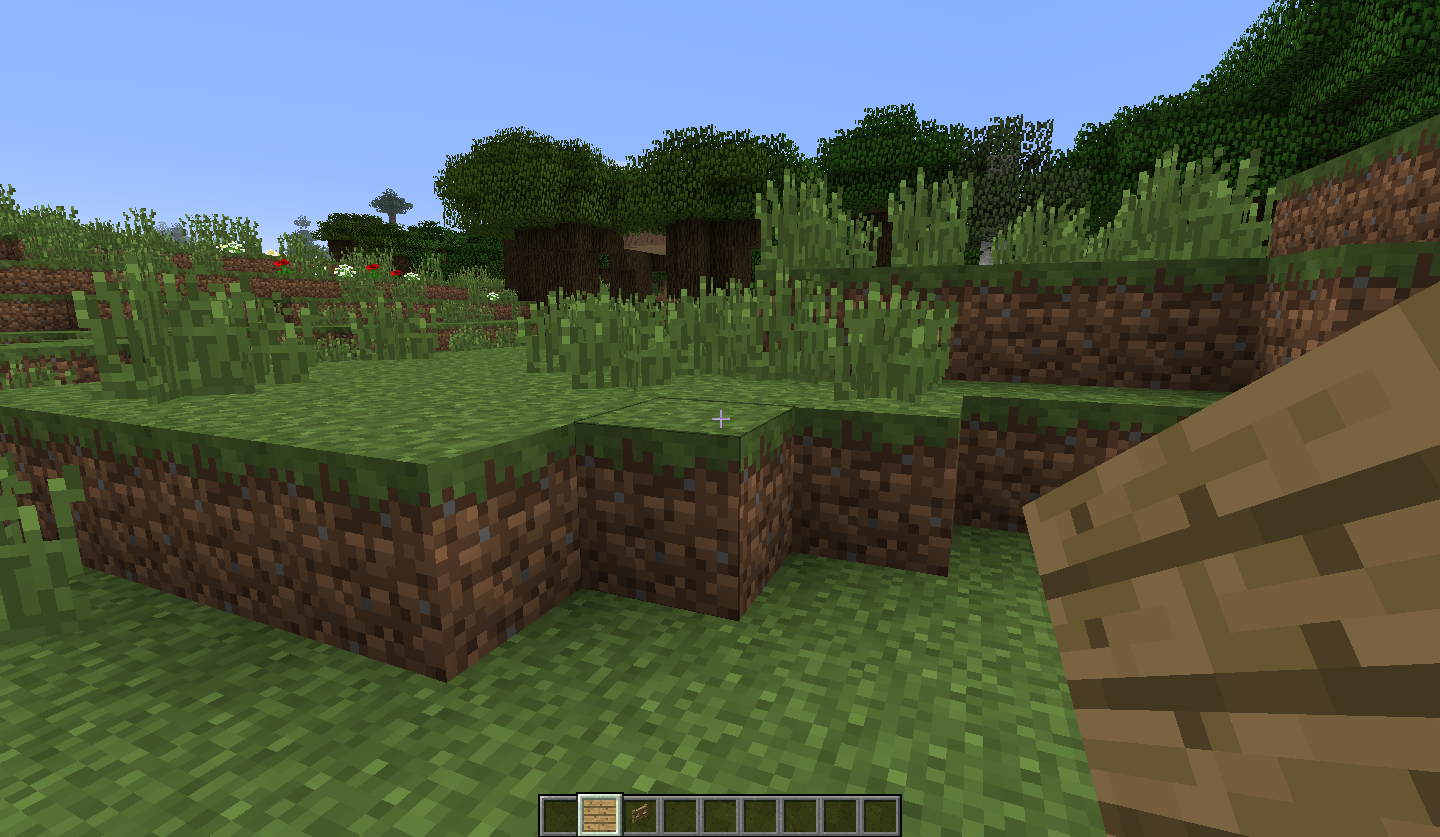
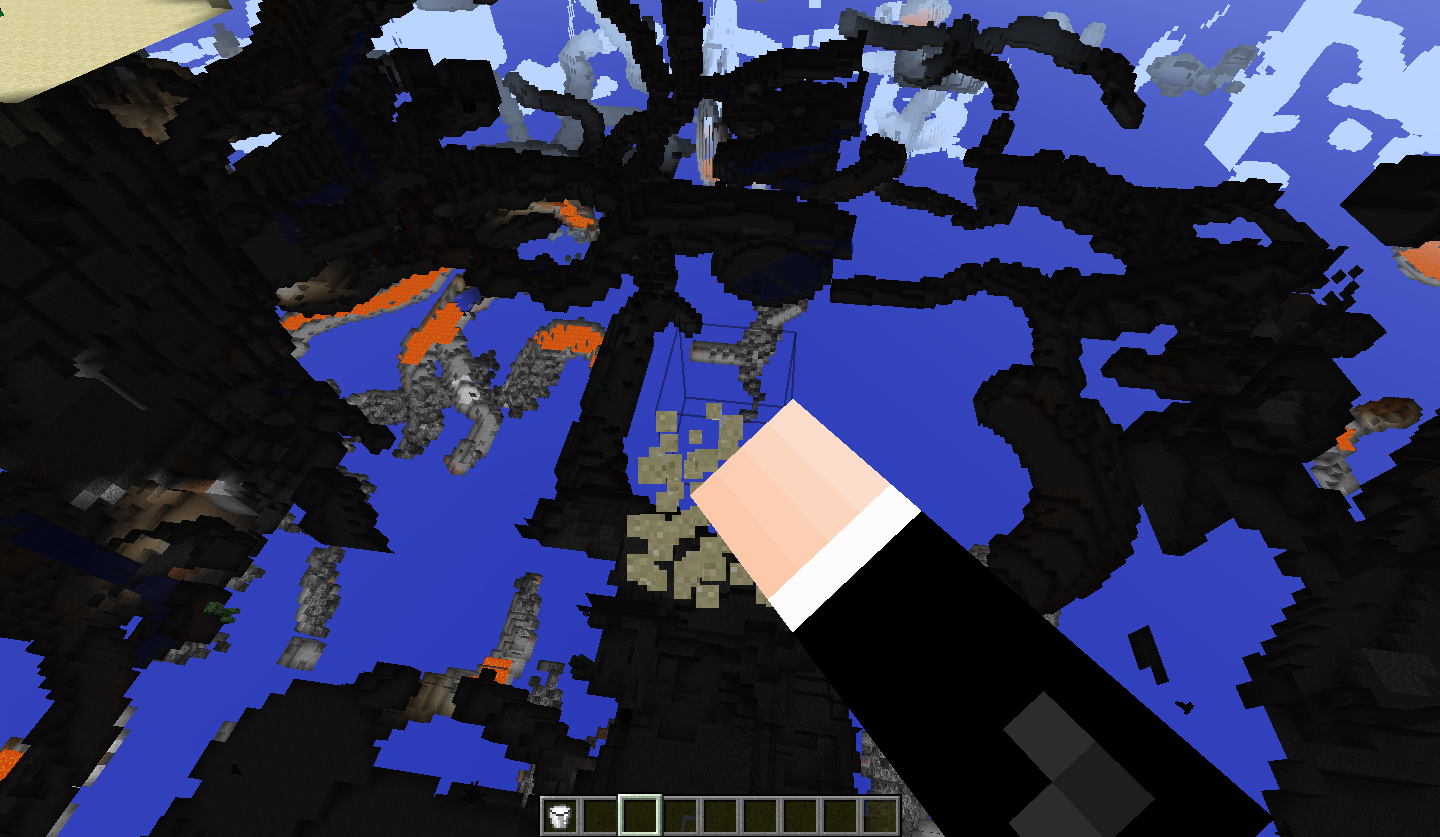

MC-186075 Alt Shader Patch (Elision).zip
[Mojang] Gegy[Mojang] Gegy[Mojang] Gegy[Mojang] Gegy[Mojang] Gegy[Mojang] Gegy[Mojang] Gegy[Mojang] Gegy[Mojang] Gegy[Mojang] Gegy[Mojang] Gegy[Mojang] Gegy[Mojang] Gegy[Mojang] Gegy[Mojang] Gegy[Mojang] Gegy[Mojang] Gegy[Mojang] Gegy[Mojang] Gegy[Mojang] Gegy[Mojang] Gegy[Mojang] Gegy[Mojang] Gegy[Mojang] Gegy[Mojang] Gegy![[Mojang] eowyn36](../../../data/avatars/users/18935.svg) [Mojang] Gegy[Mojang] Gegy[Mojang] Gegy[Mojang] Gegy[Mojang] Gegy[Mojang] Gegy[Mojang] Gegy[Mojang] Gegy[Mojang] Gegy[Mojang] Gegy[Mojang] Gegy[Mojang] Gegy[Mojang] Gegy[Mojang] Gegy[Mojang] Gegy[Mojang] Gegy[Mojang] Gegy[Mojang] Gegy[Mojang] Gegy[Mojang] Gegy[Mojang] Gegy[Mojang] Gegy[Mojang] Gegy[Mojang] Gegy[Mojang] Gegy[Mojang] Gegy[Mojang] Gegy[Mojang] Gegy[Mojang] Gegy[Mojang] Gegy[Mojang] Gegy[Mojang] Gegy[Mojang] Gegy[Mojang] Gegy[Mojang] Gegy[Mojang] Gegy[Mojang] Gegy[Mojang] Gegy[Mojang] Gegy[Mojang] Gegy[Mojang] Gegy[Mojang] Gegy[Mojang] Gegy[Mojang] Gegy[Mojang] Gegy[Mojang] Gegy[Mojang] Gegy[Mojang] Gegy[Mojang] Gegy[Mojang] Gegy[Mojang] Gegy[Mojang] Gegy[Mojang] Gegy[Mojang] Gegy[Mojang] Gegy[Mojang] Gegy[Mojang] Gegy[Mojang] Gegy[Mojang] Gegy[Mojang] Gegy[Mojang] Gegy[Mojang] Gegy
[Mojang] Gegy[Mojang] Gegy[Mojang] Gegy[Mojang] Gegy[Mojang] Gegy[Mojang] Gegy[Mojang] Gegy[Mojang] Gegy[Mojang] Gegy[Mojang] Gegy[Mojang] Gegy[Mojang] Gegy[Mojang] Gegy[Mojang] Gegy[Mojang] Gegy[Mojang] Gegy[Mojang] Gegy[Mojang] Gegy[Mojang] Gegy[Mojang] Gegy[Mojang] Gegy[Mojang] Gegy[Mojang] Gegy[Mojang] Gegy[Mojang] Gegy[Mojang] Gegy[Mojang] Gegy[Mojang] Gegy[Mojang] Gegy[Mojang] Gegy[Mojang] Gegy[Mojang] Gegy[Mojang] Gegy[Mojang] Gegy[Mojang] Gegy[Mojang] Gegy[Mojang] Gegy[Mojang] Gegy[Mojang] Gegy[Mojang] Gegy[Mojang] Gegy[Mojang] Gegy[Mojang] Gegy[Mojang] Gegy[Mojang] Gegy[Mojang] Gegy[Mojang] Gegy[Mojang] Gegy[Mojang] Gegy[Mojang] Gegy[Mojang] Gegy[Mojang] Gegy[Mojang] Gegy[Mojang] Gegy[Mojang] Gegy[Mojang] Gegy[Mojang] Gegy[Mojang] Gegy[Mojang] Gegy[Mojang] Gegy[Mojang] Gegy[Mojang] GegyNoticeThis issue is affecting users who previously played Minecraft: Java Edition via PC Game Pass, or via our newly released feature where Minecraft: Bedrock Edition players can also play Minecraft: Java Edition. If you happen to migrate to one of these accounts, multiplayer will be affected for a duration of up to 40 hours after migration. After this, you should be able to play multiplayer again. We are working on a solution to prevent this from happening in the future.
Still doesn't seem to work after I close and reopen the game.
[Mojang] Gegy[Mojang] Gegy[Mojang] Gegy[Mojang] Gegy[Mojang] Gegy[Mojang] Gegy[Mojang] Gegy[Mojang] Gegy[Mojang] Gegy[Mojang] Gegy[Mojang] Gegy[Mojang] Gegy[Mojang] Gegy[Mojang] Gegy[Mojang] Gegy[Mojang] Gegy[Mojang] Gegy[Mojang] Gegy[Mojang] Gegy[Mojang] Gegy[Mojang] Gegy[Mojang] Gegy[Mojang] Gegy[Mojang] Gegy[Mojang] Gegy[Mojang] Gegy[Mojang] Gegy[Mojang] Gegy[Mojang] Gegy[Mojang] Gegy[Mojang] Gegy[Mojang] Gegy[Mojang] Gegy[Mojang] Gegy[Mojang] Gegy[Mojang] Gegy[Mojang] Gegy[Mojang] Gegy[Mojang] Gegy[Mojang] Gegy[Mojang] Gegy[Mojang] Gegy[Mojang] Gegy[Mojang] Gegy[Mojang] Gegy[Mojang] Gegy[Mojang] Gegy[Mojang] Gegy[Mojang] Gegy[Mojang] Gegy[Mojang] Gegy[Mojang] Gegy[Mojang] Gegy[Mojang] Gegy[Mojang] Gegy[Mojang] Gegy[Mojang] Gegy[Mojang] Gegy[Mojang] Gegy[Mojang] Gegy[Mojang] Gegy[Mojang] Gegy[Mojang] Gegy[Mojang] Gegy[Mojang] Gegy[Mojang] Gegy[Mojang] Gegy[Mojang] Gegy[Mojang] Gegy[Mojang] Gegy[Mojang] Gegy[Mojang] Gegy[Mojang] Gegy[Mojang] Gegy[Mojang] Gegy[Mojang] Gegy[Mojang] Gegy[Mojang] Gegy[Mojang] Gegy[Mojang] Gegy[Mojang] GegyThere is a resource pack by JellySquid and [Mojang] Gegy attached to this ticket which may mitigate the performance issues introduced in 20w22a by applying some changes to the built-in shaders that Minecraft uses.
You can install it just like any other resource pack. Here's a tutorial if you don't know how to do that: https://minecraft.gamepedia.com/Tutorials/Loading_a_resource_pack
This is the latest version of the resource pack: MC-186075 Shader Patch r4.zip
There are no guarantees from the mod team or Mojang that it works, but many people in the comments of this ticket have confirmed that it improves the game's performance significantly in this snapshot.
Please note that since the rendering changes are experimental and may be changed or removed altogether in future snapshots, the resource pack patch may stop working in in the future.
If you're interested in the source code, here's the GitHub repo for the resource pack.
In the latest Snapshot, 20w22a, GPU usage has significantly increased, causing many users to experience decreased performance, with some being unable to even start the game.
Analysis by JellySquid
It looks like the culprit of this massive increase in GPU usage comes down to the new framebuffer blending technique used to resolve some translucency issues between render layers (i.e. items behind fluids).
![[Mod] violine1101](../../../data/avatars/users/92858.png)
The "patch" that was made by JellySquid and [Mojang] Gegy is just a resource pack that you can install just like any other resource pack. Here's a tutorial: https://minecraft.gamepedia.com/Tutorials/Loading_a_resource_pack
This is the latest version of the resource pack: MC-186075 Shader Patch r3.zip
I have not tested the resource pack myself and there are no guarantees from the mod team or Mojang that it works, but many people in this ticket have confirmed that it improves the game's performance significantly in this snapshot.
Please note that since the rendering changes are experimental and may be changed or removed altogether in future snapshots, the resource pack patch may stop working in future snapshots.
Edit: I have now tested the resource pack myself and it seems to improve the performance quite a bit. It doesn't make too much of a difference for me though since I've already got a good mid-tier graphics card and vanilla is running pretty smoothly even without the patch.

I really appreciate the efforts by JellySquid and [Mojang] Gegy with their resource pack. I gave it a try, following the instructions posted by [Mod] violine1101 . My fps went from 8 to 13 with with an allocation 16 spike. My game play is still too laggy to play. It's crazy frustrating and I really miss how smooth things ran with 20w21a. I'm still hoping Mojang will official correct this issue. Based on the comments I guess I'll have to wait till the next Snapshot update to see if they fix it. What if they don't?

[Mojang] Gegy Could you please review this bugpost again?
Bad Actors Servers can hypothetically get Players banned.
If the Player would notice at all that their messages have been tampered with, they would, if they appealed against said ban, have no chance to prove the Server was the actual culprit.
That can't be "WaI"?
Fix version ismissing, [Mojang] Gegy.

[Mojang] Gegy What about this is incomplete? Which question needs to be answered to reopen this?
Not sure why you, [Mojang] Gegy, removed 1.20.1,as the sprite was missing there too, but could be added via resource pack.
Nature of the issue was slightly different, but the issue existed nonetheless.
![[Mod] j_p_smith](../../../data/avatars/users/92851.png)
@[Mojang] Gegy, Are you sure 1.20.1 is affected? For me at least, an outline appears when the tab is tab-focused in this version.
Do you by chance have OBS open when the crash occurs? I have an RX 6600 XT and can get the same error code when I have OBS open capturing my screen and the game window.
If OBS is involved in any way for you to get the crash to occur, MC-229195 would be relevant here. Specifically; [Mojang] Gegy's comment here (This is found through MC-273372)


[Mojang] Gegy The custom data pack enabled doesn't affect worldgen. Unfortunately I can't disable the data pack on the server as it controls everything we need to run it haha, and I haven't been able to reproduce the issue locally.
However, the Minecart Improvements and Winter Drop experiments were both enabled so the latter would affect worldgen.
I added an alternative patched resource pack to the one that JellySquid posted here. For the most part they're the same, however some people have reported that this one performs a lot better (on my computer, they're equivalent). Could be a false positive, but I hope it's useful to try anyway!
Looks like I accidentally introduced a sorting bug which affects the alt and r2 version. I hope that this is not the cause of the performance gains from r2 over r1. I've attached a new file that fixes this sorting bug, and makes some additional optimization (performing the insertion sort as layers are added to the array; removes need for an additional loop)
If you experienced better performance in r2 over r1, it'd be greatly appreciate to test this r3 version!
MC-186075 Shader Patch r3.zip
Did some further testing on an Intel UHD 630 GPU and managed to make some fairly significant optimisation there. It doesn't seem to have a broad improvement for all GPUs, but definitely an improvement in some cases.
I've attached another resource pack which might be worth trying if you're using an Intel GPU: MC-186075 Shader Patch r4.zip
This is the intended design of Chat Preview. The preview feature was designed with the Secure Chat system in mind- it is a part of the core intention of the feature that the server-modified messages can be signed by the sender and not appear as 'Not Secure'. A lot of custom servers depend on being able to modify chat message content and styling, which is very much incompatible with chat messages being signed on the client- Chat Preview is essentially the solution to that problem.
As a user, through the warning screen and through experience with the feature, it should become clear that when you send a message that has a preview, what you send in chat will be what is previewed. It's not necessary for users to understand the Secure Chat system or cryptography to know that what shows up in chat after you type it will be what you are held accountable for (whether that is through the global chat reporting tool or otherwise). As is the case before 1.19, it's reasonable to assume that if a server is modifying a player's messages through chat preview, that player will lose trust in that server.
As also mentioned by Marcono1234, there is a period of time after receiving a preview before which the preview will not be signed. This gives players time to react to a potentially malicious preview received from the server.
Caused by
MC-170010, which has been resolved for Future Update.This should have been resolved along with
MC-258939- are you still able to reproduce this in 23w14a or above?Thanks!
A clarification on this: this is a purely visual issue - the difficulty is calculated correctly on the server-side, just displayed wrong.
Hi! Thank you for making this report! I looked into this, and as far as I can tell, the only area this affects seems to be chunk saving - specifically, a chunk may be saved as a ProtoChunk with FULL status before actually getting upgraded to a LevelChunk. That's definitely not great, as entities can get lost and post-processing is missed. Other chunks never write into these misidentified chunks given the dependency order.
Are there any other ways that you are aware of that this issue manifests, besides the saving issue? Thanks again!
This is an issue with OBS. Please see this issue.
If you are encountering a crash with exit code -1073741819, this indicates a native access violation exception. These can have a variety of causes, but this report is likely a collection of unrelated issues without enough information to understand what went wrong unfortunately. 🙂 In the case of this error, a JVM native crash dump should be generated in your Minecraft install directory, with a name like: `hs_err_pid_xxxx.log`. Please submit a new report with this file attached. Thanks!
Are you able to reproduce this issue with the Vanilla launcher and 1.20.1+?
Thank you for this report! This was not originally an intentional change, however after investigation and discussion, we are closing this as intended behaviour. We will be including a note in the release changelog for 1.20.2, as it is of course a breaking change.
To elaborate on motivations: this behaviour previously worked somewhat 'accidentally', but the intended encoding was always to use quoted strings. This is consistent with how block states are encoded in other parts of the game. This is particularly relevant when encoding block states as NBT, as there is no distinction in data between a boolean and byte - which means that knowledge of the block type is required to parse the state (this is not always available).
Regarding affecting 1.20.1: it is not intended for the sprite to be present in the Vanilla pack, but we also want to maintain it as a supported use-case for resource packs. 🙂
The underlying issue here was resolved in
MC-227208(1.17 Pre-release 5).The issue with Looms has been resolved as of 1.20.2-pre1. This issue now only applies to Villagers.
The issue with the log spam and lag has been resolved in 23w40a: if you're still experiencing issues with this version or newer with audio not loading, please see MC-265594.
As these mobs are all separate cases, it would be preferred to keep them as separate reports - thanks!
Do you have any 3rd party applications installed that show overlays over games? If so, please try turning them off.
Hello! Can you please attach here your `hotbars.nbt` (should be inside your Minecraft root directory) from 1.20.4? Thanks!
Jiingy - how did you create `hotbars-1.nbt`? This state should never be created by a Vanilla client, as far as I can tell.
This is the intended behaviour. 🙂 The item predicate `minecraft:diamond_sword[minecraft:count=
{max:1}]` is checking each stack that individually has <=1 stack size. All 3 item stacks match that predicate, so they are all included in the result of the command.
As this only affects upgrading from snapshots within this series, we have marked this as Won't Fix - although we prefer to upgrade where possible, we do not strictly guarantee data migration across snapshot versions. Upgrading from 1.20.4 should work as expected. 🙂
Hi! We were not able to reproduce this. Are you still experiencing this issue on the latest snapshot?
We were unable to reproduce the 'visible, but non-existent' part here - did you have two of the original armor stands in the world?
/data merge is also working as expected here: the second command has created an invalid component that is missing the pattern type and item ID, as entries within lists do not get merged by this command.
The `FallFlying` flag is reset to `false` when the entity lands on the ground (in both 1.20.4 and 24w14a). Cannot reproduce any change in this state when upgrading the world. 🙂
The `saturation_modifier` field affects saturation as per `nutrition * saturation_modifier * 2`. This was not clearly conveyed in the changelog, but that will be addressed. 🙂
Updated to not include Frogs and Goats, as they arguably do not fall under this bug - `safe_fall_distance` is not entirely disregarded in these cases, but rather a global damage reduction is always applied. 🙂
Foxes are also affected.
Note that existing Command Blocks created in 24w14a through 1.20.5-pre1 will still have this issue - newly created ones will function correctly.
Used commands:
/data merge entity @e[type=minecraft:wandering_trader,limit=1,sort=nearest]
{wander_target:[I;0,0,0]}/data get entity @e[type=minecraft:wandering_trader,limit=1,sort=nearest] wander_target
Which successfully modified and gave the new coordinates.
On the block, the correct custom name tag is `custom_name` without the `minecraft:` prefix. 🙂
Hi! This should definitely not happen with invalid values such as this, but to clarify: this happens due to the use of a non-normalised quaternion for the rotation value - as the format specified here is not the angle axis format, which can be written like:
{angle:90,axis:[0f,0f,1f]}This will result in a disconnect in release versions, so the crash is snapshot-only and up to the server to address. 🙂
Setting the `item_display` property to `fixed` will give the same rotation as an item in an item frame 🙂
Hello! We suspect that this might be an issue caused by faulty memory on your system - if possible, you can give this a check by running the 'Windows Memory Diagnostic' app (you can search for it in the Start menu). Once it opens, select 'Restart now and check for problems' - and it should run a full memory check once you restart.
After it has completed, it should display the test results. If you can share the result with us, that would be super helpful. Thanks!
Thank you for your report!
After consideration, the issue is being closed as Invalid.
You have posted a feature request or a suggestion. This site is for bug reports only.
For suggestions, please visit The official Minecraft feedback site or visit the Minecraft Feedback Discord server.
Quick Links:
📓 Bug Tracker Guidelines – 💬 Community Support – 📧 Mojang Support (Technical Issues) – 📧 Microsoft Support (Account Issues)
📓 Project Summary – ✍️ Feedback and Suggestions – 📖 Game Wiki
Thank you for your report!
After consideration, the issue is being closed as Invalid.
You have posted a feature request or a suggestion. This site is for bug reports only.
For suggestions, please visit The official Minecraft feedback site or visit the Minecraft Feedback Discord server.
Quick Links:
📓 Bug Tracker Guidelines – 💬 Community Support – 📧 Mojang Support (Technical Issues) – 📧 Microsoft Support (Account Issues)
📓 Project Summary – ✍️ Feedback and Suggestions – 📖 Game Wiki
Thank you for your report!
After consideration, the issue is being closed as Invalid.
You have posted a feature request or a suggestion. This site is for bug reports only.
For suggestions, please visit The official Minecraft feedback site or visit the Minecraft Feedback Discord server.
Quick Links:
📓 Bug Tracker Guidelines – 💬 Community Support – 📧 Mojang Support (Technical Issues) – 📧 Microsoft Support (Account Issues)
📓 Project Summary – ✍️ Feedback and Suggestions – 📖 Game Wiki
Thank you for your report!
After consideration, the issue is being closed as Invalid.
You have posted a feature request or a suggestion. This site is for bug reports only.
For suggestions, please visit The official Minecraft feedback site or visit the Minecraft Feedback Discord server.
Quick Links:
📓 Bug Tracker Guidelines – 💬 Community Support – 📧 Mojang Support (Technical Issues) – 📧 Microsoft Support (Account Issues)
📓 Project Summary – ✍️ Feedback and Suggestions – 📖 Game Wiki
This is an issue with the AMD driver, and will need to be resolved in the driver.
To specify specific data types in advancement JSON, the SNBT format (such as in the command) should be used to specify the bucket data:
"minecraft:bucket_entity_data": "{Health:3d,BucketVariantTag:67502593}"
This is an issue with the graphics driver / windowing system. 🙂
As with bugs such as
MC-272540, data-driven registries are not reloadable. Disabling the Vanilla pack in this case works as expected, as those banner patterns can no longer exist in the world.This can be worked around by using stringified SNBT format (and specifying type) for the entity_data component
Thank you for your report!
However, this issue is Invalid.
This is a technical support issue; this site is for bug reports only. We do not have the resources to provide you with technical support.
Please contact Community Support for assistance and refer to this ticket by providing a link.
Quick Links:
📓 Bug Tracker Guidelines – 💬 Community Support – 📧 Mojang Support (Technical Issues) – 📧 Microsoft Support (Account Issues)
📓 Project Summary – ✍️ Feedback and Suggestions – 📖 Game Wiki
Do any of the data packs you have installed affect world generation? Are you able to reproduce this issue without any data packs?
Thanks!
Are you able to reproduce this still on pre5? The crash report should contain more details about what went wrong.
This issue and MC-276585 will alternate in presence between snapshots and full releases - we try to be more strict with catching crashes in full releases. As they’re the same underlying issue, can they be merged back into the original issue? Thanks!
The changelog is incorrect, but will be fixed for the full release - thanks for the report!