 Ron Asor
- asorron
- asorron
- Asia/Jerusalem
- Yes
- No
 MC-100866




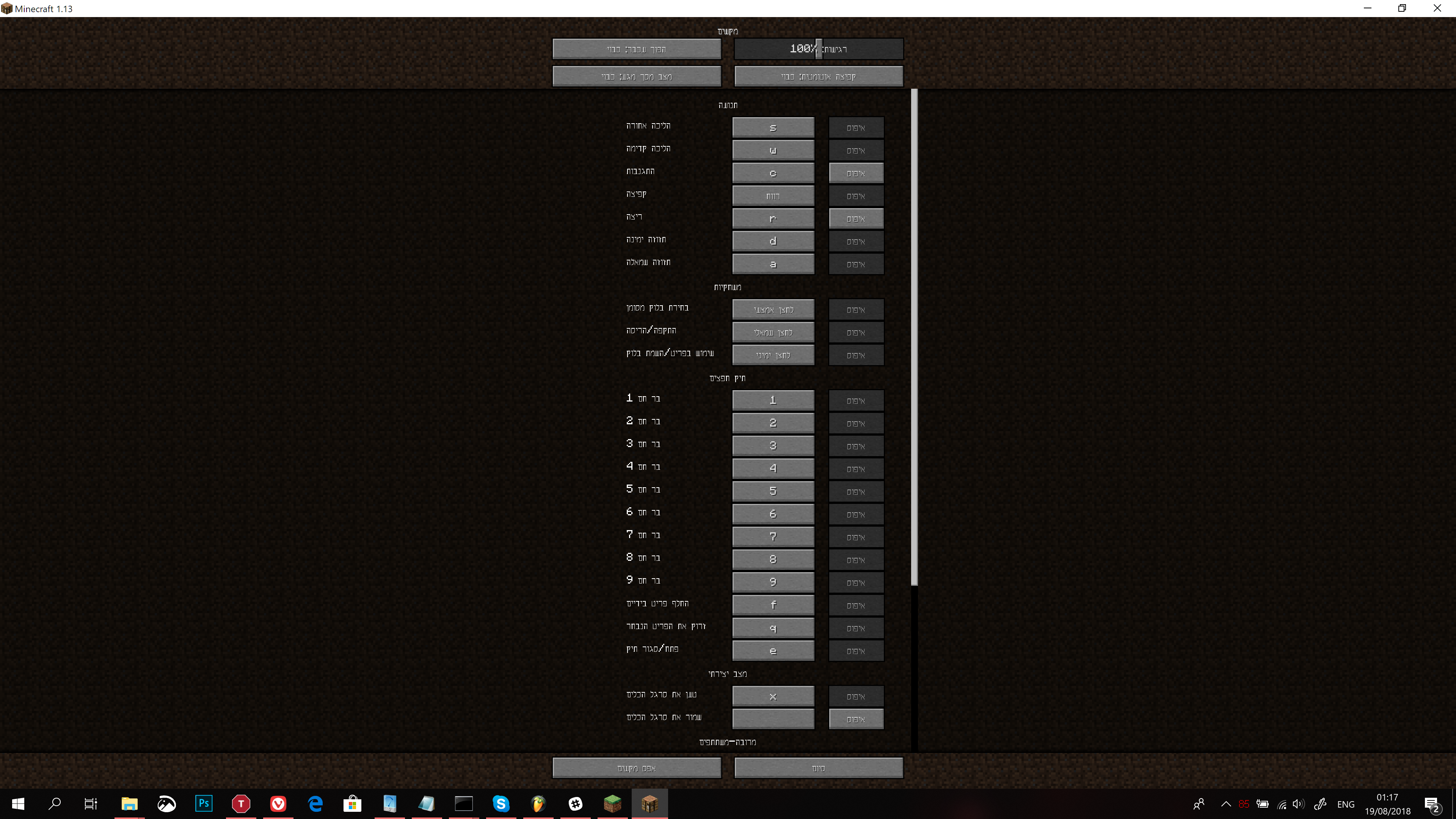
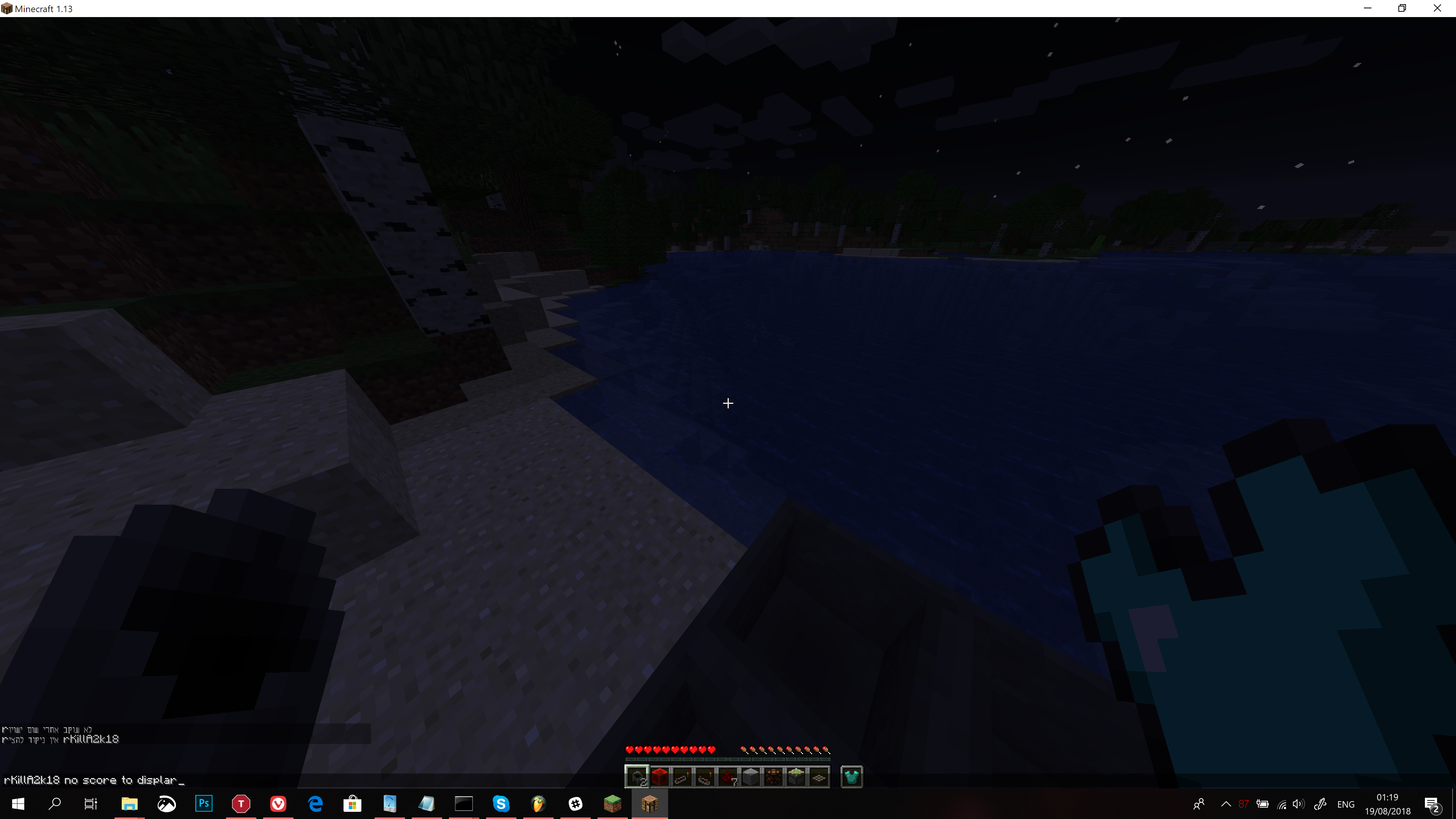
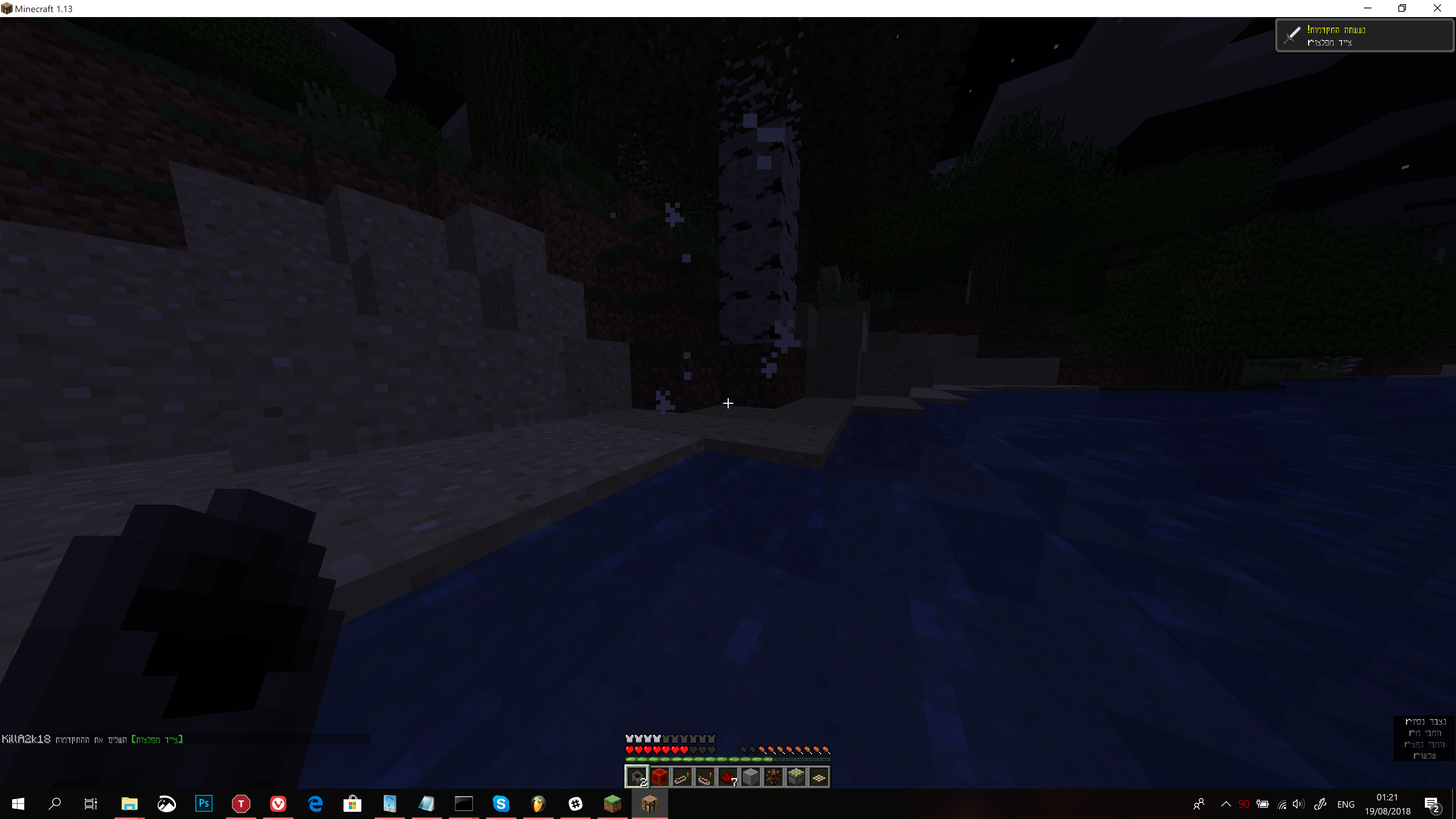




There is formatting error with the text box in the game:
Texts involving HebrewString1 %s(English string) HebrewString2 will appear as in reversed order, if the variable is a number, it will display correctly (so that's crucial upon crowdin translators to choose the correct arrangement of text to fix this issue).
I'm assuming it will show on all the right-to-left languages translations, the most crucial appearance would probably be in the commands output of /help, which will mess the translation to a point that it'll be hard understanding the syntax (the former noted ones would probably still be easy to understand)Expected behavior:
hebrewstring1 %s hebrewstring2 would appear as shownActual behavior:
HebrewString2 %s HebrewString1 appears instead, as example in English:
"press the %space% key to jump"
will show as
"key to jump %space% press the"Note again, this is showing that way only when Hebrew and English strings are mixed in the text box, the user command line may appear correct, but when prompting with the enter key, the behavior is as described above.
image-2020-07-23-20-35-40-818.png
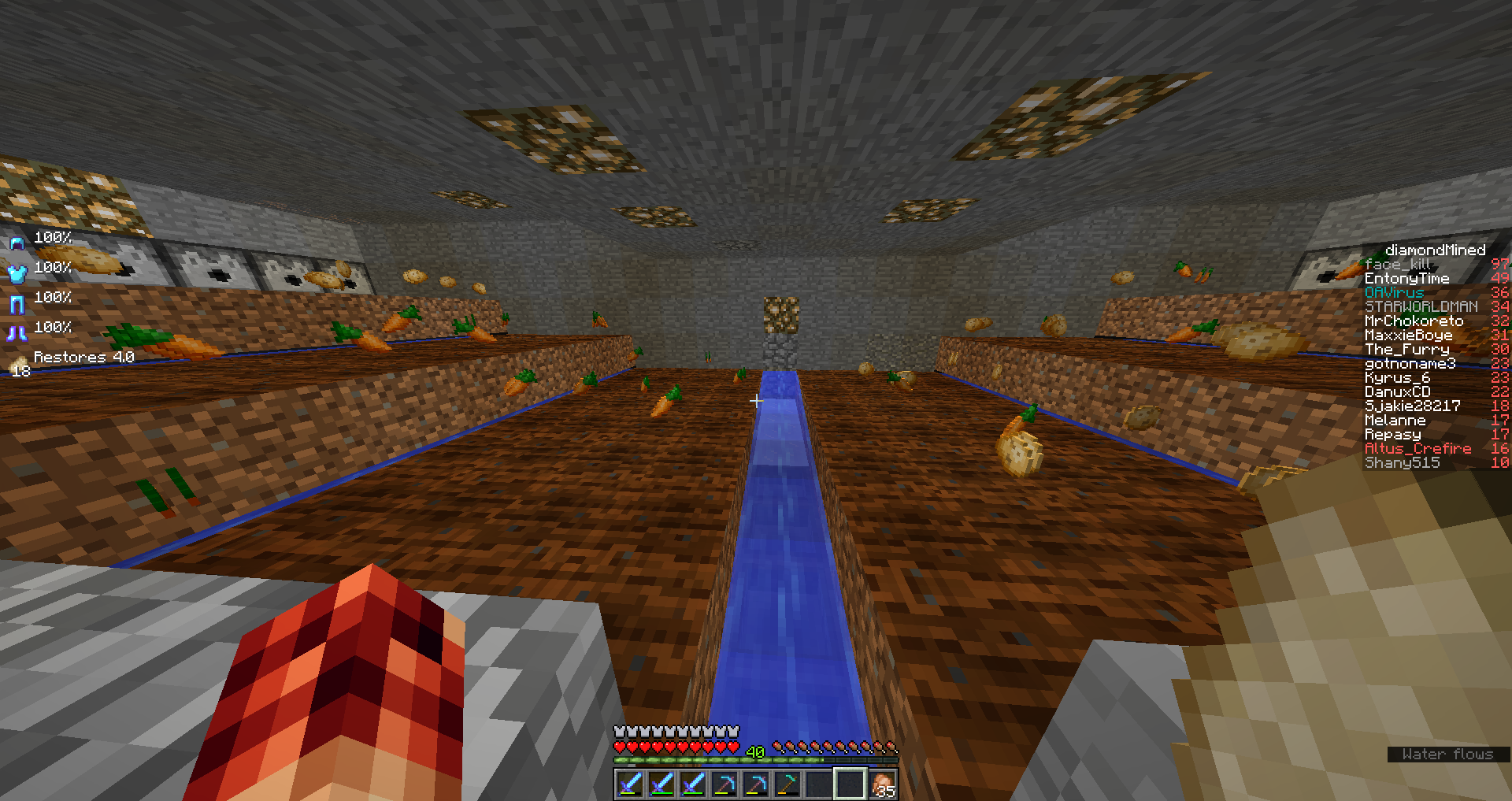
Unexpected redstone / block update behavior when implemented in a timer+automatic farm design
I've been using a design I came up with ever since 1.9:
This design is supposed to let crop grow on player activity on the loaded chunks and when the player is gone it's supposed to freeze (chunks being unload - redstone stops)
However the thing that actually happens is that after I leave the game at some situations, the redstone clock continues to count down, so if I left it for the night, when I get back on the expected behavior is to the crop staying at the same state, but they end up "popped" (as seen at the end of the demonstration video), without any known player around it to keep the chunks loaded, this behavior is not supposed to happen unless I'm missing something.When testing the farm when I'm near it, it works flawlessly, so tracing the error is rather tough task for me because I don't know where to begin.
Additional crucial information:
This was built on 1.9 on a sethome area I've had and had no errors, after an update to 1.11.2 a minor modification using observer block at the 2nd timer was needed and again - it was working flawlessly. after a map reset on the server I play on, I rebuilt the farm on a crowded (server staff) place and started having this unexpected behavior, a friend has mentioned the possibility of lazy chunks affecting it which then I rebuilt it at my sethome (which is highly unlikely to have any player around it) and yet experienced the same results after arming the timer and disconnecting from the server within 30 seconds. a day later after logging back on I saw all the loot was popped from the farmland and the timer was reset.
if a player was around my chunks (server limits chunk rendering to diameter of 5), he needed to stay within 45 blocks of the redstone timer to keep it running, and since I left after 30 seconds - he had to be there for around an hour which is really highly unlikely to happen.TL;DR version:
Expected behavior:
https://gfycat.com/FavorableRecentEchidna
Actual behavior: Image
Redstone updates when player is being off the circuitry chunks (logging off), and then dispenses water in somewhat ghost state that makes the unfinished-to-grow crop pop from the farmland (but without clearing it as water is supposed to do). after logging back the items just wait on the farmland, waiting to be despawned/pickedIn depth video that explains the used mechanics and expected / actual behavior, sorry for it being chopped, I recorded it 5 times with obs encountering errors on the way
https://youtu.be/BRrAWnVXSP8I've been using a design I came up with ever since 1.9:
This design is supposed to let crop grow on player activity on the loaded chunks and when the player is gone it's supposed to freeze (chunks being unload - redstone stops)
However the thing that actually happens is that after I leave the game at some situations, the redstone clock continues to count down, so if I left it for the night, when I get back on the expected behavior is to the crop staying at the same state, but they end up "popped" (as seen at the end of the demonstration video), without any known player around it to keep the chunks loaded, this behavior is not supposed to happen unless I'm missing something.When testing the farm when I'm near it, it works flawlessly, so tracing the error is rather tough task for me because I don't know where to begin.
Additional crucial information:
This was built on 1.9 on a sethome area I've had and had no errors, after an update to 1.11.2 a minor modification using observer block at the 2nd timer was needed and again - it was working flawlessly. after a map reset on the server I play on, I rebuilt the farm on a crowded (server staff) place and started having this unexpected behavior, a friend has mentioned the possibility of lazy chunks affecting it which then I rebuilt it at my sethome (which is highly unlikely to have any player around it) and yet experienced the same results after arming the timer and disconnecting from the server within 30 seconds. a day later after logging back on I saw all the loot was popped from the farmland and the timer was reset.
if a player was around my chunks (server limits chunk rendering to diameter of 5), he needed to stay within 45 blocks of the redstone timer to keep it running, and since I left after 30 seconds - he had to be there for around an hour which is really highly unlikely to happen.TL;DR version:
Expected behavior:
https://gfycat.com/FavorableRecentEchidna
Actual behavior: ImageRedstone updates when player is being off the circuitry chunks (logging off), and then dispenses water in somewhat ghost state that makes the unfinished-to-grow crop pop from the farmland (but without clearing it as water is supposed to do). after logging back the items just wait on the farmland, waiting to be despawned/picked
In depth video that explains the used mechanics and expected / actual behavior, sorry for it being chopped, I recorded it 5 times with obs encountering errors on the way
https://youtu.be/BRrAWnVXSP8

I am not sure if this the same problem (maybe you can help me with that Ron Asor) but it appears text is not rendered right-to-left it there are latin or rather characters not used in right-to-left languages in the text. For example typing or writing ()________________ and then moving the cursor left and right reverses parts of the text likely because the pipebar character used as cursor does not exist in right-to-left languages.
"1 taken killa2k16 from levels"
The server that I play on is running a vanilla jar, could mods that are installed on my side affect this in any way? (note that it even occurs when I'm not even on the server/other player activity around it as well)
I recreated this video just for demonstrating the logics/behavior and run through the world save
Don't think that's the case.
It's either redstone updating with player activity but farmland isn't or redstone updating without player activity and farmland "behaves" correctly.
from tests it seems like the latter:
there's an area for staff on the server that I play on that is usually unloaded unless someone enters it.
I've set up the timer and planted the crop, but also disconnected the part that is responsible to clear the crop out.
The results were that the timer was off but the crop wasn't fully grown; this means one of two things:
Either there was a player activity that updated the redstone, but for some unknown reason an hour wasn't enough for the crop to be in it's fully grown state, not even semi fully grown (about 600 tiles!), or the farmland was malfunctioning with player activity that wasn't enough to get it grown and the redstone was behaving correctly.
With the tests I've made on my home I figured the case was that even without player activity the redstone is activating for some unkown reason, getting out of sync of the farmland growth and causing issues with block updates that could need players to be on in order to commence correctly.
I'm still unsure how redstone could be working without players around it (apart from spawn chunks, which isn't the situation right here)
Update:
I'm spectating the build from a height of 35 blocks above the farmland (on the server)
The redstone seems to work correctly but the crops aren't updating growth at all, no player activity on the chunks for now.
Another update: farmland didn't grew at all from that height + spectator but the farm did clear itself so it isn't the behavior I'm experiencing completely (although I still don't know why the farmland didn't grew, I was on the same chunk, ~35 blocks above it)
The text isn't rendered as left to right at all, there are 2 cases basically to RTL parsing:
1)The text is rendered as RTL (aligned and displayed) correctly
2a)The text is not rendered as RTL (text appears mirrored like:" ekil derorrim sraeppa txet") which happens in most non supporting RTL interfaces.
2b)The text is rendered as RTL but displayed as LTR because of interface limitations or presets that were already globally implemented to all of the languages. this also cause issues when both language present in the same line, but not when there's a single language present
The following image describes the differences of how the interpreter displays a sentence in its current (1) and meant to be (2) styles, In addition, bear in mind that the whole interface should appear right to left in RTL languages, including chat boxes etc, however that may cause issues when playing on English servers and also the way of inputting commands (with backslash instead of slash, X killed Y read from right to left which makes a bit of confusion and user-level of understanding)

As of 1.13, the issue has gone worse.
The text appears mixed with some special characters, even typing in chat gets messed up by those characters (command interpreters), it's a separate issue but still connected to the formatting.
I would suggest, as a thought about the mentioned in my last comment, to add the ability to switch the whole interface to right to left, that means chat boxes, how text is handled in buttons, sliders etc, Since this issue exist since the day Hebrew translations were put, which is more than few years, I believe this issue will cause many players not to even use the translation at all.
Also note, because crowdin displays translations differently than minecraft, it also makes minecraft display the translations differently to the player, this is a crucial issue which I believe that may exist in every rtl language but I've yet to confirm it, I advise treating this issue as an urgent manner, because players who will choose the translation will find it unplayable, and revert back to English or any other language that displays correctly to them
About the case of this one, as a general priority of Hebrew readers, the text should be on the right while the buttons on the left,
Imagine reading the text from the right side of it, to the left (like in hotbar 1 2 3 etc) and then reading again to the right, it's confusing and ruins the game experience, that is the case with all of the interface of minecraft for this particular RTL language, can't root for other languages, but I'm interested to know if this the case as well.
Seems like the reoccurring "r" character issue is fixed for now (1.13.1), however the part where the screen should be flipped, and the appearance of /7§ when just typing / still persists.
still happening on 1.14.2 pre 3 and 4
Still an issue on 1.14.3 pre 1, used the book duping method to reproduce this, note I didn't use the checkerboard pattern but instead used creative inventory to dupe a book 100 pages in size filled with random text and kept the duplicates to fill in 1x1 chest, as you can see from the logs, it surpassed the max allowed size which causes the exception and the revert
first exception is thrown for pressing esc (which saves the world on singleplayer), 2nd is thrown upon exiting the world, which again saves the world, while I don't know if there are any differences for these functions, I assumed it'll be best if both were logged
also note this behavior is similar in multiplayer, which makes this an exploit in many servers
it seems like some sort of fix was issued but there are still things going on;
enchantment level should be displayed on the left of the enchantment name, same as in english "efficiency V", when you read in hebrew, the enchantment name appears on the right and then on the left the level of it.
also note how the description of "when on feet" enchantments starts to offset a little bit, it's because the text is aligned to the left
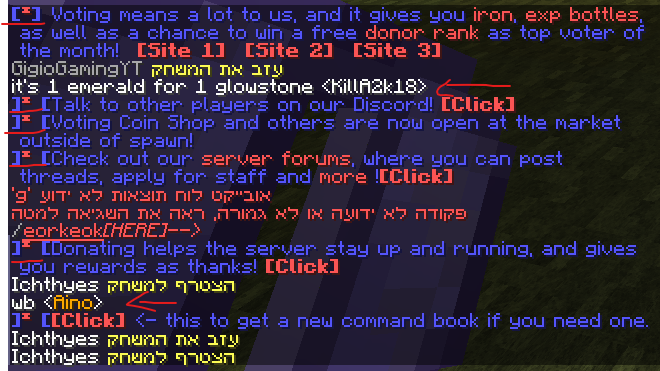
some of the formattings of english-based text on a server breaks (top server voting message is in english, rest is when language set to hebrew), note the red underline as exampled.
in addition, the name of the player appears as it should, but it's still aligned to the left. a "true RTL experience" would be that the entire message box would appear to the right, with the text aligned to the right extending leftwards. in this situation the text is aligned to the left, extending rightwards, which is somewhere in between.
brackets are sometimes reversed when mixed in hebrew and english text appears (should appear as [tpSpawn] / [tpHome] )
In general it seems like there's a huge leap in progress towards RTL languages, it still needs people to acknowledge how to approach this because it's quite of a wide issue that's hard to track in every bit for a single person
when typing however, it appears that English language wont format RTL the same way as Hebrew language does (it displays it as it should!)
so in conclusion, it works, but not all the way there to be a fully supported RTL game
I assume the rest of the issues come from the game basically aligning everything to the left, including enchantments&levels, it could just need a very minor fix.
if the messages would begin from the right side of the text box extending to the left that'll be one fix, if the textbox would be on the right side of the screen that'll be even greater fix (including the text beginning from right to left).
alignment should be to the right in addition to right to left formatting, that way you achieve fully supported RTL display and formatting on a certain platform