 Blobjim
- blobjim
- blobjim
- Europe/Stockholm
- Yes
- No
 MC-4835
 WEB-841
![[Mojang] Georgii Gavrichev](../../../data/avatars/users/22428.png)
![[Mojang] Nathan Adams](../../../data/assets/gravatar/dinnerbone.png)




On the main minecraft.net page Linux is not listed on the "buy minecraft" button. It only states "Java Edition (PC & Mac)".
This is also true on the Minecraft Support page, which does not list Linux. This may or may not be intentional, but will attract less Linux customers who do not already know that Minecraft Java Edition supports Linux.On the main minecraft.net page Linux is not listed on the "buy minecraft" button. It only states "Java Edition (PC & Mac)".This is also true on the Minecraft Support page, which does not list Linux. This may or may not be intentional, but will attract less Linux customers who do not already know that Minecraft Java Edition supports Linux. "PC" is an ambiguous term that people do not always associate with Linux.
Linux not explicitly listed on minecraft.net main page as supported operating system
Even with all volume settings at maximum (including the OS) there is no sound playing. Subtitles do not display with subtitles enabled. /playsound seems to execute but does not produce sound or subtitles. The "sound" thread in the SHIFT + F3 menu appears and indicates usage of about 0.25%
UI elements that take scroll input
throughout Minecraftdon't seem to take into account the scroll wheel/touchpad scroll"change" value(ie when scrolling in a menu/creative menu/hotbar). This means that even a very small change value (such as residual velocity from a touchpad "flick", or any input from a high dpi mouse wheel) will cause many scroll actions, and since every scroll action is treated the same, the menus/hotbar scroll farther than needed (sometimes by a lot). This problem seems to have existed in the game for many versions.Getting the "change" value in mouse scrolling may or may not have been available in LWJGL 2, but if the GLFW library is being used from LWJGL 3, it is possible to get the change in scroll amount so that it can be taken into account when the hotbar and menus scrolling is used.
UI elements that take scroll input don't seem to take into account the scroll wheel/touchpad scroll change amount (ie when scrolling in a menu/creative menu/hotbar). This means that even a very small change value (such as residual velocity from a touchpad "flick", or any input from a high dpi mouse wheel) will cause many scroll actions, and since every scroll action is treated the same, the menus/hotbar scroll farther than needed (sometimes by a lot). This problem seems to have existed in the game for many versions.
Getting the "change" value in mouse scrolling may or may not have been available in LWJGL 2, but if the GLFW library is being used from LWJGL 3, it is possible to get the change in scroll amount so that it can be taken into account when the hotbar and menus scrolling is used.
UI elements that take scroll input don't seem to take into account the scroll wheel/touchpad scroll change amount
(ie when scrolling in a menu/creative menu/hotbar). This means that even a very small change value (such as residual velocity from a touchpad "flick", or any input from a high dpi mouse wheel) will cause many scroll actions, and since every scroll action is treated the same, the menus/hotbar scroll farther than needed (sometimes by a lot). This problem seems to have existed in the game for many versions.Getting the "change" value in mouse scrolling may or may not have been available in LWJGL 2, but if the GLFW library is being used from LWJGL 3, it is possible to get the change in scroll amount so that it can be taken into account when the hotbar and menus scrolling is used.
UI elements that take scroll input (ie when scrolling in a menu/creative menu/hotbar) don't seem to take into account the scroll wheel/touchpad scroll change amount. This means that even a very small change value (such as residual velocity from a touchpad "flick", or any input from a high dpi mouse wheel) will cause many scroll actions, and since every scroll action is treated the same, the menus/hotbar scroll farther than needed (sometimes by a lot). This problem seems to have existed in the game for many versions.
Getting the "change" value in mouse scrolling may or may not have been available in LWJGL 2, but if the GLFW library is being used from LWJGL 3, it is possible to get the change in scroll amount so that it can be taken into account when the hotbar and menus scrolling is used.
UI elements that take scroll input (ie when scrolling in a menu/creative menu/hotbar) don't seem to take into account the scroll wheel/touchpad scroll change amount. This means that even a very small change value (such as residual velocity from a touchpad "flick", or any input from a high dpi mouse wheel) will
causemany scroll actions, and since every scroll action is treated the same, the menus/hotbar scroll farther than needed (sometimes by a lot). This problem seems to have existed in the game for many versions.Getting the "change" value in mouse scrolling may or may not have been available in LWJGL 2, but if the GLFW library is being used from LWJGL 3, it is possible to get the change in scroll amount so that it can be taken into account when the hotbar and menus scrolling is used.
UI elements that take scroll input (ie when scrolling in a menu/creative menu/hotbar) don't seem to take into account the scroll wheel/touchpad scroll change amount. This means that even a very small change value (such as residual velocity from a touchpad "flick", or any input from a high dpi mouse wheel) will trigger many scroll actions, and since every scroll action is treated the same, the menus/hotbar scroll farther than needed (sometimes by a lot). This problem seems to have existed in the game for many versions.
Getting the "change" value in mouse scrolling may or may not have been available in LWJGL 2, but if the GLFW library is being used from LWJGL 3, it is possible to get the change in scroll amount so that it can be taken into account when the hotbar and menus scrolling is used.
UI elements that take scroll input (ie when scrolling in a menu/creative menu/hotbar) don't seem to take into account the scroll wheel/touchpad scroll change amount. This means that even a very small change value (such as residual velocity from a touchpad "flick", or any input from a high dpi mouse wheel) will trigger many scroll actions, and since every scroll action is treated the same, the menus/hotbar scroll farther than needed (sometimes by a lot). This problem seems to have existed in the game for many
versions.Getting the "change" value in mouse scrolling may or may not have been available in LWJGL 2, but if the GLFW library is being used from LWJGL 3, it is possible to get the change in scroll amount so that it can be taken into account when the hotbar and menus scrolling is used.
UI elements that take scroll input (ie when scrolling in a menu/creative menu/hotbar) don't seem to take into account the scroll wheel/touchpad scroll change amount. This means that even a very small change value (such as residual velocity from a touchpad "flick", or any input from a high dpi mouse wheel) will trigger many scroll actions, and since every scroll action is treated the same, the menus/hotbar scroll farther than needed (sometimes by a lot). This problem seems to have existed in the game for many releases (as long as I can remember).
Getting the "change" value in mouse scrolling may or may not have been available in LWJGL 2, but if the GLFW library is being used from LWJGL 3, it is possible to get the change in scroll amount so that it can be taken into account when the hotbar and menus scrolling is used.
UI elements that take scroll input (ie when scrolling in a menu/creative menu/hotbar) don't seem to take into account the scroll wheel/touchpad scroll change amount. This means that even a very small change value (such as residual velocity from a touchpad "flick", or any input from a high dpi mouse wheel) will trigger many scroll actions, and since every scroll action is treated the same, the menus/hotbar scroll farther than needed (sometimes by a lot). This problem seems to have existed in the game for many releases (as long as I can remember).
Getting the "change" value in mouse scrolling may or may not have been available in LWJGL 2, but if the GLFW library is being used from LWJGL 3, it is possible to get the change in scroll amount so that it can be taken into account when the hotbar and menus scrolling is used.
UI elements that take scroll input (ie when scrolling in a menu/creative menu/hotbar) don't seem to take into account the scroll wheel/touchpad scroll change amount. This means that even a very small change value (such as residual velocity from a touchpad "flick", or any input from a high dpi mouse wheel) will trigger many scroll actions, and since every scroll action is treated the same, the menus/hotbar scroll farther than needed (sometimes by a lot). This problem seems to have existed in the game for many releases (as long as I can remember). The scrollable chat history seems to one of the few things that take into account the change amount.
UI elements that take scroll input (ie when scrolling in a menu/creative menu/hotbar) don't seem to take into account the scroll wheel/touchpad scroll change amount. This means that even a very small change value (such as residual velocity from a touchpad "flick", or any input from a high dpi mouse wheel) will trigger many scroll actions, and since every scroll action
is treated the same, the menus/hotbar scroll farther than needed (sometimes by a lot). This problem seems to have existed in the game for many releases (as long as I can remember). The scrollable chat history seems to one of the few things that take into account the change amount.UI elements that take scroll input (ie when scrolling in a menu/creative menu/hotbar) don't seem to take into account the scroll wheel/touchpad scroll change amount. This means that even a very small change value (such as residual velocity from a touchpad "flick", or any input from a high dpi mouse wheel) will trigger many scroll actions, and since every scroll action seems to be treated the same, the menus/hotbar scroll farther than needed (sometimes by a lot). This problem seems to have existed in the game for many releases (as long as I can remember). The scrollable chat history seems to one of the few things that take into account the change amount.
GPU usage (viewed from Task Manager) shoots up to 60% on the title screen, causing it to lag. Going into any menu stops the high GPU usage (drops down to 3%).
Frequent freezes during chunk loadingon high end computerwith default VM arguments
Using the default JVM options, memory usage in F3 screen indicates a constant 80-90% memory usage, leading to ~96% memory usage during chunk loads, resulting in freezes of about a half second. Removing the default VM options results in improved performance and memory usage of about 60% (I suppose this should be obvious because the GC/memory settings are different) and there are no noticeable GC pauses. Just want to make it aware that the default Minecraft VM options are not a good fit for all computer setups.
Using the default JVM options, memory usage in F3 screen indicates a constant 80-90% memory usage, leading to ~96% memory usage during chunk loads, resulting in freezes of about a half second. Removing the default VM options results in improved performance and memory usage of about 60% (I suppose this should be obvious because the GC/memory settings are different) and there are no noticeable GC pauses during chunk loading. Just want to make it aware that the default Minecraft VM options are not a good fit for all computer setups.
Using the default JVM options, memory usage in F3 screen indicates a constant 80-90% memory usage when using render distances around 16 chunks or higher, leading to ~96% memory usage during chunk loads, resulting in freezes of about a half second. Removing the default VM options results in improved performance and memory usage of about 60% (I suppose this should be obvious because the GC/memory settings are different) and there are no noticeable GC pauses during chunk loading. Just want to make it aware that the default Minecraft VM options are not a good fit for all computer setups.
Using the default JVM options, memory usage in F3 screen indicates a constant 80-90% memory usage when using render distances around 16 chunks or higher, leading to ~96% memory usage during chunk loads, resulting in freezes of about a half second. Removing the default VM options results in improved performance
and memory usage of about 60% (I suppose this should be obvious because the GC/memory settings are different) andthere are no noticeable GC pauses during chunk loading. Just want to make it aware that the default Minecraft VM options are not a good fit for all computer setups.Using the default JVM options, memory usage in F3 screen indicates a constant 80-90% memory usage when using render distances around 16 chunks or higher, leading to ~96% memory usage during chunk loads, resulting in freezes of about a half second. Removing the default VM options results in improved performance because there are no noticeable GC pauses during chunk loading. Just want to make it aware that the default Minecraft VM options are not a good fit for all computer setups.
Using the default JVM options, memory usage in F3 screen indicates a constant 80-90% memory usage when using render distances around 16 chunks or higher, leading to ~96% memory usage during chunk loads, resulting in freezes of about a half second. Removing the default VM options results in improved performance because there are no noticeable GC pauses during chunk loading. Just want to make it aware that the default Minecraft VM options are not a good fit for all computer setups and cause problems at higher render distances.
crash-2018-07-18_22.50.15-client.txt
I am not sure if it occurs in the new snapshot, I have not tried the new one yet. That is a good point though, I'll do that.
Ah, good point, they have fixed that bug in the new snapshot (Minecraft Snapshot 13w11a). Sorry about that. You can go ahead and mark it as resolved.
This may have been related to the sand entity bug where sand shot up a block then went down again.
I have just discovered this same issue in 13w22a also, and I have tried it a few times and when I name the pig and try to name him again it makes me sit on the saddled pig, renames the pig, but after a while or after logging out, the pig's name reverts to the previous name.
I couldn't find this thread and I accidentally made a duplicate. The search feature of this service is horrible.
I'm wonder if this is because mobs can spawn inside kelp so they are spawning under water.
I assume this is related to the new swimming mode. Also, pressing the jump key to exit then re-enter flying mode will also not exit sprinting mode.
It would be great to get this looked into for Minecraft 1.13 since the update is underwater themed and there are many other water-related technical changes.
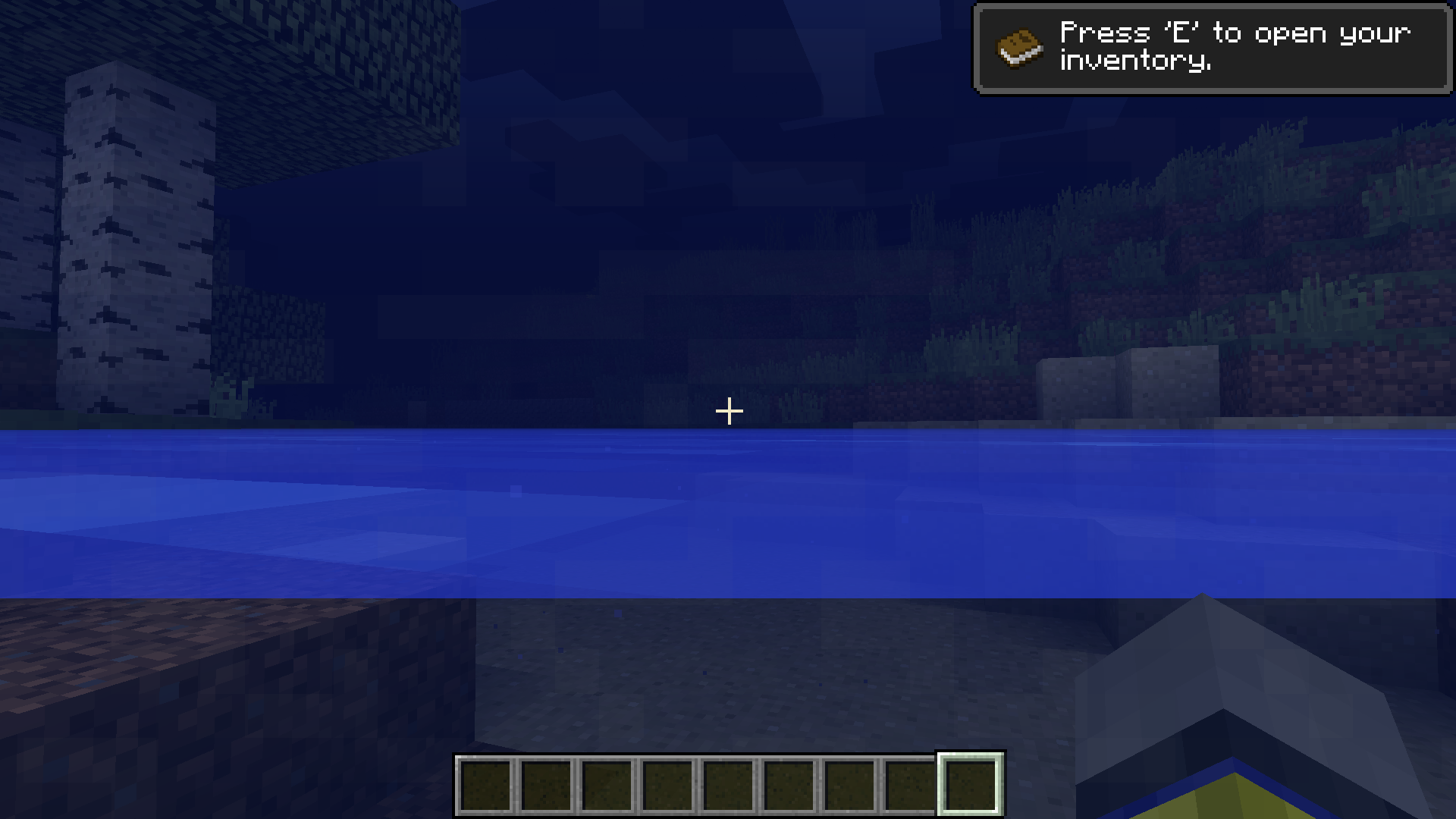
I couldn't find another bug reported listed for this. This bug has really been bothering me because I thought it would have been caught and fixed already. It would be great to get it fixed for 'update aquatic'! Here's to hoping it and other water rendering bugs can be squashed once and for all.
So does that mean this bug is the result of a fix for a more serious bug? This problem hasn't existed in most versions of Minecraft and I didn't notice any other serious flickering issues.
The hand movement is happening in singleplayer as well.
If you're at the top of a "bob" motion in the water and you stop holding jump, you will quickly sink into the water due to gravity. However, if you release jump right before the top, you'll 'glide' and slowly sink into the water, or if you start sprinting, you'll glide horizontally across the water. If you continue to bob and sprint, you'll sprint on the water.
Also affects 1.13-pre2
I am no longer experiencing this issue in 1.13. It seems to have been fixed by optimizations in chunk loading.
I've had this issue multiple times while connecting to complex plugin-using servers.
Most blocks look fine in the inventory and player hand and only have a missing texture when placed. Some items have missing textures in the inventory.
Still an issue (Windows 10.0.18363). How hard could it possibly be to fix this issue?