Smooth lighting doesn't work properly underwater
Linked Issues
is duplicated by11
 MC-125779Smooth Lightning doesn't works well underwaterDuplicateMC-147920Underwater the blocks create shadows that are too darkDuplicateMC-147988Ambient occlusion doesn't work properly underwaterDuplicateMC-149211Light / shading does not render properly near slopes when underwaterDuplicateMC-152270Underwater blocks create too dark shadowsDuplicateMC-152813Underwater blocks create too dark shadowsDuplicateMC-157630Sand lighting bug if it is underwaterDuplicateMC-159004Previous versions of underwater lighting systems are smoother than the latest versions.DuplicateMC-166241The lighting of blocks look weird under water.DuplicateMC-184160Lighting underwater is still broken in 20w21aDuplicateMC-213607Light spreading wrongly underwaterDuplicate
relates to11
MC-148689Smooth lighting / block shading does not work properly in certain cases LowMC-197497Smooth lighting transition from level 1 to 0 is not smooth
 Normal
 MCPE-131857Smooth lighting sometimes doesn't work properly underwaterFixedMC-93869Blocks in front of extended pistons without blocks on the side darken the piston arm if smooth lighting is onLowMC-138211Smooth lighting / ambient occlusion is incorrect (asymmetrical) on south-east and north-west cornersLowMC-11783Stacking snow lighting inconsistency (smooth lighting)FixedMC-58668Smooth Lighting Minimum and Maximum levels no longer differFixedMC-139734Certain block configurations cause sharp contrasts when smooth lighting is enabledLowMC-227302Smooth lighting doesn't work properly on the water surfaceNormalMC-12558Light leaking through corners with Smooth Lighting onNormalMC-43968Ambient occlusion bug on staircase structures Normal
Attachments13




![[Mod] Avoma](../../../data/avatars/users/86198.png)


- Fixed
 Connor Steppie
- Austin Mackinnon
![[Mojang] Georgii Gavrichev](../../../data/avatars/users/22428.png) [Mojang] Georgii Gavrichev
[Mojang] Georgii Gavrichev- 66
- 25
- Confirmed
- Normal
- Lighting Rendering
- mojang_internal_1 rendering smooth-lighting smooth-lighting-interpolation-incorrect smooth-lighting-not-smooth
14w34b - 21w20a
14w34b 1.8 1.8.1 1.8.2-pre1 1.8.3 1.10.2 16w41a 16w42a 16w43a 16w44a 1.12.2 17w50a 18w07c 18w09a 1.13-pre6 1.13-pre7 1.13-pre8 1.13-pre9 1.13-pre10 1.13 18w30a 18w31a 18w32a 1.13.1-pre1 1.13.1-pre2 1.13.1 1.13.2-pre1 1.13.2-pre2 18w43b 18w43c 18w44a 18w45a 18w46a 18w47a 18w47b 18w48a 18w48b 18w49a 18w50a 19w02a 19w03a 19w03b 19w04a 19w05a 19w06a 19w07a 19w08b 19w09a 19w11a 19w12a 19w12b 19w13a 19w13b 19w14a 19w14b 1.14-pre1 1.14-pre2 1.14-pre3 1.14-pre4 1.14-pre5 1.14 1.14.2-pre3 1.14.2 1.14.3-pre3 1.14.3-pre4 1.14.4 19w34a 19w35a 19w36a 19w37a 19w38b 19w39a 19w40a 19w41a 19w42a 19w44a 19w45b 19w46b 1.15-pre1 1.15-pre2 1.15-pre3 1.15-pre4 1.15-pre6 1.15-pre7 1.15.1 1.15.1-pre1 1.15.2-pre1 1.15.2-pre2 1.15.2 20w06a 20w07a 20w08a 20w09a 20w10a 20w11a 20w12a 20w13a 20w14a 20w15a 20w17a 20w20a 20w20b 20w21a 20w22a 1.16-pre2 1.16-pre3 1.16-pre5 20w28a 20w29a 20w30a 1.16.2-pre1 1.16.2 1.16.3 1.16.4-rc1 1.16.4 20w45a 20w46a 20w49a 20w51a 21w03a 1.16.5 21w05a 21w05b 21w06a 21w07a 21w10a 21w11a 21w14a 21w15a 21w16a 21w17a 21w20a- 1.17-pre2
Created Issue:
Smooth lighting underwater bug
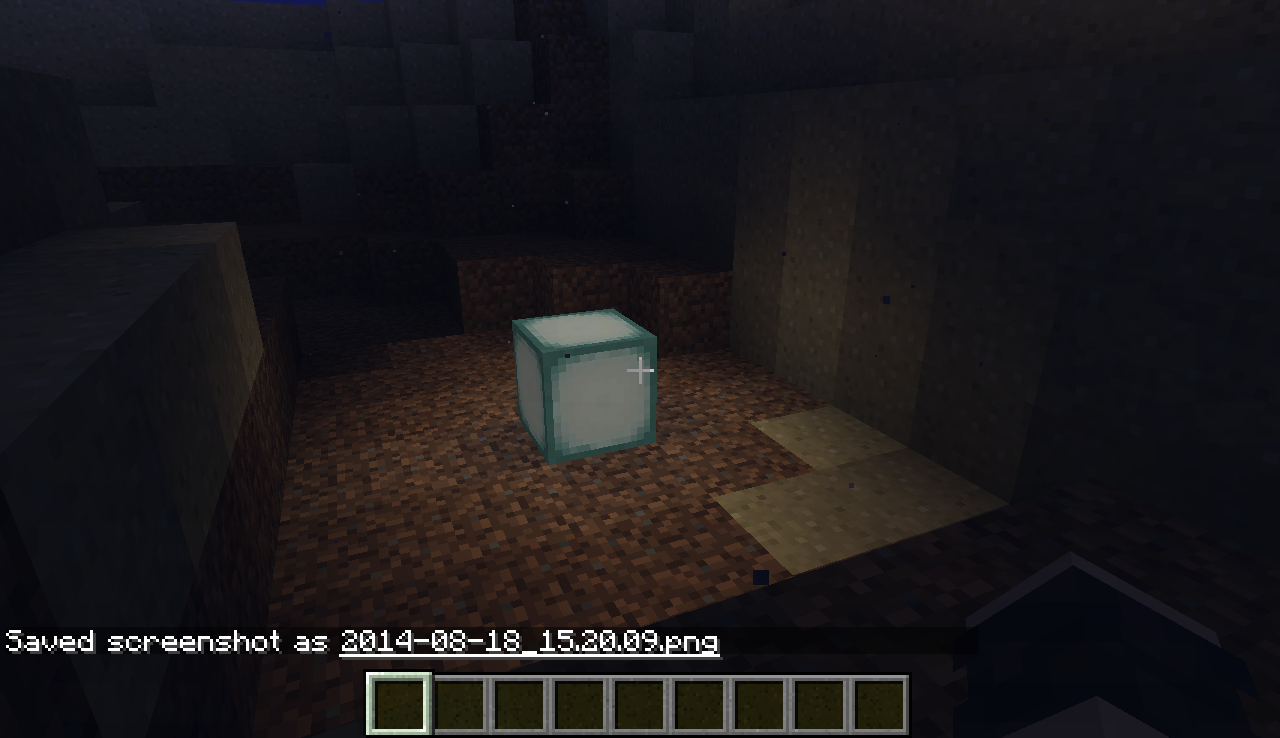
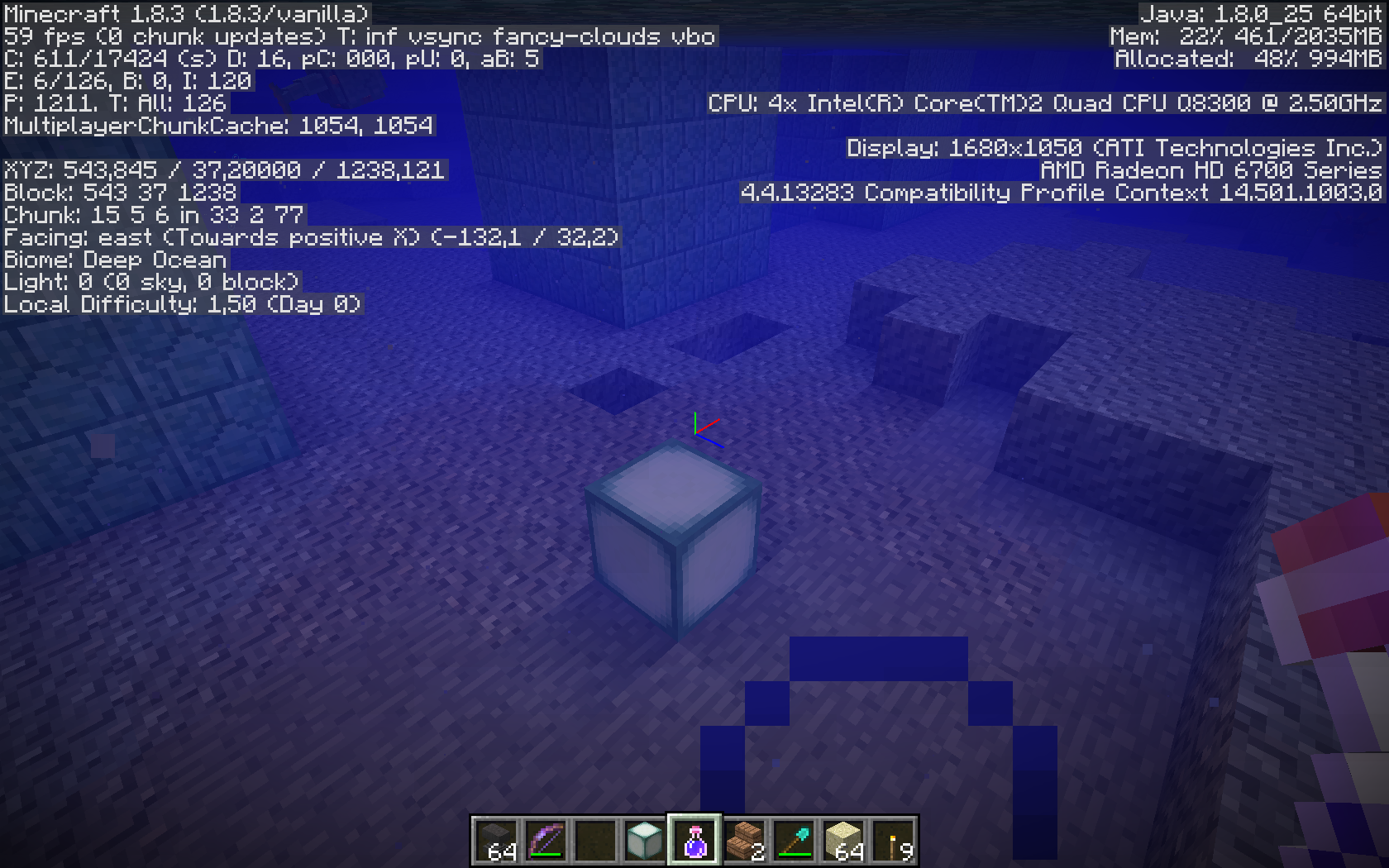
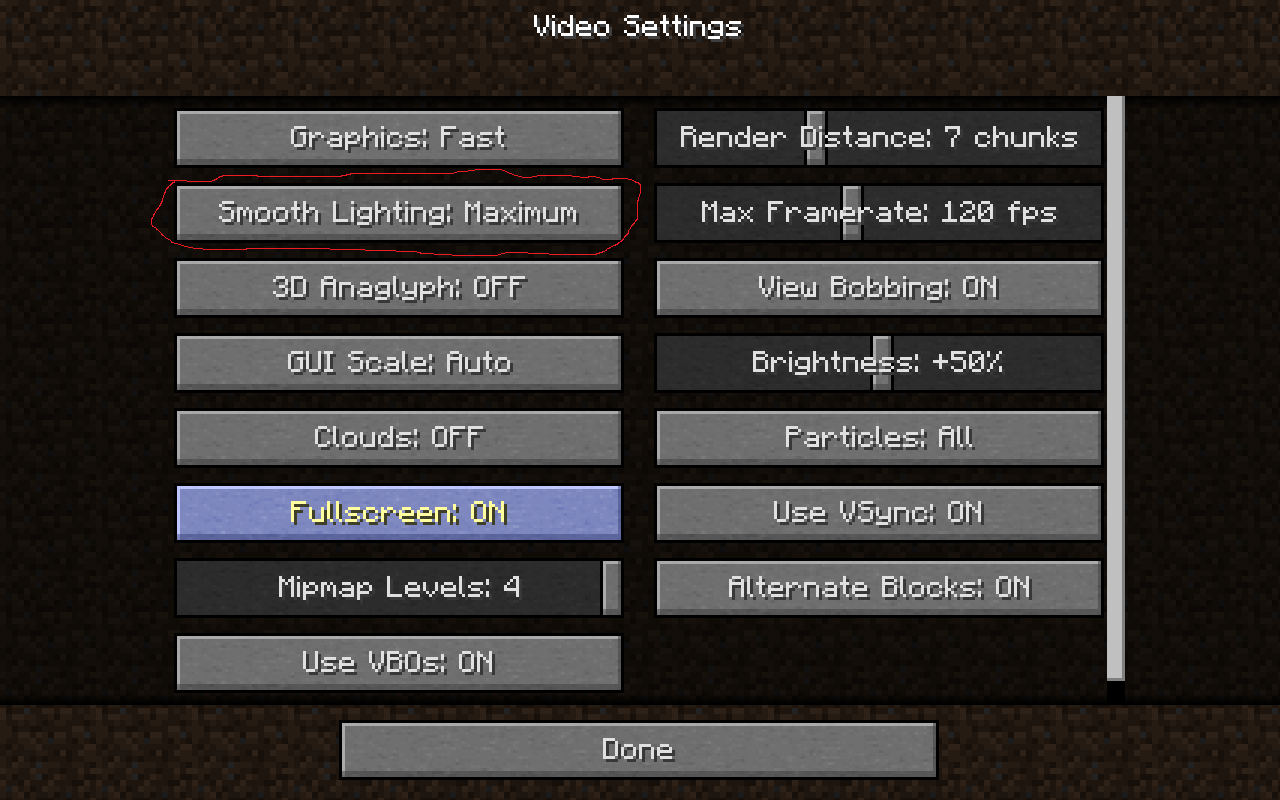
I noticed a small bug with the smooth lighting when under water, I have my settings pretty much maxed out. Especially the smooth lighting is turned all the way up. When out of water it performs perfectly (good job with that by the way!) but when you put a light under the water it acts as if smooth lighting is off. I tested all the light sources that can be underwater and all had the same effect.
Environment
Windows 7, Java 7 (the one before the latest version), Multimc 5 (I don't think that that would make a difference)
Attachments5

 2015-03-10_03.19.59.png
![[Mod] Michael Wobst](../../../data/avatars/users/37868.png)
relates to
I noticed a small bug with the smooth lighting when under water, I have my settings pretty much maxed out. Especially the smooth lighting is turned all the way up. When out of water it performs perfectly (good job with that by the way!) but when you put a light under the water it acts as if smooth lighting is off. I tested all the light sources that can be underwater and all had the same effect.
![[Mod] tryashtar](../../../data/avatars/users/41963.png)
is duplicated by
relates to
relates to
![[Mod] Neko](../../../data/avatars/users/92901.png)
relates to
![[Mojang] Nathan Adams](../../../data/assets/gravatar/dinnerbone.png)
is duplicated by
![[Mod] Pokechu22](../../../data/avatars/users/92931.png)
is duplicated by
is duplicated by
relates to
![[Mojang] slicedlime](../../../data/assets/gravatar/slicedlime.jpeg)
![[Mojang] Adrian Östergård](../../../data/assets/gravatar/nighter.jpeg) Normal
Normal![[Mod] violine1101](../../../data/avatars/users/92858.png)
![[Mod] NeunEinser](../../../data/avatars/users/39263.png)
is duplicated by
![[Bot] Arisa](../../../data/avatars/users/43007.png)

is duplicated by
is duplicated by
relates to
relates to
[Mojang] Georgii Gavrichevrelates to
![[Mod] Chandler](../../../data/assets/gravatar/triwonder81.png)
![[Helper] gaspoweredpick](../../../data/avatars/users/80904.png)
![[Helper] Johnibur](../../../data/avatars/users/28381.png)
is duplicated by
![[Mod] markderickson](../../../data/avatars/users/18946.svg)
![[Bot] Piston](../../../data/avatars/users/31202.png)

Short lived I guess.
The bug appears to have returned in 1.17-pre3.
is duplicated by
relates to
is duplicated by
relates to
relates to
relates to
![[Mod] OcelotOnesie](../../../data/avatars/users/43220.png)
relates to


I don't think so. Because in MC-68129, the glowstone's lighting ONLY effects the walls, not the floor.
Anyways, please fix this because my underwater base looks very bad with this giltch.
Thank you for your report!
However, this issue is a Duplicate of MC-68129.
It has been linked to this report. If you have additional information, please add it to that report.
Please search before reporting, as it's likely that one exists already.
Quick Links:
📓 Issue Guidelines – 💬 Community Support – 📧 Customer Support – 📖 Game Wiki
Thank you for your report!
We're tracking this issue in MC-68129, so this ticket is being resolved and linked as a duplicate.
If you would like to add a vote and any extra information to the main ticket it would be appreciated.
If you haven't already, you might like to make use of the search feature to see if the issue has already been mentioned.
Quick Links:
📓 Issue Guidelines – 💬 Community Support – 📧 Mojang Support – ✍️ Feedback and Suggestions – 📖 Game Wiki
– I am a bot. This action was performed automatically! Please report any issues in Discord or Reddit
This appears to be a duplicate of MC-68129, which hasn't yet been resolved. If you have any additional information to provide regarding this issue, feel free to comment on the parent ticket. If you feel that this issue is affecting you, feel free to vote for the duplicated ticket, to give Mojang a basic idea of how many people are impacted by the problem. Just to further inform you, this will not determine how quickly the bug gets handled or fixed.
Yeah, this is the same as MC-68129.
This happens when brightness is set to moody, even if smooth lightning is enabled. The smooth lighting is calculated incorrectly, therefore the blocks next to the glowstone seem to be too dark (except they actually aren't, it's just the blocks next to them that have the wrong light level).
Found while testing the fix to MC-68129.
The bug
It seems that underwater smooth lighting, while interpolating, lights the edges between blocks more than the centers of blocks, resulting in some grid-like patterns of light.
How to reproduce
- /fill ~ ~ ~ ~6 ~6 ~6 minecraft:white_concrete hollow
- Enter this new cube and repair it while staying at the corner closest to you when you created it
- /fill ~ ~ ~ ~4 ~2 ~4 water
- Replace any one of the ceiling blocks with glowstone
Expected result
The lighting underwater would be completely smooth, especially counting the fix for MC-68129.
Actual result
There are clear discontinuities in the lighting - lines parallel to and one block away from the walls appear the brightest, and there are plenty of considerably more obvious sharp boundaries perpendicular to the walls as well.
Duplicate of MC-68129, which has been fixed in 1.17 Pre-release 2.
Thank you for your report!
We're tracking this issue in MC-68129, so this ticket is being resolved and linked as a duplicate.
That ticket has already been resolved as Fixed. Please check the Fix Version/s field in that ticket to see in which version this behavior was or will be fixed.
If you haven't already, you might like to make use of the search feature to see if the issue has already been mentioned.
Quick Links:
📓 Bug Tracker Guidelines – 💬 Community Support – 📧 Mojang Support
📓 Project Summary – ✍️ Feedback and Suggestions – 📖 Game Wiki
– I am a bot. This action was performed automatically! If you think it was incorrect, please notify us on Discord or Reddit
This is an older issue, previously tracked in MC-1531 and MC-68129.
The bug
Smooth lighting doesn't work on the water surface. Simple as that.
Screenshot

Smooth lighting is at maximum in this screenshot.
Note
[Mojang] Felix Jones is aware of this issue: https://twitter.com/Xilefian/status/1399412383710318592
![[Helper] lillybeacon](../../../data/avatars/users/93893.png)
Relates to MC-68129
The smooth lighting underwater on Bedrock Edition is not smooth, even when enabling smooth lighting. This only happens when you're getting close to it.
Can't confirm in 1.8.3. Looking at your screenshots, you don't seem to actually be having the problem you are describing. That lighting is perfectly smooth.
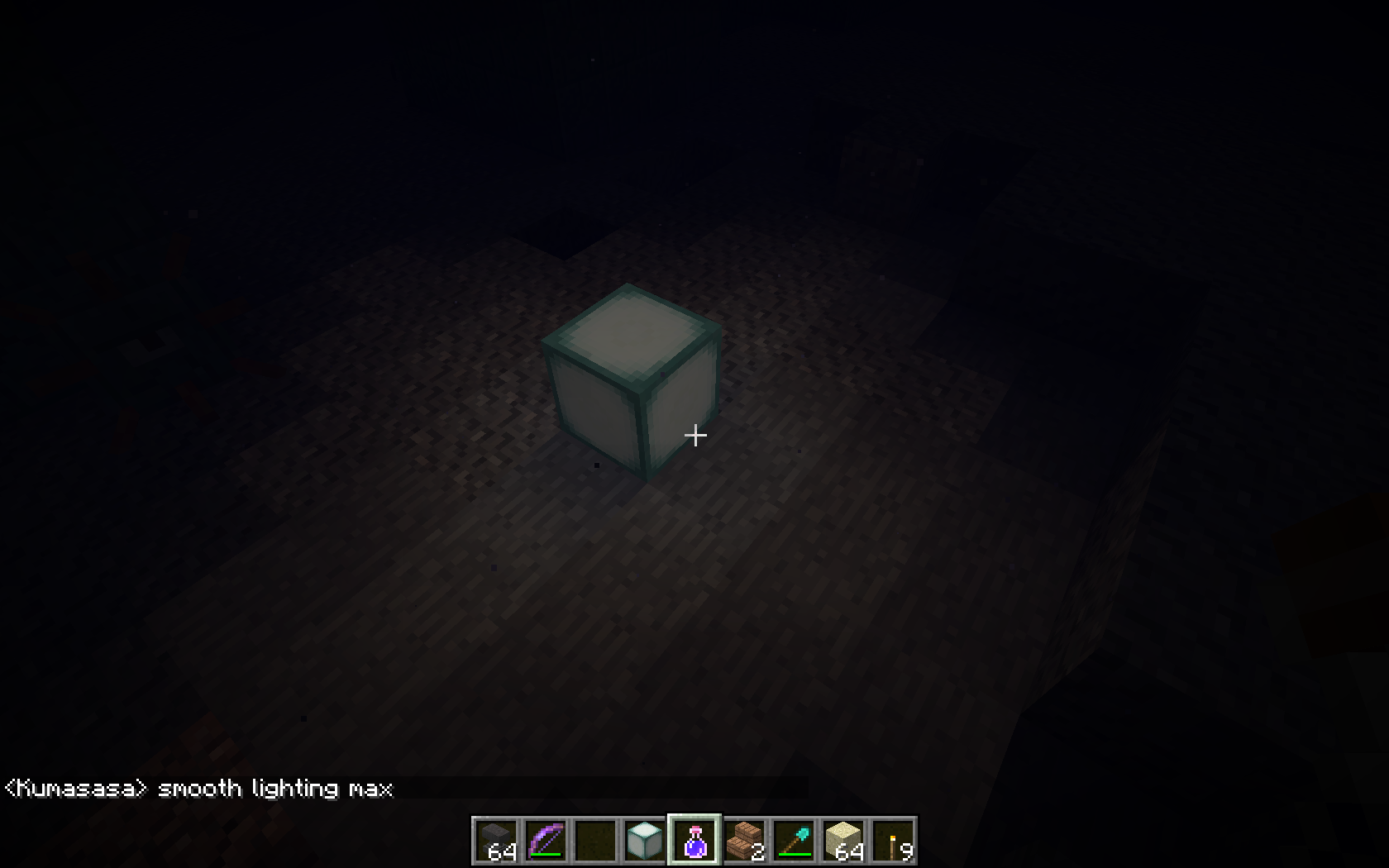
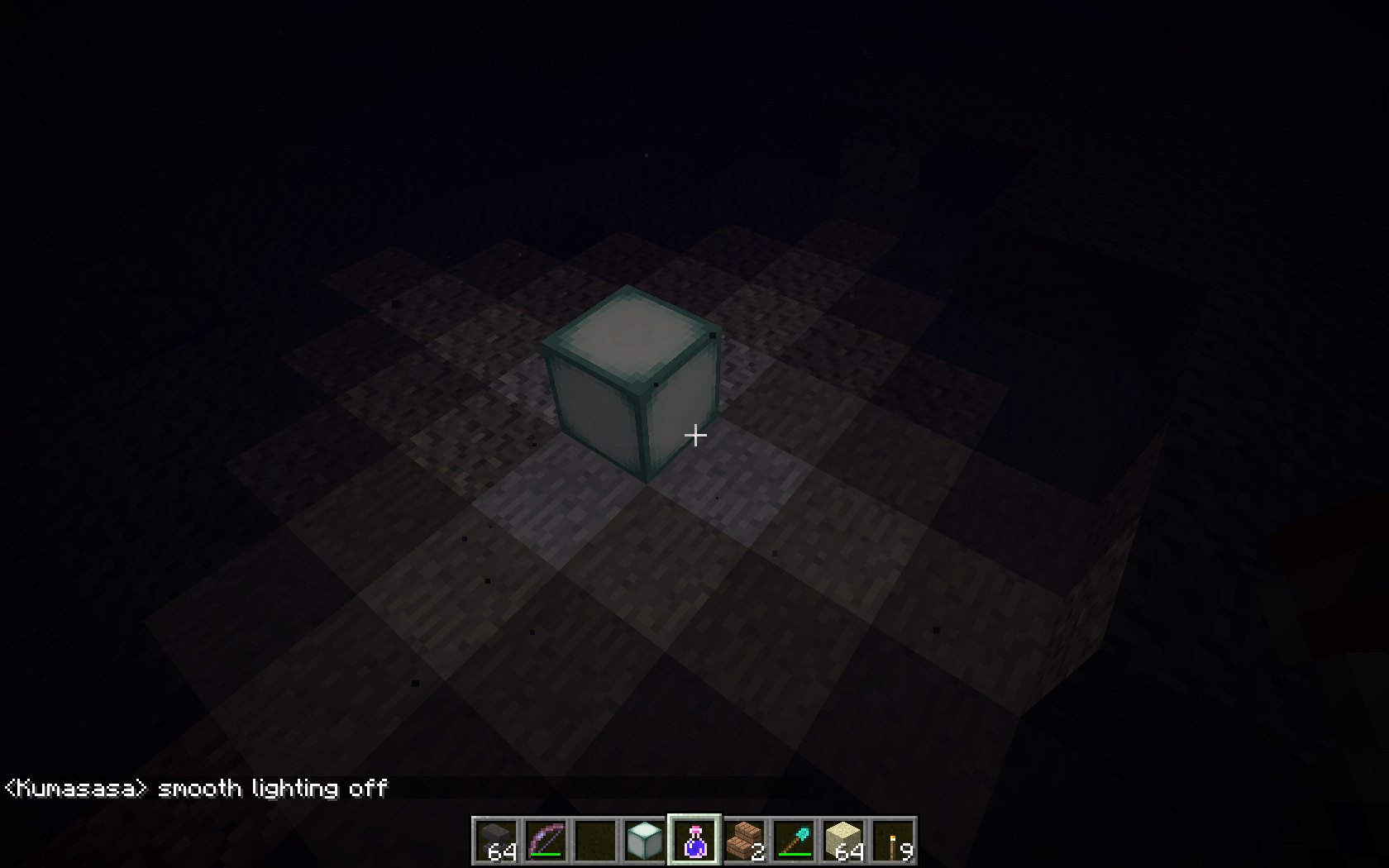
Confirmed in 1.8.3, best visible on a light underground, see screenshots with Respiration III and Night vision
Still not happening to me. I see a very visible difference between the two settings. See attached screenshots.
There is a difference between smooth lighting off and max, but event at max setting it's not smooth as outside of the water.
Oh, all right. I guess it depends on the exact conditions.
Confirmed for 1.12-pre7
It would be great to get this looked into for Minecraft 1.13 since the update is underwater themed and there are many other water-related technical changes.
Affects 18w09a
Affects 18w14b.
Affects 1.13-pre6
Affects 1.15 pre 1
Affects 1.15.2. Is there any update on this?
Affects 1.16.1
Affects 1.16.2
Affects 1.16.3
Affects 20w45a
Affects 20w46a
Affects 20w49a
Can confirm in 20w51a.
Can confirm in 21w03a.
Affects 21w03a
Can confirm in 21w05a.
Can confirm in 21w05b.
Affects 21w06a
Can confirm in 21w07a.
Affects 21w10a
Affects 21w11a
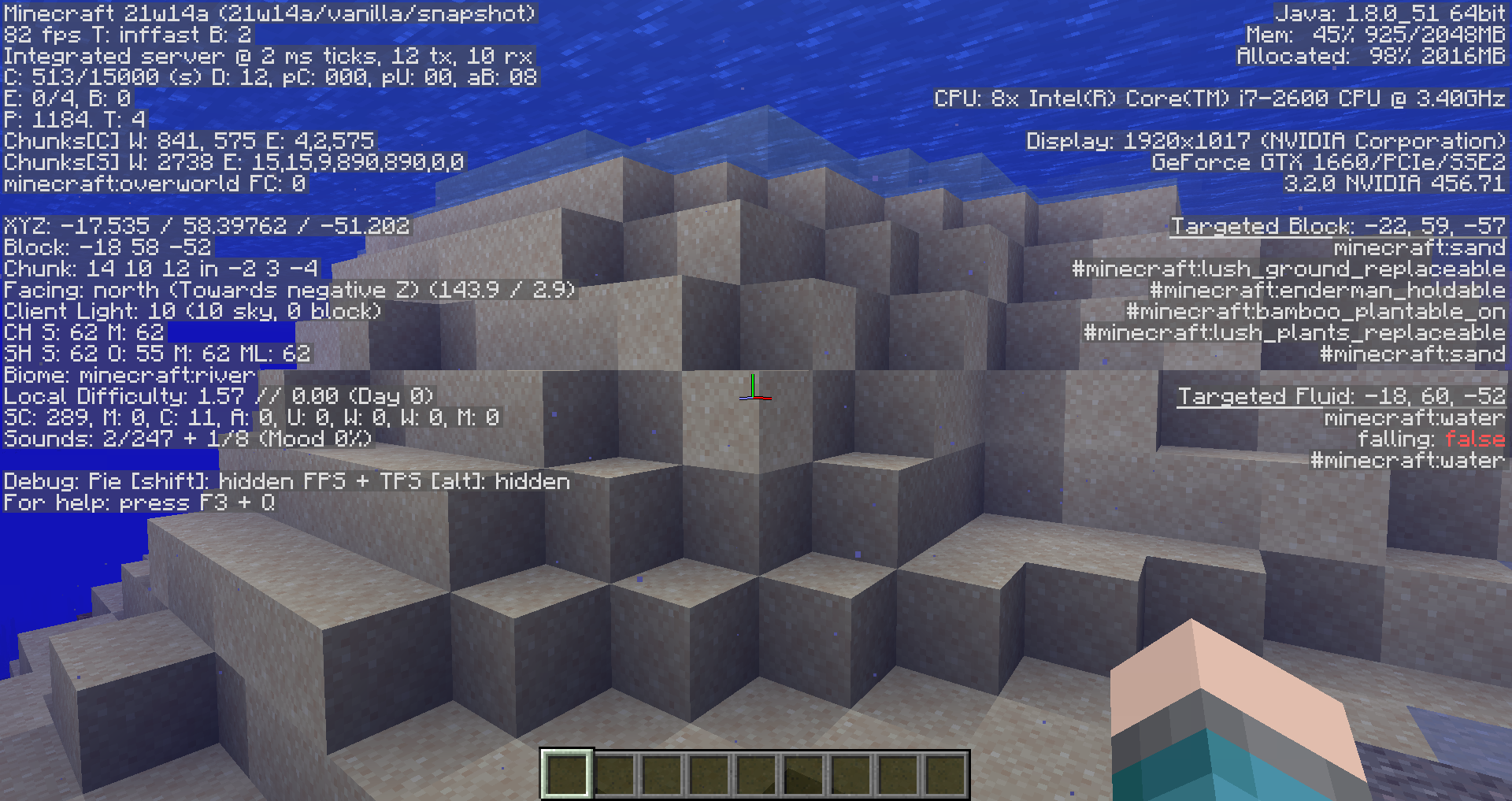
It happens even if block is not emmiting light:
Can confirm in 21w14a.
Can confirm in 21w15a.
Can confirm in 21w16a.
Can confirm in 21w17a.
its getting fixed?!!?!?! Finally!!!!!!
What? I wasn't expecting that bug to be ever fixed. But I understand why, if it didn't affect a newly added thing (
MC-205840), Mojang wouldn't fix it and it would take even longer to be fixed.This still happens in 1.17 Release candidate 2.
NetherRain23, your screenshot shows that smooth lighting doesn't work on the surface of the water, and that is currently being tracked in MC-227302.