 Alejandro Bentivengo
- clodan
- clodan
- America/Argentina/Buenos_Aires
- Yes
- No
 MC-5880














[Server] Extreme usage of RAM after some hours of playing
Some background information:
A friend and I decieded to opt in on the snapshot versions, so after some problems here and there to get the server running on MineOS, we finally got it.
I normally leave the server running as it is a VM running on my PC, It doesnt use too many resources so yeah, thats that.The problem:
After playing for about 2 or 3 hours I noticed on the MineOS panel that the server was using about 1GB of ram, at the moment I didnt pay too much attention to it, si we kept playing normally. 2 hours later I checked again on MineOS just to see it the server cleared up some of the RAM, and I honestly got really surprised to see that it was using 3GB of RAM.We didnt go too far on the map, so there wasnt much loaded, like we only went 400blocks in each direction from spawn.
I'm not sure whats going on, the server felt smooth and it was working pretty good, but on the RAM usage it was almost maxed out (i got it setted up to use a max of 3.1GB).
I've tested this with other versions of Minecraft and they all work fine on MineOS.
How to reproduce:
Get a server running on MineOS or a linux host with specs above. Play for about 4hours and check the RAM usage.Is this a WIP?
If needed I can download the full server world and files and upload it to MU, or grant admin access to the site so you can check out the server.Thanks!
EDIT:
Still happening in 33b and 33c
Some background information:
A friend and I decieded to opt in on the snapshot versions, so after some problems here and there to get the server running on MineOS, we finally got it.
I normally leave the server running as it is a VM running on my PC, It doesnt use too many resources so yeah, thats that.The problem:
After playing for about 2 or 3 hours I noticed on the MineOS panel that the server was using about 1GB of ram, at the moment I didnt pay too much attention to it, si we kept playing normally. 2 hours later I checked again on MineOS just to see it the server cleared up some of the RAM, and I honestly got really surprised to see that it was using 3GB of RAM.We didnt go too far on the map, so there wasnt much loaded, like we only went 400blocks in each direction from spawn.
I'm not sure whats going on, the server felt smooth and it was working pretty good, but on the RAM usage it was almost maxed out (i got it setted up to use a max of 3.1GB).
I've tested this with other versions of Minecraft and they all work fine on MineOS.
How to reproduce:
Get a server running on MineOS or a linux host with specs above. Play for about 4hours and check the RAM usage.Is this a WIP?
If needed I can download the full server world and files and upload it to MU, or grant admin access to the site so you can check out the server.Thanks!
EDIT:
Still happening in 33b and 33cSome background information:
A friend and I decieded to opt in on the snapshot versions, so after some problems here and there to get the server running on MineOS, we finally got it.
I normally leave the server running as it is a VM running on my PC, It doesnt use too many resources so yeah, thats that.The problem:
After playing for about 2 or 3 hours I noticed on the MineOS panel that the server was using about 1GB of ram, at the moment I didnt pay too much attention to it, si we kept playing normally. 2 hours later I checked again on MineOS just to see it the server cleared up some of the RAM, and I honestly got really surprised to see that it was using 3GB of RAM.We didnt go too far on the map, so there wasnt much loaded, like we only went 400blocks in each direction from spawn.
I'm not sure whats going on, the server felt smooth and it was working pretty good, but on the RAM usage it was almost maxed out (i got it setted up to use a max of 3.1GB).
I've tested this with other versions of Minecraft and they all work fine on MineOS.
How to reproduce:
Get a server running on MineOS or a linux host with specs above. Play for about 4hours and check the RAM usage.Is this a WIP?
If needed I can download the full server world and files and upload it to MU, or grant admin access to the site so you can check out the server.Thanks!
EDIT:
Still happening in all newer versions for 1.8... Couldnt make it to happen in the 1.7 older versions...
Some background information:
A friend and I decieded to opt in on the snapshot versions, so after some problems here and there to get the server running on MineOS, we finally got it.
I normally leave the server running as it is a VM running on my PC, It doesnt use too many resources so yeah, thats that.The problem:
After playing for about 2 or 3 hours I noticed on the MineOS panel that the server was using about 1GB of ram, at the moment I didnt pay too much attention to it, siwe kept playing normally. 2 hours later I checked again on MineOS just to see itthe server cleared up some of the RAM, and I honestly got really surprised to see that it was using 3GB of RAM.We didnt go too far on the map, so there wasnt much loaded, like we only went 400blocks in each direction from spawn.
I'm not sure whats going on, the server felt smooth and it was working pretty good, but on the RAM usage it was almost maxed out (i got it setted up to use a max of 3.1GB).
I've tested this with other versions of Minecraft and they all work fine on MineOS.
How to reproduce:
Get a server running on MineOS or a linux host with specs above. Play for about 4hours and check the RAM usage.Is this a WIP?
If needed I can download the full server world and files and upload it to MU, or grant admin access to the site so you can check out the server.Thanks!
EDIT:
Still happening in all newer versions for 1.8... Couldnt make it to happen in the 1.7 older versions...Some background information:
A friend and I decieded to opt in on the snapshot versions, so after some problems here and there to get the server running on MineOS, we finally got it.
I normally leave the server running as it is a VM running on my PC, It doesnt use too many resources so yeah, thats that.The problem:
After playing for about 2 or 3 hours I noticed on the MineOS panel that the server was using about 1GB of ram, at the moment I didnt pay too much attention to it, so we kept playing normally. 2 hours later I checked again on MineOS just to see if the server cleared up some of the RAM it was using, and I honestly got really surprised to see that it was using 3GB of RAM.We didnt go too far on the map, so there wasnt much loaded, like we only went 400blocks in each direction from spawn.
I'm not sure whats going on, the server felt smooth and it was working pretty good, but on the RAM usage it was almost maxed out (i got it setted up to use a max of 3.1GB).
I've tested this with other versions of Minecraft and they all work fine on MineOS.
How to reproduce:
Get a server running on MineOS or a linux host with specs above. Play for about 4hours and check the RAM usage.Is this a WIP?
If needed I can download the full server world and files and upload it to MU, or grant admin access to the site so you can check out the server.Thanks!
EDIT:
Still happening in all newer versions for 1.8... Couldnt make it to happen in the 1.7 older versions...
MineOS Linux server running in a virtual image:
java version "1.7.0_65"
OpenJDKRuntime Environment (IcedTea 2.5.1) (7u65-2.5.1-2~deb7u1)
OpenJDK64-Bit Server VM (build 24.65-b04, mixed mode)
More info:
Linux core 3.2.0-4-amd64 #1 SMP Debian 3.2.60-1+deb7u3 x86_64 GNU/LinuxMineOS Linux server running in a virtual image:
java version "1.7.0_67"
Java(TM) SE Runtime Environment (build 1.7.0_67-b01)
Java HotSpot(TM) 64-Bit Server VM (build 24.65-b04, mixed mode)
More info:
Linux core 3.2.0-4-amd64 #1 SMP Debian 3.2.60-1+deb7u3 x86_64 GNU/Linux
THE SERVER IS NOT MODDED!
How to:
1) Find a zombie spawner.
2) Make an XP farm out of it
3) Leave the player AFK
4) Server will crash after reaching aproximately 500-600 zombies.Other info:
Im attaching the crash report for further reference


@Alejandro Bentivengo: As said before: An increase of memory up to the limits specified in the JVM arguments normal.
This ticket is about Warren Liddell's problems
the Block Lag & Server Tick takes to long an console starts screaming and eventually crashes due to watchdog
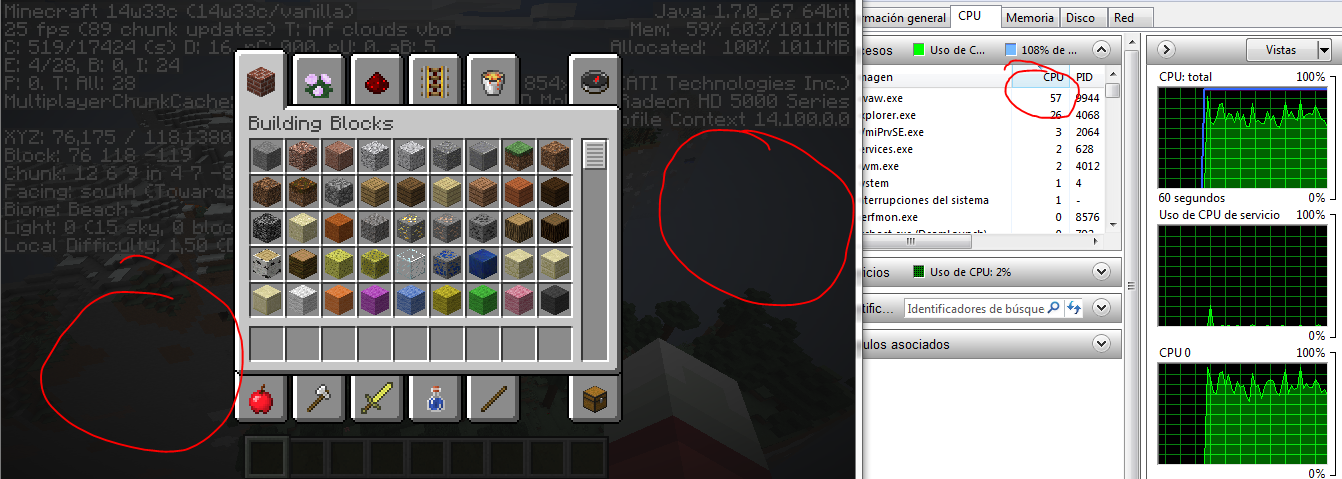
Same happening to me. No problem on multiplayer, just on SP for me.
My System:
Dell N5010 (the model with the AMD VGA and the I5 processor)
OS: Windows 7 Ultimate 64b.
Java stuff:
java version "1.7.0_60"
Java(TM) SE Runtime Environment (build 1.7.0_60-b19)
Java HotSpot(TM) 64-Bit Server VM (build 24.60-b09, mixed mode)
EDIT:
I've just updated to the last java version (u67) and it keeps happening. In fact the problem looks like what would happen with HIGH ping on a server. When you try to drop items you drop nothing, when you try to spean, nothing pops on the chat window.
EDIT2:
I've just added more screenshots showing what is going on. The world IS generating, but at a REALLY slow pace.
EDIT3:
This is my launcher log after the failed attempt of creating a new world:
[02:23:25] [Thread-6/INFO]: Initializing LWJGL OpenAL
[02:23:25] [Thread-6/INFO]: (The LWJGL binding of OpenAL. For more information, see http://www.lwjgl.org)
[02:23:25] [Thread-6/INFO]: OpenAL initialized.
[02:23:25] [Sound Library Loader/INFO]: Sound engine started
[02:23:28] [Client thread/INFO]: Created: 512x512 textures-atlas
[02:23:35] [Client thread/INFO]: Deleting level New World
[02:23:35] [Client thread/INFO]: Attempt 1...
[02:23:43] [Server thread/INFO]: Starting integrated minecraft server version 14w33c
[02:23:43] [Server thread/INFO]: Generating keypair
[02:23:43] [Server thread/INFO]: Converting map!
[02:23:43] [Server thread/INFO]: Scanning folders...
[02:23:43] [Server thread/INFO]: Total conversion count is 0
[02:23:43] [Server thread/INFO]: Preparing start region for level 0
[02:23:44] [Server thread/INFO]: Preparing spawn area: 5%
[02:23:45] [Server thread/INFO]: Preparing spawn area: 14%
[02:23:46] [Server thread/INFO]: Preparing spawn area: 26%
[02:23:47] [Server thread/INFO]: Preparing spawn area: 38%
[02:23:48] [Server thread/INFO]: Preparing spawn area: 51%
[02:23:49] [Server thread/INFO]: Preparing spawn area: 64%
[02:23:50] [Server thread/INFO]: Preparing spawn area: 75%
[02:23:51] [Server thread/INFO]: Preparing spawn area: 89%
[02:23:52] [Server thread/INFO]: Changing view distance to 24, from 10
[02:23:53] [Server thread/INFO]: clodan[local:E:aec2f15c] logged in with entity id 270 at (-106.5, 62.0, 264.5)
[02:23:53] [Server thread/INFO]: clodan joined the game
[02:24:36] [Server thread/WARN]: Can't keep up! Did the system time change, or is the server overloaded? Running 44036ms behind, skipping 880 tick(s)
[02:24:36] [Server thread/INFO]: Saving and pausing game...
[02:24:36] [Server thread/INFO]: Saving chunks for level 'New World'/Overworld
[02:26:24] [Server thread/INFO]: Saving chunks for level 'New World'/Nether
[02:26:24] [Server thread/INFO]: Saving chunks for level 'New World'/The End
[02:26:24] [Server thread/INFO]: [clodan: Set own game mode to Survival Mode]
[02:26:24] [Server thread/INFO]: [clodan: Set own game mode to Creative Mode]
[02:26:24] [Server thread/INFO]: clodan has just earned the achievement [Taking Inventory]
[02:26:24] [Server thread/INFO]: [clodan: Set own game mode to Survival Mode]
[02:26:25] [Client thread/INFO]: [CHAT] Your game mode has been updated
[02:26:25] [Client thread/INFO]: [CHAT] Your game mode has been updated
[02:26:25] [Client thread/INFO]: [CHAT] clodan has just earned the achievement [Taking Inventory]
[02:26:25] [Client thread/INFO]: [CHAT] Your game mode has been updated
[02:26:34] [Server thread/WARN]: Can't keep up! Did the system time change, or is the server overloaded? Running 117294ms behind, skipping 2345 tick(s)
[02:26:36] [Server thread/INFO]: [clodan: Set own game mode to Creative Mode]
[02:26:36] [Client thread/INFO]: [CHAT] Your game mode has been updated
[02:26:42] [Server thread/WARN]: Can't keep up! Did the system time change, or is the server overloaded? Running 8715ms behind, skipping 174 tick(s)
[02:27:18] [Server thread/INFO]: Changing view distance to 16, from 24
[02:27:18] [Server thread/INFO]: Saving and pausing game...
[02:27:18] [Server thread/INFO]: Saving chunks for level 'New World'/Overworld
[02:29:13] [Server thread/INFO]: Saving chunks for level 'New World'/Nether
[02:29:13] [Server thread/INFO]: Saving chunks for level 'New World'/The End
[02:30:38] [Server thread/INFO]: Saving and pausing game...
[02:30:38] [Server thread/INFO]: Saving chunks for level 'New World'/Overworld
[02:31:32] [Server thread/INFO]: Saving chunks for level 'New World'/Nether
[02:31:32] [Server thread/INFO]: Saving chunks for level 'New World'/The End
[02:33:16] [Server thread/WARN]: Can't keep up! Did the system time change, or is the server overloaded? Running 6459ms behind, skipping 129 tick(s)
[02:33:36] [Server thread/INFO]: Saving and pausing game...
[02:33:36] [Server thread/INFO]: Saving chunks for level 'New World'/Overworld
[02:34:26] [Server thread/INFO]: Saving chunks for level 'New World'/Nether
[02:34:26] [Server thread/INFO]: Saving chunks for level 'New World'/The End
[02:36:20] [Server thread/WARN]: Biome ID is out of bounds: 182256, defaulting to 0 (Ocean)
[02:36:20] [Server thread/WARN]: Biome ID is out of bounds: 182256, defaulting to 0 (Ocean)
[02:36:20] [Server thread/WARN]: Biome ID is out of bounds: 182256, defaulting to 0 (Ocean)
[02:36:20] [Server thread/WARN]: Biome ID is out of bounds: 182256, defaulting to 0 (Ocean)
[02:36:20] [Server thread/WARN]: Biome ID is out of bounds: 182256, defaulting to 0 (Ocean)
[02:36:20] [Server thread/WARN]: Biome ID is out of bounds: 182256, defaulting to 0 (Ocean)
[02:36:20] [Server thread/WARN]: Biome ID is out of bounds: 182256, defaulting to 0 (Ocean)
[02:36:20] [Server thread/WARN]: Biome ID is out of bounds: 182256, defaulting to 0 (Ocean)
[02:36:32] [Server thread/INFO]: Changing view distance to 32, from 16
screenshots with more information
still happening in last snapshot (14w34b) on mutliplayer. Just logged off from my server and a couple of animales with name tags were roaming around out of the fenced areas.
Confirmed on 1.8pre-1
Sheep are being affected for me. Today I found 2 of my blue sheep roaming around close by outside of their pen.
Check the system specs, there is no reason for a server to crash with only 500 entities. I could host a single player map and get more than 1000 with half the ram assigned to the game.
This has nothing to do with server capacity, as the server works perfectly without any lag seconds before it crashes.
If it was a problem with the capacity of the server, lag would be extremly noticeable much before it crashes.
I think you are right Steven, I just checked my server log and it looks like it cant keep up. Its so strange though... like 3Gb RAM and 4 cores working at 3.0Ghz should be powerfull enough to handle this... I'm attaching the server log ASAP..
Its strange that with older versions (1.6.4) I could get over 1000 entities and with newer versions (I only tested this on the last snapshots) it doesnt work...
I've just increased the amount of threads for the VM and the amount of RAM assigned to 5Gb. I'll try again and come back with the results
I can confirm this happens to me too on a MineOS VM
BTW, this I believe is the same report as
MC-67517Owner, please check if it relates to that problem.
Uploading image with my current server running a little over 12hs with no players connected. Terrible memory leak...
Please check my thread
MC-67517as I believe this is a duplicate. I am willing to let mods log in remotely if necesary to fix the problem.This is how my server looks right now, its been running for almost 12-14hs. Now there is NO ONE connected, but its still using 3.3GB of memory. What for? I have no idea... It just keeps taking memory, but never gives it back. Looks like somewhere chunks are just loaded and loaded, but never cleaned from the memory after usage... or maybe entities? or maybe both? No idea...
it fills up until it reaches the maximum memory allocated for the server (java_xmx)...
I've tried different java tweeks to try to reduce the problem, but its certenly not a problem with the JVM. This problem started with this last version of the game, on 1.7 i didnt have any problems at all.
I will publish down here the setting im using right now for the server, after trying many many (MAAAAANY) different tweeks, this onces worked the best by keeping a relatively low ammount of memory used:
-XX:+UseConcMarkSweepGC -XX:+UseParNewGC -XX:+CMSIncrementalPacing -XX:ParallelGCThreads=2 -XX:+AggressiveOpts -Xincgc -XX:PermSize=512m
I've just updated my java version from OpenJDK to the last Oracle Java JRE (1.7.0_67)
Will come back with results in a few hours.
@CaptainStarbuck i dont think thats the solution to the problem. 1 + 2 = 3, as much as 2 + 1 = 3. The way you unload the chunks and entities doesnt really matter imo. A valid solution could be that entities inside a transparent block as fences al teleported to an adyacent free air space. If we say the entitie is at X: 3.4, Y: 70, Z: 3.47, it should be teleported to X: 3, Y: 70, Z: 3. This would be just a quick fix that i can think of as im writting this. No idea of its aplicable or not. What Im trying to say though is that it doesnt matter the order in which you unload stuff. Or at least it shouldnt
Of couse im saying this taking into account that entitied shouldnt move before the chunk is loaded. Otherwise you would find dead chicken, cows, even villagers everywhere sofocating in walls and stuff. Again, unless transparent blocks are not even seen by entities, in that case they could just traverse them. But, right here is where I at least hit the wall as im just talking off without even knowing the source code. We could be right or we could be as wrong as it can get, hopefully mojang fixes this soon. As far as I've heard, in the last patch overhaul, they did some intresting patching to the block data itself, so might finally be seeing the light at the end of the tunnel here
I've never allowed the server to run at max mem usage just because it MIGHT crash and corrupt the world save. So I have no idea what happens.
After testing the oracle version, everything seems exactly the same. The memory builds up but its never recovered.
This might also be an object pooling system being implemente into the game, but its extremely strange that a server starts using memory unit it reaches 100% without releasing some of the unused back to the system.
I just checked my server. After running for about 10hs, with a maximum of 3 persons online and 1 currently, it stands at 4500mb out of 5000mb used.
Something nasty is definetly going on. It just cant be possible that a server keep draining memory without releasing at least some.
Also, i checked the entities IDs, with fresh start, the entities IDs (seen on the log when someone joins the server) are usually pretty low. Between 500-1000. But if you check after some hours, the entities IDs rise to 100.000 and even more.
Are servers not unloading and disposing entities correctly?
I've tried that, memory filled up in less than half an hour.
I will post my server status with 3 players online right now in a sec.
I've restarted the server 45 minutes ago aprox.
This is the status right now... more than half of the memory used already, and none being returned to the system.
@Ryan I have a MineOS server which I belive is Debian based with kernel 3.x
uname -r
3.2.0-4-amd64
I can confirm that this problem is hapenning to me, not sure if thats what u wanted to check.
Kumasasa, running the server with the default Arguments (published with the server JAR file in the minecraft.net site) gives the same results.
I've spent hours trying different parameters, an ALL of them give the same result: heap usage increases, but NEVER decreases.
the description of the problem seems to fail to mention what you are saying.
For what I can understand from it, its the same problem I'm having with my server since 1.8 came out.
And again, we are not talking about an "increase of memory" we are talking of a hungy beast memory server which uses and colapses the system after consuming all its resources. Im not a computer expert, but I've studied and researched memory usage, the system takes after no longer needed its released. Its a cycle... which is not being done with the minecraft servers since 1.8 (prereleases).
If there is new information about the ticket that might point this problem in another direction it would be nice to have it in the description.
I think its time for the mojang team to take over this issue. This is a very serious problem, if the app is leaking memory, its stability is at risk.
I've already said that if needed I can provide access to a remote linux console to the server, and any access needed to investigate the issue.
For the mod: please take this as a real problem, there is already enough evidence in this ticket to move to confirm and its still not happening. Why is this it?