 Warren Liddell
- Morpheus1101
- morpheus1101
- Australia/Brisbane
- Yes
- No
 MC-31443
![[Mojang] Nathan Adams](../../../data/assets/gravatar/dinnerbone.png)
![[Mojang] Searge (Michael Stoyke)](../../../data/assets/gravatar/searge.png)







 MCL-12330
Tessellating Block is part 1 of the error, but in 2 different places after a few moments on the server at that location caused game client to crash back to Launcher screen and is happening to a few diff users on my server. I myself was in Creative, but was also happening in same location for a user in Survival
http://pastebin.com/pt2nVGNz - Both crash reports listed in there
I have set my spawnpoint using a bed as well as usig /spawnpoint as have many players on my server and most including myself are coming back a day or hrs later or so if that, to find that somehow the spawnpoint has been unset and defaults back to spawn.
My theory as to why is that when the chunk for spawnpoint is unloaded the data for the spawnpoint is getting lost/removed somehow. If not then im afraid im at a loss.
Im trying to work out what to do in order to re-create this, but am unsure so far.
We have a slimeblock
6x6x6and when viewed renders Black inside and soon as it come sinto view causes the server to crash.Goto http://pastebin.com/4TZk2WMX for server crash report.
We have a slimeblock 8x8x8 in 14w06b and it shrinks to 6x6x6(somehow) in 14w07a and when viewed renders Black inside and soon as it come sinto view causes the server to crash.
Goto http://pastebin.com/4TZk2WMX for server crash report.
This is an issue in 14w17a
Im running 14w19a and ihave podzol in my standard creative inventory right underneath Stone
Mobs appear toteleport all over the placeMobs appear to Spawn then Despawn rapidly
Win
7
JDK7u55Win 10
JDK8u241
This is more prominent to see on SP but also works on SMPSet time to night and look in distance an watch as mobs appear then seem to disaapear/tp around very quickly
Set time to night and look in distance an watch as mobs appear then seem to disaapear/tp around very quickly....mostly seems to occur in Spawn radius
When making the sword by code shown below, it has no texture shown.
<code>
{Name:matrix sword,color:9046024,Lore:["Matrix","Staff Weapon,"]}
give @p minecraft:diamond_sword 1 40 {display:,Unbreakable:1,ench:[
{id:16,lvl:10},
{id:17,lvl:10},
{id:18,lvl:10},
{id:19,lvl:10},
{id:20,lvl:10},
{id:21,lvl:10},
{id:34,lvl:10}],AttributeModifiers:[
{AttributeName:"generic.attackDamage",Name:"jksdf",UUIDLeast: -12312312, UUIDMost: 12312312, Operation:0 ,Amount: 4000000}]}
When making the sword by code shown below, it has no texture shown.
give @p minecraft:diamond_sword 1 40 {display:
{Name:matrix sword,color:9046024,Lore:["Matrix","Staff Weapon,"]},Unbreakable:1,ench:[
{id:16,lvl:10},
{id:17,lvl:10},
{id:18,lvl:10},
{id:19,lvl:10},
{id:20,lvl:10},
{id:21,lvl:10},
{id:34,lvl:10}],AttributeModifiers:[
{AttributeName:"generic.attackDamage",Name:"jksdf",UUIDLeast: -12312312, UUIDMost: 12312312, Operation:0 ,Amount: 4000000}]}
When making the sword by code shown below, it has no texture shown.
give @p minecraft:diamond_sword 1 40 {display:
{Name:matrix sword,color:9046024,Lore:["Matrix","Staff Weapon,"]},Unbreakable:1,ench:[
{id:16,lvl:10},
{id:17,lvl:10},
{id:18,lvl:10},
{id:19,lvl:10},
{id:20,lvl:10},
{id:21,lvl:10},
{id:34,lvl:10}],AttributeModifiers:[
{AttributeName:"generic.attackDamage",Name:"jksdf",UUIDLeast: -12312312, UUIDMost: 12312312, Operation:0 ,Amount: 4000000}]}
When making the sword by code shown below, it has no texture shown.
give @p minecraft:diamond_sword 1 40 {display:{Name:matrix sword,color:9046024,Lore:["Matrix","Staff Weapon,"]},Unbreakable:1,ench:[{id:16,lvl:10},{id:17,lvl:10},{id:18,lvl:10},{id:19,lvl:10},{id:20,lvl:10},{id:21,lvl:10},{id:34,lvl:10}],AttributeModifiers:[{AttributeName:"generic.attackDamage",Name:"jksdf",UUIDLeast: -12312312, UUIDMost: 12312312, Operation:0 ,Amount: 4000000}]}
ive rest our map a couple time
snow, but it always starts eventually getting to the point it eventually crashes completely an wont stay up an always withthe same error displayedon console[23:16:36] [Server thread/ERROR]: Encountered an unexpected exception java.lang.NoClassDefFoundError: Could not initialize class b at ud.f(SourceFile:1156) ~inecraft_server.jar:?] at uj.a(SourceFile:157) ~inecraft_server.jar:?] at azn.a(SourceFile:329) ~inecraft_server.jar:?] at azn.a(SourceFile:94) ~inecraft_server.jar:?] at azn.a(SourceFile:82) ~inecraft_server.jar:?] at ou.e(SourceFile:130) ~inecraft_server.jar:?] at ou.c(SourceFile:81) ~inecraft_server.jar:?] at ot.<init>(SourceFile:36) ~inecraft_server.jar:?] at os.a(SourceFile:228) ~inecraft_server.jar:?] at os.a(SourceFile:265) ~inecraft_server.jar:?] at qi.a(SourceFile:226) ~inecraft_server.jar:?] at qi.c(SourceFile:278) ~inecraft_server.jar:?] at qi.a(SourceFile:133) ~inecraft_server.jar:?] at po.b(SourceFile:86) ~inecraft_server.jar:?] at po.c(SourceFile:52) ~inecraft_server.jar:?] at ft.a(SourceFile:167) ~inecraft_server.jar:?] at pd.c(SourceFile:135) ~inecraft_server.jar:?] at net.minecraft.server.MinecraftServer.x(SourceFile:600) ~inecraft_server.jar:?] at nu.x(SourceFile:284) ~inecraft_server.jar:?] at net.minecraft.server.MinecraftServer.w(SourceFile:510) ~inecraft_server.jar:?] at net.minecraft.server.MinecraftServer.run(SourceFile:426) inecraft_server.jar:?] at java.lang.Thread.run(Unknown Source) [?:1.7.0_01]Unf it dosent produce a Crash report so the above is all i have to go on.
ive reset our map a couple times now, but it always starts eventually getting to the point it eventually crashes completely an wont stay up an always with the same error displayed on console
[23:16:36] [Server thread/ERROR]: Encountered an unexpected exception java.lang.NoClassDefFoundError: Could not initialize class b at ud.f(SourceFile:1156) ~inecraft_server.jar:?] at uj.a(SourceFile:157) ~inecraft_server.jar:?] at azn.a(SourceFile:329) ~inecraft_server.jar:?] at azn.a(SourceFile:94) ~inecraft_server.jar:?] at azn.a(SourceFile:82) ~inecraft_server.jar:?] at ou.e(SourceFile:130) ~inecraft_server.jar:?] at ou.c(SourceFile:81) ~inecraft_server.jar:?] at ot.<init>(SourceFile:36) ~inecraft_server.jar:?] at os.a(SourceFile:228) ~inecraft_server.jar:?] at os.a(SourceFile:265) ~inecraft_server.jar:?] at qi.a(SourceFile:226) ~inecraft_server.jar:?] at qi.c(SourceFile:278) ~inecraft_server.jar:?] at qi.a(SourceFile:133) ~inecraft_server.jar:?] at po.b(SourceFile:86) ~inecraft_server.jar:?] at po.c(SourceFile:52) ~inecraft_server.jar:?] at ft.a(SourceFile:167) ~inecraft_server.jar:?] at pd.c(SourceFile:135) ~inecraft_server.jar:?] at net.minecraft.server.MinecraftServer.x(SourceFile:600) ~inecraft_server.jar:?] at nu.x(SourceFile:284) ~inecraft_server.jar:?] at net.minecraft.server.MinecraftServer.w(SourceFile:510) ~inecraft_server.jar:?] at net.minecraft.server.MinecraftServer.run(SourceFile:426) inecraft_server.jar:?] at java.lang.Thread.run(Unknown Source) [?:1.7.0_01]Unf it dosent produce a Crash report so the above is all i have to go on.
Ive been able to narrow this issue for myself at least to the Scoreboard .. we had to remove everything we were running via scoreboard and its been stable for us, unf nearly every single feature we had running on our Vanilla server is now no longer working, but yeah

Quite a few time snow my server has crashed due to Ticking Entity, and in all cases it has been a Skeleton
(code)---- Minecraft Crash Report ----
// Ouch. That hurtTime: 7/31/14 6:25 AM
Description: Ticking entityjava.lang.NullPointerException: Ticking entity
at aay.l(SourceFile:207)
at aay.k(SourceFile:155)
at xl.bE(SourceFile:450)
at xk.l(SourceFile:1430)
at xl.l(SourceFile:316)
at afc.l(SourceFile:39)
at afm.l(SourceFile:151)
at xk.j(SourceFile:1298)
at xl.j(SourceFile:194)
at afc.j(SourceFile:44)
at aqh.a(SourceFile:1410)
at qo.a(SourceFile:601)
at aqh.g(SourceFile:1388)
at aqh.i(SourceFile:1281)
at qo.i(SourceFile:479)
at net.minecraft.server.MinecraftServer.y(SourceFile:606)
at pk.y(SourceFile:303)
at net.minecraft.server.MinecraftServer.x(SourceFile:530)
at net.minecraft.server.MinecraftServer.run(SourceFile:446)
at java.lang.Thread.run(Thread.java:744)A detailed walkthrough of the error, its code path and all known details is as follows:
---------------------------------------------------------------------------------------– Head –
Stacktrace:
at aay.l(SourceFile:207)
at aay.k(SourceFile:155)
at xl.bE(SourceFile:450)
at xk.l(SourceFile:1430)
at xl.l(SourceFile:316)
at afc.l(SourceFile:39)
at afm.l(SourceFile:151)
at xk.j(SourceFile:1298)
at xl.j(SourceFile:194)
at afc.j(SourceFile:44)
at aqh.a(SourceFile:1410)
at qo.a(SourceFile:601)
at aqh.g(SourceFile:1388)– Entity being ticked –
Details:
Entity Type: Skeleton (afm)
Entity ID: 9942190
Entity Name: Skeleton
Entity's Exact location: -187.47, 69.00, 58.10
Entity's Block location: -188.00,69.00,58.00 - World: (-188,69,58), Chunk: (at 4,4,10 in -12,3; contains blocks -192,0,48 to -177,255,63), Region: (-1,0; contains chunks -32,0 to -1,31, blocks -512,0,0 to -1,255,511)
Entity's Momentum: 0.01, -0.08, 0.07
Entity's Rider: ~ERROR~ NullPointerException: null
Entity's Vehicle: ~ERROR~ NullPointerException: null
Stacktrace:
at aqh.i(SourceFile:1281)
at qo.i(SourceFile:479)– Affected level –
Details:
Level name: world
All players: 19 total; [qr['Gyr721'/632, l='world', x=-226.39, y=69.00, z=3729.02], qr['nathandow6010'/1997, l='world', x=719.51, y=78.00, z=171.20], qr['Quelleke'/86991, l='world', x=-922.84, y=18.00, z=-1379.24], qr['ryz0'/133814, l='world', x=3.95, y=63.02, z=8.58], qr['assistu'/165082, l='world', x=199.30, y=72.00, z=3055.30], qr['Morpheus1101'/282000, l='world', x=-194.46, y=64.00, z=183.68], qr['grappenmakers'/1717, l='world', x=-1029.69, y=63.00, z=-1400.66], qr['Kinitor'/1074616, l='world', x=-931.30, y=9.00, z=-1387.30], qr['shamsnl2001'/2620231, l='world', x=851.45, y=93.00, z=203.04], qr['SteveA793'/6408298, l='world', x=907.94, y=102.00, z=235.42], qr['pimnl2001'/6485061, l='world', x=908.29, y=104.00, z=244.15], qr['Characters_Inc'/7197356, l='world', x=-34.30, y=66.00, z=485.84], qr['XBlastersX'/5773615, l='world', x=-180.86, y=70.00, z=73.46], qr['dinidini'/27315, l='world', x=-194.20, y=65.17, z=181.31], qr['Rashed_Gamer'/9379438, l='world', x=-34.63, y=67.00, z=483.20], qr['007Ginger'/9628488, l='world', x=-41.87, y=66.17, z=501.76], qr['wh1t3f0x'/9112892, l='world', x=-213.85, y=72.00, z=219.70], qr['fr13d5ch3'/6041735, l='world', x=-212.68, y=72.00, z=224.25], qr['LEGOBUILDCITY10'/245064, l='world', x=-201.98, y=74.00, z=176.25]]
Chunk stats: ServerChunkCache: 3823 Drop: 0
Level seed: -4687366923960175429
Level generator: ID 00 - default, ver 1. Features enabled: true
Level generator options:
Level spawn location: -203.00,70.00,192.00 - World: (-203,70,192), Chunk: (at 5,4,0 in -13,12; contains blocks -208,0,192 to -193,255,207), Region: (-1,0; contains chunks -32,0 to -1,31, blocks -512,0,0 to -1,255,511)
Level time: 549437 game time, 1050427 day time
Level dimension: 0
Level storage version: 0x04ABD - Anvil
Level weather: Rain time: 1 (now: false), thunder time: 1 (now: false)
Level game mode: Game mode: survival (ID 0). Hardcore: false. Cheats: false
Stacktrace:
at net.minecraft.server.MinecraftServer.y(SourceFile:606)
at pk.y(SourceFile:303)
at net.minecraft.server.MinecraftServer.x(SourceFile:530)
at net.minecraft.server.MinecraftServer.run(SourceFile:446)
at java.lang.Thread.run(Thread.java:744)– System Details –
Details:
Minecraft Version: 14w31a
Operating System: Linux (amd64) version 3.10.23-xxxx-std-ipv6-64
Java Version: 1.7.0_55, Oracle Corporation
Java VM Version: OpenJDK 64-Bit Server VM (mixed mode), Oracle Corporation
Memory: 6264095944 bytes (5973 MB) / 7409762304 bytes (7066 MB) up to 7409762304 bytes (7066 MB)
JVM Flags: 2 total; -Xmx7168M -Xms7168M
IntCache: cache: 0, tcache: 0, allocated: 12, tallocated: 94
Profiler Position: N/A (disabled)
Player Count: 19 / 60; [qr['Gyr721'/632, l='world', x=-226.39, y=69.00, z=3729.02], qr['nathandow6010'/1997, l='world', x=719.51, y=78.00, z=171.20], qr['Quelleke'/86991, l='world', x=-922.84, y=18.00, z=-1379.24], qr['ryz0'/133814, l='world', x=3.95, y=63.02, z=8.58], qr['assistu'/165082, l='world', x=199.30, y=72.00, z=3055.30], qr['Morpheus1101'/282000, l='world', x=-194.46, y=64.00, z=183.68], qr['grappenmakers'/1717, l='world', x=-1029.69, y=63.00, z=-1400.66], qr['Kinitor'/1074616, l='world', x=-931.30, y=9.00, z=-1387.30], qr['shamsnl2001'/2620231, l='world', x=851.45, y=93.00, z=203.04], qr['SteveA793'/6408298, l='world', x=907.94, y=102.00, z=235.42], qr['pimnl2001'/6485061, l='world', x=908.29, y=104.00, z=244.15], qr['Characters_Inc'/7197356, l='world', x=-34.30, y=66.00, z=485.84], qr['XBlastersX'/5773615, l='world', x=-180.86, y=70.00, z=73.46], qr['dinidini'/27315, l='world', x=-194.20, y=65.17, z=181.31], qr['Rashed_Gamer'/9379438, l='world', x=-34.63, y=67.00, z=483.20], qr['007Ginger'/9628488, l='world', x=-41.87, y=66.17, z=501.76], qr['wh1t3f0x'/9112892, l='world', x=-213.85, y=72.00, z=219.70], qr['fr13d5ch3'/6041735, l='world', x=-212.68, y=72.00, z=224.25], qr['LEGOBUILDCITY10'/245064, l='world', x=-201.98, y=74.00, z=176.25]]
Is Modded: Unknown (can't tell)
Type: Dedicated Server (map_server.txt)(code)Quite a few time snow my server has crashed due to Ticking Entity, and in all cases it has been a Skeleton
---- Minecraft Crash Report ---- // Ouch. That hurt :( Time: 7/31/14 6:25 AM Description: Ticking entity java.lang.NullPointerException: Ticking entity at aay.l(SourceFile:207) at aay.k(SourceFile:155) at xl.bE(SourceFile:450) at xk.l(SourceFile:1430) at xl.l(SourceFile:316) at afc.l(SourceFile:39) at afm.l(SourceFile:151) at xk.j(SourceFile:1298) at xl.j(SourceFile:194) at afc.j(SourceFile:44) at aqh.a(SourceFile:1410) at qo.a(SourceFile:601) at aqh.g(SourceFile:1388) at aqh.i(SourceFile:1281) at qo.i(SourceFile:479) at net.minecraft.server.MinecraftServer.y(SourceFile:606) at pk.y(SourceFile:303) at net.minecraft.server.MinecraftServer.x(SourceFile:530) at net.minecraft.server.MinecraftServer.run(SourceFile:446) at java.lang.Thread.run(Thread.java:744) A detailed walkthrough of the error, its code path and all known details is as follows: --------------------------------------------------------------------------------------- -- Head -- Stacktrace: at aay.l(SourceFile:207) at aay.k(SourceFile:155) at xl.bE(SourceFile:450) at xk.l(SourceFile:1430) at xl.l(SourceFile:316) at afc.l(SourceFile:39) at afm.l(SourceFile:151) at xk.j(SourceFile:1298) at xl.j(SourceFile:194) at afc.j(SourceFile:44) at aqh.a(SourceFile:1410) at qo.a(SourceFile:601) at aqh.g(SourceFile:1388) -- Entity being ticked -- Details: Entity Type: Skeleton (afm) Entity ID: 9942190 Entity Name: Skeleton Entity's Exact location: -187.47, 69.00, 58.10 Entity's Block location: -188.00,69.00,58.00 - World: (-188,69,58), Chunk: (at 4,4,10 in -12,3; contains blocks -192,0,48 to -177,255,63), Region: (-1,0; contains chunks -32,0 to -1,31, blocks -512,0,0 to -1,255,511) Entity's Momentum: 0.01, -0.08, 0.07 Entity's Rider: ~~ERROR~~ NullPointerException: null Entity's Vehicle: ~~ERROR~~ NullPointerException: null Stacktrace: at aqh.i(SourceFile:1281) at qo.i(SourceFile:479) -- Affected level -- Details: Level name: world All players: 19 total; [qr['Gyr721'/632, l='world', x=-226.39, y=69.00, z=3729.02], qr['nathandow6010'/1997, l='world', x=719.51, y=78.00, z=171.20], qr['Quelleke'/86991, l='world', x=-922.84, y=18.00, z=-1379.24], qr['ryz0'/133814, l='world', x=3.95, y=63.02, z=8.58], qr['assistu'/165082, l='world', x=199.30, y=72.00, z=3055.30], qr['Morpheus1101'/282000, l='world', x=-194.46, y=64.00, z=183.68], qr['grappenmakers'/1717, l='world', x=-1029.69, y=63.00, z=-1400.66], qr['Kinitor'/1074616, l='world', x=-931.30, y=9.00, z=-1387.30], qr['shamsnl2001'/2620231, l='world', x=851.45, y=93.00, z=203.04], qr['SteveA793'/6408298, l='world', x=907.94, y=102.00, z=235.42], qr['pimnl2001'/6485061, l='world', x=908.29, y=104.00, z=244.15], qr['Characters_Inc'/7197356, l='world', x=-34.30, y=66.00, z=485.84], qr['XBlastersX'/5773615, l='world', x=-180.86, y=70.00, z=73.46], qr['dinidini'/27315, l='world', x=-194.20, y=65.17, z=181.31], qr['Rashed_Gamer'/9379438, l='world', x=-34.63, y=67.00, z=483.20], qr['007Ginger'/9628488, l='world', x=-41.87, y=66.17, z=501.76], qr['wh1t3f0x'/9112892, l='world', x=-213.85, y=72.00, z=219.70], qr['fr13d5ch3'/6041735, l='world', x=-212.68, y=72.00, z=224.25], qr['LEGOBUILDCITY10'/245064, l='world', x=-201.98, y=74.00, z=176.25]] Chunk stats: ServerChunkCache: 3823 Drop: 0 Level seed: -4687366923960175429 Level generator: ID 00 - default, ver 1. Features enabled: true Level generator options: Level spawn location: -203.00,70.00,192.00 - World: (-203,70,192), Chunk: (at 5,4,0 in -13,12; contains blocks -208,0,192 to -193,255,207), Region: (-1,0; contains chunks -32,0 to -1,31, blocks -512,0,0 to -1,255,511) Level time: 549437 game time, 1050427 day time Level dimension: 0 Level storage version: 0x04ABD - Anvil Level weather: Rain time: 1 (now: false), thunder time: 1 (now: false) Level game mode: Game mode: survival (ID 0). Hardcore: false. Cheats: false Stacktrace: at net.minecraft.server.MinecraftServer.y(SourceFile:606) at pk.y(SourceFile:303) at net.minecraft.server.MinecraftServer.x(SourceFile:530) at net.minecraft.server.MinecraftServer.run(SourceFile:446) at java.lang.Thread.run(Thread.java:744) -- System Details -- Details: Minecraft Version: 14w31a Operating System: Linux (amd64) version 3.10.23-xxxx-std-ipv6-64 Java Version: 1.7.0_55, Oracle Corporation Java VM Version: OpenJDK 64-Bit Server VM (mixed mode), Oracle Corporation Memory: 6264095944 bytes (5973 MB) / 7409762304 bytes (7066 MB) up to 7409762304 bytes (7066 MB) JVM Flags: 2 total; -Xmx7168M -Xms7168M IntCache: cache: 0, tcache: 0, allocated: 12, tallocated: 94 Profiler Position: N/A (disabled) Player Count: 19 / 60; [qr['Gyr721'/632, l='world', x=-226.39, y=69.00, z=3729.02], qr['nathandow6010'/1997, l='world', x=719.51, y=78.00, z=171.20], qr['Quelleke'/86991, l='world', x=-922.84, y=18.00, z=-1379.24], qr['ryz0'/133814, l='world', x=3.95, y=63.02, z=8.58], qr['assistu'/165082, l='world', x=199.30, y=72.00, z=3055.30], qr['Morpheus1101'/282000, l='world', x=-194.46, y=64.00, z=183.68], qr['grappenmakers'/1717, l='world', x=-1029.69, y=63.00, z=-1400.66], qr['Kinitor'/1074616, l='world', x=-931.30, y=9.00, z=-1387.30], qr['shamsnl2001'/2620231, l='world', x=851.45, y=93.00, z=203.04], qr['SteveA793'/6408298, l='world', x=907.94, y=102.00, z=235.42], qr['pimnl2001'/6485061, l='world', x=908.29, y=104.00, z=244.15], qr['Characters_Inc'/7197356, l='world', x=-34.30, y=66.00, z=485.84], qr['XBlastersX'/5773615, l='world', x=-180.86, y=70.00, z=73.46], qr['dinidini'/27315, l='world', x=-194.20, y=65.17, z=181.31], qr['Rashed_Gamer'/9379438, l='world', x=-34.63, y=67.00, z=483.20], qr['007Ginger'/9628488, l='world', x=-41.87, y=66.17, z=501.76], qr['wh1t3f0x'/9112892, l='world', x=-213.85, y=72.00, z=219.70], qr['fr13d5ch3'/6041735, l='world', x=-212.68, y=72.00, z=224.25], qr['LEGOBUILDCITY10'/245064, l='world', x=-201.98, y=74.00, z=176.25]] Is Modded: Unknown (can't tell) Type: Dedicated Server (map_server.txt)

Continual Ticking Entity Crash. Hostile&Passive EntitiesContinual Ticking Entity Crash. Hostile MOB, Passive & NULL Entities
Quite a few time
snow my server has crashed due to Ticking Entity, and inallcases ithas been a Skeleton---- Minecraft Crash Report ---- // Ouch. That hurt :( Time: 7/31/14 6:25 AM Description: Ticking entity java.lang.NullPointerException: Ticking entity at aay.l(SourceFile:207) at aay.k(SourceFile:155) at xl.bE(SourceFile:450) at xk.l(SourceFile:1430) at xl.l(SourceFile:316) at afc.l(SourceFile:39) at afm.l(SourceFile:151) at xk.j(SourceFile:1298) at xl.j(SourceFile:194) at afc.j(SourceFile:44) at aqh.a(SourceFile:1410) at qo.a(SourceFile:601) at aqh.g(SourceFile:1388) at aqh.i(SourceFile:1281) at qo.i(SourceFile:479) at net.minecraft.server.MinecraftServer.y(SourceFile:606) at pk.y(SourceFile:303) at net.minecraft.server.MinecraftServer.x(SourceFile:530) at net.minecraft.server.MinecraftServer.run(SourceFile:446) at java.lang.Thread.run(Thread.java:744) A detailed walkthrough of the error, its code path and all known details is as follows: --------------------------------------------------------------------------------------- -- Head -- Stacktrace: at aay.l(SourceFile:207) at aay.k(SourceFile:155) at xl.bE(SourceFile:450) at xk.l(SourceFile:1430) at xl.l(SourceFile:316) at afc.l(SourceFile:39) at afm.l(SourceFile:151) at xk.j(SourceFile:1298) at xl.j(SourceFile:194) at afc.j(SourceFile:44) at aqh.a(SourceFile:1410) at qo.a(SourceFile:601) at aqh.g(SourceFile:1388) -- Entity being ticked -- Details: Entity Type: Skeleton (afm) Entity ID: 9942190 Entity Name: Skeleton Entity's Exact location: -187.47, 69.00, 58.10 Entity's Block location: -188.00,69.00,58.00 - World: (-188,69,58), Chunk: (at 4,4,10 in -12,3; contains blocks -192,0,48 to -177,255,63), Region: (-1,0; contains chunks -32,0 to -1,31, blocks -512,0,0 to -1,255,511) Entity's Momentum: 0.01, -0.08, 0.07 Entity's Rider: ~~ERROR~~ NullPointerException: null Entity's Vehicle: ~~ERROR~~ NullPointerException: null Stacktrace: at aqh.i(SourceFile:1281) at qo.i(SourceFile:479) -- Affected level -- Details: Level name: world All players: 19 total; [qr['Gyr721'/632, l='world', x=-226.39, y=69.00, z=3729.02], qr['nathandow6010'/1997, l='world', x=719.51, y=78.00, z=171.20], qr['Quelleke'/86991, l='world', x=-922.84, y=18.00, z=-1379.24], qr['ryz0'/133814, l='world', x=3.95, y=63.02, z=8.58], qr['assistu'/165082, l='world', x=199.30, y=72.00, z=3055.30], qr['Morpheus1101'/282000, l='world', x=-194.46, y=64.00, z=183.68], qr['grappenmakers'/1717, l='world', x=-1029.69, y=63.00, z=-1400.66], qr['Kinitor'/1074616, l='world', x=-931.30, y=9.00, z=-1387.30], qr['shamsnl2001'/2620231, l='world', x=851.45, y=93.00, z=203.04], qr['SteveA793'/6408298, l='world', x=907.94, y=102.00, z=235.42], qr['pimnl2001'/6485061, l='world', x=908.29, y=104.00, z=244.15], qr['Characters_Inc'/7197356, l='world', x=-34.30, y=66.00, z=485.84], qr['XBlastersX'/5773615, l='world', x=-180.86, y=70.00, z=73.46], qr['dinidini'/27315, l='world', x=-194.20, y=65.17, z=181.31], qr['Rashed_Gamer'/9379438, l='world', x=-34.63, y=67.00, z=483.20], qr['007Ginger'/9628488, l='world', x=-41.87, y=66.17, z=501.76], qr['wh1t3f0x'/9112892, l='world', x=-213.85, y=72.00, z=219.70], qr['fr13d5ch3'/6041735, l='world', x=-212.68, y=72.00, z=224.25], qr['LEGOBUILDCITY10'/245064, l='world', x=-201.98, y=74.00, z=176.25]] Chunk stats: ServerChunkCache: 3823 Drop: 0 Level seed: -4687366923960175429 Level generator: ID 00 - default, ver 1. Features enabled: true Level generator options: Level spawn location: -203.00,70.00,192.00 - World: (-203,70,192), Chunk: (at 5,4,0 in -13,12; contains blocks -208,0,192 to -193,255,207), Region: (-1,0; contains chunks -32,0 to -1,31, blocks -512,0,0 to -1,255,511) Level time: 549437 game time, 1050427 day time Level dimension: 0 Level storage version: 0x04ABD - Anvil Level weather: Rain time: 1 (now: false), thunder time: 1 (now: false) Level game mode: Game mode: survival (ID 0). Hardcore: false. Cheats: false Stacktrace: at net.minecraft.server.MinecraftServer.y(SourceFile:606) at pk.y(SourceFile:303) at net.minecraft.server.MinecraftServer.x(SourceFile:530) at net.minecraft.server.MinecraftServer.run(SourceFile:446) at java.lang.Thread.run(Thread.java:744) -- System Details -- Details: Minecraft Version: 14w31a Operating System: Linux (amd64) version 3.10.23-xxxx-std-ipv6-64 Java Version: 1.7.0_55, Oracle Corporation Java VM Version: OpenJDK 64-Bit Server VM (mixed mode), Oracle Corporation Memory: 6264095944 bytes (5973 MB) / 7409762304 bytes (7066 MB) up to 7409762304 bytes (7066 MB) JVM Flags: 2 total; -Xmx7168M -Xms7168M IntCache: cache: 0, tcache: 0, allocated: 12, tallocated: 94 Profiler Position: N/A (disabled) Player Count: 19 / 60; [qr['Gyr721'/632, l='world', x=-226.39, y=69.00, z=3729.02], qr['nathandow6010'/1997, l='world', x=719.51, y=78.00, z=171.20], qr['Quelleke'/86991, l='world', x=-922.84, y=18.00, z=-1379.24], qr['ryz0'/133814, l='world', x=3.95, y=63.02, z=8.58], qr['assistu'/165082, l='world', x=199.30, y=72.00, z=3055.30], qr['Morpheus1101'/282000, l='world', x=-194.46, y=64.00, z=183.68], qr['grappenmakers'/1717, l='world', x=-1029.69, y=63.00, z=-1400.66], qr['Kinitor'/1074616, l='world', x=-931.30, y=9.00, z=-1387.30], qr['shamsnl2001'/2620231, l='world', x=851.45, y=93.00, z=203.04], qr['SteveA793'/6408298, l='world', x=907.94, y=102.00, z=235.42], qr['pimnl2001'/6485061, l='world', x=908.29, y=104.00, z=244.15], qr['Characters_Inc'/7197356, l='world', x=-34.30, y=66.00, z=485.84], qr['XBlastersX'/5773615, l='world', x=-180.86, y=70.00, z=73.46], qr['dinidini'/27315, l='world', x=-194.20, y=65.17, z=181.31], qr['Rashed_Gamer'/9379438, l='world', x=-34.63, y=67.00, z=483.20], qr['007Ginger'/9628488, l='world', x=-41.87, y=66.17, z=501.76], qr['wh1t3f0x'/9112892, l='world', x=-213.85, y=72.00, z=219.70], qr['fr13d5ch3'/6041735, l='world', x=-212.68, y=72.00, z=224.25], qr['LEGOBUILDCITY10'/245064, l='world', x=-201.98, y=74.00, z=176.25]] Is Modded: Unknown (can't tell) Type: Dedicated Server (map_server.txt)Quite a few times now my server has crashed due to Ticking Entity, and in most cases its a Mob or Animal Entity an occasionally an actual user
---- Minecraft Crash Report ---- // Ouch. That hurt :( Time: 7/31/14 6:25 AM Description: Ticking entity java.lang.NullPointerException: Ticking entity at aay.l(SourceFile:207) at aay.k(SourceFile:155) at xl.bE(SourceFile:450) at xk.l(SourceFile:1430) at xl.l(SourceFile:316) at afc.l(SourceFile:39) at afm.l(SourceFile:151) at xk.j(SourceFile:1298) at xl.j(SourceFile:194) at afc.j(SourceFile:44) at aqh.a(SourceFile:1410) at qo.a(SourceFile:601) at aqh.g(SourceFile:1388) at aqh.i(SourceFile:1281) at qo.i(SourceFile:479) at net.minecraft.server.MinecraftServer.y(SourceFile:606) at pk.y(SourceFile:303) at net.minecraft.server.MinecraftServer.x(SourceFile:530) at net.minecraft.server.MinecraftServer.run(SourceFile:446) at java.lang.Thread.run(Thread.java:744) A detailed walkthrough of the error, its code path and all known details is as follows: --------------------------------------------------------------------------------------- -- Head -- Stacktrace: at aay.l(SourceFile:207) at aay.k(SourceFile:155) at xl.bE(SourceFile:450) at xk.l(SourceFile:1430) at xl.l(SourceFile:316) at afc.l(SourceFile:39) at afm.l(SourceFile:151) at xk.j(SourceFile:1298) at xl.j(SourceFile:194) at afc.j(SourceFile:44) at aqh.a(SourceFile:1410) at qo.a(SourceFile:601) at aqh.g(SourceFile:1388) -- Entity being ticked -- Details: Entity Type: Skeleton (afm) Entity ID: 9942190 Entity Name: Skeleton Entity's Exact location: -187.47, 69.00, 58.10 Entity's Block location: -188.00,69.00,58.00 - World: (-188,69,58), Chunk: (at 4,4,10 in -12,3; contains blocks -192,0,48 to -177,255,63), Region: (-1,0; contains chunks -32,0 to -1,31, blocks -512,0,0 to -1,255,511) Entity's Momentum: 0.01, -0.08, 0.07 Entity's Rider: ~~ERROR~~ NullPointerException: null Entity's Vehicle: ~~ERROR~~ NullPointerException: null Stacktrace: at aqh.i(SourceFile:1281) at qo.i(SourceFile:479) -- Affected level -- Details: Level name: world All players: 19 total; [qr['Gyr721'/632, l='world', x=-226.39, y=69.00, z=3729.02], qr['nathandow6010'/1997, l='world', x=719.51, y=78.00, z=171.20], qr['Quelleke'/86991, l='world', x=-922.84, y=18.00, z=-1379.24], qr['ryz0'/133814, l='world', x=3.95, y=63.02, z=8.58], qr['assistu'/165082, l='world', x=199.30, y=72.00, z=3055.30], qr['Morpheus1101'/282000, l='world', x=-194.46, y=64.00, z=183.68], qr['grappenmakers'/1717, l='world', x=-1029.69, y=63.00, z=-1400.66], qr['Kinitor'/1074616, l='world', x=-931.30, y=9.00, z=-1387.30], qr['shamsnl2001'/2620231, l='world', x=851.45, y=93.00, z=203.04], qr['SteveA793'/6408298, l='world', x=907.94, y=102.00, z=235.42], qr['pimnl2001'/6485061, l='world', x=908.29, y=104.00, z=244.15], qr['Characters_Inc'/7197356, l='world', x=-34.30, y=66.00, z=485.84], qr['XBlastersX'/5773615, l='world', x=-180.86, y=70.00, z=73.46], qr['dinidini'/27315, l='world', x=-194.20, y=65.17, z=181.31], qr['Rashed_Gamer'/9379438, l='world', x=-34.63, y=67.00, z=483.20], qr['007Ginger'/9628488, l='world', x=-41.87, y=66.17, z=501.76], qr['wh1t3f0x'/9112892, l='world', x=-213.85, y=72.00, z=219.70], qr['fr13d5ch3'/6041735, l='world', x=-212.68, y=72.00, z=224.25], qr['LEGOBUILDCITY10'/245064, l='world', x=-201.98, y=74.00, z=176.25]] Chunk stats: ServerChunkCache: 3823 Drop: 0 Level seed: -4687366923960175429 Level generator: ID 00 - default, ver 1. Features enabled: true Level generator options: Level spawn location: -203.00,70.00,192.00 - World: (-203,70,192), Chunk: (at 5,4,0 in -13,12; contains blocks -208,0,192 to -193,255,207), Region: (-1,0; contains chunks -32,0 to -1,31, blocks -512,0,0 to -1,255,511) Level time: 549437 game time, 1050427 day time Level dimension: 0 Level storage version: 0x04ABD - Anvil Level weather: Rain time: 1 (now: false), thunder time: 1 (now: false) Level game mode: Game mode: survival (ID 0). Hardcore: false. Cheats: false Stacktrace: at net.minecraft.server.MinecraftServer.y(SourceFile:606) at pk.y(SourceFile:303) at net.minecraft.server.MinecraftServer.x(SourceFile:530) at net.minecraft.server.MinecraftServer.run(SourceFile:446) at java.lang.Thread.run(Thread.java:744) -- System Details -- Details: Minecraft Version: 14w31a Operating System: Linux (amd64) version 3.10.23-xxxx-std-ipv6-64 Java Version: 1.7.0_55, Oracle Corporation Java VM Version: OpenJDK 64-Bit Server VM (mixed mode), Oracle Corporation Memory: 6264095944 bytes (5973 MB) / 7409762304 bytes (7066 MB) up to 7409762304 bytes (7066 MB) JVM Flags: 2 total; -Xmx7168M -Xms7168M IntCache: cache: 0, tcache: 0, allocated: 12, tallocated: 94 Profiler Position: N/A (disabled) Player Count: 19 / 60; [qr['Gyr721'/632, l='world', x=-226.39, y=69.00, z=3729.02], qr['nathandow6010'/1997, l='world', x=719.51, y=78.00, z=171.20], qr['Quelleke'/86991, l='world', x=-922.84, y=18.00, z=-1379.24], qr['ryz0'/133814, l='world', x=3.95, y=63.02, z=8.58], qr['assistu'/165082, l='world', x=199.30, y=72.00, z=3055.30], qr['Morpheus1101'/282000, l='world', x=-194.46, y=64.00, z=183.68], qr['grappenmakers'/1717, l='world', x=-1029.69, y=63.00, z=-1400.66], qr['Kinitor'/1074616, l='world', x=-931.30, y=9.00, z=-1387.30], qr['shamsnl2001'/2620231, l='world', x=851.45, y=93.00, z=203.04], qr['SteveA793'/6408298, l='world', x=907.94, y=102.00, z=235.42], qr['pimnl2001'/6485061, l='world', x=908.29, y=104.00, z=244.15], qr['Characters_Inc'/7197356, l='world', x=-34.30, y=66.00, z=485.84], qr['XBlastersX'/5773615, l='world', x=-180.86, y=70.00, z=73.46], qr['dinidini'/27315, l='world', x=-194.20, y=65.17, z=181.31], qr['Rashed_Gamer'/9379438, l='world', x=-34.63, y=67.00, z=483.20], qr['007Ginger'/9628488, l='world', x=-41.87, y=66.17, z=501.76], qr['wh1t3f0x'/9112892, l='world', x=-213.85, y=72.00, z=219.70], qr['fr13d5ch3'/6041735, l='world', x=-212.68, y=72.00, z=224.25], qr['LEGOBUILDCITY10'/245064, l='world', x=-201.98, y=74.00, z=176.25]] Is Modded: Unknown (can't tell) Type: Dedicated Server (map_server.txt)
Excessive Server Memory usage
I run a 1.8 Snapshot server (14w34b presently) which started as a 4GB server with avg of 20 users an found it wasnt enough, so went to 8GB for the server an found it was also using the entire 8GB of memory .. So ive now gone to a 16GB server dedicated box and its consuming all the 16GB .. which i find is complete and utterly rediculous .... So i feel there is possibly some sort of a leak somewhere as a basic Vanilla server esp snapshot should not be consuming this much RAM ever.
My user count is avg 20-30 users, we dont use spreadplayers, Spawn protection is set @ 200
Ive done multiple world resets over the last few mnths testing usage of command blocks to not using them etc and not made a difference
The start command at its basic is..
{JAVA}
<code>command = "" -Xmx
{MAX_MEMORY}M -Xms
{START_MEMORY}M -Djline.terminal=jline.UnsupportedTerminal -jar "
{JAR}" nogui
<code>I run a 1.8 Snapshot server (14w34b presently) which started as a 4GB server with avg of 20 users an found it wasnt enough, so went to 8GB for the server an found it was also using the entire 8GB of memory .. So ive now gone to a 16GB server dedicated box and its consuming all the 16GB .. which i find is complete and utterly rediculous .... So i feel there is possibly some sort of a leak somewhere as a basic Vanilla server esp snapshot should not be consuming this much RAM ever.
My user count is avg 20-30 users, we dont use spreadplayers, Spawn protection is set @ 200
Ive done multiple world resets over the last few mnths testing usage of command blocks to not using them etc and not made a difference
The start command at its basic is..
(code)command = "
{JAVA}" -Xmx
{MAX_MEMORY}M -Xms
{START_MEMORY}M -Djline.terminal=jline.UnsupportedTerminal -jar "
{JAR}" nogui (code)
I run a 1.8 Snapshot server (14w34b presently) which started as a 4GB server with avg of 20 users an found it wasnt enough, so went to 8GB for the server an found it was also using the entire 8GB of memory .. So ive now gone to a 16GB server dedicated box and its consuming all the 16GB .. which i find is complete and utterly rediculous .... So i feel there is possibly some sort of a leak somewhere as a basic Vanilla server esp snapshot should not be consuming this much RAM ever.
My user count is avg 20-30 users, we dont use spreadplayers, Spawn protection is set @ 200
Ive done multiple world resets over the last few mnths testing usage of command blocks to not using them etc and not made a difference
The start command at its basic is..
(code)command = "
{JAVA}" -Xmx
{MAX_MEMORY}M -Xms
{START_MEMORY}M -Djline.terminal=jline.UnsupportedTerminal -jar "
{JAR}" nogui (code)
I run a 1.8 Snapshot server (14w34b presently) which started as a 4GB server with avg of 20 users an found it wasnt enough, so went to 8GB for the server an found it was also using the entire 8GB of memory .. So ive now gone to a 16GB server dedicated box and its consuming all the 16GB .. which i find is complete and utterly rediculous .... So i feel there is possibly some sort of a leak somewhere as a basic Vanilla server esp snapshot should not be consuming this much RAM ever.
My user count is avg 20-30 users, we dont use spreadplayers, Spawn protection is set @ 200
Ive done multiple world resets over the last few mnths testing usage of command blocks to not using them etc and not made a difference
The start command at its basic is..
command = "{JAVA}" -Xmx{MAX_MEMORY}M -Xms{START_MEMORY}M -Djline.terminal=jline.UnsupportedTerminal -jar "{JAR}" nogui
1.8 Excessive Server Memory usage
I run a 1.8 Snapshot server (
14w34bpresently) which started as a 4GB server with avg of 20 users an found it wasnt enough, so went to 8GB for the server an found it was also using the entire 8GB of memory .. So ive now gone to a 16GB server dedicated box and its consuming all the 16GB .. which i find is complete and utterly rediculous .... So i feel there is possibly some sort of a leak somewhere as a basic Vanilla server esp snapshot should not be consuming this much RAM ever.My user count is avg 20-30 users, we dont use spreadplayers, Spawn protection is set @ 200
Ive done multiple world resets over the last few mnths testing usage of command blocks to not using them etc and not made a difference
The start command at its basic is..
command = "{JAVA}" -Xmx{MAX_MEMORY}M -Xms{START_MEMORY}M -Djline.terminal=jline.UnsupportedTerminal -jar "{JAR}" noguiI run a 1.8 Snapshot server (Pre1 presently) which started as a 4GB server with avg of 20 users an found it wasnt enough, so went to 8GB for the server an found it was also using the entire 8GB of memory .. So ive now gone to a 16GB server dedicated box and its consuming all the 16GB .. which i find is complete and utterly rediculous .... So i feel there is possibly some sort of a leak somewhere as a basic Vanilla server esp snapshot should not be consuming this much RAM ever.
My user count is avg 20-30 users, we dont use spreadplayers, Spawn protection is set @ 200
Ive done multiple world resets over the last few mnths testing usage of command blocks to not using them etc and not made a difference
The start command at its basic is..
command = "{JAVA}" -Xmx{MAX_MEMORY}M -Xms{START_MEMORY}M -Djline.terminal=jline.UnsupportedTerminal -jar "{JAR}" nogui
1.8Excessive Server Memory usage
I run a 1.8 Snapshot server (Pre1 presently) which started as a 4GB server with avg of 20 users an found it wasnt enough, so went to 8GB for the server an found it was also using the entire 8GB of memory .. So ive now gone to a 16GB server dedicated box and its consuming all the 16GB .. which i find is complete and utterly rediculous .... So i feel there is possibly some sort of a leak somewhere as a basic Vanilla server esp snapshot should not be consuming this much RAM ever.
My user count is avg 20-
30 users, we dont use spreadplayers, Spawn protection is set @200Ive done multiple world resets over the last few mnths testing usage of command blocks to not using them etc and not made a difference
The start command at its basic is..
command = "{JAVA}" -Xmx{MAX_MEMORY}M -Xms{START_MEMORY}M -Djline.terminal=jline.UnsupportedTerminal -jar "{JAR}" noguiI run a 1.8 Snapshot server (Pre1 presently) which started as a 4GB server with avg of 20 users an found it wasnt enough, so went to 8GB for the server an found it was also using the entire 8GB of memory .. So ive now gone to a 16GB server dedicated box and its consuming all the 16GB .. which i find is complete and utterly rediculous .... So i feel there is possibly some sort of a leak somewhere as a basic Vanilla server esp snapshot should not be consuming this much RAM ever.
My user count is avg 20-40 users, we dont use spreadplayers, Spawn protection is set @ 400, View Distance is set to 8, Nether is turned off(due to fireball issue)
Ive done multiple world resets over the last few mnths testing usage of command blocks to not using them etc and not made a difference
The start command at its basic is..
command = "{JAVA}" -Xmx{MAX_MEMORY}M -Xms{START_MEMORY}M -Djline.terminal=jline.UnsupportedTerminal -jar "{JAR}" nogui
memory.png
I run a 1.8
Snapshot server (Pre1 presently)which started as a 4GB server with avg of 20 users an found it wasnt enough, so went to 8GB for the server an found it was also using the entire 8GB of memory .. So ive now gone to a 16GB server dedicated box and its consuming all the 16GB .. which i find is complete and utterly rediculous .... So i feel there is possibly some sort of a leak somewhere as a basic Vanilla server esp snapshot should not be consuming this much RAM ever.My user count is avg 20-40 users, we dont use spreadplayers, Spawn protection is set @ 400, View Distance is set to 8, Nether is turned off(due to fireball issue)
Ive done multiple world resets over the last few mnths testing usage of command blocks to not using them etc and not made a difference
The start command at its basic is..
command = "{JAVA}" -Xmx{MAX_MEMORY}M -Xms{START_MEMORY}M -Djline.terminal=jline.UnsupportedTerminal -jar "{JAR}" noguiI run a 1.8 server which started as a 4GB server with avg of 20 users an found it wasnt enough, so went to 8GB for the server an found it was also using the entire 8GB of memory .. So ive now gone to a 16GB server dedicated box and its consuming all the 16GB .. which i find is complete and utterly rediculous .... So i feel there is possibly some sort of a leak somewhere as a basic Vanilla server esp snapshot should not be consuming this much RAM ever.
My user count is avg 20-40 users, we dont use spreadplayers, Spawn protection is set @ 400, View Distance is set to 8, Nether is turned off(due to fireball issue)
Ive done multiple world resets over the last few mnths testing usage of command blocks to not using them etc and not made a difference
The start command at its basic is..
command = "{JAVA}" -Xmx{MAX_MEMORY}M -Xms{START_MEMORY}M -Djline.terminal=jline.UnsupportedTerminal -jar "{JAR}" nogui
I run a 1.8 server which started as a 4GB server with avg of 20 users an found it wasnt enough, so went to 8GB for the server an found it was also using the entire 8GB of memory .. So ive now gone to a 16GB server dedicated box and its consuming all the 16GB .. which i find is complete and utterly rediculous ....
So i feel there is possibly some sort of a leak somewhere as a basic Vanilla server esp snapshot should not be consuming this much RAM ever.
My user count is avg 20-40 users, we dont use spreadplayers, Spawn protection is set @ 400, View Distance is set to 8, Nether is turned off(due to fireball issue)
Ive done multiple world resets over the last few mnths testing usage of command blocks to not using them etc and not made a differenceThe start command at its basic is..
command = "{JAVA}" -Xmx{MAX_MEMORY}M -Xms{START_MEMORY}M -Djline.terminal=jline.UnsupportedTerminal -jar "{JAR}" noguiI run a 1.8 server which started as a 4GB server with avg of 20 users an found it wasnt enough, so went to 8GB for the server an found it was also using the entire 8GB of memory .. So ive now gone to a 16GB server dedicated box and its consuming all the 16GB .. which i find is complete and utterly rediculous ....
The server gets to the stage where Block lag is redicuously high and the rubberbanding effect takes place, both noticable in players an also when viewing the sky to the point the server isnt playable untill such time as a restart occurs.
So i feel there is possibly some sort of a leak somewhere as a basic Vanilla server esp snapshot should not be consuming this much RAM ever.
My user count is avg 20-40 users, we dont use spreadplayers, Spawn protection is set @ 250, View Distance is set to 8
Ive done multiple world resets over the last few mnths testing usage of command blocks to not using them etc and not made a difference
The start command at its basic is..
command = "{JAVA}" -Xmx{MAX_MEMORY}M -Xms{START_MEMORY}M -Djline.terminal=jline.UnsupportedTerminal -jar "{JAR}" nogui
I run a 1.8 server which started as a 4GB server with avg of 20 users an found it wasnt enough, so went to 8GB for the server an found it was also using the entire 8GB of memory .. So ive now gone to a 16GB server dedicated box and its consuming all the 16GB .. which i find is complete and utterly rediculous ....
The server gets to the stage where Block lag is redicuously high and the rubberbanding effect takes place, both noticable in players an also when viewing the sky to the point the server isnt playable untill such time as a restart occurs or Watchdog forcibly crashes the server.
So i feel there is possibly some sort of a leak somewhere as a basic Vanilla server esp snapshot should not be consuming this much RAM ever.
My user count is avg 20-40 users, we dont use spreadplayers, Spawn protection is set @ 250, View Distance is set to 8
Ive done multiple world resets over the last few mnths testing usage of command blocks to not using them etc and not made a difference
The start command at its basic is..
command = "{JAVA}" -Xmx{MAX_MEMORY}M -Xms{START_MEMORY}M -Djline.terminal=jline.UnsupportedTerminal -jar "{JAR}" nogui
Excessive Server Memory usage, Mem leak?Excessive Server CPU/Memory usage ?
java
7u55
intel i5-3570S
4c/4t
16GB RAM
1 tb disk
ubuntu 14.04 64 bit "trusthy thar"java 8
intel i5-3570S
4c/4t
16GB RAM
1 tb disk
CentOS
I run a 1.8 server which started as a 4GB server with avg of 20 users an found it wasnt enough, so went to 8GB for the server an found it was also using the entire 8GB of memory .. So ive now gone to a 16GB server dedicated box and its consuming all the 16GB .. which i find is complete and utterly rediculous ....
The server gets to the stage where Block lag is redicuously high and the rubberbanding effect takes place, both noticable in players an also when viewing the sky to the point the server isnt playable untill such time as a restart occurs or Watchdog forcibly crashes the server.
So i feel there is possibly some sort of a leak somewhere as a basic Vanilla server esp snapshot should not be consuming this much RAM ever.
My user count is avg 20-40 users, we dont use spreadplayers, Spawn protection is set @
250, View Distance is set to8Ive done multiple world resets over the last few mnths testing usage of command blocks to not using them etc and not made a difference
The start command at its basic is..
command = "{JAVA}" -Xmx{MAX_MEMORY}M -Xms{START_MEMORY}M -Djline.terminal=jline.UnsupportedTerminal -jar "{JAR}" noguiI run a 1.8 server which started as a 4GB server with avg of 20 users an found it wasnt enough, so went to 8GB for the server an found it was also using the entire 8GB of memory .. So ive now gone to a 16GB server dedicated box and its consuming all the 16GB .. which i find is complete and utterly rediculous ....
The server gets to the stage where Block lag is redicuously high and the rubberbanding effect takes place, both noticable in players an also when viewing the sky to the point the server isnt playable untill such time as a restart occurs or Watchdog forcibly crashes the server.
So i feel there is possibly some sort of a leak somewhere as a basic Vanilla server esp snapshot should not be consuming this much RAM ever.
My user count is avg 20-40 users, we dont use spreadplayers, Spawn protection is set @ 150, View Distance is set to 10
Ive done multiple world resets over the last few mnths testing usage of command blocks to not using them etc and not made a difference
The start command at its basic is..
command = "{JAVA}" -Xmx{MAX_MEMORY}M -Xms{START_MEMORY}M -Djline.terminal=jline.UnsupportedTerminal -jar "{JAR}" nogui
I run a 1.
8 server which started as a 4GB server with avg of 20 users an found it wasnt enough,so went to 8GB for the server an found it was also using the entire 8GB of memory .. So ive now gone to a 16GB server dedicated box and its consuming all the 16GB .. which i find is complete and utterly rediculous ....The server gets to the stage where Block lag is redicuously high and the rubberbanding effect takes place, both noticable in players an also when viewing the sky to the point the server isnt playable untill such time as a restart occurs or Watchdog forcibly crashes the server.
So i feel there is possibly some sort of a leak somewhere as a basic Vanilla server esp snapshot should not be consuming this much RAM ever.
My user count is avg 20-40 users, we dont use spreadplayers, Spawn protection is set @ 150, View Distance is set to 10
Ive done multiple world resets over the last few mnths testing usage of command blocks to not using them etc and not made a difference
The start command at its basic is..
command = "{JAVA}" -Xmx{MAX_MEMORY}M -Xms{START_MEMORY}M -Djline.terminal=jline.UnsupportedTerminal -jar "{JAR}" noguiI run a 1.9 Snapshot server so went to 8GB for the server an found it was also using the entire 8GB of memory .. So ive now gone to a 16GB server dedicated box and its consuming all the 16GB .. which i find is complete and utterly rediculous ....
The server gets to the stage where Block lag is redicuously high and the rubberbanding effect takes place, both noticable in players an also when viewing the sky to the point the server isnt playable untill such time as a restart occurs or Watchdog forcibly crashes the server.
So i feel there is possibly some sort of a leak somewhere as a basic Vanilla server esp snapshot should not be consuming this much RAM ever.
My user count is avg 20-40 users, we dont use spreadplayers, Spawn protection is set @ 150, View Distance is set to 10
Ive done multiple world resets over the last few mnths testing usage of command blocks to not using them etc and not made a difference
The start command at its basic is..
command = "{JAVA}" -Xmx{MAX_MEMORY}M -Xms{START_MEMORY}M -Djline.terminal=jline.UnsupportedTerminal -jar "{JAR}" nogui
22.08 06:07:54 [Server] INFO at java.lang.Thread.run(Thread.java:744) 22.08 06:07:54 [Server] INFO at net.minecraft.server.MinecraftServer.run(SourceFile:447) 22.08 06:07:54 [Server] INFO at net.minecraft.server.MinecraftServer.y(SourceFile:531) 22.08 06:07:54 [Server] INFO at po.z(SourceFile:305) 22.08 06:07:54 [Server] INFO at net.minecraft.server.MinecraftServer.z(SourceFile:607) 22.08 06:07:54 [Server] INFO at qt.i(SourceFile:479) 22.08 06:07:54 [Server] INFO at aqs.i(SourceFile:1277) 22.08 06:07:54 [Server] INFO at aqs.g(SourceFile:1384) 22.08 06:07:54 [Server] INFO at qt.a(SourceFile:601) 22.08 06:07:54 [Server] INFO at aqs.a(SourceFile:1406) 22.08 06:07:54 [Server] INFO at agh.s_(SourceFile:259) 22.08 06:07:54 [Server] INFO at afk.s_(SourceFile:44) 22.08 06:07:54 [Server] INFO at xn.s_(SourceFile:211) 22.08 06:07:54 [Server] INFO at xm.s_(SourceFile:1296) 22.08 06:07:54 [Server] INFO at agh.m(SourceFile:203) 22.08 06:07:54 [Server] INFO at afk.m(SourceFile:39) 22.08 06:07:54 [Server] INFO at xn.m(SourceFile:339) 22.08 06:07:54 [Server] INFO at xm.m(SourceFile:1428) 22.08 06:07:54 [Server] INFO at xn.bJ(SourceFile:469) 22.08 06:07:54 [Server] INFO at zc.a(SourceFile:76) 22.08 06:07:54 [Server] INFO at zy.c(SourceFile:56) 22.08 06:07:54 [Server] INFO at aaz.a(SourceFile:75) 22.08 06:07:54 [Server] INFO at aaz.a(SourceFile:54) 22.08 06:07:54 [Server] INFO at aaz.a(SourceFile:68) 22.08 06:07:54 [Server] INFO at arh.<init>(SourceFile:36) 22.08 06:07:54 [Server] INFO at aqs.a(SourceFile:276) 22.08 06:07:54 [Server] INFO at qs.d(SourceFile:116) 22.08 06:07:54 [Server] INFO at qs.c(SourceFile:81) 22.08 06:07:54 [Server] INFO at qs.e(SourceFile:129) 22.08 06:07:54 [Server] INFO at bfw.a(SourceFile:83) 22.08 06:07:54 [Server] INFO at bfw.a(SourceFile:95) 22.08 06:07:54 [Server] INFO at bfw.a(SourceFile:330) 22.08 06:07:54 [Server] INFO at xb.a(SourceFile:175) 22.08 06:07:54 [Server] INFO at java.lang.Class.getConstructor(Class.java:1718) 22.08 06:07:54 [Server] INFO at java.lang.Class.getConstructor0(Class.java:2810) 22.08 06:07:54 [Server] INFO java.lang.NoSuchMethodException: ahu.<init>(aqs) 22.08 06:07:54 [Server] INFO [06:07:54] [Server thread/WARN]: Skipping Entity with id WitherSkull22.08 06:16:49 [Server] INFO [06:16:49] [Server thread/WARN]: Skipping Entity with id Fireball 22.08 06:16:49 [Server] INFO at java.lang.Thread.run(Thread.java:744) 22.08 06:16:49 [Server] INFO at net.minecraft.server.MinecraftServer.run(SourceFile:447) 22.08 06:16:49 [Server] INFO at net.minecraft.server.MinecraftServer.y(SourceFile:531) 22.08 06:16:49 [Server] INFO at po.z(SourceFile:305) 22.08 06:16:49 [Server] INFO at net.minecraft.server.MinecraftServer.z(SourceFile:576) 22.08 06:16:49 [Server] INFO at java.util.concurrent.FutureTask.run(FutureTask.java:262) 22.08 06:16:49 [Server] INFO at java.util.concurrent.Executors$RunnableAdapter.call(Executors.java:471) 22.08 06:16:49 [Server] INFO at ih.run(SourceFile:13) 22.08 06:16:49 [Server] INFO at lu.a(SourceFile:9) 22.08 06:16:49 [Server] INFO at lu.a(SourceFile:37) 22.08 06:16:49 [Server] INFO at rj.a(SourceFile:622) 22.08 06:16:49 [Server] INFO at rj.d(SourceFile:635) 22.08 06:16:49 [Server] INFO at ab.a(SourceFile:63) 22.08 06:16:49 [Server] INFO at ab.a(SourceFile:80) 22.08 06:16:49 [Server] INFO at cv.a(SourceFile:87) 22.08 06:16:49 [Server] INFO at xb.a(SourceFile:175) 22.08 06:16:49 [Server] INFO at java.lang.Class.getConstructor(Class.java:1718) 22.08 06:16:49 [Server] INFO at java.lang.Class.getConstructor0(Class.java:2810) 22.08 06:16:49 [Server] INFO java.lang.NoSuchMethodException: ahl.<init>(aqs)
/tellraw @p[x=86,y=77,z=538,r=1] {color:green, text:"Your new bank score is: ",extra:[{score:{name:"*",objective:"bank"}}]}
[code]tellraw @a {"text": "","extra":[
{"text": "[Matrix Server] ","color":"dark_red","italic":"false"},
{"text": "Welcome ","color":"dark_green","italic":"true"},
{selector:"@a[team=]"}]}[/code]
Error Line 1 column 14 ... I dont see the corrolation between what you've posted an what im missing tbh
Desynch between server and client causing ghost playersC
CContinual io.netty error caused by/from Ghost client Players
After an undetermined amount of time the data seems to desynch when a player has left/been disconnected from server but the server seems to register they are still there, then the server console gets continually flooded with below msg over an over untill your forcibly restart the server as it takes a long time trying to do normal restart.
io.netty.channel.AbstractChannelHandlerContext invokeExceptionCaught
exception was thrown by a user handler's exceptionCaught() method while handling the following exception:
while writev(...): Connection reset by peer
After an undetermined amount of time the data seems to desynch when a player has left/been disconnected from server but the server seems to register they are still there, then the server console gets continually flooded with below msg over an over untill your forcibly restart the server as it takes a long time trying to do normal restart.
io.netty.channel.AbstractChannelHandlerContext invokeExceptionCaught
exception was thrown by a user handler's exceptionCaught() method while handling the following exception:
while writev(...): Connection reset by peerAfter an undetermined amount of time the data seems to desynch when a player has left/been disconnected from server but the server seems to register they are still there, then the server console gets continually flooded with below msg over an over untill your forcibly restart the server as it takes a long time trying to do normal restart.
Its also very common almost a gurantee to occur after the server has had a scheduled restart.
io.netty.channel.AbstractChannelHandlerContext invokeExceptionCaught
exception was thrown by a user handler's exceptionCaught() method while handling the following exception:
while writev(...): Connection reset by peer
Continual io.netty error caused by/from Ghost client Playersexception was thrown by a user handler's exceptionCaught()
exception was thrown by a user handler's exceptionCaught()io.netty.channel.AbstractChannelHandlerContext invokeExceptionCaught
This crash appears to only be affected in SMP only.
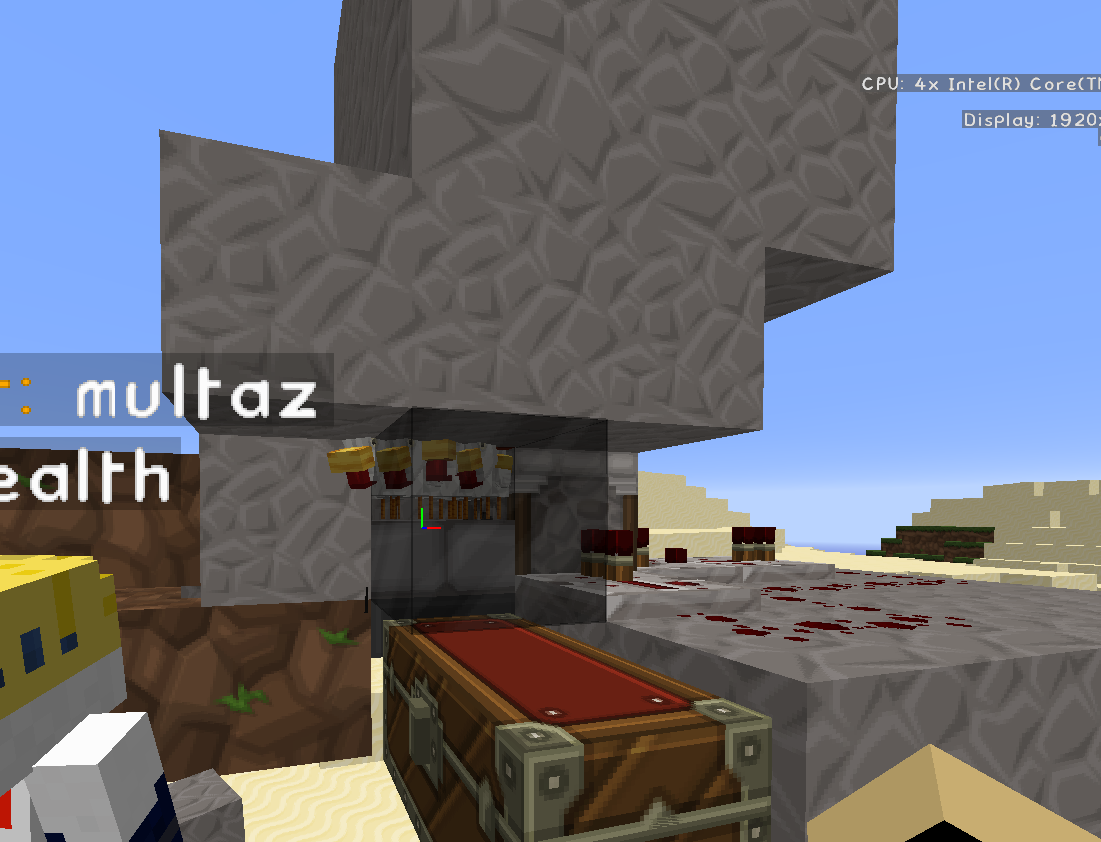
If you look at the picture, basically to reproduce the constant crash, you get a heap of baby chickens on the half slab then break the block thats normally tot he left of that, which allows the baby chickens to spread out to that adjacent block, you then use a piston with a solid block and activate it to push the block to where the chickens are an it instantly crashes the server with Ticking Entity. Crash Report Attached
Obfuscation changed to v
min 16w02a.What the cause is of this appearing in console im not sure, but below is a snippet of what the output in console looks like.
9:21:40 AM CONSOLE: : vl@7ec69357
9:21:40 AM CONSOLE: : vl@216fea1
9:21:40 AM CONSOLE: : vl@6872fd26
9:21:40 AM CONSOLE: : vl@3cd2f259
9:21:40 AM CONSOLE: : vl@76c482bf
9:21:40 AM CONSOLE: : vl@43129930
9:21:40 AM CONSOLE: : vl@3c76c7b9
9:21:40 AM CONSOLE: : vl@179daa54
9:21:40 AM CONSOLE: : vl@451e0362
9:21:40 AM CONSOLE: : vl@1212c9e8
9:21:40 AM CONSOLE: : vl@18539f1c
9:21:40 AM CONSOLE: : vl@62664948
9:21:40 AM CONSOLE: : vl@57d65375
9:21:40 AM CONSOLE: : vl@538f9deeObfuscation changed to vn in 16w04a.
What the cause is of this appearing in console im not sure, but below is a snippet of what the output in console looks like.
:23:48 PM CONSOLE: : vn@4e1e2bc0
12:23:48 PM CONSOLE: : vn@1c5acb16
12:23:48 PM CONSOLE: : vn@77fad4c1
12:23:48 PM CONSOLE: : vn@26140a45
12:23:48 PM CONSOLE: : vn@45aa19e2
12:23:48 PM CONSOLE: : vn@78c428d3
12:23:48 PM CONSOLE: : vn@d674283
12:23:48 PM CONSOLE: : vn@6be5945b
12:23:48 PM CONSOLE: : vn@7e95f5cc
When using code:
{id:Sheep,Color:1}
/setblock ~ ~ ~ mob_spawner 0 replace {SpawnData:}
When using the below code, the sheep spawners works, but no actual spawnage occurs .. i cant see anything around to say this is broken or
/setblock ~ ~ ~ mob_spawner 0 replace {SpawnData:{id:Sheep,Color:1}}
Unable to placetorcheson Bone Blocks and Nether Wart BlocksUnable to place anything on Bone Blocks and Nether Wart Blocks
Achievemtns are unknown so is the commandAchievements are unknown so is the command
At spawn amongst many command blocks we have this commnd running to continually enable triggers for players: /summon Item -4 12 5 {Item:
{id:clock,Count:1}, Age:5990}
When anybody is in Overworld, this works as intended and everything works fine, however upon testing in the b vers of the snapshot, when no user is in overworld, instead of remaining to keep working, it stops and all commands//triggers running from that clock stop functionning untill a user returns to overworld.
During the period after killing the Enderdragon till XP has all dropped things start working momentarily, but end up stopping again.
Unf Mr Bot, there is no log or crash in game as this is literally everything console tells you
There is no 17w13b yet
Java vers
When trying to run the below command it simply out right refuses to work, by simplifying it to simply use @a or @p and nothing after in a standard command block, it will work.
gamemode survival @a[x=-2,y=40,z=1,distance=1,scores={RulesAgreed=1},team=NoPvP]
When trying to run the below command it simply out right refuses to work, by simplifying it to simply use @a or @p and nothing after in a standard command block, it will work.
gamemode survival @a[x=-2,y=40,z=1,distance=1,scores={RulesAgreed=1},team=NoPvP]
When trying to run the below command it simply out right refuses to work, by simplifying it to simply use @a or @p and nothing after in a standard command block, it will work.
gamemode survival @a[x=-2,y=40,z=1,distance=1,scores={RulesAgreed=1},team=NoPvP]
gamemode change cant usetargeted cords orimpulse commandblock
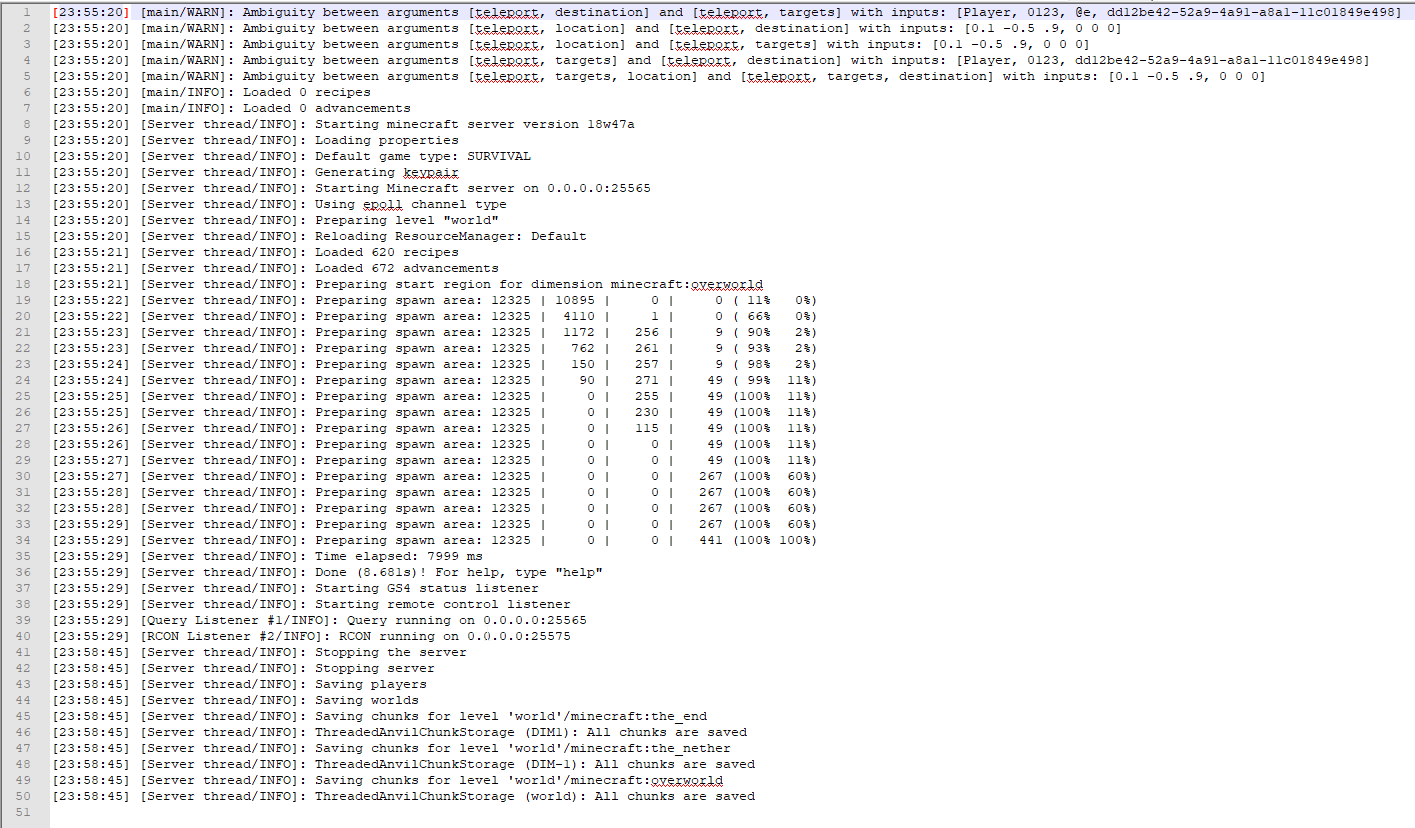
Due to the TPS issue in pre5 we decided to roll back to pre4, however that cause all sorts of issues, mainly the NullPointerException and causing the server to be unable to save chunks, presumably due to changes done in pre5.
[22:55:35] [Server thread/ERROR]: Failed to save chunk java.lang.NullPointerException: null at cay.a(SourceFile:115) ~[minecraft_server.1.13-pre4.jar:?] at brq.a(SourceFile:693) ~[minecraft_server.1.13-pre4.jar:?] at brq.a(SourceFile:455) ~[minecraft_server.1.13-pre4.jar:?] at brq.a(SourceFile:215) ~[minecraft_server.1.13-pre4.jar:?] at sw.b(SourceFile:217) ~[minecraft_server.1.13-pre4.jar:?] at sw.a(SourceFile:237) ~[minecraft_server.1.13-pre4.jar:?] at sx.a(SourceFile:730) ~[minecraft_server.1.13-pre4.jar:?] at rd.a(SourceFile:58) ~[minecraft_server.1.13-pre4.jar:?] at rd.a(SourceFile:39) ~[minecraft_server.1.13-pre4.jar:?] at rd.b(SourceFile:22) ~[minecraft_server.1.13-pre4.jar:?] at com.mojang.brigadier.CommandDispatcher.execute(CommandDispatcher.java:128) ~[minecraft_server.1.13-pre4.jar:?] at com.mojang.brigadier.CommandDispatcher.execute(CommandDispatcher.java:68) ~[minecraft_server.1.13-pre4.jar:?] at bv.a(SourceFile:202) ~[minecraft_server.1.13-pre4.jar:?] at tw.c(SourceFile:1035) ~[minecraft_server.1.13-pre4.jar:?] at tw.a(SourceFile:1022) ~[minecraft_server.1.13-pre4.jar:?] at md.a(SourceFile:37) ~[minecraft_server.1.13-pre4.jar:?] at md.a(SourceFile:9) ~[minecraft_server.1.13-pre4.jar:?] at iv.a(SourceFile:10) ~[minecraft_server.1.13-pre4.jar:?] at java.util.concurrent.Executors$RunnableAdapter.call(Executors.java:511) [?:1.8.0_171] at java.util.concurrent.FutureTask.run(FutureTask.java:266) [?:1.8.0_171] at k.a(SourceFile:176) [minecraft_server.1.13-pre4.jar:?] at net.minecraft.server.MinecraftServer.w(SourceFile:674) [minecraft_server.1.13-pre4.jar:?] at si.w(SourceFile:356) [minecraft_server.1.13-pre4.jar:?] at net.minecraft.server.MinecraftServer.v(SourceFile:630) [minecraft_server.1.13-pre4.jar:?] at net.minecraft.server.MinecraftServer.run(SourceFile:535) [minecraft_server.1.13-pre4.jar:?] at java.lang.Thread.run(Thread.java:748) [?:1.8.0_171]
Due to the TPS issue in pre5 we decided to roll back to pre4, however that cause all sorts of issues, mainly the NullPointerException and causing the server to be unable to save chunks, presumably due to changes done in pre5.
[22:55:35] [Server thread/ERROR]: Failed to save chunk java.lang.NullPointerException: null at cay.a(SourceFile:115) ~[minecraft_server.1.13-pre4.jar:?] at brq.a(SourceFile:693) ~[minecraft_server.1.13-pre4.jar:?] at brq.a(SourceFile:455) ~[minecraft_server.1.13-pre4.jar:?] at brq.a(SourceFile:215) ~[minecraft_server.1.13-pre4.jar:?] at sw.b(SourceFile:217) ~[minecraft_server.1.13-pre4.jar:?] at sw.a(SourceFile:237) ~[minecraft_server.1.13-pre4.jar:?] at sx.a(SourceFile:730) ~[minecraft_server.1.13-pre4.jar:?] at rd.a(SourceFile:58) ~[minecraft_server.1.13-pre4.jar:?] at rd.a(SourceFile:39) ~[minecraft_server.1.13-pre4.jar:?] at rd.b(SourceFile:22) ~[minecraft_server.1.13-pre4.jar:?] at com.mojang.brigadier.CommandDispatcher.execute(CommandDispatcher.java:128) ~[minecraft_server.1.13-pre4.jar:?] at com.mojang.brigadier.CommandDispatcher.execute(CommandDispatcher.java:68) ~[minecraft_server.1.13-pre4.jar:?] at bv.a(SourceFile:202) ~[minecraft_server.1.13-pre4.jar:?] at tw.c(SourceFile:1035) ~[minecraft_server.1.13-pre4.jar:?] at tw.a(SourceFile:1022) ~[minecraft_server.1.13-pre4.jar:?] at md.a(SourceFile:37) ~[minecraft_server.1.13-pre4.jar:?] at md.a(SourceFile:9) ~[minecraft_server.1.13-pre4.jar:?] at iv.a(SourceFile:10) ~[minecraft_server.1.13-pre4.jar:?] at java.util.concurrent.Executors$RunnableAdapter.call(Executors.java:511) [?:1.8.0_171] at java.util.concurrent.FutureTask.run(FutureTask.java:266) [?:1.8.0_171] at k.a(SourceFile:176) [minecraft_server.1.13-pre4.jar:?] at net.minecraft.server.MinecraftServer.w(SourceFile:674) [minecraft_server.1.13-pre4.jar:?] at si.w(SourceFile:356) [minecraft_server.1.13-pre4.jar:?] at net.minecraft.server.MinecraftServer.v(SourceFile:630) [minecraft_server.1.13-pre4.jar:?] at net.minecraft.server.MinecraftServer.run(SourceFile:535) [minecraft_server.1.13-pre4.jar:?] at java.lang.Thread.run(Thread.java:748) [?:1.8.0_171]
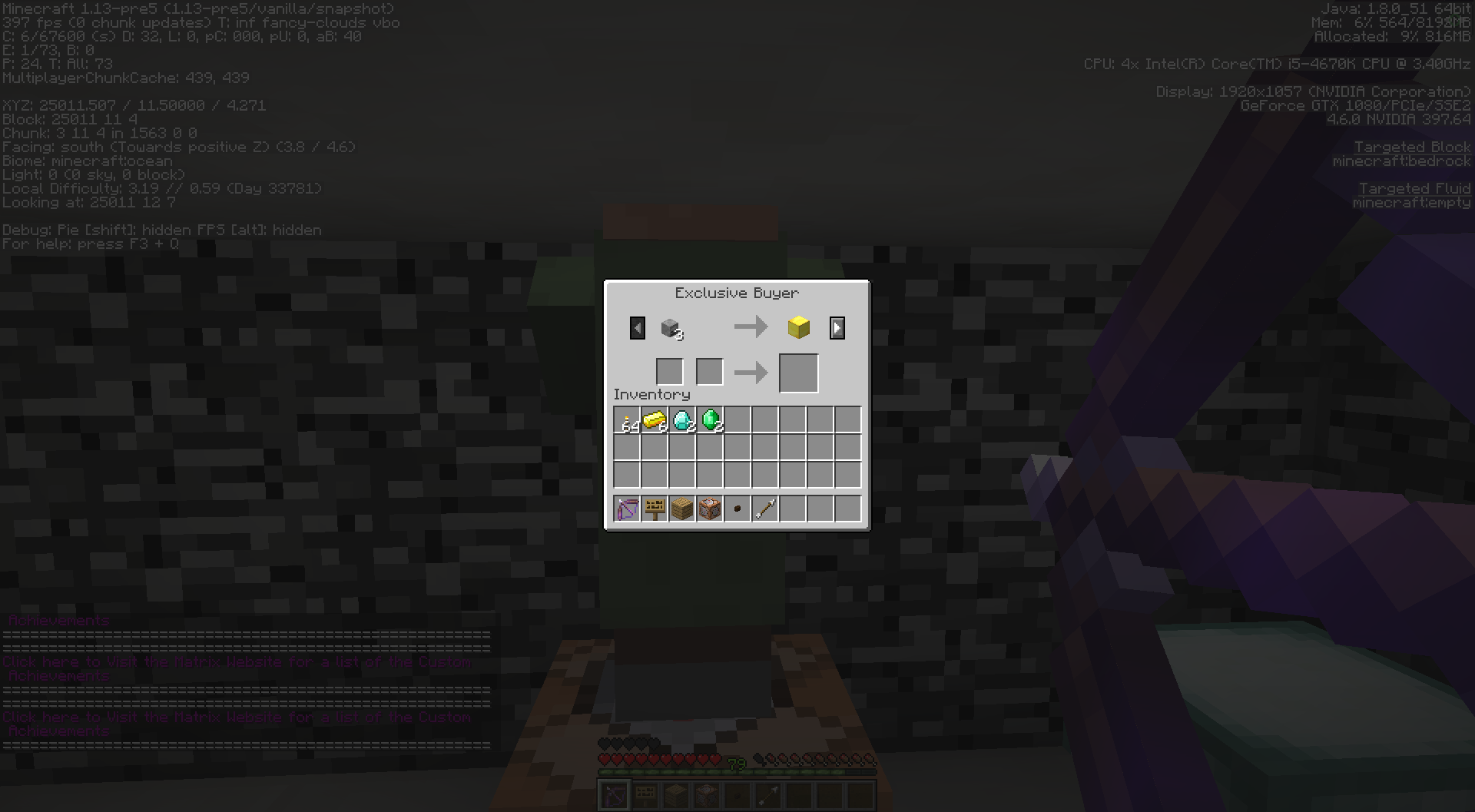
Bow will Auto Draw an remain drawn whilst trading with NitWit Villager
Bow will Auto Draw an remain drawn whilst trading with Custom NitWit Villager
Ticking Player Server Crash
using /effect kicks user issuing command out of game
using /effect give kicks user issuing command out of game
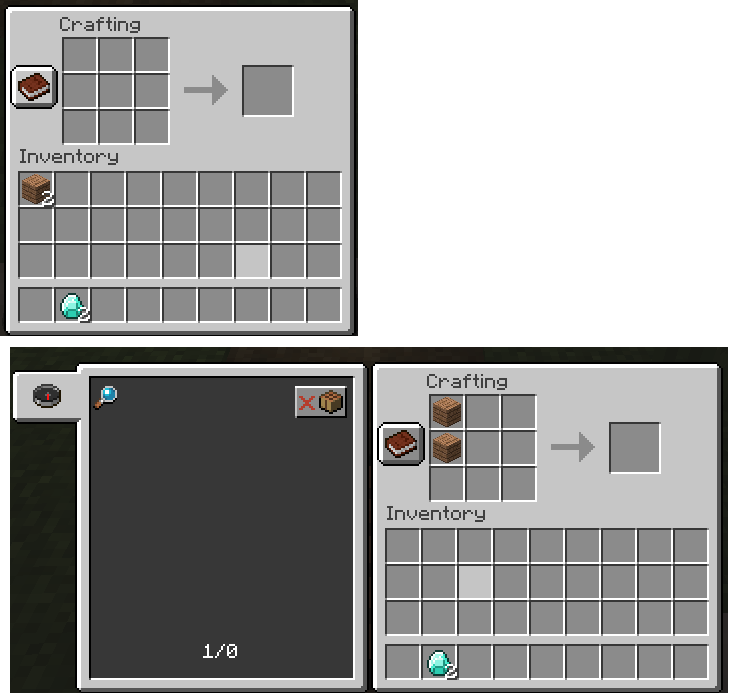
Right click ground with torches in your offhand and although gives the animation and rendering that the torch is placed, it dosent actually place the torch down.
This is similar to
MC-126337however it dosent matter if you have a block//item in ya main hand or not.
When 1 of
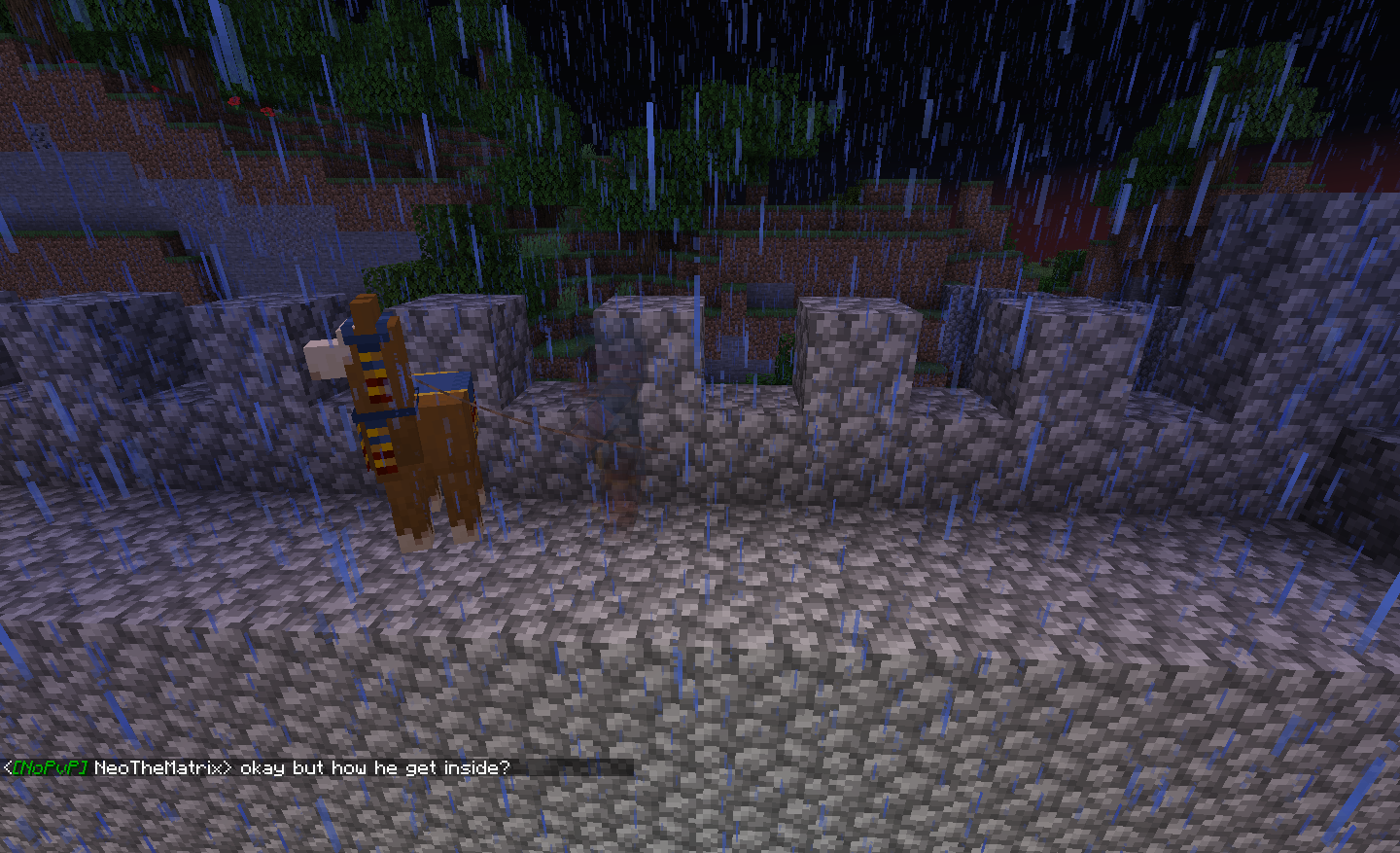
theplayers joins theserver a TraderLlamathey are at the server instantly crashes and continually does so each time they try and join the game.When 1 of my players joins the game, they are located near a Trade Llama which causes the server to crash every time they join.
Invisible Villager Trader Attached to LlamaTo Be Closed
As seen in the log the error continually spams my server console over an over untill a player leave. With no actual crash or more information and short of resetting the players Region, which id rather not do, im hoping for a fix and/or idea on whats causing this.
[10:36:59] [Server thread/WARN]: Exception loading entity:
java.lang.NullPointerException: null
at ati.f(SourceFile:86) ~inecraft_server.1.14.3-pre3.jar:?]
at ath.c(SourceFile:232) ~inecraft_server.1.14.3-pre3.jar:?]
at ail.<init>(SourceFile:234) ~inecraft_server.1.14.3-pre3.jar:?]
at ath.<init>(SourceFile:35) ~inecraft_server.1.14.3-pre3.jar:?]
at ati.<init>(SourceFile:46) ~inecraft_server.1.14.3-pre3.jar:?]
at aip.a(SourceFile:422) ~inecraft_server.1.14.3-pre3.jar:?]
at aip.b(SourceFile:431) ~inecraft_server.1.14.3-pre3.jar:?]
at java.util.Optional.map(Optional.java:215) ~[?:1.8.0_181]
at aip.a(SourceFile:431) ~inecraft_server.1.14.3-pre3.jar:?]
at aip.b(SourceFile:484) ~inecraft_server.1.14.3-pre3.jar:?]
at aip.a(SourceFile:465) ~inecraft_server.1.14.3-pre3.jar:?]
at bya.a(SourceFile:393) ~inecraft_server.1.14.3-pre3.jar:?]
at bya.b(SourceFile:151) ~inecraft_server.1.14.3-pre3.jar:?]
at bxo.w(SourceFile:484) ~inecraft_server.1.14.3-pre3.jar:?]
at uu.a(SourceFile:594) ~inecraft_server.1.14.3-pre3.jar:?]
at com.mojang.datafixers.util.Either.lambda$mapLeft$0(Either.java:162) ~inecraft_server.1.14.3-pre3.jar:?]
at com.mojang.datafixers.util.Either$Left.map(Either.java:38) ~inecraft_server.1.14.3-pre3.jar:?]
at com.mojang.datafixers.util.Either.mapLeft(Either.java:162) ~inecraft_server.1.14.3-pre3.jar:?]
at uu.a(SourceFile:583) ~inecraft_server.1.14.3-pre3.jar:?]
at java.util.concurrent.CompletableFuture.uniApply(CompletableFuture.java:602) ~[?:1.8.0_181]
at java.util.concurrent.CompletableFuture$UniApply.tryFire(CompletableFuture.java:577) ~[?:1.8.0_181]
at java.util.concurrent.CompletableFuture$Completion.run(CompletableFuture.java:442) ~[?:1.8.0_181]
at uw.b(SourceFile:57) ~inecraft_server.1.14.3-pre3.jar:?]
at agq.e(SourceFile:83) inecraft_server.1.14.3-pre3.jar:?]
at agq.a(SourceFile:123) inecraft_server.1.14.3-pre3.jar:?]
at agq.run(SourceFile:91) inecraft_server.1.14.3-pre3.jar:?]
at agn.h(SourceFile:135) inecraft_server.1.14.3-pre3.jar:?]
at agn.p(SourceFile:114) inecraft_server.1.14.3-pre3.jar:?]
at vg$a.p(SourceFile:506) inecraft_server.1.14.3-pre3.jar:?]
at vg.d(SourceFile:234) inecraft_server.1.14.3-pre3.jar:?]
at net.minecraft.server.MinecraftServer.aW(SourceFile:707) inecraft_server.1.14.3-pre3.jar:?]
at net.minecraft.server.MinecraftServer.p(SourceFile:695) inecraft_server.1.14.3-pre3.jar:?]
at agn.c(SourceFile:123) inecraft_server.1.14.3-pre3.jar:?]
at net.minecraft.server.MinecraftServer.o(SourceFile:680) inecraft_server.1.14.3-pre3.jar:?]
at net.minecraft.server.MinecraftServer.run(SourceFile:635) inecraft_server.1.14.3-pre3.jar:?]
at java.lang.Thread.run(Thread.java:748) [?:1.8.0_181]
PlacingTorchanimation plays a 2nd time after intial placementPlacing block/item animation plays a 2nd time after intial placement
When placing a
torchdown, the animation for doing so activates again after intial torch placement.When placing a block/item down, the animation for doing so activates again after initial torch placement.
Would seem this is fixed in 14a
Whnere i have built my iron golem farm i have a sugar cane farm
close by and often the Iron Golems are Spawning inside slabs where they should'nt be able to.This was prev marked as fixed inMC-3927but thought a new report would be required.Whnere i have built my iron golem farm i have a sugar cane farm 7 blocks away and often the Iron Golems are Spawning inside slabs where they should'nt be able to as seen by the picture. This was prev marked as fixed in
MC-3927but thought a new report would be required.
Consoel Spam: No key replace_with_blackstoneConsole Spam: No key replace_with_blackstone
Since loading 21a my conso
el is frequently being spammed with the below msg:[21:50:16] [Server thread/ERROR]: No key replace_with_blackstone in MapLike[{AirPocket:1b,Overgrown:0b,Mossiness:0.2f,Cold:0b,Vines:0b,ReplaceWithBlackstone:0b}]; No key vines in MapLike[{AirPocket:1b,Overgrown:0b,Mossiness:0.2f,Cold:0b,Vines:0b,ReplaceWithBlackstone:0b}]; No key overgrown in MapLike[{AirPocket:1b,Overgrown:0b,Mossiness:0.2f,Cold:0b,Vines:0b,ReplaceWithBlackstone:0b}]; No key air_pocket in MapLike[{AirPocket:1b,Overgrown:0b,Mossiness:0.2f,Cold:0b,Vines:0b,ReplaceWithBlackstone:0b}]; No key mossiness in MapLike[{AirPocket:1b,Overgrown:0b,Mossiness:0.2f,Cold:0b,Vines:0b,ReplaceWithBlackstone:0b}]; No key cold in MapLike[{AirPocket:1b,Overgrown:0b,Mossiness:0.2f,Cold:0b,Vines:0b,ReplaceWithBlackstone:0b}] [21:50:16] [Server thread/ERROR]: Exception loading structure piece with id minecraft:rupo java.lang.RuntimeException: No key replace_with_blackstone in MapLike[{AirPocket:1b,Overgrown:0b,Mossiness:0.2f,Cold:0b,Vines:0b,ReplaceWithBlackstone:0b}]; No key vines in MapLike[{AirPocket:1b,Overgrown:0b,Mossiness:0.2f,Cold:0b,Vines:0b,ReplaceWithBlackstone:0b}]; No key overgrown in MapLike[{AirPocket:1b,Overgrown:0b,Mossiness:0.2f,Cold:0b,Vines:0b,ReplaceWithBlackstone:0b}]; No key air_pocket in MapLike[{AirPocket:1b,Overgrown:0b,Mossiness:0.2f,Cold:0b,Vines:0b,ReplaceWithBlackstone:0b}]; No key mossiness in MapLike[{AirPocket:1b,Overgrown:0b,Mossiness:0.2f,Cold:0b,Vines:0b,ReplaceWithBlackstone:0b}]; No key cold in MapLike[{AirPocket:1b,Overgrown:0b,Mossiness:0.2f,Cold:0b,Vines:0b,ReplaceWithBlackstone:0b}] at com.mojang.serialization.DataResult.lambda$getOrThrow$4(DataResult.java:100) ~inecraft_server.20w21a.jar:?] at com.mojang.datafixers.util.Either$Right.map(Either.java:99) ~inecraft_server.20w21a.jar:?] at com.mojang.serialization.DataResult.getOrThrow(DataResult.java:93) ~inecraft_server.20w21a.jar:?] at css.<init>(SourceFile:114) ~inecraft_server.20w21a.jar:?] at clk.a(SourceFile:137) ~inecraft_server.20w21a.jar:?] at cgv.a(SourceFile:424) ~inecraft_server.20w21a.jar:?] at cgv.a(SourceFile:175) ~inecraft_server.20w21a.jar:?] at yi.l(SourceFile:525) ~inecraft_server.20w21a.jar:?] at java.util.concurrent.CompletableFuture$AsyncSupply.run(CompletableFuture.java:1590) [?:1.8.0_222] at alz.c(SourceFile:144) inecraft_server.20w21a.jar:?] at yu$a.c(SourceFile:541) inecraft_server.20w21a.jar:?] at alz.w(SourceFile:118) inecraft_server.20w21a.jar:?] at yu$a.w(SourceFile:550) inecraft_server.20w21a.jar:?] at yu.d(SourceFile:280) inecraft_server.20w21a.jar:?] at net.minecraft.server.MinecraftServer.bd(SourceFile:770) inecraft_server.20w21a.jar:?] at net.minecraft.server.MinecraftServer.w(SourceFile:758) inecraft_server.20w21a.jar:?] at alz.c(SourceFile:127) inecraft_server.20w21a.jar:?] at net.minecraft.server.MinecraftServer.v(SourceFile:743) inecraft_server.20w21a.jar:?] at net.minecraft.server.MinecraftServer.run(SourceFile:695) inecraft_server.20w21a.jar:?] at java.lang.Thread.run(Thread.java:748) [?:1.8.0_222]Since loading 21a my console is frequently being spammed with the below msg:
[21:50:16] [Server thread/ERROR]: No key replace_with_blackstone in MapLike[{AirPocket:1b,Overgrown:0b,Mossiness:0.2f,Cold:0b,Vines:0b,ReplaceWithBlackstone:0b}]; No key vines in MapLike[{AirPocket:1b,Overgrown:0b,Mossiness:0.2f,Cold:0b,Vines:0b,ReplaceWithBlackstone:0b}]; No key overgrown in MapLike[{AirPocket:1b,Overgrown:0b,Mossiness:0.2f,Cold:0b,Vines:0b,ReplaceWithBlackstone:0b}]; No key air_pocket in MapLike[{AirPocket:1b,Overgrown:0b,Mossiness:0.2f,Cold:0b,Vines:0b,ReplaceWithBlackstone:0b}]; No key mossiness in MapLike[{AirPocket:1b,Overgrown:0b,Mossiness:0.2f,Cold:0b,Vines:0b,ReplaceWithBlackstone:0b}]; No key cold in MapLike[{AirPocket:1b,Overgrown:0b,Mossiness:0.2f,Cold:0b,Vines:0b,ReplaceWithBlackstone:0b}] [21:50:16] [Server thread/ERROR]: Exception loading structure piece with id minecraft:rupo java.lang.RuntimeException: No key replace_with_blackstone in MapLike[{AirPocket:1b,Overgrown:0b,Mossiness:0.2f,Cold:0b,Vines:0b,ReplaceWithBlackstone:0b}]; No key vines in MapLike[{AirPocket:1b,Overgrown:0b,Mossiness:0.2f,Cold:0b,Vines:0b,ReplaceWithBlackstone:0b}]; No key overgrown in MapLike[{AirPocket:1b,Overgrown:0b,Mossiness:0.2f,Cold:0b,Vines:0b,ReplaceWithBlackstone:0b}]; No key air_pocket in MapLike[{AirPocket:1b,Overgrown:0b,Mossiness:0.2f,Cold:0b,Vines:0b,ReplaceWithBlackstone:0b}]; No key mossiness in MapLike[{AirPocket:1b,Overgrown:0b,Mossiness:0.2f,Cold:0b,Vines:0b,ReplaceWithBlackstone:0b}]; No key cold in MapLike[{AirPocket:1b,Overgrown:0b,Mossiness:0.2f,Cold:0b,Vines:0b,ReplaceWithBlackstone:0b}] at com.mojang.serialization.DataResult.lambda$getOrThrow$4(DataResult.java:100) ~inecraft_server.20w21a.jar:?] at com.mojang.datafixers.util.Either$Right.map(Either.java:99) ~inecraft_server.20w21a.jar:?] at com.mojang.serialization.DataResult.getOrThrow(DataResult.java:93) ~inecraft_server.20w21a.jar:?] at css.<init>(SourceFile:114) ~inecraft_server.20w21a.jar:?] at clk.a(SourceFile:137) ~inecraft_server.20w21a.jar:?] at cgv.a(SourceFile:424) ~inecraft_server.20w21a.jar:?] at cgv.a(SourceFile:175) ~inecraft_server.20w21a.jar:?] at yi.l(SourceFile:525) ~inecraft_server.20w21a.jar:?] at java.util.concurrent.CompletableFuture$AsyncSupply.run(CompletableFuture.java:1590) [?:1.8.0_222] at alz.c(SourceFile:144) inecraft_server.20w21a.jar:?] at yu$a.c(SourceFile:541) inecraft_server.20w21a.jar:?] at alz.w(SourceFile:118) inecraft_server.20w21a.jar:?] at yu$a.w(SourceFile:550) inecraft_server.20w21a.jar:?] at yu.d(SourceFile:280) inecraft_server.20w21a.jar:?] at net.minecraft.server.MinecraftServer.bd(SourceFile:770) inecraft_server.20w21a.jar:?] at net.minecraft.server.MinecraftServer.w(SourceFile:758) inecraft_server.20w21a.jar:?] at alz.c(SourceFile:127) inecraft_server.20w21a.jar:?] at net.minecraft.server.MinecraftServer.v(SourceFile:743) inecraft_server.20w21a.jar:?] at net.minecraft.server.MinecraftServer.run(SourceFile:695) inecraft_server.20w21a.jar:?] at java.lang.Thread.run(Thread.java:748) [?:1.8.0_222]
I upgraded as well..however i did reset the nether except for an area where i have my PVP arena

I don't get the point here.
The JVM consumes of course all assigned memory.
Example Rickard Åberg:
Java memory is set to -Xmx1024M -Xms1024M -oss4M -ss4M
Day one: 1.14 gb + 198.00 kb = 1.14 gb java
Day two: 1.16 gb + 131.00 kb = 1.16 gb java
You assign 1 GB to JVM heap and it uses 1 GB + stack + JVM itself
That's to be expected.
If you assign 16 GB heap, all the 16 GB heap is allocated before the GC kicks in, that's no mem leak, that's just the way the JVM works.
I run a 1.8 server which started as a 4GB server with avg of 20 users an found it wasnt enough
What's the meaning of "found it wasnt enough" ? did you get exceptions java.lang.OutOfMemoryError: Java heap space ? If not, then it was enough.
@Alejandro Bentivengo: As said before: An increase of memory up to the limits specified in the JVM arguments normal.
This ticket is about Warren Liddell's problems
the Block Lag & Server Tick takes to long an console starts screaming and eventually crashes due to watchdog

You are right Warren Liddell, I noticed it also for example when loading a world

I agree with Warren Liddell here, [Mojang] Grum (Erik Broes) can you at least make a gamerule or server propperty that disables any MC debug/warning messages?
![[Mod] Skylinerw](../../../data/assets/gravatar/skylinerw.png)
@Warren Liddell It starts as a pig spawner because the SpawnData tag is not populated. Once the pig spawns, it becomes a sheep spawner. If you want it to skip the current entity in SpawnData, you'd set Delay to -1:
/setblock ~ ~ ~ mob_spawner 0 replace {SpawnPotentials:[{Weight:1,Entity:{id:Sheep,Color:1}}],Delay:-1s}
![[Mod] violine1101](../../../data/avatars/users/92858.png)
Warren Liddell, does MC-130449 describe your issue?
Cannot re-create now for some reason, if it occurs again will organise more screenshots etc.
I play on matrix-vanilla.servegame.com:25628 & the hosting company use weeklybuild for using snapshot, ive only just moved to them and there system is a lil odd.
The other issue is a graphics driver and im not seeing the corolation between that and a tcp error.....
Affects 13w42b unf as well
There are diff Netty IO issues and the biggest hasnt been solved yet an is causing a lot of servers to stay clear of the 13w4* snapshot as to many ppl cant get onto them
MC-35748also has Nety IO error, but is different to this oneMC-35748another Netty IO bug that hasnt been fixed, although this one hasI tested this on my Creative server and i got this error 1 out 10 simultaneous connections which is a very very massive improvement
If i reload my gameclient completely i connect 1st time no worries, if i quit or get booted out of the game, then i get this error when i try reconnecting, but not everyone is getting it apparently, but im also on a 64 bit win7 system.
Im running a 2 x 1.7.2 server and have ppl joining quite fine
A lot of the times if you get this message its mainly due to you having a bad/slow internet connection or a very poor connection to the server itself. I run 2 servers on 1.7.2 and only ever had this issue when using my partners internet once its been shaped, otherwise i can log in an out as many times as i like an have no issues.
But i have had this also crash in the same way when not using a Villager, but instead a Custom Spawner which leaves that particular chunk un-usable to anyone, crash report for that is @ http://pastebin.com/54gZxkiQ
This is not quite fixed, i have made a custom spawner and now that apr tof the map is un-usable and crashes the game client in 1.7.2 everytime it loads that chunk, outside othat chunk all works perfectly fine. Crash report for this can be read at http://pastebin.com/54gZxkiQ
This is not quite fixed, i have made a custom spawner using normal mob using a normal sword and now that part of the map is un-usable and crashes the game client in 1.7.2 everytime it loads that chunk, outside of hat chunk all works perfectly fine. Crash report for this can be read at http://pastebin.com/54gZxkiQ
So how r we supposed to get this issue resolved if each report is marked as a duplicate and resolved when it isnt resolved and i can re-produce it any time and everytime i goto a specific set of co-ordinates on my server map.
This is not quite fixed, i have made a custom spawner and now that apr tof the map is un-usable and crashes the game client in 1.7.2 everytime it loads that chunk, outside othat chunk all works perfectly fine. Crash report for this can be read at http://pastebin.com/54gZxkiQ
Do explain how this works as intended when you summon a spawner using a regular zombie/skeleton/witch holding a simple sword? How is that crashing the game client consistently meaning its working as intended?
And your saying if this is "intended" then basically ive lost that portion of the map now cause its Unusable
setblock ~ ~1 ~ minecraft:mob_spawner 0 replace {EntityId:Witch,SpawnData:{Equipment:[{id:276,Count:1}]},SpawnPotentials:[{Type:Witch,Weight:1,Properties:{Equipment:[{},{},{},{},{id:46,Count:1}]}}]}If i tp myself or anyone else to -3149 11 3111 or around that area the game client crashes every time and the crash report was posted in a link on pastebin earlier.
i've used the same tag's many times before an simply changed the monster and its hasnt crashed, but for some reason this time it did and it's a permanent crash with that map chunk, i was hoping the crash report would enlighten to what/why it was occuring. The witches and/or zombies when spawned are holding the diamond sword np's, but i didnt expect them to drop the sword but only the normal drop's they have.. This is why its perplexing as ive been using that style tag with no side effects untill now.
I have been having same issue as well and after i del all the map*.dat files from the Data folder an restarted the server, CPU usage dropped significantly
I have the same error, i tried it using a 1.7.2 server as well as a 1.7.3 server and received the error on both
ive tested this using the lowest possible bandwidth, all diff compression rates and FPS and i still get this error of TTV_EC_FRAME_QUEUE_TOO_LONG .... my internet dosent crap out though
Easier way to do it with only 1 person in multi which ive seen done unf many times
1. Load up 2 clients and get them onto the Multiplayer Screen using the same account
2. Join Client A to a server and drop what ya want to be copied/Duplicated and exit
3. join Client B quickly to the same server and pickup dropped items and you now supposedly have dble what you started with.
Crud! another great rs pack down the drain till it's updated
Just not long went to The End to start making ender farm in Survival and can confirm also that it freezes the world and forces you to restart server
I just used 14w04a and this issue is still present
I just tested using Quartz blocks and once broken you dont see the quartz ore but do see the XP orbs
This is still occuring and i cant find anyway of reproducing, it works for a while and then suddenly unset's ... its a frustrating issue.
Ahh yes, i hadnt gotten around to reporting this.
I found if i sit in creative in a very large open area an place torches on the ground while holding the place button down an walking it will also do this as well as walking along a wall placing torches using same method.
This issue for some reason is still frequently occuring, there is no decernable or repeatable step happening that i have been able to find as to why this is occuring and the lack of others reporting this similar issue means its obviously local to my server only im guessing.
Even better when ya break End Portal, the portal parts itself, u get the water & lava particles lol
1. Load this custom Villager
/summon Villager ~ ~1 ~ {Profession:0,CustomName:HORSE,CustomNameVisible:1,Offers:{Recipes:[{maxUses:1000,buy:{id:264,Count:1},sell:{id:329,Count:1,Damage:0}},{maxUses:1000,buy:{id:266,Count:7},sell:{id:418,Count:1,Damage:0}},{maxUses:1000,buy:{id:265,Count:7},sell:{id:417,Count:1,Damage:0}},{maxUses:1000,buy:{id:264,Count:7},sell:{id:419,Count:1,Damage:0}},{maxUses:1000,buy:{id:266,Count:1},sell:{id:420,Count:1,Damage:0}},{maxUses:1000,buy:{id:266,Count:13},sell:{id:421,Count:1,Damage:0}},{maxUses:0,buy:{id:7,Count:1},sell:{id:7,Count:1}}]}}2. I traded the very 1st item
3. Close trade Window
4. wait 10 seconds & re-open trade
5. go past the Bedorck 4 Bedrock trade an there will be new trades
Is it worth attaching a server debug report to this along with the crash report thats listed?
Debug outut for 14w06b and 14w07a untill server crashed.
There is an issue with 07a that affects some ppl in the way that nobody can get on and others like myself when i used it, caused the map to be unstable an eventually crash the server, but in terms of the 07a part of things, its a known issue.
Tnxs Dinnerbone
Still in 14w08a
You havent provided any information in which to base anything on. What server is it, what were u running, attach crash report, can u re-produce the error and if so how. These r just a few things any on eof the mods will ask if they dont just close the ticket as Invalid.
/summon EnderCrystal
Thats all i used. A couple once placed not to bad, but after replacing more an more the FPS to me an anyone else coming to The End u literally cant move and everyone has massive FPS drop
SMP as well, it dosent seem to affect SP
Anything happening with confirmation of this or ?
I maybe wrong, but... I dont think you can do it as a MOB NBT data is only passed on via the command block code used to summon it.
SHIFT is my crouch button and CTRL is my run button an when they are pressed an button used nothing at all happens when mouse button is also pressed, on either side of the keyboard
Im confused as to why this is invalid ?
If i press & hold SHIFT or CTRL + MB4 it dosent copy anything not even the block .... it only works if i press and hold ALT + MB4 but dosent copy the NBT data.
The exact issue is that the game dosent like Mousebutton 4 .. when i changed it to using R as the pickblock, using CTRL + R will copy block & NBT data.
I still believe this is an issue with MC itself not functioning correctly.....
Thanks for that info. is there a way to also stop any XP being created from the trades? or a website about all this information?
Thanks. it would seem what im wanting on a per villager level isnt possible presently in minecraft as its more of an all or nothing
Could you be a little more specific about where abouts this code is put into the custom villager code?
e.g of a custom villager out of 12 i have is @ http://pastebin.com/D2aNgbyJ
Thankyou, this has been most helpful
@Wolfie:
Yeah i thought that was well, but sadly that didnt work as i had tried it there and after that, before/after the buy/sell an i still gained XP with the trades. The career tag etc has all ready been implemented to stop new trades from occuring, i just hadnt updated my txt file with the updated code as i have all villagers pickblocked with the NBT data in my enderchest.
So im actually wondering if its currently implemented or if its implemented as of the next snapshot
I have all the commandblocks with the villager data in them pickblocked.
When killing using a region use @p not at @a as the use of @a will ignore the cords an do everyone on the map.
Are you saying that when using the exact same world on 1.7.5 and then changing from using 1.7.5 to using 1.8 Snapshot on the same server it clears your INV ?
I also get this error when strarting my server
welp im rolling back to 08a untill 10c or whenever this issue is resolved, i cant afford to spend time manually changing every users file over either
Thanks Dinnerbone
Its still quite an issue an im also using 08a, could it be simply a map based issue to why this seems to be only an issue for my server
It would seem this has become more prevelant in 14w10c then ive seen it since Dinnerbone re-wrote the code back in the 13w series of snapshots for networking, but im sure there working on trying to fix this issue
It chucked a major wobbly trying to load spawn area, crashed the server restarted and ended up resetting it all on me
Yeah i get this in MP big time, its rather tripy
i believe its: /give @p skull 1 3
{SkullOwner:"playername"}I can confirm this, as i have a welcome msg setup for new users with a score in status of 0 which hasnt been working and dosent trigger except when manually setting a users score to 0 in that objective
I am still getting this bug in 14w11b .. i dropped 20 FPS after manual summoning using /summon command
The End has been reset server side by removing the entire DIR and issue still occurs
I can confirm this happens
This is still an issue in 14w18a
This is still in affect in 14w18a
This has been known to occur due to a problem with Resource Pack. Try taking any resource packs u have on off and see if this is still an issue. My screen has same thing, but only due to my resource pack.
Still an issue in 14w18b
Still there in 14w18b
Its such a shame that this "Feature" has since been removed in 14w18a/b
I can confirm this happens, however if you are the only person in that chunk at that time, then id dare say this works as intended.
When i reproduce your steps, i dont get an error but the score indeed drops by 1, same if i use an actualy player, this is doing it manually & though use in a command block
Agreed not an issue in 14w18b using no res pack.
The job of a Mod is to filter through these reports an are in fact in contact with the developers of the game. The coders code the game and fix bugs known/not known and cant be sifting through every single report posted by the community, otherwise theyd have no time to actually fix the bugs or develop the game further, so while i can appreciate your frustration, the Mod's are doing there job as there supposed to which helps the Developers do there jobs, so abusing them in this mannor is disrespectful and not required.
im running 14w18b an have no issues with various mob spawnings, also tested in SP creating various worlds of all types an again had no issues with mob spawning.
Check your server.properties file .. you may have it to peaceful in there and even though changing it in game to easy, normal etc it wont have any bearing .. although unlikely worth checking that out.
Also what Game version was your map Generated in and what seed is the map?
If you used the custom map option to generate the map, that could be why you maybe having an issue with mob's as this feature i believe is still a lil glitchy
Im going out on a Limb to say this works as intended. FF at that higher lvl is rediculous and un-needed.
Still current in 14w19a
I Agree is present in 14w19a
Incorrect. Cave Spider, Magma Cube, Iron Golem, Zombie Pigman .. all of their base names have spaces in them, as also shown when you highlight those particular spawn eggs
Dosent work if you use that as there is no such thing, the command block wont even error due to the fact it dosent exist.
Unf using " marks dosent work either, it gives same error as before without using " marks
When i use something similar i get an error saying "That player cannot be found" using the below in a cb
say Welcome @a[score_status=0] !
Relates to
MC-55204I have been experiencing this myself and had wonderd as i got a better Comp system which increased the performance of my Graphics card, so i increased my max FPS.
Fixed in 14w20b
Will this be fixed or is it something thats meant to be?
tellraw @a {"text":"","extra":[{"text":"Lottery Drawn & The Winner Is ","color":"yellow","italic":"true"},{selector:"@a[score_lottery2_min=1]"}]}title @a[score_leave_min=1,score_leave=100] title {text:"Welcome Back!",color:gold}title @a[score_leave_min=1,score_leave=100] subtitle {selector:"@a[score_leave_min=1,score_leave=100]"}This is at least 1 a day causing the server to actually crash rather then just throw an exception in java, no crash report is being issued though.
The objective exists, ive dble an triple checked all objectives that use the title command, whats even stranger is that the command actually functions an does what its supposed to, but still throws the exception in console despite the fact it works/does whats its meant to.
What ever us causing this has escalated and is now causing the server to crash frequently, unf without any crash report, so ive had to re-do all of my command block stuff to not use tellraw.
When crashes, i have command blocks turned off and removed the scoreboard file an yet when various players random, new or old join some seem to cause the server to crash, im not sure why and the map is only a week old an generated using the customisation available in snapshot.
[00:07:55] [Server thread/INFO]: Morpheus1101[/<I{ Address>:60159] logged in with entity id 286 at (1667.0938471354013, 62.0, 991.8505473088454) [00:07:55] [Server thread/INFO]: §4Owner: §rMorpheus1101§r joined the game [00:07:56] [Server thread/ERROR]: Encountered an unexpected exception java.lang.NoClassDefFoundError: Could not initialize class b at ub.f(SourceFile:1171) ~inecraft_server.jar:?] at uh.a(SourceFile:158) ~inecraft_server.jar:?] at ayx.a(SourceFile:291) ~inecraft_server.jar:?] at ayx.a(SourceFile:81) ~inecraft_server.jar:?] at ayx.a(SourceFile:69) ~inecraft_server.jar:?] at op.f(SourceFile:130) ~inecraft_server.jar:?] at op.c(SourceFile:81) ~inecraft_server.jar:?] at oo.<init>(SourceFile:36) ~inecraft_server.jar:?] at on.a(SourceFile:228) ~inecraft_server.jar:?] at on.a(SourceFile:265) ~inecraft_server.jar:?] at qd.a(SourceFile:226) ~inecraft_server.jar:?] at qd.c(SourceFile:278) ~inecraft_server.jar:?] at qd.a(SourceFile:133) ~inecraft_server.jar:?] at pj.b(SourceFile:87) ~inecraft_server.jar:?] at pj.c(SourceFile:52) ~inecraft_server.jar:?] at fq.a(SourceFile:167) ~inecraft_server.jar:?] at oy.c(SourceFile:134) ~inecraft_server.jar:?] at net.minecraft.server.MinecraftServer.w(SourceFile:596) ~inecraft_server.jar:?] at np.w(SourceFile:284) ~inecraft_server.jar:?] at net.minecraft.server.MinecraftServer.v(SourceFile:506) ~inecraft_server.jar:?] at net.minecraft.server.MinecraftServer.run(SourceFile:422) inecraft_server.jar:?] at java.lang.Thread.run(Unknown Source) [?:1.7.0_01] [00:07:56] [Server thread/INFO]: Stopping server [00:07:56] [Server thread/INFO]: Saving players [00:07:56] [Server thread/INFO]: Saving worlds [00:07:56] [Server thread/INFO]: Saving chunks for level 'world'/Overworld [00:07:56] [Server thread/INFO]: Saving chunks for level 'world'/Nether [00:07:56] [Server thread/INFO]: Saving chunks for level 'world'/The End [00:07:56] [Server Shutdown Thread/INFO]: Stopping server [00:07:56] [Server Shutdown Thread/INFO]: Saving playersI am still experiencing severe lag when summoning Endercrystals in 14w21b
I am still experiencing severe lag when summoning Endercrystals in 14w21b ... After 1-2 Noticable lag is experienced, let alone the mass FPS drop to the point The End is unplayable by the time all have been replaced
Yes, using NBTEditor on the scoreboard.dat file .. is why i chose to remove it as well incase that was an issue, but it made no difference
Im really praying this is resolved today
okies, tnxs
I used the code you provided an the book when highlighted shows Getting Around by searge
This issue is still occuring in 14w25b
---- Minecraft Crash Report ---- // Why is it breaking :( Time: 6/19/14 10:30 AM Description: Ticking entity java.lang.StackOverflowError: Ticking entity at tp.<init>(SourceFile:114) at tq.<init>(SourceFile:15) at tp.a(SourceFile:56) at abd.a(SourceFile:460) at abd.a(SourceFile:460) at abd.a(SourceFile:460)the line at abd.a(SourceFile:460) is repeated heaps of times as before
Im getting this badly now i have to reload the chunk after a certain distance after the inital sweep so i can c what the landscape is
Thankyou Anton .. this issue had been really annoying since latest snapshot an your trick has solved it big time
The code that torabi gave fixed the issue and it works .. but at some point it had to be "1 40" in order for it to work i could be wrong .. but either way it work if u use "1 0" as per the code that Torabi provided
Why is this occuring though/what is causing it to occur IF its going to be marked as invalid as its a re-occuring thing
This occurs after the games been initalized on often been running for a while
I have a similar issue when trying to use the below code for a book
/give @p written_book 1 0 {title:"Matrix Server Guide",author:"Morpheus1101",pages:["{text:\"Welcome, \",extra:[ {selector:\"@p\",color:red} , {text:\"\n\nthis is your list of destinations:\n\n\"} ,{text:\"1. \",color:orange,extra:[ {text:\"Start Spawn\",color:dark_green,bold:flase} ],hoverEvent: {action:show_text,value:\"Start Spawn\"} ,clickEvent:{action:run_command,value:\"/trigger tp set 2\"}}, {text:\"\n\"} ,{text:\"2. \",color:orange,extra:[ {text:\"Start Survival\",color:dark_green} ],hoverEvent: {action:show_text,value:\"Survival Start\"} ,clickEvent:{action:run_command,value:\"/trigger tp set 3\"}}, {text:\"\n\"} ,{text:\"3. \",color:orange,extra:[ {text:\"Bank & Lottery\",color:dark_green} ],hoverEvent: {action:show_text,value:\"Bank & Lottery\"} ,clickEvent:{action:run_command,value:\"/trigger tp set 1\"}}, {text:\"\n\"} ,{text:\"4. \",color:orange,extra:[ {text:\"Villager Center\",color:dark_green} ],hoverEvent: {action:show_text,value:\"Villager Center\"} ,clickEvent:{action:run_command,value:\"/trigger tp set 5\"}}, {text:\"\n\nPlease click one of them, \"} , {selector:\"@p\",color:red} ]}"]}However in saying this, when using a Custom Book code done by Searge as per below, the book actually works an gives you what its meant to be, which in some instance makes me think something broken in our code.
/give @p written_book 1 0 {title:"Getting around",author:"Searge",pages:["{text:\"Welcome, \",extra:[ {selector:\"@p\",color:red} , {text:\"\n\nthis is your list of destinations:\n\n\"} ,{text:\"1. \",color:orange,extra:[ {text:\"Spawn\",color:dark_green,bold:true} ],hoverEvent: {action:show_text,value:\"This worlds spawn point\"} ,clickEvent:{action:run_command,value:\"/tp @p -305 56 169\"}}, {text:\"\n\"} ,{text:\"2. \",color:orange,extra:[ {text:\"Home\",color:dark_green} ],hoverEvent: {action:show_text,value:\"Your main base\"} ,clickEvent:{action:run_command,value:\"/tp @p 5 56 96\"}}, {text:\"\n\"} ,{text:\"3. \",color:orange,extra:[ {text:\"Mine\",color:dark_green} ],hoverEvent: {action:show_text,value:\"The old mines\"} ,clickEvent:{action:run_command,value:\"/tp @p 15 56 -318\"}}, {text:\"\n\nPlease click one of them, \"} , {selector:\"@p\",color:red} ]}"]}I took spaces out an changed all spawn points to be 1 word but still only shows INVALID BOOK TAG .. but my code is basically an addition on what Searge has which works perfectly.
EDIT:
Due to not knowing the char limit for title was 16chars, i reduced my title to under 16 an it all works perfectly fine
From various testing, ive discovered that the crash was occuring due to the Setblock redstone clock we had running..
The way it was set was, on a hopper timer u had a command block to set a redstone block at a specific location which would then activate a setblock to change diorite to redstoneblock and at the same time change the redstone block back to diorite
The issue for myself was the fact that trying to use existing mob names, such as iron golem, pig zombie cant be done since they contain spaces
I get the crash as well .. ive had to rollback to 26c
Try opening your OPTIONS.txt file in your MC install dir and check to make sure na option called OPENGL is set to false and not true as i had a very similar issue and that was how i fixed it.
I've used the SEARCH function but couldnt find anything close to relating to this issue.
I have same issue an have done since snapshot cam eout an so has a lot of others and yet there is no B vers snpashot .. very confusing
Sadly after multiple map resets with the various snapshot versions, this issue is still occuring and we've done about as much testing as humanly possible to work out whats causing this an coming up blank.
28.07 10:39:42 [Server] INFO at java.lang.Thread.run(Thread.java:744)
28.07 10:39:42 [Server] INFO at pm.run(SourceFile:50)
28.07 10:39:42 [Server] INFO Exception in thread "Server Watchdog" java.lang.NoClassDefFoundError: Could not initialize class b
I have many crash reports which now make no senese to me tat all to whats going on or whats causing it.
ive noticed as well that a lot of crashing/corrupted chunks are occuring as well(for me anyway) and 99% of the time its because of animals and nobody else living around the afected regions and is happening from a brand new world with users only just joining an not even remotely close to the reported region
Yes, i have encounted Zombies myself as well and sometimes the server has crashed to a ticking entity but the crash report dosent mention(least to my limited understanding) what the entity was
crash-2014-08-02_23.55.58-server.txt is Crash due to a NULL ticking Entity
I believe this error has been fixed as i have not experienced this since last snapshot
This issue is still occurring
ive been running a server for snapshots since 1.6 and in the 1.8 more so now, ive noticed that my 16GB server running 14w33c Snapshot is maxing out the 16GB with an avg of 20 players .. Once server has restarted the memory is usually around 20% for a while then it just climbing right up reguardless of how many users maybe on
Ohh i know a Vanilla SHOULDNT need that much, buti started with 4 and it was using ALL of that so i changed it to 8 and again itr was using ALL of that, now i changed it to 16 and its using ALL of that, ive come to the conclusion there is a memory leak somewhere within 1.8 as 16gb Serevr even with say 40 users shouldnt even come close to using or even needing that much RAM .. A modded MC server ok yeah i can accept that, but not a vanilla.
I run a 1.8 Snapshot server which started as a 4GB server with avg of 20 users an found it wasnt enough, so went to 8GB for the server an found it was also using the entire 8GB of memory .. So ive now gone to a 16GB server dedicated box and its consuming all the 16GB .. which i find is complete and utter BS! .... SO i feel there is some sort of a leak somewhere as a basic Vanilla server esp snapshot which is due to be a pre-release in a few days should not be consuming this much RAM ever, its crazy .... its using more then any mod pack ive ever played an more then What ive made ... so there has to be something wrong somewhere.
This issue is still a very big concern and with 1.8 Pre-release coming up i fail to see why this issue hasnt been looked at or resolved and is a very big annoyance to myself trying to run a snapshot server when it sucking up so much memory.
memory Usage Graph on the Box Hosting/running the Server shows Usage by Day/Week/Month/Yr
Jeb has tweeted that they will only be fixing Game Crashes & World Save Bugs and Nothing Else in Pre2
This has been resolved in Pre2
I agree, i run 1.6 & 1.7 servers fine not a problem .. 1.8 was fine for a while then all of a sudden 16GB RAM Server isnt enough to please or keep up its ridiculous.
Ive had to disable watchdog, as it was crashing the server even with a restart set at 1hr intervals, before that it would lag tot he point where about half the users were kicked off the server while others werent before itd eventually crash, presently ive got restart times set at 40min and now 1.8 is released my avg user count is around 20 to 60 an nearly always using 10+ GB memory
We've changed the system over to CentOS 6.5 Kernel 2.6.32-431.23.3.el6.x86_64 to do some further testing.
It made very minimal change it was barely noticeable after 24hrs
The server was constantly using the entire amount of memory allocated to the server untill i stopped at 16GB which the server uses all the available memory usually between 1-2 hrs of being operational and the Block Lag & Server Tick takes to long an console starts screaming and eventually crashes due to watchdog or someone restarts the server
I will give this a try and see what happens.
This issue is still ocuring
Ive changed my JVM settings as advised to include usage of the -server tag option and i have seen no difference in consumption of memory etc
Bug is still present
This issue seems to be occuring in 1.8.1-Pre3, only difference is that users can still join server but console continually spams the io.netty.channel etc etc etc msg over an over an over
This issue is still occuring in 1.8.1-pre3
11:23:03 AM CONSOLE: 2014 8:22:54 PM io.netty.channel.AbstractChannelHandlerContext invokeExceptionCaught
That is spammed over an over an over an is basically all i c in server console
Im getting similar feedback
3:57:45 PM CONSOLE: IO Thread/ERROR]: Failed to save chunk
3:57:45 PM CONSOLE: string too long: 65543 bytes
We've had Books and Signs auto cleared from the start so were never used.
tellraw @a {"text":"","extra":[{"text":"[Matrix Server] ","color":"dark_red","italic":"false"},{"text":"Welcome ","color":"dark_green","italic":"true"},{selector:"@a[team=]"}]}produces the same error( line 1 column 14) as
tellraw @a {"text": "" ,"extra":[{"text": "[Matrix Server] ","color":"dark_red","italic":"false"},{"text": "Welcome ","color":"dark_green","italic":"true"},{selector:"@a[team=]"}]}is there any documentation about the changes done with tellraw//json scripting?
I am getting this quite a lot for every player UUID on the sevrer console, which is anywhere from 20-40 players
tellraw @a {"text":"","extra":[{"text":"[Matrix Server] ","color":"dark_red","italic":"false"},{"text":"Welcome ","color":"dark_green","italic":"true"},{selector:"@a[team=]"}]}Worked perfect in 1.8* and now all of a sudden with Snapshot it went an broke it and im stumped if i can see what has been changed, so i agree saying its broken.
tellraw @a[x=64,y=77,z=538,r=3] {color:green, ["text:"Your new bank score is: ",extra:[{score:{name:"*",objective:"bank"}}]]}Errors Line 1 Coloumn 3 .... is this because of something broken in Snapshot or am i not updating to the code correctly ?
tellraw @a[{"text":"","extra":[{"text":"Lottery Drawn & The Winner Is ","color":"yellow","italic":"true"},{selector:"@a[score_lottery2_min=1]"}]]}This one dosent work, but at the same time dosent throw any errors even when using " around the selector argument
Tbh at this stage im winging a lot of this by what you've said and ive found as a lot of the systems i had where done by a prev mod on my server who has since gone MIA, so im trying to fix everything an so far you've proivided the most assistance, so thankyou.
/title @a title [{"text":"This is also a title"}]is an Example of title that works
/tellraw @a [{x=86,y=77,z=538,r=1,"text":"hello"}]is an example of tell raw that works, you can also skip specifying the xyz and r an just input the numbers
The book code i had form 1.8 works perfectly fine an ive not had to make any changes
I now have a series of tellraw an title commands working in snapshot, idk if the changes made are indeed an issue or not, but once the added quotes and/or spaces are placed in it all works normally
Its not broken, its just changed now, everyone else has managed to get things working. All my json coding from 1.8 ive long since got it all working in snapshot. There is no use complaigning something is broken when its clearly not.
Still occuring and if anything, is happening more frequently
35e its worse than ever almost to the point of unplayable
Ive tested this issue an its no longer a problem in 1.9 Snapshots
Then your doing it wrong. I run multiple tellraws an title commands on my xerver and they all work fine. You need to do some research around to see changes
I was referring to josh. I had problems myself initially with thinking it was broken, just hadnt found much at the start of snaps to point me in the right direction. Now there is a lot of info an help around that can be accessed
When placing some command blocks to tp mob's to 0 0 0 is when it seems to trigger the above mentioned issue an a mass increase in the usage of CPU load
This error is occuring on 42a .. however im testing to see how it goes on 43b
I can confirm and have seen this occurring on my own server
Kumasasa - There is no console error in either server or client being produced
I would hope this would have been addressed in the latest snapshot, the issues added in 1.8 have been fixed to add in issues with CPU ... god help any very large run servers with 10+ users
Once again sad to say this is yet another re-occuring issue in 15w46a i would've liked to have seen squashed
Admittedly i am wearing Elytra and had completely forgot i had it on, so it is actually related as this dosent occur when not wearing it.
I have seen this also in 15w46a
At this stage, this issue appears to have been resolved in 46a
Once again such a serious bug is grossly overlooked, very much still present in latest snapshot 15w47a
This is another serious and annoying bug that has like others been well overlooked, despite being voted up etc and is more then a pain in 15w47a as well prev versions
I believe this is a Duplicate of
MC-92906Duplicate of
MC-9290615w47a has made this bug quite a lot more frequent and makes the server unplayable when triggerd
Still present in 47b
Allowing Flight hasnt solved this issue, would be great if it did, but sadly not
I made a custom SMP Map using 15w46a and 8 Fortesses i visited had Loot Chests and Blaze Spawners .. So my assumption is based on maps built//made prior to around 15w38 or so will break Nether Fortress Generation of things.
Per Searge tweet, i noticed with Clouds enabled i was no longer able to get any transparency of Mobs or Players to occur.
However i did notice that the clouds themselves are quite glitchy phasing in an out of rendering as if in a state of flux between 2 different dimensions, being both there and not there, but at the moment this issue is most definitely NOT resolved.
Naturally still present in 47c
15w47c this has started to occur again
Gamemode is survival this is occuring in SMP and i was able to produce it by simply sprinting.
Its the current world map that im running, as i tried to reproduce this on the new map that my team and I have been working on for 1.9 Release an i cant seem to reproduce it on there.
All players on my server where showing up with this msg in console and nobody was in The End
Still a nuisance in 47c and is very much quite the troublesome glitch, even worse if you happen to attempt to go through the portal in Creative.
I've also noticed on Console if the loop gets bad an a player disconnects from the game part way through overworld an nether or visa versa, it can cause the client to Ghost on the server, showing the client as logged in when in fact they have disconnected with the console spamming the below:
8:19:30 PM CONSOLE: 2015 10:19:22 AM io.netty.channel.AbstractChannelHandlerContext invokeExceptionCaught
8:19:30 PM CONSOLE: exception was thrown by a user handler's exceptionCaught() method while handling the following exception:
8:19:30 PM CONSOLE: while writev(...): Broken pipe
I am using Java 8 and am getting this glitch
Well if it "Works as intended" can we at least have a way to not have that message displayed on console?
I have no issues in getting the achievement regardless of what wood type i use first in any snapshot version so far
I can confirm that this still occurs in 47c
Still exists in 15w49a
I have it occur with Adult mobs where the fenced area is quite full of Adult animals and every so often i come back an notice escapee's which i then kill so as to make sure i keep track of when others have escaped
I understand this has been marked as intended and as i stated b4, Could we please at least have an option so we dont see this or see the duplicate UUID console stuff as it really is chewing up space with log files of un-needed output not all want to see.
still here in 49b
Can confirm on my server 15w49b and will continually crash each time affected user in area re-joins server
Are you saying that you can still see active and on going chat from mineplex whilst on another server ? As history of chat from a previous server will show up if you simply just log off one server and logon to another without fully closing the client.
I cant confirm if this is still a valid issue in the latest snapshots for 1.9 ... Im on a new server machine, new host and memory usage for me now rarely reaches past 8GB
This is no longer Valid due to various changes in using strict json etc now
Any chance that entity selectors can contain spaces any time soon or is this still place dinto the FAR future version?
Shadow_of_Doom It onloy keeps crashing due to a player joining the game at the point of where the crash occured, if you manually edit that particular players player file an remove there current x/y/z cords the server will be playable, least untill such time as someone else goes into the nether.
Im surprised there isnt a c snapshot to fix this issue
I Can also reproduce this on 49b. When you start getting a serious user load on the server of 20-30 ppl or more, it becomes very spammy and simply flying in creative for even a few blocks can create this spam to start occurring and it subsequently start counting the packets up untill it restarts. It also places quite a burden on the server logging, with what i deem as un-needed spam.
What a complete loa dof utter and complete fracking BS .... Anyone running snapshot will know there are things done which may not be there @ release, but i know myself with the damn very high specs of a server i run which is 100% dedicated only to me with a tonne of ram and SSD drives, the spam is noticeable with quite a lot of users, I don't give a monkeys how damn good your server is, its un-needed spam that 99% of those running a server don't want to see nor want to see the continual messages and not everyone has the luxury of big space and with this spam chewing up log files it makes continual checking on log files mandatory. Debugging is all good, but if its for there purposes not ours, then quite obviously WE DONT NEED TO SEE IT, stick an option to filter out those messages so we can at least properly monitor console and hunt through log files without pages and pages or more of useless crap.
Your completely right, its more when a fireball is shot that the crash occurs regardless of who or what its aimed at
Still in 50a
Still a thing in 50a .. would be nice to see this reoslved
This particular bug can be caused by the
MC-90605issue and is very much a server killer once it startsi've seen this now a few times since using 15w50a
im noticing player entities becoming invisible, an having to use /kill in order to be able to see them in 15w50a
Seen this frequently on my 15w50a SMP server
Im experiencing this in 15w50a
There is community agreement wanting something to filter this out, could we here a response from a mojang staff to if we are wasting our efforts with this plz