 Marf
Marf
- crazymarf
- crazymarf
- Europe/Stockholm
- Yes
- No
 MC-3424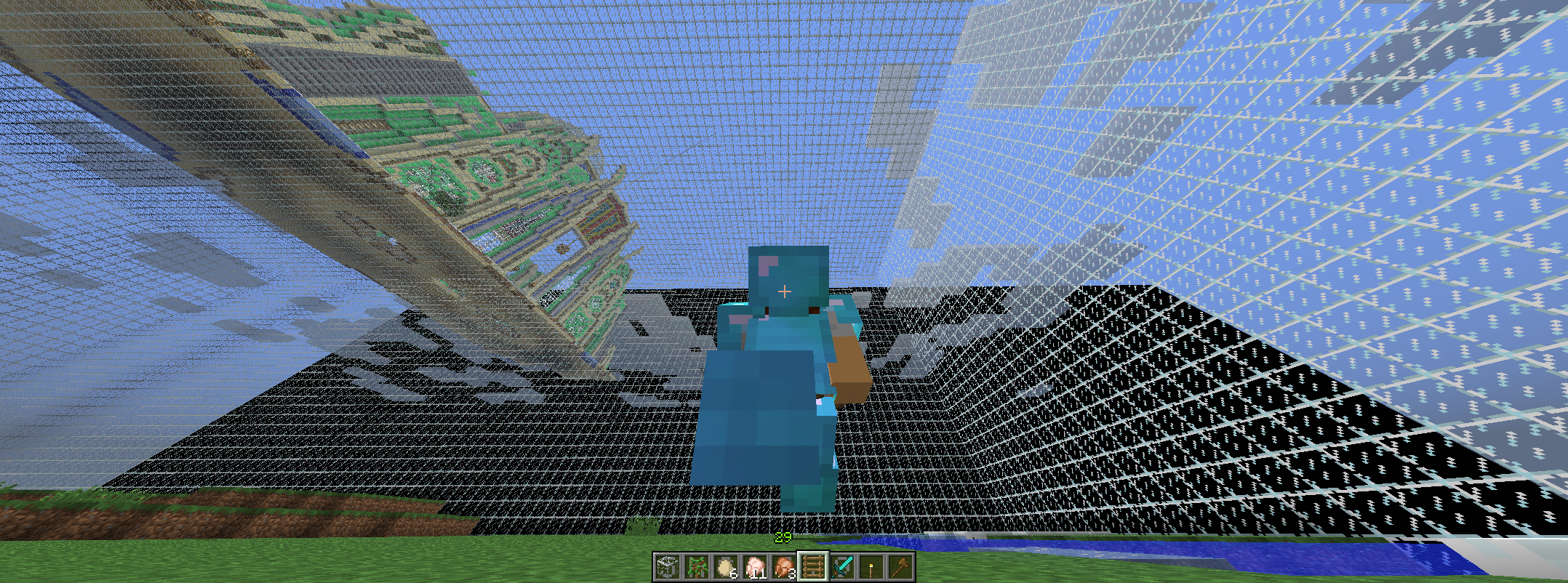


Put the summary of the bug you're having hereWhat I expected to happen was...:
Stop the horse.What actually happened was...:
The game CrashedSteps to Reproduce:
1. mount on a horse
2. let him walk for his maxium speed
3. walk to a low tree against the trunkJust walking mounted on a horse and unexpected walked againt a tree.. (sorry for my bad english)
What I expected to happen was...:
Stop the horse.What actually happened was...:
The game CrashedSteps to Reproduce:
1. mount on a horse
2. let him walk for his maxium speed
3. walk to a low tree against the trunk
On my system I made a custom resulution that causes to "overclock" my screen refresh rate this is done in Nvidia control panel. My screen is a 60hz panel connected by HDMI, but i overclocked it to 74 Hz. Sadly Minecraft doesnt show it in the slider.
Although The game does show refreshrates that my screen doesnt support at all.
It shows 25Hz, 29Hz, 30Hz, 50Hz, and 60Hz.The only first 3 of them are not supported by my screen and when you go into fullscreen mode with a lower refreshrate, minecraft will still go to fullscreen only it seems it is a borderless fullscreen mode instead. and it uses last set refreshrate, for example 74Hz.
(see attachments)
EDIT:
The console logged this:
[14:07:18] [Client thread/ERROR]: ########## GL ERROR ##########
[14:07:18] [Client thread/ERROR]: @ Render
[14:07:18] [Client thread/ERROR]: 65544: Win32: Failed to set video mode: Graphics mode not supported
[14:07:57] [Client thread/ERROR]: ########## GL ERROR ##########
[14:07:57] [Client thread/ERROR]: @ Render
[14:07:57] [Client thread/ERROR]: 65544: Win32: Failed to set video mode: Graphics mode not supported
[14:08:08] [Client thread/ERROR]: ########## GL ERROR ##########
[14:08:08] [Client thread/ERROR]: @ Render
[14:08:08] [Client thread/ERROR]: 65544: Win32: Failed to set video mode: Graphics mode not supported
EDIT 2:
On the current snapshot 19w13b: the slider is stuck at Current.—
On my system I made a custom resulution that causes to "overclock" my screen refresh rate this is done in Nvidia control panel. My screen is a 60hz panel connected by HDMI, but i overclocked it to 74 Hz. Sadly Minecraft doesnt show it in the slider.
Although The game does show refreshrates that my screen doesnt support at all.
It shows 25Hz, 29Hz, 30Hz, 50Hz, and 60Hz.The only first 3 of them are not supported by my screen and when you go into fullscreen mode with a lower refreshrate, minecraft will still go to fullscreen only it seems it is a borderless fullscreen mode instead. and it uses last set refreshrate, for example 74Hz.
(see attachments)
EDIT:
The console logged this:
[14:07:18] [Client thread/ERROR]: ########## GL ERROR ##########
[14:07:18] [Client thread/ERROR]: @ Render
[14:07:18] [Client thread/ERROR]: 65544: Win32: Failed to set video mode: Graphics mode not supported
[14:07:57] [Client thread/ERROR]: ########## GL ERROR ##########
[14:07:57] [Client thread/ERROR]: @ Render
[14:07:57] [Client thread/ERROR]: 65544: Win32: Failed to set video mode: Graphics mode not supported
[14:08:08] [Client thread/ERROR]: ########## GL ERROR ##########
[14:08:08] [Client thread/ERROR]: @ Render
[14:08:08] [Client thread/ERROR]: 65544: Win32: Failed to set video mode: Graphics mode not supported

EDIT 2:
On the current snapshot 19w13b: the slider is stuck at Current.—
On my system I made a custom resulution that causes to "overclock" my screen refresh rate this is done in Nvidia control panel. My screen is a 60hz panel connected by HDMI, but i overclocked it to 74 Hz. Sadly Minecraft doesnt show it in the slider.
Although The game does show refreshrates that my screen doesnt support at all.
It shows 25Hz, 29Hz, 30Hz, 50Hz, and 60Hz.The only first 3 of them are not supported by my screen and when you go into fullscreen mode with a lower refreshrate, minecraft will still go to fullscreen only it seems it is a borderless fullscreen mode instead. and it uses last set refreshrate, for example 74Hz.
(see attachments)
EDIT:
The console logged this:
[14:07:18] [Client thread/ERROR]: ########## GL ERROR ########## [14:07:18] [Client thread/ERROR]: @ Render [14:07:18] [Client thread/ERROR]: 65544: Win32: Failed to set video mode: Graphics mode not supported [14:07:57] [Client thread/ERROR]: ########## GL ERROR ########## [14:07:57] [Client thread/ERROR]: @ Render [14:07:57] [Client thread/ERROR]: 65544: Win32: Failed to set video mode: Graphics mode not supported [14:08:08] [Client thread/ERROR]: ########## GL ERROR ########## [14:08:08] [Client thread/ERROR]: @ Render [14:08:08] [Client thread/ERROR]: 65544: Win32: Failed to set video mode: Graphics mode not supportedEDIT 2:
On the current snapshot 19w13b: the slider is stuck at Current.
—
On my system I made a custom resulution that causes to "overclock" my screen refresh rate this is done in Nvidia control panel. My screen is a 60hz panel connected by HDMI, but i overclocked it to 74 Hz. Sadly Minecraft doesnt show it in the slider.
Although The game does show refreshrates that my screen doesnt support at all.
It shows 25Hz, 29Hz, 30Hz, 50Hz, and 60Hz.The only first 3 of them are not supported by my screen and when you go into fullscreen mode with a lower refreshrate, minecraft will still go to fullscreen only it seems it is a borderless fullscreen mode instead. and it uses last set refreshrate, for example 74Hz.
(see attachments)
EDIT:
The console logged this:
[14:07:18] [Client thread/ERROR]: ########## GL ERROR ##########
[14:07:18] [Client thread/ERROR]: @ Render
[14:07:18] [Client thread/ERROR]: 65544: Win32: Failed to set video mode: Graphics mode not supported
[14:07:57] [Client thread/ERROR]: ########## GL ERROR ##########
[14:07:57] [Client thread/ERROR]: @ Render
[14:07:57] [Client thread/ERROR]: 65544: Win32: Failed to set video mode: Graphics mode not supported
[14:08:08] [Client thread/ERROR]: ########## GL ERROR ##########
[14:08:08] [Client thread/ERROR]: @ Render
[14:08:08] [Client thread/ERROR]: 65544: Win32: Failed to set video mode: Graphics mode not supported
image-2019-04-02-21-09-07-289.png
EDIT 2:
On the current snapshot 19w13b: the slider is stuck at Current.
—On my system I made a custom resulution that causes to "overclock" my screen refresh rate this is done in Nvidia control panel. My screen is a 60hz panel connected by HDMI, but i overclocked it to 74 Hz. Sadly Minecraft doesnt show it in the slider.
Although The game does show refreshrates that my screen doesnt support at all.
It shows 25Hz, 29Hz, 30Hz, 50Hz, and 60Hz.The only first 3 of them are not supported by my screen and when you go into fullscreen mode with a lower refreshrate, minecraft will still go to fullscreen only it seems it is a borderless fullscreen mode instead. and it uses last set refreshrate, for example 74Hz.
(see attachments)
EDIT:
The console logged this:
[14:07:18] [Client thread/ERROR]: ########## GL ERROR ##########
[14:07:18] [Client thread/ERROR]: @ Render
[14:07:18] [Client thread/ERROR]: 65544: Win32: Failed to set video mode: Graphics mode not supported
[14:07:57] [Client thread/ERROR]: ########## GL ERROR ##########
[14:07:57] [Client thread/ERROR]: @ Render
[14:07:57] [Client thread/ERROR]: 65544: Win32: Failed to set video mode: Graphics mode not supported
[14:08:08] [Client thread/ERROR]: ########## GL ERROR ##########
[14:08:08] [Client thread/ERROR]: @ Render
[14:08:08] [Client thread/ERROR]: 65544: Win32: Failed to set video mode: Graphics mode not supported
On my system I made a custom resulution that causes to "overclock" my screen refresh rate this is done in Nvidia control panel. My screen is a 60hz panel connected by HDMI, but i overclocked it to 74 Hz. Sadly Minecraft doesnt show it in the slider.
Although The game does show refreshrates that my screen doesnt support at all.
It shows 25Hz, 29Hz, 30Hz, 50Hz, and 60Hz.The only first 3 of them are not supported by my screen and when you go into fullscreen mode with a lower refreshrate, minecraft will still go to fullscreen only it seems it is a borderless fullscreen mode instead. and it uses last set refreshrate, for example 74Hz.
(see attachments)
EDIT:
The console logged this:
[14:07:18] [Client thread/ERROR]: ########## GL ERROR ##########
[14:07:18] [Client thread/ERROR]: @ Render
[14:07:18] [Client thread/ERROR]: 65544: Win32: Failed to set video mode: Graphics mode not supported
[14:07:57] [Client thread/ERROR]: ########## GL ERROR ##########
[14:07:57] [Client thread/ERROR]: @ Render
[14:07:57] [Client thread/ERROR]: 65544: Win32: Failed to set video mode: Graphics mode not supported
[14:08:08] [Client thread/ERROR]: ########## GL ERROR ##########
[14:08:08] [Client thread/ERROR]: @ Render
[14:08:08] [Client thread/ERROR]: 65544: Win32: Failed to set video mode: Graphics mode not supported
![[Mod] CubeTheThird](../../../data/assets/gravatar/cubethethird.jpeg)
Marf, you've commented on a 3 year old ticket, and in the future I would recommend creating new tickets instead. Also, I haven't seen OSX/MacOS support Nvidia graphics cards in many years, so it wouldn't come as a surprise to me if the operating system was messing with the supported version, or not correctly updating the drivers for it. That said, assuming the tool you are using is correctly reporting the installed GPU drivers, this may merit creating a new ticket, or a discussion on the Mojira subreddit.
oh sorry. when I opened world, I suddenly had two horses instead of one. with the same color and had both wearing a saddle. (sorry for my bad english)
confirmed
Still in 1.9, even the game chat will flood with Someting tooks tolong, root.tick, root and root.render
Even a server got the same spam.
I did find this in my world also. so i can confirm.
Its been updated. In the current snapshot the slider is completly broken and will stay on current.
Slider works again, but it still shows refreshrates what my display doesnt support: 24Hz etc.
And it still doesnt show 74Hz.
This needs to be fixed now. with the 1.14.3 snapshot there's a warning that the game will not work in the futrue. My GPU supports 4.1 but it stll starts the game on 2.1 mode.
Confirmed.
You can resolve this problem by running
```--forceUpgrade --eraseCache```
it no longer rains though blocks.
You can resolve this problem by running
```--forceUpgrade --eraseCache```
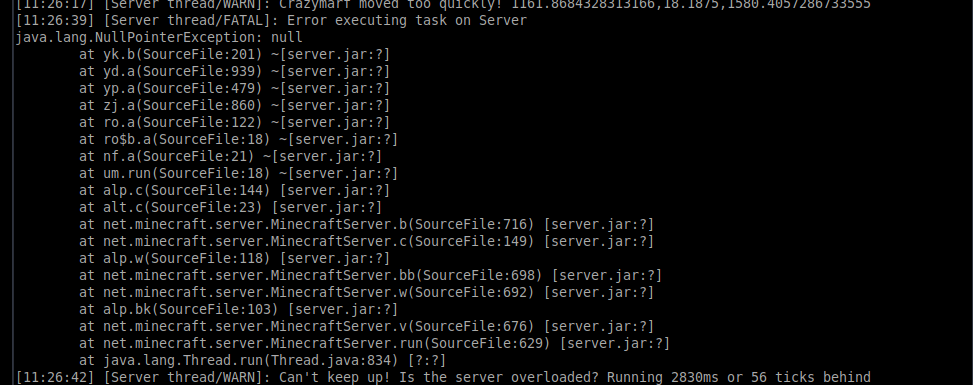
surprisingly, This only happens when i enter the portal. My other friends are fine, no Nullpointers...
Seems to be happning on 21w15a world as well.
only without this datapack, and it seems to be triggereing when traveling from the nether to the overworld. but it does use the Caves & cliffs preview datapack.