 Daiginn
- Daiginn
- daiginn
- Europe/Stockholm
- Yes
- No
 MCPE-21476
 REALMS-11162




My phone takes pics bigger than 10mb
Sorry i wanted to keep typing but its very difficult on phone using desktop webpage. But i will try to get pics tonight.
“Edit - additional information- my realm has no experimental features none of those holiday or anything. And after now getting the same corruption on my local world (as well as a marketplace world) im confident this is not directly related to my packs or my worlds. I also- spent all day yesterday having to reload and reformat all my packs, and even with the world stripped of every single bp rp and bp rp “history” jsons.. the players still had the glitch speed. I reapplied original old simple bp rp and still glitch, and i applied updated bp rp and still glitch speed. The only way to get a world to stop the glitch speed is load a old world file previous to the glitch event. I do suspect its a player json glitch event that causes the initial glitch, as u can follow my comment that states the marketplace addon “morph into mobs”. But this world breaking glitch cant be corrected by fixing the file or the event that caused the glitch. The world becomes corrupt in some way.
Will get more info and get others to help describe shortly. Im surprised i didnt find any reports on this allready as i have seen this on many of players worlds.
Problem-
Players who join the realm have ludacris speed! No effect status or particles. (Includes my moderators so i know its no hack client. ) they can often run through walls or blocks, and often cant interact with most things or players. Resembles spectator mode but players are visible and can interact with some things.
The speed cant be slowed by effects.
The speed effects “that player” everytime they join!
The speed doesnt effect every player! It seems players that join the realm before the glitch starts are ok even after the glitch event. After the glitch event all players have the issue.
I reloaded a new “copy” from my local worlds that does not have any issues. And moderators that “had” the glitch no longer have the glitch. But new players that join at some random point in time seem to develop the glitch.
Player json and other files have been checked and work appropriately, and other players worlds have had this issue as well.
![[MCPE Mod] Auldrick](../../../data/avatars/users/10122.svg)
Daiginn: Yes, please, since the behavior you're describing seems more closely related to it being gravel than to the water. It would also be very helpful if you could provide a seed and a set of coordinates for where you placed a gravel block and it behaved in a way you didn't expect. (Be sure to mention what you expected as well.)
Having the coordinates should enable us to reproduce the behavior if it's still possible in a new world. (It may not be possible to reproduce anymore, because it was caused by a bug when your world was generated but the bug has since been fixed.)
[edit] In response to your question above about when a fix is coming, we on the Bedrock bug tracker don't have that information. Our mission is just to collect bug reports, verify them, and forward the important information to the developers. After that, we generally don't know anything further about them until a changelog says it's fixed.
Hello for me i tried to open a file cause similar to this duplicating issue.... It automatically replaces things in my hotbar with whatever it wants and usually duplicates it. For me its more annoying to go click on my hotbar sword and i end up having to defend myself with a steak.
Multiple similar issues and mojang keeps closing them,
https://bugs.mojang.com/browse/MCPE-50539
Thank you for your quick response and I will follow through when possible as fast as possible. In the meantime I can assure you that there was no realm crash or reloading of chunks as I was as explained above currently and in process at the farm Actively killing mobs when the mite disappeared. My associate "kybercrystal" will also be helping when he can to further this along. As every other issue of mobs disappearing even with some who are currently videoing their game no one is able to video this issue because it always seems to happen when the mob is not in direct view even if the mob is within viewing distance, and in my case in the same chunk just a few blocks below it. And others the creature was a few blocks to their side.
Sorry but again will comment more when i get a chance.
steps to reproduce:
1: take bucket o water
2: click and place source water block on flat surface
3: observe
Observed results:
water will either run in only one direction: seems to prefer one direction more than others but is not consistent.
Expected results:
water source block placed: water should flow in all four directions from source (it doesnt) lava also does this occasionally. And we are not talking about it hitting an object duhh. (Sorry but we can skip the obvious moronic things u might averagely deal with) expected results: water should flow (forgot how far had to look it up) 7blocks .. but it stops short sometimes... and if multiple source blocks connect in a line if you take away one source block or many.. one source block can still keep "flowing water" over 10-15 blocks away.
For now you can see in the pic that water doesnt fill in blocks where its supposed to , goes where it wants, and doesnt "flow" as it should. Also when the videos are up you will see that water placed doesnt behave as it should and also water will "run" distances fed by source blocks far away. As in one video will show water dropping down 10ish blocks then running left 8-10blocks then proceeding down to spill correctly. Once source was removed the redicoulous leg of water dissipated. And its much worse than that sometimes but u see a instance of its running from a source block longer or misfed connections whatever.
Heres your videos
your gonna have to take it from youtube i aint gonna keep messing with this stupid redicoulous 10mb cap.
https://youtu.be/7BTjbAQs3GA
Coord 9,65,0 in the end
Thanks katie but not possible. The mite was stuck in a minecart in one position with no movement possible
Plus mob cap regardless: named tagged punched and interact with" mobs wouldn't despawn regardless of cap or crossing chunks
Ok.. i may not agree with water "running tward water" cause thats the way they want it to look natural. Though everyblock is flat it would look right to flow evenly. Thanks u for noticing something to report, cause some of it doesnt work right. Another one is this ::
1: place gravel block on ledge to fall into water (usual purpose is to make bridges or fill in water source blocks)
2: sand/gravel falls to bottom
3: sand/gravel breaks and doesnt place sand/gravel
Expected results would be a gravel or sand block to build on bottom instead they are breaking. I believe it has some part due to if at anytime the "falling block" cones into contact with a flowing water it will break even if it falls past the flowing water. I dont agree with that and it does break sometimes when it didnt come i to contact with anything!! Sometimes falling past 15-20 block (all solid water) if the sand/gravel falls between two block or into a tight space under the water it will still break unless u go down fill the hole then build up! The following video shows at the beginning and end two different scenarios of this.
https://youtu.be/QKIfsXPBATI
Any other people corroborated this?
Another one is this ::
1: place gravel block on ledge to fall into water (usual purpose is to make bridges or fill in water source blocks)
2: sand/gravel falls to bottom
3: sand/gravel breaks and doesnt place sand/gravel
Expected results would be a gravel or sand block to build on bottom instead they are breaking. I believe it has some part due to if at anytime the "falling block" cones into contact with a flowing water it will break even if it falls past the flowing water. I dont agree with that and it does break sometimes when it didnt come i to contact with anything!! Sometimes falling past 15-20 block (all solid water) if the sand/gravel falls between two block or into a tight space under the water it will still break unless u go down fill the hole then build up! The following video shows at the beginning and end two different scenarios of this.
https://youtu.be/QKIfsXPBATI
Adam
Added 3 days ago 9:58 PM
New hot fix... same problems, plus water now doesnt dissapear after source block is removed.
In caves and places where water is naturally spawned many times is broken.
https://youtu.be/NkwTLM06cr4
More water flow and running issues. Are we gonna get some results on the next fix? Or at least more responses to my last long message about gravel in water or maybe this addition to spreading water?
Still broken after days of playing and in and out or the realm.
Do i need to put the gravel message in a separate issue thread?
Sorry auldrick that gravel issue i will relocate.
But this accompanying water issue: https://youtu.be/NkwTLM06cr4
Do you feel it is relative to the first? Or separate?
Yes the first video was of placed water, and placing water. And the last was naturally world spawned areas.
Toprak... yeah annoying water issues huh? They reported this stuff to mojang and as u can read above its fairly common.
Good to add your device, update, and even seed number for them to reference. They were considering some of the water that was auto generated versus player placed.
Yes that is how i got past it. I killed the current dragon and respawned the next. In the next resetting of the towers it corrrected.
I second this and got the video to prove it. Notice the crash also resets the realm more than just boots me out. And even though i fly around then come back only when the pillagers load then the game near instant crashes.
https://youtu.be/ep9WkhwMb3s
Auldrick maybe we can vet this and speed up this to mojang!! Stupid pillagers are right at base of my house i cant move near it and all the players in the realm loose serious time with resets! Thanks i know you can only do what you can!
Umm ok.. details... other players on the realm (newest version .13.2 r whatever) also were using the reset to their advantage by looking in a loot chest and “rerolling” the loot by confronting pillager-crashing-and retrying chest.
I had norse texture on. Tried bowing from a distance and sword attacks all crashing.... but my friend said he went on bowed them from a distance (aggroed them) they shot back even and he killed them all no lag no crash? He wassnt using the norse texture. But I believe the other players who were rerolling chests were also not using the texture when it crashed for them. Sorry no consistency here with the details yet but im putting it out there for ya 😋
ios mobile happened about 20min before the first reported time stamp.
Note: Pillagers were on my island where i have never had them before, no outposts within 500blocks
Sounds like many people would like this fixed allready! Maybe u guys can push it to mojang acouple more times!
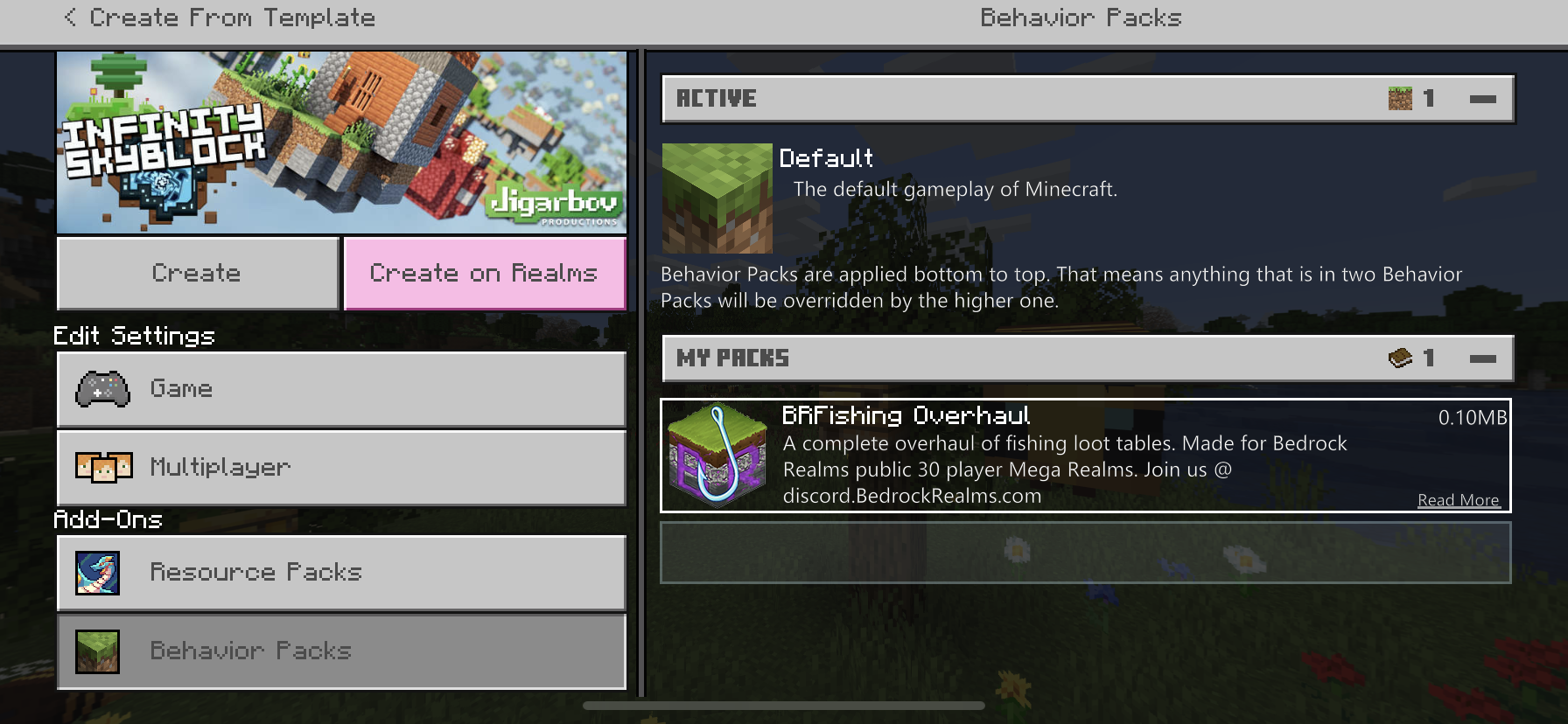
Even if available packs do show up they arent aplyable to ANY worlds. Notice the blank bar under the pack. I downloaded multiple packs and though they show up under “storage” file they do not have a file or code that allows them to apply to worlds.
I rescind my last comment... i was in a world “infinite skyblocks” that was force blocking other changes. After i changed the options to allow changes, it allowed packs. My bad!
Needs updating.. effects 1.14+
Commands such As
/summon villager ~ ~1 ~ minecraft:become_fisherman
...minecraft:spawn_fisherman
...:”otherone”_pro_fisherman will not spawn fisherman only a random villager that wont open gui so prob a nitwit? But didnt really look like nitwit? Anyway... tried multiple commands and multiple villagers. only successfull summon was cleric. Commands would be “successful “ but didnt produce proper villager. I was running norse texture in norse world map. Both are mc created.
Simple reproduction in game type: /summon villager ~ ~1 ~ minecraft:become_fisherman Note: not a fisherman....
Sorry to edit:
But i created new clean world /summon villager ~ ~1 ~ minecraft:spawn_cleric
And i get a toolsmith
Again /summon villager ~ ~1 ~ minecraft:spawn_cleric
And i get a librarian!! Somethings messed up, ie no textures no norse world nothin
@ocelotonesie @mod why is the workflow on this constantly postponed?? This issue is preventing whole worlds from working.. and with 30+ followers representing 1000s we are patiently awaiting you guys to push this ahead to mojang again so it can be addressed properly. Please and thanks
Iphone xr vs1.19.0
I only did the 1.19 update 1hr ago wend june 8th 2022- and OMG the lag is horrendous!! My world that is only 1month old playing chroma hills 64bit, is barely playable with no textures and all settings down or off! FOR EXAMPLE! After hitting a spider they bounce up and back, i could run around the spider 4!! Times! Before it hit the ground. This new update is broke as can be! Feels laggier then java! Looks like we are all gonna have to buy brand new 1200$ phones just to play mc again 🤦♂️
Issue is still ongoing- when bp is in a local world its works fine- in realms it wont update the bp. It seems to either be running only the rp and not taking changes to the bp or the bp if conflicting with realms rejecting the bp. I was able to reproduce a similar effect in local world when the bp had manifest conflicts. I fixed the manifest issues reload the whole world with its attached bp to the realm and the realm will not work from the new bp. Its almost like realms holds bp and rp data cause even when i delete all bp locally the realms dont always have an issue. When I install all new bp and apply it to the realm or (the local world then reupload to realm) it wont take effect in realms. I thought maybe realms didnt want to let changes to player json or loot drops, but thats just a guess. It seems like realms is causing conflicts internally to prevent the packs from loading, and i wonder if this is also a reason why realms is causing some people to loop in their addon uploads. “though i DO NOT get the loop issue”
Ah i remember also when in creative flying the speed issue is alot less. But once your on the ground zoom!
And it never seems to affect the realm/world owner. And often times not the first few players
https://realms.gg/Mkk7WAz2Vhg This is my realm that u can join and clearly see the glitch most players that join are getting it.. i join and a few select others dont’ get the glitch speed
https://youtu.be/P5ox6ngS3ec
Video of the issues although alittle long and audio is scary.. i tried to be thorough to proove its not from the packs/addons
Another product from marketplace called “morph into mobs” also causes the glitch after morphing into the pig!!
Reproduce — create morph into mobs world, use the morph wand on pig and glitch happened right away- glitch speed reproducable 100% of the time
https://youtu.be/Aw8GAxUjz6U
Yeah @maciej there is reproducible works. I explained that in either the reply or the main text. U can download some packs and follow the steps layed out
To all the mods looking for reproducible worlds please see my feb 21 comment and the youtube link with it. That world you can dL and when u activated the pig it caused the speed glitch everytime. This was also 4 months ago now so no telling if its still happening but u can start there cause im sure its easy for u to obtain a copy of that world.
Venda seems to have more recent stuff as my project that had this issue is currently on the backburner. But i can provide the world as well https://daiginn.gumroad.com/l/uyyfh if a mod will contact me privately i can give them a code to dL the worlds free. Just of coarse would have to use the bedrock world etc.. may even need to open it to realm or try it multiplayer to get the glitch. Otherwise Venda might be a faster route- with my stuff as backup to the issue.
Lol no venda they dont work on the weekends shh 🤫 everyone gets emails when u reply to these 😂
Yea venda sorry to say these things take months and years. It would be good if your able to leave ur realm open for them to see the issue. But likely they wont or cant in reasonable time frame. I also had my realm in February when i reported this and here we are. I would suggest using a new realm world and try to play your way in a new instance. But save the glitch world for future use “”if”” this ever gets resolved. This is my best attempt to patiently say “dont hold your breathe “ on this one. 😆
Reply: i allready gave you the resource info, videos and community collaborations. Dont wait just for me- you have a whole community of players reporting this issue. Listen to them also. This isnt just “my ticket” this is a community response post.
In one situation I had a custom pack i made.
Another world i had that same pack no problems.
Another world on realms i had no packs and same issue.
The issue seems to be once a pack corrupts the world or the world gets this corruption however” it will not default once the pack is removed. It is changing something permanently to the base world.
You said if the world was too large to get u a link, i posted the link to my gumroad a long time ago. Not one of you asked me for a free coupon. I doubt any of you would even use this “TeamBuilder” not sure how many times can be used left. I cant find where the option is to male a coupon code anymore.