 Paul Beverage
- darkpoetcc
- darkpoetcc
- America/New_York
- Yes
- No
 MC-129631
 MCD-686
 MCL-13885

This is identical to the issues for MCPE ( BUG 42226 MCPE ) And for MC 1.13.2 ( BUG 147485 ) We had a world that we had built up a lot over the past week and a half, but when we logged in earlier today, the only thing that was the same was the gear and inventory; the town, the buildings we had made, everything was gone. The animals we had (2 llamas) are still around, but that is the only thing that is the same.
This is identical to the issues for MCPE (BUG 42226 MCPE) And for MC 1.13.2 (BUG 147485) We had a world that we had built up a lot over the past week and a half, but when we logged in earlier today, the only thing that was the same was the gear and inventory; the town, the buildings we had made, everything was gone. The animals we had (2 llamas) are still around, but that is the only thing that is the same.
NOTE: This is a local, singleplayer world that is shared by a few different people. The world when we last played (8/5) was fine each time we loaded it. Today (8/7), which was the next time we started to play, all of our custom structures and terrain changes were reverted to when we discovered the village.
Controller Users: Bringing up menu during level intro video breaks ability to skip intro
NOTE: This is for controller users. I haven't been successful in replicating the issue with my keyboard.
If you open your inventory, and choose any piece of gear you are wearing and press A to Pick Up the item, it creates a temporary inventory space in the top-left position (index 0, I assume) that it expects you to place the gear in. If you do not use this space, it will remain in the inventory area as an empty space, regardless of any other changes you make. It will be removed only after closing your inventory (press B) or changing tabs (left/right bumpers).
Using a keyboard, this is not a problem, as you just right-click to remove the piece of gear, which is automatically places at the very bottom of your inventory.
See below an example of this issue occurring.
NOTE: This is for controller users.I haven't been successful in replicating the issue with my keyboard.If you open your inventory, and choose any piece of gear you are wearing and press A to Pick Up the item, it creates a temporary inventory space in the top-left position (index 0, I assume) that it expects you to place the gear in. If you do not use this space, it will remain in the inventory area as an empty space, regardless of any other changes you make. It will be removed only after closing your inventory (press B) or changing tabs (left/right bumpers).
Per @Vilder50, the same issue can be recreated on keyboard:
Can be recreated with mouse and keyboard:
1. Hold left-click on an equipped item.
2. Move the item a little.
3. See the empty slot appearSee below an example of this issue occurring.

Controller Users:"New" Inventory space not reclaimed properly
@Rapke1 – As a software developer myself, and a former SysAdmin, let me give you a word of advice – STOP IT! You are not conducting yourself in any way that is conducive to helping you with your issue, and the constant posting and whining is not fixing the issue, nor is it helping the mods to be able to deal with the issue.
Upload the crash report, and then just wait. BTW, the crash report is supposedly on your machine at "C:\Users---\AppData\Roaming\.minecraft\crash-reports\crash-2018-04-25_16.24.00-client.txt"... So...again, I suggest that you upload the report, and wait patiently – they have many duties, and many more customers than just yourself.
I will add world files in the next 24-48 hours for this.
The Burning enchantment as well as the Snowball enchantment can both go through the wall and hit enemies, from the ones I have tested. Also, the poison cloud from Nightmare's Bite also seems to sometimes hit them. As well, if they die close to the closed wall, you can still pick up the gear/emeralds/potions they drop.
This is easily tested with the wall where you unlock the secret Creeper area in Creeper Woods – just don't unlock it, and walk up and allow them to come towards you with one/both enchantments.
Updating per @Vilder50's recreation with a keyboard/mouse setup.
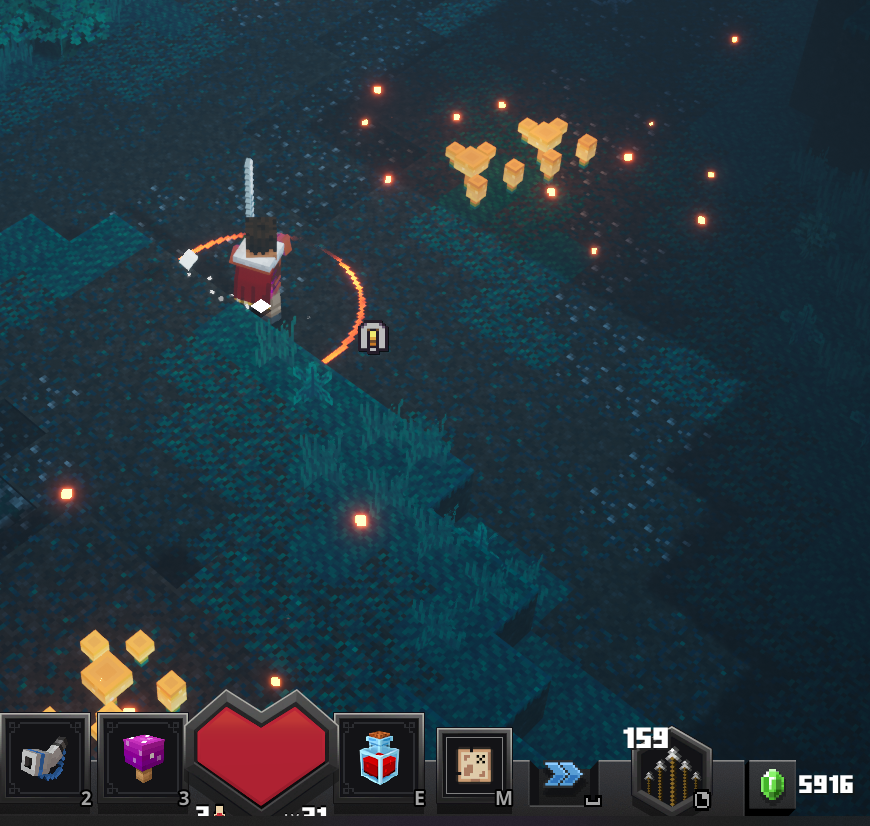
Here is a screenshot; minimap broke and did not reappear after going into a side area (the supply station right before the spiders in Creeper Woods). I had to exit the level and re-enter to get the minimap to work again. All it will show while broken is your "current position" beacon square, chests, and entrances; nothing else will load no matter where you go.