 John Klinedinst
- drac86
- drac86
- Europe/Stockholm
- Yes
- No
 MC-4500
![[Mojang] Grum (Erik Broes)](../../../data/assets/gravatar/grum.png)




[[ UPDATE : 1.6.2 ]]
[Error]
"Hot-Patching" a Resource Pack makes it unusable in until the Client Closes.[Notes]
Same instructions as below, but without the crash.
----------------
[Error]
If you "Hot-Patch" a Resource Pack, the Game Crashes when you try to render the new Data.[Duplication]
• Open Minecraft and Select a Resource Pack (Example "ZIP")
• Start a Single Player Game / Join Multiplayer****
• Edit a "Out-of-Folder" copy of Resource Pack.
• Copy new zipped file to Resource Pack directory (Confirm Override0
• Minecraft : Open Resource Pack Menu
• Select Default
• Wait for Workload to complete
• Select Zip Resource Pa-CCCCCRASH (Sad Faces all around)[Notes]
• This used to work before 1.6
• My process / workflow for edits is this :
- Fire up Minecraft and look at Textures (usually in Flat World)
- Edit the files one by one as needed
- Re-Zip file in my Development Directory
- Copy Zip File to Minecraft Directory
- Switch to Default, wait a few Seconds, Switch Back
- View new Content
- Adjust as needed (Repeat Steps until pack is updated)
• Completely logging out and quitting the Game works, but the process is FAR to long, especially for super fast edits to tweak the smaller things (like Pixel adjustments)
• 2x Crash Notes Attached (Yes, my Resource Pack is called Zip until done and ready to be shipped).[Resource File Notes]
• 16x16
• Textures Only (No Sound, Lang, etc)
• FileList Mirrors 1.6.1 FileList (Textures only)
• PNG Files are 32-bit/unCompressed[Notes]
• If you need anymore data, let me know.
Resource PackCrashes on Zip UpdateResource Pack Locks on Zip Update
Windows 7
Java u7_45i5-2500k
16GB PC3-12800[4]
GTX 760
Is it supposed to behave this way? (Samplings the Double Slabs). What about the issue that placing Sampled Double Slaps results in placing Oak Slabs.
Note: It's quite weird. I have serious OCD about Planks vs Double Slabs, and the wall I sampled from would contain 1 block of Double Slabs.
Ah. Thank you good sir...
@Ezekiel
It doesn't crash but it still locks out the Resource Pack. I can click to another Pack, such as Default or another, but won't let me reSelect the file I had overwrote. (I'll update the ticket after this is posted).
FolderBase Resource Pack worked... Thank You for the Help (You can close this ticket as well)
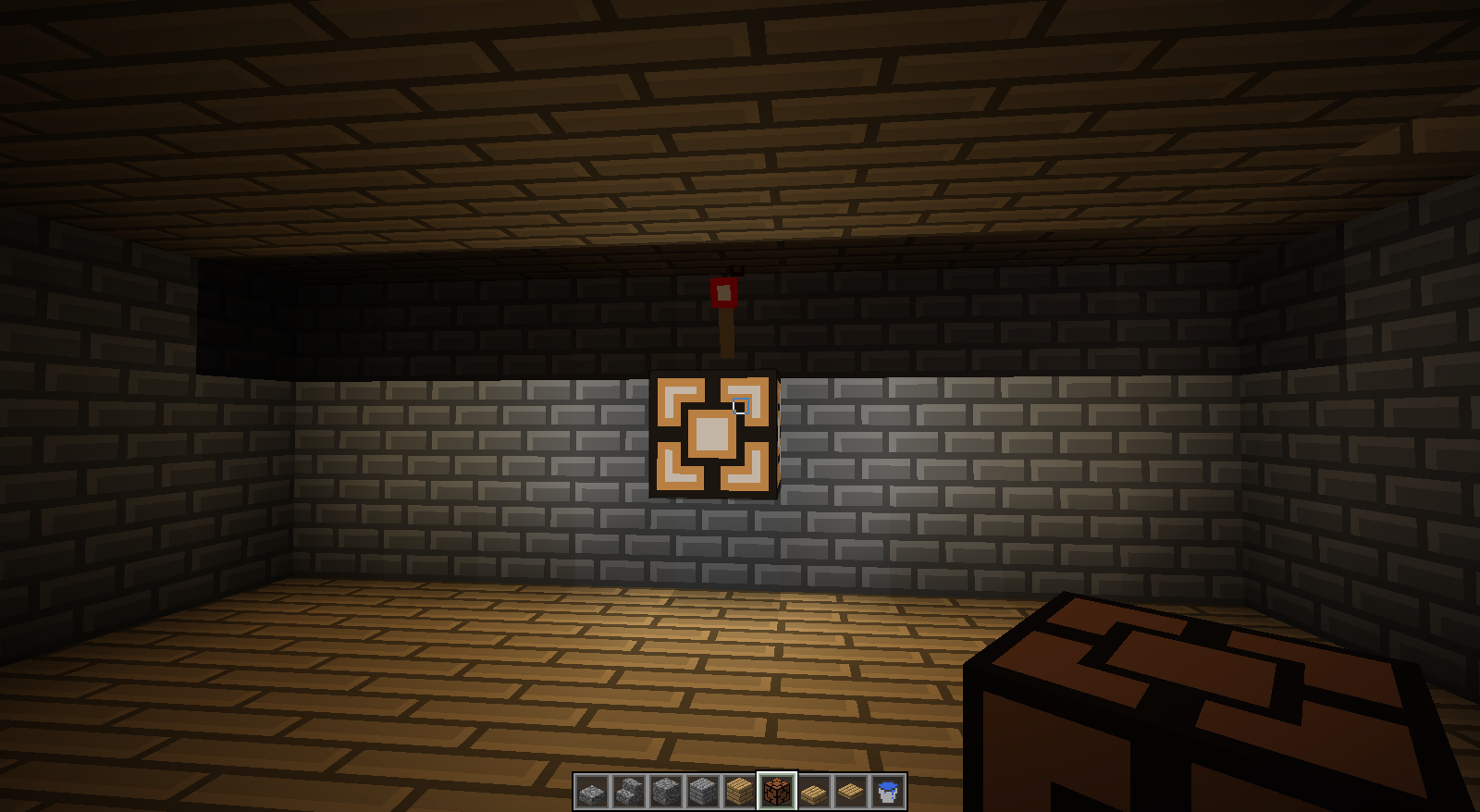
When placing Redstone Lamps...
Found this bug today as well... Posted Screenshot.
I had this too.. The VSync option was causing this for me. Try Cranking it to MAX FPS. (or vice versa).
Allocate more RAM :
• New Profile
• CheckBox : JVM Arguements
If it still crashes, change the text in the JVM Arguements from :
• OLD : -Xmx1G
• NEW : -Xmx2G
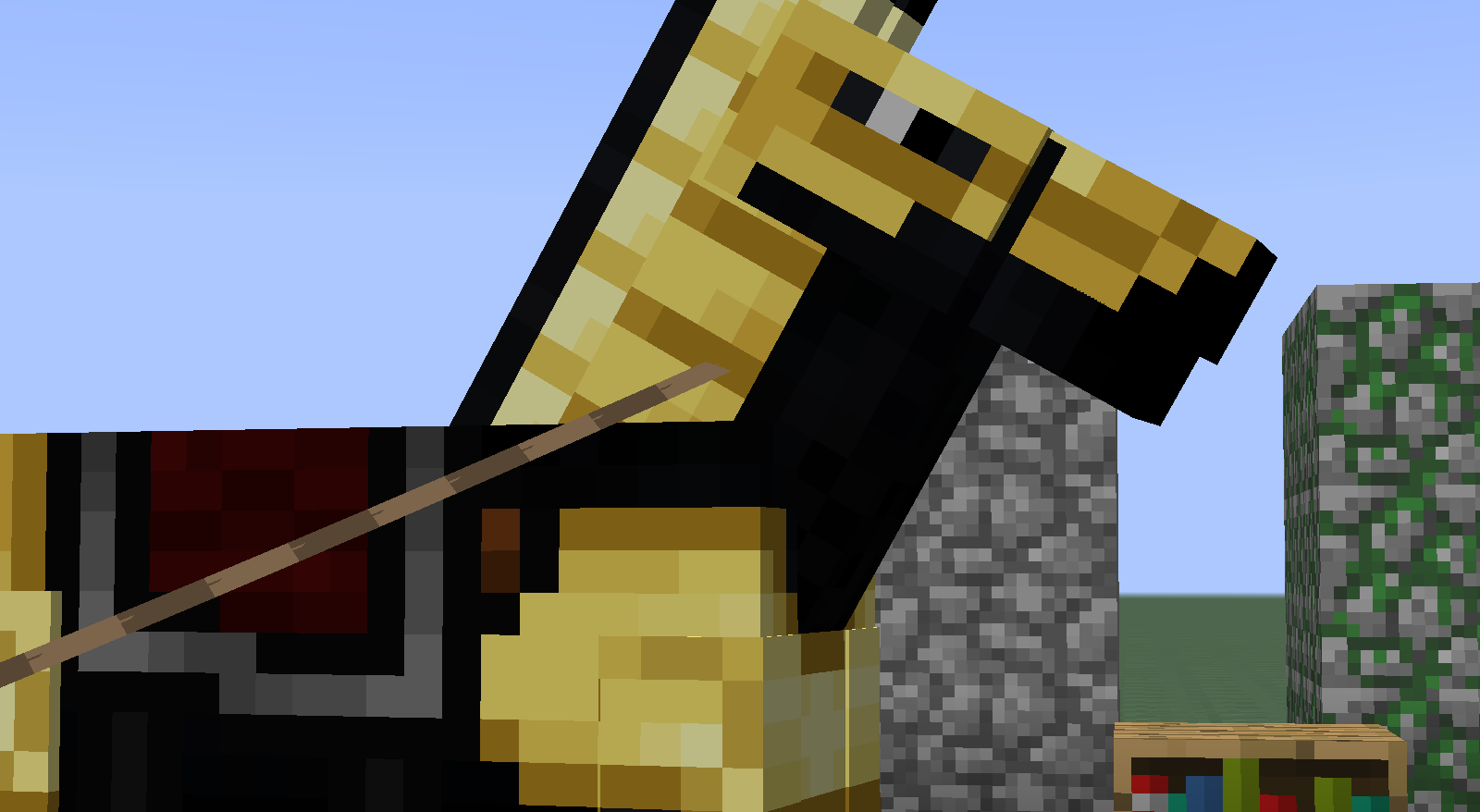
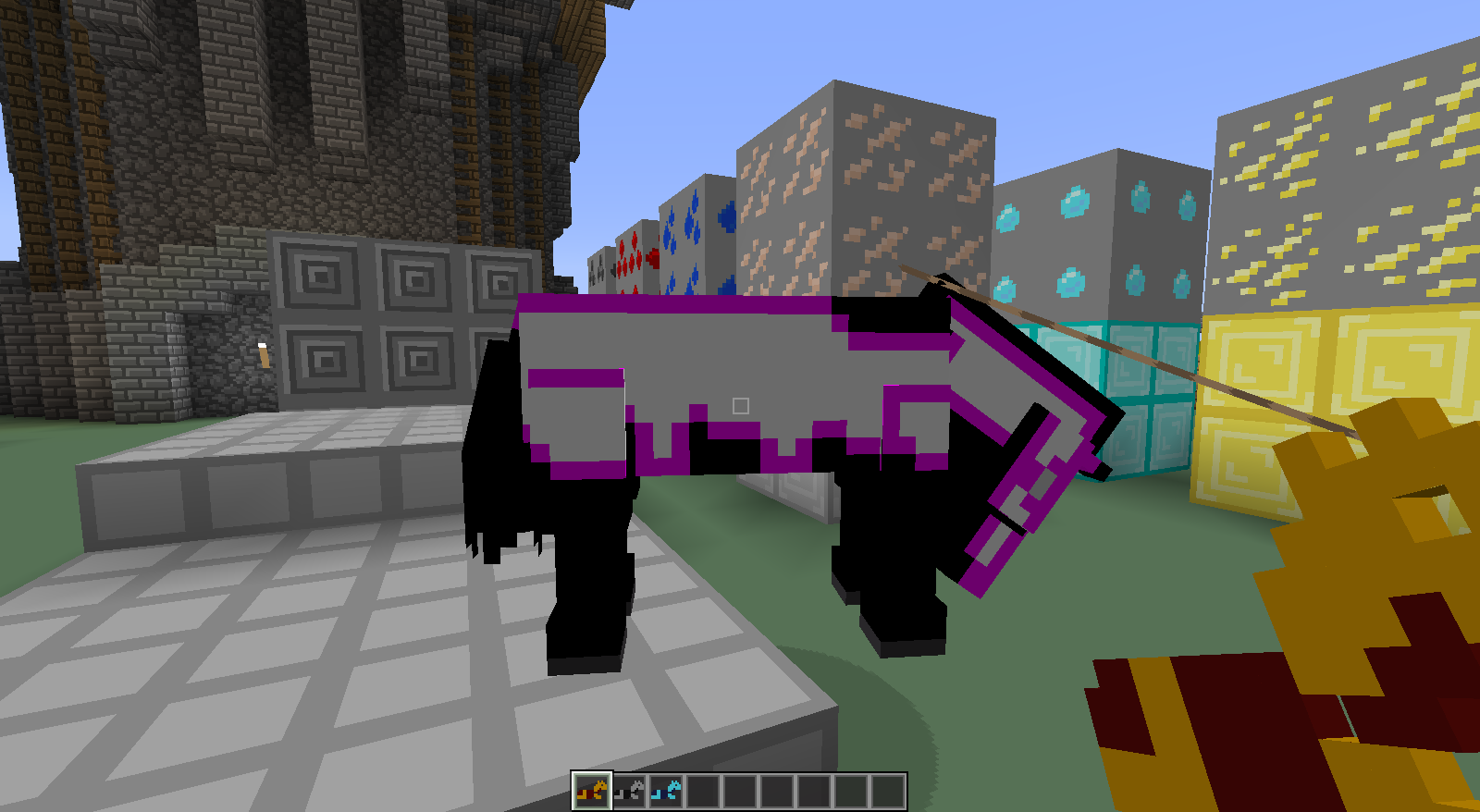
Also, I've noticed that the Legs, don't match up correctly with the texture. I'll do a Alpha Highlight of the edges and post to demonstrate, soon.
I know the Alpha Highlight picture is within my Texture Pack, but I took the original 1.6.2 Horse Armor Files and notices they don't line up. There should be PURPLE along all borders touching Invisible Edges. Here you can see that the Leg Plates don't line up properly or are too big.
Edit: Tail seems to have this too.
Confirmed in 1.6.2. You can start any game in Creative Mode, Spawn a Horse, Lead it to a fence. Type /Kill. (Leash Gone).
• Tested in Survival and Creative.
The issue is, this creates a visual "tear" as seen in Misa's Texture pack screenshot. If Texture artists want a different Short Edge Art than Long Edge art, it gets negated because the Short is overlaying the Long. Aslo, you can see where the pattern seems cutoff, but mere is just overlayed what should be there.
@Zombie Hunter : Thanx for the Screen, didn't think to put on a pattern to better represent the issue.
Minecraft Native Textures edited for easy reference. Nothing in the pack is edited, with the exception of the GUI for Furnace. Notice that the 14x14 is alternating Green / Red and the Overlay location on the GUI is inverted. Added inGame Snapshots of Furnace with modded Textures... Not that the Green line in the "Fuel" indicator is cut off.
Note : Added Zoomed in Snapshot.
Note : The reason that the Vanilla Textures are hard to tell because the Overlay includes part of the GUI as part of its render to blend better (Or at least it looks that way). That other screenshot looks 64x64 wish would be harder to distinguish (probably would result in 56x52).
This is a separate issue than the one described in
MC-12413. Running 1.7.4 and it still is showing the bottom flames unlit.If what that Fix says is true, then the furnace graphic error I described is intended.
What information do you need delivered??
Firewall Log...
Note : Had some issues uploading... All better now.
Its attached... "FirewallLog.txt" 72kb.
Updated affected versions : Tested under 1.8 Pre-Release 1 / 2 / 3