 ElseAirplane891
- ElseAirplane891
- JIRAUSER663378
- Europe/Stockholm
- Yes
- No
 MC-231360
 MCPE-173762
 WEB-6618MCPE-179184















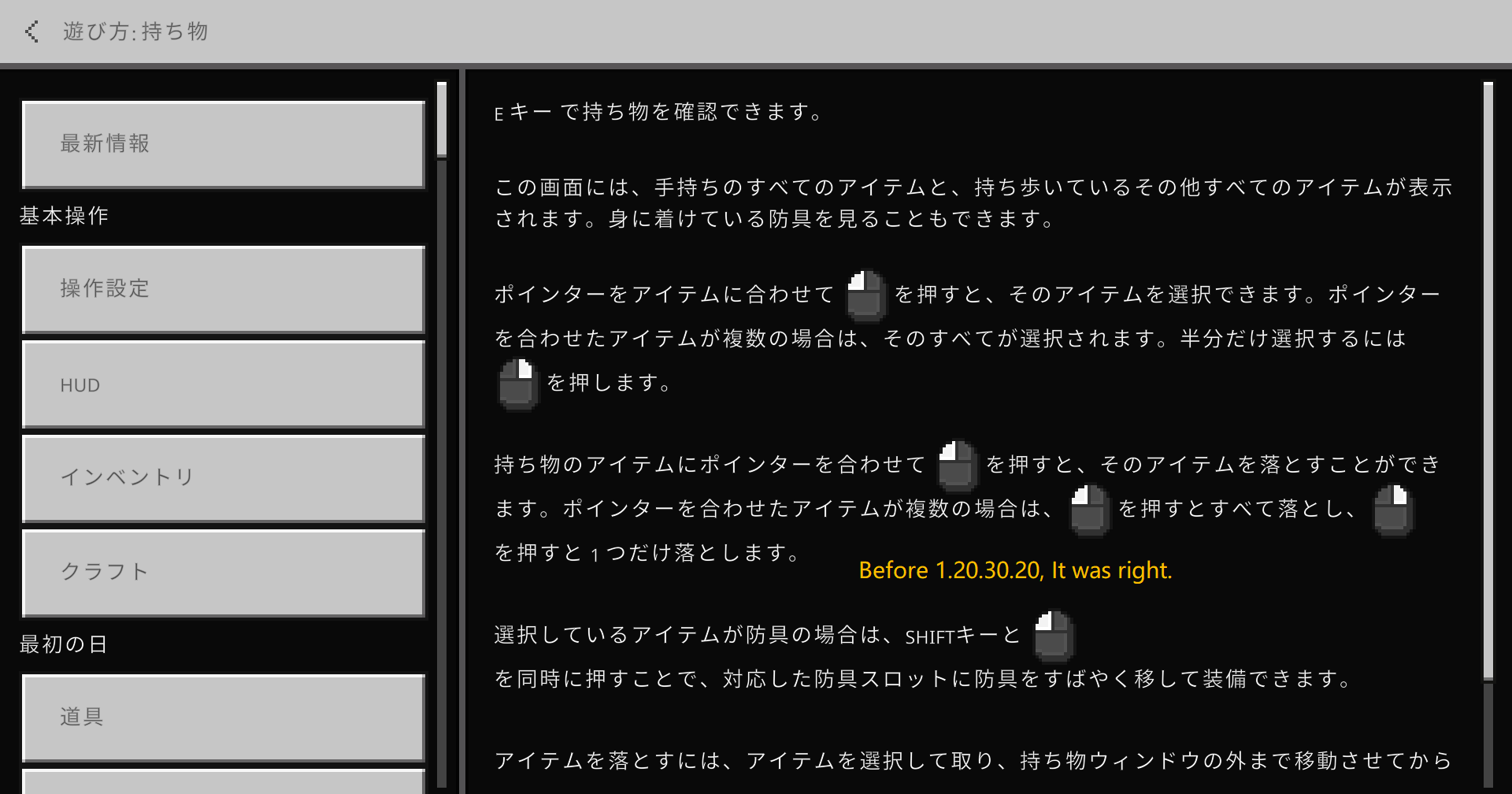


After the 1.20 items were moved out of the experimental features, the items lost their localization.Steps to Reproduce:
1. Create a new World in languages other than English. For example, I used Simplified Chinese.
2. Open your Inventory, then check the name of the new 1.20 items' translation.
Result:
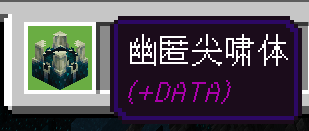
You can easily find that they aren't translated as the way before the items were moved out the experimental features. The items lost ther localization, they are still in English, instead of Chinese that I expected to appear.
Expected Result:
They're translated, like the way before they were moved out the experimental features.
The bug was found in 1.20.0.21&22.
Steps to Reproduce:
1. Create a new World in languages other than English. For example, I used Simplified Chinese.
2. Open your Inventory, then check the name of the new 1.20 items' translation.
Result:
You can easily find that they aren't translated as the way before the items were moved out the experimental features. The items lost ther localization, they are still in English, instead of Chinese that I expected to appear.
Expected Result:
They're translated, like the way before they were moved out the experimental features.
The bug was found in 1.20.0.21&22.
Steps to Reproduce:
1. Create a new World in languages other than English. For example, I used Simplified Chinese.
2. Open your Inventory, then check the name of the new 1.20 items' translation.
Result:
You can easily find that they aren't translated as the way before the items were moved out the experimental features. The items lost ther localization, they are still in English, instead of Chinese that I expected to appear.
Expected Result:
They're translated, like the way before they were moved out the experimental features.
The bug was found in 1.20.0.21&22.This bug is already fixed.
Steps to Reproduce:
1. Create a new World in languages other than English. For example, I used Simplified Chinese.
2. Open your Inventory, then check the name of the new 1.20 items' translation.
Result:
You can easily find that they aren't translated as the way before the items were moved out the experimental features. The items lost ther localization, they are still in English, instead of Chinese that I expected to appear.
Expected Result:
They're translated, like the way before they were moved out the experimental features.
The bug was found in 1.20.0.21&22.This bug is already fixed.
Resolved problem(Localization Lost)
Steps to Reproduce:
- Start a new world, and use trapdoor to get into crawl mode.
- Ride a nearby
camel, donkey, horse, etc.
Result:
You are always in crawl mode which seems funny until you dismount.
Expected Result:
When riding, disable crawl mode.
Steps to Reproduce:
- Start a new world, and use trapdoor to get into crawl mode.
- Ride a nearby ridable mob(like horse & donkey) or a boat/raft.
Result:
You are always in crawl mode which seems funny until you dismount.
Expected Result:
When riding, disable crawl mode.
Steps to Reproduce:
- Start a new world, and use trapdoor to get into crawl mode.
- Ride a nearby ridable mob(like horse & donkey) or a boat/raft/minecart.
Result:
You are always in crawl mode which seems funny until you dismount.
Expected Result:
When riding, disable crawl mode.
Steps to Reproduce:
① 2 players needed, one of them start a world. The ask the other to open a shulker box, you change yourself into spectator.
②Try to fly down on the
4 edges of theopened box.Observed Result:
You'll find you can't fly down
easily on one of the edges.Expected Result:
You should be able to fly down easily
onthat.See attached video.
Steps to Reproduce:
① 2 players needed, one of them start a world. The ask the other to open a shulker box, you change yourself into spectator.
②Try to fly down on the opened box.
Observed Result:
You'll find you sometimes can't fly down through the box.
Expected Result:
You should be able to fly down easily through that.
See attached video.
Steps to Reproduce:
- 2 players needed, one of them start a world.
- Then ask the other to open a shulker box, you change yourself into spectator.
- Try to fly down on the opened box.
Observed Result:
You'll find you sometimes can't fly down through the box.Expected Result:
You should be able to fly down easily through that.See attached video.
Steps to Reproduce:
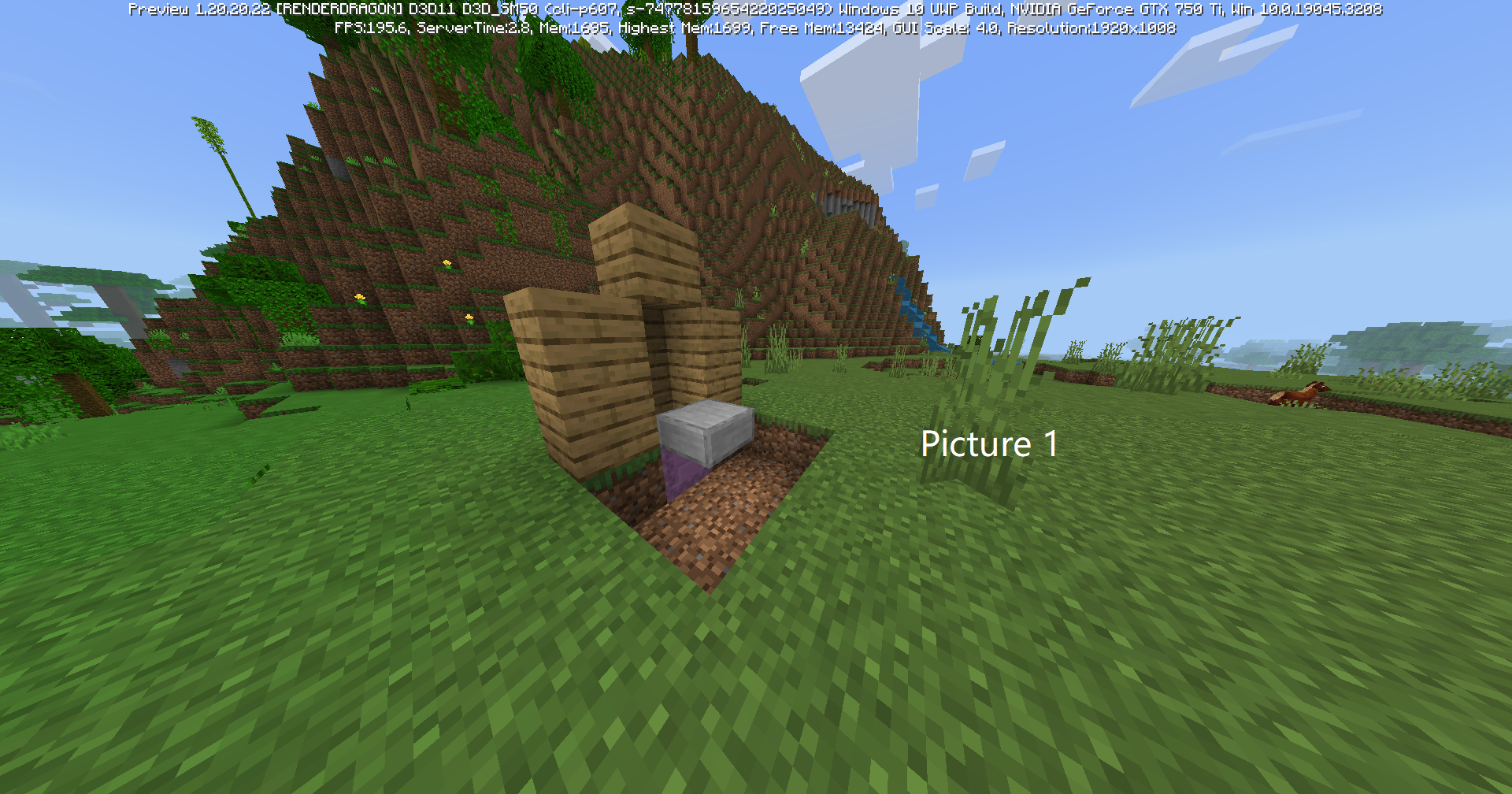
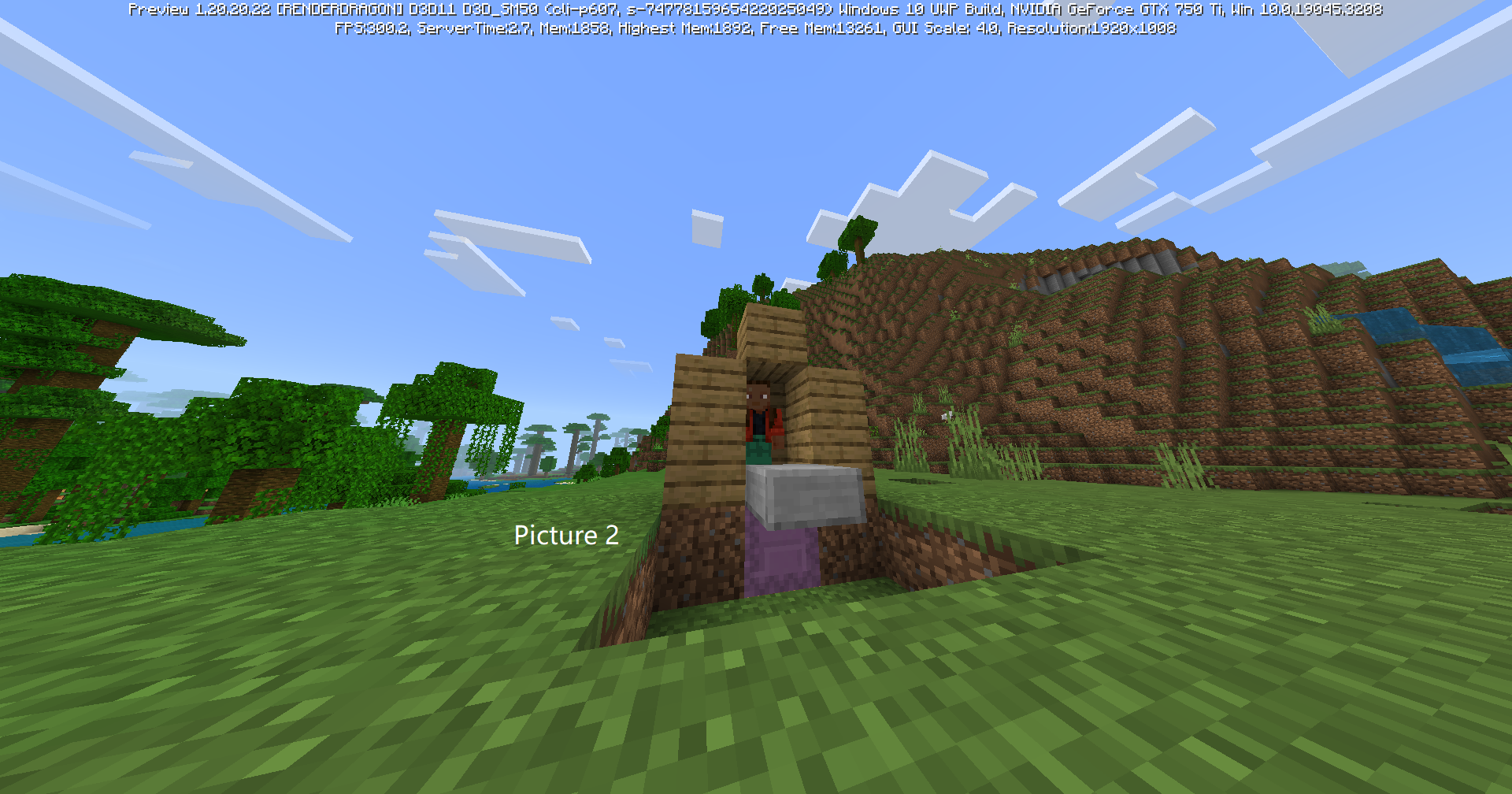
①Create a new world, build a two-block-high space, as in Picture 1 in the attachments.
②Stand into the space, as in Picture 2.
③Open the shulker box below you.
Observed Result:
You sink into that.
Expected Result:
An opened box is 0.5 blocks taller than the one isn't opened. So your space for you becomes (2-0.5) = 1.5 blocks. But since there is Short Sneak, you should be converted into sneak, instead of sinking into that.
Steps to Reproduce:
①Create a new world, build a two-block-high space, as in Picture 1 in the attachments.
②Stand into the space, as in Picture 2.
③Open the shulker box below you.
Observed Result:
You sink into that.
Expected Result:
An opened box is 0.5 blocks taller than the one isn't opened. So your space for you becomes (2-0.5) = 1.5 blocks. But since there is Short Sneak, you should be converted into sneak, instead of sinking into that.
Steps to Reproduce:
①Create a new world, build a two-block-high space, as in Picture 1 in the attachments.
②Stand into the space, as in Picture 2.
③Open the shulker box below you.
Observed Result:
You sink into that.
Expected Result:
An opened box is 0.5 blocks taller than the one isn't opened. So your space for you becomes (2-0.5) = 1.5 blocks. But since there is Short Sneak, you should be
convertedinto sneak, instead of sinking into that.Steps to Reproduce:
①Create a new world, build a two-block-high space, as in Picture 1 in the attachments.
②Stand into the space, as in Picture 2.
③Open the shulker box below you.
Observed Result:
You sink into that.
Expected Result:
An opened box is 0.5 blocks taller than the one isn't opened. So your space for you becomes (2-0.5) = 1.5 blocks. But since there is Short Sneak, you should be forced to sneak, instead of sinking into that.
Steps to Reproduce:
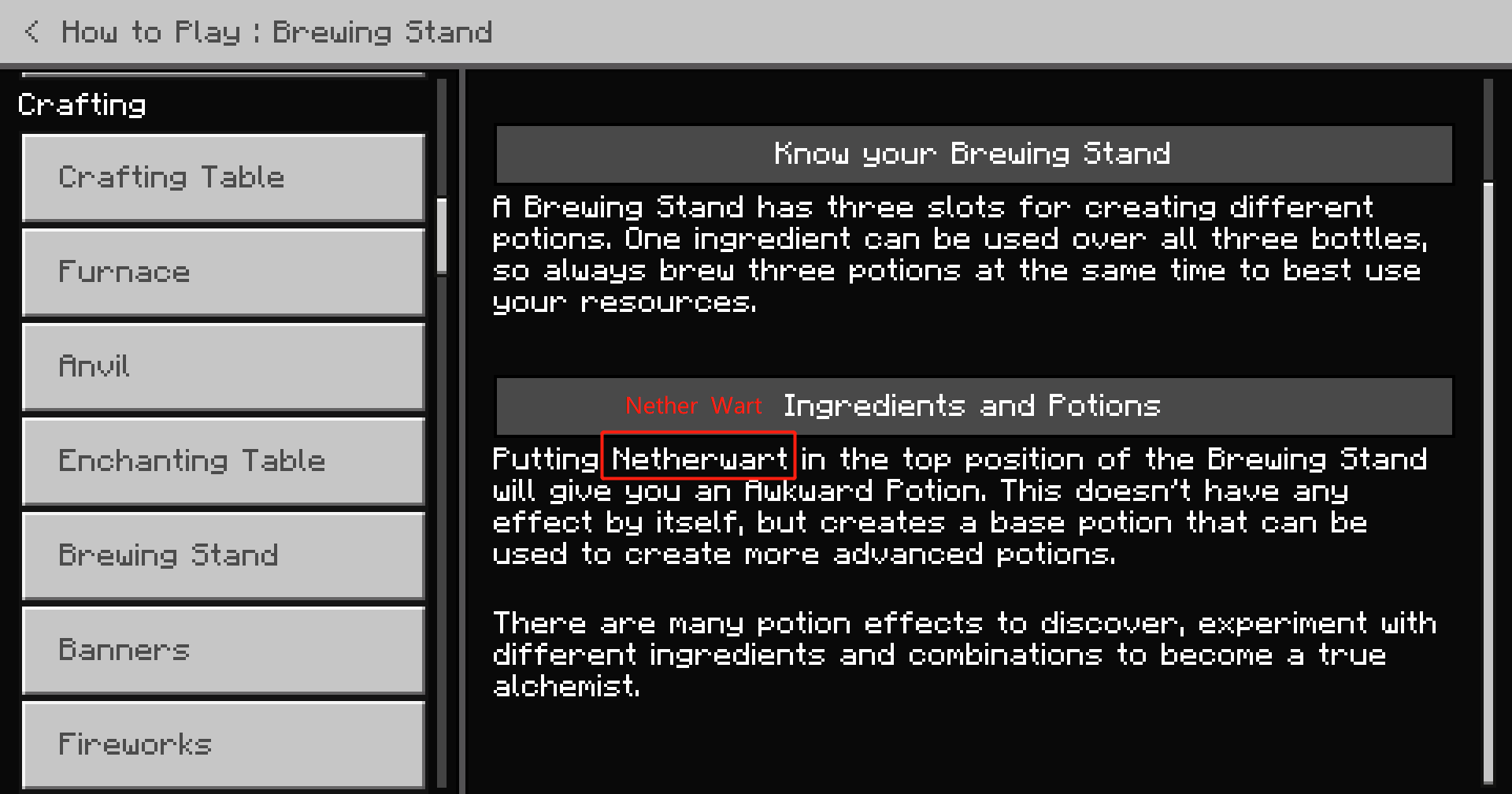
① Go to Settings > How to Play > Your first craft.
② You'll see the mistake.
Result:
- Words colored in GREEN are correct.
- Words colored in RED are incorrect.
Observed Result Expected Result Reason Try placing two planks above each other to create a stick. Try placing two planks above each other to create 4 sticks. 2 wooden planks = 4 sticks(in crafting recipe). See attachments.
Steps to Reproduce:
① Go to Settings > How to Play > Your first craft.
② You'll see the mistake.
Result:
- Words colored in GREEN are correct.
- Words colored in RED are incorrect.
Observed Result Expected Result Reason Try placing two planks above each other to create a stick. Try placing two planks above each other to create 4 sticks.2 wooden planks = 4 sticks(in crafting recipe). See attachments.
Steps to Reproduce:
① Go to Settings > How to Play > Your first craft.
② You'll see the mistake.
Result:
- Words colored in GREEN are correct.
- Words colored in RED are incorrect.
Observed Result Expected Result Reason Try placing two planks above each other to create a stick. Try placing two planks above each other to create some sticks. 2 wooden planks = 4 sticks(in crafting recipe). See attachments.
Wrong description in the new How to Play (about crafting sticks). [RESOLVED PROBLEM]
Steps to Reproduce:
① Go to Settings > How to Play > Your first craft.
② You'll see the mistake.
Result:
- Words colored in GREEN are correct.
- Words colored in RED are incorrect.
Observed Result Expected Result Reason Try placing two planks above each other to create a stick. Try placing two planks above each other to create some sticks. 2 wooden planks = 4 sticks(in crafting recipe). See attachments.
This bug got fixed in Preview 1.20.60.21, but yet they haven't marked this as fixed.
Steps to Reproduce:
① Go to Settings > How to Play > Your first craft.
② You'll see the mistake.
Result:
- Words colored in GREEN are correct.
- Words colored in RED are incorrect.
Observed Result Expected Result Reason Try placing two planks above each other to create a stick. Try placing two planks above each other to create some sticks. 2 wooden planks = 4 sticks(in crafting recipe). See attachments.
This bug got fixed in Preview 1.20.60.21, but yet they haven't marked this as fixed.
Steps to Reproduce:
① Go to Settings > How to Play > Your first craft.
② You'll see the mistake.
Result:
- Words colored in GREEN are correct.
- Words colored in RED are incorrect.
Observed Result Expected Result Reason Try placing two planks above each other to create a stick. Try placing two planks above each other to create some sticks. 2 wooden planks = 4 sticks(in crafting recipe). See attachments.
Steps to Reproduce:
1. Open a world with experiments of 1.21.
2. Summon some Breezes.
3. When they are attacking you, run /tp @e @s.
Observed Result:
It will say "Teleported entity.wind_charge_projectile.name to %s."
Expected Result:
It will say "Teleported Wind Charge to %s."
See attachments.
Wind Chargeis untranslatedWind Charge Entity displaying its raw translation string.
Steps to Reproduce:
1. Open a world with experiments of 1.21.
2. Summon some Breezes.
3. When they are attacking you, run /tp @e @s.
Observed Result:
It
willsay "Teleported entity.wind_charge_projectile.name to %s."Expected Result:
It
willsay "Teleported Wind Charge to %s."
See attachments.
Steps to Reproduce:
1. Open a world with experiments of 1.21.
2. Summon some Breezes.
3. When they are attacking you, run /tp @e @s.
Observed Result:
It says "Teleported entity.wind_charge_projectile.name to %s.", displaying its raw translation string.
Expected Result:
It says "Teleported Wind Charge to %s."
See attachments.
Wind Charge Entity displaying its raw translation string.Wind Charge Entity displaying its raw translation string in output
Steps to Reproduce:
Start a world in Creative Mode, open Inventory and go to the Nature tab.
Move the cursor on the Bone item, and you'll see its name tag being overlapped by Cobweb item.
Observed Result:
Cobwebs overlap
pingitem name tags.Expected Result:
Cobwebs won't overlap item name tags.
Steps to Reproduce:
Start a world in Creative Mode, open Inventory and go to the Nature tab.
Move the cursor on the Bone item, and you'll see its name tag being overlapped by Cobweb item.
Observed Result:
Cobweb items overlap item name tags.
Expected Result:
Cobwebs won't overlap item name tags.
Cobwebs overlapping item name tags(Fixed)
image-2024-01-28-19-03-22-216.png
The Minecoins display (numbers of Minecoins and the icon of Minecoins) gets inverted
Windows, GTX 750 Ti, RAM 12GB.
Trial Spawner and Vault can Z-fight.(Duplicate)
Steps to Reproduce:
Place a Vault next to a Trial Spawner. Look at the Vault through the Spawner.
Observed Result:
They Z-fight.
Expected Result:
They don't Z-fight.
Steps to Reproduce:
Place a Vault next to a Trial Spawner. Look at the Vault through the Spawner.
Observed Result:
They Z-fight.
Expected Result:
They don't Z-fight.
Steps to Reproduce:
Place a Vault next to a Trial Spawner. Look at the Vault through the Spawner.
This ticket is a duplicate of MCPE-180348
Observed Result:
They Z-fight.
Expected Result:
They don't Z-fight.

@ElseAirplane891: However, in Bedrock Edition, structure names in /locate structure command output messages are translated. Similarly, biome names in /locate biome command output messages should also be translated.
have u tried ./locate endcity
I think all the items and entities should be capitalized.
I also have the bug
It's
MCPE-19426which works as intendednot only the egg respawns, the 12k xp also respawns
The issue was also found in 1.20.0.21.
Well, that's not fixed in 1.19.81. I played with my friend today in 1.19.81 and he had got his inventory wiped an set to spawn.
MCPE-164765Fixed in 1.20.0.23
swords are considered not to break anything in creative mode. works as intended.
Resolved
I'm afraid I have deleted the world already, and the bug is hard to reproduce. It's too long between your comment and the bug's post time.
Invalid. Fireworks are crafted with firework star, gunpowder and paper. If you wanna create a special one with effects, you should first craft a special firework star. A special firework star can be crafted by gunpowder, dye and glowstone, diamonds, etc.
MCPE-61166
What is your bug then?
Do you use any resource packs?
Works as Intended.
Translation: Can't craft cobwebs into strings.
我也遇到了,你试试重启,我是狂点创建,等一下然后就创建成功了
Reply from [Mod] Umija5895M:
Please only comment in English on this bug tracker. You can use an online translator if you like.
Oh, I see. Maybe they saw this bug themselves before I reported and fixed after that.
这不是bug,游戏就是这样设定的
You died!
Current: 你失败了!
Suggest: 你死了!
The current one means “You failed!”
不能修复
网络不太稳定吧,退出重进试试,我的就没问题啊
然后他们把名字也改成错的(doge)
Snowy Village Map
Current: 白雪村庄地图
Suggest: 雪原村庄地图
The current one means “Snow Village Map”.
Savanna Village Map
Current: 草原村庄地图
Suggest: 热带草原村庄地图
The current one means “Grasslands Village Map”, which was easy to be confused with the Plains Village Map.
Fixed
修改过的客户端是不受支持的
Delete Minecraft deletes its data as well. So your worlds lost due to your deletion.
Can confirm.
This is a feature request.
In Java Edition, this is also not translated, and is supposed to appear as raw translation string.
Invalid.
In Java Edition, biomes and structures located is all not translated in output.
Maybe it's Bedrock's work to use raw translation strings in /locate structure so as to make Parity with Java.
But I also hope they'll be translated to make more players understand.
There're hundreds of capitalizing problem in Bedrock ...
Maybe they should give invincibility to the player before they move or press any button.
Can confirm.
Seems to be fixed on 1.20.70.25. No longer a problem.
They can fix it by changing "Not enough %s" to "Not enough %s item(s)".
Why won't fix? This also causes a beginner tip unable to display.
Try click on the Insert button on your PC(if you're playing on Windows)?
Duplicates MCPE-61166
Is this button unusable?
Yes, can mark this as dupe