 Rolf Campbell
- endlisnis
- endlisnis
- America/New_York
- Yes
- No
2 issues
Key
Summary
Status
Reporter
Assignee
Created
 MC-6432



Added Attachments:
Added Attachments:
Added Attachments:
2013-01-15_21.45.28.png
Added Attachments:
Added Attachments:
I don't know what uses sciguyryan is talking about. All I know is that when I built a slab-road across an icy lake, I slip around on the slabs. I think this should be fixed.
This was a single-player game.
Logging out/back in did not help.
Closing the program and restarting it did not help.
I have been able to reproduce this in 1.4.4. I have not tried it in the 1.4.5 pre-release.
Crash report from most recent launch.
This bug is no longer just about one layer of fire. My bug was marked as a duplicate of it (6432), which involved creating a super-flat that had a layer of tripwires. I was trying to see if zombie pigmen would spawn on (really in) tripwires. The easiest way for me to check was to create a superflat world with a layer of tripwires and set the biome to 8 (Nether).
I did the same thing for half-slabs and pressure plates (no spawns on either of those).
It may not be possible to have a real world with just fire, but I could certainly have a real world with many, many tripwires. I would hope that would work.
Every attempt I make to create a Zombie-Pigman farm using pistons is crippled by this bug. The pistons involved seem to randomly get stuck in this quasi-extended state. My pistons that are stuck in this state are powered by a redstone-repeater behind it (at the same elevation). I don't think this bug is limited to oddly powered pistons.
Attached a world that shows this happening to normally powered pistons.
In creative mode, you can break the extended arm of the piston and it (temporarily) returns to normal operation.
It's not just white stitching, here's an example of black (or at least dark) stitching. I used to experience this occasionally in previous versions, but now it happens to me constantly. I do not have AA enabled, and I'm running a recent video driver.
Here's a much better example. The lava is very visible between the edges of the Nether brick blocks.
What is LWJGL? ... searching ... oh: LightWeight Java Game Library. How do I update it? I never installed this before. Is this shipped with Java or shipped as part of Minecraft?
Ok, I found http://www.minecraftwiki.net/wiki/Tutorials/Update_LWJGL I followed their instructions and was able to update LWJGL to 2.8.5, but that had no effect on this issue. I still see stitching errors on polygon edges.
I'm running Java7 (32-bit) with an AMD Radeon HD 6450. Is this only a problem with ATI/AMD video cards? Has anyone observed this on an nVidia or other brand?
I just tried out my wife's laptop: it's running an Intel embedded chipset and it did not exhibit the problem. This might be only a problem with ATI video cards.
I've tried every driver setting I can imagine, and can certainly make it WORSE, but I can't make it any better. Turning an anti-aliasing makes it MUCH worse.
I have tried 2.8.4: I was still able to reproduce keys stuck down with that version.
I have tried 2.8.5: While I'm not sure I can reproduce stuck keys with this version, I can produce a much worse problem: clicking while a key is held releases that key.
I have tried 2.9.0 (a nightly build): I cannot reproduce keys stuck down, but I can reproduce keys stuck up. I don't have a concise recipe for reproducing it, but if I hold down the "left" key, and then mash some other keys while also clicking the mouse, and then release all keys except "left", I often find that my character is no longer moving to the left. Releasing and re-pressing the left key causes him to begin moving to the left again.
Marios: For each of those 3 versions, I completely deleted my .minecraft folder, allowed minecraft.exe to download a completely fresh copy, then I updated the LWJGL libraries.
I was able to reproduce my results. With 2.8.4 I still get keys stuck down; with 2.8.5, all keys are released when the mouse is clicked, and with 2.9.0, I can occasionally get keys stuck up.
Here's a copy of the Nether portion of my world. I only included the Nether portion to reduce the size of the download. Add this to any existing world, go to the Nether and go to the coordinates on the screenshot and you'll see the invisible blocks.
http://www.filedropper.com/restore_1
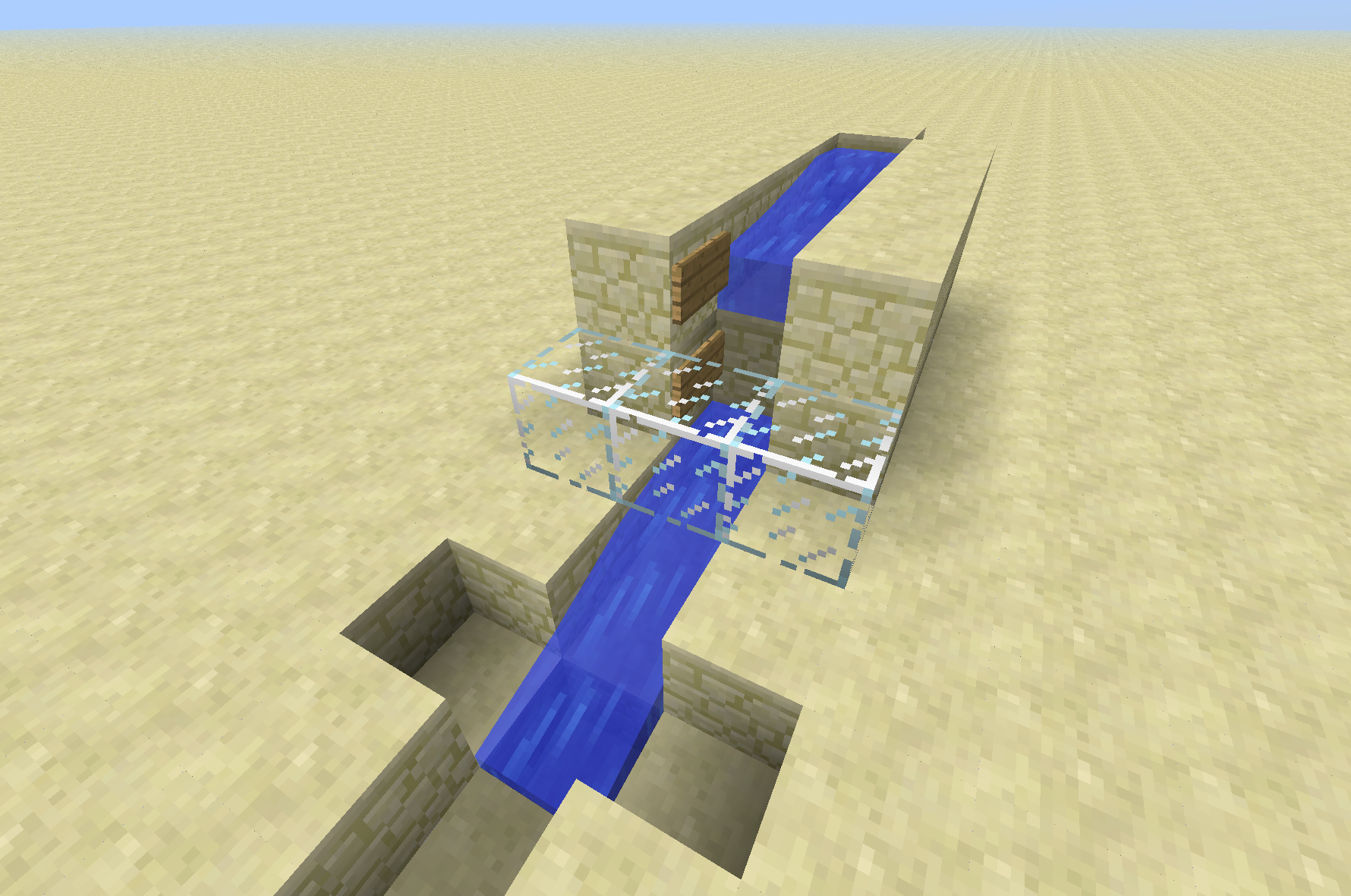
You don't even need the block above in all circumstances. Here's a shot of a setup that can drown you without a block above (and no meter visible). You must stand in the lowest block (the last block of flowing water).
I've attached a saved game that includes a spot where you can drown without any meter shown on the screen.
Here's some testing I performed (I used the same world, same exact position) for all tests (fast graphics mode, normal distance):
Smooth lighting off:
13w04a: 68FPS
13w05a: 65FPS
13w05b: 68FPS
Smooth lighting on:
13w04a: 64FPS
13w05a: 39FPS
13w05b: 39FPS
I continue to experience this in 13w05b
I also have this problem. @Ezekiel: it is possible to read the text on the buttons, but it's so close to the background colour that it is very difficult to distinguish.
Argh, apparently file-dropper.com deleted the file. It is only supposed to delete it if it has not been downloaded in 30 days, and it's been less than that.
Anyway, so I don't have a backup of that world, and I already destroyed the blocks by right-clicking them.
I agree with Zarquod. No version of LWJGL completely resolves this problem for me, a recent nightly snapshot is what I use, and it reduces the frequency of stuck keys, but it does not completely eliminate it.
Has anyone reported this problem to LWJGL? They have attempted to fix it. Do they even know they didn't completely fix it? It's been broken for many months. Maybe someone from Mojang will have to push the LWJGL guys to get it fixed, or go in and fix it themselves.
I created a topic on their forums: http://lwjgl.org/forum/index.php/topic,4910.0.html
@zol: There are actually 3 different things going on here:
#1: The version of LWJGL that is shipped with Minecraft has a big problem with keys getting stuck, they get stuck down frequently.
#2: LWJGL v2.8.4 has a different key problem. Occasionally, they get stuck UP. I'll be walking around and clicking as I play, and sometimes (pretty rarely), I'll end up holding down a key, but Minecraft is SURE that I've already released it. This is probably 10x less often than the problems in the version that is shipped with Minecraft, and it's often less catastrophic to your game if your key is stuck up, so many people might not notice this.
#3: v2.8.5 has yet-another problem: clicking the mouse releases all keys. This completely breaks many operations like shift-clicking items, and trying to attack someone while running after them.
#4: v2.9.0 (at least the nightly version from two months ago) has yet-another problem: keys can sometimes (but rarely) get stuck either up or down. I've been told that the newest nightly should be better, and I'm going to try it soon myself to see if it's really resolved.
So, to conclude: sticky movement is the bug. Every known version of LWJGL has this problem, but to different extents. That is why some people think they've fixed the problem when upgrading their LWJGL.
I just checked their latest nightly snapshot but it has nasty window focus related bugs, so I can't confirm this bug has been fixed yet.
I found out the window focus "bugs" are now "features". The nightly LWJGL load referenced in this issue report ( https://github.com/LWJGL/lwjgl/issues/1 ) seems to fix the problem for me.
I have not been able to reproduce this, possibly because I don't have a good recipe to reproduce. I'm not convinced that it's actually fixed, but at the same time, I have no evidence that it still exists in a recent snapshot. It should probably be closed, but I don't understand how to change the status myself (if that's even possible).
LWJGL has already fixed the problem. You can install the newest version of it to fix the problem. We just need to convince Mojang to include the newest version with an update of Minecraft.
@GregFitzgerald. No, the v2.8.5 does not completely resolve the problem. You must use a nightly snapshot of v2.9.0.
@Zarquod: If you follow the link in my comment, you will find premade binaries with the problem fixed. These do NOT come from their normal nightly build repo.
@Zarquod: The only link I've ever posted.
@Zarquod: Oops, I assumed that the special builds I was referring to had Linux components as well. My apologies. I have no idea about Linux variants of the bug, I would suggest that you raise a bug on their GitHub issue tracker. That seems to be the only way to get their attention these days.
@Brad: You do not need any mods to reproduce this bug. All you need to do is make a custom, superflat world.
I think you can only see the INSIDE of the object instead of the outside of the object.