 MCL-109
the buttons for logging in with the launcher cannot be read in Windows 7 / XP classic theme
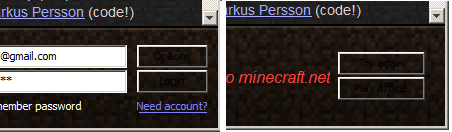
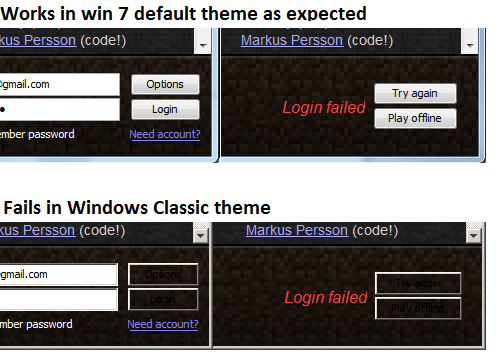
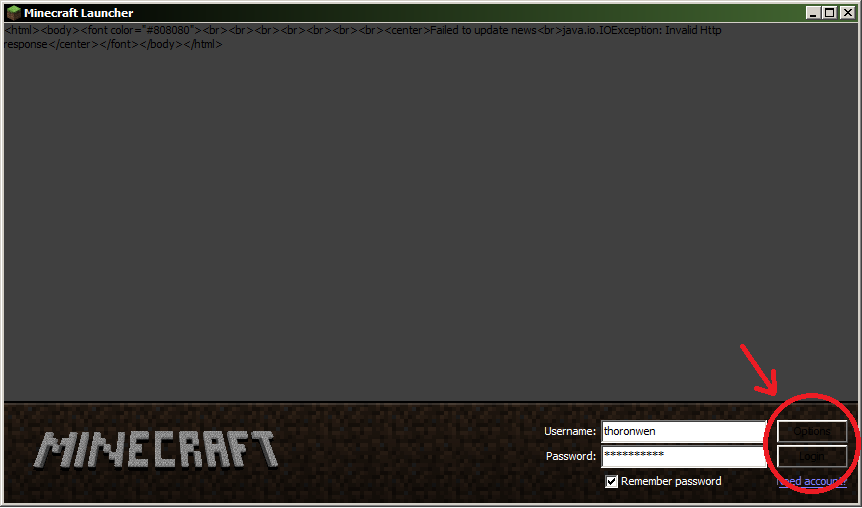
The text on the buttons next to the login fields cannot be read, because the text is black on a very dark background.
The problem seems to be limited to the classic windows style. I've heard others have it on other versions of windows as well.
It would be solved by giving the buttons an appropriate background colour so that they are not transparant.
It's not related to a minecraft versions, only to the launcher. I've had this issue since I bought the game during 1.7 beta.
Environment
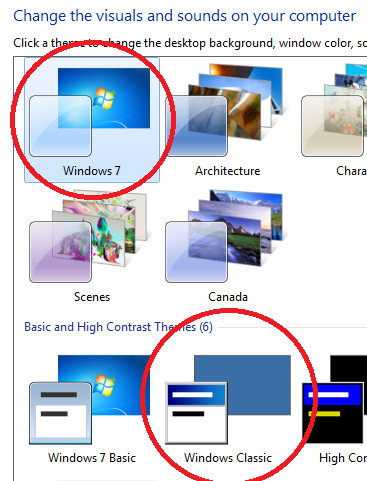
Windows 7 / XP with the classic theme (the one that looks like win 98)

Created Issue:
the buttons for logging in with the launcher cannot be read in classic theme
The text on the buttons next to the login fields cannot be read, because the text is black on a very dark background.
The problem seems to be limited to the classic windows style. I've heard others have it on other versions of windows as well.It would be solved by giving the buttons an appropriate background colour so that they are not transparant.
It's not related to a minecraft versions, only to the launcher. I've had this issue since I bought the game during 1.7 beta.
Environment
Windows 7 with the classic theme (the one that looks like win 98)
Attachments1
 MC-738
 Normal

Windows 7 / XP with the classic theme (the one that looks like win 98)
the buttons for logging in with the launcher cannot be read in Windows 7 / XP classic theme

Same issue for me on my WinXP box. Also using the Classic theme.
I can confirm this issue with the Launcher on Windows 7 using the Classic theme.
Muscle memory will get you through this, until there's a problem logging in. Then of course you have no idea what the buttons are and have to guess. Yes this is a problem on the next pair of buttons too. Then it is extremely annoying.
Confirmed for XP (classic)
I don't see anything indicating an inability to read text, although it isn't great, the text is fine...
Just to be completely clear.
I have observed this affecting the buttons with the labels [Options], [Login], [Try again], and [Play offline] in the launcher.
The reproduction steps under win7 are as follows:
I also have this problem. @Ezekiel: it is possible to read the text on the buttons, but it's so close to the background colour that it is very difficult to distinguish.
This will also happen in Windows 7 (Minecraft 1.4.7) if you're using the "Best Performance" option instead of the classic theme.
(I'm using Win 7 Pro SP1 64-bit if that helps)
1. Right Click Computer
2. Properties
3. Advanced System Settings
4. Advanced Tab (Performance)> Settings
5. Adjust for best performance
6. Apply
7. Open Minecraft Launcher