 Kevin Anderson
- Eriol Ancalagon
- eriol ancalagon
- America/St_Johns
- Yes
- No
2 issues
Key
Summary
Status
Reporter
Assignee
Created
 MCPE-9752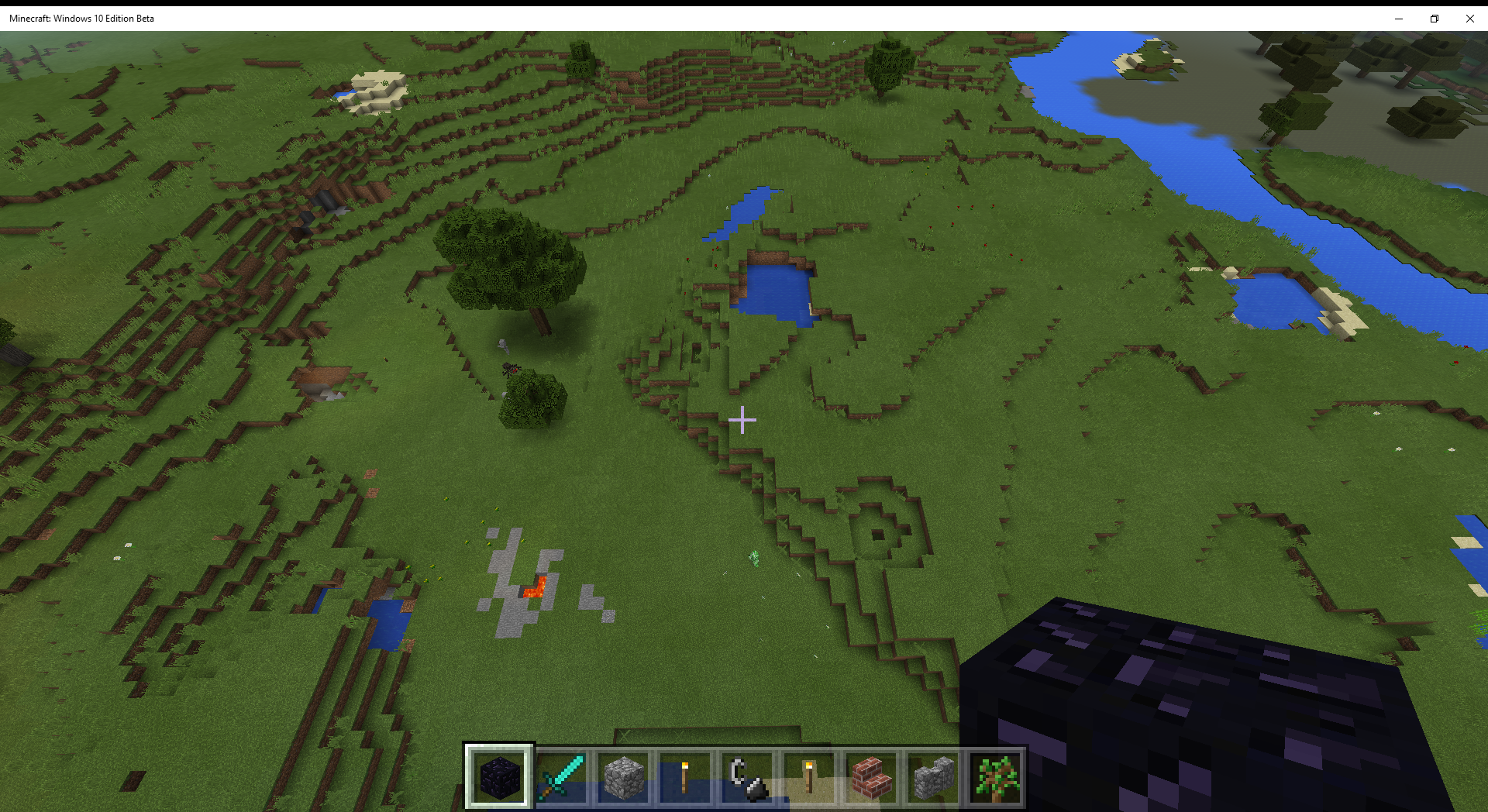


Deleted Comment:
Duplicate of
MCPE-9687. That seems to be the "current" one that's not closed for this issue.

Kevin Anderson Could only test this in Minecraft Windows 10 Edition due to a small difference in land generation. MCPE-11109 The spawner was active. I am assuming this has been fixed.
I can confirm that as of 0.61 on Android that this bug still exists.
It is also worth mentioning that the linked bug,
MCPE-398also still exists in "changing" the type of fuel, so even though it's resolved, some type of bug still exists.How it works for me is the following:
Coal/Charcoal transmute:
I believe this works both ways. It only matters whatever the FIRST fuel to go in was.
Wood bug(s):
I hope this is detailed enough to reproduce easily.
Still an issue as of 0.7.1. Please edit in order to indicate this.
Still an issue as of 0.7.4.
Even other devices have a "soft" menu key (Nexus 4 in my case) that you still have showing up, and it gives the "bump" vibration when hitting it, and yet it does nothing. Just have it do the same thing as the "back" button if necessary, but until I searched, I thought that the menu was broken entirely. It didn't even occur to me to think of hitting the "back" button for the menu.
I vote the normal menu. Menu button = menu. I'm perfectly OK with and think it's a great idea to make the back button also bring it up, under the "back is like the Esc key" idea, but essentially just make both events do the same thing, go to the menu.
No it isn't fixed. The Coal/Charcoal Transmute that I describe in my comment above from 0.61 on Android still exists on 0.8.1 on Android. I just tested it 2 minutes ago, where charcoal goes into the slot that was 100% coal and "becomes" part of the stack of coal. As does the wood transmute I describe.
No need to be sorry. You're reporting your experience honestly.
Test the procedure I gave in my post from the 30th of May above. It's easier to follow/verify, with explicit steps.
Still present in alpha 0.9.0 build 4.on Android.
Still present in build 11. This is unplayable to me.
Confirmed in build 13 as well. The affected versions of this bug need to be updated.
For reference this is at the least for touch devices like the Nexus 5
I just tried this on the windows 10 version and it works fine. So I'm not sure what you're doing wrong, but it works for me on windows 10
Confirmed on Nexus 5 on 12.1 release on Android 5.1.1
Notable that this option works correctly on the Windows 10 versions (I can specifically confirm that), but does NOT work on Android, back to build 1 according to the original filing of this bug.
I have no idea if it works/doesn't with controllers or anything else hooked up to an Android phone/tablet, but I can confirm it does not work with a Nexus 5 touchscreen. And since the poster above me there says it doesn't work on iOS, it's definitely something cross-platform, not Android-specific. Weird that it WORKS on Win10.
Some fragment of code that's exercised from input devices, but not from touchscreens?
It's interesting to me Leon Geyser that this bug doesn't exist for me with Windows 10 with a mouse, by which I mean the feature works both ways. Can you clarify in your comment if this exists with touch or mouse for you with windows 10?
Leon, you've basically isolated it. I know the Invert Y-axis switch works for mouse on win 10, you say it doesn't work for touch for win10, and everybody else (including myself) know that it doesn't work for touch for mobile platforms either. The problem is that the code path for input devices checks the switch, but the touch path doesn't. And it also means that the problem is in the cross-platform code, not in platform-specific code (that's also important).
If I had the source I'd fix it right now. Sadly, not a Mojang employee.
Well in response to rplatham's comment, obviously this option existed before "alternate" methods were available at all. I guess gamepads existed on android/iOS (and should work with them), but still, it was predominantly touch, and it definitely worked before. I'm GLAD it works with the mouse on PC, but obviously still a rather bad bug that it no longer works with touch.
If I'm mining somewhere that's only 2 blocks high, if I logout there, I often then re-spawn above ground, directly above where I was underground. I presume the game is spawning me a half or 1 block above where I "actually" was, sees that I'm in something solid, and then moves me up until I'm not. This was on Android, survival single player.
This USED to happen prior to 12.1, but now it just takes half a heart of damage from me, and drops me down back onto the block I was actually standing on.
So now as I said above, it just gives me a half-heart of suffocation damage, and drops me back down. Something tells me that if dropping down would kill you, and/or lava, that this bug is generated. So it may be a result of "fixing" my old problem, since it doesn't happen anymore.
Yes it still does. I have a seed of -571837837 and have encountered this on windows 10 edition, and notably the spawners which are in error are DIFFERENT with this latest update (0.12.2) than in 0.12.1. In 0.12.1 we had a survival world in which at least two "real world" spawners worked, but at least one was blank. And ALL nether spawners encountered are blank.
So then I re-created it in creative for speed of getting to the nether and checking things out. At least one of the real-world spawners is dead, but the nether ones are active.
Go south from spawn, near two trees, and there's two cavern entrances there near the border with Savannah biome. Take the left one to a MASSIVE cave. Follow the left wall of the cave and up, and there will be a skeleton spawner. It'll be dead or alive. It was dead for me, but alive when it was created in 0.12.1. Put a nether portal near the swamp by there, and then head directly EAST to a fortress, and those spawners work.
I'll test further, but still, different results, different versions, but NOT all fixed.
So not completely fixed.
Yes it still does. I have a seed of -571837837 and have encountered this on windows 10 edition, and notably the spawners which are in error are DIFFERENT with this latest update (0.12.2) than in 0.12.1. In 0.12.1 we had a survival world in which at least two "real world" spawners worked, but at least one was blank. And ALL nether spawners encountered are blank.
So then I re-created it in creative for speed of getting to the nether and checking things out. At least one of the real-world spawners is dead, but the nether ones are active.
Go south from spawn, near two trees, and there's two cavern entrances there near the border with Savannah biome. Take the left one to a MASSIVE cave. Follow the left wall of the cave and up, and there will be a skeleton spawner. It'll be dead or alive. It was dead for me, but alive when it was created in 0.12.1. Put a nether portal near the swamp by there, and then head directly EAST to a fortress, and those spawners work.
I'll test further, but still, different results, different versions, but NOT all fixed.
So not completely fixed.
Edit: I've now re-created this world 2 more times, and while the spawner behavior is "sometimes yes, sometimes no" on the surface, the ones in the nether seem reliable... so far.
Interestingly, I think I've found another bug, in that "surface pools" of water and LAVA are random. IE: it's not the same for the same seed. Most other features are consistent, but surface lava and small "pools" of water aren't consistent. I'll search for another bug for this one (and/or file one) but if you use the seed above, and immediately turn left and cross the river (fly in creative, faster) and survey that spit of land, until you reach the main "tree line" of the forest biome to the south. On those plains (not much of plains, but still) not all the water is consistent between world creations, and sometimes you get surface (or 2 below the surface with a hole or two) lava pockets. ALL ON THE SAME SEED.
So it may be unrelated, but there's definitely things in world creation not tied to the seed, and it may be causing this issue too.
@Liam Last - See https://bugs.mojang.com/browse/MCPE-11109
Go south from spawn and find a rather large cave near a large oak. Follow the left wall and up to find a spawner. You will see the cobblestone in the cave but not an actual entrance to the spawner room. If you need more than that, please ask and I will annotate screenshots with instructions.
The problem is that I have made the world 4 times and the spawner has been disabled only once. Current version, today, windows 10 edition, creative mode. But the other 3 times it is functioning fine.
Good luck.
Please re-read my comments. 3/4 times the spawner worked. Once it did not. This is on 0.12.2, creative mode, TODAY, so it is unfortunately a "happens sometimes" bug. I have no doubt that it worked for you, but it definitely sometimes does not work. If you would like me to upload the world to dropbox or something so you can look at it, I will do so. Please let me know if that's what you would like.
And on a related note, if there is a difference on pocket, I would call that (or the way it generates on win10) a bug.
Still not fixed on 0.12.3 on Android with touch controls.
As of 0.12.3 on Win10, this doesn't seem to exist for terrain that I can tell. 3 more worlds with the same seed all came up identically (though slightly different from the screenshots here).
Doesn't seem to affect newly-created worlds, but old worlds still bugged, with 3 world creations. That doesn't mean it's fixed, as 3/4 of mine in 0.12.2 were fine, but 1 wasn't.
A fix that would fix broken spawners would be great for those invested in old worlds.
How about changing the label above from "awaiting confirmation" to something else, since the Confirmation Status right below it is "confirmed"? Maybe to "affecting large swaths of players" or "makes game unplayable to many" or something else equally dire, as that's true?
Confirmed still present in 0.13.0 alpha build 2 as well.
And I'll keep echoing others' comments as to just HOW critical this bug is. If anybody doubts it, imagine if it worked backwards for YOU, and they didn't fix it for 3+ months (this was introduced in the beta for 0.12). Now imagine our pain.
I am actively playing less because of this bug, and would NOT recommend the game in its current state because of it. I'm really only logging in to see if it's fixed. It isn't, so I stop playing immediately.
Still not fixed as of 0.13 build 3.
Fox, look at the filing date on this bug: July 30th. It's been broken at least that long and they haven't noticed. If you have some way to get them to notice, DO IT. They're not going to on their own obviously.
And they don't even know they're losing players, which is the really weird part here.
Please install an earlier version on an android phone (I'm sure you have an earlier APK you can try). Invert the controls. Proceed to struggle. Now you will see why this bug will "make the game unplayable" as you say. For bonus points, play survival, wait until nighttime, and THEN do it. When the creeper/skeleton/whatever GETS you, and you are stuck looking at the floor/sky, you will REALLY understand.
That it's been ignored for 4 months makes it even worse.
And FYI, changing the state to "assigned" and showing us it actually is might help restore a bit of faith.
Appears fixed.
It's partially fixed in 0.14b6 on android. Well, fixed in an earlier beta, but there's still an issue: it's a cheat. If you swipe up (or down) quickly with the option enabled, the screen actually goes OPPOSITE of what you want (it moves like the option isn't enabled) for a fraction of a second, then "rubberbands" back, and functions "correctly" for the rest of your swipe, no matter how long you are pressing on the screen.
Try it. Not completely fixed. That "rubberband" is a symptom of their fix I think. Doesn't work as well/smoothly as it did prior to them breaking this back in 0.12 beta.
As per my previous comment two up (link) the "rubberband" problem still exists in beta 7 on android.
Is there another bug under which rubberbanding is being tracked? I would classify it as related to this bug (this fix introduced it) but I would also say it's not the same issue. Basically I'd like a public place to discuss it if necessary, as well as a clear place to point others who might want to file it. If they can't find it, they will keep filing new bugs!