 gatharian
- gatharian
- gatharian
- Europe/Stockholm
- Yes
- No
 MCPE-8397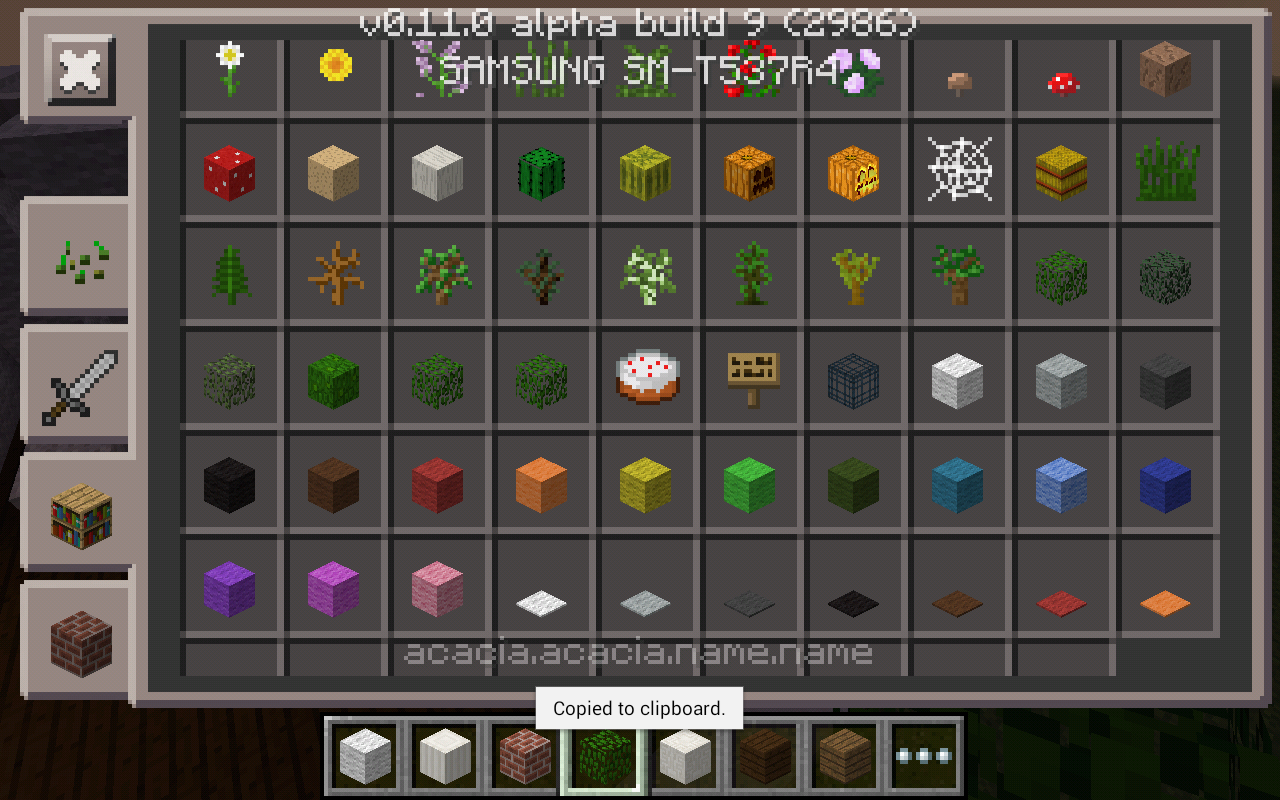




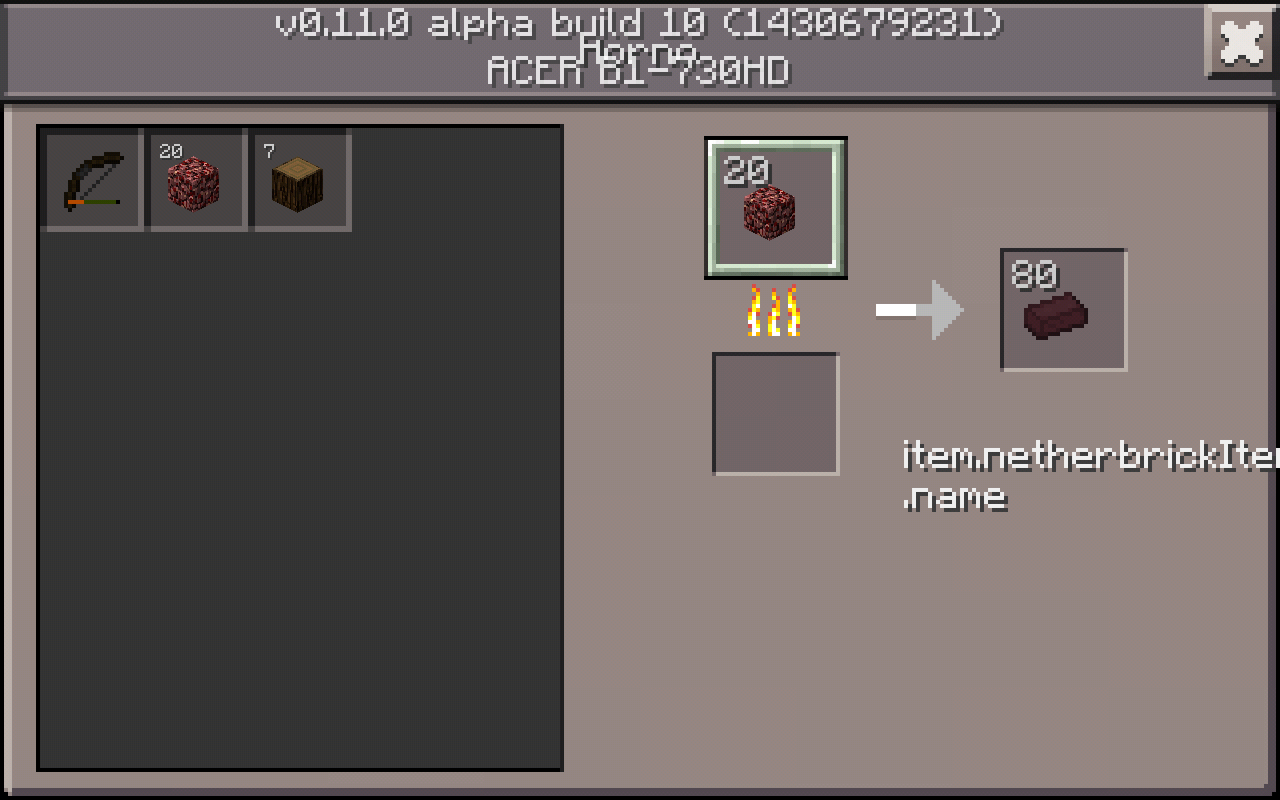
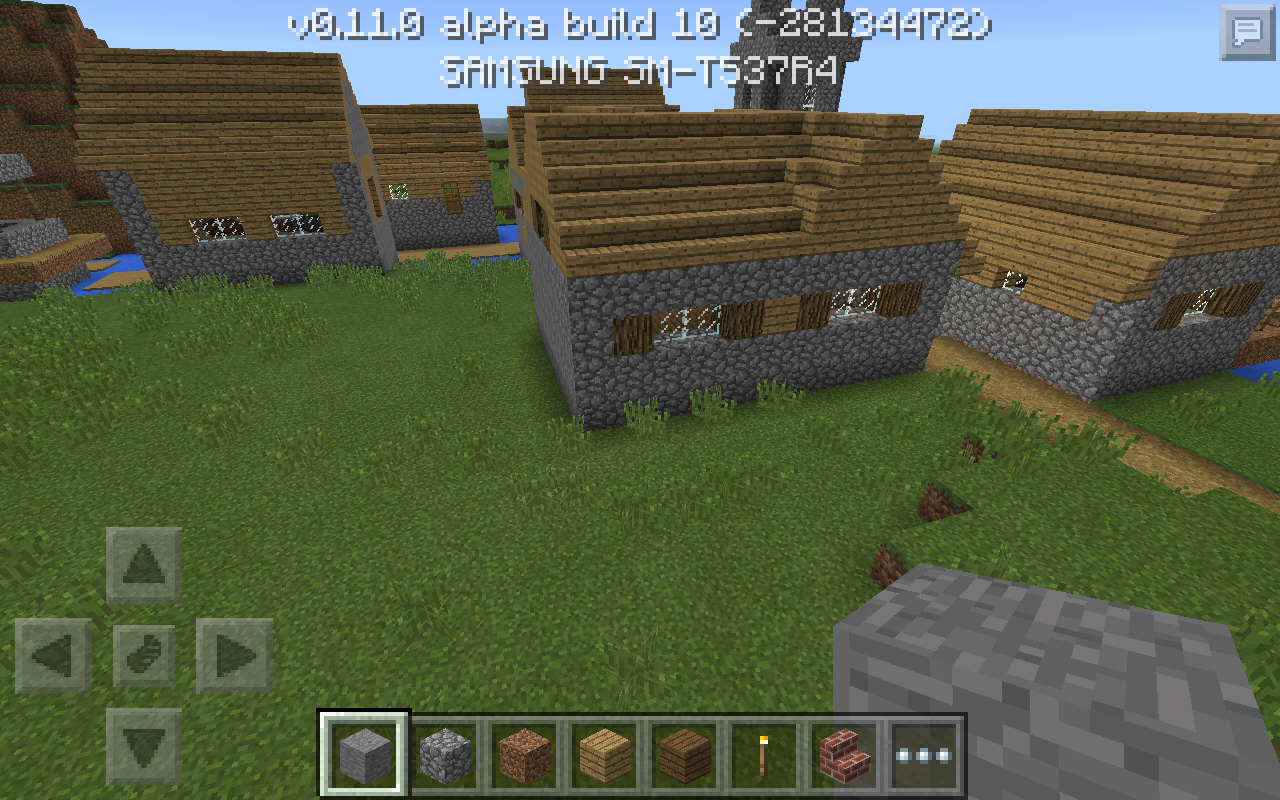
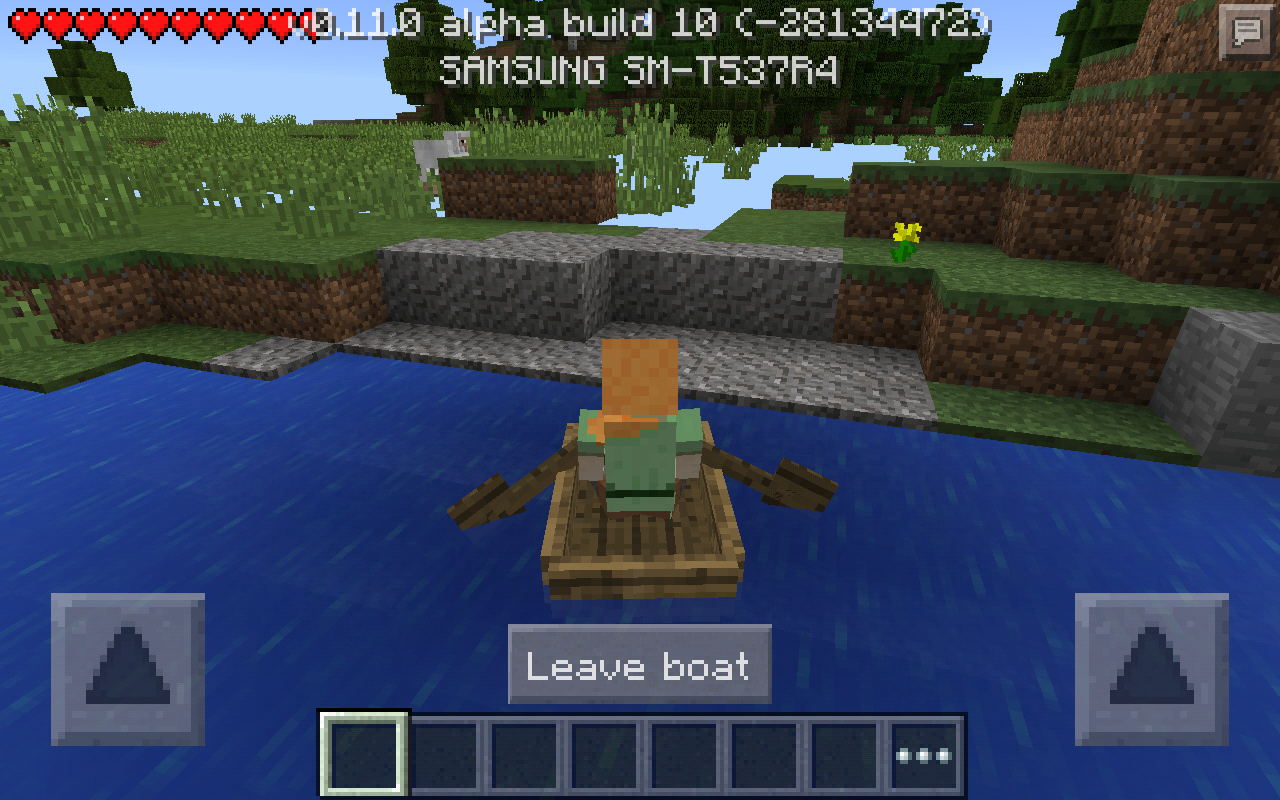
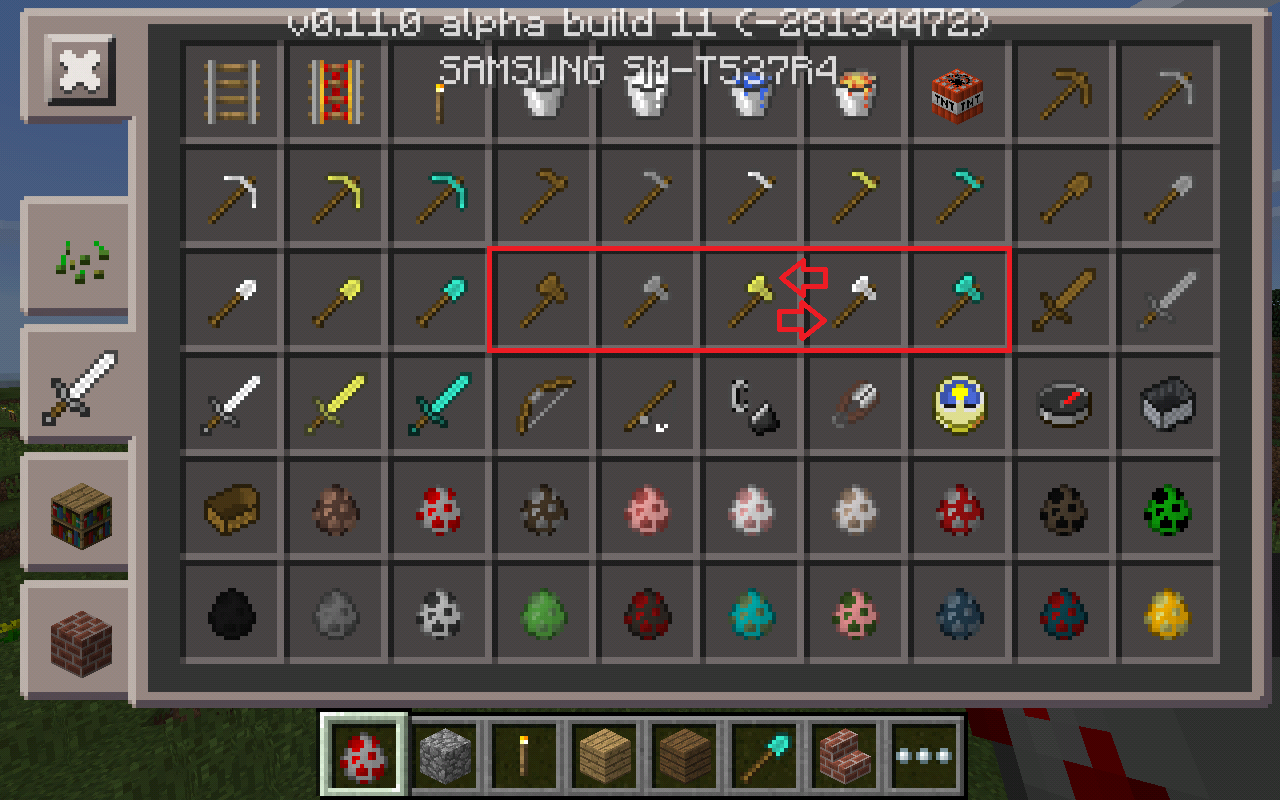

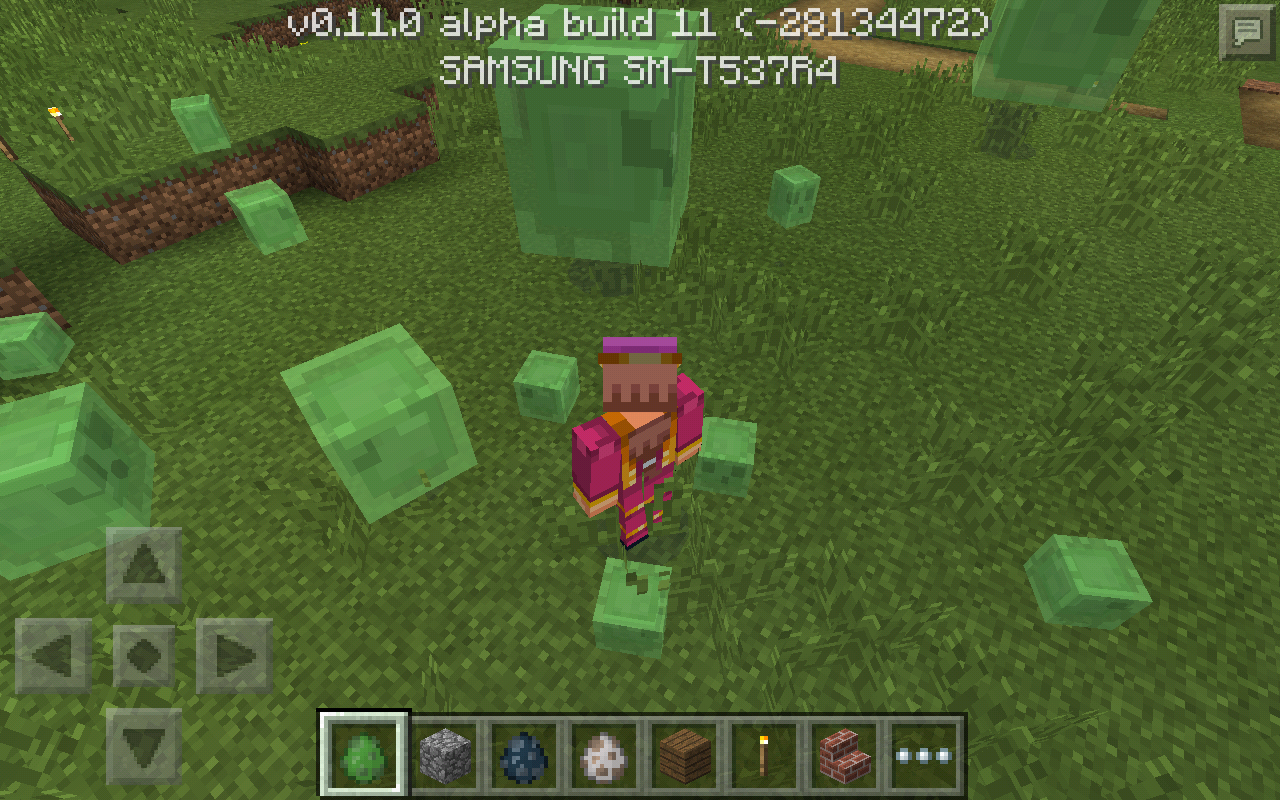


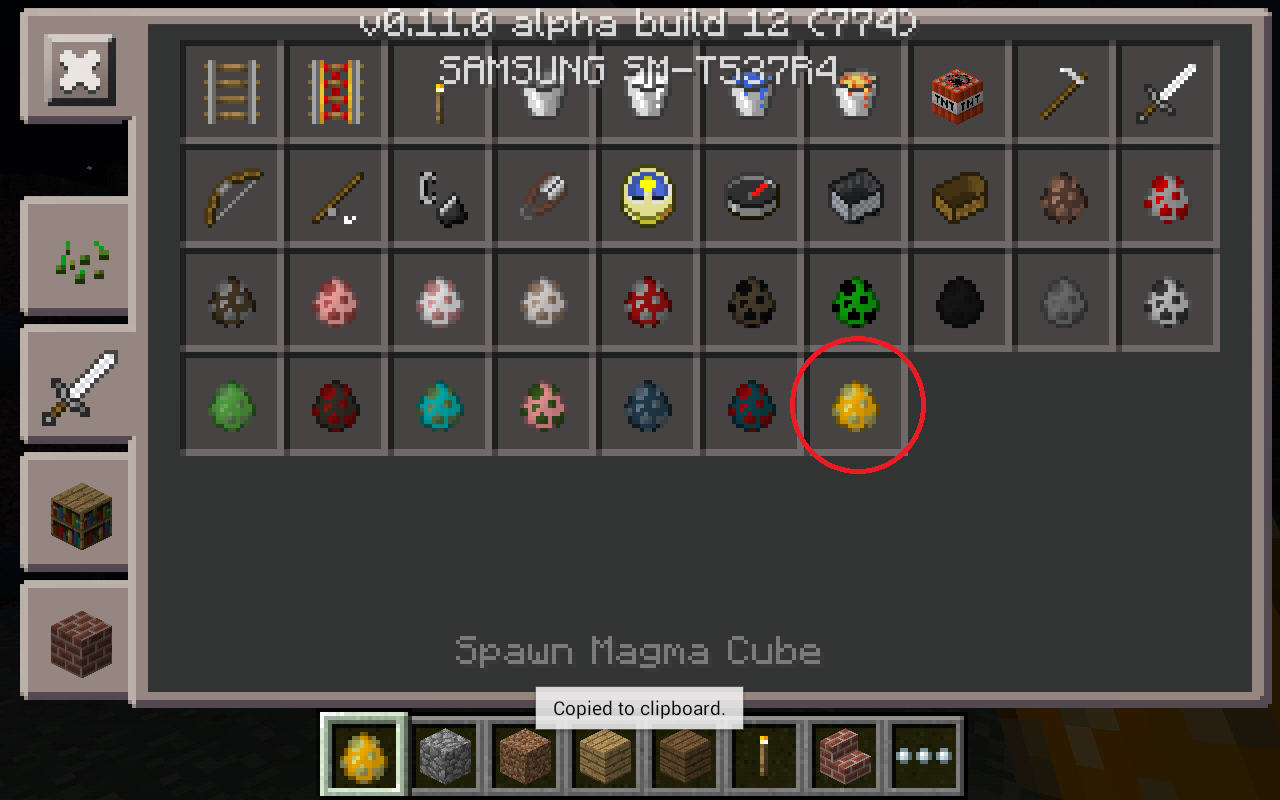


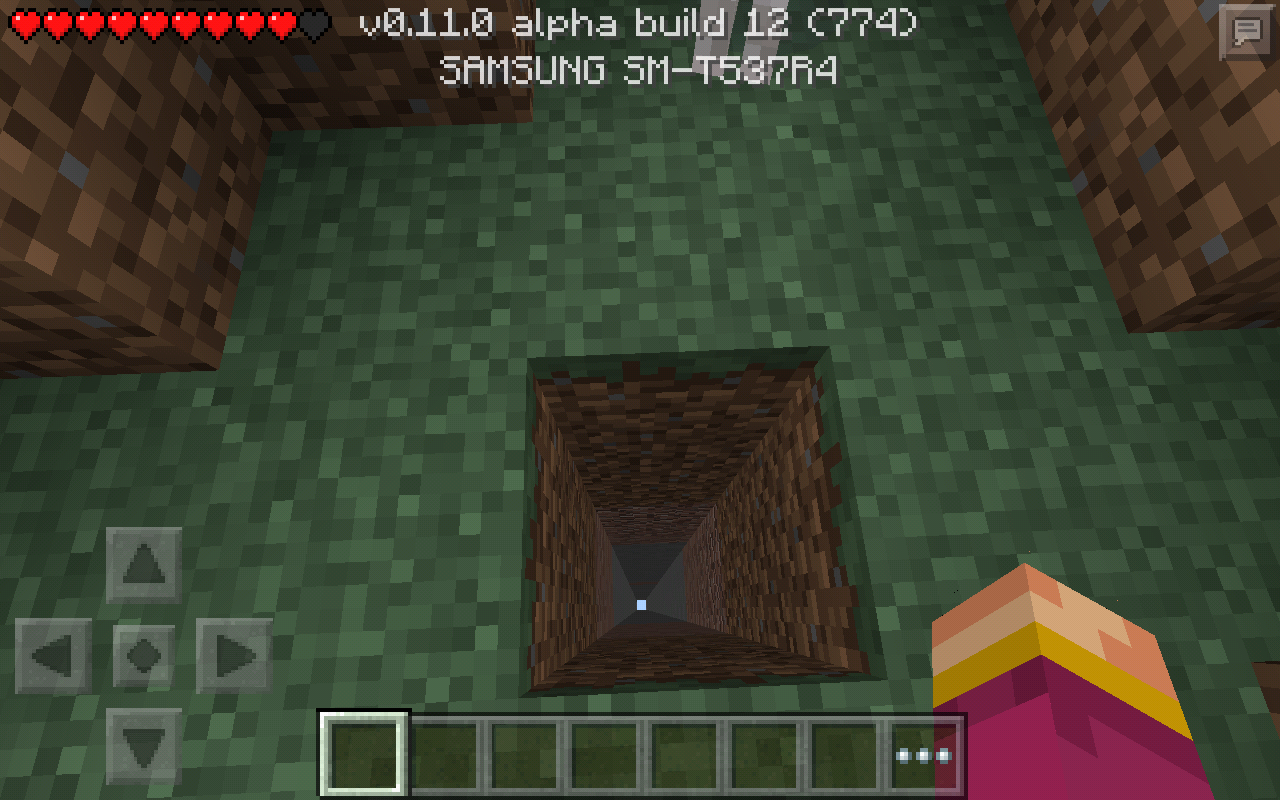


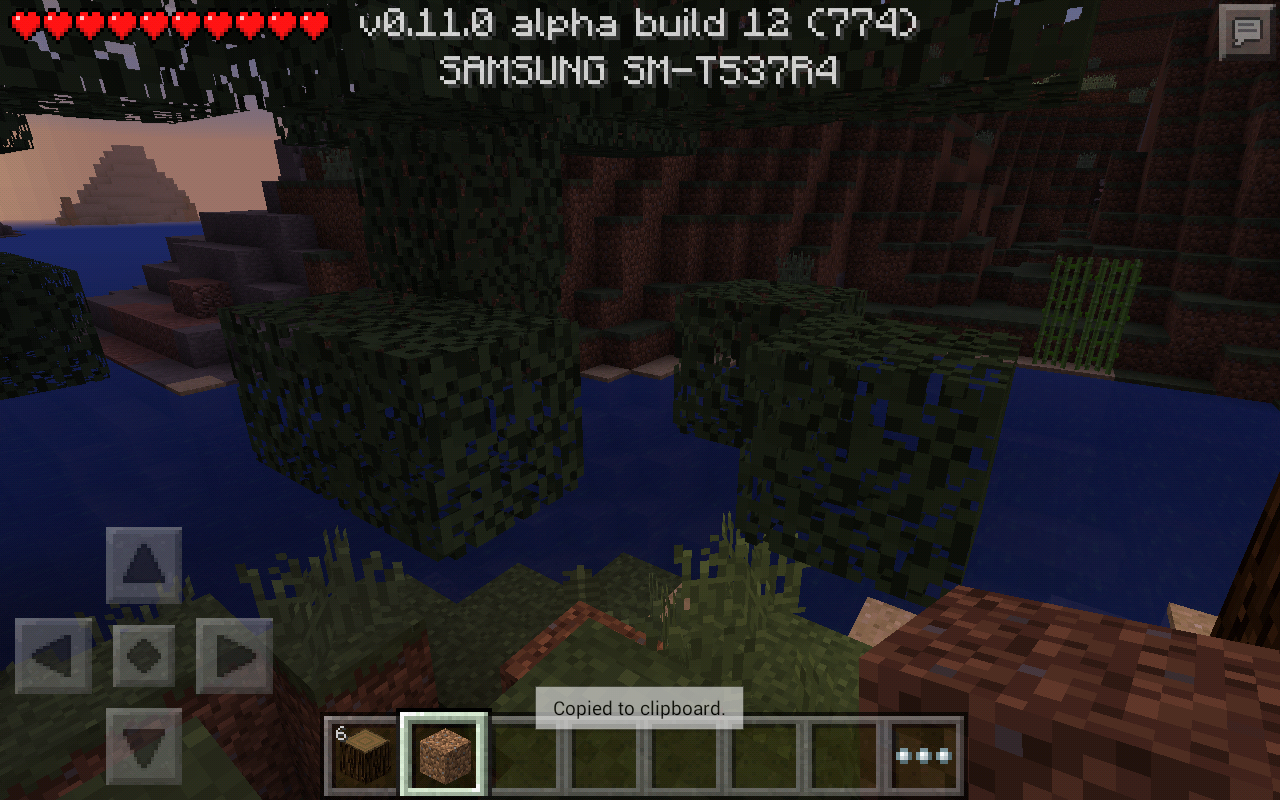


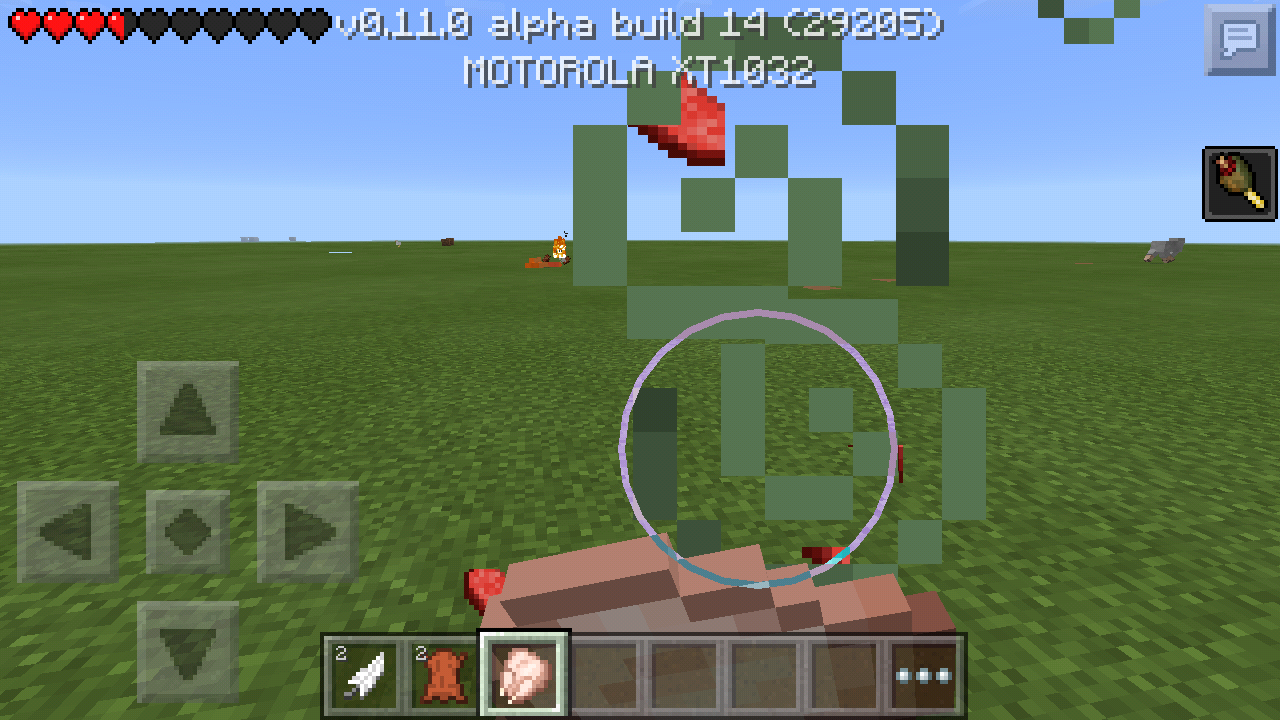
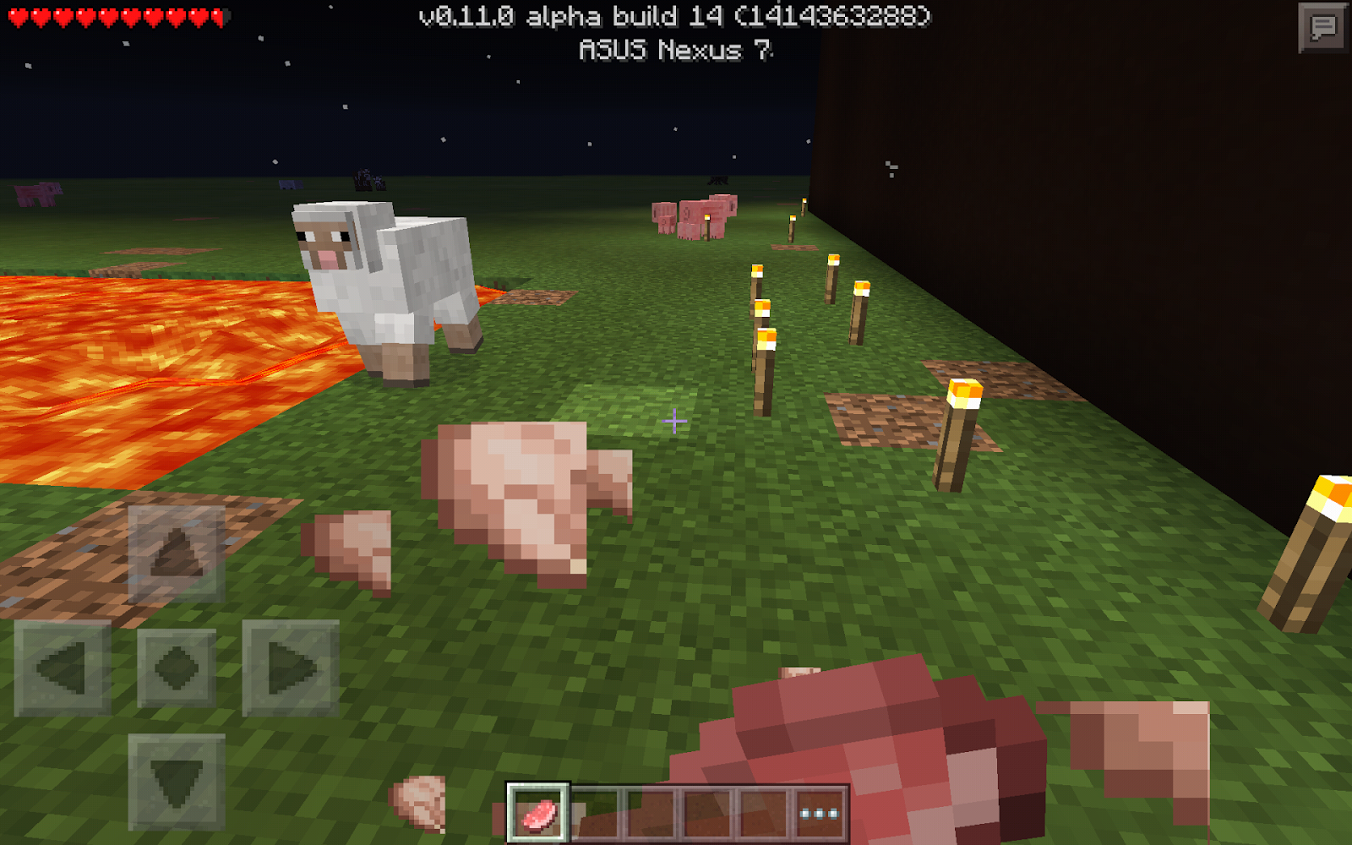





Oak, Spruce, Birch, Jungle, and Acacia leaves have incorrect name when highlighted in item bar and creative inventory.
Magma crem
eand Nether brick when highlighted in item bar also have incorrect name.Oak, Spruce, Birch, Jungle, and Acacia leaves have incorrect name when highlighted in item bar and creative inventory.
Magma cream and Nether brick when highlighted in item bar also have incorrect name.
I spawned large and small slimes. Then I set the game difficulty to easiest or so called "peaceful" and the larger slimes despawned BUT the smaller ones remained. Aren't small slimes hostile mobs to? I am also able to spawn creepers, zombies, skeletons etc in difficulty mode peaceful, switching back and forth has no effect on their part; either way they stay spawned and do not despawn. All hostile mobs should despawn when the game difficulty is set to peaceful do you agree? For example you already despawn the larger slimes on a certain difficulty mode, I would just do that with the rest of the hostile mobs that are the same difficulty etc. Otherwise the difficulty setting isn't very useful.
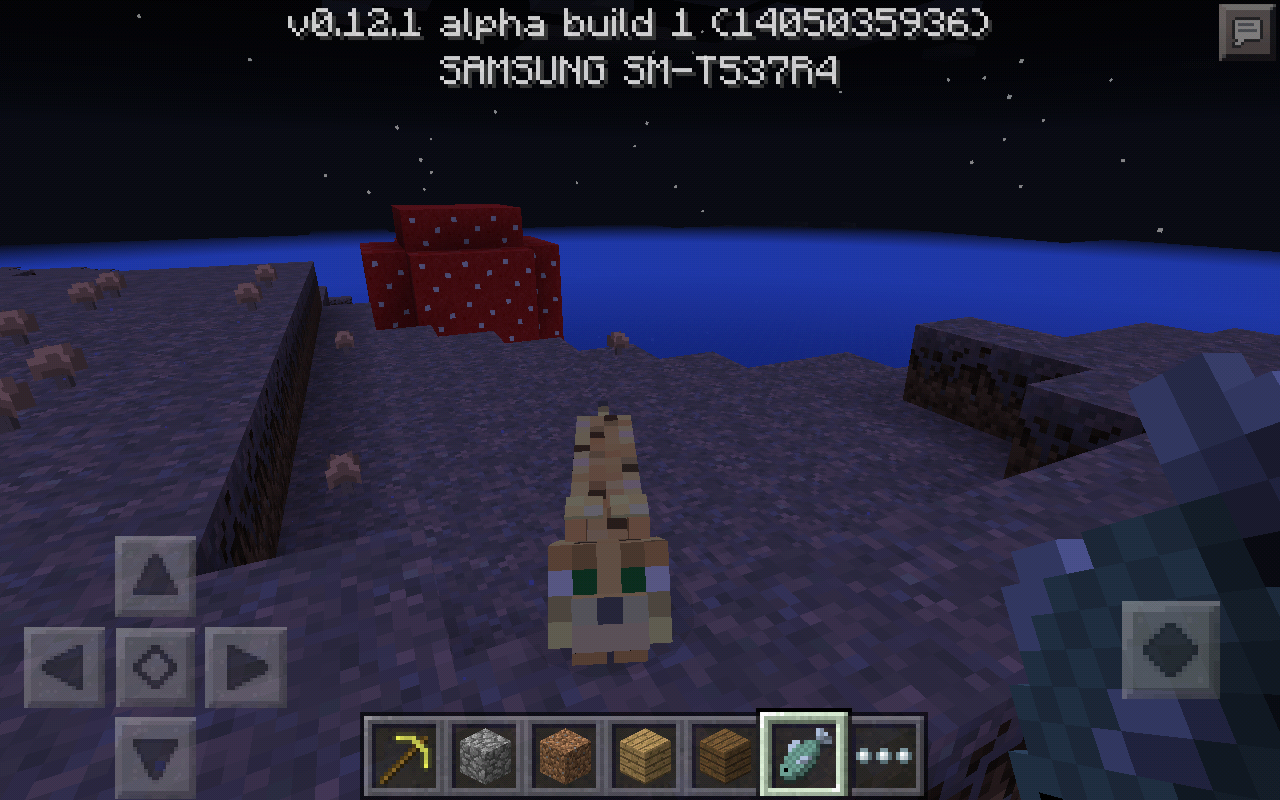
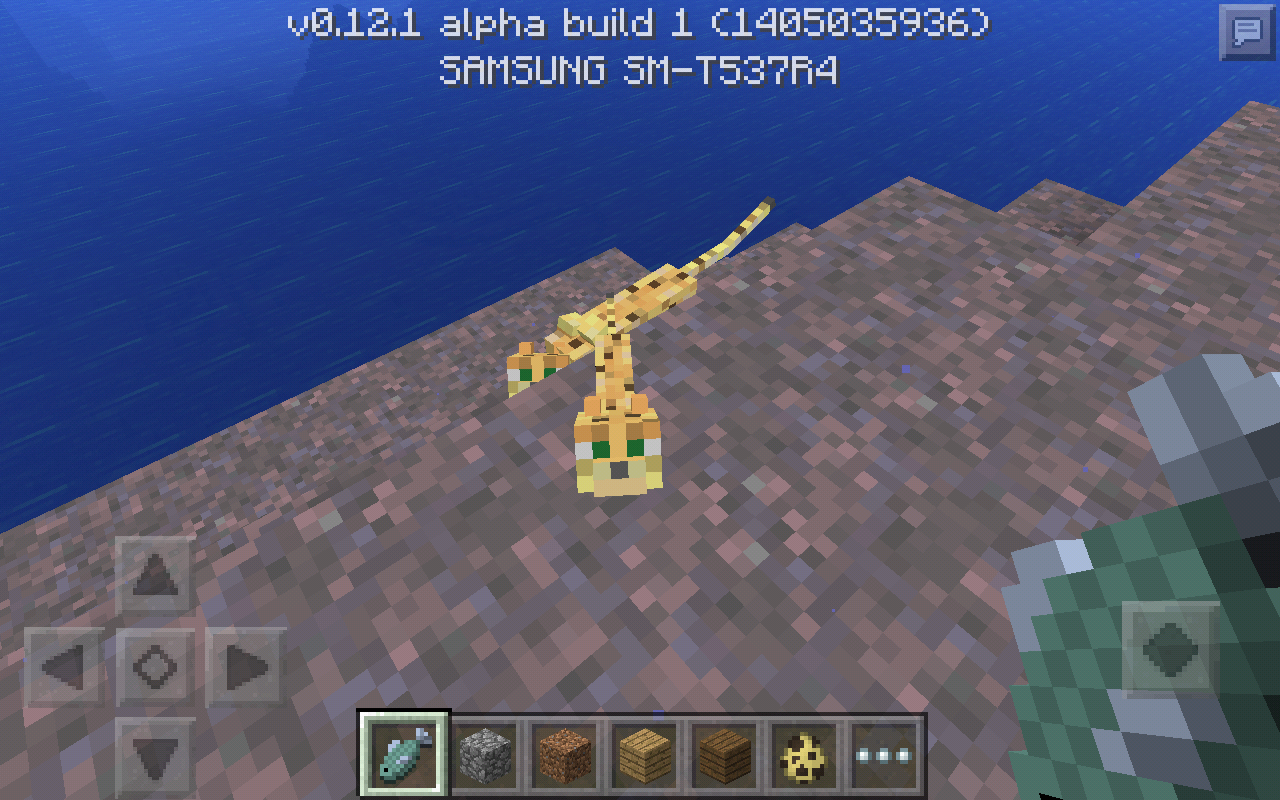
The adult ocelots front feet really show threw their backs to the point where their backs look as if there are 2 REALLY obvious blocks sticking up. The reason I say "obvious" is because in the pc version the ocelots legs are visible threw their backs but are not this obvious.
EDIT
The adult ocelots honestly look like they have a hunch back with 2 bones sticking out of the top side of their body.
Ok so, Spiders and creepers running animation is to fast when they chase you in survival. Zombies walking animation on the other hand is just a tad faster than normal. Spiders and Zombie mobs run to the player way to fast. Not sure if creepers are to fast or are running at normal speed.
Steps to reproduce
-Make a creative world.
-Spawn a spider, creeper or zombie.
-Be just enough distance from the entity but enough distance that they also see you.
-Switch world game mode to survival.Edit
Baby zombies are also to fast!
Ok so, Spiders and creepers running animation is to fast when they chase you in survival. Zombies walking animation on the other hand is just a tad faster than normal. Spiders and Zombie mobs run to the player way to fast. Not sure if creepers are to fast or are running at normal speed.
Steps to reproduce
-Make a creative world.
-Spawn a spider, creeper or zombie.
-Be just enough distance from the entity but enough distance that they also see you.
-Switch world game mode to survival.Edit
Baby zombies are also to fast!UPDATE 0.12.1 build 9
Creepers still have a fast running animation.
Spiders still have a fast running animation.
Zombies still have a running animation that is twice as fast as normal.
My game difficulty is set to easy.
Ok so, Spiders and creepers running animation is to fast when they chase you in survival. Zombies walking animation on the other hand is just a tad faster than normal. Spiders and Zombie mobs run to the player way to fast. Not sure if creepers are to fast or are running at normal speed.
Steps to reproduce
-Make a creative world.
-Spawn a spider, creeper or zombie.
-Be just enough distance from the entity but enough distance that they also see you.
-Switch world game mode to survival.Edit
Baby zombies are also to fast!UPDATE 0.12.1 build 9
Creepers still have a fast running animation when in pursuit of the player.
Spiders still have a fast running animation when in pursuit of the player.
Zombies still have a running animation that is twice as fast as normal AND when in pursuit of the player.
My game difficulty is set to easy.
stairs.png
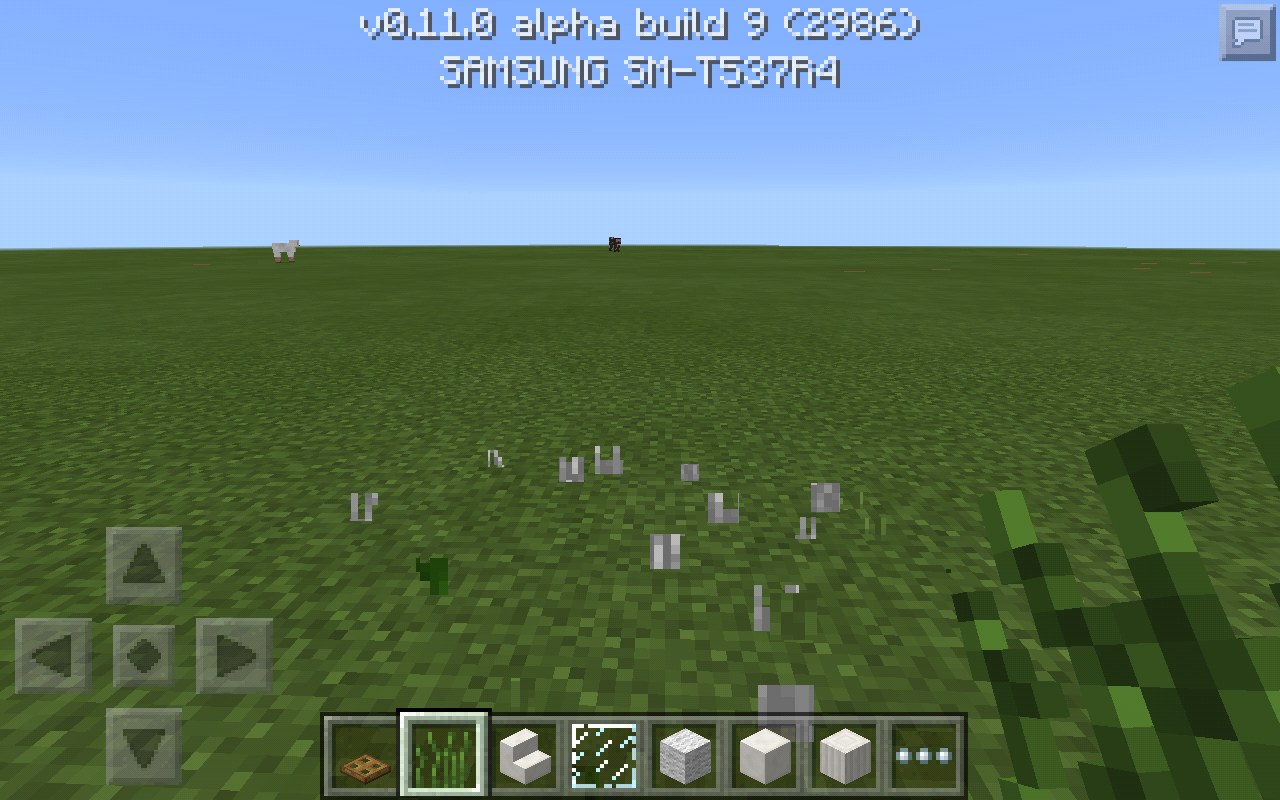
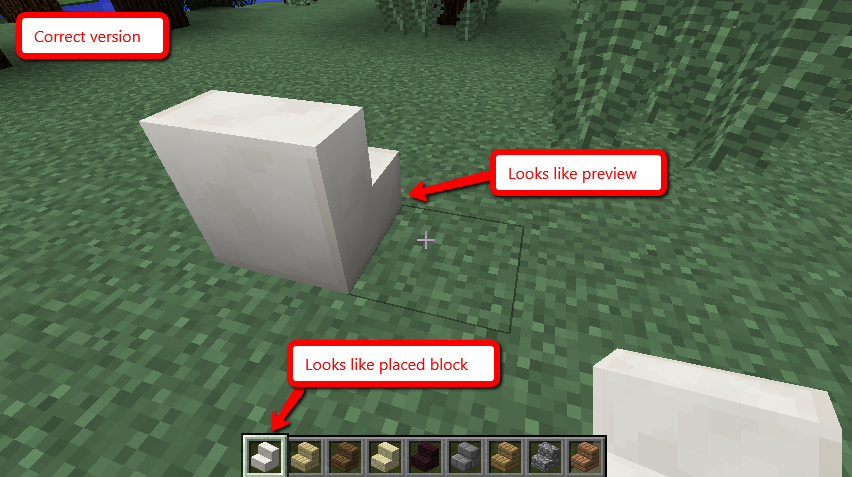
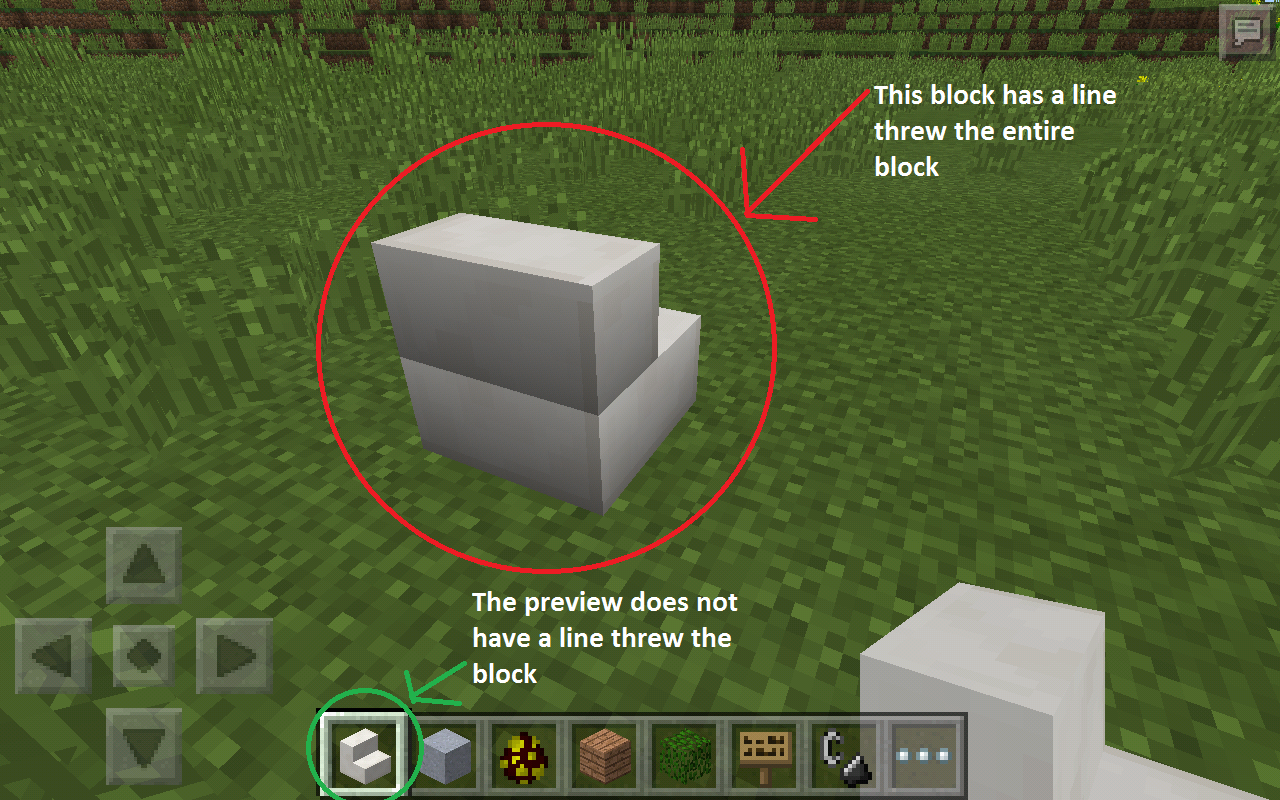
I was just testing some stuff out and I came across this slight textur glitch for upside down stairsWhen stair blocks are placed on the ground they display a line through them. The stair block also doesn't match their preview in the item hotbar.
relates to
is duplicated by
is duplicated by
is duplicated by
is duplicated by
is duplicated by

relates to
relates to
relates to
relates to
relates to
relates to
relates to
relates to
relates to
relates to
relates to
relates to
relates to
relates to
relates to
relates to
relates to
relates to
relates to
relates to
relates to
relates to
relates to
relates to

relates to
relates to
relates to
relates to
relates to
relates to
relates to
There is a back button loop after making a selection in keyboard layout.
Steps to duplicate
-Open Minecraft game.
-Go to to options.
-Click Controller icon on the left.
-By keyboard layout click "customize".
-Select the first option "qwerty".
-Click back button.Click back again, you will not be able to get back to home screen unless you close your game again.-_There is a back button loop after making a selection in keyboard layout.
Steps to duplicate
-Open Minecraft game.
-Go to to options.
-Click Controller icon on the left.
-By keyboard layout click "customize".
-Select the first option "qwerty".
-Click back button.
-Click back again, you will not be able to get back to home screen unless you close your game again.
Steps to reproduce
-Create a world or make sure you have at least one world your willing to delete.
-Delete the world.
-It will take you back to your world's page.
Noticehowthe world you justcreated is STILL there?
-Now open the world you attempted to remove from the page.
Confirmed game crash!
-Open the app again fresh and go back to your world's page.
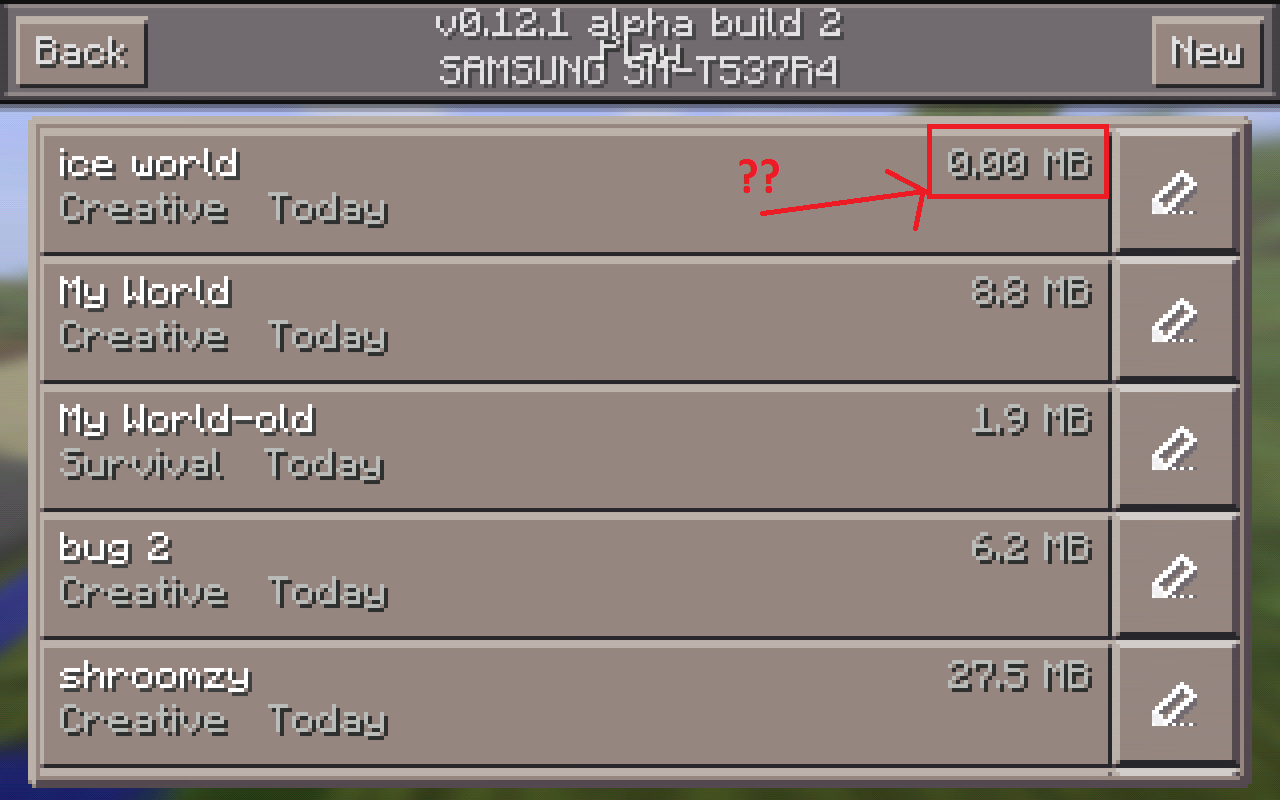
Notice that the world is 0.00 MB but is STILL listed on the created worlds page (See attached photo.)Steps to reproduce
-Create a world or make sure you have at least one world your willing to delete.
-Delete the world.
-It will take you back to your world's page.
Notice the world you just deleted is STILL there?
-Now open the world you attempted to remove from the page.
Confirmed game crash!
-Open the app again fresh and go back to your world's page.
Notice that the world is 0.00 MB but is STILL listed on the created worlds page (See attached photo.)
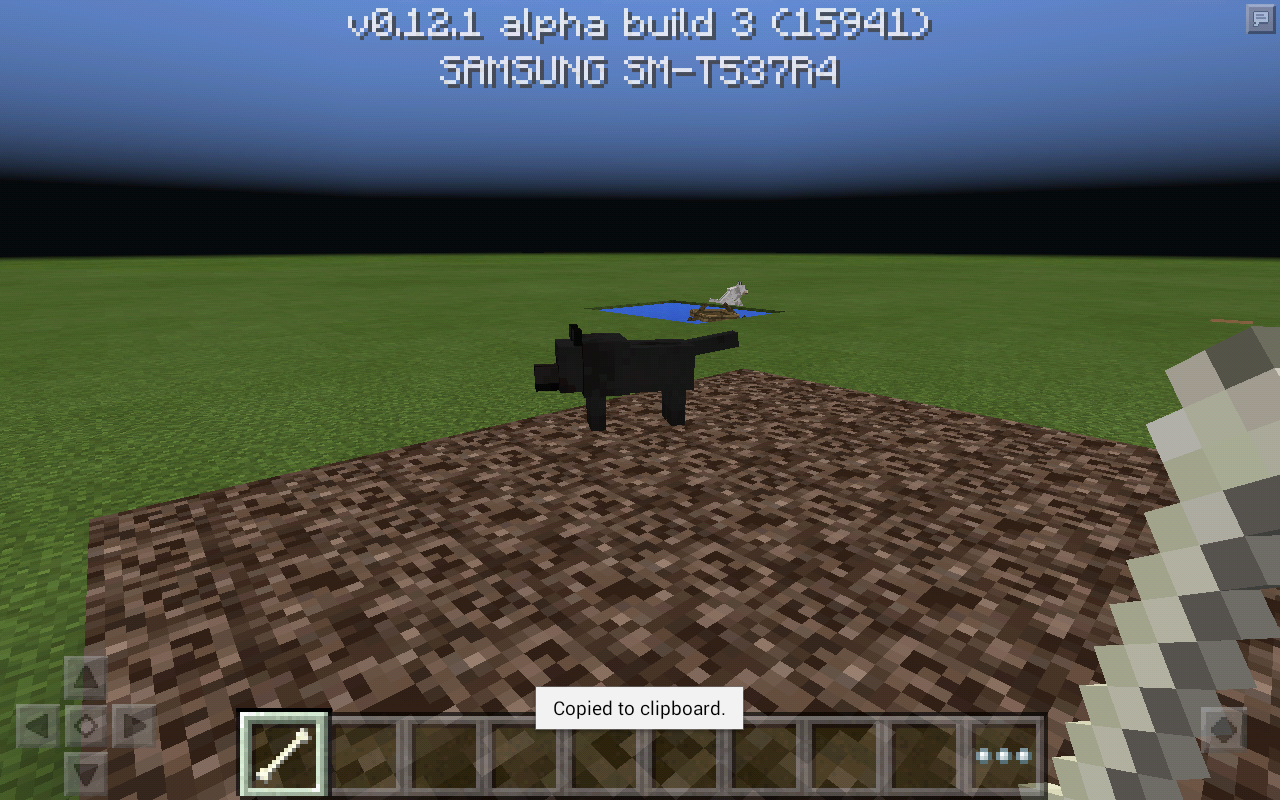
After taming an ocelot, the cat is automatically sitting and there is no button to make them stand up. Until you punch them they will only sit with no button to make them stand. The only button that will display is feed.
After taming an ocelot, the
cat is automatically sitting and there is no button to make them stand up. Until you punch them they will only sit with no button to make them stand. The only button that will display is feed.After taming an ocelot, then leaving the game and coming back, there is no button to make them stand up or sit.
After taming an ocelot, then leaving the game and coming back,
there is no button to make them stand up or sit.After taming an ocelot, then leaving the game and coming back, right clicking the cat to make them stand/sit will do nothing.
After taming an ocelot, then leaving the game and coming back, right clicking the cat to make them stand/sit will do nothing and no button shows either.
There is a duplicate of Mundane potion in the creative mode inventory. See photos below.
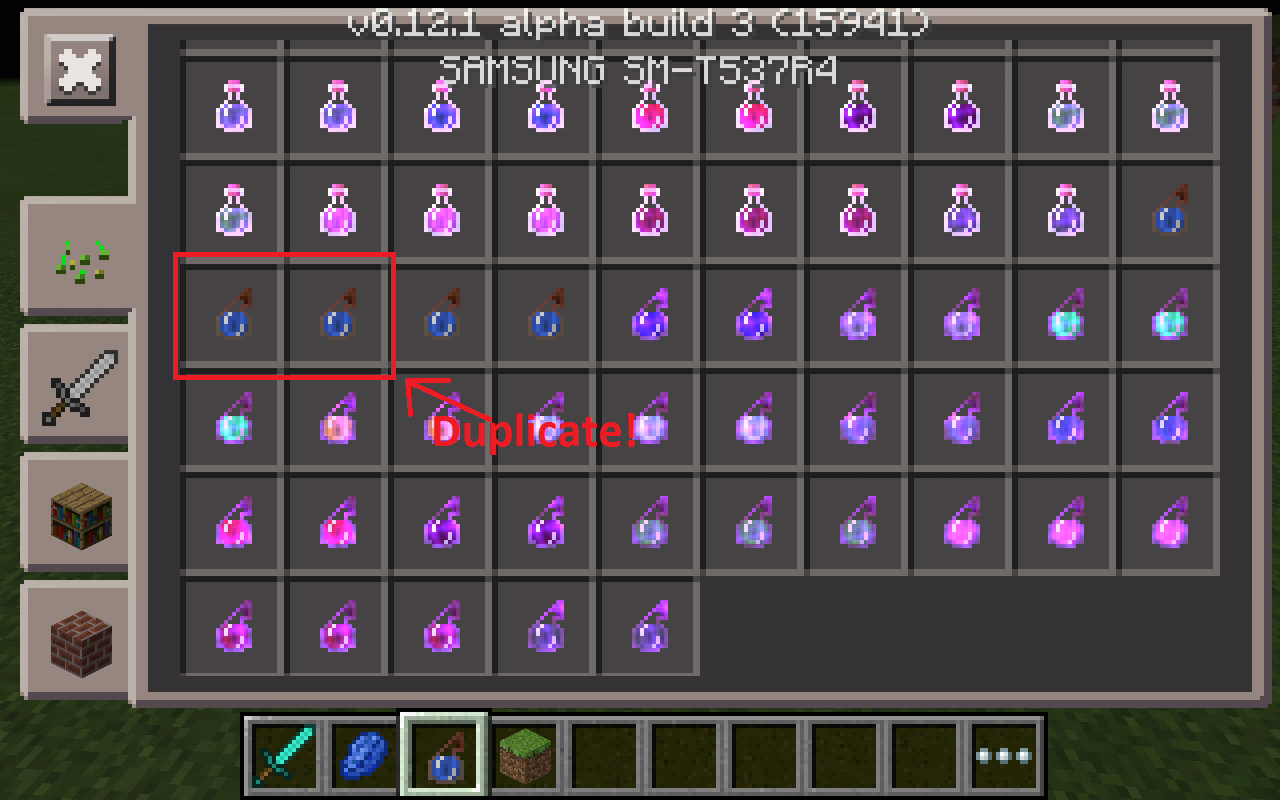
There is a duplicate of Mundane potion and Mundane splash potion in the creative mode inventory. See photos below.
this is also a duplicate of mundane splash potion
relates to
relates to
Please reopen grass still doesn't grow/spread under fences as of 0.12.1 build 3.
I am unable to punch any kind of entities
whereit beingeithera pig or an archer. Tested in creative and survival mode.When i have no items in my hand, I am unable to punch any kind of entities either it being a pig or an archer. Tested in creative and survival mode.
When i have no items in my hand, I am unable to punch any kind of entities either it being a pig
or anarcher. Tested in creative and survival mode.When i have no items in my hand, I am unable to punch any kind of entities either it being a pig, archer, etc. Tested in creative and survival mode.
relates to
Lapis icon missing from slot enchantment table in MCPE
Some how in the enchantment table
there isn'talapis slot iconshowingas to where it goes anymore. See photo below.Some how in MCPE the enchantment table doesn't show lapis slot icon as to where it goes anymore. See photo below.
Lapis icon missing fromslotenchantment table in MCPELapis icon missing from enchantment table slot in MCPE

Some how in MCPE the enchantment table doesn't show lapis slot icon as to where it goes anymore. See photo below.
Update from 1.0.5 beta The lapis icon is only visible for a moment when you remove lapis from the enchantment table, but then the icon quickly disappears.
Lapis iconmissing fromenchantment table slot in MCPELapis icon isn't always visible in enchantment table slot in MCPE
Steps to reproduce
-Set to game mode creative.
-Place down enchantment table.
-In enchantment table screen, click enchant arrow button.
Confirmed game crash.Steps to reproduce
-Make sure Minecraft isn't running or close it.
-Now open Minecraft game fresh.
-Make a creative world.
-Place down enchantment table.
-In enchantment table screen, just click enchant arrow button.
Confirmed game crash.
In third person view or in the inventory armour section: when holding a player head, the player has a LARGE floating player head next to the player. The player heads are also not wearable.

When ice is placed near a light source, the water it melts into will not spread.
gatharian added:
Ice might not melt right away but when it does, it floats above the block below it.
I have experienced this several times since the update. I had previous created a boat and leave it on a sea. Then go underground where I travel through a mine a "significant" distance (the mine is under the sea). Suddenly I teleport above ground into a boat.
gatharian added
Steps to duplicate (it's good to start fresh when testing.)
-Start a creative world.
-Get into a boat.
-Use the boat a little.
-Leave the boat for a while.
Reopen your game. You will then be teleported into the boat you left earlier.
Samsung SM-T700
Skeletons have armor that is not worn correctly. They are holding, um, squares...
gatharian added
Steps to duplicate:
-Spawn a bunch of skeletons until you see one wearing armor.
Notice: Skeletons hands have squares on them.
You are able to walk through closed double fence gates when they are attached to cobblestone walls or mossy cobblestone walls when they're facing east/west. The point where you walk through is in between the fence gates. Double fence gates seem to work normally when attached to wooden fences though.
gatharian added
Steps to duplicate
-Place down gates and cobblestone wall to form a square. (see photo attached.)
You will be able to walk threw at least one of the gates from a certain side.

gatharian and Katten I think the error message can be caused by different bugs (each of which would have a different ticket unless the cause of the bug is the same). Thus we should revise the ticket names to describe the bugs and indicate the error message is a symptom or effect. Hope I haven't made this a bigger mess.
I'm using MCPE 0.13.0 on Mediacom M-MP75S23G.
When I break blocks, these still appears and I have to wait or random move to make them disappear; same when I place blocks.
NOTE: Every issue that is related about delay when placing/breaking/open etc. is related to the chunks issue.
gatharian added:
Tested by placing blocks or breaking blocks in a Village will produce a delay. Igniting 1 block of tnt in the village will also show a significant delay in destruction. Seed for testing that has a village: 1388582293
When breaking stone (may occur with other blocks) there is a short delay, you have to wait about 1 or 2 seconds for the broken block to disappear. Same problem happens when placing blocks.
gatharian added:
Tested by placing blocks or breaking blocks in a Village will produce the delay. Igniting 1 block of tnt in the village will also show a significant delay in destruction. Seed for testing that has a village: 1388582293
When I ride a minecart and goes through an activator rail, I seem to exit the minecart but the minecart stills runs in the tracts.
gatharian added:
When I ride a minecart on an activator rail by pressing a button to power the minecart, the player will be teleported out of the minecart. See photo attached.
Wearing enchanted leather armor appears pink with no enchantment animation effects (2nd and 3rd person view) depending on your viewing angle you will see enchantments on your character. Move the camera around and you will notice the enchantments are not showing again. See photos attached.
gatharian added:
This is known to also affect other armor types that are enchanted.
When breaking stone (may occur with other blocks) there is a short delay, you have to wait about 1 or 2 seconds for the broken block to disappear. Same problem happens when placing blocks.
gatharian added:
Tested by quickly placing or breaking blocks in a Village will produce the delay. (i.e. Breaking a villagers house or quickly placing blocks on the ground in the village.) Seed for testing that has a village: 1388582293
I opened a few doors. When I reopen the world, the doors I just opened will shut.
gatharian added:
Steps to duplicate:
Doors
-Place a door on the ground.
-Open the door.
-Reopen your world.
The doors you just opened will shut. This affects all 6 door types.
See photos attached.
gatharian added:
This is no longer an issue for trap doors and gates. This is still happening with regular doors.
The trap doors I place on the wall are facing down. When I reopen the world again the trap doors will change their position.
gatharian added:
Steps to duplicate:
-Make a wall at least 3 blocks high.
-Place 3 wooden trap doors on the top half of the block on the wall.
-Make the trap doors face the ground touching the wall. (See before photo.)
-Reopen your world.
The trap doors will change their position on the wall.
See photos attached.
When a block with a pressure plate on top is destroyed, I expected the block above the pressure plate to be updated, but it was not. This bug can be used to create floating sand, floating gravel, floating anvils, floating anything... confirmed on Samsung Galaxy S4 Android 5.0.1 MCPE 0.13 build 5.
gatharian added:
A block update should happen when you break either the pressure plate or the block beneath it. It is expected that the block above should fall in both situations. Here's an example: If I were to place a block beneath with a torch on it, then break the block that the torch is on, the block above will fall instead of staying in mid air.
Original report:
When placing an anvil or sand on top of a pressure plate, then breaking the block that the pressure plate is on, the anvil will not fall.
I have a map size of 559.2MB and before the update (0.13.0) I used to play okay in it.
After the update, game start fast and nicely flowing but after a short while it starts to get really slow and laggy and it comes to I could not even turn the head of the Steve Dude! Front, back, right, left and on creative up and down fly works just fine but all gets loaded very slow and laggy as time passes within the game.
When I get out of the game for even geting out of the game it makes me to wait for the buttons to catch the clicks. When I get out safe and sound (No Crash) and when I get back into the game all starts well and as I roam in the map/game it starts to get slow and laggy again.
This happens only when monster grinders provide tons of monsters that game gets laggy and slow and now on regular play after the update 0.13.0
gatharian added:
All related issues to lag are pretty much about the same thing.

gatharian is not necessarily wrong, because MC 1.9 is not officially released yet. Once it's released, this issue should be reopened as a bug.

gatharian It is all good, you are welcome 
gatharian, that is unloaded chunks, not lighting issue.
gatharian, creative player does not drop item when breaking all types of blocks.

When you grow a sapling with a dispenser with bonemeal, the green particles are on the dispenser, which it should be on the sapling.
gatharian added:
Steps to reproduce:
-Place a dispenser, lever, and sappling just like the picture.
-Place bonemeal inside the dispenser.
-Click the lever a few times.
Depending on what direction the dispenser is facing, green particles show around the item instead of the sappling.
So, I put down an item frame, and it is invisible. You can put an item in it though!
gatharian added:
Steps to reproduce
-Be sure to open your game fresh. (I'm using a creative map.)
-Place an Item Frame on the wall.
-Place an item inside the Item Frame.
-Press the home or sleep button on your device.
-Return to the game and you will notice how the Item Frame disappeared showing just the item on the wall.
There is a problem with the hoppers texture, I can see through the strange lines on the top of the block.
These lines are better seen when hopper is placed over sand. You will see these lines when you face the hopper at a certain direction.
gatharian added:
This is even more noticeable on my ipad mini and possibly devices with smaller screens.
When you closer to the map border, then walk outside the map border, it will show you (the circle arrow when outside the map border) on the wrong location. Ex: I go to the left, the circle arrow pointed on the right.
gatharian added:
After 0.14.0 build 4; The dot on the map that represents you does not move at all, but the map fills out as you move around. By the way, I did NOT upgrade my map in the anvil and the pointer still shows. (see new photo attached)
There is a glitch to where I get back on my world and I have a wall map or a map in an item frame really it looks like a large item frame instead of a map please fix this, thanks in advance. P.S. I am playing on a efun next book ares 8 android 5.0 lolipop tablet
gatharian added:
Steps to reproduce
-Be sure to open your game fresh. (I'm using a creative map.)
-Place Item Frame on the wall.
-Place map inside the Item Frame.
-Exit out of your world and change gamemode.
-When you come back you will see that the map on the wall is a large Item Frame.
The animation of the loaded creeper is paralyzed.
gatharian added:
watch this video and skip to 4:47 https://www.youtube.com/watch?v=sYbjMKEXYdA
(Notice how the creepers charge animation around them doesn't move at all.)
When getting off and on my Minecraft pe survival world without switching game modes I repeat without switching gamemodes so nonone gets confused
this is on my efun next book ares 8 android tablet running android 5.0 please fix this.
gatharian added:
Steps to reproduce
-Be sure to open your game fresh. (I'm using a creative map.)
-Place an Item Frame on the wall.
-Place a Map inside the Item Frame.
-Press the home or sleep button on your device.
-Return to the game and you will notice how the Map disappeared showing a frame on the wall.
When trying to Combine an enchanted Sword, bow or armor with the same or a different enchantment book it will not work. Its like the game doesn't know how to combine enchanted books with enchanted items.
Reproduce bug by doing these steps:
1. Load/Start a world in Creative or Survival mode.
2. gather 2 enchantment books , an anvil and an item for enchanting.
3. Enchant the item with Enchantment book 1 using the Anvil.
4. Put the sword into the Anvil again and place the second book.
There will be no item at the slot where you usually take out the sword that has been combined with the 2 enchantments. That slot will stay empty instead.
gatharian added:
You're unable to add 2 or more enchantments to a sword for example Sharpness and Bane of Arthropods.
![[Mojang] Mega_Spud (Jay Wells)](../../../data/avatars/users/92696.png)
gatharian Oh you mean slime blocks? That's what tomcc's tweet was about. This bug report is saying that no Slimes (mob) are spawning, not slime blocks generating. For newly added blocks to generate you either need to explore a new area in your world, or create a new world altogether.
If you grab any rail and a minecarct and you go in it you ar inside a chest
gatharian added:
This can be reproduced with any solid block type
gatharian You've edited the description to only include using a mouse (presumably because it affects you on Windows 10). However the original report said it affected android touch devices, as the bug also affects touch screen devices; holding to eat will only consume one item.
Could the description and title be edited to include touch screen devices as well as mouse (Windows 10), as the issue affects both.
gatharian, that's because water/lava buckets are non-stackable unlike empty ones. See http://minecraft.gamepedia.com/Water#Water_Bucket
gatharian
Ok, although it wasn't a duplicate until you edited MCPE-10776 to include cave spiders, so a search wouldn't really have helped when I posted this bug report!
I understand why you have included them both, I would have just marked them as "Relates to".
gatharian Why did you feel it necessary to edit the description? This bug is not reproducible by creating more signs. The text input gets disabled when you Left Click not when you create a second sign.
The text input bug also extends to the game menu when you exit a world, that is why you can't edit the world name, until you press TAB or exit the game and restart it.
gatharian Thanks, have edited the description.

gatharian Just to be clear, we are talking about regular minecraft achievements, like Benchmarking, for example? Also, MCPE and Windows 10 have exactly the same features, apart from the menu differences and a few other minor things. They either both have achievements, or they both don't.
gatharian Oh ok, my bad. I assumed that they always had the same features.
gatharian I see! I think it's the naturally spawned ones that can sprint correctly, having been chased by a few.
gatharian Agreed.
 Restricted to
 What the heck, it opened it when I commented, but not gatharian??
![[MCPE Mod] Dr.Awesome4333](../../../data/assets/gravatar/drawesome4333.png)
Building a structure like so...
S is a slime block. P is a piston or sticky piston.
sss
sps
Activeating the piston causes a crash.
Note This is a slight variation of the report due to many variations being marked as duplicates and rhe duplicates not being fixed but the orignal being fixed. I will add more of the slight variations to the ticket.
gatharian added:
Additional video provided by MCPE-14860
https://youtu.be/gqb_Hx1X3K8
@Luke Arnould That is incredibly incorrect. First, the MCPE community are the people who give feedback to the developers about their game. This opinion highly matters, because they are the paying customers; and the developers listen. Second, the mod's decision on how/if to resolve a bug is important. We take care in what we do on this bug tracker, and we generally know what we are doing. I agree with gatharian, and this issue has not been fixed by the developers since 0.14.2 came out, so I'm beginning to believe that this Works as Intended. So, the mod's opinion is valued, and, to be perfectly frank, is valued higher than yours. Stop disagreeing. I will be nice, however, and wait for some input from Mojang.
My bad. I just realized gatharian has already created a new issue MCPE-15962 for the pressure plate. Closing this as fixed.
The inventory button dots texture is not consistent when inventory is open. See photos attached.
gatharian added:
Related issues MCPE-14279, MCPE-14144 and MCPE-14278

Device: Xiaomi Redmi 1S
In Survival Mode, I crafted an Oak Door & placed it. then when i pass by/stand right next to the door, I see the bubbles and when its depleted, I take damage like getting drowned underwater.
update by gatharian:
Now only affects
- Lava (when submerged)
Steps to reproduce
- Place a puddle of lava.
- Give yourself fire resistance.
- Switch to survival.
- Swim under the lava.
- Notice that breathing bubbles are show but your swimming in lava not water.

gatharian Unable to test bug due to MCPE-17638.
![[Mojang] Adrian Östergård](../../../data/assets/gravatar/nighter.jpeg)
gatharian: Does this get gradually worse the more you use the search function?
gatharian I broke the stems, which causes the entire plant to break. However, chorus flowers shouldn't drop when broken like this. (See Java edition behavior.) They should only drop if they are directly broken by the player using their hand or a tool.

gatharian, according to the latest changelog it says it has been fixed in 1.0.4.0.
I'm having an issue with peaceful mode I was on peaceful mode and I still saw mobs like Zombies,Creepers etc.
gatharian added (from MCPE-20991)
I'm having 2 different problems.
- The game difficulty setting is not kept when you exit your world.
- While in world, I cannot select the game difficulty "Hard" until I have selected the difficulties Normal or Easy first.
Steps to Reproduce
- Create a new world.
- Set the game difficulty to Peaceful.
- Create the world.
- While you're in the world change your game difficulty to Hard.
- You may not be able to select the game difficulty until you select Easy or Normal first.
- Once the game difficulty is set open the menu again.
- Notice that the game difficulty is correctly set to "Hard".
- Close your world.
- Edit your world.
- Notice the game difficulty is set to Peaceful again!
![[Mod] bemoty](../../../data/avatars/users/50554.png)
gatharian Confirmed for 1.1.5.0. Maybe it's fixed in the beta build?
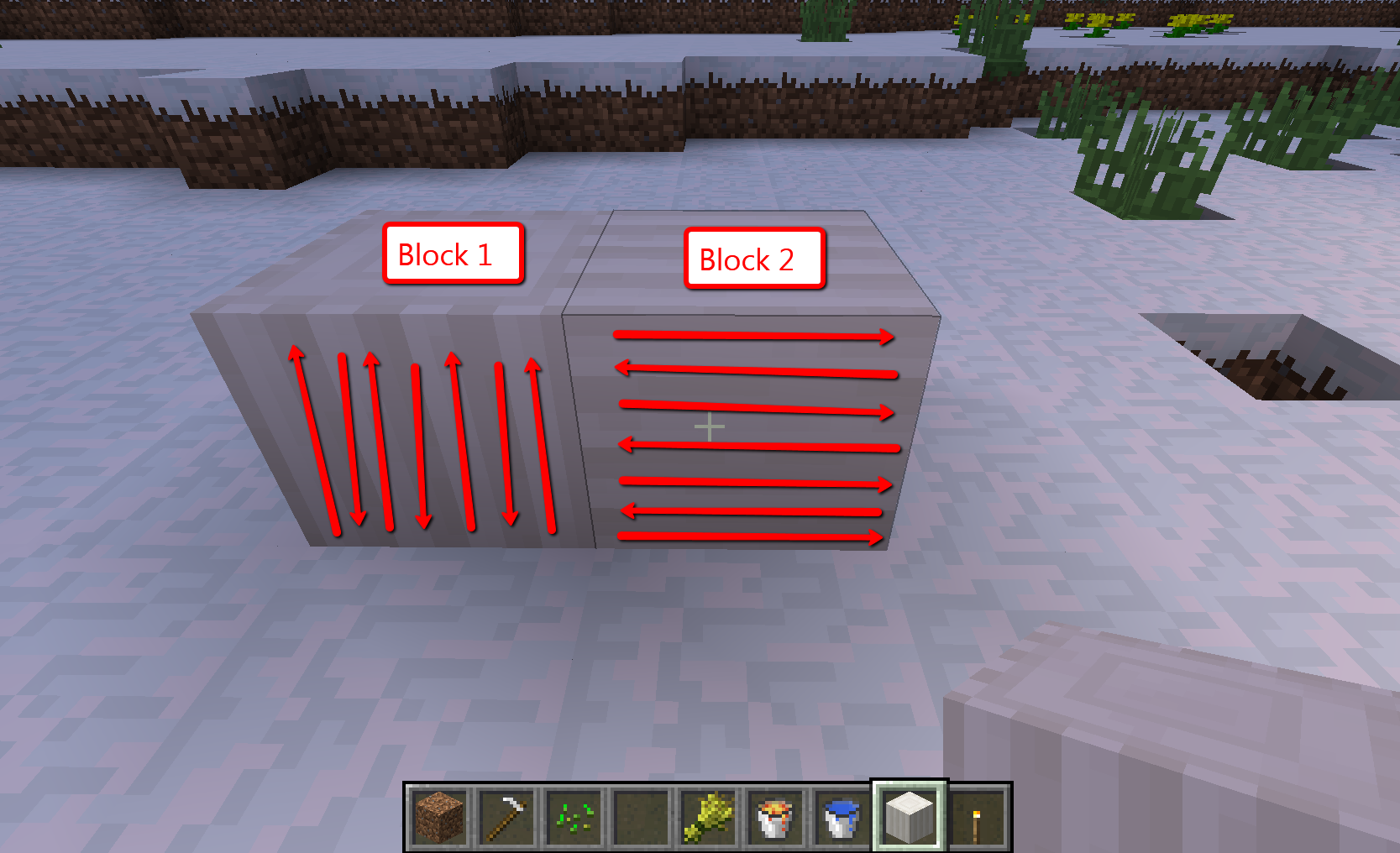
This is still an issue. How to duplicate. Place 1 Pillar quartz block top facing ground, then make the top of the second block face the side of the first block. If I were to do this with 3 other blocks and stack one additional block on top of the first than this would be the end result. http://i.imgur.com/LE8ko.jpg Right now this block isn't able to be placed sideways like logs and hay bales but should. I could only make the blocks look like the picture in the pc version of minecraft. Please test this in mcpe and place the blocks like the picture. You will see what I am talking about.
Ok I have created separate ticket
https://bugs.mojang.com/browse/MCPE-8401
I should be able to place doors on half slabs, it was expected to work. This is why I suspected this to be a bug excluding the reason it working in the PC edition.
I looked at past bug reports for this and when the door is placed on a half slab it would break into duplicate door blocks to be picked up.
https://bugs.mojang.com/browse/MCPE-144
I understand if this was coded to not be possible.
This texture bug is still a problem I have confirmed that this is still a bug in build 10 and has NOT been resolved. What was expected? No shadowy line threw the block. The texture is probably offset. It doesn't effect just one block, it effects ALL stair blocks. See? http://imgur.com/vYP6HgR
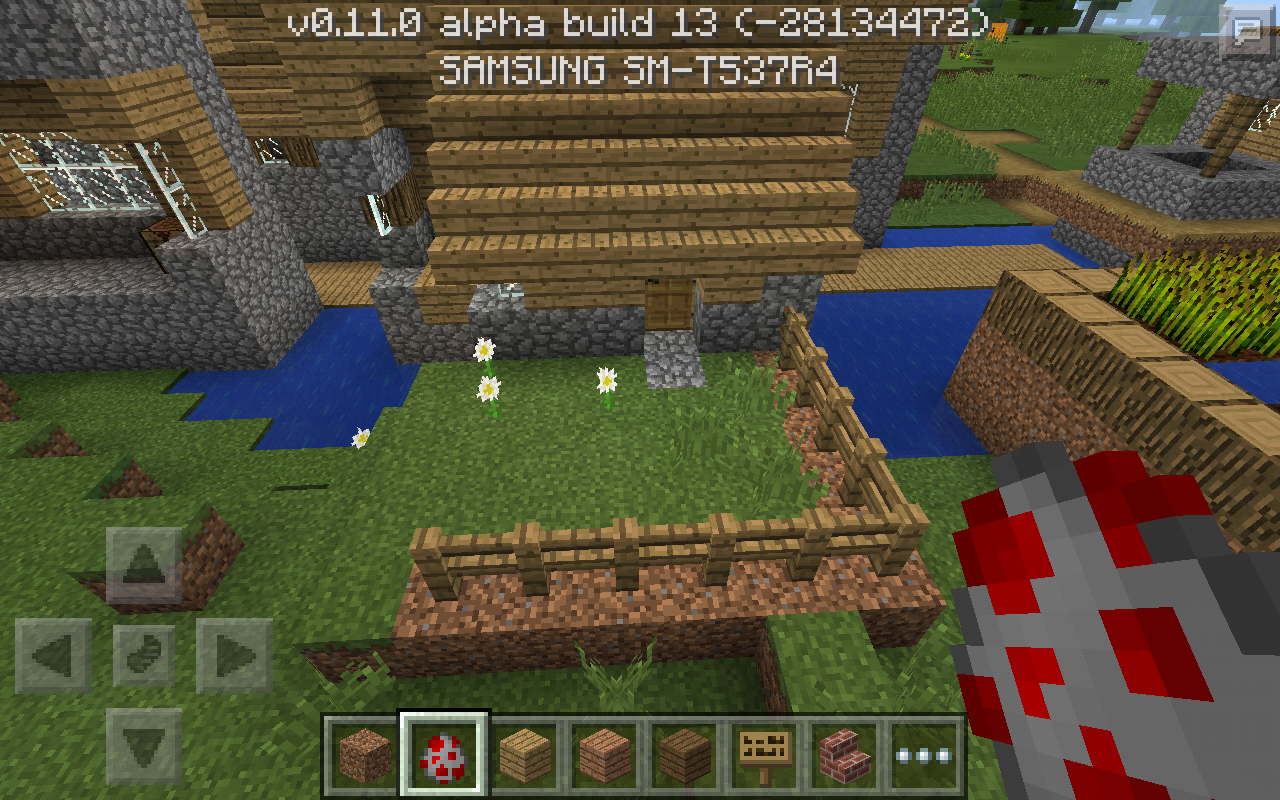
Grass isn't growing back in 0.11.0 build 10 please re-open!
this was tested in creative mode using difficulty setting
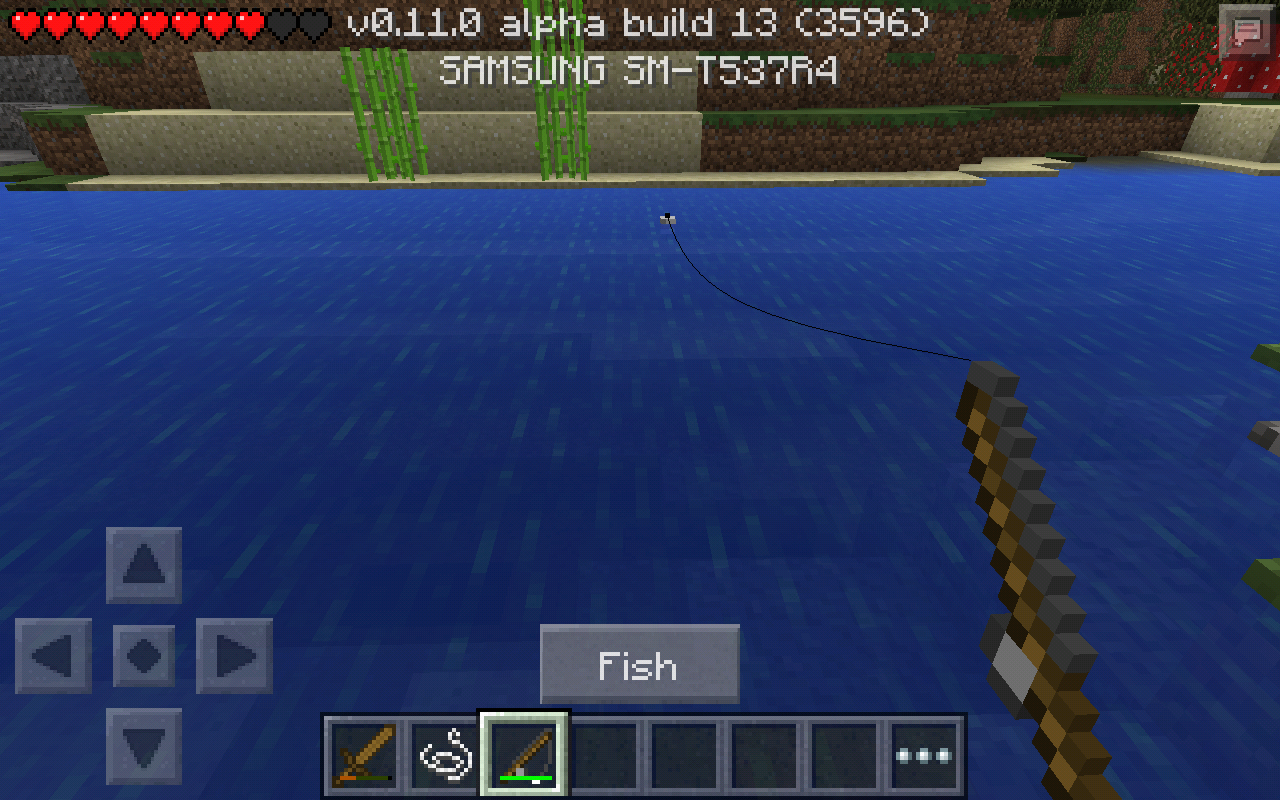
UPDATE game crashes when fishing on Land also.
Apples are not coming from the leaves either.
I am in survival. Just put fire on the ground with flint and steel and just briefly walk threw it.
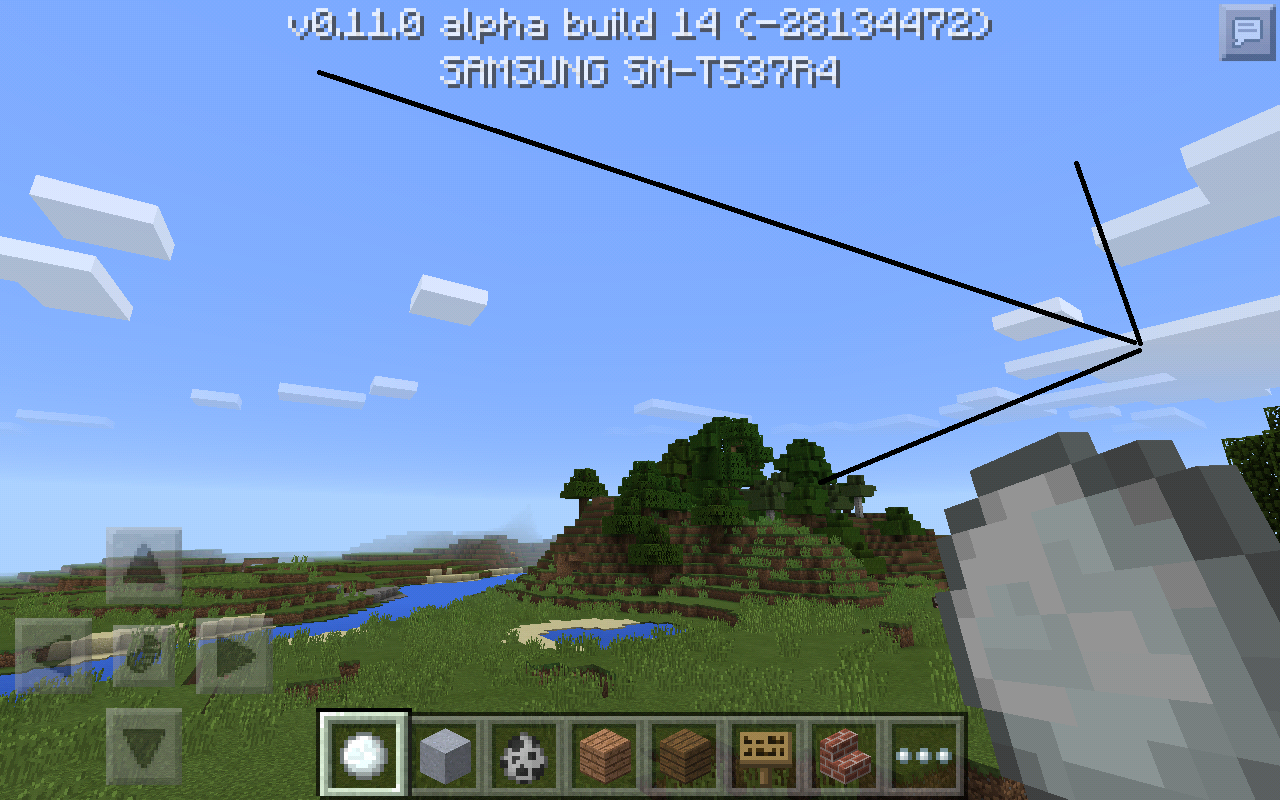
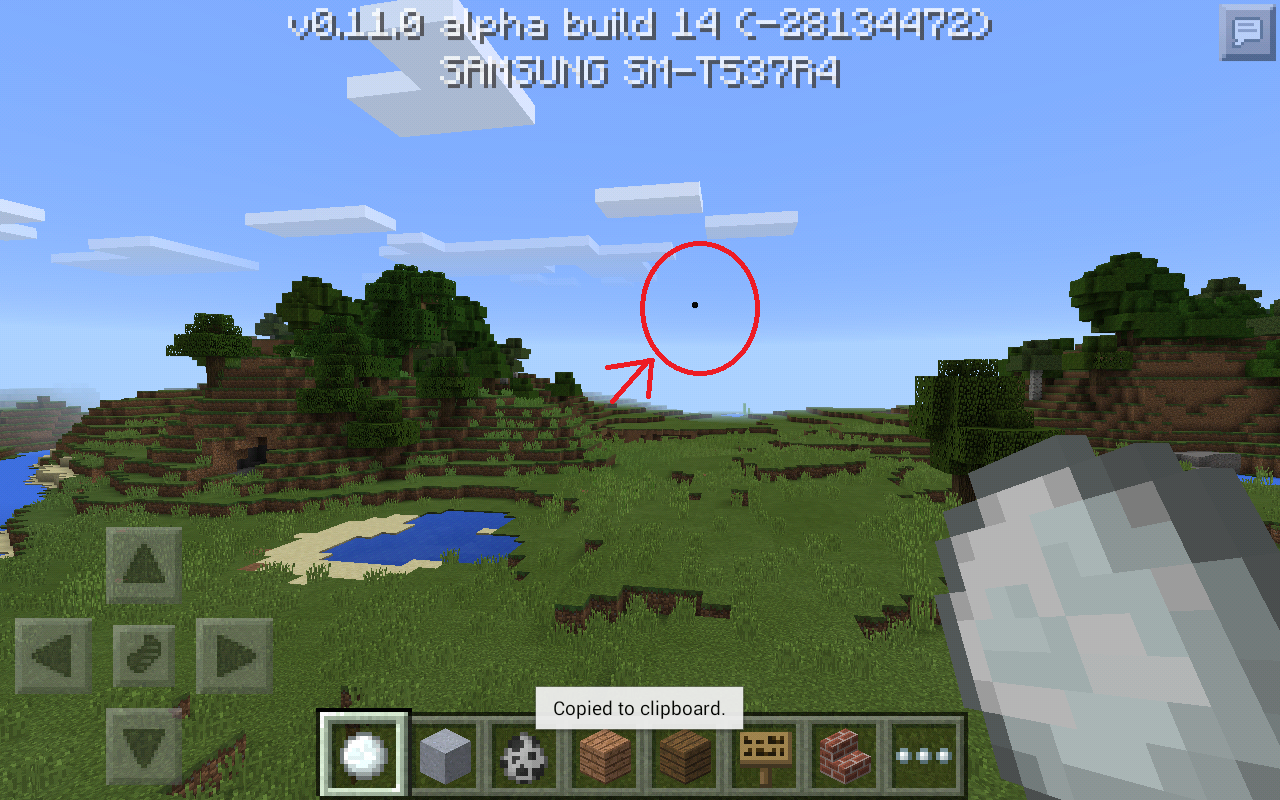
this is the world seed -28134472
The small text bug happening in different places from other people
http://imgur.com/a7CX9Lm
http://imgur.com/G65F6kn
http://imgur.com/qJnNpW8
That's because your game was already open when you came back to the app. This isn't a bug.
Make sure your mc app is closed Otherwise restart your device and see if this helps.
Same problem is happening for me on Samsung Galaxy Tab 4
This ticket can be closed, i was testing it wrong by holding down on the snow ball instead of holding down on different parts of the screen to throw the snowball.
Did a little more testing and the snow ball is black thrown downward but is whiter when thrown upward.
Affects Version/s will need to be updated with 0.11.1 as it is affected.
Confirmed on Samsung Galaxy Tab 4.
Steps to Reproduce:
-Have the host open a world.
-Join the host's world as the client. (2nd player, separate device same model)
-Have the host place 2 chests side by side in front of the client.
Conclusion:
The hosts screen shows connected double chest.
The clients screen shows unconnected twin chests side by side.
Double chest is finally seen by client, once client leaves server than reconnects to hosted world again.
What the client sees
http://i.imgur.com/Bl2zF8g.png
Confirmed on Samsung Galaxy Tab 4
Steps to Reproduce:
-Have the host open a world.
-Join the host's world as the client.
-As the client make this structure (should be 3 blocks in height)
http://i.imgur.com/UlXtNQa.jpg -step 1
http://i.imgur.com/MPp1bbO.jpg - step 2
http://i.imgur.com/5xbD1yI.jpg - step 3
http://i.imgur.com/wieLQoK.jpg - step 4
http://i.imgur.com/LOvi70u.png - step 5
Conclusion:
What the client sees
http://i.imgur.com/Q5ZGZ0R.png
What the host sees
http://i.imgur.com/sUfeYhk.png
The host can break the block and a new cobblestone block is generated again. However the client cannot mine the cobblestone since the only thing the client will see is lava sitting next to water that did not mix to form a block. In case your wondering, what you just made is a cobblestone generator. I among others would appreciate it if this bug was fixed. This is be the best way I could describe the issue.
Confirmed on Samsung Galaxy Tab 4. Android 5.0
Switching from creative to survival at night will turn to day.
Steps to reproduce:
#1. Wait till its night in creative.
#2. Switch to survival.
#3. It will turn day.
Confirmed bug!
Did you use mcedit? that would probably explain the "update block" placeholders for unknown pc version blocks, that are not currently in mcpe.
I tested this multiple times on 0.11.1 and could not duplicate the problem.
Steps I took:
-Host as a creative world.
-Spawn and tame a dog with host.
-Spawn and tame a dog with client.
-Reopen world change game mode to survival.
-Punch the host (His dog attacks you, you take damage and die.)
-Punch the host's dog (His dog attacks you, you take damage and die.)
-Punch the client (His dog attacks you, you take damage and die.)
-Punch the client's dog (His dog attacks you, you take damage and die.)
The dog gives damage in both situations.
I see this ticket listed as of version 0.10.4. I could not duplicate this problem in 0.11.1.
I tested this and rowing stops when inventory screen is closed.
Related: The fog is way to bright
Affects Version/s needs updating to 0.12.1 build 1 and build 2 as this is still an issue.
There is a shadow/texture bug that still displays a line threw the middle of stair block types.
The stair blocks placed by the player do not match their preview.
This is a duplicate of https://bugs.mojang.com/browse/MCPE-9333
Lawrence G. the last step wasn't suppose to have a line threw it.
Luke Arnould your referring to the tame button not being displayed.
Steps to reproduce in 0.12.1 build 2
-Spawn ocelot.
-Tame an ocelot with raw fish.
There is NO button to make the ocelot you just tamed stand.
That's because there is NO visible stand button directly after taming a cat. Bug confirmed for 0.12.1 build 2.
Confirmed on Samsung Galaxy tab 4.
Tested both seed pot22 and 1425694139. I was able to see the mushroom biomes without any chunk loading issues. This was a problem in 0.11.1, but appears to have been fixed as of 0.12.1 beta 2.
Tested as of 0.12.1 build 2 and could not find any issues loading chucks or nearby mushroom biome.
http://i.imgur.com/tc5G7lh.png
Confirmed on Samsung Galaxy Tab 4.
Snow layers can also pass threw glass roof top.
Wolfs turn black while standing on soulsand and bounce while walking over it.
Your pc/tablet is running mcpe 0.12 beta. You will need to wait until 0.12 is released to ios devices.
Same here, there is no enchantment table in MC Win10 edition. This may be because Mojang is currently fixing bugs for the same code base. They will somehow merge the fixes for both versions.
This bug report can be closed as it is invalid. The other day I realized I was actually taming an ocelot with cooked fish instead of raw fish.
You will need to edit your audio device settings.
-Right click volume icon.
-Select playback devices.
-Right click the audio device that shows with green check mark.
-Select properties.
-Click advanced tab.
-Default format should be the highest sound quality. For example 32 bit, 192000 Hz (Studio Quality).
This appears to be fixed as of 0.12.1. Alex and Steve are the options I see on this screen.
Confirmed for Samsung Galaxy tab 4. 0.12.1 build 3
Steps to duplicate
-open minecraft app fresh.
-go to settings.
-go to skins.
-Browse for custom skin.
-Select alex/steve to return back.
From skins page back button takes you to select alex/steve screen again.
Confirmed bug for Samsung Galaxy Tab 4. Running 0.12.1 build 3.
Nether Brick Fence is still listed as "Oak Fence" in creative inventory. Tested in 0.12.1 build 3.
This is no longer a bug as of 0.12.1 build 3. Tested in both creative and survival.
I always thought this was normal, but ground particles after falling would be a lot better!
Confirmed in 0.12.1 build 3, please update! Grass still doesn't grow/spread under fences regardless of the game mode.
This is still a bug as of 0.12.1 build 4.
It appears that this is no longer an issue as of 0.12.1 build 4.
Please update Affects Version/s. This still happening as of 0.12.1 build 4.
This seams to have been fixed as of 0.12.1 build 4.
You need to be in a nether fortrace to see wither skeletons and blazes. They don't spawn on nether rack itself like zombie pigman.
This is still a bug in 0.12.1 build 4.
Bug confirmed in 0.12.1 build 4 also.
Update Affects Version/s: on this to 0.12.1 beta 5
This is also a bug in mcpe 0.12.1 build 2, 3, 4 and 5.
So your saying it drops items or does it not?
Confirmed in 0.12.1 build 5
This now only seams to affect MCWE 0.12
Sammy Garza You mean opening crafting tables, chests, furnace in "Creative" has not been added yet. Lets not get anyone confused here.
Please reopen entities STILL bounce when walking on soul sand!
Tested this in 0.12.1 build 6. The only thing I see FIXED is when they turn black.
Confirmed in 0.12.1 build 6.
Confirmed in 0.12.1 build 6.
Confirmed in MCPE 0.12.1 build 6 and MCWE 0.12.
This pretty much confirms it for build 6.
Confirmed this in 0.12.1 build 7
Confirmed in 0.12.1 build 7
Confirmed this in 0.12.1 build 7.
Confirmed bug in 0.12.1 build 7.
http://i.imgur.com/lGUTyDK.png
Seed for testing: 30123
Steps to duplicate
-create an "OLD" creative world using seed 30123
-fly to the edges of the world until you start seeing floating objects.
Confirmed in 0.12.1 build 7.
Steps to duplicate (btw I'm double tapping crouch.)
-every other time pressing crouch will sometimes cancel out and you will still be standing.
-every other time pressing stand will sometimes cancel out and you will still be crouching.
Ohh strange I always thought this was a bug. I thought Podzol was suppose to be like grass.
The devs said in build 6 that you don't die in the void anymore when you are on creative and I have tried to spawn an entities in the void, they die when they reach the void.
https://docs.google.com/document/d/11tUgbssVOAwT0xD1_sB_CJV3Ugl4hZSdVDBbFwayxXA/pub
Confirmed bug in 0.12.1 build 7. I'm basically trying to build and accidentally press the center of the dpad and it places blocks on the ground. Very annoying! See photo.
Confirmed bug in 0.12.1 build 7.
I tested this with
-4 regular dirt blocks.
-4 dirt blocks with fence on top.
The result
-grass grew over dirt blocks.
-grass did NOT grow on dirt blocks with fences.
Confirmed bug in mcpe 0.12.1 build 7 also, see photo attached.
Confirmed bug in 0.12.1 build 7.
For 0.12.1 build 7.
Confirmed bug in 0.12.1 build 7.
Confirmed bug in Windows 10 Edition using PC.
Its a bug if we use rely on hunger now instead of just health. Things are different than they were.
Confirmed in 0.12.1 build 8. The only noticeable bug is no vibrate happens when breaking plants that are 2 blocks in height. See photo example. Vibrates just fine when breaking blocks.
Confirmed bug in 0.12.1 build 8. Just build a house when its raining and noticeable drops of rain will fall threw a roof that is 1 block thick. The rain usually falls threw a roof near sides of the house.
This is not a bug in PC version it says head also.
You mean to say you can stand inside a mob head, Yes that's a bug. Breaking mob heads and soul sand particles appear is NOT a bug.
I confirmed this bug by sprinting and then stopping and looking near my feet. Particles kept showing as if I were still running.
YotaXP No I was walking. The speed seams to be the same.
This photo shows how the PC version puts their text. The extra gap is where the golden apple status bar shows.
Make a youtube video and put the link in the description.
duplicate of
https://bugs.mojang.com/browse/MCPE-9807
Its updated automatically. If you see particles under your feet after sprinting when your not walking then you know that you have the current version. The recent update gave the game this bug.
Confirmed bug in 0.12.1 build 9,
Aerotactics your game updates automatically. If you see particles when your not running after sprinting then you have the current update.
This is NOT a bug glass panes and iron bars use old rendering engine.
Aerotactics It just wont ever say 12.0.1 on the main screen ask anyone. The latest update broke sprinting that is the only way you can be sure. Before the update sprinting particles went away and were not so obvious.
See how the cane is underwater.
Confirmed bug in 0.12.1 build 9. Switching auto jump on and off doesn't change the ability to auto climb up blocks or not. I still auto climb up blocks without jumping either way.
Still happening in 0.12.1 build 9. Grass still not growing under fence.
Confirmed bug 0.12.1 build 9. Still can't drink milk in creative to remove the effect, after drinking a potion or using splash potion on the player.
Sammy Garza No we already had the ability to do that in build 8. Maybe they will add crafting in creative like PC when they are done. This really hints at that.
This bug has already been reported. I believe this doesn't happen anymore in 0.12.1 build 9. Correct me if I'm wrong but I have tested it recently.
Sammy Garza I didn't say this bug report was about crafting in creative now did it? I only said this hints at that. It was a personal opinion. Why not comment if you have something important to add? Instead of saying this isn't a bug. If something stated as a feature doesn't work, it's a bug.
I believe you have to use the stone cutter, which is also craftable like the crafting table using 4 cobblestone craftable like the crafting table with wood.
Just create a new user account on your computer and try it again
Does it exactly say the proper key to leave the boat when entering? If it doesn't than I would say it's a bug because other people will not know either.
Still a bug in 0.12.1 build 10 when trying to remove potion effects using either regular potion or splash potion.
Confirmed bug in 0.12.1 build 10. still auto jumping when I have my auto jump setting turned off.
Confirmed bug in 0.12.1 build 10. Grass still now growing/spreading under fence posts.
Actually this is not a bug. It's like that in the PC version also.
This is still an issue in 0.12.1 build 10
Nasario chan En la configuración de cambiar el tamaño del botón
It's recommended that you make a new user account with a username not containing symbols and try it again. It should work.
Confirmed bug in 0.12.1 build 10! See photo attached.
Confirmed bug in 0.12.1 build 10! This is still happening in 3rd person view. See photo attached.
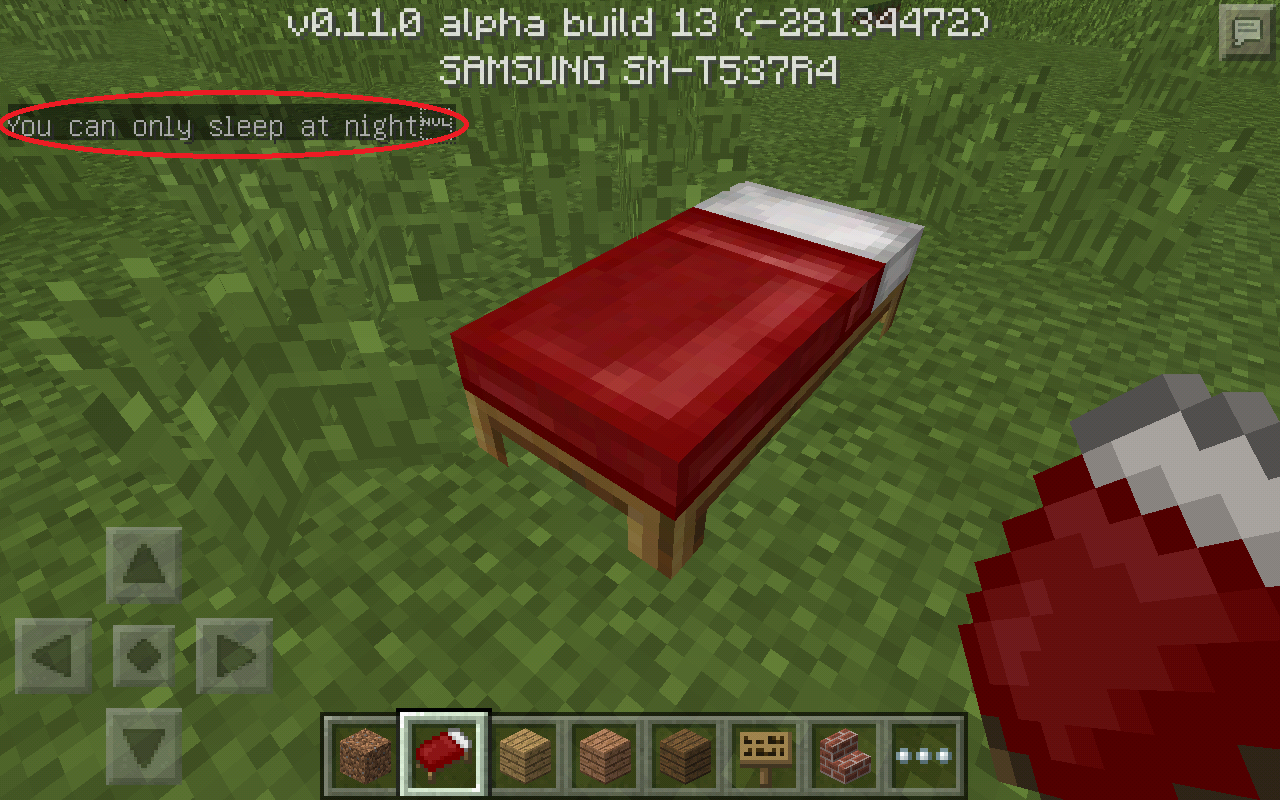
No this is a bug for beds being placed on top half slabs.
Confirmed bug 0.12.1 build 10. The door texture in MCPE is missing the 3 hinges on the side of the door and shows door knob instead. Photo attached shows the correct door side texture.
As of 0.12.1 build 10 door is missing 3 hinges and displays door knob dot from the wrong side as shown. See attached photo.
Since your using 0.11.2 the size being large works as intended and is not a bug. However they added dpad/gui size slider option for 0.12.1 that you should get in the next update. You will need to wait.
As of 0.12.1 build 10 texture on trap doors are still an issue and have not been fixed. I'm still seeing double panel double doors when looking threw the trap door, the side of trap door texture is upside down and trap door inner texture sometimes flickers when looking at it a certain way. See photo attached.
This is still a bug in 0.12.1 build 11. I can't drink milk to remove effects from potion in creative mode.
Confirmed bug in 0.12.1 build 11.
Confirmed bug in 0.12.1 build 11. Grass is still not spreading under fences.
This has been fixed as of build 11. https://docs.google.com/document/d/11tUgbssVOAwT0xD1_sB_CJV3Ugl4hZSdVDBbFwayxXA/pub
Confirmed bug in 0.12.1 build 11.
Affects 0.12.1 build 11.
Steps to duplicate
-make a doorway.
-place a door in doorway.
-open the door.
-look at the side of the door texture.
This has been fixed as of 0.12.1 build 10. https://docs.google.com/document/d/11tUgbssVOAwT0xD1_sB_CJV3Ugl4hZSdVDBbFwayxXA/pub
Affects 0.12.1 build 11
Fixed in 0.12.1 build 11.
https://docs.google.com/document/d/11tUgbssVOAwT0xD1_sB_CJV3Ugl4hZSdVDBbFwayxXA/pub
Affects 0.12.1 build 11 see photo attached. No chat button shows when laying in bed.
Affects 0.12.1 build 11. Auto jump still jumping when its turned off.
Affects 0.12.1 build 11. Breaking plants 2 blocks tall will not vibrate your device.
This is not a bug. I tested this on PC and mob heads have soul sand particles when broken.
Confirmed bug in 0.12.1 build 11. Entities take damage when standing on carpets for no reason at all. Tested with pigs and spiders. See photos attached.
This is the correct icon for brewing stand.
Affects 0.12.1 build 11. See attached photos.
Are you on survival or creative? If you are on survival crafting a door will give you 3 doors.
Affects 0.12.1 build 12. See photos attached.
Affects 0.12.1 build 12. Auto jump still isn't turning off.
Affects 0.12.1 build 12
Affects 0.12.1 build 12. Grass does not grow under gates either.
Still affects 0.12.1 build 12.
Affects 0.12.1 build 12. See photo attached.
Duplicate of
https://bugs.mojang.com/browse/MCPE-9327
Duplicate of
https://bugs.mojang.com/browse/MCPE-9327
Items entities carry have a chance to drop they don't always drop. This works as intended.
Affects 0.12.1 build 12
Affects 0.12.1 build 12.
Affects 0.12.1 build 13.
Affects 0.12.1 build 13. This is a known bug when crouching and wearing armor. It also affects skins. See photos attached.
Bug Affects 0.12.1 build 13. See photo attached.
Affects 0.12.1 build 13.
Affects 0.12.1 build 13. I tested this on Ocelots, Pigs and Chickens. They die when they walk on carpets. See photo attached.
Affects 0.12.1 build 13. Auto jump is still set to off, yet I still auto jump none the less.
Affects 0.12.1 build 13. When riding a mine cart there is still no sound when riding on the tracks.
I can confirm this also in 0.12.1 build 13. I thought only power rails make the mine cart move? Not sure if this is intended or a bug.
Duplicate of
https://bugs.mojang.com/browse/MCPE-9665
Duplicate of
https://bugs.mojang.com/browse/MCPE-9665
Confirmed bug in 0.12.1 build 13. In Creative the mine cart will disappear after clicking the "ride" button. There is a very small chance you are able to actually ride a mine cart in creative.
Confirmed bug 0.12.1 build 13. Grass still isn't growing under fences or gates.
This has already been fixed as of build 13.
Affects 0.12.1 build 13
Affects 0.12.1 build 13. See photo attached.
Affects 0.12.1 build 13. See photo attached.
Affects 0.12.1 build 13! Experience orbs still don't show in 3rd person view. See photo attached.
Nikola Bojanic The final release will not happen until all the bugs are fixed. Commenting bug reports as "Works at Intended" does not speed up that process.
Affects 0.12.1 build 13. See photo attached.
Affects 0.12.1 build 13. It just started happening to me. See photos attached. I'm still not able to duplicate how this happens. This didn't happen with fences yesterday when I was testing.
Duplicate of
https://bugs.mojang.com/browse/MCPE-9724
Confirmed on Samsung Galaxy tab 4. See photos attached.
It's still happening in 0.12.1 build 13! Have not figured out how to duplicate the problem because this just started happening again for me. I am using this seed: 3596
Affects 0.12.1 build 13
[MCPE Mod] Luis Robles I would say this has been fixed since they are no longer hostile in creative but they aren't hostile in survival either.
Christian I tested what you just explained in Survival. I can place flowers in pots on half slabs. When breaking the pot or flower i am able to get the pot or flower back. In creative you don't get it back because everything you break will just break and that is about it.
This is still a bug in Minecraft Windows 10 Edition. As we can already do this in MCPE but not vise versa.
Cannot place beds on top half slabs in Minecraft Windows 10 Edition 0.12.1 but I can in MCPE.
As of the final update of 0.12.1. I am NOT able to place flower pots on top half slabs anymore!
[MCPE Mod] Luis Robles I tested this on my ios device and they are hostile again in creative in the final release.
Still a bug in the final release of 0.12.1.
Still a bug in the final release of 0.12.1. How is this NOT an important bug?
Still a bug in the final release of 0.12.1.
Still a bug in the final release of 0.12.1.
Still a bug in the final release of 0.12.1.
Still a bug in the final release of 0.12.1.
Affects 0.12.1 final release.
Still a bug in the final release of 0.12.1.
Still a bug in the final release of 0.12.1.
Duplicate of
https://bugs.mojang.com/browse/MCPE-9378
duplicate of
https://bugs.mojang.com/browse/MCPE-9378
Confirmed bug in 0.12.1 build 13 and Final release.
Have you tried recreating the world and just use the same seed to get to the nether fortress? Your world may have been used or created during the beta phase. This would cause the spawners in the world to stay permanently glitched.
Super Cat Gaming - Sorry but bug reports are picked by lowest bug report id first. You might want to comment the linked bug report so the developers know it affects build 12 and 13. You can also attach photos to help them solve the problem.
Affects 0.12.1 final release
Duplicate of
MCPE-9555Affects 0.12.1 final release.
Affects 0.12.1 final build.
Affects 0.12.1 final release. I did a test with 3 people In multiplayer. Two players were holding a cobblestone fence. The fence appears to have a texture bug. The texture bug seams to mostly affect Minecraft Windows 10 Edition users. See photo attached.
The cobblestone fence also appears to be bugged when held in hand.
Affects 0.12.1 final release.
Duplicate of
MCPE-10253Sorry but this is for bug reports only.
Sorry but this tracker is for bug reports only.