 Lukáš Fireš
- firda
- JIRAUSER490447
- Europe/Stockholm
- Yes
- No
 MCPE-123707

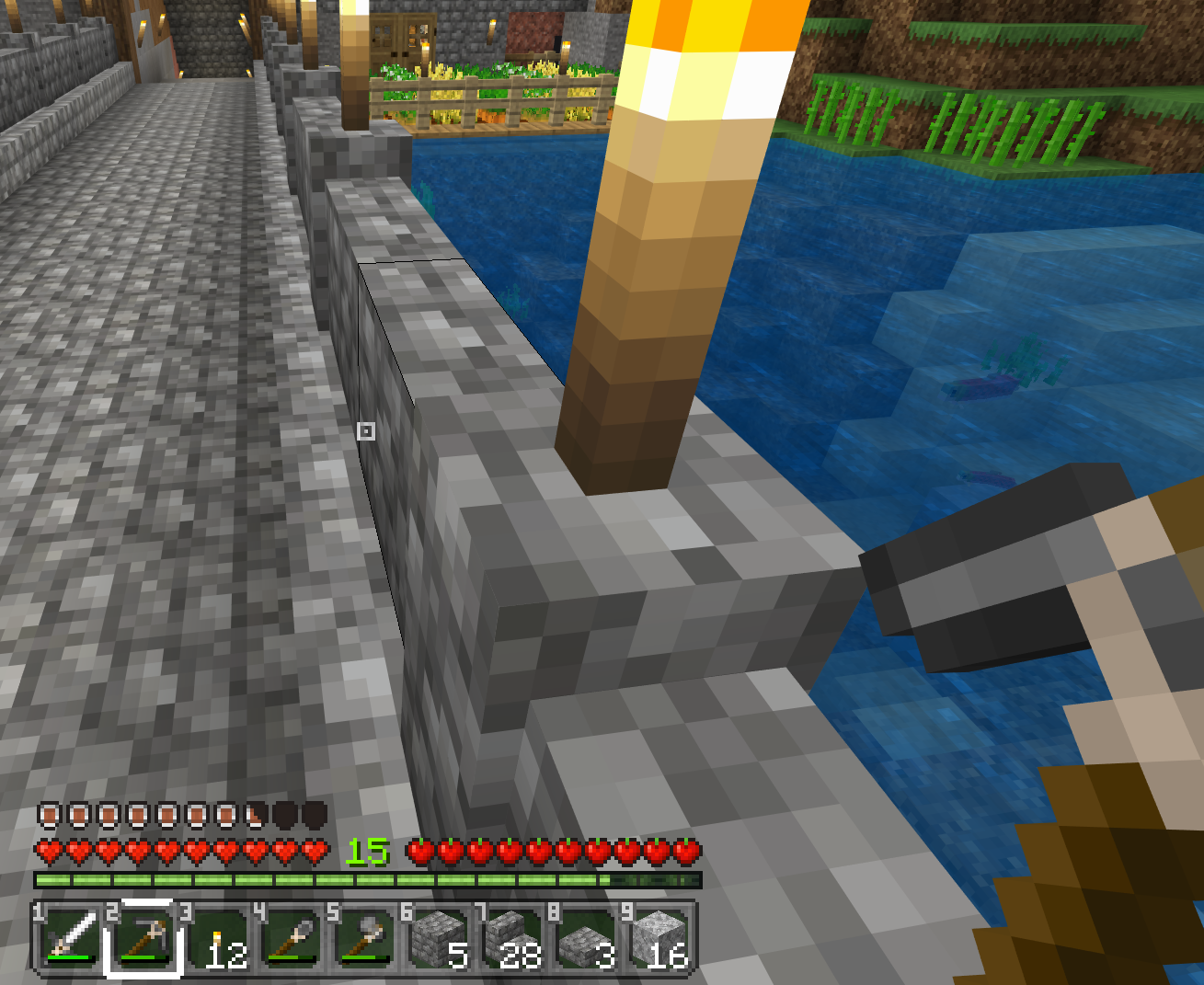

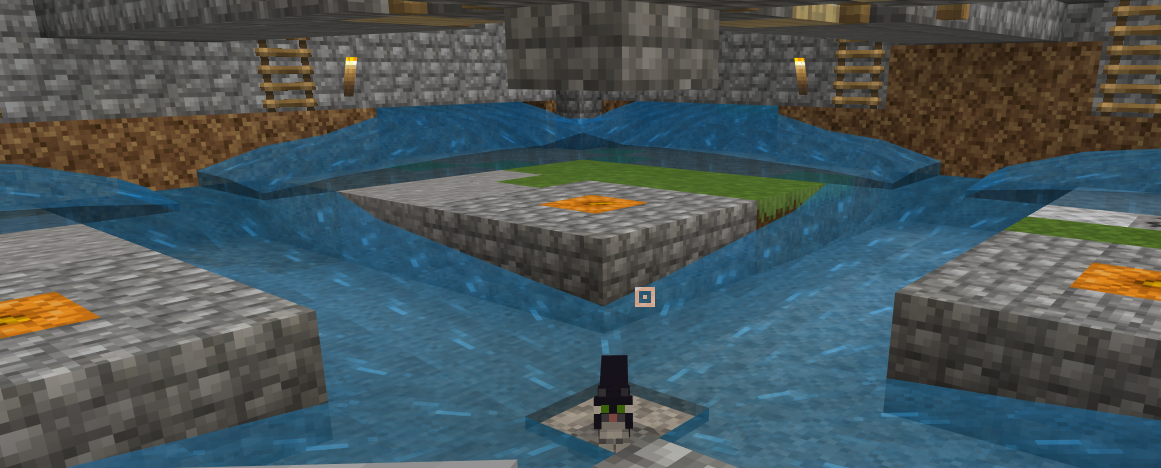


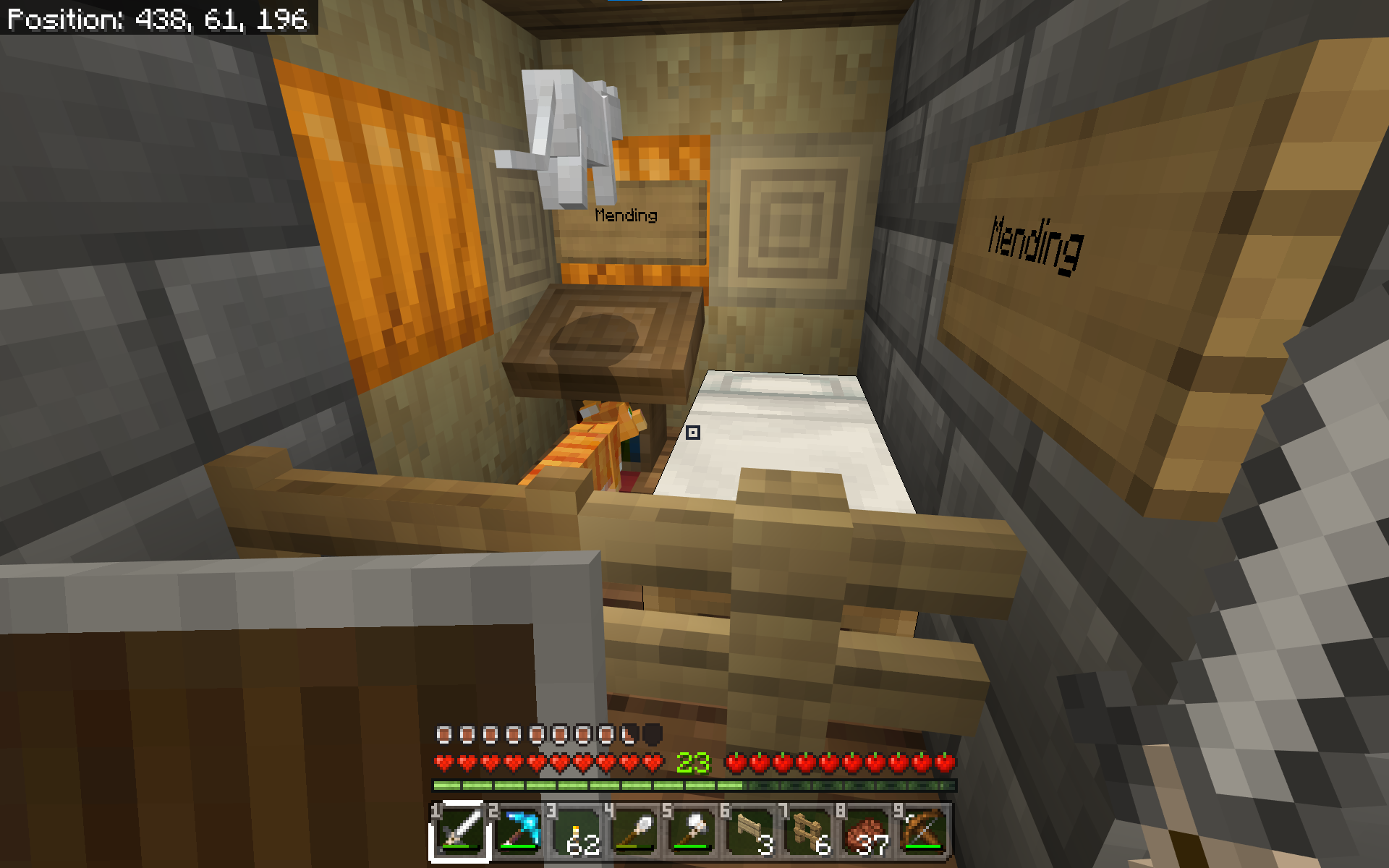
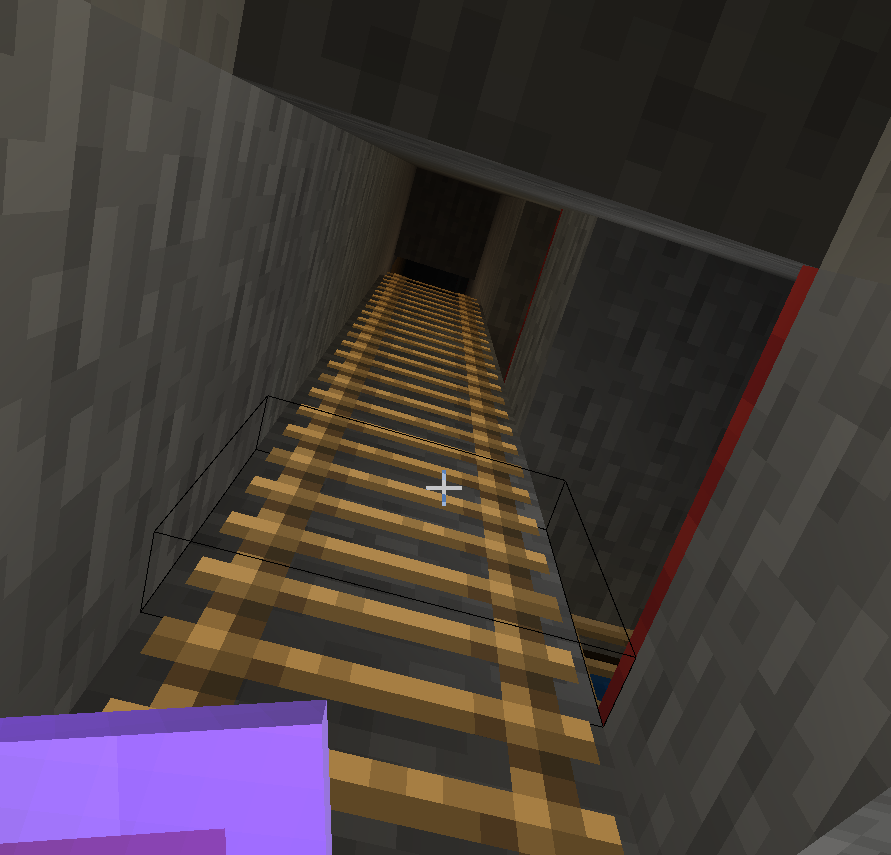

Moving hens (adult chickens) make awful noise (high-pitch ticking/clicking like high-frequency/volume clipping of very poor audio recording / compression).
Maybe related to
MC-1250(Java), status: unconfirmed, works as expected.
So build that on the picture, put 40 in each and move left and right, enter the box and hear (awful sound from the right box ... make it bigger, add more to amplify the awful sound also increasing the distance it hurts ears ... I am a musician as well as programmer btw).Result of the test: NO! DO NOT be nice to animals, hen especially. Give them room to move and you will regret it!
Moving hens (adult chickens) make awful noise (high-pitch ticking/clicking like high-frequency/volume clipping of very poor audio recording / compression).
Maybe related to
MC-1250(Java), status: unconfirmed, works as expected.
So build that on the picture, put 40 in each and move left and right, enter the box and hear (awful sound from the right box ... make it bigger, add more to amplify the awful sound also increasing the distance it hurts ears ... I am a musician as well as programmer btw).Result of the test: NO! DO NOT be nice to animals, hen especially. Give them room to move and you will regret it!
P.S.: The sound reminds me of old vinyl disks (when not too loud, when the number of hen is limited and distance makes it less noisy).
An you know what was I building/testing right?
Moving hens (adult chickens) make awful noise (high-pitch ticking/clicking like high-frequency/volume clipping of very poor audio recording / compression).
Maybe related to
MC-1250(Java), status: unconfirmed, works as expected.
So build that on the picture, put 40 in each and move left and right, enter the box and hear (awful sound from the right box ... make it bigger, add more to amplify the awful sound also increasing the distance it hurts ears ... I am a musician as well as programmer btw).Result of the test: NO! DO NOT be nice to animals, hen especially. Give them room to move and you will regret it!
P.S.: The sound reminds me of old vinyl dis
ks (when not too loud, when the number of hen is limited and distance makes it less noisy).An you know what was I building/testing right?
Moving hens (adult chickens) make awful noise (high-pitch ticking/clicking like high-frequency/volume clipping of very poor audio recording / compression).
Maybe related to
MC-1250(Java), status: unconfirmed, works as expected.
So build that on the picture, put 40 in each and move left and right, enter the box and hear (awful sound from the right box ... make it bigger, add more to amplify the awful sound also increasing the distance it hurts ears ... I am a musician as well as programmer btw).Result of the test: NO! DO NOT be nice to animals, hen especially. Give them room to move and you will regret it!
P.S.: The sound reminds me of old vinyl discs (when not too loud, when the number of hen is limited and distance makes it less noisy).
And you know what was I building/testing right?
Moving hens (adult chickens) make awful noise (high-pitch ticking/clicking like high-frequency/volume clipping of
verypoor audio recording / compression).
Maybe related to
MC-1250(Java), status: unconfirmed, works as expected.
So build that on the picture, put 40 in each and move left and right, enter the box and hear (awful sound from the right box ... make it bigger, add more to amplify the awful sound also increasing the distance it hurts ears... I am a musician as well as programmer btw).
Result of the test: NO! DO NOT be nice to animals, henespecially. Give them room to move and you will regret it!
P.S.: The sound reminds me of old vinyl discs (when not too loud, when the number of hen is limited and distance makes it less noisy).
And you know what was I building/testing right?
Moving hens (adult chickens) make awful noise (high-pitch ticking/clicking like high-frequency/volume clipping of poor audio recording / compression).
Maybe related to
MC-1250(Java), status: unconfirmed, works as expected.
So build that on the picture, put 40 in each and move left and right, enter the box and hear (awful sound from the right box ... make it bigger, add more to amplify the awful sound also increasing the distance it hurts ears).P.S.: The sound reminds me of old vinyl discs (when not too loud, when the number of hen is limited and distance makes it less noisy).
I believe I have placed water in such corners many times and it always merged and filled the space in a square, but what is this?!
Does it have anything to do with me first placing the center sources (those one level below)?
I have seen water not spreading before, but only in caves where the water was flowing from top, believing it is some loading/generation glitch. I have seen some strange water flows when trying to mine obsidian - sometimes the water just chooses to flow in one direction, but I really do not see any pattern here (only suspecting that it chose to flow towards the lower water-sources in the centers of the edges of the square, when I started placing the upper corner sources). Is there some preferrence to flow towards something instead of spreading?
I have removed all the water sources, put stone in the edge-centers and placed single water source and this is the result (makes no sense to me):
That is single watter source (left-top), I trully have no idea what is going on.
I believe I have placed water in such corners many times and it always merged and filled the space in a square, but what is this?!
Does it have anything to do with me first placing the center sources (those one level below)?
I have seen water not spreading before, but only in caves where the water was flowing from top, believing it is some loading/generation glitch. I have seen some strange water flows when trying to mine obsidian - sometimes the water just chooses to flow in one direction, but I really do not see any pattern here (only suspecting that it chose to flow towards the lower water-sources in the centers of the edges of the square, when I started placing the upper corner sources). Is there some preferrence to flow towards something instead of spreading?
I have removed all the water sources, put stone in the edge-centers and placed single water source and this is the result (makes no sense to me):
I believe I have placed water in such corners many times and it always merged and filled the space in a square, but what is this?!
Does it have anything to do with me first placing the center sources (those one level below)?
I have seen water not spreading before, but only in caves where the water was flowing from top, believing it is some loading/generation glitch. I have seen some strange water flows when trying to mine obsidian - sometimes the water just chooses to flow in one direction, but I really do not see any pattern here (only suspecting that it chose to flow towards the lower water-sources in the centers of the edges of the square, when I started placing the upper corner sources). Is there some preferrence to flow towards something instead of spreading?
I have removed all the water sources, put stone in the edge-centers and placed single water source and this is the result (makes no sense to me):
That is single watter source (left-top), I trully have no idea what is going on.
image-2021-04-04-17-19-57-766.png
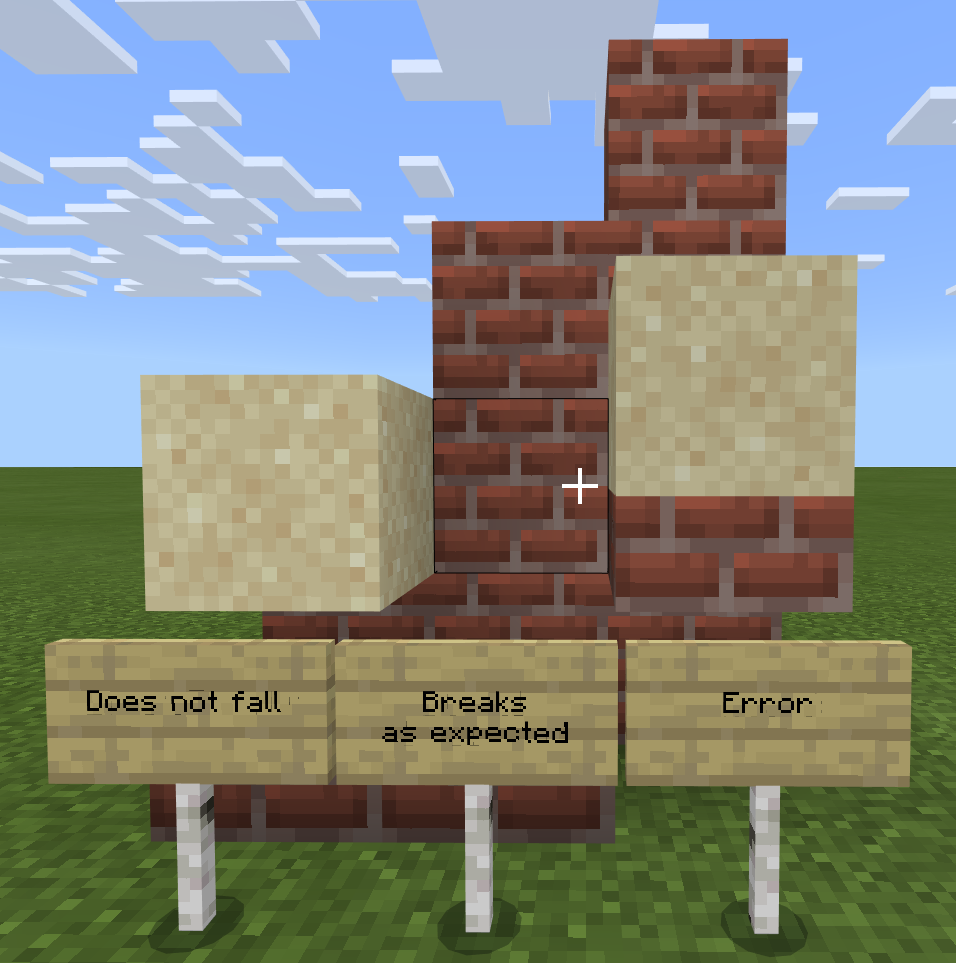
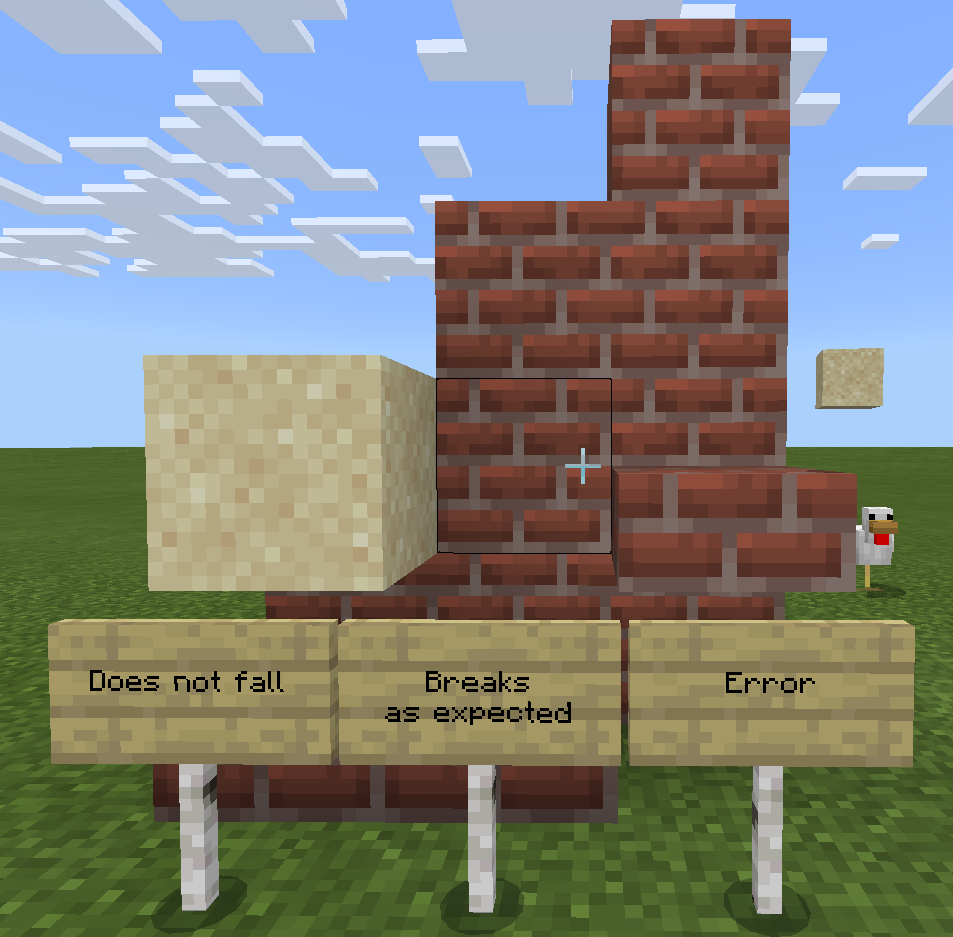
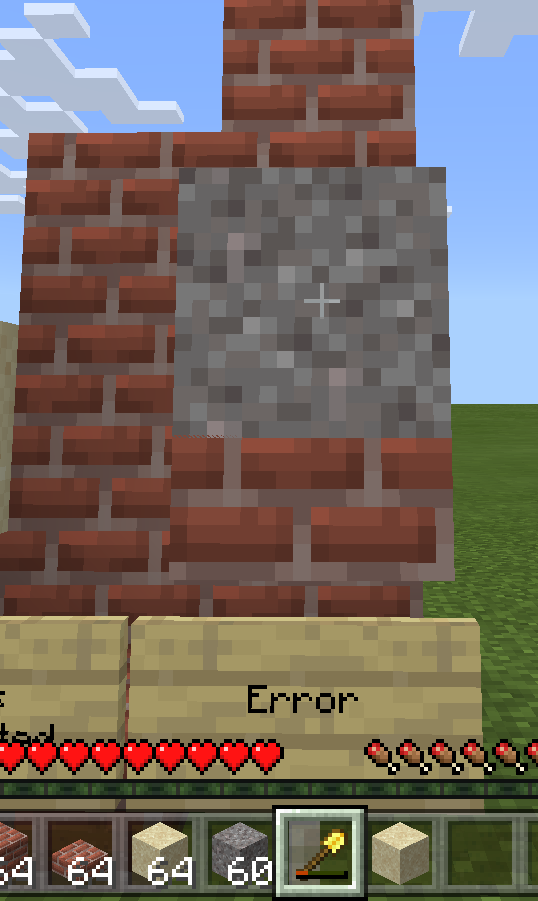
There are actually four blocks (two sand blocks, two gravel blocks) on the picture. I did try to mine them (using shovel or bare hands) and it is damaging the tool but not breaking the block. I did save the game and reloaded and those were still there (originally only with sand, I tested gravel as well when I found this). They break eventually, sometimes after few seconds, sometimes after quite a lot of time.
Steps to reproduce: Make sand or gravel fall on bottom slab. Repeat and/or try to mine it (shovel or hands).
EDIT: There must be air below the slab.
There are actually four blocks (two sand blocks, two gravel blocks) on the picture. I did try to mine them (using shovel or bare hands) and it is damaging the tool but not breaking the block. I did save the game and reloaded and those were still there (originally only with sand, I tested gravel as well when I found this). They break eventually, sometimes after few seconds, sometimes after quite a lot of time.
Steps to reproduce: Make sand or gravel fall on bottom slab. Repeat and/or try to mine it (shovel or hands).
EDIT: There must be air below the slab.
Affects trapdoors as well (
There are actually four blocks (two sand blocks, two gravel blocks) on the picture. I did try to mine them (using shovel or bare hands) and it is damaging the tool but not breaking the block. I did save the game and reloaded and those were still there (originally only with sand, I tested gravel as well when I found this). They break eventually, sometimes after few seconds, sometimes after quite a lot of time.
Steps to reproduce: Make sand or gravel fall on bottom slab. Repeat and/or try to mine it (shovel or hands).
EDIT: There must be air below the slab.
Affects trapdoors as well (found by Skaijie)
There are actually four blocks (two sand blocks, two gravel blocks) on the picture. I did try to mine them (using shovel or bare hands) and it is damaging the tool but not breaking the block. I did save the game and reloaded and those were still there (originally only with sand, I tested gravel as well when I found this). They break eventually, sometimes after few seconds, sometimes after quite a lot of time.
Steps to reproduce: Make sand or gravel fall on bottom slab. Repeat and/or try to mine it (shovel or hands).
EDIT: There must be air below the slab.
Affects trapdoors as well (found by Skaijie)
Steps to reproduce: Make sand or gravel fall on bottom slab. Repeat and/or try to mine it (shovel or hands).
EDIT: There must be air below the slab.
Affects trapdoors as well (found by Skaijie)
Original report: There are actually four blocks (two sand blocks, two gravel blocks) on the picture. I did try to mine them (using shovel or bare hands) and it is damaging the tool but not breaking the block. I did save the game and reloaded and those were still there (originally only with sand, I tested gravel as well when I found this). They break eventually, sometimes after few seconds, sometimes after quite a lot of time.
Steps to reproduce: Make sand or gravel fall on bottom slab. Repeat and/or try to mine it (shovel or hands).
EDIT: There must be air below the slab.
Affects trapdoors as well (found by Skaijie)
Original report: There are actually four blocks (two sand blocks, two gravel blocks) on the picture. I did try to mine them (using shovel or bare hands) and it is damaging the tool but not breaking the block. I did save the game and reloaded and those were still there (originally only with sand, I tested gravel as well when I found this). They break eventually, sometimes after few seconds, sometimes after quite a lot of time.
Steps to reproduce: Make sand or gravel fall on bottom slab. Repeat and/or try to mine it (shovel or hands).
EDIT: There must be air below the slab.
Affects trapdoors as well (found by Skaijie)
Original report: There are actually four blocks (two sand blocks, two gravel blocks) on the picture. I did try to mine them (using shovel or bare hands) and it is damaging the tool but not breaking the block. I did save the game and reloaded and those were still there (originally only with sand, I tested gravel as well when I found this). They break eventually, sometimes after few seconds, sometimes after quite a lot of time.
Sand/gravel falling on bottom slab (or trapdoor) with air below breaks only after huge delay, not minable (yet hurting the tool)
Honestly, I see strange things since 1.16. I reported to ghost mobs and villagers in
MCPE-104337andMCPE-101202(and some other),but what I see since then is patching core design flaw (yes, I am experienced programmer, studied OS and Compilers).
Don't get me wrong, I do not have access to the source code (or is there some?) and even if I had, it would take me insane amount of time to find it, but my gut feeling is that they tryed to optimise multi-player game, the new design brought many flaws, they patched them "in the name of packet delay and loss" and all that resulted in these strange behaviours (recovery sequences are good, I use them all the time, you never now, better be ready than sorry, but you have to focus on the core problem, not fixing unknowns by watchdogs and recovery sequences).
EDIT: Yes, mobs zip around, zombies, sheep, all MOvaBle entities. I think that this has something to do with client-server synchronization (just like the ghosts/villagers did). I am guessing, experienced programer, but not knowing enough about this implementation, gut feeling again, I have seen a lot, do not want to sound too smart, but there seems to be two core problems: 1. Client not computing/predicting well enough, 2. Sync too late. (3. Client too dependent on server, not predicting at all.)
...anyway, I did my best, it is not (entirely) my fault if it does not reach proper ears.
![[MCPE Mod] Auldrick](../../../data/avatars/users/10122.svg)
Lukáš Fireš: Currently, my working theory is that villagers whose beds are against a wall and who approach the bed from the other side are more likely to have the problem, because when they lie down they come into contact with the wall and this triggers the bug. If you felt like trying some changes in how close the bed is to the wall and find it prevents the problem, we would be very interested in your results.
I have updated the list of reported symptoms in the bug description based on everyone's additional information, and I'll continue doing this as we understand more about what's happening. If you see anything that you're sure is incorrect, please leave a comment telling me about it.
It's now clear that this issue has a lot of similarities to what happens to villagers in MCPE-101202, but for now we'll keep them separated because much of what the villagers do only happens when they sleep, and these other mobs don't sleep.
Bernard: Are you saying an entire herd of animals freezes simultaneously? If so, do they all become active again and move suddenly and sharply when you get closer? I think that's normal, or at least it's not exactly the same bug as this. This bug should only happen to mobs individually, and just moving closer wouldn't rejoin their split aspects.
DireCubey67: Your comment prompted me to revise the description. Hopefully now you can see that it actually is the same problem.
Miguel Guthridge: Thank you. I'm just going to add "and more" to the list of affected mobs, because once the number and variety of them reaches a certain level, it's best to assume it can affect any of them.
Mark Fekete: Being killed by an invisible mob is certainly what this report is about, but losing all your items isn't part of it. That must be a different bug, but you haven't given, and probably can't give, enough details for us to describe it well enough to be able to reproduce it. If it happens again, you should search for a bug report that describes your experience, and if you can't find one you should create a new report for it. The Bug Reporting Guide can help you with that. Unfortunately, there's no way to recover your lost items. If you don't have a backup, I'd recommend making it a habit to back up your important worlds every time you finish playing for a while. (Every platform's backup capabilities are unique; I don't know what's possible on yours.)
Lukáš Fireš: I think I had that wrong in the description, please check it now. Regarding separate coordinates, the server and client components of the game run in separate processes and don't directly share data space, so each has to have its own copy of the mob and player data (and a lot of other stuff). The components are designed to keep their own copy updated in parallel, so normally they would stay in sync, but even when there's no bug they can get out of sync far lots of reasons, so the game is designed to make the server send updated information to the client at critical times, and the client is supposed to use those updates to replace whatever I has in its records, thus getting everything back in sync again. Looking at this bug from a technical standpoint, it seems to have broken this built-in correction process in certain situations, most likely random ones.
c c page: That's the first clear report I've noticed of something like this happening to non-mob entities. Thus, I'm not sure at this point whether it's a manifestation of this bug or some other one. If others can confirm it or report something similar, I'll modify the description to incorporate it. In the meantime, your comment is available to the developers.
Everybody: Thank you all for staying focused on using comments to add new information. At this time I think we can do without further comments just to add new platforms or mobs as they all seem to be affected. I would like to have reports for any other entities, though, and of course anything of significance that hasn't already been reported.
Cows stuck on open doors and next to ladders. A little nudge helps, they are just unable to move those few pixels and keep hitting the ladder or open doors from the side.
Almost THREE YEARS and this is still a problem in 1.16.1
...just jump from at least two blocks to dismout the parrot and go into the portal
Is there any way to remove/change the sound?
Could be just me, my headset, don't know, but it really hurts my ears.
Listening to the sounds given for
MC-1250, this is quite similar,sounds a bit weaker, but still hurting, like thundercrack.
I am not so sure that it is about endrods, because:
As I wrote in
MCPE-104989, I believe it is actually not a problem of path finding, but a problem of hit boxes.I am therefore proposing to introduce some kind of side-force/push for mobs (villager, cow, sheep) and also player at doors, walls and fences.
The idea is that the mobs are trying to go straigth between path-nodes which do not work with hit boxes, but in bigger grid, and therefore get stuck where the hit box / corridor width changes due to doors (narrower corridor), connected walls / walls with torches (increased hit box) and things like stand-alone fences (with lighting on top), endrods, chains and also bamboo.
I don't know the code to give better description / specification, but believe it should not be that computationaly intensive, because it would only by calculated for every entiy at its current position, not in all nodes of the path finder.
Anyway, just an idea, hopfuly worth consideration. Keep up the good work.
P.S.: I, as a player, also get temporarily stuck at doors (especially automated by pressure plate) not seeing immediately to which side of the corridor I have to lean to to pass without hitting the door. I believe the same side-push would help in this situation as well.
OK, thank you, can probably be closed as "per design". Is there some web page / documentation I can read description of such mechanics?
Not only that, but I have INVISIBLE villagers during day, that actually work and open and close doors... but there is nobody there - a ghost town!
They actually reapear when I reload the game, but two specific villagers become ghost any time they sleep and I am close (again reapearing when I reload the world).
See
MCPE-101202Originally this
MCPE-104337but that is now tracked as the above as well.In short: when villagers sleep and player is in range, all sorts of strange things may happen since 1.16.100
Auldrick: I suppose you already have enough info now, as this got transfered to
MCPE-101202To answer some questions: I always place the the bed pillow facing a wall and I did not see any other villager having the problem, but this one and his room-mate farmer (standing right after the door and wall, where the pumpkin is). These are actually the original two (each from different village) I used to breed the others (not far from this - many librarians).
There are cats spawning, but I do not think they are triggering it, those two ALWAYS disapear when they go sleeping, no matter what.
No problem with these:
Checking the two again and yes, no cat, invisible villagers (librarians are sleeping in their beds, fisherman and farmer are invisible):
Upvoted there already. I am pretty sure cats are not the reason in case of that fisherman and farmer, maybe the barel is, maybe the angle and that it is double-bed, who knows.
But I can confirm that cats can do that, my librarian turned invisible (or is rendered where I cannot see him) and you can see the cats spawned in his appartment:
Sure he is still in his cage during day (after I slept in far away bed - reloading or going far usually fixes it).
Anyway, cheers, bugs happen, people get angry... no need to shout at devs, they are working on it
Mobs are invisible to player but cast shadow - not true for me (Bedrock 1.16.100, Win10 Home 20H2).
I am using some texture pack, could be the difference, but frozen mobs (cow, spider, slime, ...) do cast shadow where they are rendered, not where they actually are (yes, was attacked by invisible mobs as well, that is even bigger problem than invisible villagers).
I too believe it is related to
MCPE-101202(and Auldrick: we met atMCPE-104337, I believe it is rendering glitch and am very surprised MC has different coordinates for rendering and physics ...or it seems to be the case from what I can see... could be client vs. server problem). Just to clarify, do not want to polute comments more than necessary. Good luck finding it.@Cyberfox: as Auldrick explained to me: the server and client components of the game run in separate processes - yes, pretty normal for this kind of games, your single-player game is actually server hosting one client, both running at your own hardware.
@[MCPE Mod] Auldrick: the horses and donkeys reminds me, that I got stuck in a boat. Sounds very similar (although not a mob). The boat would not move, could not turn around and it was shaking, like if the boat was fighting my command. Reloaded the world and everything was fine, I could turn the boat and travel again. (And the desync makes sense, yes, two positions, two sides of physics/rendering - client/server - fighting who is the boss)
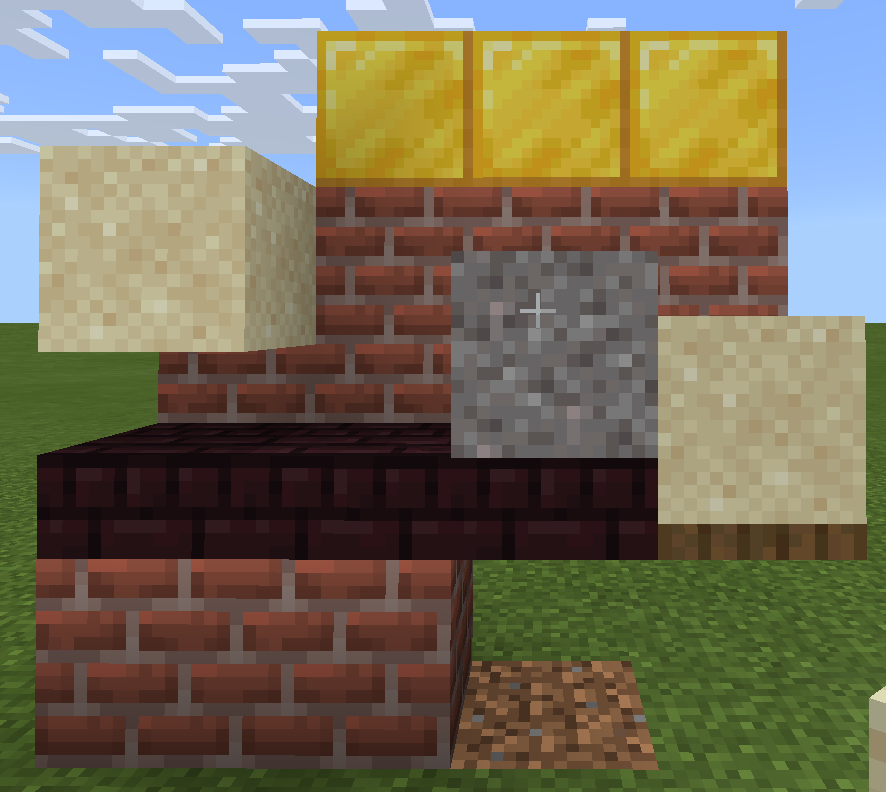
The condition seems to be that there must be air below the slab:
It broke after alt-tab to write this and back to check:
Same test with gravel and shovel - tool damaged, blocks not breaking:
Well, it still behaves strange (1.16.220), especially when you add carpets (for mob-proofing).
All arrow keys move up the ladder, so it does not matter much if you use right (facing the ladder) or up (facing the floor) to get out, it still is hard with the carpet:
This is not so important and I can imagine there is a reason for this (phones?)