 Forever Master
- ForeverMaster
- forevermaster
- America/Havana
- Yes
- No
 MC-114895
![[Mojang] Agnes Larsson](../../../data/avatars/users/10122.svg)
 Normal










end_stone.png
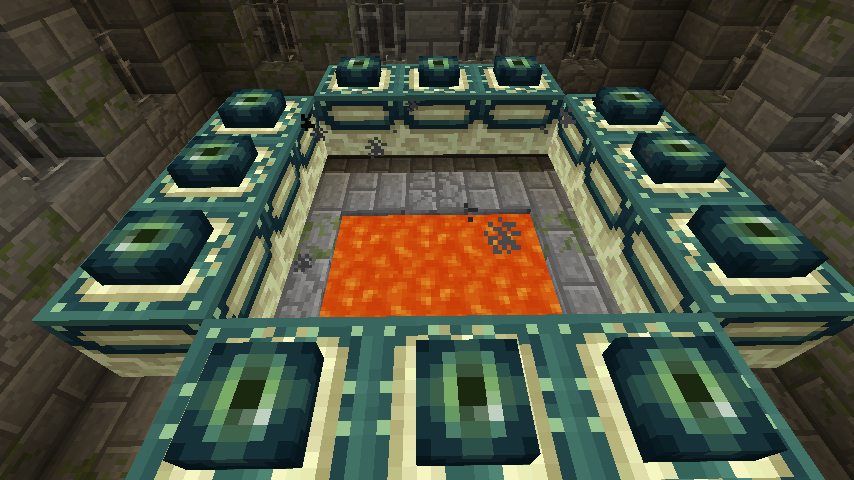
Try activating an End Portal, and you'll see the un-rendered texture.
TheParrots' Eye LevelDoesn't Align with their Actual EyesParrots' Eye Level isn't Aligned with their Actual Eyes
Parrots' Eye Level isn't Aligned with theirActualEyesParrots' Eye Level isn't Aligned with their Model's Eyes
Parrot's Hitboxis too BigParrot's Hitbox Size
The parrots' hitbox is slightly taller than the model.
Parrots simply do not mimic any sounds from the Illusioner Illager.
- Spawn an Illusioner next to parrots. None of its sounds
are imitated.Parrots simply do not mimic any sounds from the Illusioner Illager.
- Spawn an Illusioner next to parrots. None of its sounds should be imitated.
Parrots simply do not mimic any sounds from the Illusioner Illager.
- Spawn an Illusioner next to parrots. None of its sounds
should beimitated.Parrots simply do not mimic any sounds from the Illusioner Illager.
- Spawn an Illusioner next to parrots. None of its sounds aren't imitated.
Parrots simply do not mimic any sounds from the Illusioner Illager.
- Spawn an Illusioner next to parrots. None of its sounds aren't imitated.
Related Issue: https://bugs.mojang.com/browse/MC-114928
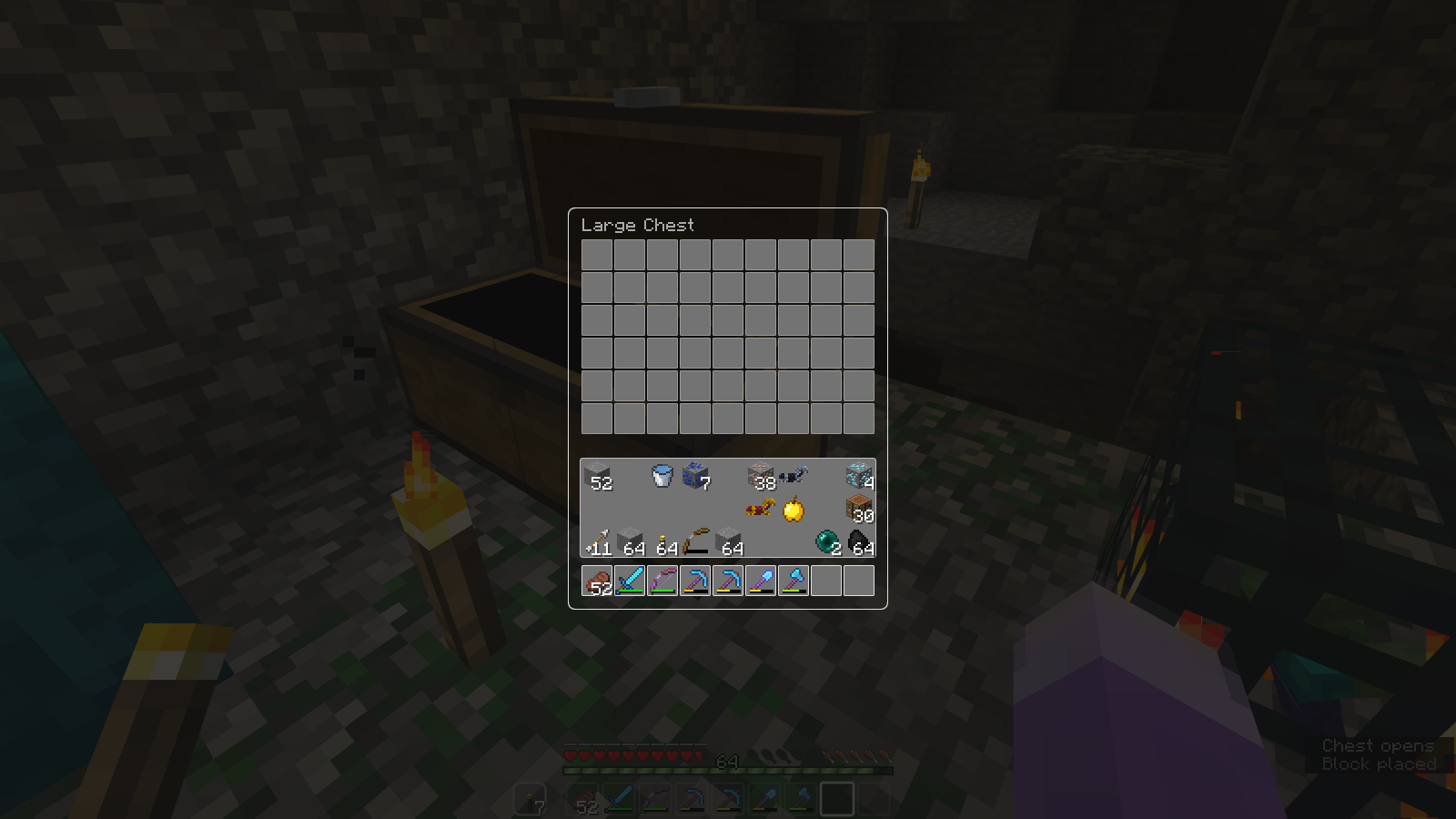
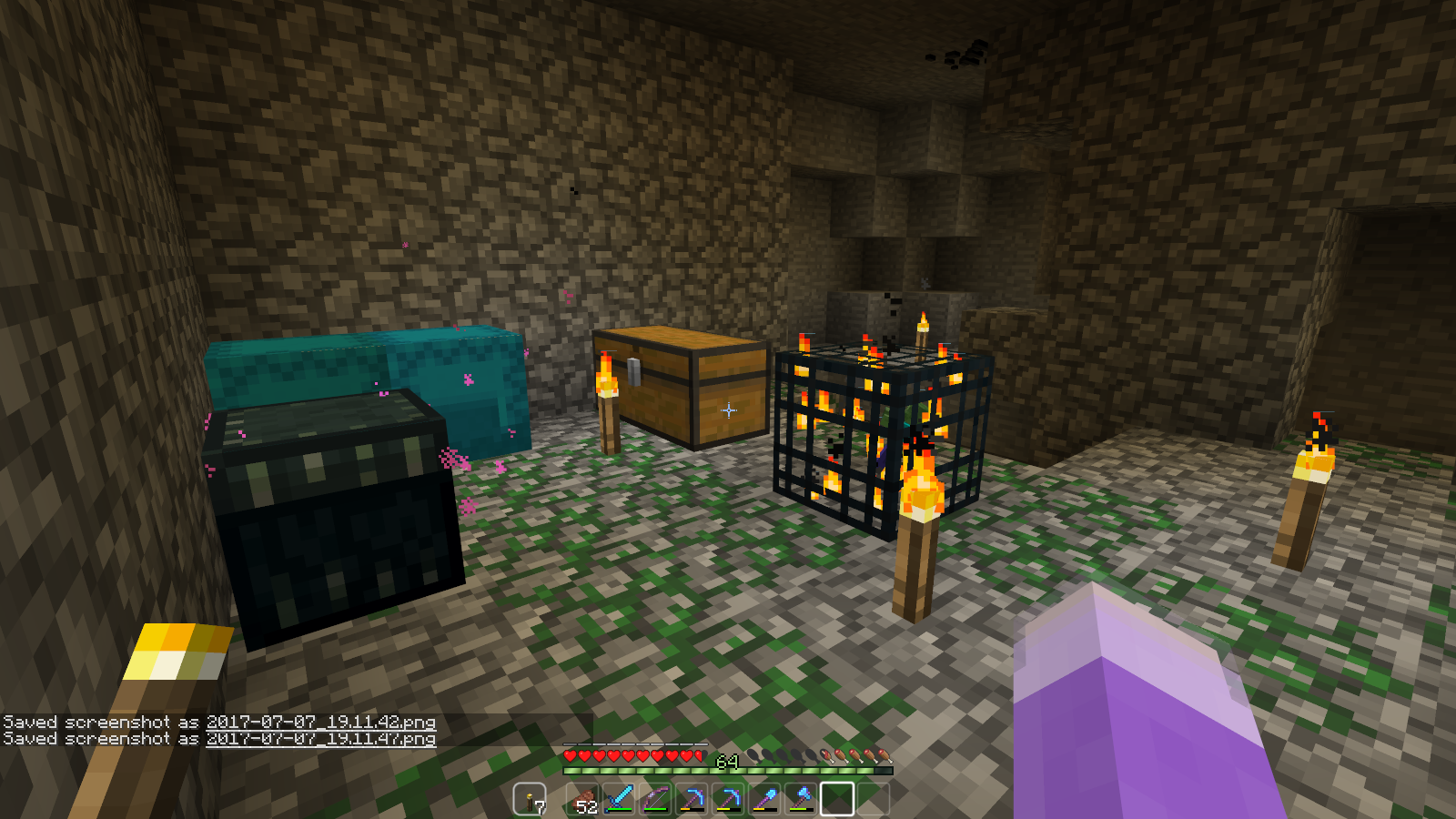
Sometimes, when a dungeon generates, its chests can be placed adjacent to each other, merging into a large chest.
If you open this chest, no loot generates. But, if you break one of the chest blocks (which only drops itself in this case, no loot) – then open the leftover small chest, the dungeon loot will generate inside.Sometimes, when a dungeon generates, its chests can be placed adjacent to each other, merging into a large chest.
If you open this chest, no loot generates. But, if you break one of the chest blocks (which only drops itself in this case, no loot) – then open the leftover small chest, the dungeon loot will generate inside.
Sometimes, when a dungeon generates, its chests can be placed adjacent to each other, merging into a large chest.
If you open this chest, no loot generates. But, if you break one of the chest blocks (which only drops itself in this case, no loot) – then open the leftover small chest, the dungeon loot will generate inside.
How to Reproduce:
Create a "customized" world with "Dungeon Count" maxed out, in Creative Mode.
Enter the world and look around for dungeons with a double-chest/large chest
Sometimes, when a dungeon generates, its chests can be placed adjacent to each other, merging into a large chest.
If you open this chest, no loot generates. But, if you break one of the chest blocks (which only drops itself in this case, no loot) – then open the leftover small chest, the dungeon loot will generate inside.
How to Reproduce:
Create a "customized" world with "Dungeon Count" maxed out, in Creative Mode.
Enter the world and look around for dungeons with a double-chest/large chest
Sometimes, when a dungeon generates, its chests can be placed adjacent to each other, merging into a large chest.
If you open this chest, no loot generates. But, if you break one of the chest blocks (which only drops itself in this case, no loot) – then open the leftover small chest, the dungeon loot will generate inside.
How to Reproduce:
- Create a "customized" world with "Dungeon Count" maxed out, in Creative Mode.
- Enter the world and look around for dungeons with a double-chest/large chest
Sometimes, when a dungeon generates, its chests can be placed adjacent to each other, merging into a large chest.
If you open this chest, no loot generates. But, if you break one of the chest blocks (which only drops itself in this case, no loot) – then open the leftover small chest, the dungeon loot will generate inside.
How to Reproduce:
- Create a "customized" world with "Dungeon Count" maxed out
, in Creative Mode.
- Enter
the world and look around for dungeons with a double-chest/large chestSometimes, when a dungeon generates, its chests can be placed adjacent to each other, merging into a large chest.
If you open this chest, no loot generates. But, if you break one of the chest blocks (which only drops itself in this case, no loot) – then open the leftover small chest, the dungeon loot will generate inside.
How to Reproduce:
- Create a "customized" world in Creative Mode, with "Dungeon Count" maxed out.
- Enter Spectator Mode and give yourself Night Vision (Ex: "/effect <playerName> night_vision 10000 0").
- Look around for a dungeons with a double/large chest in. Briefly go to Creative to open the chest. It should be empty.
- Break one of the chest blocks, which shouldn't drop anything. Then open or break the leftover chest to
Sometimes, when a dungeon generates, its chests can be placed adjacent to each other, merging into a large chest.
If you open this chest, no loot generates. But, if you break one of the chest blocks (which only drops itself in this case, no loot) – then open the leftover small chest, the dungeon loot will generate inside.
How to Reproduce:
- Create a "customized" world in Creative Mode, with "Dungeon Count" maxed out.
- Enter Spectator Mode and give yourself Night Vision (Ex: "/effect <playerName> night_vision 10000 0").
- Look around for a dungeons with a double/large chest in. Briefly go to Creative to open the chest. It should be empty.
- Break one of the chest blocks, which shouldn't drop anything. Then open or break the leftover chest
toSometimes, when a dungeon generates, its chests can be placed adjacent to each other, merging into a large chest.
If you open this chest, no loot generates. But, if you break one of the chest blocks (which only drops itself in this case, no loot) – then open the leftover small chest, the dungeon loot will generate inside.
How to Reproduce:
- Create a "customized" world in Creative Mode, with "Dungeon Count" maxed out.
- Enter Spectator Mode and give yourself Night Vision (Ex: "/effect <playerName> night_vision 10000 0").
- Look around for a dungeons with a double/large chest in. Briefly go to Creative to open the chest. It should be empty.
- Break one of the chest blocks, which shouldn't drop anything. Then open or break the leftover chest. Dungeon loot should appear as expected.
Sometimes, when a dungeon generates, its chests can be placed adjacent to each other, merging into a large chest.
If you open this chest, no loot generates. But, if you break one of the chest blocks (which only drops itself in this case, no loot) – then open the leftover small chest, the dungeon loot will generate inside.
How to Reproduce:
- Create a "customized" world in Creative Mode, with "Dungeon Count" maxed out.
- Enter Spectator Mode and give yourself Night Vision (Ex: "/effect <playerName> night_vision 10000 0").
- Look around for a dungeons with a double/large chest in. Briefly go to Creative to open the chest. It should be empty.
- Break one of the chest blocks, which shouldn't drop anything. Then open or break the leftover chest. Dungeon loot should appear as expected.
It appears to be that this bug doesn't occur in Vanilla worlds.
-Sometimes, when a dungeon generates, its chests can be placed adjacent to each other, merging into a large chest.
If you open this chest, no loot generates. But, if you break one of the chest blocks (which only drops itself in this case, no loot) – then open the leftover small chest, the dungeon loot will generate inside.
How to Reproduce:
- Create a "customized" world in Creative Mode, with "Dungeon Count" maxed out.
- Enter Spectator Mode and give yourself Night Vision (Ex: "/effect <playerName> night_vision 10000 0").
- Look around for a dungeons with a double/large chest in. Briefly go to Creative to open the chest. It should be empty.
- Break one of the chest blocks, which shouldn't drop anything. Then open or break the leftover chest. Dungeon loot should appear as expected.-
It appears to be that this bug doesn't occur in Vanilla worlds.
-Sometimes, when a dungeon generates, its chests can be placed adjacent to each other, merging into a large chest.
If you open this chest, no loot generates. But, if you break one of the chest blocks (which only drops itself in this case, no loot) – then open the leftover small chest, the dungeon loot will generate inside.
How to Reproduce:
- Create a "customized" world in Creative Mode, with "Dungeon Count" maxed out.
- Enter Spectator Mode and give yourself Night Vision (Ex: "/effect <playerName> night_vision 10000 0").
- Look around for a dungeons with a double/large chest in. Briefly go to Creative to open the chest. It should be empty.
- Break one of the chest blocks, which shouldn't drop anything. Then open or break the leftover chest. Dungeon loot should appear as expected.-
_It appears to be that this bug doesn't occur in Vanilla worlds.
_
-Sometimes, when a dungeon generates, its chests can be placed adjacent to each other, merging into a large chest.
If you open this chest, no loot generates. But, if you break one of the chest blocks (which only drops itself in this case, no loot) – then open the leftover small chest, the dungeon loot will generate inside.
How to Reproduce:
- Create a "customized" world in Creative Mode, with "Dungeon Count" maxed out.
- Enter Spectator Mode and give yourself Night Vision (Ex: "/effect <playerName> night_vision 10000 0").
- Look around for a dungeons with a double/large chest in. Briefly go to Creative to open the chest. It should be empty.
- Break one of the chest blocks, which shouldn't drop anything. Then open or break the leftover chest. Dungeon loot should appear as expected.-
_It appears to be that this bug doesn't occur in Vanilla worlds._
-Sometimes, when a dungeon generates, its chests can be placed adjacent to each other, merging into a large chest.
If you open this chest, no loot generates. But, if you break one of the chest blocks (which only drops itself in this case, no loot) – then open the leftover small chest, the dungeon loot will generate inside.
How to Reproduce:
- Create a "customized" world in Creative Mode, with "Dungeon Count" maxed out.
- Enter Spectator Mode and give yourself Night Vision (Ex: "/effect <playerName> night_vision 10000 0").
- Look around for a dungeons with a double/large chest in. Briefly go to Creative to open the chest. It should be empty.
- Break one of the chest blocks, which shouldn't drop anything. Then open or break the leftover chest. Dungeon loot should appear as expected.-
It appears to be that this bug doesn't occur in Vanilla worlds.
-Sometimes, when a dungeon generates, its chests can be placed adjacent to each other, merging into a large chest.
If you open this chest, no loot generates. But, if you break one of the chest blocks (which only drops itself in this case, no loot) – then open the leftover small chest, the dungeon loot will generate inside.
How to Reproduce:
- Create a "customized" world in Creative Mode, with "Dungeon Count" maxed out.
- Enter Spectator Mode and give yourself Night Vision (Ex: "/effect <playerName> night_vision 10000 0").
- Look around for a dungeons with a double/large chest in. Briefly go to Creative to open the chest. It should be empty.
- Break one of the chest blocks, which shouldn't drop anything. Then open or break the leftover chest. Dungeon loot should appear as expected.-
_h4.It appears to be that this bug doesn't occur in Vanilla worlds.
_
-Sometimes, when a dungeon generates, its chests can be placed adjacent to each other, merging into a large chest.
If you open this chest, no loot generates. But, if you break one of the chest blocks (which only drops itself in this case, no loot) – then open the leftover small chest, the dungeon loot will generate inside.
How to Reproduce:
- Create a "customized" world in Creative Mode, with "Dungeon Count" maxed out.
- Enter Spectator Mode and give yourself Night Vision (Ex: "/effect <playerName> night_vision 10000 0").
- Look around for a dungeons with a double/large chest in. Briefly go to Creative to open the chest. It should be empty.
- Break one of the chest blocks, which shouldn't drop anything. Then open or break the leftover chest. Dungeon loot should appear as expected.-
_h4.It appears to be that this bug doesn't occur in Vanilla worlds.
_
-Sometimes, when a dungeon generates, its chests can be placed adjacent to each other, merging into a large chest.
If you open this chest, no loot generates. But, if you break one of the chest blocks (which only drops itself in this case, no loot) – then open the leftover small chest, the dungeon loot will generate inside.
How to Reproduce:
- Create a "customized" world in Creative Mode, with "Dungeon Count" maxed out.
- Enter Spectator Mode and give yourself Night Vision (Ex: "/effect <playerName> night_vision 10000 0").
- Look around for a dungeons with a double/large chest in. Briefly go to Creative to open the chest. It should be empty.
- Break one of the chest blocks, which shouldn't drop anything. Then open or break the leftover chest. Dungeon loot should appear as expected.-
It appears to be that this bug doesn't occur in Vanilla worlds.
-Sometimes, when a dungeon generates, its chests can be placed adjacent to each other, merging into a large chest.
If you open this chest, no loot generates. But, if you break one of the chest blocks (which only drops itself in this case, no loot) – then open the leftover small chest, the dungeon loot will generate inside.
How to Reproduce:
- Create a "customized" world in Creative Mode, with "Dungeon Count" maxed out.
- Enter Spectator Mode and give yourself Night Vision (Ex: "/effect <playerName> night_vision 10000 0").
- Look around for a dungeons with a double/large chest in. Briefly go to Creative to open the chest. It should be empty.
- Break one of the chest blocks, which shouldn't drop anything. Then open or break the leftover chest. Dungeon loot should appear as expected.-
It appears to be that this bug doesn't occur in Vanilla worlds.
--Sometimes, when a dungeon generates, its chests can be placed adjacent to each other, merging into a large chest.
If you open this chest, no loot generates. But, if you break one of the chest blocks (which only drops itself in this case, no loot) – then open the leftover small chest, the dungeon loot will generate inside.
How to Reproduce:
- Create a "customized" world in Creative Mode, with "Dungeon Count" maxed out.
- Enter Spectator Mode and give yourself Night Vision (Ex: "/effect <playerName> night_vision 10000 0").
- Look around for a dungeons with a double/large chest in. Briefly go to Creative to open the chest. It should be empty.
- Break one of the chest blocks, which shouldn't drop anything. Then open or break the leftover chest. Dungeon loot should appear as expected.--
It appears to be that this bug doesn't occur in Vanilla worlds.
--Sometimes, when a dungeon generates, its chests can be placed adjacent to each other, merging into a large chest.If you open this chest, no loot generates. But, if you break one of the chest blocks (which only drops itself in this case, no loot) – then open the leftover small chest, the dungeon loot will generate inside.
How to Reproduce:
- Create a "customized" world in Creative Mode, with "Dungeon Count" maxed out.
- Enter Spectator Mode and give yourself Night Vision (Ex: "/effect <playerName> night_vision 10000 0").
- Look around for a dungeons with a double/large chest in. Briefly go to Creative to open the chest. It should be empty.
- Break one of the chest blocks, which shouldn't drop anything. Then open or break the leftover chest. Dungeon loot should appear as expected.-
-
It appears to be that this bug doesn't occur in Vanilla worlds.
-Sometimes, when a dungeon generates, its chests can be placed adjacent to each other, merging into a large chest.
If you open this chest, no loot generates. But, if you break one of the chest blocks (which only drops itself in this case, no loot) – then open the leftover small chest, the dungeon loot will generate inside.
How to Reproduce:
- Create a "customized" world in Creative Mode, with "Dungeon Count" maxed out.
- Enter Spectator Mode and give yourself Night Vision (Ex: "/effect <playerName> night_vision 10000 0").
- Look around for a dungeons with a double/large chest in. Briefly go to Creative to open the chest. It should be empty.
- Break one of the chest blocks, which shouldn't drop anything. Then open or break the leftover chest. Dungeon loot should appear as expected.-
It appears to be that this bug doesn't occur in Vanilla worlds.
Sometimes, when a dungeon generates, its chests can be placed adjacent to each other, merging into a large chest.
If you open this chest, no loot generates. But, if you break one of the chest blocks (which only drops itself in this case, no loot) – then open the leftover small chest, the dungeon loot will generate inside.
How to Reproduce:
- Create a "customized" world in Creative Mode, with "Dungeon Count" maxed out.
- Enter Spectator Mode and give yourself Night Vision (Ex: "/effect <playerName> night_vision 10000 0").
- Look around for a dungeons with a double/large chest in. Briefly go to Creative to open the chest. It should be empty.
- Break one of the chest blocks, which shouldn't drop anything. Then open or break the leftover chest. Dungeon loot should appear as expected.
It appears to be that this bug doesn't occur in Vanilla worlds.
Sometimes, when a dungeon generates, its chests can be placed adjacent to each other, merging into a large chest.
If you open this chest, no loot generates. But, if you break one of the chest blocks (which only drops itself in this case, no loot) – then open the leftover small chest, the dungeon loot will generate inside.
How to Reproduce:
- Create a "customized" world in Creative Mode, with "Dungeon Count" maxed out.
- Enter Spectator Mode and give yourself Night Vision (Ex: "/effect <playerName> night_vision 10000 0").
- Look around for a dungeons with a double/large chest in. Briefly go to Creative to open the chest. It should be empty.
- Break one of the chest blocks, which shouldn't drop anything. Then open or break the leftover chest. Dungeon loot should appear as expected.It appears to be that this bug doesn't occur in Vanilla worlds.
Sometimes, when a dungeon generates, its chests can be placed adjacent to each other, merging into a large chest.
If you open this chest, no loot generates. But, if you break one of the chest blocks (which only drops itself in this case, no loot) – then open the leftover small chest, the dungeon loot will generate inside.
How to Reproduce:
- Create a "customized" world in Creative Mode, with "Dungeon Count" maxed out.
- Enter Spectator Mode and give yourself Night Vision (Ex: "/effect <playerName> night_vision 10000 0").
- Look around for a dungeons with a double/large chest in. Briefly go to Creative to open the chest. It should be empty.
- Break one of the chest blocks, which shouldn't drop anything. Then open or break the leftover chest. Dungeon loot should appear as expected.
It appears to be that this bug doesn't occur in Vanilla worlds.
Sometimes, when a dungeon generates, its chests can be placed adjacent to each other, merging into a large chest.
If you open this chest, no loot generates. But, if you break one of the chest blocks (which only drops itself in this case, no loot) – then open the leftover small chest, the dungeon loot will generate inside.
How to Reproduce:
- Create a "customized" world in Creative Mode, with "Dungeon Count" maxed out.
- Enter Spectator Mode and give yourself Night Vision (Ex: "/effect <playerName> night_vision 10000 0").
- Look around for a dungeons with a double/large chest in. Briefly go to Creative to open the chest. It should be empty.
- Break one of the chest blocks, which shouldn't drop anything. Then open or break the leftover chest. Dungeon loot should appear as expected.It appears to be that this bug doesn't occur in Vanilla worlds.
Sometimes, when a dungeon generates, its chests can be placed adjacent to each other, merging into a large chest.
If you open this chest, no loot generates. But, if you break one of the chest blocks (which only drops itself in this case, no loot) – then open the leftover small chest, the dungeon loot will generate inside.
How to Reproduce:
- Create a "customized" world in Creative Mode, with "Dungeon Count" maxed out.
- Enter Spectator Mode and give yourself Night Vision (Ex: "/effect <playerName> night_vision 10000 0").
- Look around for a dungeons with a double/large chest in. Briefly go to Creative to open the chest. It should be empty.
- Break one of the chest blocks, which shouldn't drop anything. Then open or break the leftover chest. Dungeon loot should appear as expected.
It appears to be that this bug doesn't occur in Vanilla worlds.
Sometimes, when a dungeon generates, its chests can be placed adjacent to each other, merging into a large chest.
If you open this chest, no loot generates. But, if you break one of the chest blocks (which only drops itself in this case, no loot) – then open the leftover small chest, the dungeon loot will generate inside.
How to Reproduce:
- Create a "customized" world in Creative Mode, with "Dungeon Count" maxed out.
- Enter Spectator Mode and give yourself Night Vision (Ex: "/effect <playerName> night_vision 10000 0").
- Look around for a dungeons with a double/large chest in. Briefly go to Creative to open the chest. It should be empty.
- Break one of the chest blocks, which shouldn't drop anything. Then open or break the leftover chest. Dungeon loot should appear as expected.It appears to be that this bug doesn't occur in Vanilla worlds.
Sometimes, when a dungeon generates, its chests can be placed adjacent to each other, merging into a large chest.
If you open this chest, no loot generates. But, if you break one of the chest blocks (which only drops itself in this case, no loot) – then open the leftover small chest, the dungeon loot will generate inside.
How to Reproduce:
- Create a "customized" world in Creative Mode, with "Dungeon Count" maxed out.
- Enter Spectator Mode and give yourself Night Vision (Ex: "/effect <playerName> night_vision 10000 0").
- Look around for a dungeons with a double/large chest in. Briefly go to Creative to open the chest. It should be empty.
- Break one of the chest blocks, which shouldn't drop anything. Then open or break the leftover chest. Dungeon loot should appear as expected.
It appears to be that this bug doesn't occur in Vanilla worlds.
Sometimes, when a dungeon generates, its chests can be placed adjacent to each other, merging into a large chest.
If you open this chest, no loot generates. But, if you break one of the chest blocks (which only drops itself in this case, no loot) – then open the leftover small chest, the dungeon loot will generate inside.
How to Reproduce:
- Create a "customized" world in Creative Mode, with "Dungeon Count" maxed out.
- Enter Spectator Mode and give yourself Night Vision (Ex: "/effect <playerName> night_vision 10000 0").
- Look around for a dungeons with a double/large chest in. Briefly go to Creative to open the chest. It should be empty.
- Break one of the chest blocks, which shouldn't drop anything. Then open or break the leftover chest. Dungeon loot should appear as expected.
It appears to be that this bug doesn't occur in Vanilla worlds.
Sometimes, when a dungeon generates, its chests can be placed adjacent to each other, merging into a large chest.
If you open this chest, no loot generates. But, if you break one of the chest blocks (which only drops itself in this case, no loot) – then open the leftover small chest, the dungeon loot will generate inside.
How to Reproduce:
- Create a "customized" world in Creative Mode, with "Dungeon Count" maxed out.
- Enter Spectator Mode and give yourself Night Vision (Ex: "/effect <playerName> night_vision 10000 0").
- Look around for a dungeons with a double/large chest in. Briefly go to Creative to open the chest. It should be empty.
- Break one of the chest blocks, which shouldn't drop anything. Then open or break the leftover chest. Dungeon loot should appear as expected.-
It appears to be that this bug doesn't occur in Vanilla worlds.
Sometimes, when a dungeon generates, its chests can be placed adjacent to each other, merging into a large chest.
If you open this chest, no loot generates. But, if you break one of the chest blocks (which only drops itself in this case, no loot) – then open the leftover small chest, the dungeon loot will generate inside.
How to Reproduce:
- Create a "customized" world in Creative Mode, with "Dungeon Count" maxed out.
- Enter Spectator Mode and give yourself Night Vision (Ex: "/effect <playerName> night_vision 10000 0").
- Look around for a dungeons with a double/large chest in. Briefly go to Creative to open the chest. It should be empty.
- Break one of the chest blocks, which shouldn't drop anything. Then open or break the leftover chest. Dungeon loot should appear as expected.
-
It appears to be that this bug doesn't occur in Vanilla worlds.
-
Sometimes, when a dungeon generates, its chests can be placed adjacent to each other, merging into a large chest.
If you open this chest, no loot generates. But, if you break one of the chest blocks (which only drops itself in this case, no loot) – then open the leftover small chest, the dungeon loot will generate inside.
How to Reproduce:
- Create a "customized" world in Creative Mode, with "Dungeon Count" maxed out.
- Enter Spectator Mode and give yourself Night Vision (Ex: "/effect <playerName> night_vision 10000 0").
- Look around for a dungeons with a double/large chest in. Briefly go to Creative to open the chest. It should be empty.
- Break one of the chest blocks, which shouldn't drop anything. Then open or break the leftover chest. Dungeon loot should appear as expected.
Husks and Strayscan't Spawn from Zombie/Skeleton SpawnersHusks and Strays don't Spawn from Zombie/Skeleton Spawners
*This behavior is exclusive to Minecraft: Java Edition.These mobs are able to spawn from as expected in the Pocket and Console Editions.[*This behavior is exclusive to Minecraft: Java Edition.
These mobs are able to spawn from as expected in the Pocket and Console Editions.|http://minecraft.gamepedia.com/Skeleton#Stray]
[*This behavior is exclusive to Minecraft: Java Edition.
These mobs are able to spawn from as expected in the Pocket and Console Editions.|http://minecraft.gamepedia.com/Skeleton#Stray]
*This behavior is exclusive to Minecraft: Java Edition.
These mobs are able to spawn from as expected in the Pocket and Console Editions.
*This behavior is exclusive to Minecraft: Java Edition.
These mobs are able to spawn from as expected in the Pocket and Console Editions.*This behavior is exclusive to Minecraft: Java Edition.
These mobs are able to spawn from as expected in the Pocket and Console Editions.
*This behavior is exclusive to Minecraft: Java Edition.
These mobs are able to spawn from as expected in the Pocket and Console Editions.
–
Even with
*This behavior is exclusive to Minecraft: Java Edition.
These mobs are able to spawn from as expected in the Pocket and Console Editions.
–
Even with
*This behavior is exclusive to Minecraft: Java Edition.
These mobs are able to spawn from as expected in the Pocket and Console Editions.
–
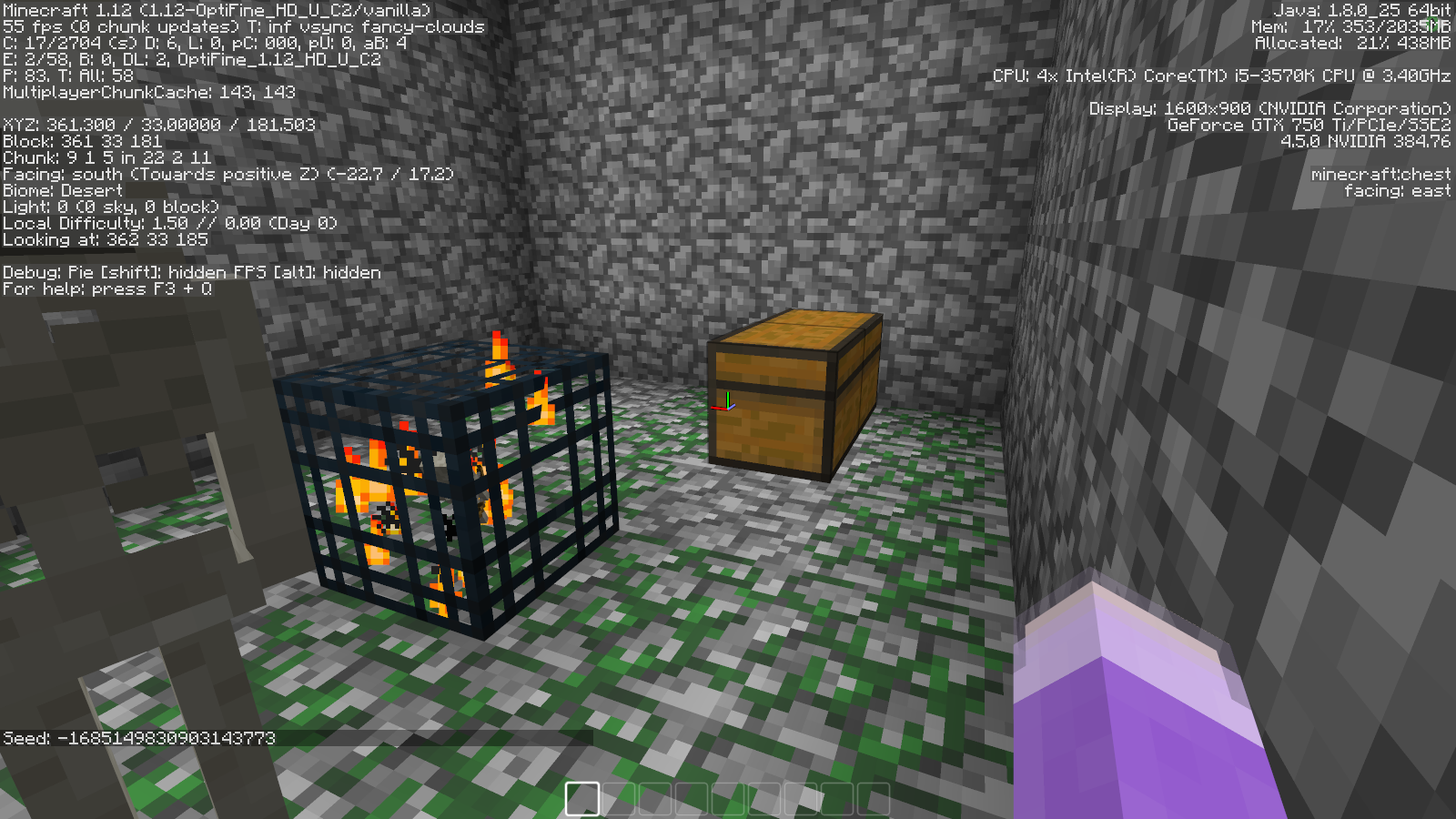
- Both of the following screenshots were taken under 0 sky light with the spawning area directly exposed to the sky.
*This behavior is exclusive to Minecraft: Java Edition.
These mobs are able to spawn from as expected in the Pocket and Console Editions.
–
- Both of the following screenshots were taken under 0 sky light with the spawning area directly exposed to the sky. Husks should be spawning in the desert, strays in ice plains.
*This behavior is exclusive to Minecraft: Java Edition.
These mobs are able to spawn from as expected in the Pocket and Console Editions.
–
- Both of the following screenshots were taken under 0 sky light with the spawning area directly exposed to the sky. Husks should be spawning in the desert, strays in ice plains.
–
- Both of the following screenshots were taken under 0 sky light with the spawning area directly exposed to the sky. Husks should be spawning in the desert, strays in ice plains.
–
- Both of the following screenshots were taken under 0 sky light with the spawning area directly exposed to the sky. Husks should be spawning in the desert, strays in ice plains.
In the first 1.13 snapshots after translation files were changed from .lang to a .json format, resource packs were able to edit the text values, including their color. This is no longer the case in the most recent pre-releases and snapshots. It seems like the game completely ignores the lang folder in resource packs.
Examples (unchanged in-game):
- "Block of Iron" --> "Iron Block"
- "Riptide" --> "§3Riptide" (Colors the enchant's name teal.)
In the first 1.13 snapshots after translation files were changed from .lang to a .json format, resource packs were able to edit the text values, including their color. This is no longer the case in the most recent pre-releases and snapshots. It seems like the game completely ignores the lang folder in resource packs.
Examples (unchanged in-game):
- "Block of Iron" --> "Iron Block"
- "Riptide" --> "§3Riptide" (Colors the enchant's name teal.)
If scaffolding is placed on a block whose collision box is aligned with the top of its voxel, but is not flat, the scaffolding will not see that block as a lower support and remain a falling block entity.
This does not happen for other gravity-affected blocks (sand, gravel, anvils, concrete powder).To reproduce this behavior, place/drop a scaffolding block on top of one of the following blocks:
- Hopper
- Cauldron
- Anvil
- Iron Bar or Glass Pane (same collision box)
- Bell
- Grindstone
- Open Trapdoor
- Door
- Stair (half=bottom)
If scaffolding is placed on a block whose collision box is aligned with the top of its voxel, but is not flat, the scaffolding will not see that block as a lower support and remain a falling block entity.
This does not happen for other gravity-affected blocks (sand, gravel, anvils, concrete powder).-
To reproduce this behavior, place/drop a scaffolding block on top of one of the following blocks:
- Hopper
- Cauldron
- Anvil
- Iron Bar or Glass Pane (same collision box)
- Bell
- Grindstone
- Open Trapdoor
- Door
- Stair (half=bottom)
If scaffolding is placed on a block whose collision box is aligned with the top of its voxel, but is not flat, the scaffolding will not see that block as a lower support and remain a falling block entity.
This does not happen for other gravity-affected blocks (sand, gravel, anvils, concrete powder).-
To reproduce this behavior, place/drop a scaffolding block on top of one of the following blocks with collision:
- Hopper
- Cauldron
- Anvil
- Iron Bar or Glass Pane (same collision box)
- Bell
- Grindstone
- Open Trapdoor
- Door
- Stair (half=bottom)
- Bamboo
If a villager is not inside a village, you cannot trade with them. This happens with both manually- and naturally-spawned villagers.
Survival, Creative Mode, Dual Wielding
Off-hand items canneverbe used, when the main hand item cannot use any of its right click actionsOff-hand items can't be used, when the main hand item cannot use any of its right click actions
I can't.
This screenshot was taken on a public SMP server in which the staff refuse to tell players the world seed.
Yes. The server is custom-coded, but doesn't do anything to Vanilla Minecraft terrain generation.
Java and Pocket Edition do use seperate IDs for husks and strays.
However, these mobs can apparently still spawn from zombie/skeleton mob spawners in Pocket Edition, but not Java. It's inconsistent behavior between the different platforms.
http://minecraft.gamepedia.com/Zombie
http://minecraft.gamepedia.com/Skeleton
Found the problem, on my end. This is NOT a bug; report invalid. The launcher reported the syntax error in my language file. Well, thank you for the advice.
Issue closed.
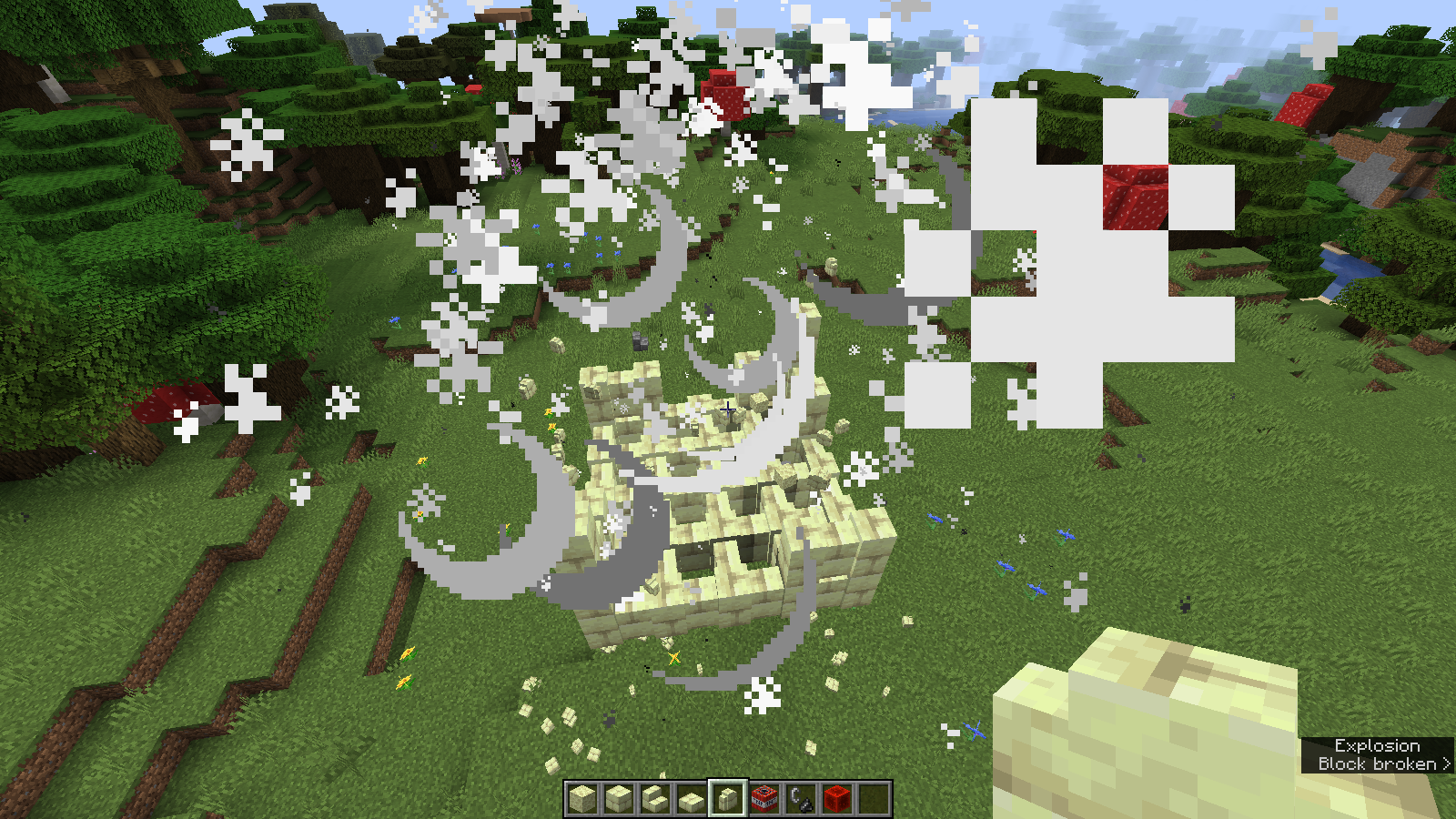
Confirmed for 1.13 Pre-Release 5. I also added images for after a TNT explosion.
Inventory tooltips are still white in 1.13 Pre-release 5.
Confirmed for Pre-release 7.
Confirmed for 1.13 Pre-release 8. This behavior does not happen with the new wooden trapdoors in 1.13. See MC-132358
This appears to have been fixed in 1.13 Pre-10. Mobs treat the new wooden trapdoors exactly like the oak and iron trapdoors.
Confirmed in 1.13.1.
Yes. Still a problem in 18w43b. The frailty even extends to the new End Stone Brick slabs, stairs, and walls.
Confirmed for 18w44a.
Confirmed for 18w45a.
Confirmed for 18w47a.
Confirmed for 19w13b.
The ravager's texture appears under the "illager" folder, implying that it is an illager. So, evocation fangs are not supposed to hurt them, but they do atm.
This has been partially fixed in 19w45a.
The blast resistence and hardness values have been corrected, but End Stone Bricks still get destroyed by the Ender Dragon. Almost there, Mojang.
Confirmed for 1.15.2.