 버블
버블
- good7777865
- JIRAUSER726443
- Asia/Seoul
- Yes
- No
 MCPE-176853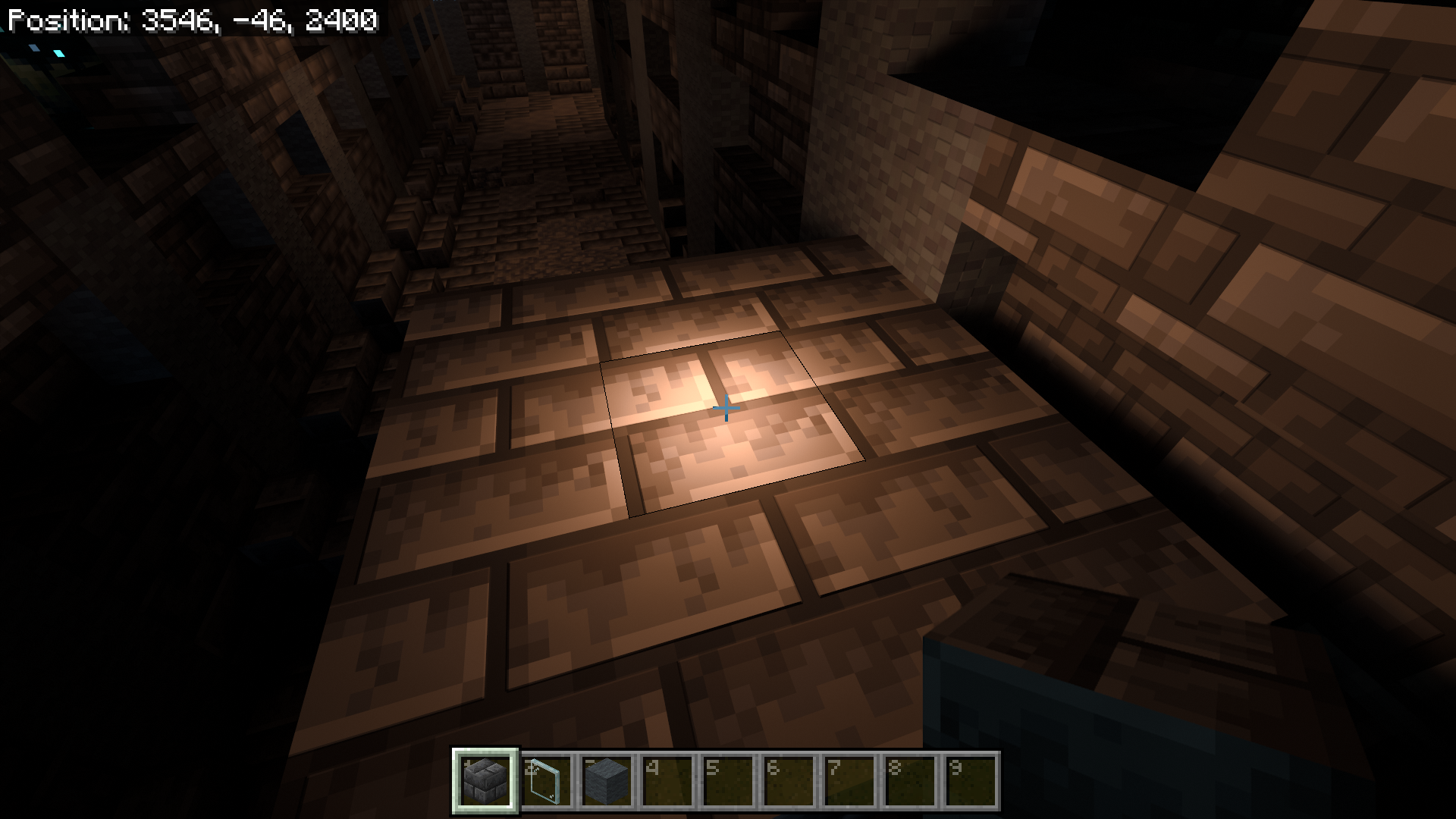


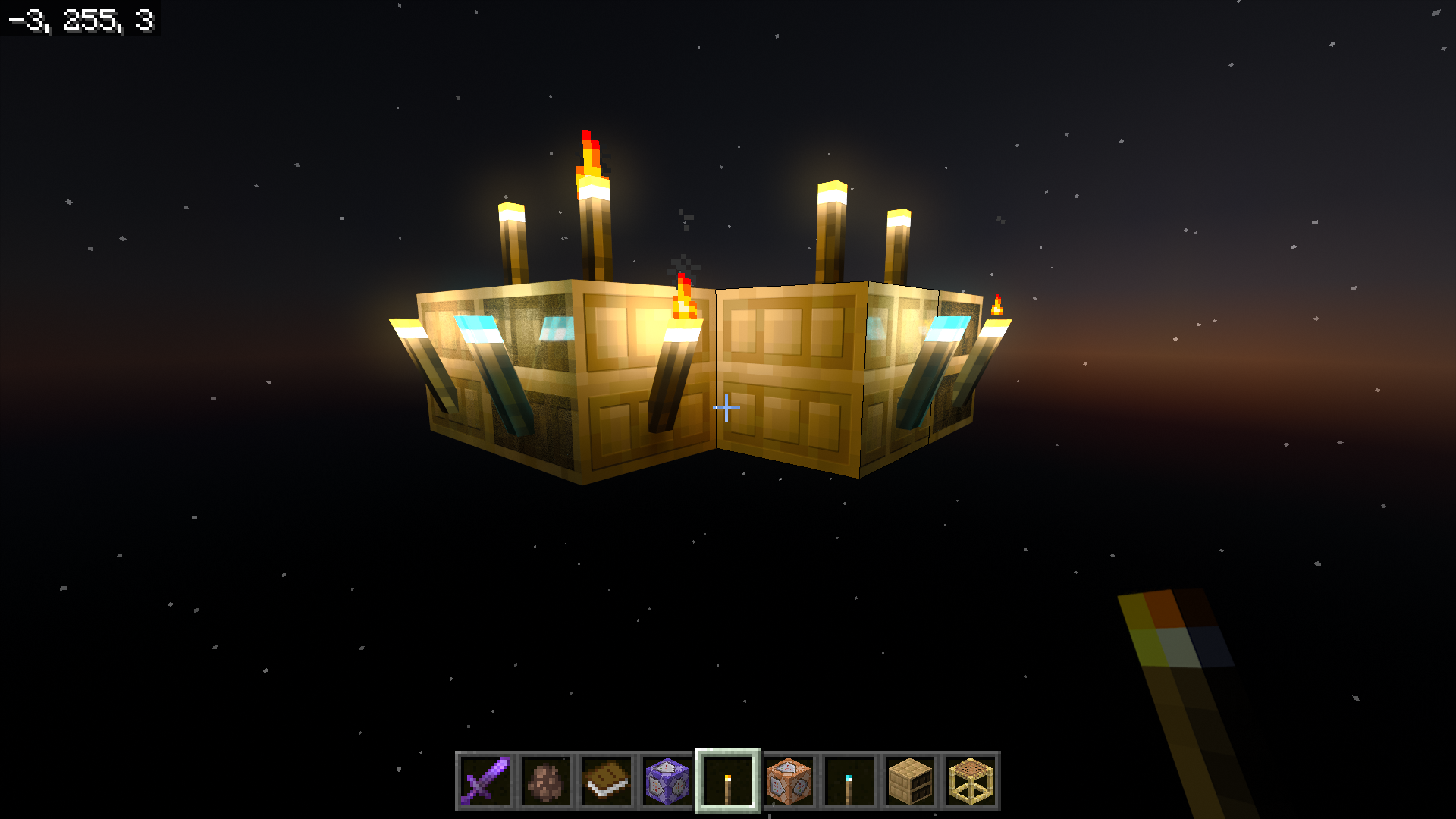

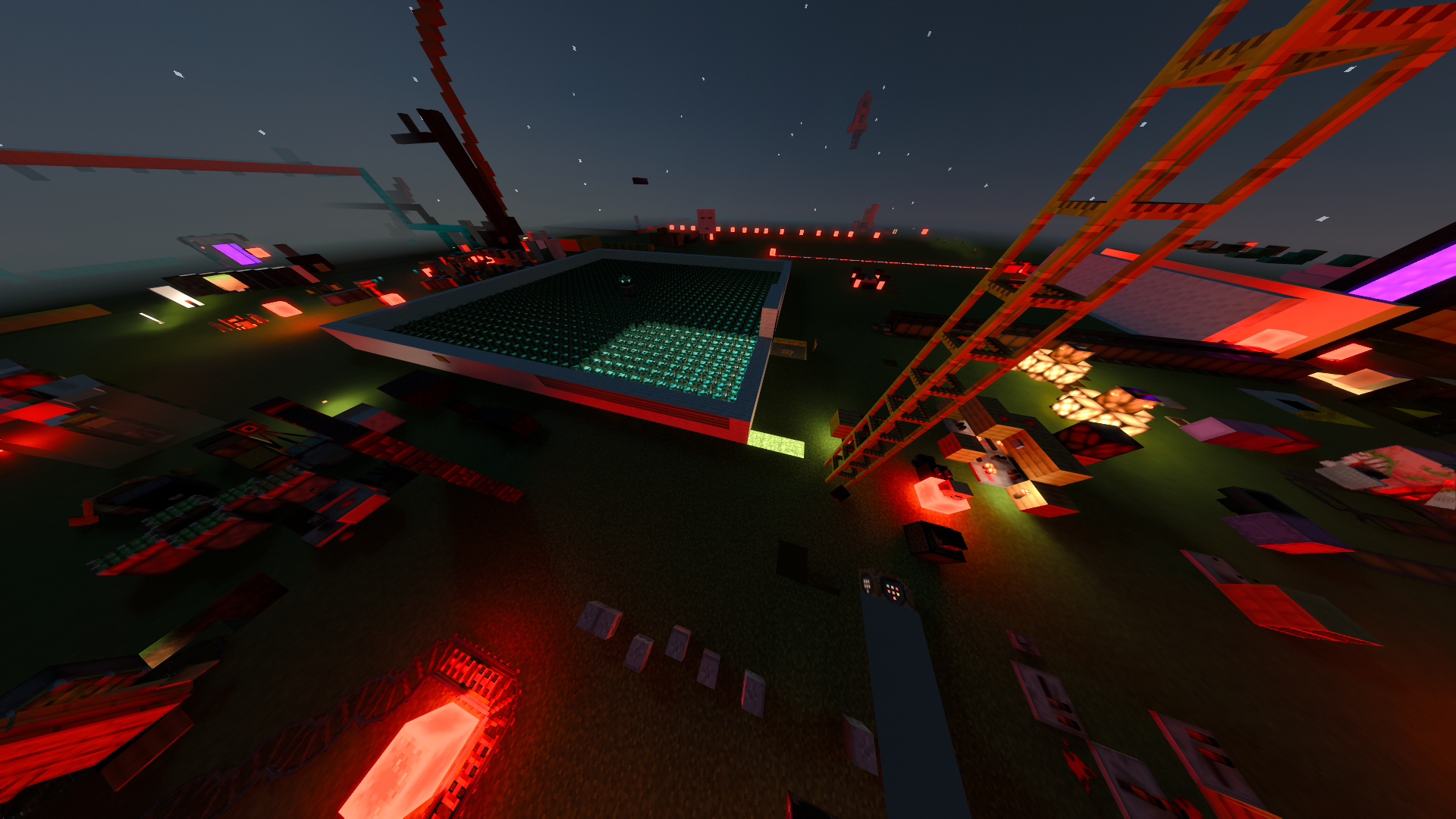
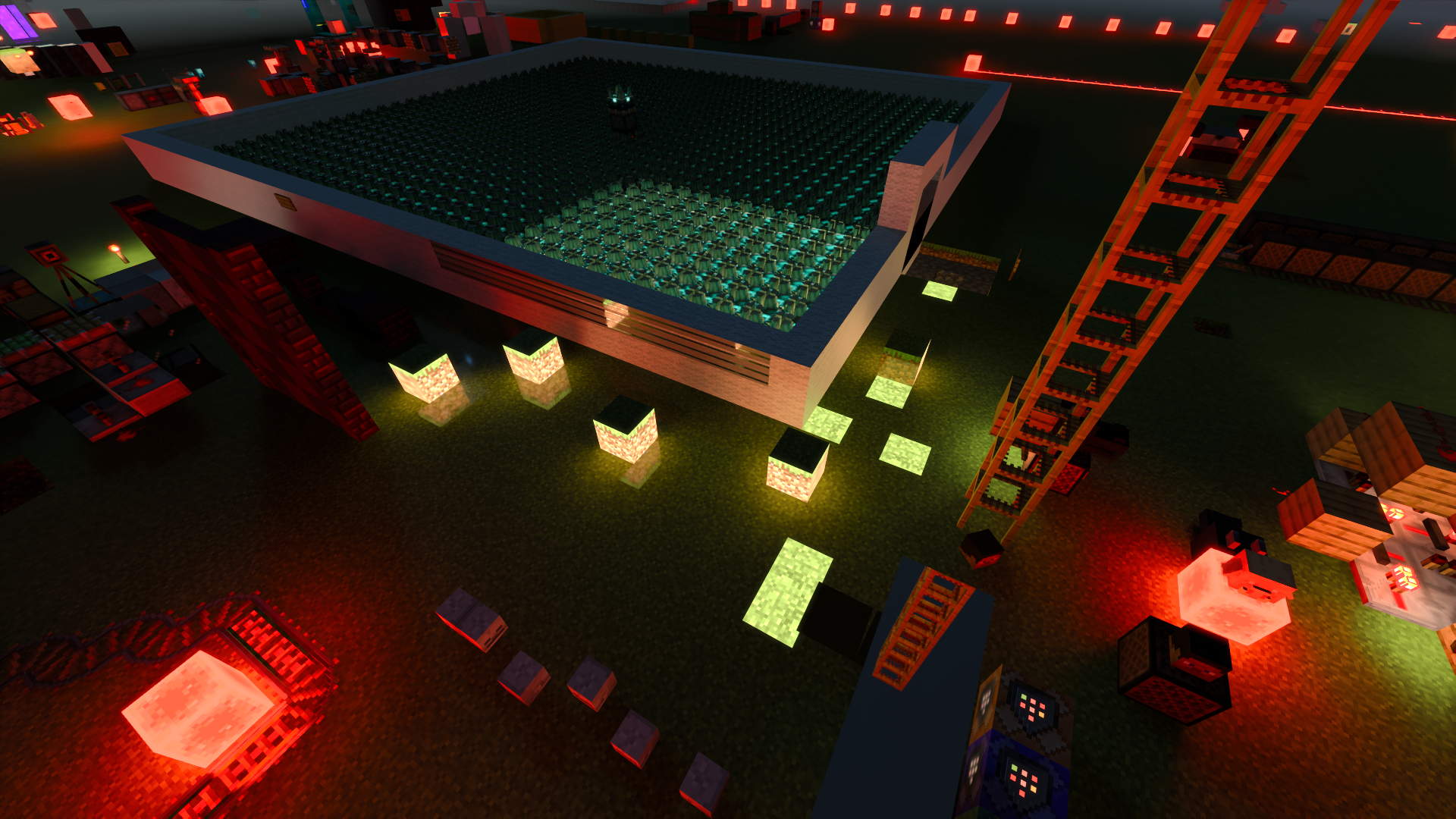





skulk sensor extends rail power
steps to reproduce:
1. After creating a new world, place the rail long.
2. Place a redstone block at the end of the rail and place a skulk sensor one block away from where the power ends.
3. Destroy the placed redstone block and place it again
Sculk Sensor extends power on Powered Rails(fixed in 1.19.80.22)
Sculk Sensor extends power on Powered Rails(fixed in 1.19.80.22)
fixed in 1.19.80.22
skulk sensor extends rail power
steps to reproduce:
1. After creating a new world, place the rail long.
2. Place a redstone block at the end of the rail and place a skulk sensor one block away from where the power ends.
3. Destroy the placed redstone block and place it againSame bug in calibrated skulk sensor
skulk sensor extends rail power
steps to reproduce:
1. After creating a new world, place the rail long.
2. Place a redstone block at the end of the rail and place a skulk sensor one block away from where the power ends.
3. Destroy the placed redstone block and place it again
Same bug incalibrated skulk sensorskulk sensor extends rail power
steps to reproduce:
1. After creating a new world, place the rail long.
2. Place a redstone block at the end of the rail and place a skulk sensor one block away from where the power ends.
3. Destroy the placed redstone block and place it againthe calibrated skulk sensor has the same bug
the backs of the East and South bookshelf (north and west) do not renderproperlysteps to reproduce
1. apply the pack
2. place the chiseled bookshelf facing in different directions one by one.
3. turn on rtx and look at the front and back of the bookshelfIt seems to get the textures from the pack, but it don't match properly
steps to reproduce
1. apply the pack
2. place the chiseled bookshelf facing in different directions one by one.
3. turn on rtx and look at the front and back of the bookshelf
It seems to get the textures from the pack, but it don't match properly
steps to reproduce
1. apply the pack
2. place the chiseled bookshelf facing in different directions one by one.
3. turn on rtx and look at the front and back of the bookshelfIt seems to get the textures from the pack, but zero thickness bookshelf model causes z-fighting in rtx
(You can see inside of it in spectator mode)steps to reproduce
1. apply the pack
2. place the chiseled bookshelf facing in different directions one by one.
3. turn on rtx and look at the front and back of the bookshelf
It seems to get the textures from the pack, but zero
thicknessbookshelf model causes z-fighting in rtx
(You can see inside of it in spectator mode)steps to reproduce
1. apply the pack
2. place the chiseled bookshelf facing in different directions one by one.
3. turn on rtx and look at the front and back of the bookshelfIt seems to get the textures from the pack, but zero weight bookshelf model causes z-fighting in rtx
(You can see inside of it in spectator mode)steps to reproduce
1. apply the pack
2. place the chiseled bookshelf facing in different directions one by one.
3. turn on rtx and look at the front and back of the bookshelf
I used the "end portal" blockshape (this bug does not occur when using the real end portal block.) and placed it one block away from the east side of the chunk.
Same rendering as turning off rtx and joining the world and turning it on.
You can easily check by
placing end_portal blockshapeblock at 64 4 65 and placing grass around it.I used the "end portal" blockshape (this bug does not occur when using the real end portal block.) and placed it one block away from the east side of the chunk.
Same rendering as turning off rtx and joining the world and turning it on.
You can easily check by apply the pack and placing red nether brick block at 64 4 65 and placing grass around it.
I used the "end portal" blockshape (this bug does not occur when using the real end portal block.) and placed it one block away from the east side of the chunk.
Same rendering as turning off rtx and joining the world and turning it on.
You can easily check by apply the pack and placing red nether brick block at 64 4 6
5and placing grass around it.I used the "end portal" blockshape (this bug does not occur when using the real end portal block.) and placed it one block away from the east side of the chunk.
Same rendering as turning off rtx and joining the world and turning it on.
You can easily check by apply the pack and placing red nether brick block at 64 4 64 and placing grass around it.
I used the "end portal" blockshape (this bug does not occur when using the real end portal block.) and placed it one block away from the east side of the chunk.
Same rendering as turning off rtx and joining the world and turning it on.
You can easily check by apply the pack and placing red nether brick block at 64 4 64 or 64 4 65 and placing grass around it.
Calibrated skulk sensor ignores redstonetorchinput.Calibrated skulk sensor ignores some redstone inputs.
Calibrated skulk sensor ignores some redstone inputs.Calibrated sculk sensor ignores some redstone inputs.
Steps to reproduce :
Place a redstone torch next to the calibrated skulk sensor input slot.Steps to reproduce :
Place a redstone torch next to the calibrated sculk sensor input slot.
Anything that does not send a signal straight to the sensor, such as a lever, pressure plate, or detector rail, will not be input to the sensor.
However, there are exceptions such as redstone blocks.
screenshot-1.png
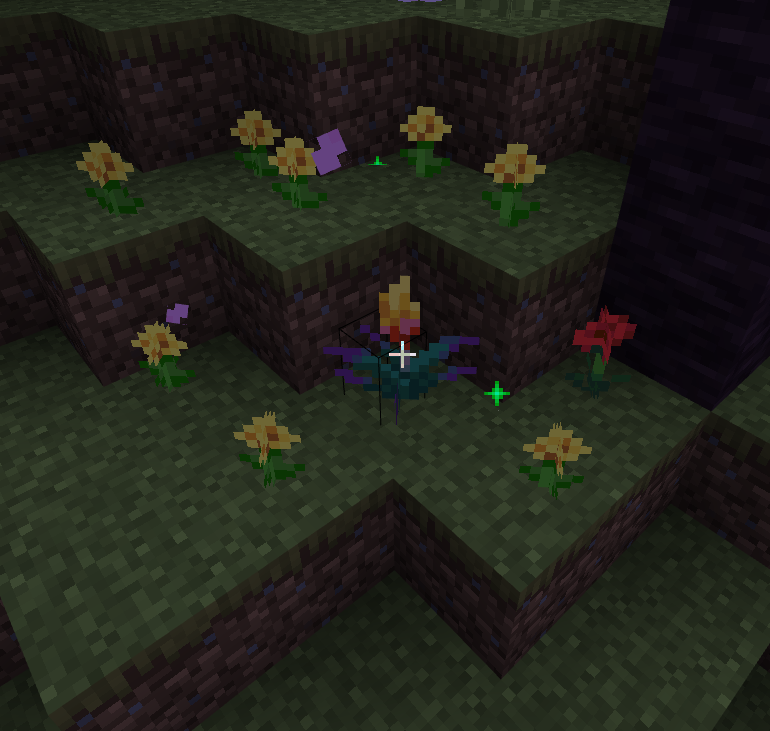
Dandelions appear when bonemealingto a torch flower.
It is not a transparent block, but it behaves like a transparent block. (
MCPE-130262)This bug can be solved by changing the block material from 'blend' to 'alpha_test'.Related to MCPE-176366 (It shows that block material is set to 'blend')
It is not a transparent block, but it behaves like a transparent block. (
MCPE-130262)
This bug can be solved by changing the block material from 'blend' to 'alpha_test'.Related to MCPE-176366 (It shows that block material is set to 'blend')
It is not a transparent block, but it behaves like a transparent block. (
MCPE-130262)
This bug can be solved by changing the block material from 'blend' to 'alpha_test'.Related to MCPE-176366 (It shows that block material is set to 'blend')
It is not a transparent block, but it behaves like a transparent block. (
MCPE-130262)
This bug isn't duplicate toMCPE-130262.
This bug is explaining that the copper grate has blend material, not banners rendering in front of the trans
This bug can be solved by changing the block material from 'blend' to 'alpha_test'.Related to MCPE-176366 (It shows that block material is set to 'blend')
It is not a transparent block, but it behaves like a transparent block. (
MCPE-130262)
This bug isn't duplicate toMCPE-130262.
This bug is explainingthatthe copper grate has blend material, notbanners renderingin front of the trans
This bug can be solved by changing the block material from 'blend' to 'alpha_test'.Related to MCPE-176366 (It shows that block material is set to 'blend')
It is not a transparent block, but it behaves like a transparent block. (
MCPE-130262)
This bug isn't duplicate toMCPE-130262.
This bug is explaining the copper grate has blend material, not explaining Banners render in front of transparent blocks
This bug can be solved by changing the block material from 'blend' to 'alpha_test'.Related to MCPE-176366 (It shows that block material is set to 'blend')
It is not a transparent block, but it behaves like a transparent block. (
MCPE-130262)
This bug isn't duplicate toMCPE-130262.
This bug is explaining the copper grate has blend material, not explaining Banners render in front of transparent blocks
This bug can be solved by changing the block material from 'blend' to 'alpha_test'.Related to MCPE-176366 (It shows that block material is set to 'blend')
It is not a transparent block, but it behaves like a transparent block. (
MCPE-130262)
This bug isn't duplicate toMCPE-130262.
This bug is explaining the copper grate has blend material, not explaining Banners render in front of them.This bug can be solved by changing the block material from 'blend' to 'alpha_test'.
Related to MCPE-176366 (It shows that block material is set to 'blend')
It is not a transparent block, but it behaves like a transparent block. (
MCPE-130262)
This bug isn't duplicate toMCPE-130262.
This bug is explaining the copper grate has blend material, notexplainingBanners render in front of them.This bug can be solved by changing the block material from 'blend' to 'alpha_test'.
Related to MCPE-176366 (It shows that block material is set to 'blend')
It is not a transparent block, but it behaves like a transparent block. (
MCPE-130262)
This bug isn't duplicate toMCPE-130262.
This bug is explaining the copper grate has blend material, NOT explaining Banners render in front of them.This bug can be solved by changing the block material from 'blend' to 'alpha_test'.
Related to MCPE-176366 (It shows that block material is set to 'blend')
steps to reproduce:
1. Place a observer
.
2. Place a observerwithsetblockcommand but in the opposite direction.
3. Place a block that updates using redstone.Related to MCPE-149124
steps to reproduce:
[#1. Place a observer using /setblock ~~2 ~ observer ["minecraft:facing_direction"="west"].
2. Place a observer using */setblock ~~2 ~ observer ["minecraft:facing_direction"="east"].
3. Place a block that updates using redstone in front of a observer.Related to MCPE-149124
steps to reproduce:
[#1. Place a observer using /setblock ~~2 ~ observer ["minecraft:facing_direction"="west"].
2. Place a observer using */setblock ~~2 ~ observer ["minecraft:facing_direction"="east"].
3. Place a block that updates using redstone in front of a observer.Related to MCPE-149124
steps to reproduce:
1. Place a observer using /setblock ~~2 ~ observer ["minecraft:facing_direction"="west"].
2. Place a observer using */setblock ~~2 ~ observer ["minecraft:facing_direction"="east"].
3. Place a block that updates using redstone in front of a observer.
4.Related to MCPE-149124
steps to reproduce:
1. Place a observer using /setblock ~~2 ~ observer ["minecraft:facing_direction"="west"].
2. Place a observer using */setblock ~~2 ~ observer ["minecraft:facing_direction"="east"].
3. Place a block that updates using redstone in front of a observer.
4.Related to MCPE-149124
steps to reproduce:
1. Place a observer using /setblock ~~2 ~ observer ["minecraft:facing_direction"="west"].
2. Place a observer using */setblock ~~2 ~ observer ["minecraft:facing_direction"="east"].
3. Place a block that updates using redstone in front of a observer.
4. Place a block that updates using redstone back of a observer.Related to MCPE-149124
steps to reproduce:
1. Place a observer using /setblock ~~2 ~ observer ["minecraft:facing_direction"="west"].
2. Place a observer using*/setblock ~~2 ~ observer["minecraft:facing_direction"="east"].
3. Place a block that updates using redstone in front of a observer.
4. Place a block that updates using redstone back of a observer.Related to MCPE-149124
steps to reproduce:
1. Place a observer using /setblock ~~2 ~ observer ["minecraft:facing_direction"="west"].
2. Place a observer using /setblock ~~2 ~ observer ["minecraft:facing_direction"="east"].
3. Place a block that updates using redstone in front of a observer.
4. Place a block that updates using redstone back of a observer.Related to MCPE-149124
steps to reproduce:
1. Place a observer using /setblock ~~2 ~ observer ["minecraft:facing_direction"="west"].
2. Place a observer using /setblock ~~2 ~ observer ["minecraft:facing_direction"="east"].
3. Place a block that updates using redstone in front of a observer.
4. Place a block that updates using redstone back of a observer.Related to MCPE-149124
steps to reproduce:
1. Place a observer using /setblock ~~2 ~ observer ["minecraft:facing_direction"="west"].
2. Place a observer using /setblock ~~2 ~ observer ["minecraft:facing_direction"="east"].
3. Place a block that updates using redstone in front of a observer.
4. Place a block that updates using redstone back of a observer.Related to MCPE-149124
steps to reproduce:
1. Place a observer using /setblock ~~2 ~ observer ["minecraft:facing_direction"="west"].
2. Place a observer using /setblock ~~2 ~ observer ["minecraft:facing_direction"="east"].
3. Place a block that updates using redstone in front of a observer(like redstone lamp).
4. Place a block that updates using redstone back of a observer(like redstone dust).Related to MCPE-149124
steps to reproduce:
1. Place a observer using /setblock ~~2 ~ observer ["minecraft:facing_direction"="west"].
2. Place a observer using /setblock ~~2 ~ observer ["minecraft:facing_direction"="east"].
3. Place a block that updates using redstone in front of a observer(like redstone lamp).
4. Place a block that updates using redstoneback of a observer(like redstone dust).Related to MCPE-149124
steps to reproduce:
1. Place a observer using /setblock ~~2 ~ observer ["minecraft:facing_direction"="west"].
2. Place a observer using /setblock ~~2 ~ observer ["minecraft:facing_direction"="east"].
3. Place a block that updates using redstone(like redstone lamp) in front of a observer.
4. Place a block that updates using redstone(like redstone dust) back of a observer.Related to MCPE-149124
steps to reproduce:
1. Place a observer using /setblock ~~2 ~ observer ["minecraft:facing_direction"="west"].
2. Place a observer using /setblock ~~2 ~ observer ["minecraft:facing_direction"="east"].
3. Place a block that updates using redstone(like redstone lamp) in front of a observer.
4. Place a block that updates using redstone(like redstone dust) back of a observer.Related to MCPE-149124
steps to reproduce:
1. Place a observer using /setblock ~~2 ~ observer ["minecraft:facing_direction"="west"] or just place a observer that facing west.
2. Place a observer using /setblock ~~2 ~ observer ["minecraft:facing_direction"="east"].
3. Place a block that updates using redstone(like redstone lamp) in front of a observer.
4. Place a block that updates using redstone(like redstone dust) back of a observer.Related to MCPE-149124
steps to reproduce:
1. Place a observer using /setblock ~~2 ~ observer ["minecraft:facing_direction"="west"] or just place a observer that facing west.
2. Place a observer using /setblock ~~2 ~ observer ["minecraft:facing_direction"="east"].
3. Place a block that updates using redstone(like redstone lamp) in front of a observer.
4. Place a block that updates using redstone(like redstone dust) back of a observer.Related to MCPE-149124
steps to reproduce:
1. Place a observer using /setblock ~~2 ~ observer ["minecraft:facing_direction"="west"] or just place a observer that facing west.
2. Place a observer using /setblock ~~2 ~ observer ["minecraft:facing_direction"="east"].
3. Place a block that updates using redstone(like redstone lamp) in front of a observer.
4. Place a block that updates using redstone(like redstone dust) back of a observer.Related to MCPE-149124
steps to reproduce:1. Place a observer using /setblock ~~2 ~ observer ["minecraft:facing_direction"="west"] or just place a observer that facing west.
2. Place a observer using /setblock ~~2 ~ observer ["minecraft:facing_direction"="east"].
3. Place a block that updates using redstone(like redstone lamp) in front of a observer.
4. Place a block that updates using redstone(like redstone dust) back of a observer.Related to MCPE-149124
Steps to reproduce:
1. Place a observer using /setblock ~~2 ~ observer ["minecraft:facing_direction"="west"] or just place a observer that facing west.
2. Place a observer using /setblock ~~2 ~ observer ["minecraft:facing_direction"="east"].
3. Place a block that updates using redstone(like redstone lamp) in front of a observer.
4. Place a block that updates using redstone(like redstone dust) back of a observer.Related to MCPE-149124
Steps to reproduce:
1. Place a observer using /setblock ~~
2~ observer ["minecraft:facing_direction"="west"] or just place a observerthat facing west.
2. Place a observer using /setblock ~~2~ observer ["minecraft:facing_direction"="east"].
3. Place a block that updates using redstone(like redstone lamp) in front of a observer.
4. Place a block that updates using redstone(like redstone dust) back of a observer.Related to MCPE-149124
Steps to reproduce:
1. Place a observer using /setblock ~~-1 ~ observer ["minecraft:facing_direction"="west"] or just place a observer but facing west.
2. Place a observer using /setblock ~~-1 ~ observer ["minecraft:facing_direction"="east"].
3. Place a block that updates using redstone(like redstone lamp) in front of a observer.
4. Place a block that updates using redstone(like redstone dust) back of a observer.Related to MCPE-149124
Steps to reproduce:
1. Place a observer using /setblock ~~-1 ~ observer ["minecraft:facing_direction"="west"] or just place a observer but facing west.
2. Place a observer using /setblock ~~-1 ~ observer ["minecraft:facing_direction"="east"].
3. Place a block that updates using redstone(like redstone lamp) in front of a observer.
4. Place a block that updates using redstone(like redstone dust) back of a observer.Related to MCPE-149124
Steps to reproduce:
1. Place a observer using /setblock ~~-1 ~ observer ["minecraft:facing_direction"="west"] or just place a observer but facing west.
2. Place a block that updates using redstone(like redstone lamp) in front of a observer.
3. Place a observer using /setblock ~~-1 ~ observer ["minecraft:facing_direction"="east"].
4. Place a block that updates using redstone(like redstone dust) back of a observer.Related to MCPE-149124
When replacing observer by setblock or fill, itbehaves strangelyWhen replacing observer by setblock or fill, its output doesn't change
When replacing observer by setblock or fill, its output direction doesn't change
Steps to reproduce:
1.
Place a observer using/setblock ~~-1 ~ observer ["minecraft:facing_direction"="west"] or just place a observer but facing west.
2. Place a block that updates using redstone(like redstone lamp) in front of a observer.
3. Place a observer using /setblock ~~-1 ~ observer ["minecraft:facing_direction"="east"].
4. Place a block that updates using redstone(like redstone dust) back of a observer.Related to MCPE-149124
Steps to reproduce:
1. Create a new world and place any solid block and stand on there.
2. Place a observer using /setblock ~~-1 ~ observer ["minecraft:facing_direction"="west"] or just place a observer but facing west.
3. Place a block that updates using redstone(like redstone lamp) in front of(observer input direction) a observer.
4. Place a observer using /setblock ~~-1 ~ observer ["minecraft:facing_direction"="east"].
5. Place a block that updates using redstone(like redstone dust) back of(observer output direction) a observer.Related to MCPE-149124
Steps to reproduce:
1. Create a new world and place any solid block and stand on there.
2. Place a observer using /setblock ~~-1 ~ observer ["minecraft:facing_direction"="west"] or just place a observer but facing west.
3. Place a block that updates using redstone(like redstone lamp) in front of(observer input direction) a observer.
4. Place a observer using /setblock ~~-1 ~ observer ["minecraft:facing_direction"="east"].
5. Place a block that updates using redstone(like redstone dust) back of(observer output direction) a observer.Related to MCPE-149124
Steps to reproduce:
1. Create a new world and place any solid block and stand on there.
2. Place a observer using /setblock ~~-1 ~ observer ["minecraft:facing_direction"="west"] or just place a observer but facing west.
3. Place a block that updates using redstone (like redstone dust) in front of (observer input direction) a observer.
4. Place a observer using /setblock ~~-1 ~ observer ["minecraft:facing_direction"="east"].
5. Place a block that updates using redstone (like redstone dust) back of (observer output direction) a observer.Related to MCPE-149124
Steps to reproduce:
1. Create a new world and place any solid block and stand on there.
2. Place a observer using /setblock ~~-1 ~ observer ["minecraft:facing_direction"="west"] or just place a observer but facing west.
3. Place a block that updates using redstone (like redstone dust) in front of (observer input direction) a observer.
4. Place a observer using /setblock ~~-1 ~ observer ["minecraft:facing_direction"="east"].
5. Place a block that updates using redstone (like redstone dust)backof (observeroutput direction) a observer.Related to MCPE-149124
Steps to reproduce:
1. Create a new world and place any solid block and stand on there.
2. Place a observer using /setblock ~~-1 ~ observer ["minecraft:facing_direction"="west"] or just place a observer but facing west.
3. Place a block that updates using redstone (like redstone dust) in front of (observer input direction) a observer.
4. Place a observer using /setblock ~~-1 ~ observer ["minecraft:facing_direction"="east"].
5. Place a block that updates using redstone (like redstone dust) in front of (observer input direction) a observer.Related to MCPE-149124
Steps to reproduce:
1. Create a new world and place any solid block and stand on there.
2. Place a observer using /setblock ~~-1 ~ observer ["minecraft:facing_direction"="west"] or just place a observer but facing west.
3. Place a block that updates using redstone (like redstone dust) in front of (observer input direction) a observer.
4. Place a observer using /setblock ~~-1 ~ observer ["minecraft:facing_direction"="east"].
5. Place a block that updates using redstone (like redstone dust) in front of (observer input direction) a observer.Related to MCPE-149124
Steps to reproduce:
- Create a new world and place any solid block and stand on there.
- way one
1-1. Place a observer using /setblock ~~-1 ~ observer ["minecraft:facing_direction"="west"] or just place a observer but facing west.
1-2. Place a block that updates using redstone (like redstone dust) in front of (observer input direction) a observer.
1-3. Place a observer using /setblock ~~-1 ~ observer ["minecraft:facing_direction"="east"].
1-4. Place a block that updates using redstone (like redstone dust) in front of (observer input direction) a observer.Related to MCPE-149124
Steps to reproduce:
- Create a new world and place any solid block and stand on there.
way one
1-1. Place a observer using /setblock ~~-1 ~ observer ["minecraft:facing_direction"="west"] or just place a observer but facing west.
1-2. Place a block that updates using redstone (like redstone dust) in front of (observer input direction) a observer.
1-3. Place a observer using /setblock ~~-1 ~ observer ["minecraft:facing_direction"="east"].
1-4. Place a block that updates using redstone (like redstone dust) in front of (observer input direction) a observer.Related to MCPE-149124
Steps to reproduce:
#Create a new world and place any solid block and stand on there.
- First way
1-1. Place a observer using /setblock ~~-1 ~ observer ["minecraft:facing_direction"="west"] or just place a observer but facing west.
1-2. Place a block that updates using redstone (like redstone dust) in front of (observer input direction) a observer.
1-3. Place a observer using /setblock ~~-1 ~ observer ["minecraft:facing_direction"="east"].
1-4. Place a block that updates using redstone (like redstone dust) in front of (observer input direction) a observer.- Second way
2-1. Place a observer using /setblock ~~-1 ~ observer ["minecraft:facing_direction"="west"] or just place a observer but facing west.
2-2. Place a block that updates using redstone (like redstone dust) in front of (observer input direction) a observer.
2-3. Place a observer using /setblock ~~-1 ~ observer ["minecraft:facing_direction"="east"].
2-4. Place a block that updates using redstone (like redstone dust) in front of (observer input direction) a observer.Related to MCPE-149124
Steps to reproduce:
#Create a new world and place any solid block and stand on there.
- First way
1-1. Place a observer using /setblock ~~-1 ~ observer ["minecraft:facing_direction"="west"] or just place a observer but facing west.
1-2. Place a block that updates using redstone (like redstone dust) in front of (observer input direction) a observer.
1-3. Place a observer using /setblock ~~-1 ~ observer ["minecraft:facing_direction"="east"].
1-4. Place a block that updates using redstone (like redstone dust) in front of (observer input direction) a observer.- Second way
2-1. Place a observer using /setblock ~~-1 ~ observer ["minecraft:facing_direction"="west"] or just place a observer but facing west.
2-2. Place a block that updates using redstone (like redstone dust) in front of (observer input direction) a observer.
2-3. Place a observer using /setblock ~~-1 ~ observer ["minecraft:facing_direction"="east"].
2-4. Place a block that updates using redstone (like redstone dust) in front of (observer input direction) a observer.Related to MCPE-149124
Steps to reproduce:
Create a new world and place any solid block and stand on there.
- First way
1-1. Place a observer using /setblock ~~-1 ~ observer ["minecraft:facing_direction"="west"] or just place a observer but facing west.
1-2. Place a block that updates using redstone (like redstone dust) in front of (observer input direction) a observer.
1-3. Place a observer using /setblock ~~-1 ~ observer ["minecraft:facing_direction"="east"].
1-4. Place a block that updates using redstone (like redstone dust) in front of (observer input direction) a observer.- Second way
2-1. Place a observer using /setblock ~~-1 ~ observer ["minecraft:facing_direction"="west"] or just place a observer but facingwest.
2-2. Place a block that updates using redstone (like redstone dust) in front of (observer input direction) a observer.
2-3. Place a observer using /setblock ~~-1 ~ observer ["minecraft:facing_direction"="east"].
2-4. Place a block that updates using redstone (like redstone dust) in front of (observer input direction) a observer.Related to MCPE-149124
Steps to reproduce:
Create a new world and place any solid block and stand on there.
- First way
1-1. Place a observer using /setblock ~~-1 ~ observer ["minecraft:facing_direction"="west"] or just place a observer but facing west.
1-2. Place a block that updates using redstone (like redstone dust) in front of (observer input direction) a observer.
1-3. Place a observer using /setblock ~~-1 ~ observer ["minecraft:facing_direction"="east"].
1-4. Place a block that updates using redstone (like redstone dust) in front of (observer input direction) a observer.- Second way
2-1. Place a observer using /setblock ~~-1 ~ observer ["minecraft:facing_direction"="east"] or just place a observer but facing east.
2-2. Place a block that updates using redstone (like redstone dust) in front of (observer input direction) a observer.
2-3. Place a observer using /setblock ~~-1 ~ observer ["minecraft:facing_direction"="north"].
2-4. Place a block that updates using redstone (like redstone dust) in front of (observer input direction) a observer.Related to MCPE-149124
Steps to reproduce:
Create a new world and place any solid block and stand on there.
- First way
1-1. Place a observer using /setblock ~~-1 ~ observer ["minecraft:facing_direction"="west"] or just place a observer but facing west.
1-2. Place a block that updates using redstone (like redstone dust) in front of (observer input direction) a observer.
1-3. Place a observer using /setblock ~~-1 ~ observer ["minecraft:facing_direction"="east"].
1-4. Place a block that updates using redstone (like redstone dust) in front of (observer input direction) a observer.- Second way
2-1. Place a observer using /setblock ~~-1 ~ observer ["minecraft:facing_direction"="east"] or just place a observer but facing east.
2-2. Place a block that updates using redstone (like redstone dust) in front of (observer input direction) a observer.
2-3. Place a observer using /setblock ~~-1 ~ observer ["minecraft:facing_direction"="north"].
2-4. Place a block that updates using redstone (like redstone dust) in front of (observer input direction) a observer.Related to MCPE-149124
Steps to reproduce:
Create a new world and place any solid block and stand on there.
- First way
1-1. Place a observer using /setblock ~~-1 ~ observer ["minecraft:facing_direction"="west"] or just place a observer but facing west.
1-2. Place a block that updates using redstone (like redstone dust) in front of (observer input direction) a observer.
1-3. Place a observer using /setblock ~~-1 ~ observer ["minecraft:facing_direction"="east"].
1-4. Place a block that updates using redstone (like redstone dust) in front of (observer input direction) a observer.- Second way
2-1. Place a observer using /setblock ~~-1 ~ observer ["minecraft:facing_direction"="east"] or just place a observer but facing east.
2-2. Place a block that updates using redstone (like redstone dust) in front of (observer input direction) a observer.
2-3. Place a observer using /setblock ~~-1 ~ observer ["minecraft:facing_direction"="north"].
2-4. Place a block that updates using redstone (like redstone dust) in front of (observer input direction) a observer.Related to MCPE-149124
Video that reproducing this bug: https://drive.google.com/file/d/1PJ_iPq2nHgSTSrfRpV5sxXCRfdhN8PQw/view?usp=sharing
MCPE-176366 shows the block material is set to 'blend'.
This bug is easy to solve: Changing the copper grate's block material to 'alpha_test'.
Material 'blend' is making bug:
MCPE-130262(Banners render in front of transparent blocks).
This bug isn't duplicate toMCPE-130262.
This bug is just explaining the copper grate has blend material, NOT explaining Banners render in front of them.MCPE-176366
the block material is set to 'blend'.
This bug is easy to solve: Changing the copper grate's block material to 'alpha_test'.
Material 'blend' is making bug:
MCPE-130262(Banners render in front of transparent blocks).
This bug isn't duplicate toMCPE-130262.
This bug is just explaining the copper grate has blend material, NOT explaining Banners render in front of them.
MCPE-176366
This bug is easy to solve: Changing the copper grate's block material to 'alpha_test'.
Material 'blend' is making bug:
MCPE-130262(Banners render in front of transparent blocks).
This bug isn't duplicate toMCPE-130262.
This bug is just explaining the copper grate has blend material, NOT explaining Banners render in front of them.MCPE-176366 shows the block material is set to 'blend'.
This bug is easy to solve: Changing the copper grate's block material to 'alpha_test'.
Material 'blend' is making bug:
MCPE-130262(Banners render in front of transparent blocks).
This bug isn't duplicate toMCPE-130262.
This bug is just explaining the copper grate has blend material, NOT explaining Banners render in front of them.
MCPE-176366 shows the block material is set to 'blend'.
This bug is easy to solve: Changing the copper grate's block material to 'alpha_test'.
Material 'blend' is making bug:
MCPE-130262(Banners render in front of transparent blocks).
This bug isn't duplicate toMCPE-130262.
This bug is just explaining the copper grate has blend material, NOT explaining Banners render in front of them.The block material for the copper grate should be 'alpha_test', not 'blend'.
MCPE-176366 shows the block material is set to 'blend'.
This bug is easy to solve: Changing the copper grate's block material to 'alpha_test'.
Material 'blend' is making bug:
MCPE-130262(Banners render in front of transparent blocks).
This bug isn't duplicate toMCPE-130262.
This bug is just explaining the copper grate has blend material, NOT explaining Banners render in front of them.
The block material for the copper grate should be 'alpha_test', not 'blend'
.MCPE-176366 shows the block material is set to 'blend'.
This bug is easy to solve: Changing the copper grate's block material to 'alpha_test'.
Material 'blend' is making bug:
MCPE-130262(Banners render in front of transparent blocks).
This bug isn't duplicate toMCPE-130262.
This bug is just explaining the copper grate has blend material, NOT explaining Banners render in front of them.The block material for the copper grate should be 'alpha_test', not 'blend' because the textures of copper grates are not semi-transparent
MCPE-176366 shows the block material is set to 'blend'.
This bug is easy to solve: Changing the copper grate's block material to 'alpha_test'.
Material 'blend' is making bug:
MCPE-130262(Banners render in front of transparent blocks).
This bug isn't duplicate toMCPE-130262.
This bug is just explaining the copper grate has blend material, NOT explaining Banners render in front of them.
The block material for the copper grate should be 'alpha_test', not 'blend' because the textures of copper grates are not semi-transparent
MCPE-176366 shows the block material is set to 'blend'.
This bug is easy to solve: Changing the copper grate's block material to 'alpha_test'.
Material 'blend' is making bug:
MCPE-130262(Banners render in front of transparent blocks).
This bug isn't duplicate toMCPE-130262.
This bug is just explaining the copper grate has blend material, NOT explaining Banners render in front of them.The block material for the copper grate should be 'alpha_test', not 'blend' because the textures of copper grates are not semi-transparent
MCPE-176366 and picture below shows the block material is set to 'blend'.
This bug is easy to solve: Changing the copper grate's block material to 'alpha_test'.
Material 'blend' is making bug:
MCPE-130262(Banners render in front of transparent blocks).
This bug isn't duplicate toMCPE-130262.
This bug is just explaining the copper grate has blend material, NOT explaining Banners render in front of them.
The block material for the copper grate should be 'alpha_test', not 'blend' because the textures of copper grates are not semi-transparent.
MCPE-176366 and picture below shows the block material is set to 'blend'.
This bug is easy to solve: Changing the copper grate's block material to 'alpha_test'.
Material 'blend' is making bug:
MCPE-130262(Banners render in front of transparent blocks).
This bug isn't duplicated toMCPE-130262.
This bug is just explaining that the copper grate has blend material, NOT explaining Banners render in front of them.
The block material for the copper grate should be 'alpha_test', not 'blend' because the textures of copper grates are not semi-transparent.
MCPE-176366 and picture below shows the block material is set to 'blend'.
This bug is easy to solve: Changing the copper grate's block material to 'alpha_test'.
Material 'blend' is making bug:
MCPE-130262(Banners render in front of transparent blocks).
This bug isn't duplicated toMCPE-130262.
This bug is just explaining that the copper grate has blend material, NOT explaining Banners render in front of them.
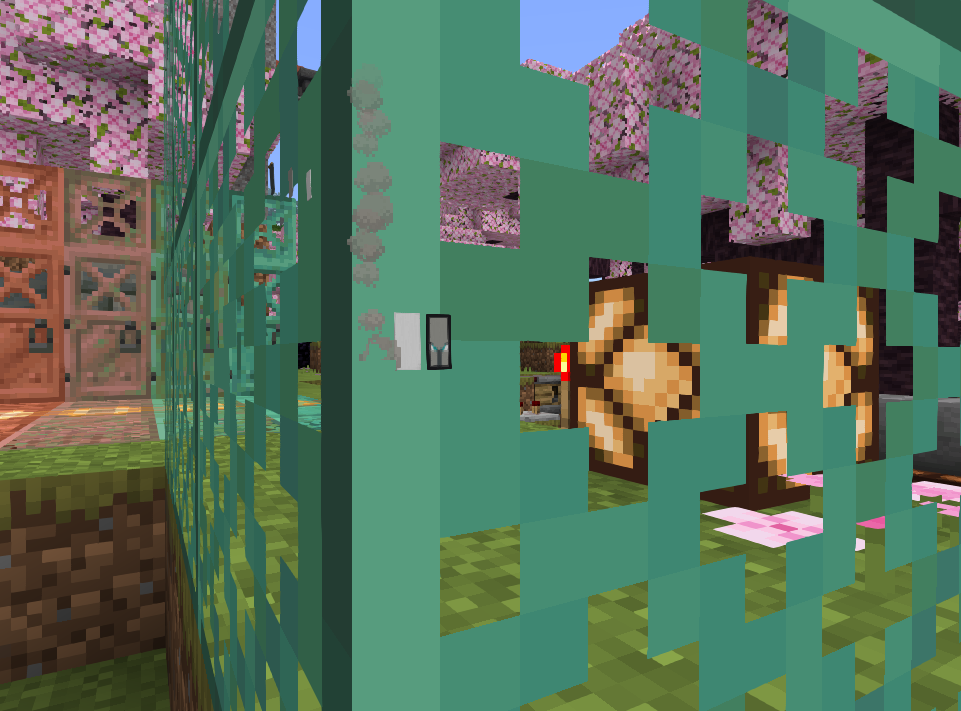
Steps to reproduce:
- Turn on RayTracing before entering a world.
- Place campfire
- Place copper grate wall in front of the campfire.
- Watch.
The block material for the copper grate should be 'alpha_test', not 'blend' because the textures of copper grates are not semi-transparent.
MCPE-176366 and picture below shows the block material is set to 'blend'.
This bug is easy to solve: Changing the copper grate's block material to 'alpha_test'.
Material 'blend' is making bug:
MCPE-130262(Banners render in front of transparent blocks).
This bug isn't duplicated toMCPE-130262.
This bug is just explaining that the copper grate has blend material, NOT explaining Banners render in front of them.
Steps to reproduce:
Turn on RayTracing before enteringa world.- Place campfire
- Place copper grate wall in front of the campfire.
- Watch.
The block material for the copper grate should be 'alpha_test', not 'blend' because the textures of copper grates are not semi-transparent.
MCPE-176366 and picture below shows the block material is set to 'blend'.
This bug is easy to solve: Changing the copper grate's block material to 'alpha_test'.
Material 'blend' is making bug:
MCPE-130262(Banners render in front of transparent blocks).
This bug isn't duplicated toMCPE-130262.
This bug is just explaining that the copper grate has blend material, NOT explaining Banners render in front of them.
Steps to reproduce:
- Enter a world.
- Place campfire
- Place copper grate wall in front of the campfire.
- Watch.
I searched for 2 hours why this didn't work and found this
how to fix: download the pack and it works! mob_vote_fix_pack.mcpack

I think for some reason, minecraft can't reach the download server(it makes minecraft think it's time for the vote or live), so it causes this bug.
This bug isn't duplicate to
MCPE-130262.This bug is explaining the copper grate has blend material, NOT explaining Banners render in front of them.
I made a new bug report: MCPE-176912
This bug happens because the copper grate has 'blend' block material, which makes the ray band like glass
@Glimmer You don't need to set the transparent pixels to 1% opacity. You can just set them to alpha 0, which makes the item texture correct and no effect to the rtx block texture.
same issue at this event too

@deafinbothears
Both bugs occur because this block model uses texture merging (which doesn't work with RTX), causing the block to be rendered as black (z-fighting) and preventing it from fully supporting PBR loading.
To temporarily fix this bug, set the chiseled bookshelf's block shape to "block" and add all possible book variation textures to it.
This bug occurs because this block model uses texture merging (which doesn't work with RTX), causing the block to be rendered as black (z-fighting) and preventing it from fully supporting PBR loading.
To temporarily fix this bug, you'll need to set the chiseled bookshelf's block shape to "block" and add all possible book variation textures to it.