 GotATrashCan
- GotATrashCan
- JIRAUSER785628
- Europe/Stockholm
- Yes
- No
 MCPE-183772MCPE-189501MCPE-189977
 MC-279663
 Normal














Evokers will not play the "prepare attack" sound that they are supposed to when summoning Evoker Fangs. Instead, the
spellcasting spell sound will play which is correct, however the prepare attack sounds should also play.
Step to Reproduce:
1. Spawn an Evoker
2. Spawn a Villager or any other mob an Evoker will attack
3. Wait for it to summon Evoker Fangs. It will play the "casting spell" sound, but not the "prepare attack" soundExpected Result:
The sound for summoning Evoker Fangs is playedObserved Result:
The summoning sound does not play
Evoker does not play the sound for summoning Evoker Fangs more than once
Evokers will not play the "prepare attack" sound that they are supposed to when summoning Evoker Fangs. Instead, the casting spell sound will play which is correct, however the prepare attack sounds should also play.
Step to Reproduce:
1. Spawn an Evoker
2. Spawn a Villager or any other mob an Evoker will attack
3. Wait for it to summon Evoker Fangs. It will play the "casting spell" sound, but not the "prepare attack" soundExpected Result:
The sound for summoning Evoker Fangs is playedObserved Result:
The summoning sounddoes not playEvokers will not play the "prepare attack" sound that they are supposed to when summoning Evoker Fangs if they have already summoned any before. Instead, the casting spell sound will play which is correct, however the prepare attack sounds should also play.
Step to Reproduce:
1. Spawn an Evoker
2. Spawn a Villager or any other mob an Evoker will attack
3. Wait for it to summon Evoker Fangs. It will play the "prepare attack" sound once, which is correct
4. Wait for it to summon Evoker Fangs again. It will play the "casting spell" sound, but not the "prepare attack" soundExpected Result:
The sound for summoning Evoker Fangs is played every time they summon themObserved Result:
The summoning sound only plays once
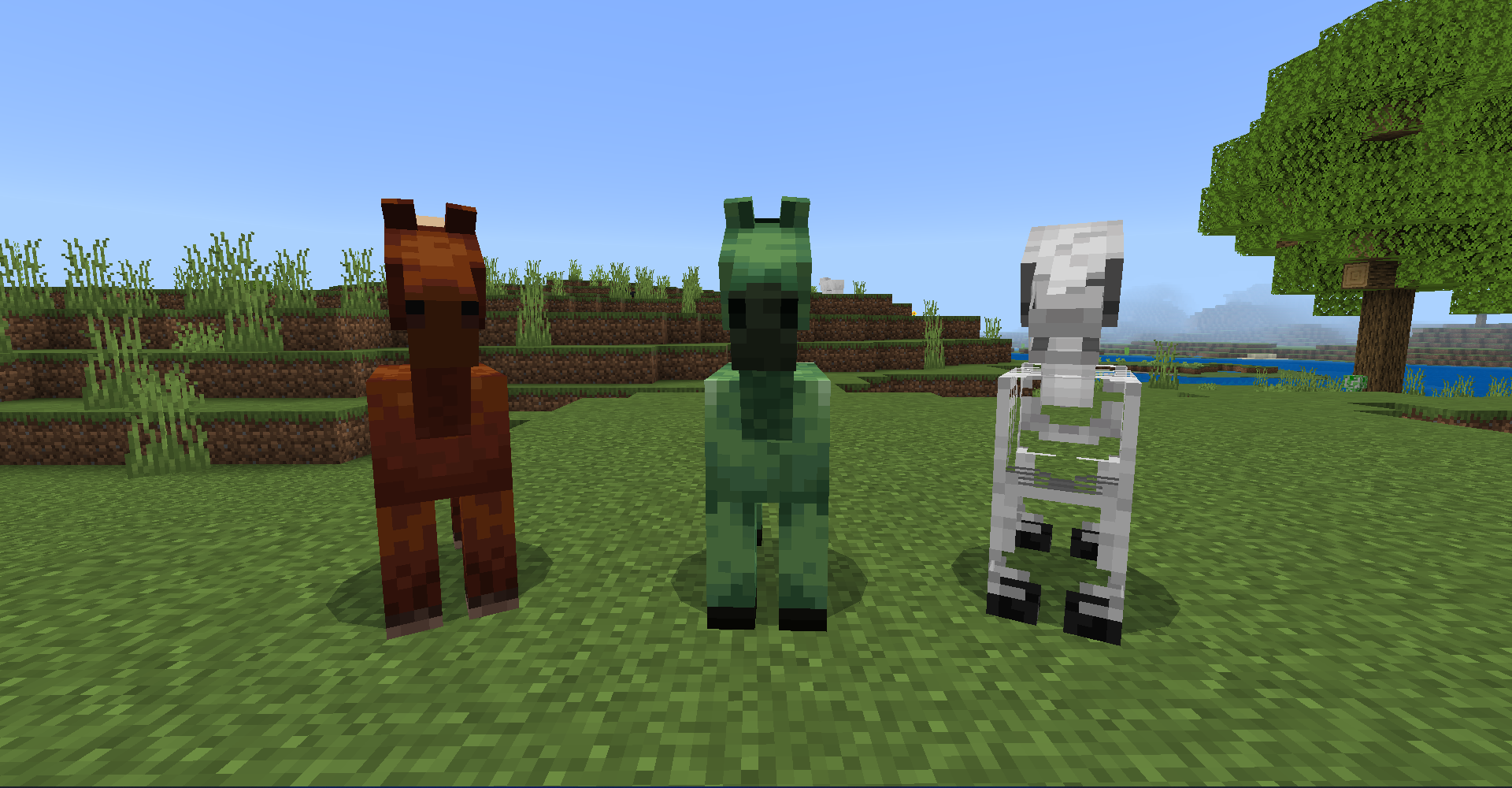
Horses are the same size as Skeleton Horses and Zombie Horses, even though they should be slightly bigger.
Horse Height: (Visual height only, hitbox is the same on both versions)
Bedrock: 1.3125 blocks tall
Java: 1.4375 blocks tall
Step to Reproduce:
1. Spawn a Horse
2. Spawn a Skeleton Horse or a Zombie Horse next to it
3. Look at the height of the Horse compared to the Skeleton/Zombie HorseExpected Result:
The Horse is bigger than the other Horse variantsObserved Result:
The Horse is the same size as the other Horse variants
Horses are the same size as Skeleton Horses and Zombie Horses, even though they should be slightly bigger.
Horse Height: (Visual height only, hitbox is the same on both versions)
Bedrock: 1.31
25blocks tallJava: 1.43
75blocks tallStep to Reproduce:
1. Spawn a Horse
2. Spawn a Skeleton Horse or a Zombie Horse next to it
3. Look at the height of the Horse compared to the Skeleton/Zombie HorseExpected Result:
The Horse is bigger than the other Horse variantsObserved Result:
The Horse is the same size as the other Horse variantsHorses are the same size as Skeleton Horses and Zombie Horses, even though they should be slightly bigger.
Horse Height: (Visual height only, hitbox is the same on both versions)
Bedrock: Around 1.31 blocks tall
Java: Around 1.43 blocks tall
Step to Reproduce:
1. Spawn a Horse
2. Spawn a Skeleton Horse or a Zombie Horse next to it
3. Look at the height of the Horse compared to the Skeleton/Zombie HorseExpected Result:
The Horse is bigger than the other Horse variantsObserved Result:
The Horse is the same size as the other Horse variants
Horses are the same size as Skeleton Horses and Zombie Horses, even though they should be slightly bigger.
Horse Height: (Visual height only, hitbox is the same on both versions)
Bedrock: Around 1.31 blocks tall
Java: Around 1.4
3blocks tallStep to Reproduce:
1. Spawn a Horse
2. Spawn a Skeleton Horse or a Zombie Horse next to it
3. Look at the height of the Horse compared to the Skeleton/Zombie HorseExpected Result:
The Horse is bigger than the other Horse variantsObserved Result:
The Horse is the same size as the other Horse variantsHorses are the same size as Skeleton Horses and Zombie Horses, even though they should be slightly bigger.
Horse Height: (Visual height only, hitbox is the same on both versions)
Bedrock: Around 1.31 blocks tall
Java: Around 1.44 blocks tall
Step to Reproduce:
1. Spawn a Horse
2. Spawn a Skeleton Horse or a Zombie Horse next to it
3. Look at the height of the Horse compared to the Skeleton/Zombie HorseExpected Result:
The Horse is bigger than the other Horse variantsObserved Result:
The Horse is the same size as the other Horse variants
Horses are the same size as Skeleton Horses and Zombie Horses, even though they should be slightly bigger.
Horse Height: (Visual height only, hitbox is the same on both versions)
Bedrock:
Around 1.31 blocks tallJava: Around 1.44 blocks tall
Step to Reproduce:
1. Spawn a Horse
2. Spawn a Skeleton Horse or a Zombie Horse next to it
3. Look at the height of the Horse compared to the Skeleton/Zombie HorseExpected Result:
The Horse is bigger than the other Horse variantsObserved Result:
The Horse is the same size as the other Horse variants
Horses are the same size as Skeleton Horses and Zombie Horses, even though they should be slightly bigger.
Horse Body Height: (Visual height only, hitbox is the same on both versions)
Bedrock: Around 1.31 blocks tall
Java: Around 1.44 blocks tall
Step to Reproduce:
1. Spawn a Horse
2. Spawn a Skeleton Horse or a Zombie Horse next to it
3. Look at the height of the Horse compared to the Skeleton/Zombie HorseExpected Result:
The Horse is bigger than the other Horse variantsObserved Result:
The Horse is the same size as the other Horse variants
Horses are the same size as Skeleton Horses and Zombie Horses, even though they should be slightly bigger.
Horse Body Height: (Visual height only, hitbox is the same on both versions)
Bedrock: Around 1.31 blocks tall
Java: Around 1.44 blocks tall
Step to Reproduce:
1. Spawn a Horse
2. Spawn a Skeleton Horse or a Zombie Horse next to it
3. Look at the height of the Horse compared to the Skeleton/Zombie HorseExpected Result:
The Horse is bigger than the other Horse variantsObserved Result:
The Horse is the same size as the other Horse variantsHorses are the same size as Skeleton Horses and Zombie Horses, even though they should be slightly bigger. This would be an extremely easy fix by simply setting the line "scale": 1.1 to the scripts section of horse_v3.entity.json, and then fixing the rider position.
Horse Body Height: (Visual height only, hitbox is the same on both versions)
Bedrock: Around 1.31 blocks tall
Java: Around 1.44 blocks tall
Step to Reproduce:
1. Spawn a Horse
2. Spawn a Skeleton Horse or a Zombie Horse next to it
3. Look at the height of the Horse compared to the Skeleton/Zombie HorseExpected Result:
The Horse is bigger than the other Horse variantsObserved Result:
The Horse is the same size as the other Horse variants
Horses are the same size as Skeleton Horses and Zombie Horses, even though they should be slightly bigger. This would be an extremely easy fix by simply
setting the line "scale": 1.1 to the scripts section of horse_v3.entity.json, and then fixing the rider position.Horse Body Height: (Visual height only, hitbox is the same on both versions)
Bedrock: Around 1.31 blocks tall
Java: Around 1.44 blocks tall
Step to Reproduce:
1. Spawn a Horse
2. Spawn a Skeleton Horse or a Zombie Horse next to it
3. Look at the height of the Horse compared to the Skeleton/Zombie HorseExpected Result:
The Horse is bigger than the other Horse variantsObserved Result:
The Horse is the same size as the other Horse variantsHorses are the same size as Skeleton Horses and Zombie Horses, even though they should be slightly bigger. This would be an extremely easy fix by simply adding the line "scale": 1.1 to the scripts section of horse_v3.entity.json, and then fixing the rider position.
Horse Body Height: (Visual height only, hitbox is the same on both versions)
Bedrock: Around 1.31 blocks tall
Java: Around 1.44 blocks tall
Step to Reproduce:
1. Spawn a Horse
2. Spawn a Skeleton Horse or a Zombie Horse next to it
3. Look at the height of the Horse compared to the Skeleton/Zombie HorseExpected Result:
The Horse is bigger than the other Horse variantsObserved Result:
The Horse is the same size as the other Horse variants
Horses are the same size as Skeleton Horses and Zombie Horses, even though they should be slightly bigger. This would be an extremely easy fix by simply adding the line "scale": "1.1" to the scripts section of horse_v3.entity.json, and then fixing the rider position.
Horse Body Height: (Visual height only, hitbox is the same on both versions)
Bedrock: Around 1.31 blocks tall
Java: Around 1.44 blocks tall
Step to Reproduce:
1. Spawn a Horse
2. Spawn a Skeleton Horse or a Zombie Horse next to it
3. Look at the height of the Horse compared to the Skeleton/Zombie HorseExpected Result:
The Horse is bigger than the other Horse variantsObserved Result:
The Horse is the same size as the other Horse variants
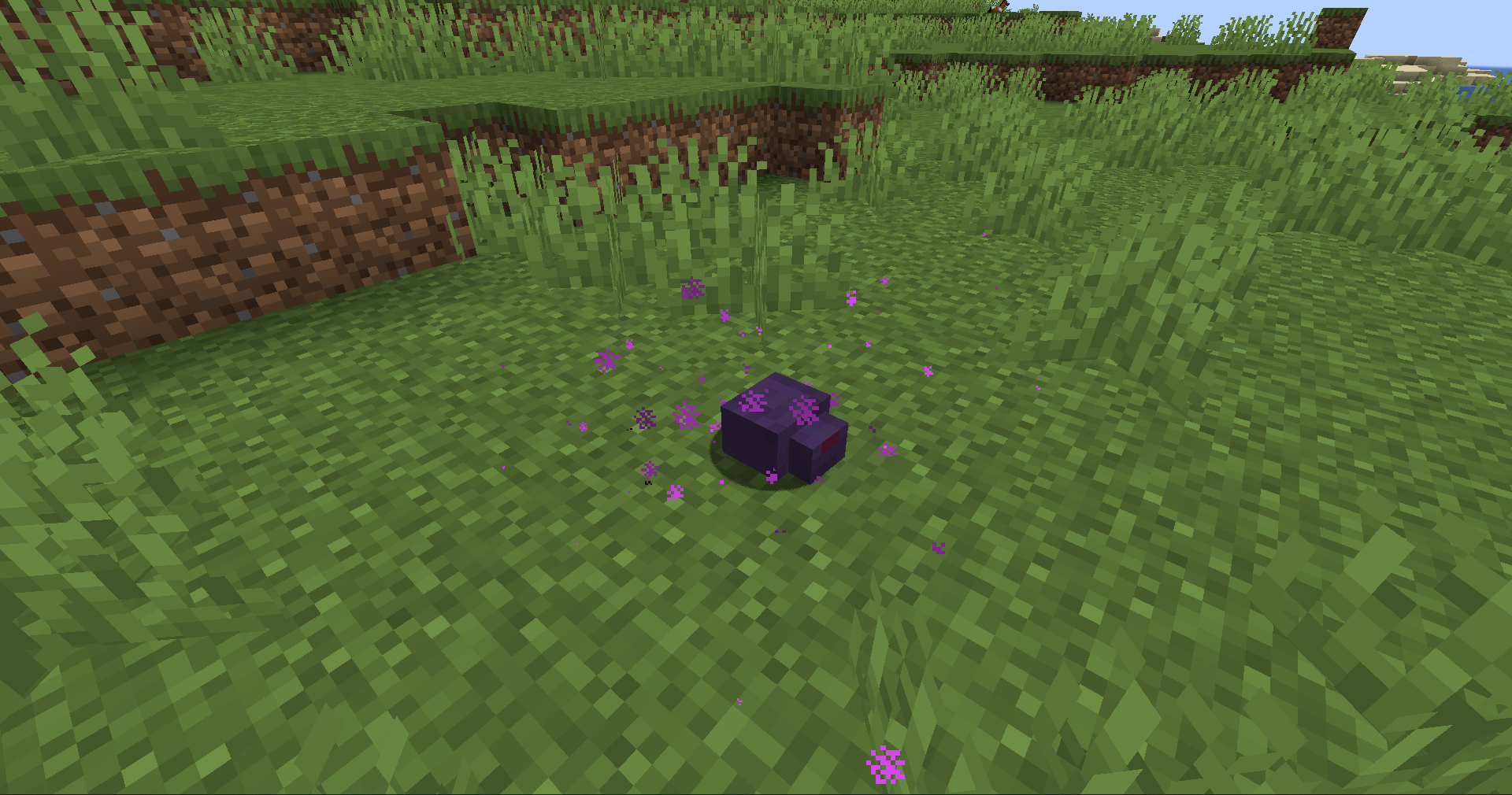
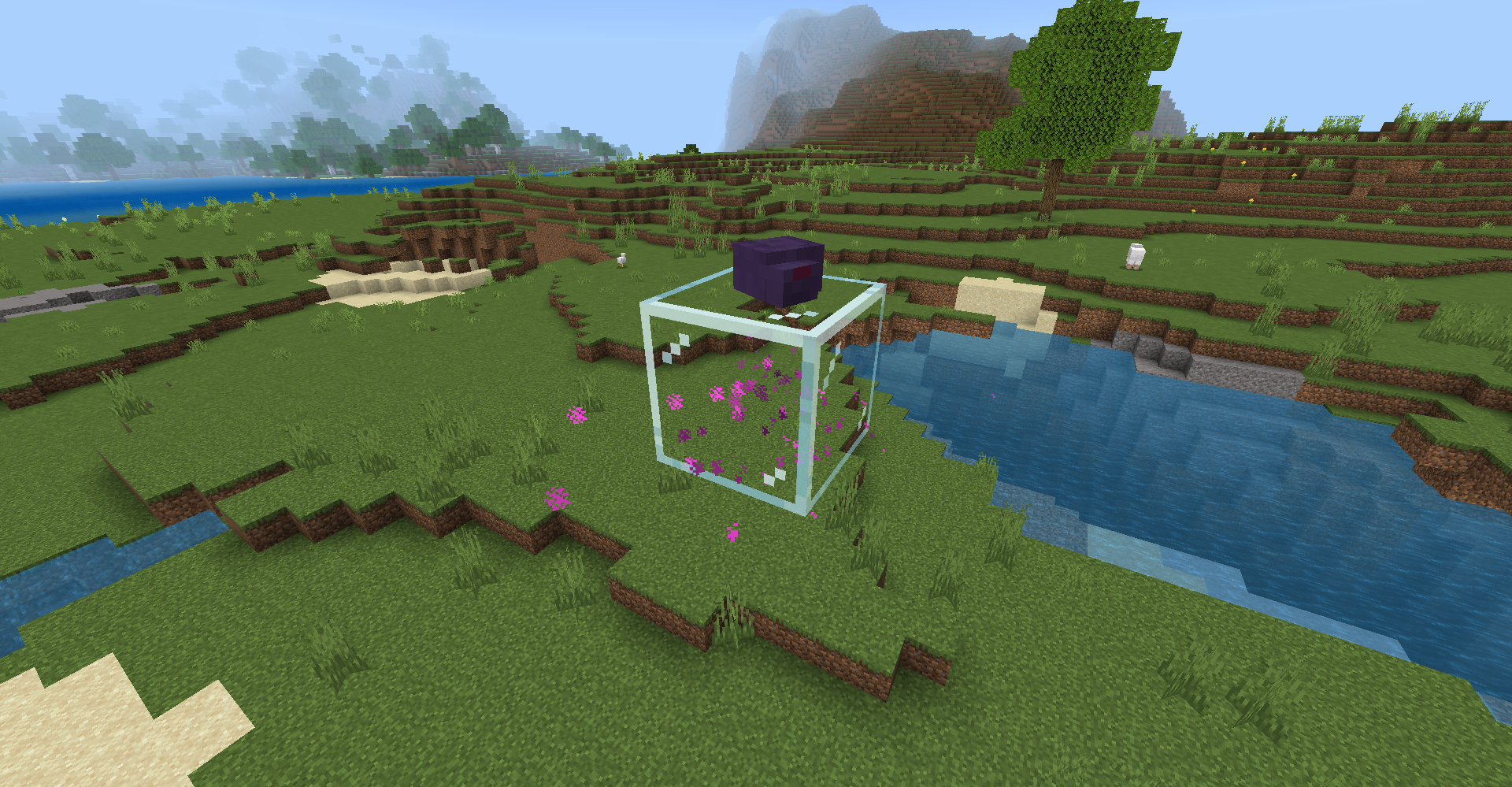
Filling End Portal Frames does not emit particles anymore
The jungle boat has a few unused pixels in its texture. This is not an issue for other boat textures including the jungle chest boat.
Step to Reproduce:
1. Go to the textures folder in the files for the latest version of Minecraft
2. look in the folder titles 'entity'
3. look in the folder titles 'boat'Expected Result:
The texture for jungle boats match all other boat texturesObserved Result:
The texture for jungle boats has a few unused pixels
The jungle boat has a few unused pixels in its texture. This is not an issue for other boat textures including the jungle chest boat.
Step to Reproduce:
1. Go to the textures folder in the files for the latest version of Minecraft
2.look in the folder titles'entity'
3.look in the folder titles'boat'Expected Result:
The texture for jungle boats match all other boat texturesObserved Result:
The texture for jungle boats has a few unused pixelsThe jungle boat has a few unused pixels in its texture. This is not an issue for other boat textures including the jungle chest boat.
Step to Reproduce:
1. Go to the textures folder in the files for the latest version of Minecraft
2. Look in the folder titled 'entity'
3. Look in the folder titled 'boat'Expected Result:
The texture for jungle boats match all other boat texturesObserved Result:
The texture for jungle boats has a few unused pixels
Skeletons, Strays, and Boggedcan't light entities onfire when attackingZombies have a 100% chance to spread fire when attacking while on fire
Recently it was updated to where when Zombies attack an entity while burning in daylight, they will spread the fire to that entity. This seems to have been missed for Skeletons, Strays, and Bogged, likely because they are rarely seen without a bow and only rarely use melee to attack. This could be fixed by adding the line "can_spread_on_fire": true to their behavior file.
Step to Reproduce:
1. Spawn aSkeleton, Stray, or Bogged
2. Type in the command /replaceitem entity @e[family=skeleton] slot.weapon.mainhand 0 air OR give themasword and let them pick it up
3. Let them attack you while they are on fireExpected Result:
They spread the fire to the entity they are attackingObserved Result:
They don't spread the fire to the entity they areattackingRecently it was updated to where when Zombies attack an entity while burning in daylight, they will spread the fire to that entity. This seems to have been messed up however, as there is a 100% chance to spread fire to the entity when attacking instead of it being a rare chance, making them more dangerous.
Step to Reproduce:
1. Spawn a Zombie
2. Make sure they are in daylight or on fire
3. Let them attack you while they are on fireExpected Result:
They spread the fire to the entity they are attacking every once in a whileObserved Result:
They don't spread the fire to the entity they are every hit
Recently it was updated to where when Zombies attack an entity while burning in daylight, they will spread the fire to that entity. This seems to have been messed up however, as there is a 100% chance to spread fire to the entity when attacking instead of it being a rare chance, making them more dangerous.
Step to Reproduce:
1. Spawn a Zombie
2. Make sure they are in daylight or on fire
3. Let them attack you while they are on fireExpected Result:
They spread the fire to the entity they are attacking every once in a whileObserved Result:
Theydon'tspread the fire to the entity they are every hitRecently it was updated to where when Zombies attack an entity while burning in daylight, they will spread the fire to that entity. This seems to have been messed up however, as there is a 100% chance to spread fire to the entity when attacking instead of it being a rare chance, making them more dangerous.
Step to Reproduce:
1. Spawn a Zombie
2. Make sure they are in daylight or on fire
3. Let them attack you while they are on fireExpected Result:
They spread the fire to the entity they are attacking every once in a whileObserved Result:
They spread the fire to the entity they are attacking every hit
Skeleton_Attacking.mp4
On
the latest previewa bug was introduced where when you spam click to attack a mob while you are sprint jumping towards it, you will randomly lose all of your momentum. This creates noticable stuttering that is very annoying to deal with in game.Step to Reproduce:
- Spawn any mob
- Start sprinting and jumping towards the mob
- Spam the attack button/key while sprint jumping towards the mob
Expected Result:
You keep all of your momentum while sprint jumping and attacking the mobObserved Result:
You will randomly stop and lose all momentum, creating annoying stutteringOn 1.21.60.24 a bug was introduced where when you spam click to attack a mob while you are sprint jumping towards it, you will randomly lose all of your momentum. This creates noticable stuttering that is very annoying to deal with in game.
Step to Reproduce:
- Spawn any mob
- Start sprinting and jumping towards the mob
- Spam the attack button/key while sprint jumping towards the mob
Expected Result:
You keep all of your momentum while sprint jumping and attacking the mobObserved Result:
You will randomly stop and lose all momentum, creating annoying stuttering
On 1.21.60.24 a bug was introduced where when you spam click to attack a mob while you are sprint jumping towards it, you will randomly lose all of your momentum. This creates noticable stuttering that is very annoying to deal with in game.
This issue actually seems to have worsened in 1.21.70.20
Step to Reproduce:
- Spawn any mob
- Start sprinting and jumping towards the mob
- Spam the attack button/key while sprint jumping towards the mob
Expected Result:
You keep all of your momentum while sprint jumping and attacking the mobObserved Result:
You will randomly stop and lose all momentum, creating annoying stuttering
On 1.21.60.24 a bug was introduced where when you spam click to attack a mob while you are sprint jumping towards it, you will randomly lose all of your momentum. This creates noticable stuttering that is very annoying to deal with in game.
This issue actually seems to have worsened in 1.21.70.20, as instead of losing all momentum while attacking and sprint jumping the player is almost teleported backwards.
Step to Reproduce:
- Spawn any mob
- Start sprinting and jumping towards the mob
- Spam the attack button/key while sprint jumping towards the mob
Expected Result:
You keep all of your momentum while sprint jumping and attacking the mobObserved Result:
You will randomly stop and lose all momentum, creating annoying stuttering
On 1.21.60.24 a bug was introduced where when you spam click to attack a mob while you are sprint jumping towards it, you will randomly lose all of your momentum. This creates noticable stuttering that is very annoying to deal with in game.
This issue actually seems to have worsened in 1.21.70.20, as instead of losing all momentum while attacking and sprint jumping, the player is almost teleported backwards.
Step to Reproduce:
- Spawn any mob
- Start sprinting and jumping towards the mob
- Spam the attack button/key while sprint jumping towards the mob
Expected Result:
You keep all of your momentum while sprint jumping and attacking the mobObserved Result:
You will randomly stop and lose all momentum, creating annoying stuttering
On 1.21.60.24 a bug was introduced where when you spam click to attack a mob while you are sprint jumping towards it, you will randomly lose all of your momentum. This creates noticable stuttering that is very annoying to deal with in game.
This issue actually seems to have worsened in 1.21.70.20, as instead of losing all momentum while attacking and sprint jumping, the player is now almost teleported backwards.
Step to Reproduce:
- Spawn any mob
- Start sprinting and jumping towards the mob
- Spam the attack button/key while sprint jumping towards the mob
Expected Result:
You keep all of your momentum while sprint jumping and attacking the mobObserved Result:
You will randomly stop and lose all momentum, creating annoying stuttering
On 1.21.60.24 a bug was introduced where when you spam click to attack a mob while you are sprint jumping towards it, you will randomly lose all of your momentum. This creates noticable stuttering that is very annoying to deal with in game.
This issue actually seems to have worsened in 1.21.70.20, as instead of losing all momentum while attacking and sprint jumping, the player is
nowalmost teleported backwards.
Step to Reproduce:
- Spawn any mob
- Start sprinting and jumping towards the mob
- Spam the attack button/key while sprint jumping towards the mob
Expected Result:
You keep all of your momentum while sprint jumping and attacking the mobObserved Result:
You will randomly stop and lose all momentum, creating annoying stuttering
Attacking a mob while sprint jumping randomly removes all of the player's momentum, and sometime teleports the player backwards
Attacking a mob while sprint jumping randomly removes all of the player's momentum, and sometimes teleports the player backwards
Attacking a mob while sprint jumping randomly removes all of the player's momentum,andsometimes teleportsthe player backwardsAttacking a mob while sprint jumping randomly removes all of the player's momentum, sometimes teleporting the player backwards
Attacking a mob while sprint jumping randomly removes all of the player's momentum, sometimes even teleporting the player backwards
In snapshots leading up to the release of 1.21.2, Turtle swimming animations were randomly changed so that their front fins will also rotate along the x axis. This is possibly a bug, as it was not mentioned in any snapshot changelogs leading up to 1.21.2 or the actual
1.21.2changelog itself.
Step to Reproduce:
1. Spawn a Turtle in the water on 1.21.1 or an older version
2. Spawn a Turtle in the water on 1.21.2 or a newer version
3. Look at the Turtle's front fins while it is swimming in both versions, they will rotate along the x axis after 1.21.2 despite this change not being listed in any changelogsExpected Result:
Turtles only rotate their front fins along the z axis while swimming like they did in previous versions OR this change is acknowledged as intentionalObserved Result:
Turtles will now rotate their front fins along the x axis while swimmingIn snapshots leading up to the release of 1.21.2 (24w35a to be exact), Turtle swimming animations were randomly changed so that their front fins will also rotate along the x axis. This is possibly a bug, as it was not mentioned in any other snapshot changelogs leading up to 1.21.2 or the actual 24w35a changelog itself.
Step to Reproduce:
1. Spawn a Turtle in the water on 1.21.1 or an older version
2. Spawn a Turtle in the water on 1.21.2 or a newer version
3. Look at the Turtle's front fins while it is swimming in both versions, they will rotate along the x axis after 1.21.2 despite this change not being listed in any changelogsExpected Result:
Turtles only rotate their front fins along the z axis while swimming like they did in previous versions OR this change is acknowledged as intentionalObserved Result:
Turtles will now rotate their front fins along the x axis while swimming
Animated entity UV textures don't work while using RTX
Animated entity UV textures don't work while using RTXSome animated entity UV textures don't work while using RTX
Animated entity UV textures, such as the wind effect around Conduits and the Breeze, will not work while using RTX. They will either not render or just be static textures without an animation.
RTX Pack Used: Vanilla RTX Normals
Step to Reproduce:
1. Apply an RTX resource pack
2. Get an entity that has an animated texture
3. Turn on RTXExpected Result:
The texture works fine with or without RTX enabledObserved Result:
The texture breaks
Examples:
Some animated entity UV textures, such as the wind effect around Conduits and the Breeze, will not work while using RTX. They will either not render or just be static textures without an animation. This should be fixed as other animated entity UV textures such as Charged Creeper armor, do work with RTX.
RTX Pack Used: Vanilla RTX Normals
Step to Reproduce:
1. Apply an RTX resource pack
2. Get an entity that has an animated texture
3. Turn on RTXExpected Result:
The texture works fine with or without RTX enabledObserved Result:
The texture breaks
Examples:
Some animated entity UV textures, such as the wind effect around Conduits and the Breeze, will not work while using RTX. They will either not render or just be static textures without an animation. This should be fixed as other animated entity UV textures such as Charged Creeper armor, do work
with RTX.
RTX Pack Used: Vanilla RTX Normals
Step to Reproduce:
1. Apply an RTX resource pack
2. Get an entity that has an animated texture
3. Turn on RTXExpected Result:
The texture works fine with or without RTX enabledObserved Result:
The texture breaks
Examples:
Some animated entity UV textures, such as the wind effect around Conduits and the Breeze, will not work while using RTX. They will either not render or just be static textures without an animation. This should be fixed, as other animated entity UV textures such as Charged Creeper armor, do workwith RTX.
RTX Pack Used: Vanilla RTX Normals
Step to Reproduce:
1. Apply an RTX resource pack
2. Get an entity that has an animated texture
3. Turn on RTXExpected Result:
The texture works fine with or without RTX enabledObserved Result:
The texture breaks
Examples:
Some animated entity UV textures, such as the wind effect around Conduits and the Breeze, will not work while using RTX. They will either not render or just be static textures without an animation. This should be fixed, as other animated entity UV textures such as Charged Creeper armor
,do workwith RTX.
RTX Pack Used: Vanilla RTX Normals
Step to Reproduce:
1. Apply an RTX resource pack
2. Get an entity that has an animated texture
3. Turn on RTXExpected Result:
The texture works fine with or without RTX enabledObserved Result:
The texture breaks
Examples:
Some animated entity UV textures, such as the wind effect around Conduits and the Breeze, will not work while using RTX. They will either not render or just be static textures without an animation. This should be fixed, as other animated entity UV textures such as Charged Creeper armor do work with RTX.
RTX Pack Used: Vanilla RTX Normals
Step to Reproduce:
1. Apply an RTX resource pack
2. Get an entity that has an animated texture
3. Turn on RTXExpected Result:
The texture works fine with or without RTX enabledObserved Result:
The texture breaks
Examples:
Fixed in 1.21.20.22
I am having the same problem, this issue has also made its way into the base game with 1.21.20
@GoldenHelmet the heights I stated are just visual and I updated the description to clarify this. Both screenshots are vanilla, horses are noticeably bigger in Java. I also forgot to clarify that this is the height for the body, not the entire model.
This seems to be mostly working as of 1.21.50.25, however blocks that normally have no ambient occlusion (such as blocks that emit light) still aren't affected
This seems like a bug you are having with an addon, not the vanilla game. This should be sent to the creator of the addon instead of the offical bug tracker site.
Can confirm on 1.21.51. This makes certain mobs like the Creaking way less dangerous than they should be.
@GenkiMods Yeah, this would be an extremely easy fix to implement in vanilla. The sounds are in the game, it just seems Mojang forgot to actually use them correctly.
@Emir Misiratov Added a video showing the steps to reproduce, and the sound only playing once
@MrMuskle Thanks for finding the exact snapshot, I'll update the description to include it
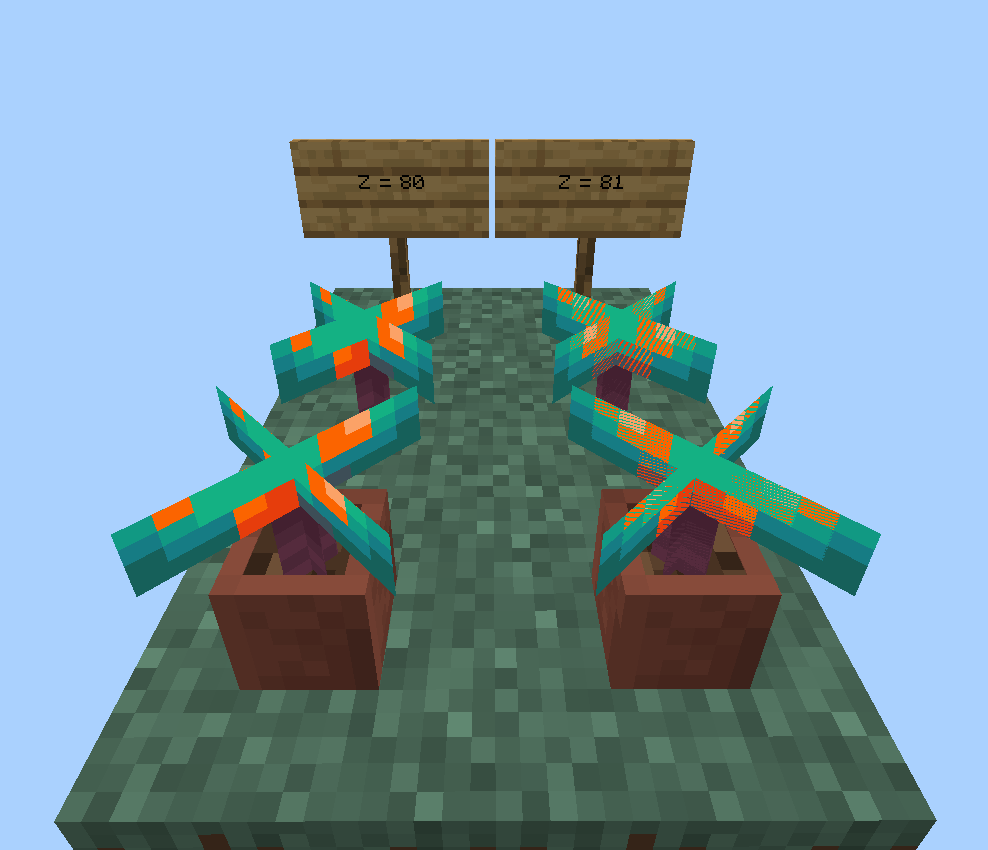
@boda kugga It seems all of the blocks that are now z-fighting only do it on certain coordinates, and on some coordinates they look normal without the z-fighting
Can confirm, although they only have z-fighting on some coordinates. For example, if their z-coordinate is at 80 then they will look normal, but place them almost anywhere else and they will start z-fighting.
Can confirm, the player also rotates when moving backwards which is unintentional. See MCPE-49899
Now would be a good time to fix both of these issues
As of 1.21.70.22 this also affects the forwards walking/running animation