 Jeff Miranda
- HiroTDK
- hirotdk
- Europe/Stockholm
- Yes
- No
 MC-46647
![[Mojang] Searge (Michael Stoyke)](../../../data/assets/gravatar/searge.png)

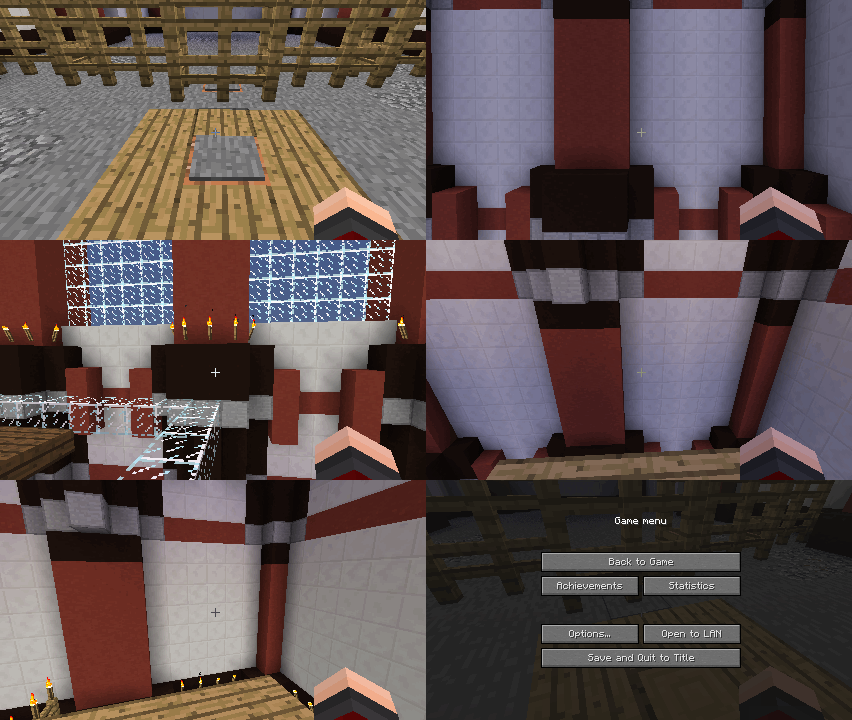

This is confirmed for 14w05a as well. This is currently my only real hurdle in a puzzle that I'm working on. Here's an animated GIF of this issue at hand. http://i.imgur.com/N9flBSK.gif
When using /tp ~ ~ ~ ~ , sometimes rotation is not properly preserved and the player's pitch and yaw are set to 0. I've attached an animated GIF displaying the issue. The elevator here uses a series of
|/tp @e ["target stuff"] ~ ~1 ~ ~|commands to move the player up. As you'll notice, occasionally, the player will be improperly turned toward the wall.
When using
/tp ~ ~ ~ ~, sometimes rotation is not properly preserved and the player's pitch and yaw are set to 0. I've attached an animated GIF displaying the issue. The elevator here uses a series of /tp @e ["target stuff"] ~ ~1~ ~commands to move the player up. As you'll notice, occasionally, the player will be improperly turned toward the wall.When using /tp ~ ~ ~ ~ , sometimes rotation is not properly preserved and the player's pitch and yaw are set to 0. I've attached an animated GIF displaying the issue. The elevator here uses a series of /tp @e ["target stuff"] ~ ~1 ~ ~ commands to move the player up. As you'll notice, occasionally, the player will be improperly turned toward the wall.
/tp ~ ~ ~ ~ ~ SometimesFails To Preserve Rotation.Teleporting (/tp) Fails To Preserve Rotation, Momentum, Relative Position
When using /tp ~ ~ ~ ~ , sometimes rotation is not properly preserved and the player's pitch and yaw are set to 0. I've attached an animated GIF displaying the issue. The elevator here uses a series of /tp @e ["target stuff"] ~ ~1 ~ ~ commands to move the player up. As you'll notice, occasionally, the player will be improperly turned toward the wall.
EDIT: It's been quite a while since the original report, and I'd like to update it with a lot more information.
It seems that when using the /tp command, the server and the client often have major disagreements about the rotation, momentum, and position of the player.
EDIT: It's been quite a while since the original report, and I'd like to update it with a lot more information.
It seems that when using the /tp command, the server and the client often have major disagreements about the rotation, momentum, and position of the player. When I filed the original report, it seemed to only result in the character's rotation being set to 0,0 and some occasionally choppy movement.
Now though, teleports seem to always result in choppy movement. Information about the teleport seems to be outdated, so to speak. It's most evident in the second attachment. When you have a series of teleports, any movement during the process is completely unpreserved.
EDIT: It's been quite a while since the original report, and I'd like to update it with a lot more information.
It seems that when using the /tp command, the server and the client often have major disagreements about the rotation, momentum, and position of the player. When I filed the original report, it seemed to only result in the character's rotation being set to 0,0 and some occasionally choppy movement.
Now though, teleports seem to always result in choppy movement. Information about the teleport seems to be outdated, so to speak. It's most evident in the second attachment. When you have a series of teleports, any movement during the process is almost completely unpreserved. Sometimes even prior teleports are disregarded by the client leading to the character seemingly falling through the floor. The server always seems to get it right and the client eventually agrees, but until then, the process is an eyesore.
Viewing the two attachments, the first from 14w03b, the second from 1.8-pre1, you can see the major degradation of this feature over the seven months.
When powering doors by placing a Redstone Block/Torch/et cetera adjacent to them, the doors are not unpowered when the block is removed via commands using the replace function. They properly become unpowered when using the destroy function, however. This applies to all doors
andtrapdoors.Steps To Reproduce:
1) Place any two doors.
2) Place one Redstone Block next to each door.
3) Remove one Redstone Block using /setblock ~ ~ ~ air 0 replace.
4) Remove the other using /setblock ~ ~ ~ air 0 destroy.Step three will not unpower the door. Step four will. Other redstone devices work correctly- as far as I've tested- and unpower upon removal.
When powering doors by placing a Redstone Block/Torch/et cetera adjacent to them, the doors are not unpowered when the block is removed via commands using the replace function. They properly become unpowered when using the destroy function, however. This applies to all doors, trapdoors, and fence gates.
Steps To Reproduce:
1) Place any two doors.
2) Place one Redstone Block next to each door.
3) Remove one Redstone Block using /setblock ~ ~ ~ air 0 replace.
4) Remove the other using /setblock ~ ~ ~ air 0 destroy.Step three will not unpower the door. Step four will. Other redstone devices work correctly- as far as I've tested- and unpower upon removal.
In one of my worlds, my game encountered a crash upon taking a screenshot.
Here is the report for that:---- Minecraft Crash Report ----
// I'm sorry, Dave.Time: 8/29/14 2:00 AM
Description: Exception in server tick loopjava.lang.IllegalArgumentException: n must be positive
at java.util.Random.nextInt(Unknown Source)
at arw.a(SourceFile:153)
at arw.a(SourceFile:49)
at ark.a(SourceFile:389)
at bgt.a(SourceFile:472)
at qs.a(SourceFile:174)
at bff.a(SourceFile:870)
at qs.c(SourceFile:104)
at qr.<init>(SourceFile:39)
at qq.a(SourceFile:231)
at qq.a(SourceFile:408)
at sn.a(SourceFile:813)
at cyi.y(SourceFile:159)
at net.minecraft.server.MinecraftServer.run(SourceFile:447)
at java.lang.Thread.run(Unknown Source)Then, the game consistently crashes upon reloading the world. Here is that report.
---- Minecraft Crash Report ----
// Hey, that tickles! Hehehe!Time: 8/29/14 2:16 AM
Description: Ticking memory connectionjava.lang.IllegalArgumentException: n must be positive
at java.util.Random.nextInt(Unknown Source)
at arw.a(SourceFile:153)
at arw.a(SourceFile:49)
at ark.a(SourceFile:389)
at bgt.a(SourceFile:472)
at qs.a(SourceFile:174)
at bff.a(SourceFile:870)
at qs.c(SourceFile:104)
at qr.<init>(SourceFile:39)
at qq.a(SourceFile:231)
at qq.a(SourceFile:263)
at sn.a(SourceFile:225)
at sn.c(SourceFile:277)
at sn.a(SourceFile:132)
at rq.b(SourceFile:96)
at rq.c(SourceFile:54)
at gr.a(SourceFile:187)
at rc.c(SourceFile:151)
at net.minecraft.server.MinecraftServer.z(SourceFile:625)
at net.minecraft.server.MinecraftServer.y(SourceFile:531)
at cyi.y(SourceFile:155)
at net.minecraft.server.MinecraftServer.run(SourceFile:447)
at java.lang.Thread.run(Unknown Source)A detailed walkthrough of the error, its code path and all known details is as follows:
---------------------------------------------------------------------------------------– Head –
Stacktrace:
at java.util.Random.nextInt(Unknown Source)
at arw.a(SourceFile:153)
at arw.a(SourceFile:49)
at ark.a(SourceFile:389)
at bgt.a(SourceFile:472)
at qs.a(SourceFile:174)
at bff.a(SourceFile:870)
at qs.c(SourceFile:104)
at qr.<init>(SourceFile:39)
at qq.a(SourceFile:231)
at qq.a(SourceFile:263)
at sn.a(SourceFile:225)
at sn.c(SourceFile:277)
at sn.a(SourceFile:132)
at rq.b(SourceFile:96)
at rq.c(SourceFile:54)
at gr.a(SourceFile:187)– Ticking connection –
Details:
Connection: gr@6355ad25
Stacktrace:
at rc.c(SourceFile:151)
at net.minecraft.server.MinecraftServer.z(SourceFile:625)
at net.minecraft.server.MinecraftServer.y(SourceFile:531)
at cyi.y(SourceFile:155)
at net.minecraft.server.MinecraftServer.run(SourceFile:447)
at java.lang.Thread.run(Unknown Source)In one of my worlds, my game encountered a crash upon taking a screenshot. Then, the game consistently crashes upon reloading the world. I've gone back through multiple versions trying to load the world. Every version following 1.7.2, starting with
Report #1 (Screenshot)
---- Minecraft Crash Report ----
// I'm sorry, Dave.Time: 8/29/14 2:00 AM
Description: Exception in server tick loopjava.lang.IllegalArgumentException: n must be positive
at java.util.Random.nextInt(Unknown Source)
at arw.a(SourceFile:153)
at arw.a(SourceFile:49)
at ark.a(SourceFile:389)
at bgt.a(SourceFile:472)
at qs.a(SourceFile:174)
at bff.a(SourceFile:870)
at qs.c(SourceFile:104)
at qr.<init>(SourceFile:39)
at qq.a(SourceFile:231)
at qq.a(SourceFile:408)
at sn.a(SourceFile:813)
at cyi.y(SourceFile:159)
at net.minecraft.server.MinecraftServer.run(SourceFile:447)
at java.lang.Thread.run(Unknown Source)Report #2 (Loading World)
---- Minecraft Crash Report ----
// Hey, that tickles! Hehehe!Time: 8/29/14 2:16 AM
Description: Ticking memory connectionjava.lang.IllegalArgumentException: n must be positive
at java.util.Random.nextInt(Unknown Source)
at arw.a(SourceFile:153)
at arw.a(SourceFile:49)
at ark.a(SourceFile:389)
at bgt.a(SourceFile:472)
at qs.a(SourceFile:174)
at bff.a(SourceFile:870)
at qs.c(SourceFile:104)
at qr.<init>(SourceFile:39)
at qq.a(SourceFile:231)
at qq.a(SourceFile:263)
at sn.a(SourceFile:225)
at sn.c(SourceFile:277)
at sn.a(SourceFile:132)
at rq.b(SourceFile:96)
at rq.c(SourceFile:54)
at gr.a(SourceFile:187)
at rc.c(SourceFile:151)
at net.minecraft.server.MinecraftServer.z(SourceFile:625)
at net.minecraft.server.MinecraftServer.y(SourceFile:531)
at cyi.y(SourceFile:155)
at net.minecraft.server.MinecraftServer.run(SourceFile:447)
at java.lang.Thread.run(Unknown Source)A detailed walkthrough of the error, its code path and all known details is as follows:
---------------------------------------------------------------------------------------– Head –
Stacktrace:
at java.util.Random.nextInt(Unknown Source)
at arw.a(SourceFile:153)
at arw.a(SourceFile:49)
at ark.a(SourceFile:389)
at bgt.a(SourceFile:472)
at qs.a(SourceFile:174)
at bff.a(SourceFile:870)
at qs.c(SourceFile:104)
at qr.<init>(SourceFile:39)
at qq.a(SourceFile:231)
at qq.a(SourceFile:263)
at sn.a(SourceFile:225)
at sn.c(SourceFile:277)
at sn.a(SourceFile:132)
at rq.b(SourceFile:96)
at rq.c(SourceFile:54)
at gr.a(SourceFile:187)– Ticking connection –
Details:
Connection: gr@6355ad25
Stacktrace:
at rc.c(SourceFile:151)
at net.minecraft.server.MinecraftServer.z(SourceFile:625)
at net.minecraft.server.MinecraftServer.y(SourceFile:531)
at cyi.y(SourceFile:155)
at net.minecraft.server.MinecraftServer.run(SourceFile:447)
at java.lang.Thread.run(Unknown Source)
In one of my worlds, my game encountered a crash upon taking a screenshot. Then, the game consistently crashes upon reloading the world. I've gone back through multiple versions trying to load the world. Every version following 1.7.2, starting with
Report #1 (Screenshot)
---- Minecraft Crash Report ----
// I'm sorry, Dave.Time: 8/29/14 2:00 AM
Description: Exception in server tick loopjava.lang.IllegalArgumentException: n must be positive
at java.util.Random.nextInt(Unknown Source)
at arw.a(SourceFile:153)
at arw.a(SourceFile:49)
at ark.a(SourceFile:389)
at bgt.a(SourceFile:472)
at qs.a(SourceFile:174)
at bff.a(SourceFile:870)
at qs.c(SourceFile:104)
at qr.<init>(SourceFile:39)
at qq.a(SourceFile:231)
at qq.a(SourceFile:408)
at sn.a(SourceFile:813)
at cyi.y(SourceFile:159)
at net.minecraft.server.MinecraftServer.run(SourceFile:447)
at java.lang.Thread.run(Unknown Source)Report #2 (Loading World)
---- Minecraft Crash Report ----
// Hey, that tickles! Hehehe!Time: 8/29/14 2:16 AM
Description: Ticking memory connectionjava.lang.IllegalArgumentException: n must be positive
at java.util.Random.nextInt(Unknown Source)
at arw.a(SourceFile:153)
at arw.a(SourceFile:49)
at ark.a(SourceFile:389)
at bgt.a(SourceFile:472)
at qs.a(SourceFile:174)
at bff.a(SourceFile:870)
at qs.c(SourceFile:104)
at qr.<init>(SourceFile:39)
at qq.a(SourceFile:231)
at qq.a(SourceFile:263)
at sn.a(SourceFile:225)
at sn.c(SourceFile:277)
at sn.a(SourceFile:132)
at rq.b(SourceFile:96)
at rq.c(SourceFile:54)
at gr.a(SourceFile:187)
at rc.c(SourceFile:151)
at net.minecraft.server.MinecraftServer.z(SourceFile:625)
at net.minecraft.server.MinecraftServer.y(SourceFile:531)
at cyi.y(SourceFile:155)
at net.minecraft.server.MinecraftServer.run(SourceFile:447)
at java.lang.Thread.run(Unknown Source)A detailed walkthrough of the error, its code path and all known details is as follows:
---------------------------------------------------------------------------------------– Head –
Stacktrace:
at java.util.Random.nextInt(Unknown Source)
at arw.a(SourceFile:153)
at arw.a(SourceFile:49)
at ark.a(SourceFile:389)
at bgt.a(SourceFile:472)
at qs.a(SourceFile:174)
at bff.a(SourceFile:870)
at qs.c(SourceFile:104)
at qr.<init>(SourceFile:39)
at qq.a(SourceFile:231)
at qq.a(SourceFile:263)
at sn.a(SourceFile:225)
at sn.c(SourceFile:277)
at sn.a(SourceFile:132)
at rq.b(SourceFile:96)
at rq.c(SourceFile:54)
at gr.a(SourceFile:187)– Ticking connection –
Details:
Connection: gr@6355ad25
Stacktrace:
at rc.c(SourceFile:151)
at net.minecraft.server.MinecraftServer.z(SourceFile:625)
at net.minecraft.server.MinecraftServer.y(SourceFile:531)
at cyi.y(SourceFile:155)
at net.minecraft.server.MinecraftServer.run(SourceFile:447)
at java.lang.Thread.run(Unknown Source)In one of my worlds, my game encountered a crash upon taking a screenshot. Then, the game consistently crashes upon reloading the world. I've gone back through multiple versions trying to load the world. Every version following 1.7.2, starting with 1.7.3-pre, crashes upon loading. The crash does not occur when loading in 1.7.2 or earlier, though I only tested with the 1.7 versions.
Report #1 (Screenshot)
---- Minecraft Crash Report ----
// I'm sorry, Dave.Time: 8/29/14 2:00 AM
Description: Exception in server tick loopjava.lang.IllegalArgumentException: n must be positive
at java.util.Random.nextInt(Unknown Source)
at arw.a(SourceFile:153)
at arw.a(SourceFile:49)
at ark.a(SourceFile:389)
at bgt.a(SourceFile:472)
at qs.a(SourceFile:174)
at bff.a(SourceFile:870)
at qs.c(SourceFile:104)
at qr.<init>(SourceFile:39)
at qq.a(SourceFile:231)
at qq.a(SourceFile:408)
at sn.a(SourceFile:813)
at cyi.y(SourceFile:159)
at net.minecraft.server.MinecraftServer.run(SourceFile:447)
at java.lang.Thread.run(Unknown Source)Report #2 (Loading World)
---- Minecraft Crash Report ----
// Hey, that tickles! Hehehe!Time: 8/29/14 2:16 AM
Description: Ticking memory connectionjava.lang.IllegalArgumentException: n must be positive
at java.util.Random.nextInt(Unknown Source)
at arw.a(SourceFile:153)
at arw.a(SourceFile:49)
at ark.a(SourceFile:389)
at bgt.a(SourceFile:472)
at qs.a(SourceFile:174)
at bff.a(SourceFile:870)
at qs.c(SourceFile:104)
at qr.<init>(SourceFile:39)
at qq.a(SourceFile:231)
at qq.a(SourceFile:263)
at sn.a(SourceFile:225)
at sn.c(SourceFile:277)
at sn.a(SourceFile:132)
at rq.b(SourceFile:96)
at rq.c(SourceFile:54)
at gr.a(SourceFile:187)
at rc.c(SourceFile:151)
at net.minecraft.server.MinecraftServer.z(SourceFile:625)
at net.minecraft.server.MinecraftServer.y(SourceFile:531)
at cyi.y(SourceFile:155)
at net.minecraft.server.MinecraftServer.run(SourceFile:447)
at java.lang.Thread.run(Unknown Source)A detailed walkthrough of the error, its code path and all known details is as follows:
---------------------------------------------------------------------------------------– Head –
Stacktrace:
at java.util.Random.nextInt(Unknown Source)
at arw.a(SourceFile:153)
at arw.a(SourceFile:49)
at ark.a(SourceFile:389)
at bgt.a(SourceFile:472)
at qs.a(SourceFile:174)
at bff.a(SourceFile:870)
at qs.c(SourceFile:104)
at qr.<init>(SourceFile:39)
at qq.a(SourceFile:231)
at qq.a(SourceFile:263)
at sn.a(SourceFile:225)
at sn.c(SourceFile:277)
at sn.a(SourceFile:132)
at rq.b(SourceFile:96)
at rq.c(SourceFile:54)
at gr.a(SourceFile:187)– Ticking connection –
Details:
Connection: gr@6355ad25
Stacktrace:
at rc.c(SourceFile:151)
at net.minecraft.server.MinecraftServer.z(SourceFile:625)
at net.minecraft.server.MinecraftServer.y(SourceFile:531)
at cyi.y(SourceFile:155)
at net.minecraft.server.MinecraftServer.run(SourceFile:447)
at java.lang.Thread.run(Unknown Source)
I believe that this issue has reoccurred. In 1.9.4, Squids and Leads behave exactly as described here.
![[Mod] turbo](../../../data/avatars/users/92867.png)
The bug
Maps in item frames (both regular and glow item frames) being tested by comparators will output 1,2,3,4 for the four orientations a map can have on an item frame, but will then output 5,6,7,8 for those same orientations when rotated a second time.
Steps to reproduce
1. Place an item frame, and a comparator that reads from it. Place a map (already 'used,' with some drawing that is not rotationally symmetrical) inside it. The map will expand to fill the edge, as expected.
2. Rotate the map 3 times; the comparator will output signals with respective strengths of 1, 2, 3, and 4, as expected.
3. Rotate the map again. The map is now back to an orientation identical to the original orientation of the map, yet the comparator now outputs 5. Continuing rotation of the map will step through 6, 7, and 8.
Code analysis
Code analysis by Jeff Miranda can be found in this comment.
This is still an issue the latest snapshot, 14w05a. It is annoyingly slow.
Confirmed in 14w05a as well.
This is confirmed for 14w05a as well. This is currently my only real hurdle in a puzzle that I'm working on. Here's an animated GIF of this issue at hand.
I can confirm this, as well as blocks that spectators are holding being visible, at least to other spectators.
This is still an occasional issue. I'm recording a video in a minute showing the issue, and I'll upload either it or a GIF. I'm not sure if they're related, but it appears that momentum and direction are occasionally unpreserved during relative teleporting.
While I cannot upload any video due to connection restraints, I can state that this is still a minor issue in the latest versions. It's odd now though, as it seems that rotation and momentum sometimes graphically glitch, showing you in a different position than you should be, but only for a frame or two before being corrected. It's as if the sever/client (I'm running locally, for the record.) are out of sync, ever so slightly.
As far as I can tell, the behavior is the same using /fill- which is the command I actually want to use it with- /setblock, and /clone. The issue is the replace does update redstone, like Redstone Lamps, Redstone Wire, et cetera, except doors. You can power doors using replace, but you cannot depower them. You can depower the other redstone related blocks.
The case for which I need it is opening and closing two adjacent sets of double doors. I planned on using /fill replace on the floor underneath to switch between Red Stained Hardened Clay and Redstone Blocks. The doors open when the floor is replaced with Redstone Blocks, but do not close when replaced with Red Stained Hardened Clay.
Upon further testing this is still a major issue in my newest build. Essentially, I'm using a series of /clone and /tp commands to simulate an elevator. Each of /tp and /clone commands are each delayed by two ticks by a Repeater on the second setting, powering each simultaneously. While the /clone commands seem to work rather fantastically, the /tp commands are incredibly buggy.
In transit, my view and position will randomly revert to whatever my position was at the start of the elevator, ignoring the y-axis, frequently jumping back again and allowing me to move around. Occasionally, I am reverted to the start of the elevator, taking into account the y-axis. Furthermore, the /tp commands end up being a tad behind the /clone commands in some cases, despite being powered simultaneously, leading occasionally to a rather jumpy ride. In fact, the animated GIF attached to the report is incredibly mild, as it seems to have gotten much worse since the initial report.
Our home Internet service is set up now and I'm only a few hours short of having the project ready for demonstration. If necessary, I'll soon be able to record video of this issue, as well as provide a download for the project. I was hoping that I could demonstrate this before the snapshot cycle was over.
Here is a particularly glaring example of the issue, exemplifying all of the issues that I am having.
https://bugs.mojang.com/secure/attachment/79857/UnconsciousWellgroomedHypsilophodon%5B1%5D.gif
The crash happens specifically when loading chunks that are marked as needing to be populated. I opened up the map in MCEdit and marked the chunks so as to not repopulate and the crash no longer occurred.
Taken from
MC-85469: "Squids cannot be pulled by leads in the current version of the game. The squid on the lead also cannot be attached to fences. The lead can also stretch on indeffinetly as long as the squid is loaded. It seems as if the squid isn't attatched to a lead at all except for the visual. The squid can however be right clicked to remove the lead."This is the exact behavior exhibited in 1.9.4.
Okay, I just checked the source and here's the root of the issue. In RenderItemFrame.renderItem(), there is the following line:
Here's a little table for that math:
Rotation = 0 | 0 % 4 = 0 | 0 x 2 = 0 | Map Rotation = 0
Rotation = 1 | 1 % 4 = 1 | 1 x 2 = 2 | Map Rotation = 2
Rotation = 2 | 2 % 4 = 2 | 2 x 2 = 4 | Map Rotation = 4
Rotation = 3 | 3 % 4 = 3 | 3 x 2 = 6 | Map Rotation = 6
Rotation = 4 | 4 % 4 = 0 | 0 x 2 = 0 | Map Rotation = 0
Rotation = 5 | 5 % 4 = 1 | 1 x 2 = 2 | Map Rotation = 2
Rotation = 6 | 6 % 4 = 2 | 2 x 2 = 4 | Map Rotation = 4
Rotation = 7 | 7 % 4 = 3 | 3 x 2 = 6 | Map Rotation = 6
You can see how these numbers reflect the rotations in the bug report. If we change that line of code to this:
Our new table looks like this:
Rotation = 0 | 0 % 8 = 0 | 0 ÷ 2 = 0.0 | floor(0.0) = 0 | 0 x 2 = 0 | Map Rotation = 0
Rotation = 1 | 1 % 8 = 1 | 1 ÷ 2 = 0.5 | floor(0.5) = 0 | 0 x 2 = 0 | Map Rotation = 0
Rotation = 2 | 2 % 8 = 2 | 2 ÷ 2 = 1.0 | floor(1.0) = 1 | 1 x 2 = 2 | Map Rotation = 2
Rotation = 3 | 3 % 8 = 3 | 3 ÷ 2 = 1.5 | floor(1.5) = 1 | 1 x 2 = 2 | Map Rotation = 2
Rotation = 4 | 4 % 8 = 4 | 4 ÷ 2 = 2.0 | floor(2.0) = 2 | 2 x 2 = 4 | Map Rotation = 4
Rotation = 5 | 5 % 8 = 5 | 5 ÷ 2 = 2.5 | floor(2.5) = 2 | 2 x 2 = 4 | Map Rotation = 4
Rotation = 6 | 6 % 8 = 6 | 6 ÷ 2 = 3.0 | floor(3.0) = 3 | 3 x 2 = 6 | Map Rotation = 6
Rotation = 7 | 7 % 8 = 7 | 7 ÷ 2 = 3.5 | floor(3.5) = 3 | 3 x 2 = 6 | Map Rotation = 6
This change makes it so that the map only has one rotation "cycle" and it rounds diagonals to the previous cardinal direction. However, this means that you have to click the map twice to visually make a single 90 degree rotation. To fix that, we move to EntityItemFrame.processInitialInteract(), and we look for the following line:
If we add a check here for maps in the frame, we can have it increment double to make it visually rotate properly, like so:
Now, the last thing we need to do is make it so that when an ItemFrame is filled with a map, the rotation floor rounds so that the rotation will always be 0, 2, 4, 6, so the visuals and backend always match. To do that, we go to EntityItemFrame.setItemRotation() and find this:
Now we make a similar changes here:
There's one other instance (that I can think of) where the rotation of an ItemFrame with a map in it could be odd, and that's if the the ItemFrame was rotated with a different item before the map was placed in it. To remedy that, I can think of three solutions. We could call EntityItemFrame.setItemRotation() from EntityItemFrame.setDisplayedItem() or EntityItemFrame.setDisplayedItemWithUpdate(), or inside the code block for EntityItemFrame.setDisplayedItemWithUpdate(), we could add the same code snippet that we modified in EntityItemFrame.setItemRotation(). Any of those solutions will update the rotation immediately upon placing a map in the ItemFrame.