 Nancy Vieth
- IAGrammie
- iagrammie
- Europe/Stockholm
- Yes
- No
11 issues
Key
Summary
Status
Reporter
Assignee
Created
 MCPE-8886
 BDS-3259





Added Attachments:
Added Attachments:
Added Attachments:
Added Attachments:
Added Attachments:
Deleted Comment:
This is still happening. I only have one fletching table but I have 2 fletchers. This just happened May 1, 2024.
Playing on my iPad iOS 17.4.1
Minecraft Bedrock version 1.20.81
Please reopen this bug.
Added Attachments:
I have 0.11.1 and am using an iPad 2. I have the same issue with boats in several of my worlds. I have been moved to a boat in different land masses and to a boat I just left a few steps ago.
I have MCPE 11.1 on my iPad 2 IOS 8.3 and have the same problem.
Thanks for the quick response, but the toggle is still missing. See attached image.
I am using an iPad 2 iOS 8.3 with Minecraft version 0.11.1 and have the same issue. On my system the mobs act as if they are trying to get out (legs move really fast) but they stay in the boat.
I created this world after your last comment to be sure. The toggle still isn't there.
I also have a 4s iPhone. See the third image. Toggle is missing from that also.
iOS 8.3 Minecraft 11.1
Thank you! It works just as you described above. No need to reopen.
Then it still isn't working correctly since in ever other world I've been in, one crafting table stays one crafting table and does not multiple.
You have to take both items out of inventory before they will work. Reminder: compass points to original spawn, not where you slept last.
This is still happening in 0.12.1. Happened to me last night. I haven't been using boats because of this issue, but broke down yesterday to make travel faster. At least I am now using the compass all of the time and could find my way home after being transported into a boat. Can I invite you to the world with the boats?
I am using an iPad 2 with version 8.4.1. Minecraft version 12.1. Survival. The flashing lights happen everytime I put something in the furnace or take some thing out. I suffer from migraines and the flashing lights can trigger a headache. Please fixed as soon as possible!
I am using iPad Air IOS 9.2.1 Minecraft PE 0.14.1 in survival mode. I have been working in a world that I created. Everything works fine for several days. Then when I touch the name of the world to logon, the game crashes and I tossed out to the home screen. No part of the world is opened. I've had this happen on several worlds that I have created over the last few weeks. If I keep trying to open the same world, it eventually works and I can get in and play. It has not crashed while I have been in the world. I've been using the same skin for several months. I even turned the iPad off and restarted it and still have the problem.
Duh! Didn't know I could do that. Reinstalled map and it works fine. Thank you!
Issue has been resolved. Please close.
I have lost all inventory that I had with me and my armor twice when exiting worlds on my 2017 iPad. Both iPad and Minecraft are using current updates. I didn’t die either time. I have not gone back in a second time to see if the inventory reappeared.
You need to wait for the next release. The bug should be fixed in the release
Nancy Vieth
Sent from my iPad
> On Aug 24, 2015, at 1:12 PM, Natalie Kulkarni (JIRA) <bugs@mojang.com> wrote:
>
>
> Natalie Kulkarni commented on an issue
>
> Re: Double-tall flowers do not drop items when mined
> I still can't harvest the flowers
> Add Comment
>
> Minecraft Pocket Edition & Windows 10 Beta Edition /
MCPE-8707> Double-tall flowers do not drop items when mined
> Double-tall flowers do not drop as an item when mined by the player, regardless of tools used. When destroyed through other means (explosions, water, ect.), any drops are normal.
> Tested in survival mode, using all available double-tall flower types.
> This message was sent by Atlassian JIRA (v6.1.6#6162-sha1:7af547c)
>
I just put some ore in a furnace and it didn't flash! Using Apple Air iPad iOS 9.0.2. Survival mode.
Minecraft 12.2
Thanks!
Nancy Vieth, Sent from my iPad
> On Oct 16, 2015, at 8:41 AM, [Mojang] Aleksandra Zajac (JIRA) <bugs@mojang.com> wrote:
>
>
> [Mojang] Aleksandra Zajac commented on an issue
>
> Re: Gui flashes uncontrollably
> Can't reproduce in 12.2, please comment on this issue if you experience this issue in 12.2
> Add Comment
>
> Minecraft Pocket Edition & Windows 10 Beta Edition /
MCPE-9914> Gui flashes uncontrollably
> when moving around the gui of the hand flashes uncontrollably and moves far away from the player so you can physically see the item in hand or actual hand in front of the player flashing insanely also if you go to the armor slot the render of the player flashes from nothing to its character and depending on how long you play the terrain starts to flash as...
> This message was sent by Atlassian JIRA (v6.1.6#6162-sha1:7af547c)
>
Works great now! Thank you for checking!
Nancy Vieth
Sent from my iPhone
> On Oct 22, 2015, at 8:16 AM, [Mojang] Aleksandra Zajac (JIRA) <bugs@mojang.com> wrote:
>
>
> [Mojang] Aleksandra Zajac resolved an issue as Cannot Reproduce
>
> Cleaning up old issues. If this bug still occurs in latest version, please leave a comment so we can reopen.
> Minecraft Pocket Edition & Windows 10 Beta Edition /
MCPE-9914> Gui flashes uncontrollably
> Change By: [Mojang] Aleksandra Zajac
> Resolution: Cannot Reproduce
> Status: Open Resolved
> Add Comment
>
> This message was sent by Atlassian JIRA (v6.1.6#6162-sha1:7af547c)
>
iOS and Minecraft are current versions. Internet works fine for everything else besides the Marketplace. Even tried switching to cellular data and Marketplace still won’t connect.
Thanks! I tried this in creative and it works! Will close issue.
Please close. Comments rectified what I thought was a bug.
This is Not fixed! I still can’t access the marketplace and everything has been updated!
Playing on iPad iOS 14.6 Minecraft v 1.17.10. Have had only 2 bees’ nests generated on planted trees. Both had the opening facing the tree.
No. It’s still raining.
I is day time. It started raining when I left the bed. There is lightening and mods are spawning everywhere.
This is happening on all of my worlds. I know Java players can sleep during thunderstorms. Aren’t Bedrock players able to sleep through thunderstorms?
It works in Creative, but I haven’t had it work in survival. I’m playing on an iPad iPadOS 16.3. I don’t know how to send you a clip or a copy of my world.
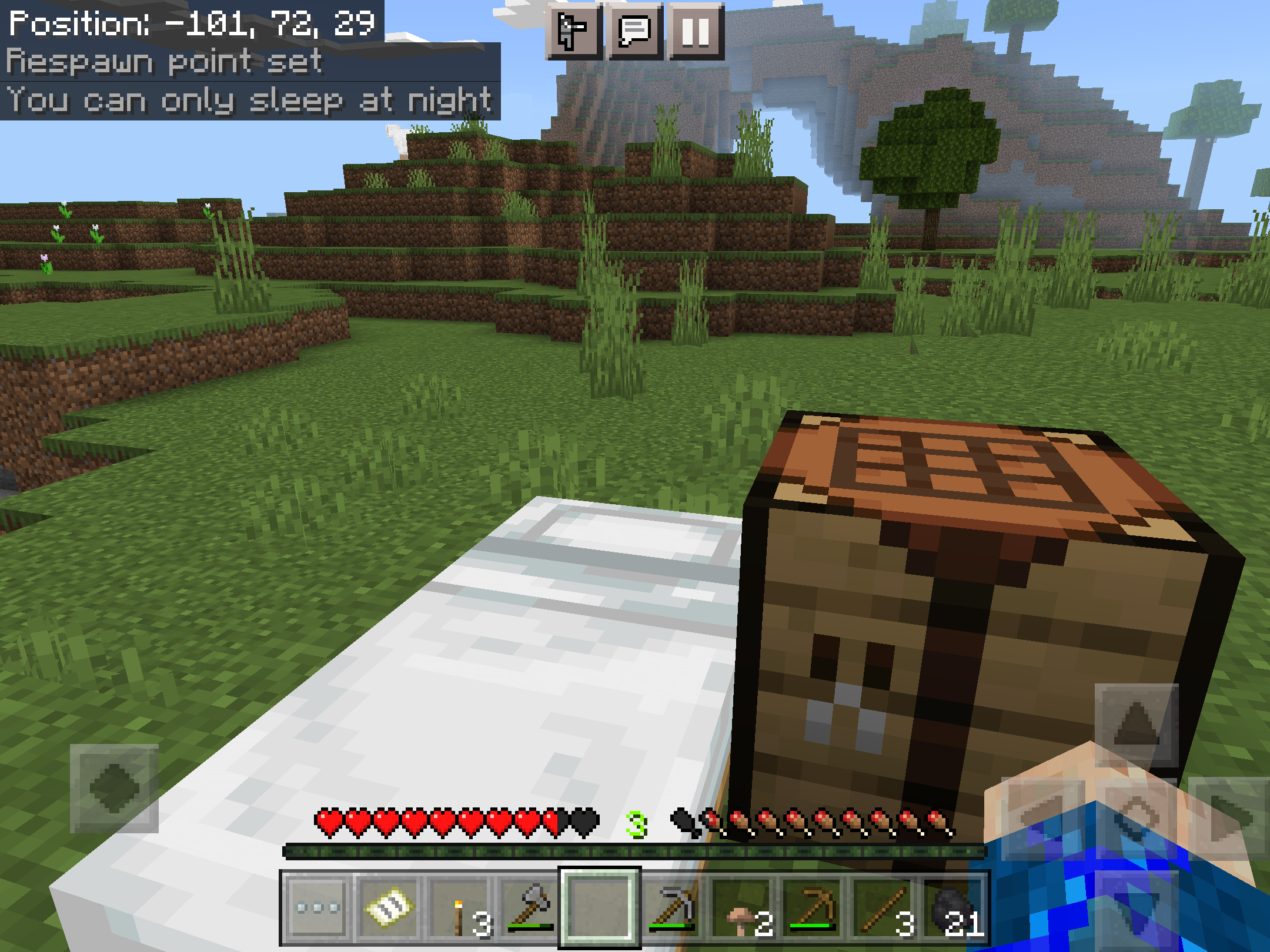
I’ve added world that I created in survival. Also added screenshot where it says I can only sleep at night.
Okay, so I changed my world to creative, added thunder, and went to bed like I’m supposed to. I give up. Since I seem to be the only one with a problem, I’m willing to chalk this down to user error. I’ll let you know if it happens again. Please close this.
This is still happening. I only have one fletching table but I have 2 fletchers. This just happened May 1, 2024.
Playing on my iPad iOS 17.4.1
Minecraft Bedrock version 1.20.81
Please reopen this bug.
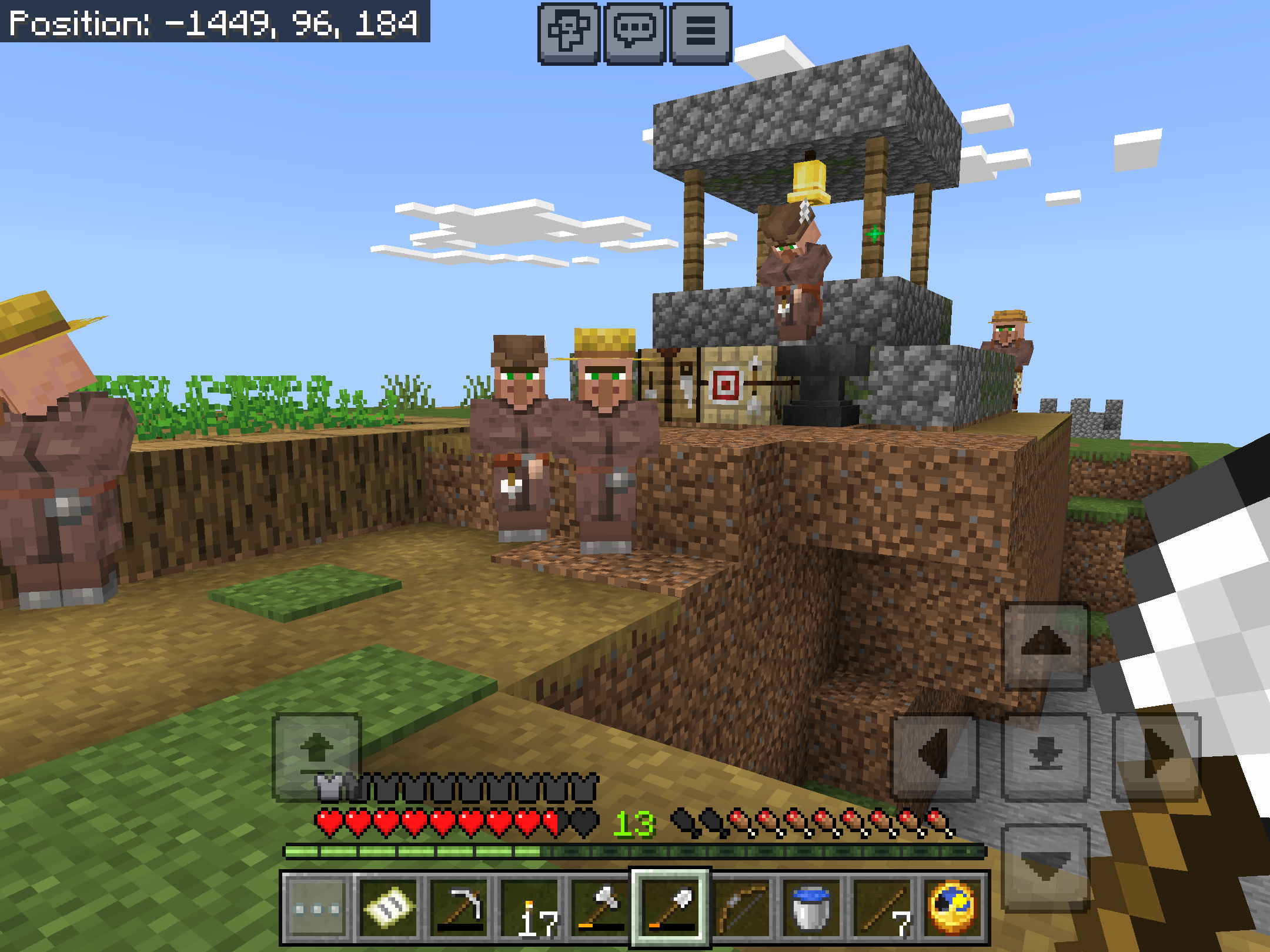
When I first found this village, there weren’t any archers. I created one work station and placed it by the well. One villager became an archer and I traded with him. I did nothing to the beds, and I didn’t use the cure set of actions. I’ve gone through the entire village multiple times, and the only fletching table is the one I created. Attached photo clearly shows 2 archers. To make make things even more interesting, when I destroyed the work station, there weren’t any angry particles and both fletchers remained fletcher. Do you want me to send you a copy of the world?
I don't use shulker boxes and this happens to me all of the time. Yesterday it wouldn’t let me put objects in the crafting table to create a pickax.