 Jamie Powis
- IPowis
- ipowis
- Europe/Stockholm
- Yes
- No
 MCD-281MCD-282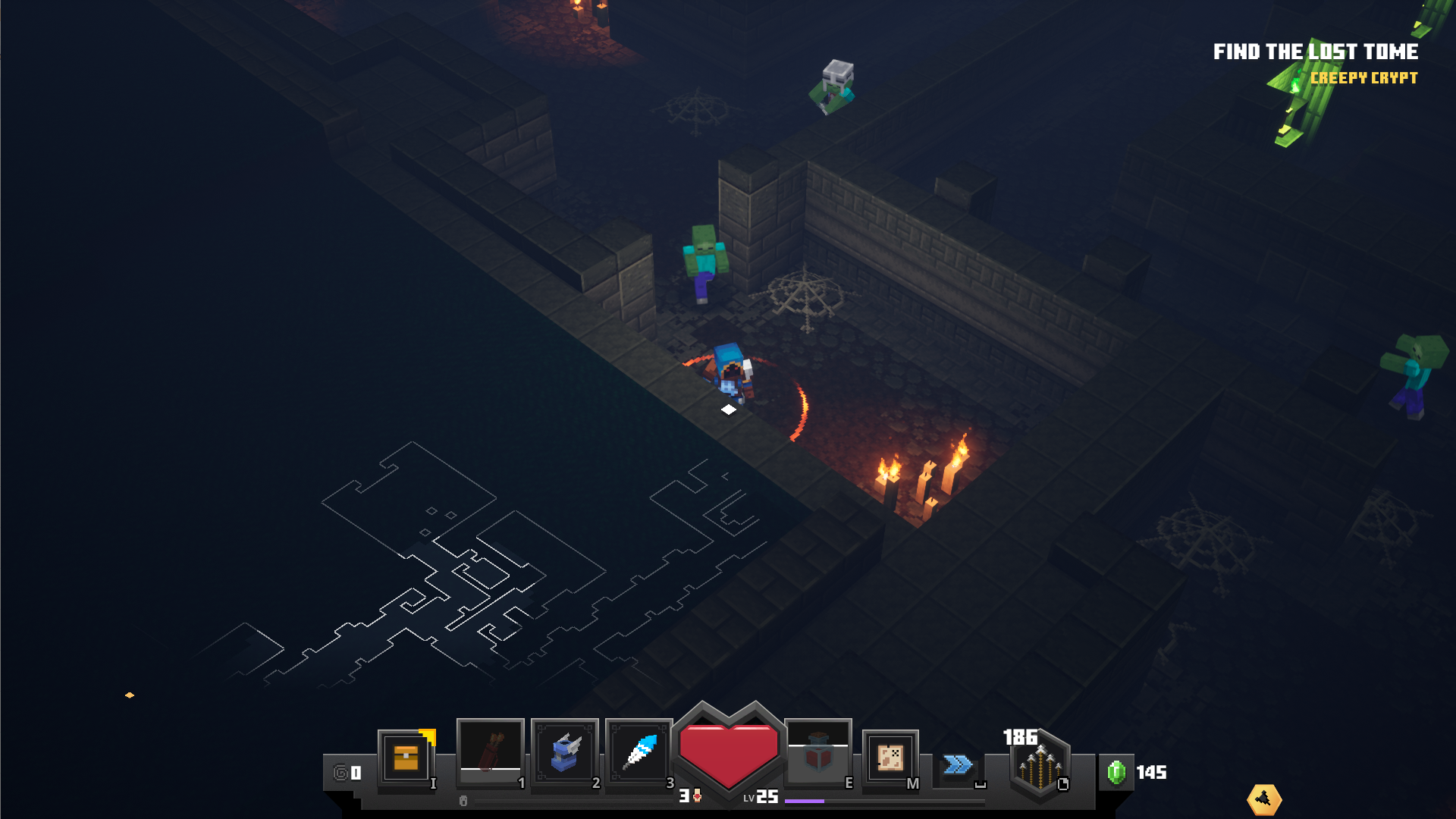

Buggeddungeon when friend leaves the gameBugged mission when friend leaves the game
in the Creepy Crypts, sometimes you are lucky to find multiple skeleton events next to each other.
if you activate all events together it results in only one chest being provided at the end of the waves.
you can tell that multiple have been activated as there is double or triple the amount of skeleton spawns in the event.
I have tested this a few times with the same result and have tested by completing them one after the other which DOES provide multiple chests.
screenshot added so you know what event I am referencing
When joining an online game just as they have pressed the exit door in a mission causes you to join in at the reward chest screen.
however the screen gets hued out in a greyish colour and you are unable to click any buttons with the mouse, it allows you to open the chest and return to camp by pressing "enter"
however, once you are back at camp, the hued screen remains and you are unable to use the mouse for anything (including moving around).
you are forced to exit the game by force closing it from windows as you are unable to access any of the in game menus
You are able to glitch onto the right hand side island next to the closed drawbridge (area with broken netherportal and secret obsidian chest
steps to reproduce:
Go to the wooden bridge
step up wood log
drop down on outside wood log
walk along the wall to the drawbridge
roll across to the stone pillar and above cobblestone wall (may require speed boost)
You are able to glitch onto the right hand side island next to the closed drawbridge (area with broken netherportal and secret obsidian chest
steps to reproduce:
Go to the wooden bridge
step up wood log
drop down on outside wood log
walk along the wall to the drawbridge
roll across to the stone pillar and above cobblestone wall (may require speed boost)
Link to video evidence: https://youtu.be/ivZPFQ8cWso

Jamie Powis doing what you did with the first log you was trying to drop down to, was what I did to get across the bridge that I couldn't reproduce in my video. It let me slowly float across without abilities the first time. Your video shows its a lot easier to do that idea.
Hi Matt,
I can also confirm this bug, I witnessed it on a live stream today.
Will post video
video attached
Hi Arseny,
This question has already been answered on the official FAQ page located here: https://help.minecraft.net/hc/en-us/articles/360041345271-Minecraft-Dungeons-FAQ
Please see the response to your question below:
WHY DOES MINECRAFT DUNGEONS HAVE ITS OWN LAUNCHER?
Unfortunately, you can't start Minecraft Dungeons directly from the Minecraft Launcher because Minecraft: Java Edition and Minecraft Dungeons use different account systems.
Minecraft Dungeons is using Microsoft Accounts and Minecraft Java Edition is using Mojang accounts. We have twisted and turned many options to give our players the right experience and decided that a good temporary option is to have one dedicated launcher per game. Therefore, you need the Minecraft Dungeons Launcher to be able to play the game.
I have been unable to replicate this since this happened last time.
however the game just disconnects and puts you back to the main menu when trying to join the game after they have left the victory door
I have replicated the issue and recorded the results, please see the attached video
I have tried to help this user by doing the following:
Check that account has been approved for beta access on https://dungeons.minecraft.net/
Reinstall the launcher from https://dungeons.minecraft.net/
delete any appdata / localappdatafolders for dungeons
sign out and sign back into the launcher
ensure correct account is signed in
launch the game in english and not russian
Please note the user also tried to install and sign in on a different PC, however the same issue happens.
I believe this to be an account issue
I have helped @Aniby gain access to the beta on her PC now, it seemed to be relating to the account they are signed in on Windows 10 with is being used to launch MC Dungeons rather than their MC Account... to remedy this in the short term was by creating a local account on the computer which allowed them to launch the game with the correct account... However this could be a much widerspread issue on release.
I would potentially put this onto the critical path
this also links with
MCD-358Please see the notes in that ticket
Please see the video link of me reproducing the glitch: https://youtu.be/ivZPFQ8cWso