 Sebastian Schmidt
- isibboi
- isibboi
- Europe/Stockholm
- Yes
- No
 MC-5736
![[Mojang] Nathan Adams](../../../data/assets/gravatar/dinnerbone.png)

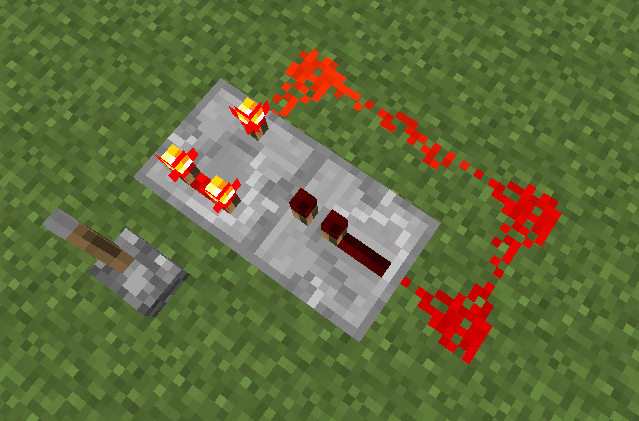


The toggle feature of the Comparator block is not working. I have tested any direction, the signal strength of the output is always the same as the strength of the input. It doesn't subtract either.
The toggle feature of the Comparator block is not working. I have tested any direction, the signal strength of the output is always the same as the strength of the input. It doesn't subtract either.
The one-clock in the wkbde.jpg image seems to work, though.
The toggle feature of the Comparator block is not working. I have tested any direction, the signal strength of the output is always the same as the strength of the input. It doesn't subtract either.
The one-clock in the wkbde.
jpg image seems to work, though.The toggle feature of the Comparator block is not working. I have tested any direction, the signal strength of the output is always the same as the strength of the input. It doesn't subtract either.
The one-clock in the wkbde.png image seems to work, though.
The delay of the comparator seems to be varying around a little bit less than half a tick. This is not consistent.
See the graph for more details, the low shelf was always as long as the high shelf.
I also uploaded a pic showing my test setup. Basically I created a comparator clock and added more comparators one by one. Please note that the repeater line is not showing correct values, because I didn't pause the game to make the screenshot. When testing this, I only read values after pausing the game.
Having to use a pickaxe to get it is no bug, I guess. You should be able to place it like a half slab, so it can float if you place it on the top half of a block.
@Robin: Yes, I can confirm that.
This seems to work though.
So the toggling is useless and only the block type of the input changes the function?
Ah, I exchanged B and A. So it's like an analogue inverter. It would be nice if you didn't need a repeater and could use different values for B.
Thank you! Now I got it
@Jonathan Haas: That's what I'm thinking now. But it's just a snapshot, so ...
I can confirm this bug. It causes a stack overflow. I get the same loop between those for methods.
Fixed in 13w01b.
@Ruben van Baarle:
No, it's consistent now, it just behaves like repeaters: http://i.imgur.com/yDs1h.png
Fixed in 13w01b.
The image is probably from 13w01a.
Well, this is not
MC-2416. This can be fixed by letting the player chose if he wants to continue searching for spawnpoints or if he wants to keep the "bad" spawn.MC-2416can be fixed by adjusting the height of the spawn point.They could just bring out an update for 1.6.2 to save the structures, or ship the old generation algorithm with 1.7 and "convert" the chunks to add the data on first load with the new version.