 Lemafor
- Lemafor
- lemafor
- Europe/Stockholm
- Yes
- No
 MC-132081
![[Mojang] Grum (Erik Broes)](../../../data/assets/gravatar/grum.png)
 Low
Low MCL-10996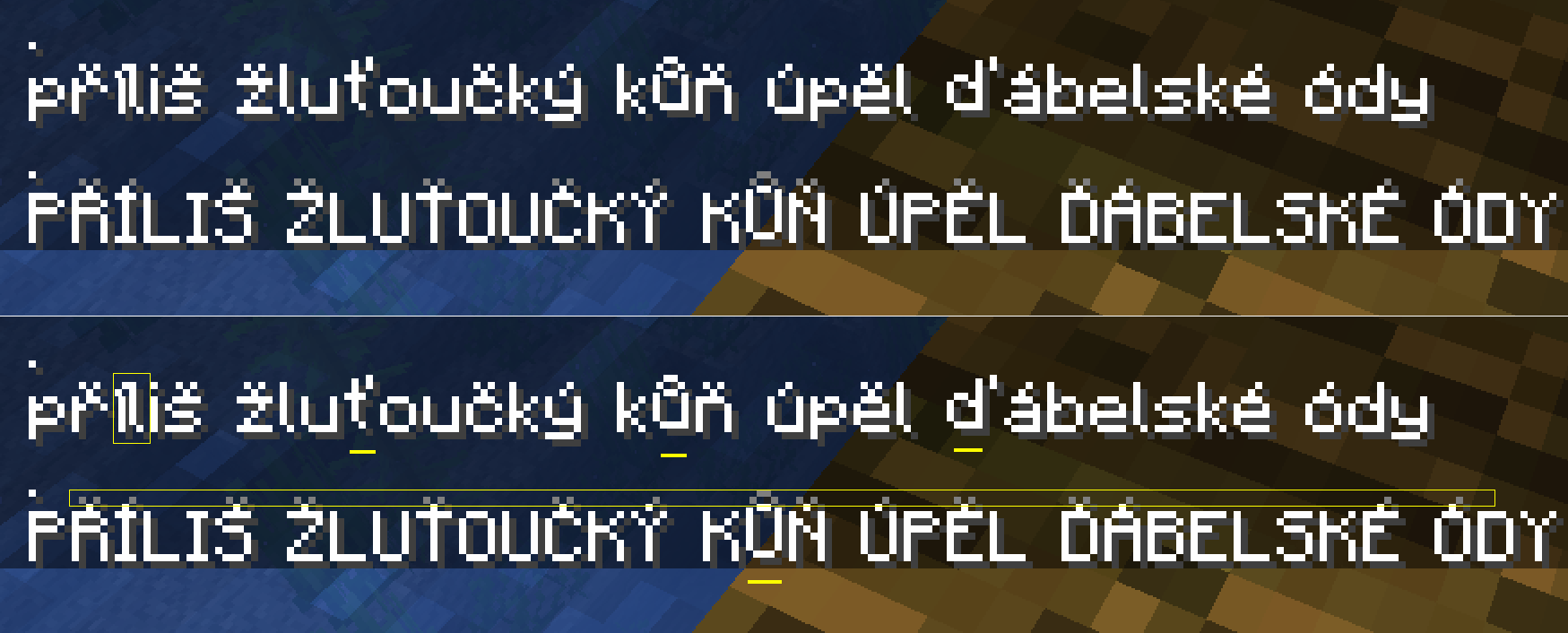
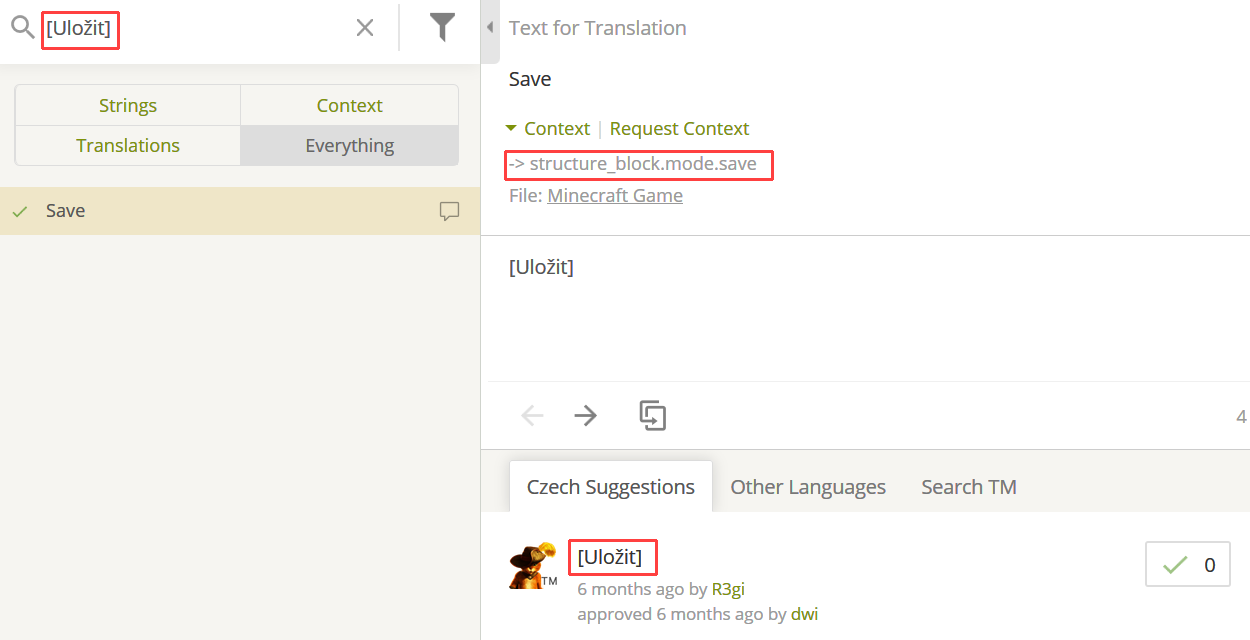
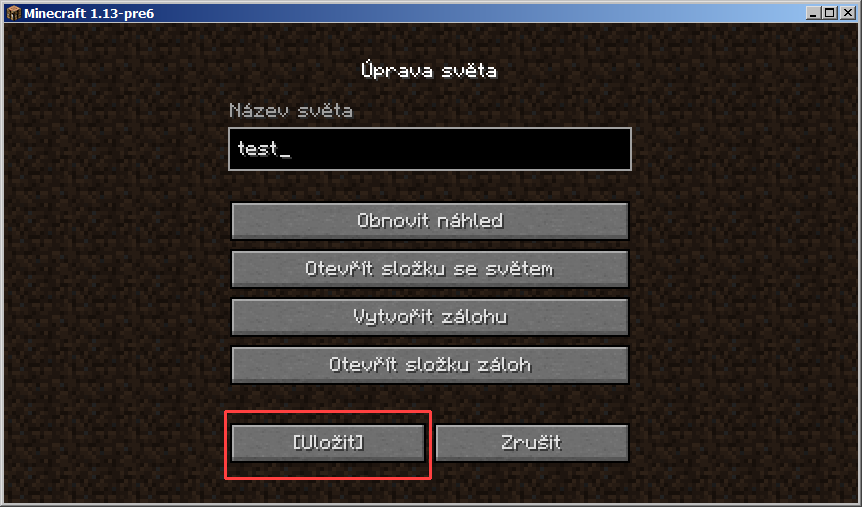

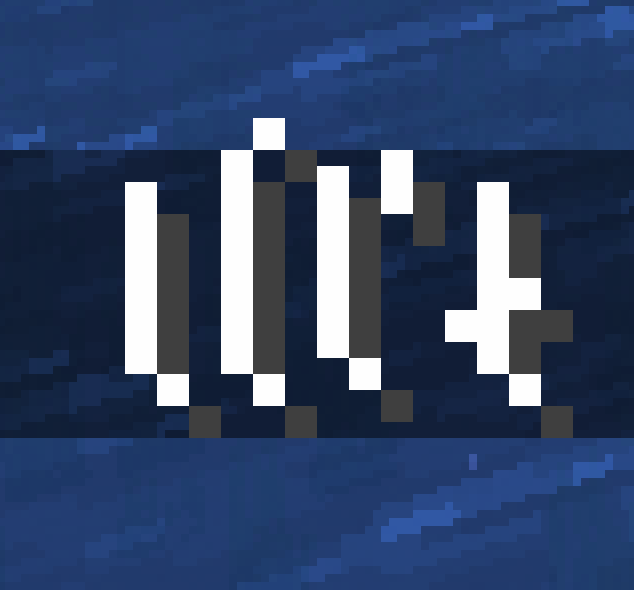
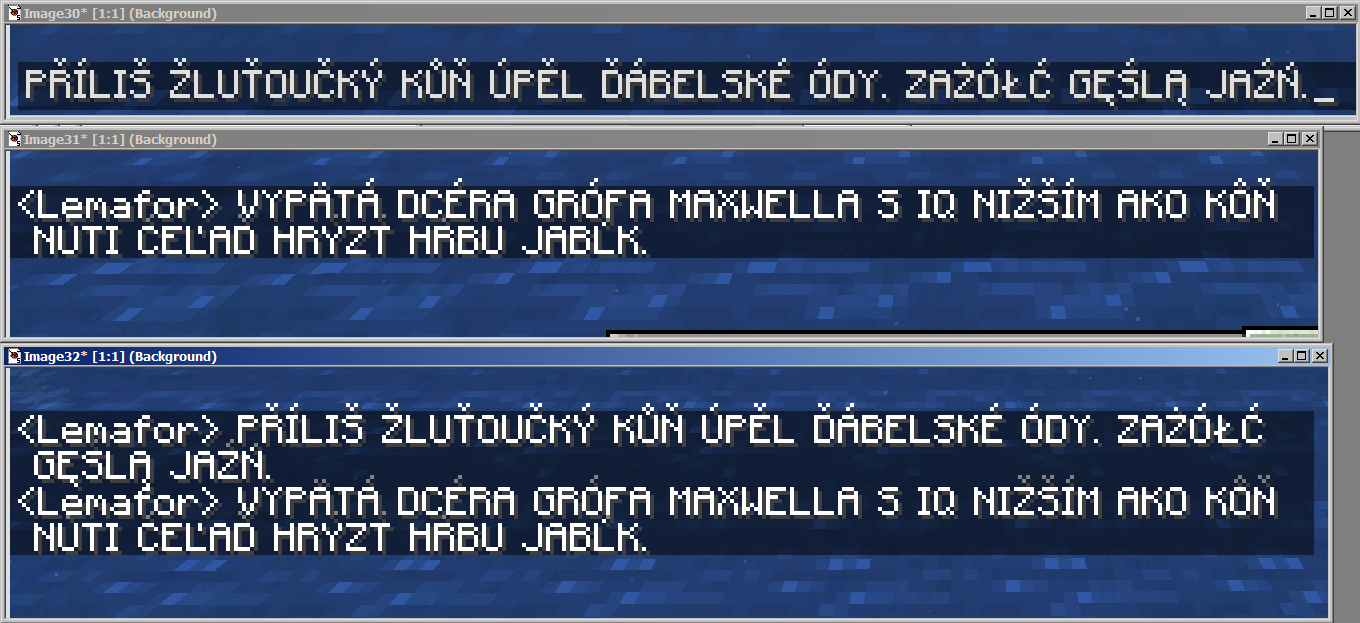


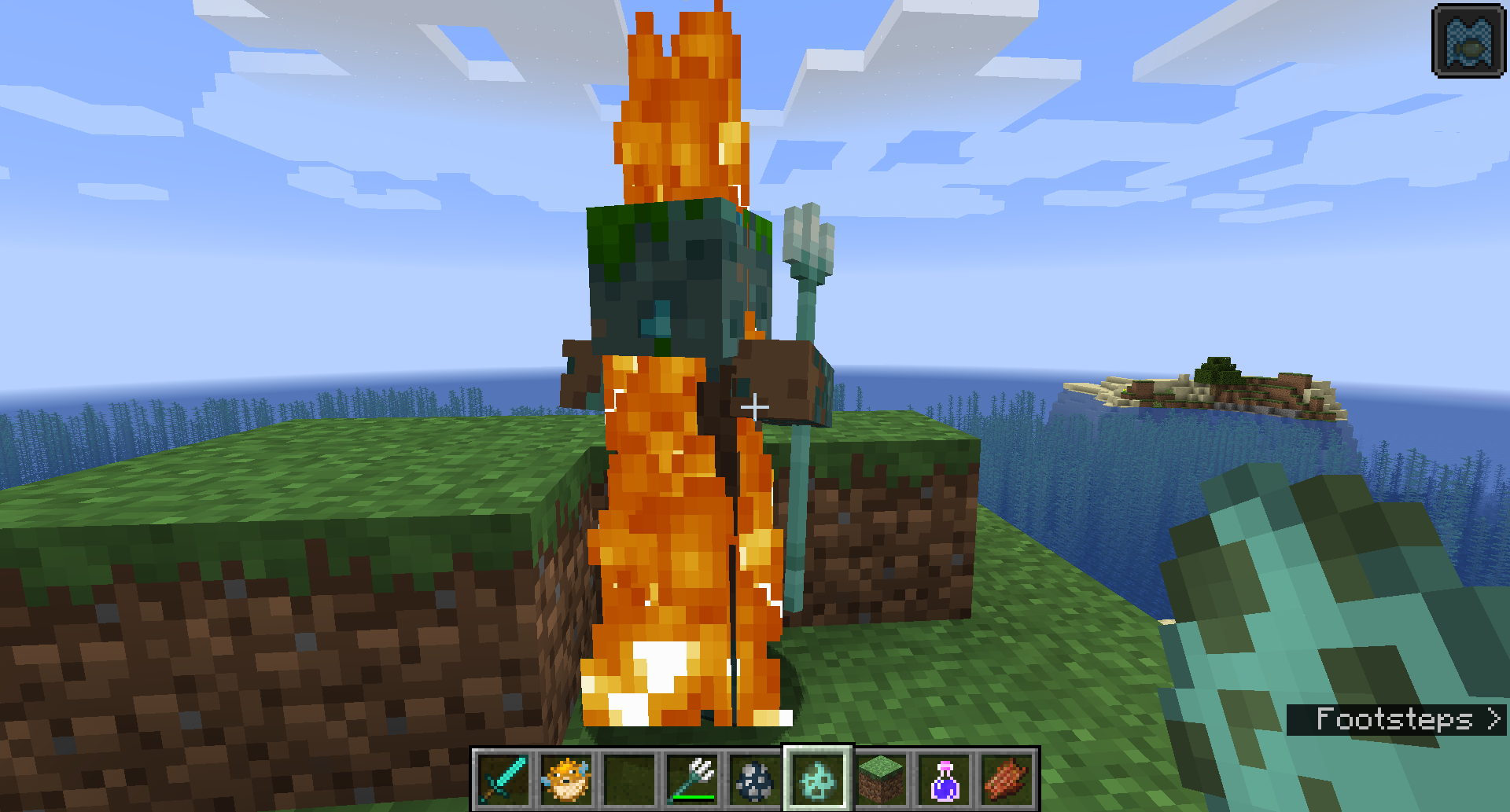
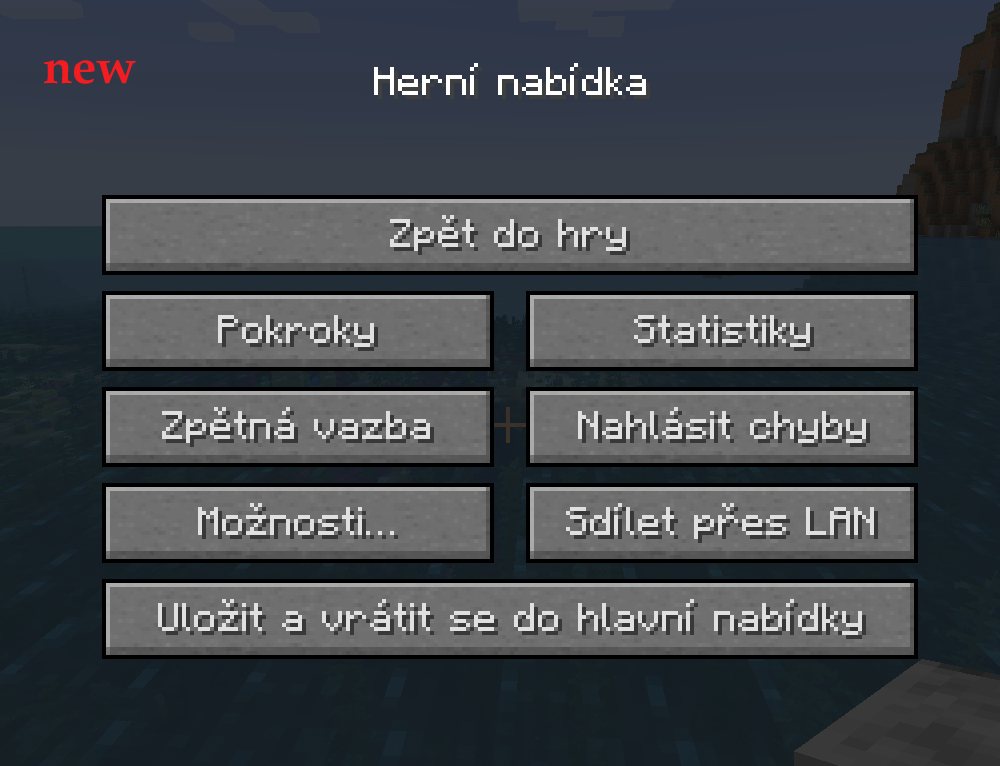
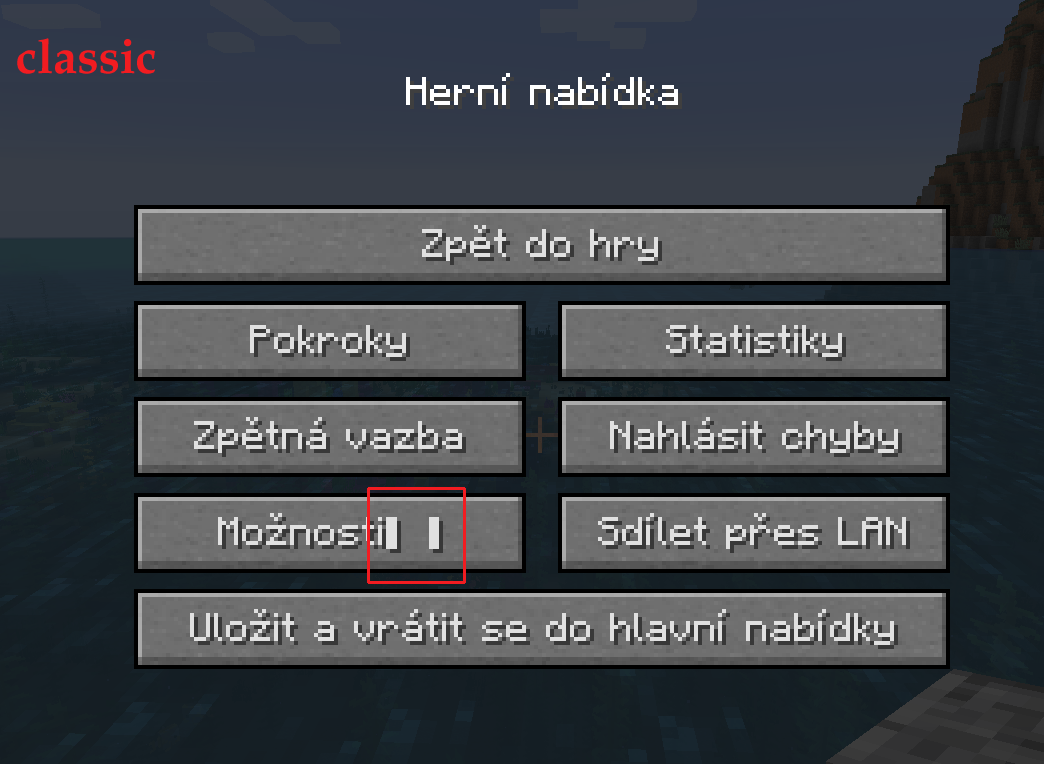
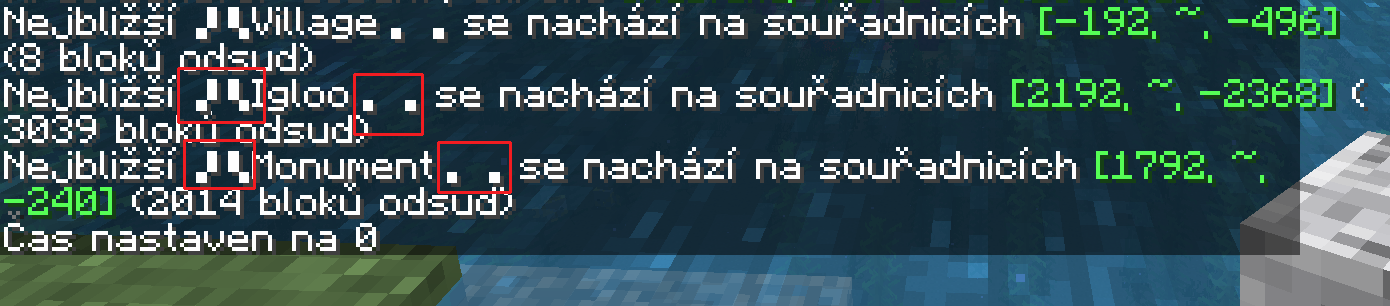
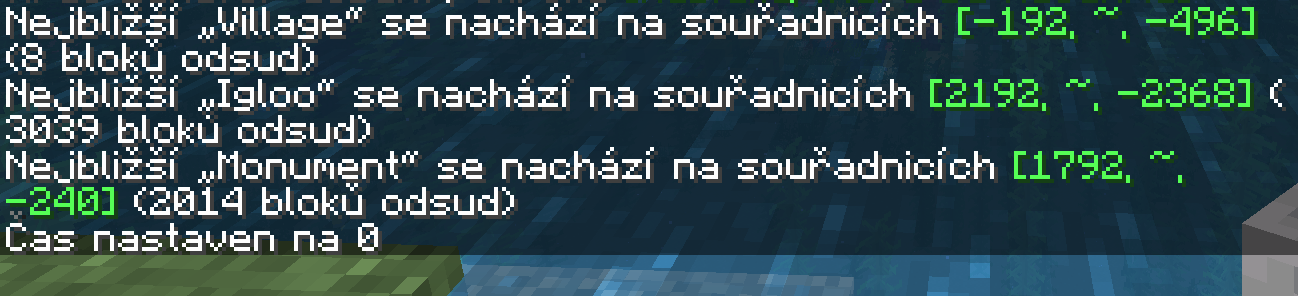

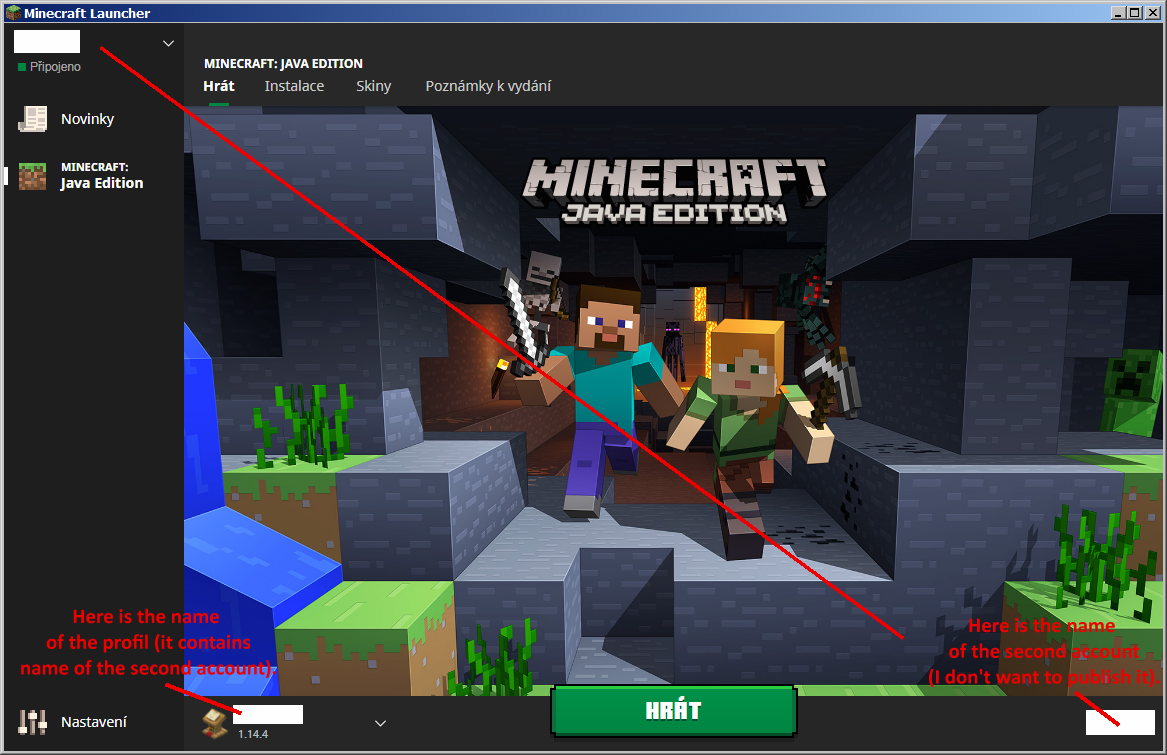
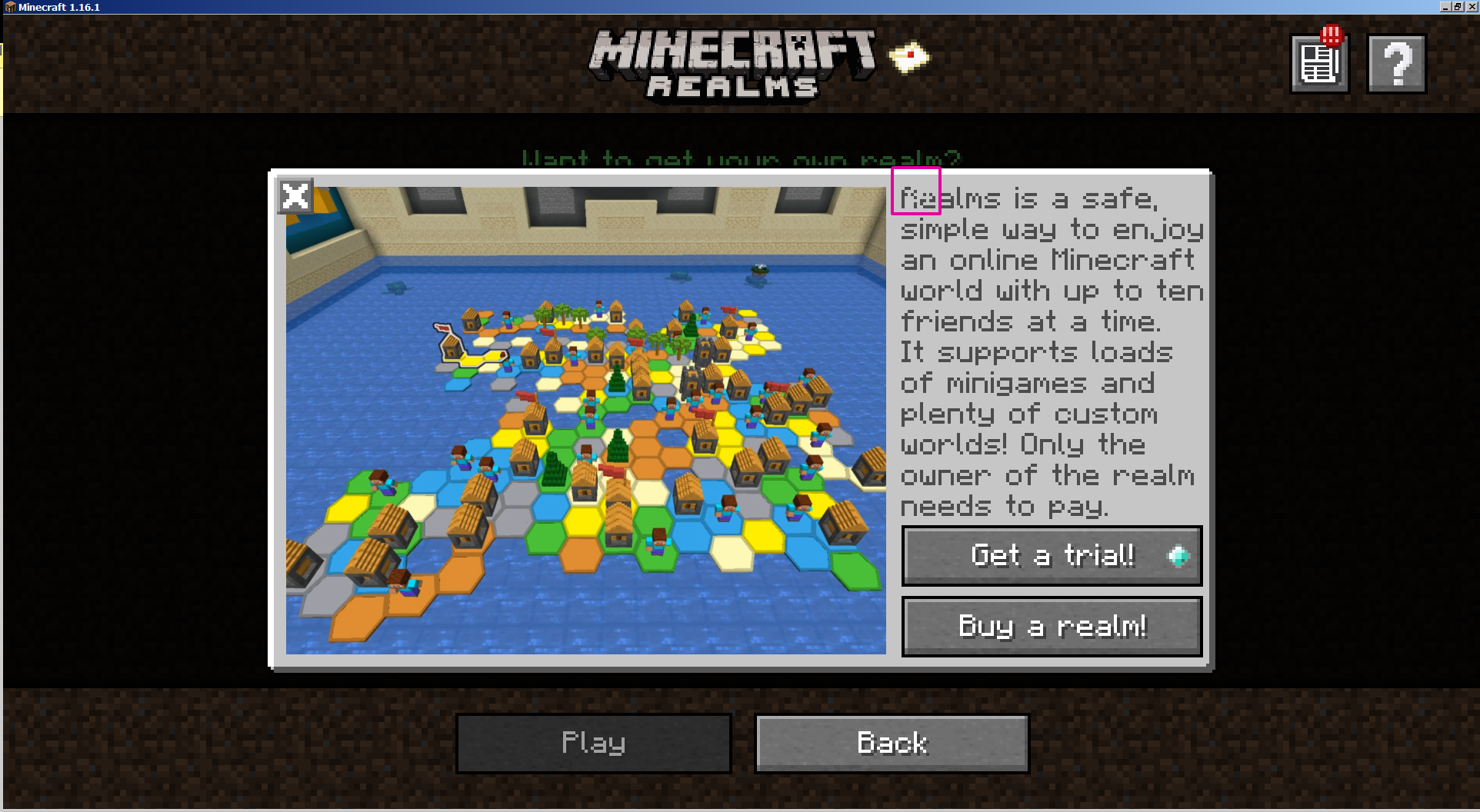


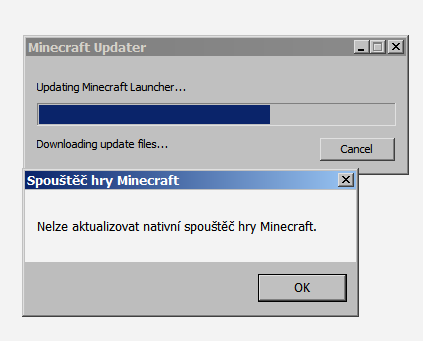
image-2018-07-04-16-50-55-390.png
New font with diacritics is almost OK, thanks a lot.
- Only the Czech letters "ů", "ť", "ď" and "Ů" a little levitate.
- The upper pixels are darker (grey).
- Letter "í" is too thin and diacritic touches the next letter.
But I am really very glad that all letters look
sthe same.
New font with diacritics is almost OK, thanks a lot.
- Only the Czech letters "ů", "ť", "ď" and "Ů" a little levitate.
- The upper pixels are darker (grey).
- Letter "í" is too thin and diacritic touches the next letter.
But I am really very glad that all letters look the same.
New font with diacritics is almost OK, thanks a lot.
- Only the Czech letters "ů", "ť", "ď" and "Ů" a little levitate.
- The upper pixels are darker (grey).
- Letter "í" is too thin and diacritic touches the next letter.
But I am really very glad that all letters look the same.
Edit (20180706): Slovak letter "ľ" levitates too. See the third character on the picture, where are letters "lĺľł".
String structure_block.mode.save is used in "edit world" screen, see screenshots. The Czech string "[Uložit]" is used in the one place in Crowdin. But this string is visible on two places in the game - in structure block and edit world screen.
Unable to render embedded object: File (image-2018-07-05-18-55-24-583.png!thumbnail) not found.Unable to render embedded object: File (image-2018-07-05-18-56-13-054.png!thumbnail) not found.
String structure_block.mode.save is used in "edit world" screen, see screenshots. The Czech string "[Uložit]" is used in the one place in Crowdin. But this string is visible on two places in the game - in structure block and edit world screen.
Rows are lower than capital letters with diacritical marks. When we have several lines of text, the diacritics are overlapped by adjacent lines. This applies to the diacritics above the letters (Č, Ť, Ô, Ŕ, Ś, Ź) and bellow the letters (Ą,
Ê).
The Czech/Slovak letter Ň and the Polish letter Ń have diacritics at a different height.Relates: https://bugs.mojang.com/browse/MC-132651
Rows are lower than capital letters with diacritical marks. When we have several lines of text, the diacritics are overlapped by adjacent lines. This applies to the diacritics above the letters (Č, Ť, Ô, Ŕ, Ś, Ź) and bellow the letters (Ą, Ę).
The Czech/Slovak letter Ň and the Polish letter Ń have diacritics at a different height.Relates: https://bugs.mojang.com/browse/MC-132651
On Crowdin:
string subtitles.entity.warden.ambient has text "Warden whines"
string subtitles.entity.parrot.imitate.warden has text "Parrot whines"But in game:
Parrot doesn't whine like warden but parrot imitates warden's tendrils clicking.
It meands that string subtitles.entity.parrot.imitate.warden sounds like subtitles.entity.warden.tendril_clicks.
I am not sure. I only see the "[Uložit]" in the only one place in Crowdin (all strings).
I don't know, how to edit string value via resource pack. I never worked with resource packs. Please, give me a link with instructions.
I do not see that string, too.
There are still no subtitles for sounds of mobs "drowned" in 1.13 pre-9.
https://youtu.be/QfoBXNatkuw
https://crowdin.com/translate/minecraft/9389/enus-ar#q=spawn+egg
You have to register there.
I see some untranslated strings there but "parrot spawn egg" was translated on June 1st.
@Straiker123 Pojď na ten Crowdin, jak ti napsal Violine. A rozviň svou myšlenku, proč si myslíš, že dosavadní překlad je špatný a tvůj návrh je lepší.
We are waiting for the context to correct/approve the translation. But with no Czech language in beta we can't check if our translations are correct. But all launcher strings are translated into Czech.
All strings were translated into Czech. Not all were approved because we are waiting for the context, we were waiting for the beta version to see strings in the launcher (to see context). On Crowdin context "#: src/components/ComingTranslations/index.tsx:35" is useless.
Why do translations need to be approved? If no context is specified in the crowdin and the beta launcher does not contain our language, we cannot check that the translation is correct - so we can't approve him.
Edit: There are 5 screens of launcher strings, 100% translated into Czech. We don't have 1,3 screens approved. With your criteria you exclude translators from work - with these criteria proofreaders can translate only. A translator is unable to do anything without a proofreader. And we still speak about *beta*. So let beta-translations are included to beta-launcher.
Fixed.
@Greymagic27 I didn't change the name. I have TWO premium accounts.
Yes, only beta launcher has that problem.
This bug affects a dozen languages.
The text is displayed when the cursor hovers over the envelope-with-the-seal button. The text is displayed on the background of the sealed envelope button, but behind the "Realms news" and "What is Realms" buttons. I don't understand why this temporary text appears behind these buttons.
It is in launcher.
Stars are visible too.
I also have this problem. Yes, it occurs also on Windows 7. Yesterday it was ok, today error. No changes on my computer (I didn't install any software.) launcherlog.zip
So I uninstalled Minecraft, deleted the .minecraft directory (I have backup of course), reinstalled Minecraft (now it shows up as "Minecraft Launcher" in the control panel), logged in both my accounts. That worked.
But when I quit the launcher and started it again, it started downloading the update and ended up with the same error again as the morning.
The only difference from the morning is that now I lost all my settings (server lists for both accounts, key assignments, volume of different sounds - all these things really bother me a lot), I lost all installations (older versions of MC and fabric/forge), modifications (I guess I have to reinstall fabric/forge, journeymap, litematica... and copy all their files).
I tried one more thing. I uninstalled the Minecraft Launcher, deleted the .minecraft directory, reinstalled MCL, started it, closed it right away (I didn't log in to any of my accounts) and started it again. That worked. I shut it down again and started it up again. I logged into one account. Flames started appearing on my screen in random places (I assume this is some new feature, it never appeared before). I turned off the launcher. I turned on the launcher. It works. I added a second account. I turned off the launcher and turned it back on. It's working. So I think the launcher has a problem updating when one has more than one account.
Now it works but I lost all the settings. So please advise me how to restore all the settings (which worked yesterday) - server lists for both accounts, key assignments, volume of different kinds of sounds, modifications, older versions (but only the ones I had installed yesterday). I would rather have all the old settings than new fireworks in the launcher. The experimentation so far has cost me 3 hours.
Edit:
OK, I've fixed it now. I had previously copied everything except the files starting with the word "launcher" from the .minecraft backup directory - but when I copied the launcher_profiles.json file, I got the original launcher settings back. Really thanks for a few hours of fruitless work.