 Dalen Loperena
- MST3K
- mst3k
- Europe/Stockholm
- Yes
- No
 MC-48555
 REALMS-31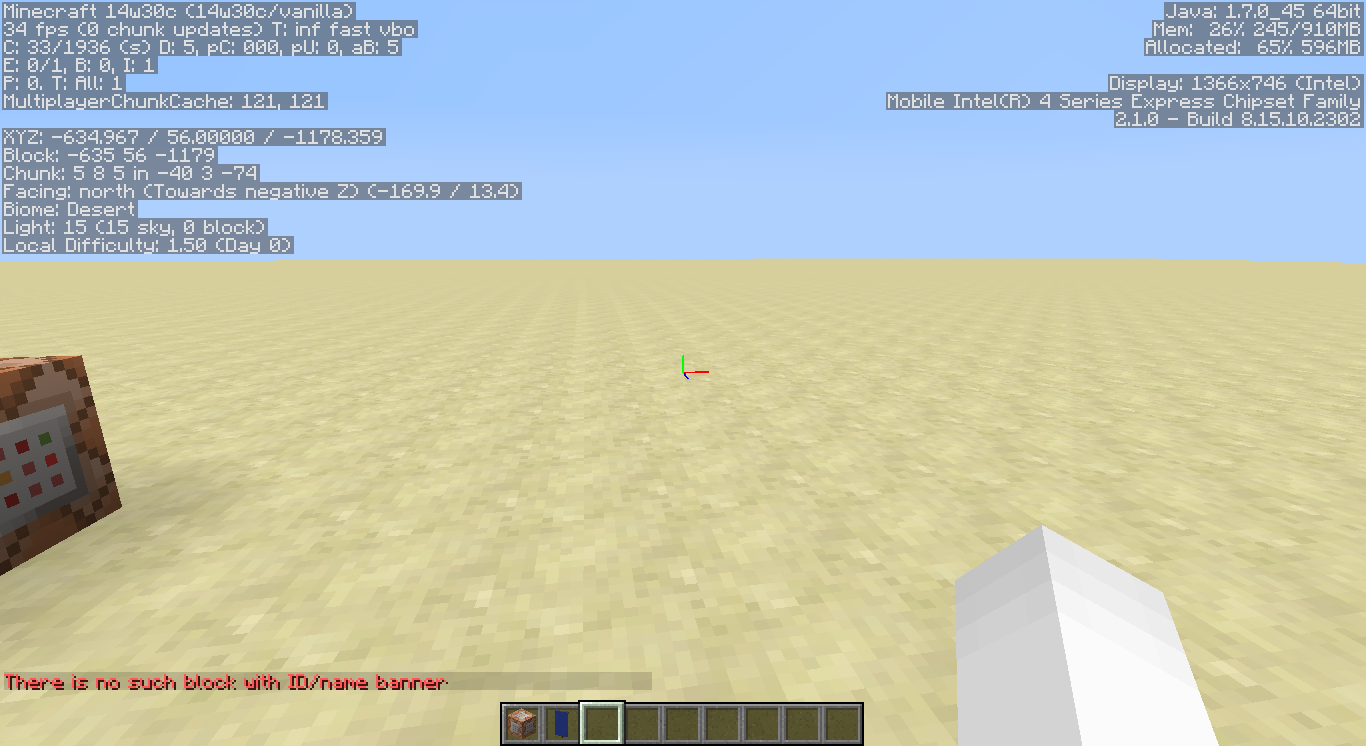
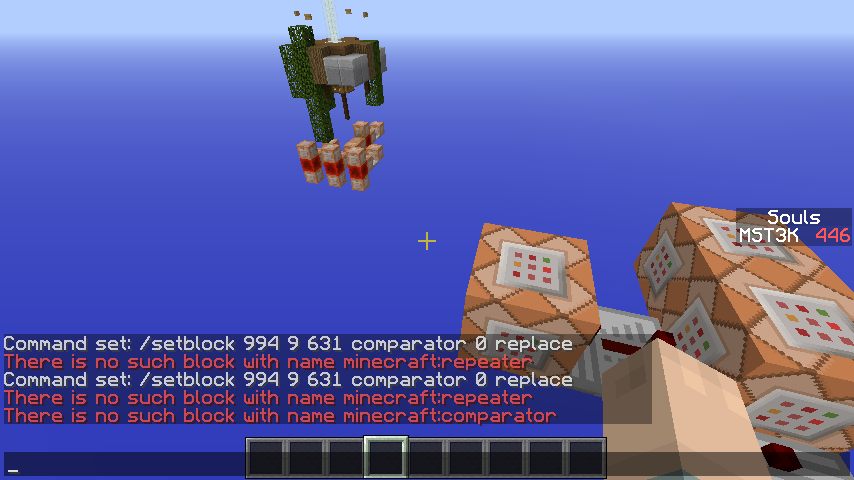










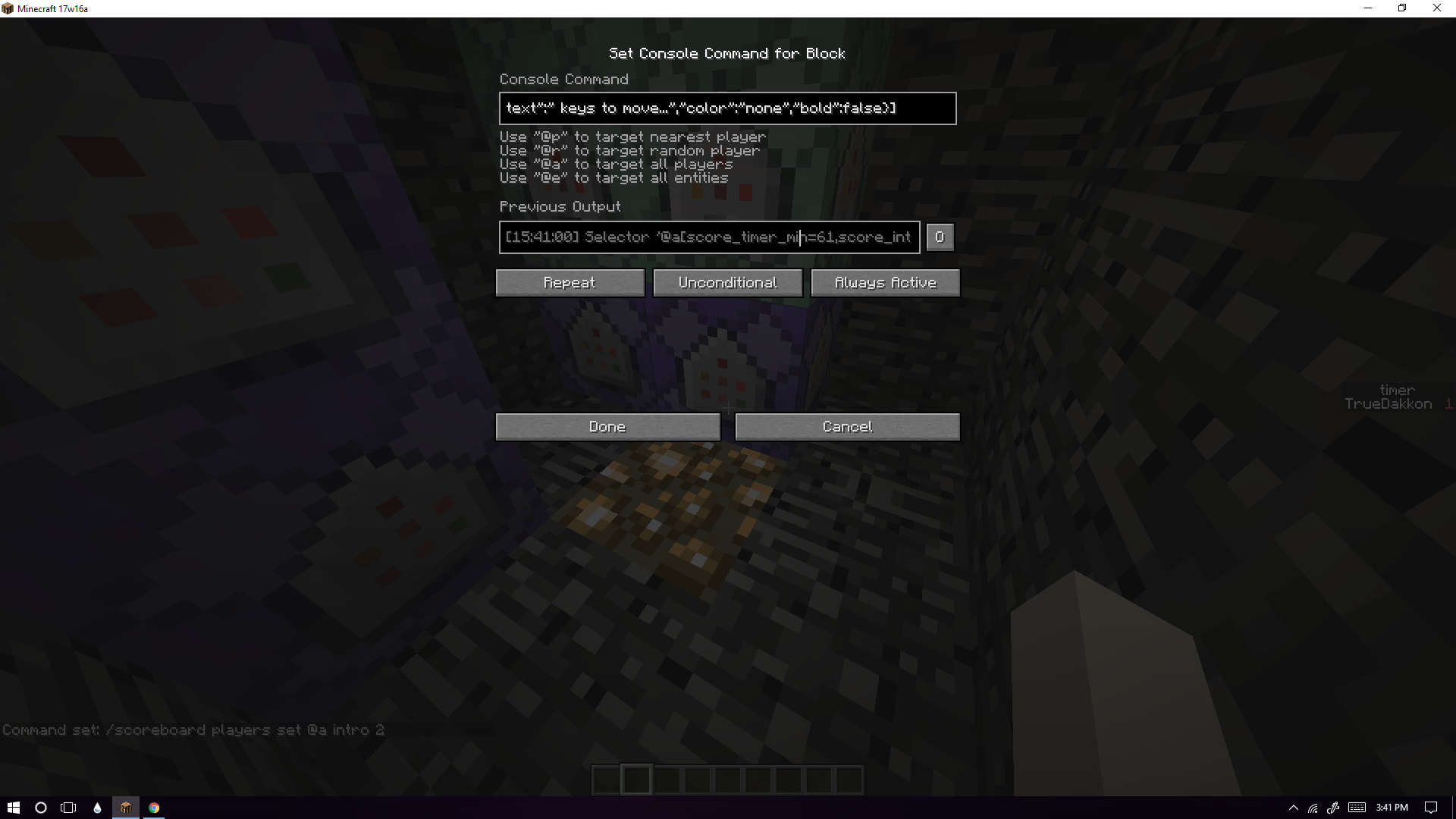


/setblock comparator/repeator/setblock comparator/repeater
When trying to use /setblock to set comparators or repeaters it says that there is no such block with that name. This can be replicated by either typing in the command to set the comparator or repeater into the chat bar or by typing it into a command block .
When trying to use /setblock to set comparators or repeaters it says that there is no such block with that name. This can be replicated by either typing in the command to set the comparator or repeater into the chat bar or by typing it into a command block . I'm not sure if this also happens when in multiplayer.
2014-11-16_00.34.00.png
When I sign onto my account and go to the Realms tab, it tells me that I need to buy Realms even though I already have a Realms and it still has a few days left on it. When I sign into my second account to see if I can log on through there, the Realms appears, but when I try and log on to it, I get the 500 error. I have tried to restart mt computer and the minecraft client, but nothing is working.
Windows 10, Latest Java Version
500 Error, And Realms Not Saying Iown It500 Error, And Realms Not Saying I Own It
When I sign onto my account and go to the Realms tab, it tells me that I need to buy Realms even though I already have a Realms and it still has a few days left on it. When I sign into my second account to see if I can log on through there, the Realms appears, but when I try and log on to it, I get the 500 error. I have tried to restart m
tcomputer and the minecraft client, but nothing is working.When I sign onto my account and go to the Realms tab, it tells me that I need to buy Realms even though I already have a Realms and it still has a few days left on it. When I sign into my second account to see if I can log on through there, the Realms appears, but when I try and log on to it, I get the 500 error. I have tried to restart my computer and the minecraft client, but nothing is working.
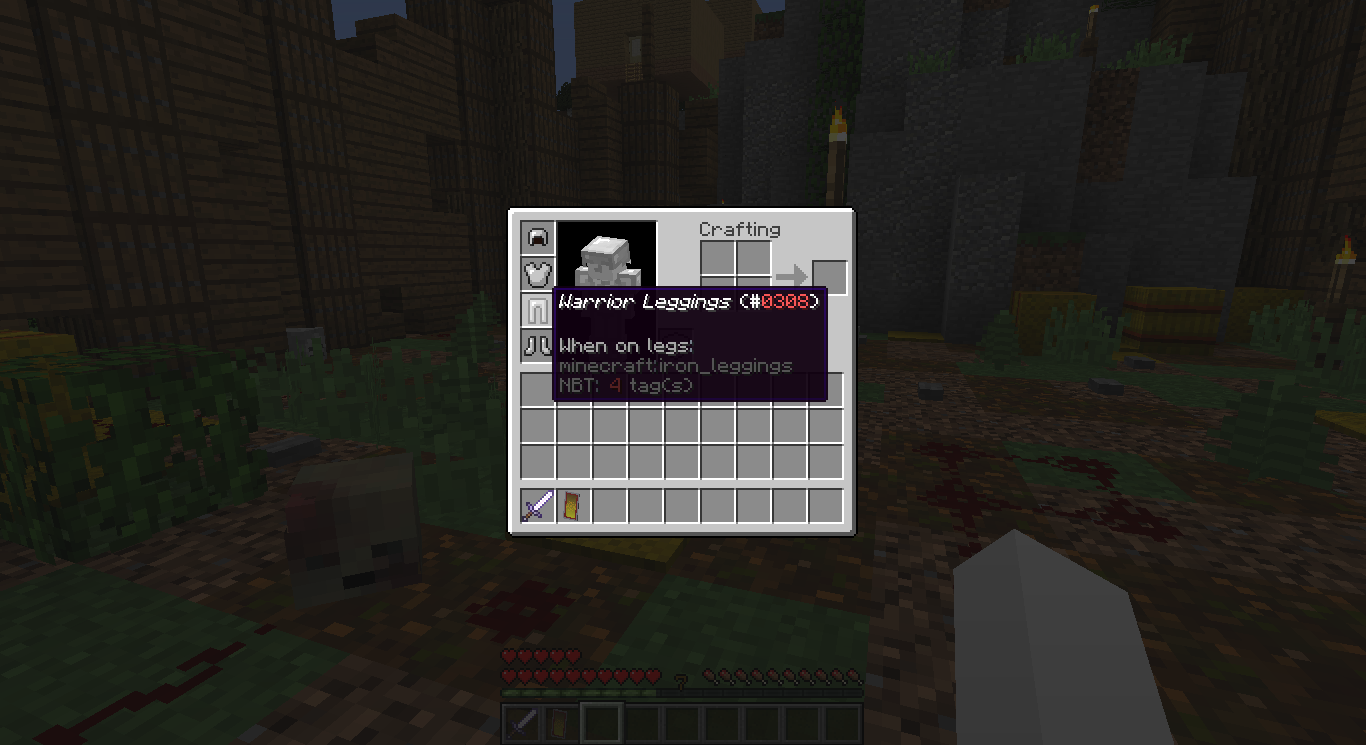
There seems to be a problem with the armor attribute. It seems like it is not stacking all of the armor on top of each other. It takes the value of the first one and then uses that as the overall armor rating when worn.
Head Value = 1With Bug:
Chest Value = 5Total Value = 1
Legging Value = 3 What Should Happen:
Boots Value = 1Total Value = 10
The pictures bellow demonstrate what is happening with the armor value. I have never had this problem before so I don't know what to do.There seems to be a problem with the armor attribute. It seems like it is not stacking all of the armor on top of each other. It takes the value of the first one and then uses that as the overall armor rating when worn.
Head Value = 1### With Bug:
Chest Value = 5 ## Total Value = 1
Legging Value = 3# What Should Happen:
Boots Value = 1### Total Value = 10
The pictures bellow demonstrate what is happening with the armor value. I have never had this problem before so I don't know what to do.
There seems to be a problem with the armor attribute. It seems like it is not stacking all of the armor on top of each other. It takes the value of the first one and then uses that as the overall armor rating when worn.
Head Value = 1###### With Bug:
Chest Value = 5 ##### Total Value = 1
Legging Value = 3 ### What Should Happen:
Boots Value = 1 ##### Total Value = 10
The pictures bellow demonstrate what is happening with the armor value. I have never had this problem before so I don't know what to do.
There seems to be a problem with the armor attribute. It seems like it is not stacking all of the armor on top of each other. It takes the value of the first one and then uses that as the overall armor rating when worn.
Head Value = 1######With Bug:
Chest Value = 5 #####Total Value = 1
Legging Value = 3 ###What Should Happen:
Boots Value = 1 #####Total Value = 10
The pictures bellow demonstrate what is happening with the armor value. I have never had this problem before so I don't know what to do.There seems to be a problem with the armor attribute. It seems like it is not stacking all of the armor on top of each other. It takes the value of the first one and then uses that as the overall armor rating when worn.
Head Value = 1###########With Bug:
Chest Value = 5 ##########Total Value = 1
Legging Value = 3 ########What Should Happen:
Boots Value = 1 ##########Total Value = 10
The pictures bellow demonstrate what is happening with the armor value. I have never had this problem before so I don't know what to do.
There seems to be a problem with the armor attribute. It seems like it is not stacking all of the armor on top of each other. It takes the value of the
first one and then uses that as the overall armor rating when worn.
Head Value = 1###########With Bug:
Chest Value = 5 ##########Total Value = 1
Legging Value = 3 ########What Should Happen:
Boots Value = 1 ##########Total Value = 10
The pictures bellow demonstrate what is happening with the armor value. I have never had this problem before so I don't know what to do.There seems to be a problem with the armor attribute. It seems like it is not stacking all of the armor on top of each other. It takes the value of the lowest value and then uses that as the overall armor rating when worn.
Head Value = 1###########With Bug:
Chest Value = 5 ##########Total Value = 1
Legging Value = 3 ########What Should Happen:
Boots Value = 1 ##########Total Value = 10
The pictures bellow demonstrate what is happening with the armor value. I have never had this problem before so I don't know what to do
There seems to be a problem with the armor attribute. It seems like it is not stacking all of the armor on top of each other. It takes the value of the lowest value or the one in the head slot and then uses that as the overall armor rating when worn.
Head Value = 1###########With Bug:
Chest Value = 5 ##########Total Value = 1
Legging Value = 3 ########What Should Happen:
Boots Value = 1 ##########Total Value = 10
The pictures bellow demonstrate what is happening with the armor value. I have never had this problem before so I don't know what to do
There seems to be a problem with the armor attribute. It seems like it is not stacking all of the armor on top of each other. It takes the value of the
lowest value or the one in the head slotand then uses that as the overall armor rating when worn.
Head Value = 1###########With Bug:
Chest Value = 5 ##########Total Value = 1
Legging Value = 3 ########What Should Happen:
Boots Value = 1 ##########Total Value = 10
The pictures bellow demonstrate what is happening with the armor value. I have never had this problem before so I don't know what to doThere seems to be a problem with the armor attribute. It seems like it is not stacking all of the armor on top of each other. It takes the value of the armor in the first available armor slot(By that I mean the first one that has armor in it.) and then uses that as the overall armor rating when worn.
Head Value = 1###########With Bug:
Chest Value = 5 ##########Total Value = 1
Legging Value = 3 ########What Should Happen:
Boots Value = 1 ##########Total Value = 10
The pictures bellow demonstrate what is happening with the armor value. I have never had this problem before so I don't know what to do
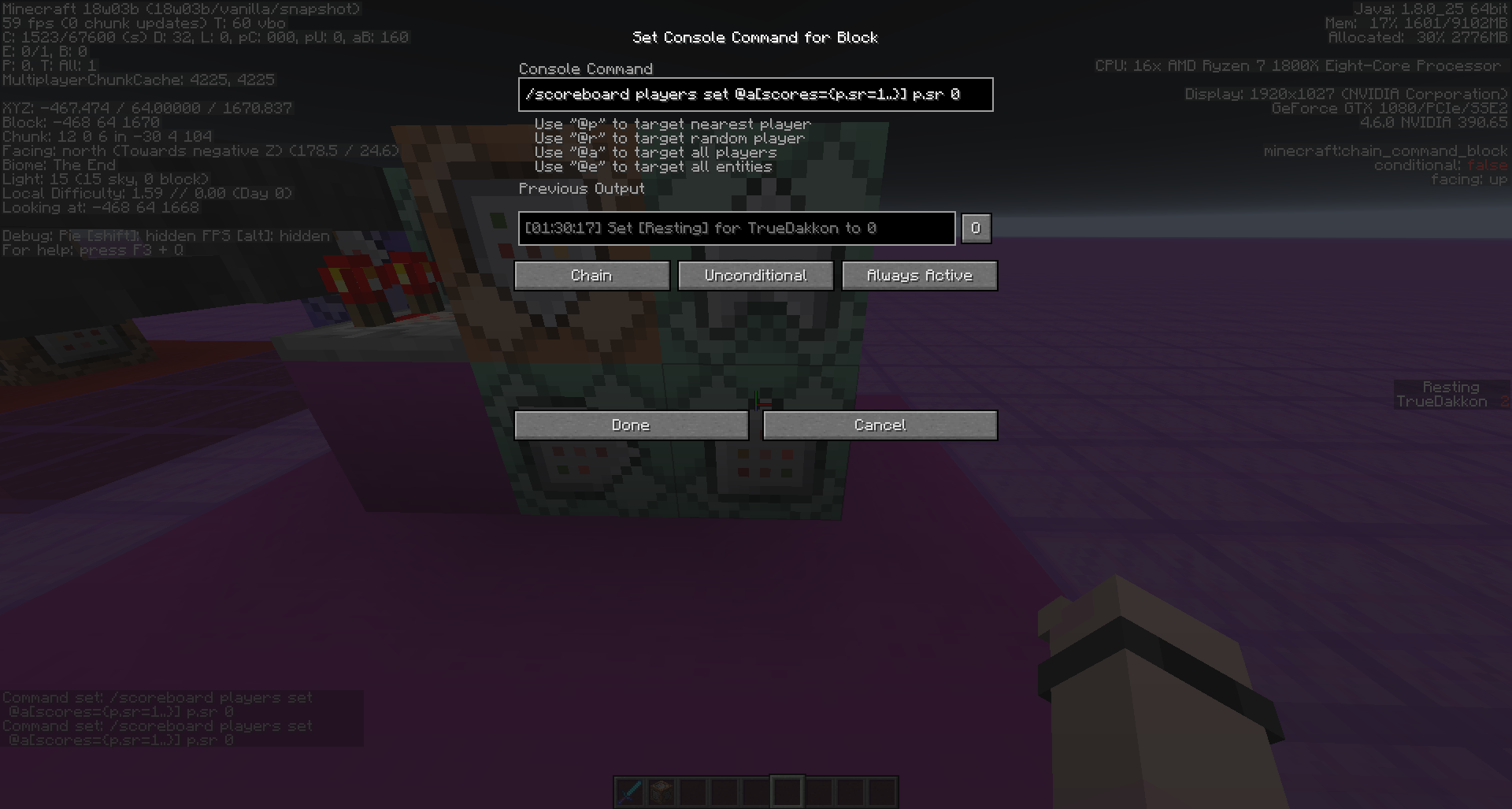
When using a conditional chain command block after a repeating command block, the chain will seem to continue to run it's command even though the repeating command block is no longer outputting a true single to the chain. Don't know what is causing this, but the problem still seems to be happening. It seems like you can fix it if you reset them to conditional, but then it occurs again if they are ran again after being reset. While I am in a LAN world, this problem was still occurring before changing to LAN.
So when running a line of commands I have a conditional command at the end of the line only to run if the previous command goes through, the problem is that even if the command goes through, it doesn't run the conditional one. I think that the conditional commands aren't properly reading the previous commands to see if they cam out true or not. Here are the commands I am using for reference (They are in order):
(Impulse) /effect give @a[scores=
Unknown macro: {p.su=0,p.sua=0}] minecraft:saturation 1 0 true
(Chain)/data merge block ~-2 ~1 ~1Unknown macro: {TransferCooldown}(Chain)/scoreboard players set @a[scores=
Unknown macro: {p.sr=1..}] p.sr 0
(Chain,Conditional)/data merge block ~-3 ~ ~1Unknown macro: {TransferCooldown}So when running a line of commands I have a conditional command at the end of the line only to run if the previous command goes through, the problem is that even if the command goes through, it doesn't run the conditional one. I think that the conditional commands aren't properly reading the previous commands to see if they cam out true or not. Here are the commands I am using for reference (They are in order):
(Impulse) "/effect give @a[scores=
Unknown macro: {p.su=0,p.sua=0}] minecraft:saturation 1 0 true"
(Chain) "/data merge block ~-2 ~1 ~1Unknown macro: {TransferCooldown}"
(Chain) "/scoreboard players set @a[scores=Unknown macro: {p.sr=1..}] p.sr 0"
(Chain) "Conditional)/data merge block ~-3 ~ ~1Unknown macro: {TransferCooldown}"
So when running a line of commands I have a conditional command at the end of the line only to run if the previous command goes through, the problem is that even if the command goes through, it doesn't run the conditional one. I think that the conditional commands aren't properly reading the previous commands to see if they cam out true or not. Here are the commands I am using for reference (They are in order):
(Impulse)
"/effect give @a[scores=Unknown macro: {p.su=0,p.sua=0}] minecraft:saturation 1 0 true
"
(Chain) "/data merge block ~-2 ~1 ~1Unknown macro: {TransferCooldown}"
(Chain) "/scoreboard players set @a[scores=Unknown macro: {p.sr=1..}] p.sr 0"
(Chain) "Conditional)/data merge block ~-3 ~ ~1Unknown macro: {TransferCooldown}"
So when running a line of commands I have a conditional command at the end of the line only to run if the previous command goes through, the problem is that even if the command goes through, it doesn't run the conditional one. I think that the conditional commands aren't properly reading the previous commands to see if they cam out true or not. Here are the commands I am using for reference (They are in order):
(Impulse) `/effect give @a[scores=
Unknown macro: {p.su=0,p.sua=0}] minecraft:saturation 1 0 true`
(Chain) "/data merge block ~-2 ~1 ~1Unknown macro: {TransferCooldown}"
(Chain) "/scoreboard players set @a[scores=Unknown macro: {p.sr=1..}] p.sr 0"
(Chain) "Conditional)/data merge block ~-3 ~ ~1Unknown macro: {TransferCooldown}"
So when running a line of commands I have a conditional command at the end of the line only to run if the previous command goes through, the problem is that even if the command goes through, it doesn't run the conditional one. I think that the conditional commands aren't properly reading the previous commands to see if they cam out true or not. Here are the commands I am using for reference (They are in order):
(Impulse)
`/effect give @a[scores=Unknown macro: {p.su=0,p.sua=0}] minecraft:saturation 1 0 true
`
(Chain) "/data merge block ~-2 ~1 ~1Unknown macro: {TransferCooldown}"
(Chain) "/scoreboard players set @a[scores=Unknown macro: {p.sr=1..}] p.sr 0"
(Chain) "Conditional)/data merge block ~-3 ~ ~1Unknown macro: {TransferCooldown}"
So when running a line of commands I have a conditional command at the end of the line only to run if the previous command goes through, the problem is that even if the command goes through, it doesn't run the conditional one. I think that the conditional commands aren't properly reading the previous commands to see if they cam out true or not. Here are the commands I am using for reference (They are in order):
(Impulse) "/effect give @a[scores=
Unknown macro: {p.su=0,p.sua=0}] minecraft:saturation 1 0 true"
(Chain) "/data merge block ~-2 ~1 ~1Unknown macro: {TransferCooldown}"
(Chain) "/scoreboard players set @a[scores=Unknown macro: {p.sr=1..}] p.sr 0"
(Chain) "Conditional)/data merge block ~-3 ~ ~1Unknown macro: {TransferCooldown}"
So when running a line of commands I have a conditional command at the end of the line only to run if the previous command goes through, the problem is that even if the command goes through, it doesn't run the conditional one. I think that the conditional commands aren't properly reading the previous commands to see if they cam out true or not. Here are the commands I am using for reference (They are in order):
(Impulse) "/effect give @a[scores=
Unknown macro: {p.su=0,p.sua=0}
]minecraft:saturation 1 0 true"
(Chain) "/data merge block ~-2 ~1 ~1Unknown macro: {TransferCooldown}"
(Chain) "/scoreboard players set @a[scores=Unknown macro: {p.sr=1..}] p.sr 0"
(Chain) "Conditional)/data merge block ~-3 ~ ~1Unknown macro: {TransferCooldown}"
So when running a line of commands I have a conditional command at the end of the line only to run if the previous command goes through, the problem is that even if the command goes through, it doesn't run the conditional one. I think that the conditional commands aren't properly reading the previous commands to see if they cam out true or not. Here are the commands I am using for reference (They are in order):
(Impulse) "/effect give @a[scores=\{p.su=0,p.sua=0}] minecraft:saturation 1 0 true"
(Chain) "/data merge block ~-2 ~1 ~1Unknown macro: {TransferCooldown}"
(Chain) "/scoreboard players set @a[scores=Unknown macro: {p.sr=1..}] p.sr 0"
(Chain) "Conditional)/data merge block ~-3 ~ ~1Unknown macro: {TransferCooldown}"
So when running a line of commands I have a conditional command at the end of the line only to run if the previous command goes through, the problem is that even if the command goes through, it doesn't run the conditional one. I think that the conditional commands aren't properly reading the previous commands to see if they cam out true or not. Here are the commands I am using for reference (They are in order):
(Impulse) "/effect give @a[scores=\{p.su=0,p.sua=0}] minecraft:saturation 1 0 true"
(Chain) "/data merge block ~-2 ~1 ~1Unknown macro: {TransferCooldown}"
(Chain) "/scoreboard players set @a[scores=Unknown macro: {p.sr=1..}] p.sr 0"
(Chain) "Conditional)/data merge block ~-3 ~ ~1Unknown macro: {TransferCooldown}"
So when running a line of commands I have a conditional command at the end of the line only to run if the previous command goes through, the problem is that even if the command goes through, it doesn't run the conditional one. I think that the conditional commands aren't properly reading the previous commands to see if they cam out true or not. Here are the commands I am using for reference (They are in order):
(Impulse) "/effect give @a[scores=
Unknown macro: {p.su=0,p.sua=0}] minecraft:saturation 1 0 true"
(Chain) "/data merge block ~-2 ~1 ~1Unknown macro: {TransferCooldown}"
(Chain) "/scoreboard players set @a[scores=Unknown macro: {p.sr=1..}] p.sr 0"
(Chain) "Conditional)/data merge block ~-3 ~ ~1Unknown macro: {TransferCooldown}"
So when running a line of commands I have a conditional command at the end of the line only to run if the previous command goes through, the problem is that even if the command goes through, it doesn't run the conditional one. I think that the conditional commands aren't properly reading the previous commands to see if they cam out true or not. Here are the commands I am using for reference (They are in order):
(Impulse) "/effect give @a[scores="
Unknown macro: {p.su=0,p.sua=0}"] minecraft:saturation 1 0 true"
(Chain) "/data merge block ~-2 ~1 ~1 "Unknown macro: {TransferCooldown}"
(Chain) "/scoreboard players set @a[scores=Unknown macro: {p.sr=1..}] p.sr 0"
(Chain) "Conditional)/data merge block ~-3 ~ ~1Unknown macro: {TransferCooldown}"
So when running a line of commands I have a conditional command at the end of the line only to run if the previous command goes through, the problem is that even if the command goes through, it doesn't run the conditional one. I think that the conditional commands aren't properly reading the previous commands to see if they cam out true or not. Here are the commands I am using for reference (They are in order):
(Impulse)
"/effect give @a[scores="Unknown macro: {p.su=0,p.sua=0}
"] minecraft:saturation 1 0 true"
(Chain)"/data merge block ~-2 ~1 ~1"Unknown macro: {TransferCooldown}"
(Chain) "/scoreboard players set @a[scores=Unknown macro: {p.sr=1..}] p.sr 0
"
(Chain)"Conditional)/data merge block ~-3 ~ ~1Unknown macro: {TransferCooldown}"
So when running a line of commands I have a conditional command at the end of the line only to run if the previous command goes through, the problem is that even if the command goes through, it doesn't run the conditional one. I think that the conditional commands aren't properly reading the previous commands to see if they cam out true or not. Here are the commands I am using for reference (They are in order):
(Impulse) /effect give @a[scores=.
Unknown macro: {p.su=0,p.sua=0}] minecraft:saturation 1 0 true
(Chain) /data merge block ~-2 ~1 ~1 .Unknown macro: {TransferCooldown}(Chain) /scoreboard players set @a[scores=.
Unknown macro: {p.sr=1..}] p.sr 0
(Chain) Conditional)/data merge block ~-3 ~ ~1Unknown macro: {TransferCooldown}
So when running a line of commands I have a conditional command at the end of the line only to run if the previous command goes through, the problem is that even if the command goes through, it doesn't run the conditional one. I think that the conditional commands aren't properly reading the previous commands to see if they cam out true or not. Here are the commands I am using for reference (They are in order):
(Impulse) /effect give @a[scores=.
Unknown macro: {p.su=0,p.sua=0}] minecraft:saturation 1 0 true
(Chain) /data merge block ~-2 ~1 ~1 .Unknown macro: {TransferCooldown}(Chain) /scoreboard players set @a[scores=.
Unknown macro: {p.sr=1..}
]p.sr 0
(Chain) Conditional)/data merge block ~-3 ~ ~1Unknown macro: {TransferCooldown}So when running a line of commands I have a conditional command at the end of the line only to run if the previous command goes through, the problem is that even if the command goes through, it doesn't run the conditional one. I think that the conditional commands aren't properly reading the previous commands to see if they cam out true or not. Here are the commands I am using for reference (They are in order):
(Impulse) /effect give @a[scores=\{p.su=0,p.sua=0}] minecraft:saturation 1 0 true
(Chain) /data merge block ~-2 ~1 ~1 {TransferCooldown:31}
(Chain) /scoreboard players set @a[scores=\{p.sr=1..}] p.sr 0
(Chain) Conditional)/data merge block ~-3 ~ ~1Unknown macro: {TransferCooldown}
So when running a line of commands I have a conditional command at the end of the line only to run if the previous command goes through, the problem is that even if the command goes through, it doesn't run the conditional one. I think that the conditional commands aren't properly reading the previous commands to see if they cam out true or not. Here are the commands I am using for reference (They are in order):
(Impulse) /effect give @a[scores=\{p.su=0,p.sua=0}] minecraft:saturation 1 0 true
(Chain) /data merge block ~-2 ~1 ~1 {TransferCooldown:31}
(Chain) /scoreboard players set @a[scores=\{p.sr=1..}] p.sr 0
(Chain) Conditional)/data merge block ~-3 ~ ~1Unknown macro: {TransferCooldown}So when running a line of commands I have a conditional command at the end of the line only to run if the previous command goes through, the problem is that even if the command goes through, it doesn't run the conditional one. I think that the conditional commands aren't properly reading the previous commands to see if they cam out true or not. Here are the commands I am using for reference (They are in order):
(Impulse) /effect give @a[\scores=
Unknown macro: {p.su=0,p.sua=0}] minecraft:saturation 1 0 true
(Chain) /data merge block ~-2 ~1 ~1 {TransferCooldown:31}
(Chain) /scoreboard players set @a[scores=\{p.sr=1..}] p.sr 0
(Chain) Conditional)/data merge block ~-3 ~ ~1Unknown macro: {TransferCooldown}
So when running a line of commands I have a conditional command at the end of the line only to run if the previous command goes through, the problem is that even if the command goes through, it doesn't run the conditional one. I think that the conditional commands aren't properly reading the previous commands to see if they cam out true or not. Here are the commands I am using for reference (They are in order):
(Impulse) /effect give @a[
\scores=Unknown macro: {p.su=0,p.sua=0}] minecraft:saturation 1 0 true
(Chain) /data merge block ~-2 ~1 ~1 {TransferCooldown:31}
(Chain) /scoreboard players set @a[scores=\{p.sr=1..}] p.sr 0
(Chain) Conditional)/data merge block ~-3 ~ ~1Unknown macro: {TransferCooldown}So when running a line of commands I have a conditional command at the end of the line only to run if the previous command goes through, the problem is that even if the command goes through, it doesn't run the conditional one. I think that the conditional commands aren't properly reading the previous commands to see if they cam out true or not. Here are the commands I am using for reference (They are in order):
(Impulse) /effect give @a[scores\=
Unknown macro: {p.su=0,p.sua=0}] minecraft:saturation 1 0 true
(Chain) /data merge block ~-2 ~1 ~1 {TransferCooldown:31}
(Chain) /scoreboard players set @a[scores\=Unknown macro: {p.sr=1..}] p.sr 0
(Chain) Conditional)/data merge block ~-3 ~ ~1 {TransferCooldown:1}
So when running a line of commands I have a conditional command at the end of the line only to run if the previous command goes through, the problem is that even if the command goes through, it doesn't run the conditional one. I think that the conditional commands aren't properly reading the previous commands to see if they cam out true or not. Here are the commands I am using for reference (They are in order):
(Impulse) /effect give @a[scores\=
Unknown macro: {p.su=0,p.sua=0}] minecraft:saturation 1 0 true
(Chain) /data merge block ~-2 ~1 ~1 {TransferCooldown:31}
(Chain) /scoreboard players set @a[scores\=Unknown macro: {p.sr=1..}
]p.sr 0
(Chain) Conditional)/data merge block ~-3 ~ ~1 {TransferCooldown:1}So when running a line of commands I have a conditional command at the end of the line only to run if the previous command goes through, the problem is that even if the command goes through, it doesn't run the conditional one. I think that the conditional commands aren't properly reading the previous commands to see if they cam out true or not. Here are the commands I am using for reference (They are in order):
(Impulse) /effect give @a[scores= \{p.su=0,p.sua=0}] minecraft:saturation 1 0 true
(Chain) /data merge block ~-2 ~1 ~1 {TransferCooldown:31}
(Chain) /scoreboard players set @a[scores= \{p.sr=1..}] p.sr 0
(Chain) Conditional)/data merge block ~-3 ~ ~1 {TransferCooldown:1}
So when running a line of commands I have a conditional command at the end of the line only to run if the previous command goes through, the problem is that even if the command goes through, it doesn't run the conditional one. I think that the conditional commands aren't properly reading the previous commands to see if they cam out true or not. Here are the commands I am using for reference (They are in order):
(Impulse) /effect give @a[scores= \{p.su=0,p.sua=0}] minecraft:saturation 1 0 true
(Chain) /data merge block ~-2 ~1 ~1 {TransferCooldown:31}
(Chain) /scoreboard players set @a[scores= \{p.sr=1..}] p.sr 0
(Chain) Conditional)/data merge block ~-3 ~ ~1 {TransferCooldown:1}So when running a line of commands I have a conditional command at the end of the line only to run if the previous command goes through, the problem is that even if the command goes through, it doesn't run the conditional one. I think that the conditional commands aren't properly reading the previous commands to see if they cam out true or not. Here are the commands I am using for reference (They are in order):
(Impulse) /effect give @a[scores=
Unknown macro: {p.su=0,p.sua=0}] minecraft:saturation 1 0 true
(Chain) /data merge block ~-2 ~1 ~1Unknown macro: {TransferCooldown}(Chain) /scoreboard players set @a[scores=
Unknown macro: {p.sr=1..}] p.sr 0
(Chain) Conditional)/data merge block ~-3 ~ ~1 {TransferCooldown:1}
So when running a line of commands I have a conditional command at the end of the line only to run if the previous command goes through, the problem is that even if the command goes through, it doesn't run the conditional one. I think that the conditional commands aren't properly reading the previous commands to see if they cam out true or not. Here are the commands I am using for reference (They are in order):
(Impulse) /effect give @a[scores=
Unknown macro: {p.su=0,p.sua=0}
] minecraft:saturation 1 0 true
(Chain) /data merge block ~-2 ~1 ~1Unknown macro: {TransferCooldown}(Chain) /scoreboard players set @a[scores=
Unknown macro: {p.sr=1..}
] p.sr 0
(Chain) Conditional)/data merge block ~-3 ~ ~1 {TransferCooldown:1}So when running a line of commands I have a conditional command at the end of the line only to run if the previous command goes through, the problem is that even if the command goes through, it doesn't run the conditional one. I think that the conditional commands aren't properly reading the previous commands to see if they cam out true or not. Here are the commands I am using for reference (They are in order):
(Impulse) /effect give @a[scores={p.su=0,p.sua=0}] minecraft:saturation 1 0 true
(Chain) /data merge block ~-2 ~1 ~1Unknown macro: {TransferCooldown}(Chain) /scoreboard players set @a[scores={p.sr=1..}] p.sr 0
(Chain) Conditional)/data merge block ~-3 ~ ~1 {TransferCooldown:1}
So when running a line of commands I have a conditional command at the end of the line only to run if the previous command goes through, the problem is that even if the command goes through, it doesn't run the conditional one. I think that the conditional commands aren't properly reading the previous commands to see if they cam out true or not. Here are the commands I am using for reference (They are in order):
(Impulse) /effect give @a[scores={p.su=0,p.sua=0}] minecraft:saturation 1 0 true
(Chain) /data merge block ~-2 ~1 ~1Unknown macro: {TransferCooldown}(Chain) /scoreboard players set @a[scores={p.sr=1..}] p.sr 0
(Chain) Conditional)/data merge block ~-3 ~ ~1 {TransferCooldown:1}So when running a line of commands I have a conditional command at the end of the line only to run if the previous command goes through, the problem is that even if the command goes through, it doesn't run the conditional one. I think that the conditional commands aren't properly reading the previous commands to see if they cam out true or not. Here are the commands I am using for reference (They are in order):
(Impulse) /effect give @a[scores={p.su=0,p.sua=0}] minecraft:saturation 1 0 true
(Chain) /data merge block ~-2 ~1 ~1 {TransferCooldown:31}
(Chain) /scoreboard players set @a[scores={p.sr=1..}] p.sr 0
(Chain) Conditional)/data merge block ~-3 ~ ~1 {TransferCooldown:1}
So when running a line of commands I have a conditional command at the end of the line only to run if the previous command goes through, the problem is that even if the command goes through, it doesn't run the conditional one. I think that the conditional commands aren't properly reading the previous commands to see if they cam out true or not. Here are the commands I am using for reference (They are in order):
(Impulse) /effect give @a[scores={p.su=0,p.sua=0}] minecraft:saturation 1 0 true
(Chain) /data merge block ~-2 ~1 ~1 {TransferCooldown:31}
(Chain) /scoreboard players set @a[scores={p.sr=1..}] p.sr 0
(Chain)Conditional)/data merge block ~-3 ~ ~1 {TransferCooldown:1}So when running a line of commands I have a conditional command at the end of the line only to run if the previous command goes through, the problem is that even if the command goes through, it doesn't run the conditional one. I think that the conditional commands aren't properly reading the previous commands to see if they cam out true or not. Here are the commands I am using for reference (They are in order):
(Impulse) /effect give @a[scores={p.su=0,p.sua=0}] minecraft:saturation 1 0 true
(Chain) /data merge block ~-2 ~1 ~1 {TransferCooldown:31}
(Chain) /scoreboard players set @a[scores={p.sr=1..}] p.sr 0
(Chain, Conditional) /data merge block ~-3 ~ ~1 {TransferCooldown:1}

Dalen Loperena: IDK if Realms is down for everyone or just for you, the three others of REALMS-32 to REALMS-34 and me,
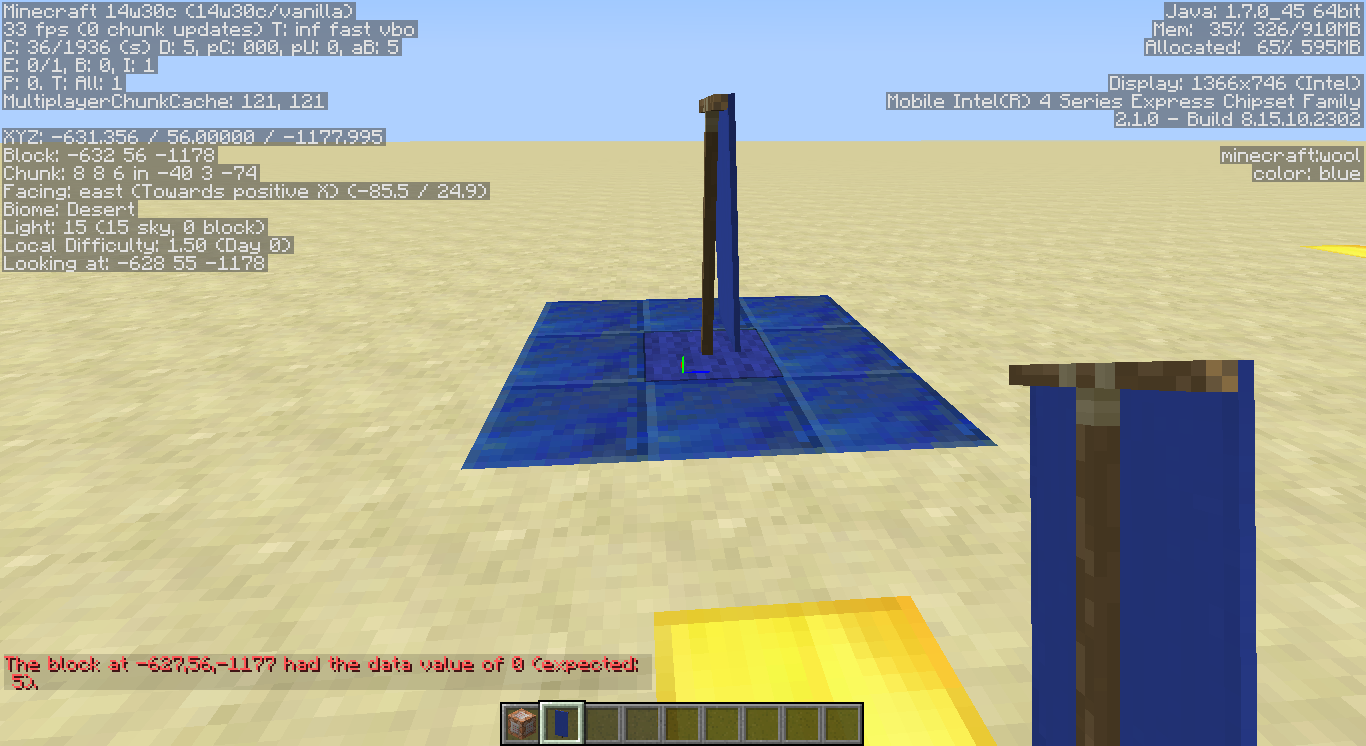
Okay I retried using the correct name and coordinates but the game still only recognizes the black banner as a block when testing. It sees all banners as the black banner.
Thanks! Well know I know
Yup, mine also stopped working just a few hours ago. I have no idea what is going on with Realms...
Confirmed as in that is the case? That Realms is down for everyone, and went down about on hour or two ago? Or confirmed, as in you confirmed the problem?
EDIT: Okay I see. alright, well lets hope it is fixed soon.
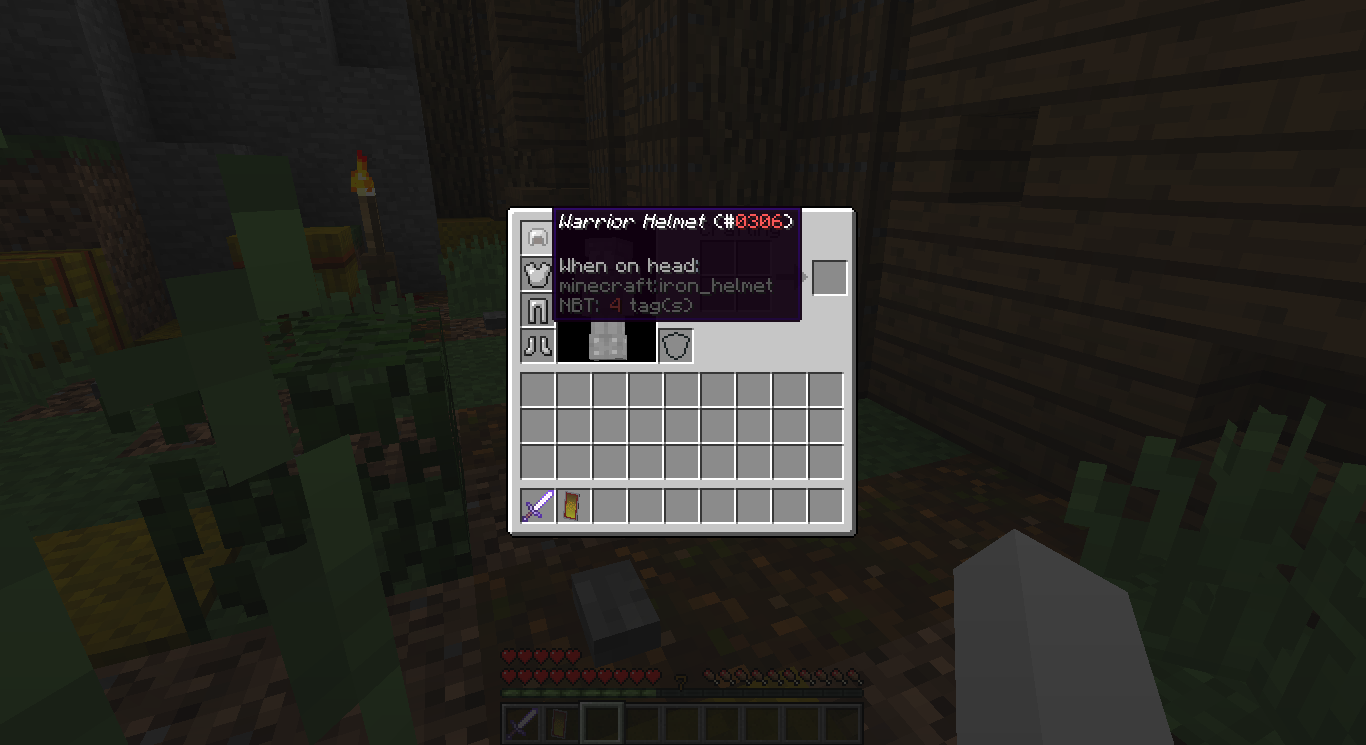
Helmet:
/replaceitem entity @p[m=2] slot.armor.head minecraft:iron_helmet 1 0 {HideFlags:4,AttributeModifiers:[{AttributeName:"generic.armor",Name:"generic.armor",Amount:0,Operation:0,UUIDLeast:623059,UUIDMost:280042,Slot:"head"}],Unbreakable:1,display:{Name:"Warrior Helmet"}}Chestplate:
/replaceitem entity @p[m=2] slot.armor.chest minecraft:iron_chestplate 1 0 {HideFlags:4,AttributeModifiers:[{AttributeName:"generic.maxHealth",Name:"generic.maxHealth",Amount:10,Operation:0,UUIDLeast:484205,UUIDMost:723996,Slot:"chest"},{AttributeName:"generic.knockbackResistance",Name:"generic.knockbackResistance",Amount:0.5,Operation:1,UUIDLeast:744106,UUIDMost:914467,Slot:"chest"},{AttributeName:"generic.movementSpeed",Name:"generic.movementSpeed",Amount:-0.5,Operation:1,UUIDLeast:330386,UUIDMost:873353,Slot:"chest"},{AttributeName:"generic.armor",Name:"generic.armor",Amount:12,Operation:0,UUIDLeast:623059,UUIDMost:280042,Slot:"chest"},{AttributeName:"generic.armorToughness",Name:"generic.armorToughness",Amount:5,Operation:0,UUIDLeast:768050,UUIDMost:732271,Slot:"chest"}],Unbreakable:1,display:{Name:"Warrior Chestplate"}}Leggings:
/replaceitem entity @p[m=2] slot.armor.legs minecraft:iron_leggings 1 0 {HideFlags:4,AttributeModifiers:[{AttributeName:"generic.armor",Name:"generic.armor",Amount:0,Operation:0,UUIDLeast:623059,UUIDMost:280042,Slot:"legs"}],Unbreakable:1,display:{Name:"Warrior Leggings"}}Boots:
/replaceitem entity @p[m=2] slot.armor.feet minecraft:iron_boots 1 0 {HideFlags:4,AttributeModifiers:[{AttributeName:"generic.armor",Name:"generic.armor",Amount:0,Operation:0,UUIDLeast:623059,UUIDMost:280042,Slot:"feet"}],Unbreakable:1,display:{Name:"Warrior Boots"}}I forget if the min and most have to be different for each one, or if that means it will pick a UUID between those two numbers. If the later then this shouldn't be a problem. If the first, then I just got confused.
Alright, Thanks.
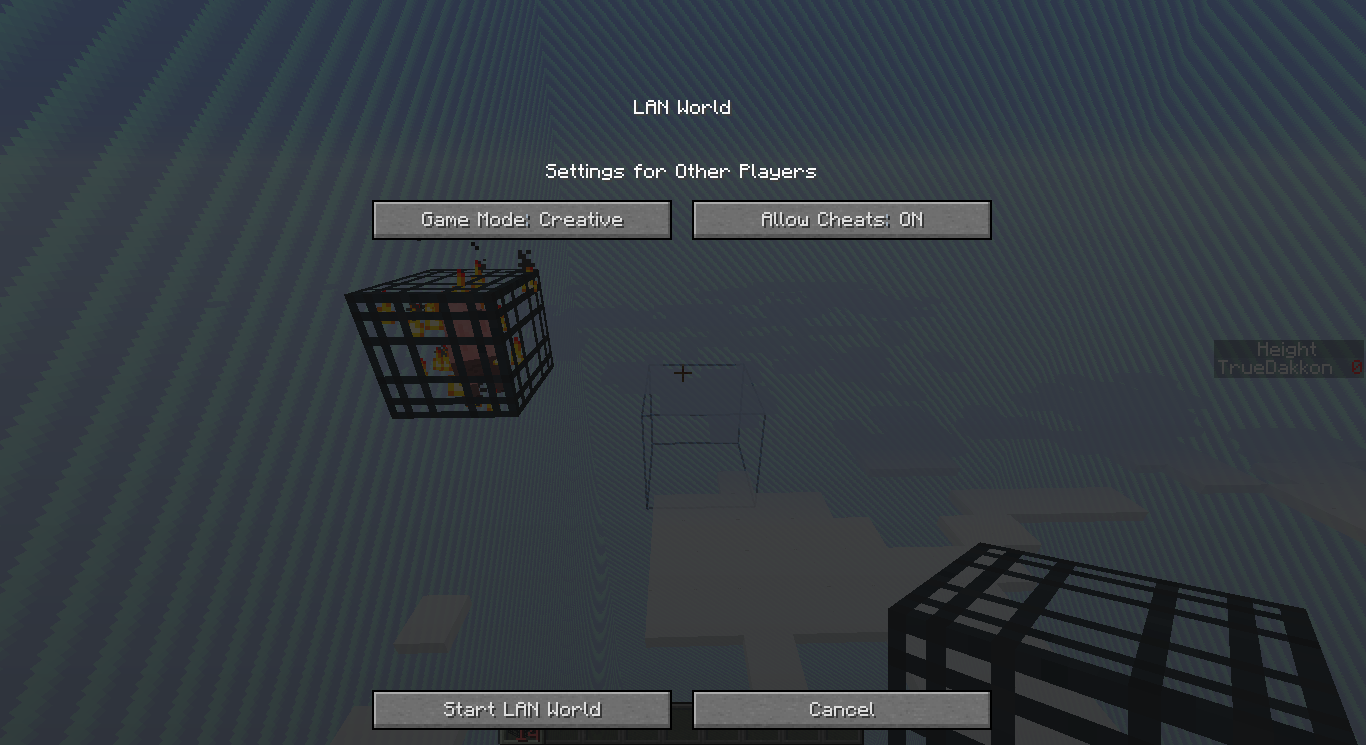
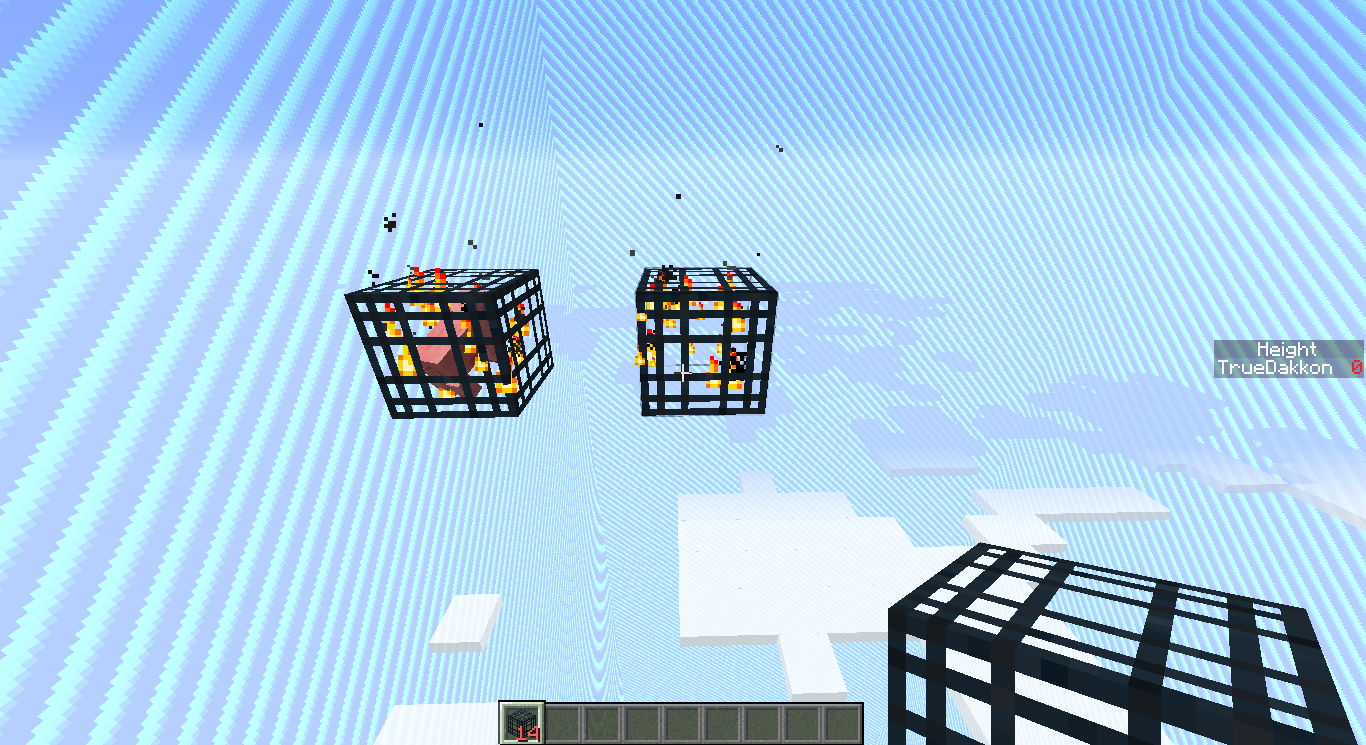
That still confuses me? How would one exploit this? If someone knew how to give themselves one by turning on LAN and enabling cheats, aren't they already exploiting a game mechanic? To me this seems kinda limiting in terms of what map makers can do. Not by much as it is just one thing, but still slightly limiting. I don't mean to sound aggressive or mean, but to me it just seems weird that the game would force you to enable cheats to use nbt data on monster spawners or whatever else. I'm honestly just trying to do this for a survival map, but I don't want to enable cheats, as that would allow players to cheat... Regardless, not something that I personally would have done, but I can't really complain either since I didn't make the game. I didn't know it was a feature, so sorry about posting this thinking it was a mistake. I honestly thought that this was some weird bug that happened as a result of the new update. Any way, thanks for clearing this up for me. I will just have to think of a work around I guess.
That makes sense. Though I would like to see something like a gamerule or something that could toggle that function on a world so that people could place those down without cheats enabled. Either way, thanks again for clearing that up for me.
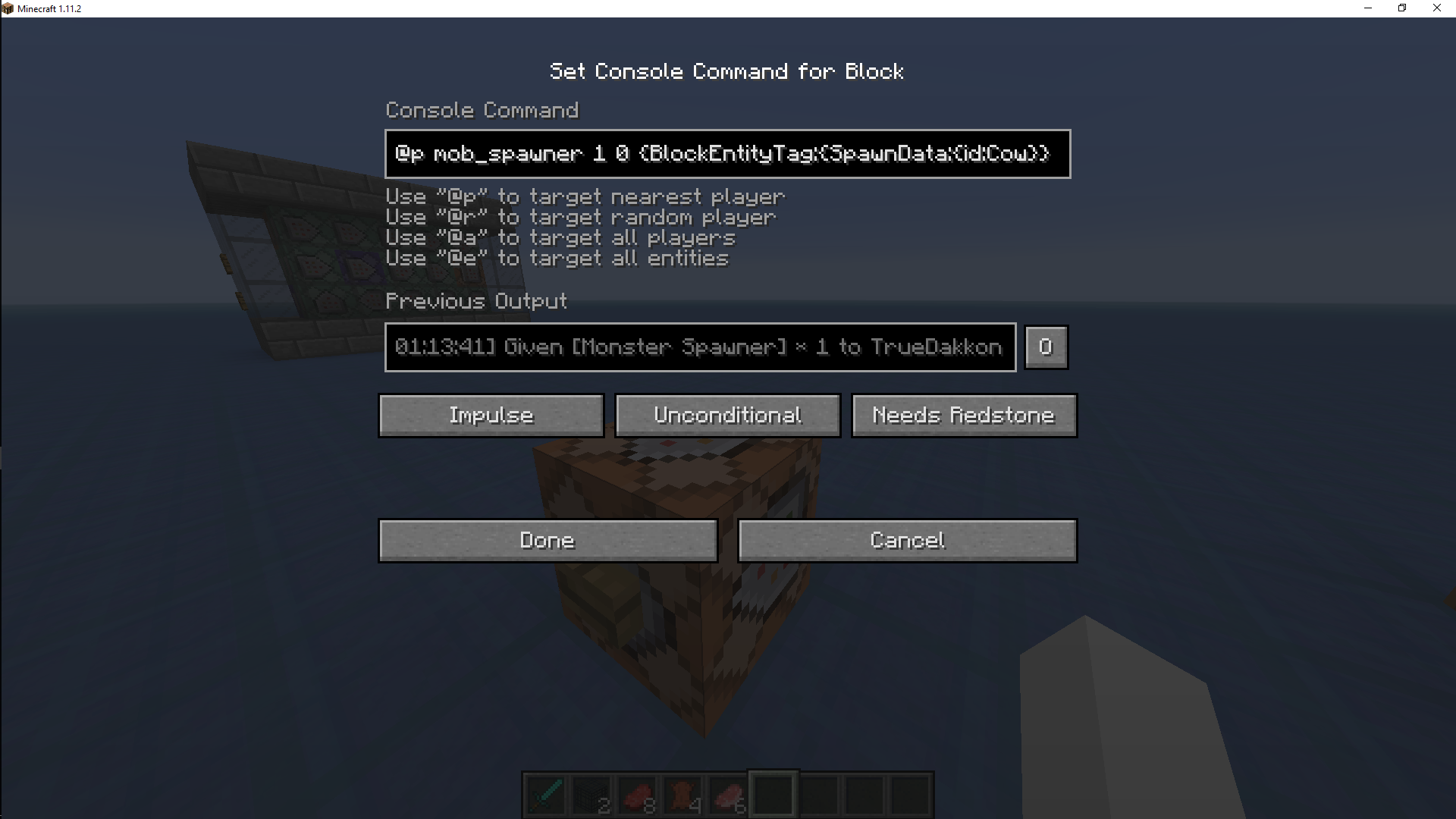
I did, it is in the picture... The only part cut out is "give." If you need the whole command in text then here:
/give @p mob_spawner 1 0 {BlockEntityTag:{SpawnData:{id:Cow}}}How does one do that? Also, when did this change?
Ah alright. Must be new to this version that you have to ise that command, as my command worked in I think 1.10.
Maybe. In the version before 1.11.2, my command worked, but the mob spawner always looked like a pig spawner.
Sorry, couldn't figure out how to do the commands to show without getting some weird error. I will have to keep that in mind next time.