 NOPEname
- NOPEname
- nopename
- Europe/Stockholm
- Yes
- No
 MC-94143
![[Mojang] Grum (Erik Broes)](../../../data/assets/gravatar/grum.png)
![[Mojang] Nathan Adams](../../../data/assets/gravatar/dinnerbone.png)







When aiming at a block and tab-completing the playsound command, the first coordinate of that block is skipped.
Chunksin cornerof FOV sometimes unloadChunks at the edge of FOV sometimes unload
Playsound activated in a deleted world keeps playing in menu and new world
I activated a playsound command playing a custom song (the song is more than a minute long). While it was playing I went back to the main menu and the sound stopped.
Then I went into the "saves" folder and deleted the world I played the sound in. As soon as I went back theMinecraft(menu) the sound continued playing and didn't stop even when I entered another world.I used Minecraft in fullscreen mode.
I activated a playsound command playing a custom song (the song is more than a minute long). While it was playing I went back to the main menu and the sound stopped.
Then I went into the "saves" folder and deleted the world I played the sound in. As soon as I went back to Minecraft and entereing another world the music started playing again and didn't stop even when I went back to the main menu.I used Minecraft in fullscreen mode.
I activated a playsound command playing a custom song (the song is more than a minute long). While it was playing I went back to the main menu and the sound stopped.
Then I went into the "saves" folder and deleted the world I played the sound in. As soon as I went back to Minecraft and entereing another world the music started playing again and didn't stop even when I went back to the main menu.I used Minecraft in fullscreen mode.
Here is a video showing how exactly this bug behaves: https://youtu.be/xjvIFRUkl_A
I'm working on a map using custom textures.
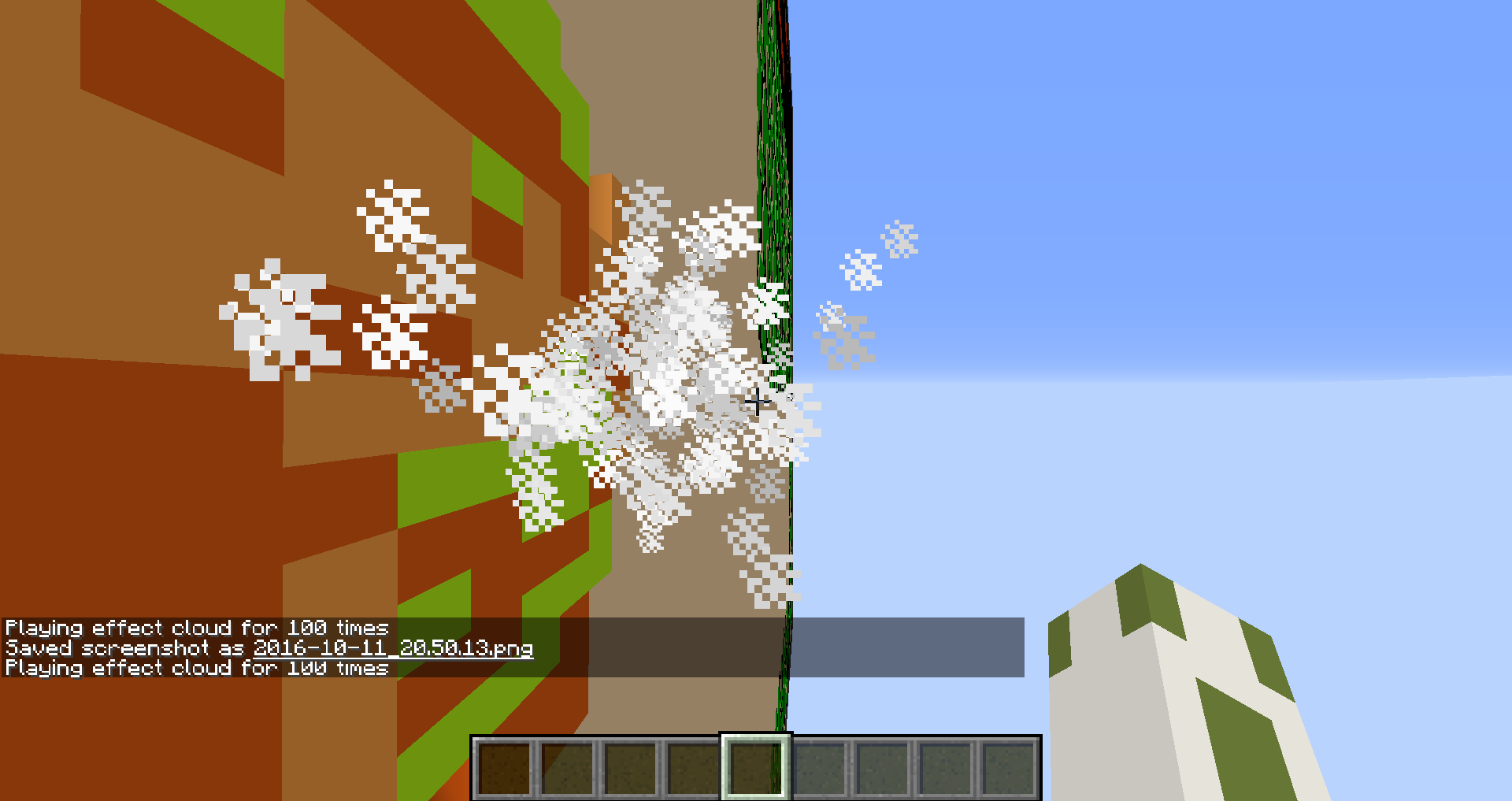
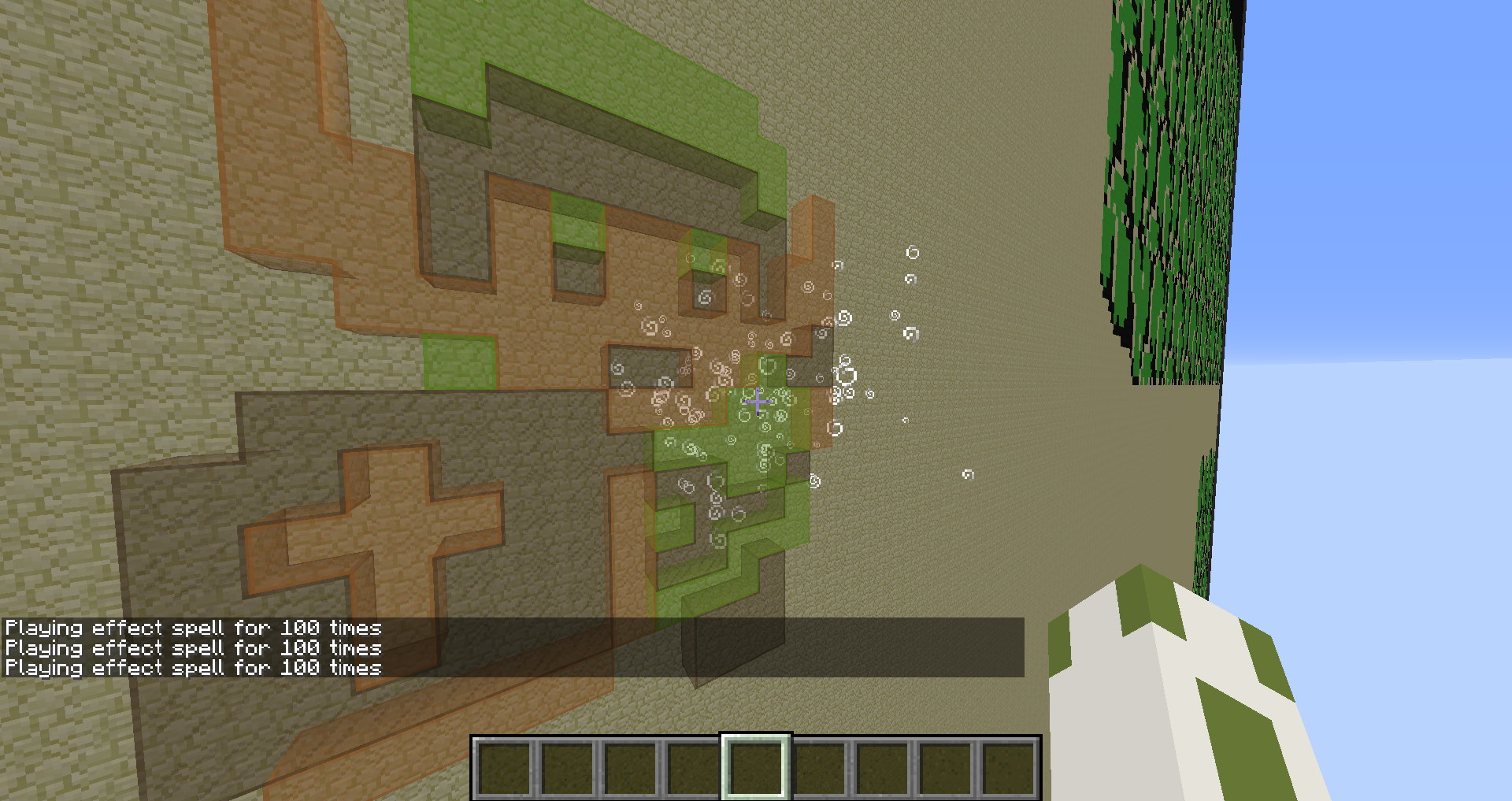
Behind "Link" (screenshots) there is an ArmorStand which I execute the particle command from, so that the particles are in front the pixel art.But all spell particles are invisible in front of the retextured blocks!
Cloud particles and reddust particles work without any problems. I haven't tested any other problems.Without the resourcepack everything is fine, so the problem isn't caused by the glass.
Here's the command: /execute @e[tag=Link] ~ ~ ~ /particle spell ~-24 ~8 ~8 1 1 1 0.1 100 force @a
How to reproduce
Cloning blocks doesn't only create lag spikes (https://bugs.mojang.com/browse/MC-123584), it also makes the (internal) server lag. I couldn't reproduce it with /fill so far.
How to reproduce: Execute a /clone command every tick, using a repeating command block or function.
Since it's cloning the same area, there shouldn't be any light updates causing this.
The attached video shows how many milliseconds Minecraft needs to process one game tick (using this methode: https://youtu.be/w_43hYVxYa0)
The lag is cause by one /clone command cloning ~13,000 blocks.
Cloning blocks doesn't only create lag spikes (https://bugs.mojang.com/browse/MC-123584), it also makes the (internal) server lag. I couldn't reproduce it with /fill so far.
How to reproduce: Execute a /clone command every tick, using a repeating command block or function. It seems like this issue only occurs when two or more /clone commands are activated in a short amount of time.
Since it's cloning the same area, there shouldn't be any light updates causing this.
The attached video shows how many milliseconds Minecraft needs to process one game tick (using this methode: https://youtu.be/w_43hYVxYa0)
The lag is cause by one /clone command cloning ~13,000 blocks.
Cloning blocks (no light-update)lags serverExecuting two (or more) /clone commands lags server
Cloning blocks doesn't only create lag spikes (https://bugs.mojang.com/browse/MC-123584), it also makes the (internal) server lag. I couldn't reproduce it with /fill so far.
How to reproduce: Execute a /clone command every tick, using a repeating command block or function. It seems like this issue only occurs when two or more /clone commands are activated in a short amount of time.
Since it's cloning the same area, there shouldn't be any light updates causing this.
The attached video shows how many milliseconds Minecraft needs to process one game tick (using this methode: https://youtu.be/w_43hYVxYa0)
The lag is cause by one /clone command cloning ~13,000 blocks.Cloning blocks doesn't only create lag spikes (https://bugs.mojang.com/browse/MC-123584), it also makes the (internal) server lag. I couldn't reproduce it with /fill so far.
How to reproduce:
Execute a /clone command every tick, using a repeating command block or function.Conditions:
It seems like this issue only occurs when two or more /clone commands are activated in a short amount of time. In addition to that the player has to be near the affected area and this issue does not occur when the player is in specator mode. The gamerule "spectatorsGenerateChunks" makes no difference.Since it's cloning the same area, there shouldn't be any light updates causing this.
The attached video shows how many milliseconds Minecraft needs to process one game tick (using this methode: https://youtu.be/w_43hYVxYa0)
The lag is cause by one /clone command cloning ~13,000 blocks.
Create a world in an older version (I used 18w09a) and include a data pack that is incompatible with 18w20c
. For example use "bossbar create" instead of "bossbar add".When trying to open this world in 18w20c singleplayer, Minecraft is stuck in the loading screen.
When trying to open it on a server, it will crash. Crash report:
---- Minecraft Crash Report ---- // My bad. Time: 21.05.18 09:06 Description: Exception in server tick loop java.lang.IllegalStateException: Cannot build unresolved tag entry at wg$c.a(SourceFile:228) at wg.<init>(SourceFile:41) at wg$a.b(SourceFile:134) at wh.a(SourceFile:137) at wi.a(SourceFile:36) at uo.c(SourceFile:123) at uo.a(SourceFile:106) at net.minecraft.server.MinecraftServer.a(SourceFile:1370) at net.minecraft.server.MinecraftServer.a(SourceFile:356) at net.minecraft.server.MinecraftServer.a(SourceFile:299) at rv.d(SourceFile:248) at net.minecraft.server.MinecraftServer.run(SourceFile:502) at java.lang.Thread.run(Unknown Source) A detailed walkthrough of the error, its code path and all known details is as follows: ---------------------------------------------------------------------------------- -- System Details -- Details: Minecraft Version: 18w20c Operating System: Windows 8.1 (amd64) version 6.3 Java Version: 1.8.0_171, Oracle Corporation Java VM Version: Java HotSpot(TM) 64-Bit Server VM (mixed mode), Oracle Corporation Memory: 859455328 bytes (819 MB) / 1029177344 bytes (981 MB) up to 1029177344 bytes (981 MB) JVM Flags: 2 total; -Xmx1024M -Xms1024M Profiler Position: N/A (disabled) Player Count: 0 / 12; [] Data Packs: vanilla, file/cod (incompatible), file/guns (incompatible) Is Modded: Unknown (can't tell) Type: Dedicated Server (map_server.txt)Create a world in an older version (I used 18w09a) and include a data pack that is incompatible with 18w20c, because of invalid block ids/names.
When trying to open this world in 18w20c singleplayer, Minecraft is stuck in the loading screen.
When trying to open it on a server, it will crash. Crash report:
---- Minecraft Crash Report ---- // My bad. Time: 21.05.18 09:06 Description: Exception in server tick loop java.lang.IllegalStateException: Cannot build unresolved tag entry at wg$c.a(SourceFile:228) at wg.<init>(SourceFile:41) at wg$a.b(SourceFile:134) at wh.a(SourceFile:137) at wi.a(SourceFile:36) at uo.c(SourceFile:123) at uo.a(SourceFile:106) at net.minecraft.server.MinecraftServer.a(SourceFile:1370) at net.minecraft.server.MinecraftServer.a(SourceFile:356) at net.minecraft.server.MinecraftServer.a(SourceFile:299) at rv.d(SourceFile:248) at net.minecraft.server.MinecraftServer.run(SourceFile:502) at java.lang.Thread.run(Unknown Source) A detailed walkthrough of the error, its code path and all known details is as follows: ---------------------------------------------------------------------------------- -- System Details -- Details: Minecraft Version: 18w20c Operating System: Windows 8.1 (amd64) version 6.3 Java Version: 1.8.0_171, Oracle Corporation Java VM Version: Java HotSpot(TM) 64-Bit Server VM (mixed mode), Oracle Corporation Memory: 859455328 bytes (819 MB) / 1029177344 bytes (981 MB) up to 1029177344 bytes (981 MB) JVM Flags: 2 total; -Xmx1024M -Xms1024M Profiler Position: N/A (disabled) Player Count: 0 / 12; [] Data Packs: vanilla, file/cod (incompatible), file/guns (incompatible) Is Modded: Unknown (can't tell) Type: Dedicated Server (map_server.txt)
Increase the number of hearts a player has using "generic.maxHealth".
Fill up those extra hearts (/effect) and rejoin the world.
The player's health will be reset to 10 full hearts.
Increase the number of hearts a player has using "generic.maxHealth".
Fill up those extra hearts (/effect) and rejoin the world.
The player's health will be reset to 10 full hearts.

Teleporting a player many times in a short period of time (e.g. once per game tick) queues network pack
ages, causing lag.Mainly the packages sent from client to server pile up. ("tx" in debug screen)
The player's position might get reset or the player might even get kicked for "flying" because the connection has such a delay.
This only happens in multiplayer.
Teleporting a player many times in a short period of time (e.g. once per game tick) queues network packets, causing lag.
Mainly the packets sent from client to server pile up. ("tx" in debug screen)
Their amount does not grow proportionate, meaning that teleporting one player with a steady frequency (20 times a second) makes the amount of packets sent grow more and more over time. For example 5 packets are sent without teleporting, 10 after one seconds of teleporting, 20 after two second, 30, 40, 50,...The player's position might get reset or the player might even get kicked for "flying" because the connection has such a delay.
This only happens in multiplayer.
Squids that are summoned (in water) with {NoAI:1b} are rotating. Giving {NoAI:1b} after spawning does not prevent squids from moving. They seem to swim into corners then.
After reloading the world they are spinning on spot instead of swimming into one direction.


![[Mod] Les3awe](../../../data/avatars/users/79847.png)

There's still strange behaviour connected with the NoAI-tag (in 15w50a):
https://youtu.be/YYX75Fppdz4
The rotation of ArmorStands isn't updating correctly in 1.9 pre-release 2 when using /tp ~ ~ ~ ~(value) ~
No, I didn't teleport to unloaded chunks
It also works if you are not playing in fullscreen.
This bug also appeared in 1.9.4 and the speed effect seems to be affected, too.
I'm using the save mode of structure blocks. Idk how to describe it further.
Manually if I remember correctly.
I'm having this problem with Minecraft 1.10.2
(Windows 8.1 64bit; Java 1.8.0_31 64bit)
No. I tested it again.
If I'm pressing "SAVE" to save the structure it works. But when I save it by activating the structure blocks using redstone blocks the structures aren't saved properly.
Oh, ok. Thanks for telling me.
So far I can't tell if 1.10 and 1.11 snapshots are affected, because I still haven't found a reliable methode to reproduce it.
Alright, I could only reproduce it by teleporting to unloaded chunks in the newest snapshot.
I can confirm it for 1.11
I can confirm this bug for Minecraft 1.10.2 and 1.11.
The error "Disconnected" or "java.io.IOException: Eine vorhandene Verbindung wurde vom Remotehost geschlossen" (which should be the same as "java.io.IOException: An established connection was aborted by the software in your host machine") shows up every time I try to enter a server when a custom language file from a resourcepack is selected.
You also have to select the language in the language settings.
Sorry, the first video didn't work. I uploaded it on Youtube now: https://youtu.be/BaedhcBOAq4
1.Resourcepack attached
2.Ok, thanks
3.The server seen in the first video (with the title "Sniper Battle by NOPEname") is a vanilla server (1.10.2)
Also I couldn't join the local host
It happens when the language has another name than an already existing one.
In this example "en_Sniper".
If I rename it to "en_US" it replaces the default English(US) language and everything is fine, even though the language file is different. Only the name causes the problem.
Also happens in vanilla Minecraft 1.11.2
Editing the NBTdata of an arrow using /entitydata also triggeres this bug. (1.11.2)
Can confirm for Minecraft 1.12-pre5
A resource pack file name contains an invalid character. That makes sense! Is it possible to make mc 1.13 unload invalid resourcepacks while/before launching?
The same goes for display:{Name:
Can confirm for 18w03b
To me it seems random whether the server starts or gets stuck. I'm launching it with GUI.
Sometimes it works at first try, sometimes it takes 10-20 restarts.
(Windows 8.1; Java 1.8.0_25 64bit)
I am not sure if it is related to this bug, but I dicovered another problem with filling blocks:


I wrote a command function that fills large areas. When I activate it the (singleplayer) server can't keep up and the FPS drop. After a while this happens:
Keep in mind: I was playing in singleplayer!
It's actually two data packs: http://www.mediafire.com/file/pnbc7z9fbfwqgu9/2%20datapacks.zip
They there used un-zipped.
They contain invalid commands and block ids (block tag).
Later I updated another world, also containing invald command functions, so I guess the crash is caused by the block ids.
I don't know if it's helpful, but since my crash report shows different line numbers I will upload it here as well:
Oh, ok.
Seems to be fixed in 1.13-pre 3.
Sorry, I mixed up with another crash.
It doen't crash anymore.
log: "Removed resource pack Adventure x16 from options because it is no longer compatible"
Can confirm for 1.13-pre6
I have difficulties to describe the issue, but I tried again and updated the report.
From client to server
Is the following problem related to this?
Teleporting a player to an unloaded chunk and summoning an entity in that chunk in the same tick does not work anymore in 1.14.
Example:
Position 0 0 0 is inside an unloaded chunk.
I have the following mcfunction:
Running the function will result in the player being teleported, without the armor_stand being summoned.
Thanks, the allignment was is the problem actually.
I got confused since the exact same function did work as I originally expected in an older version.
So this works as intended!
To me it almost looks like transparent elements are rendered in opposite order in the GUI.
Edit: Setting the Z component of the translation in the GUI display settings to -5 "fixes" the issue.
To me it looks like you simply need to have a "misc/shadow.png" texture in your resource pack for this to happen.
Found the problem!
You need to add a file called "shadow.png.mcmeta" with the following content:
{ "texture": { "clamp": true } }Also, your texture should not fill the whole image. You need to leave some space at the edge (take default texture for reference).