 Aaron Loyd
- obsidianminor
- obsidianminor
- America/Chicago
- Yes
- No
![[Mojang] Jeb (Jens Bergensten)](../../../data/assets/gravatar/jeb.jpeg)
![[Mojang] Grum (Erik Broes)](../../../data/assets/gravatar/grum.png)
 MC-15228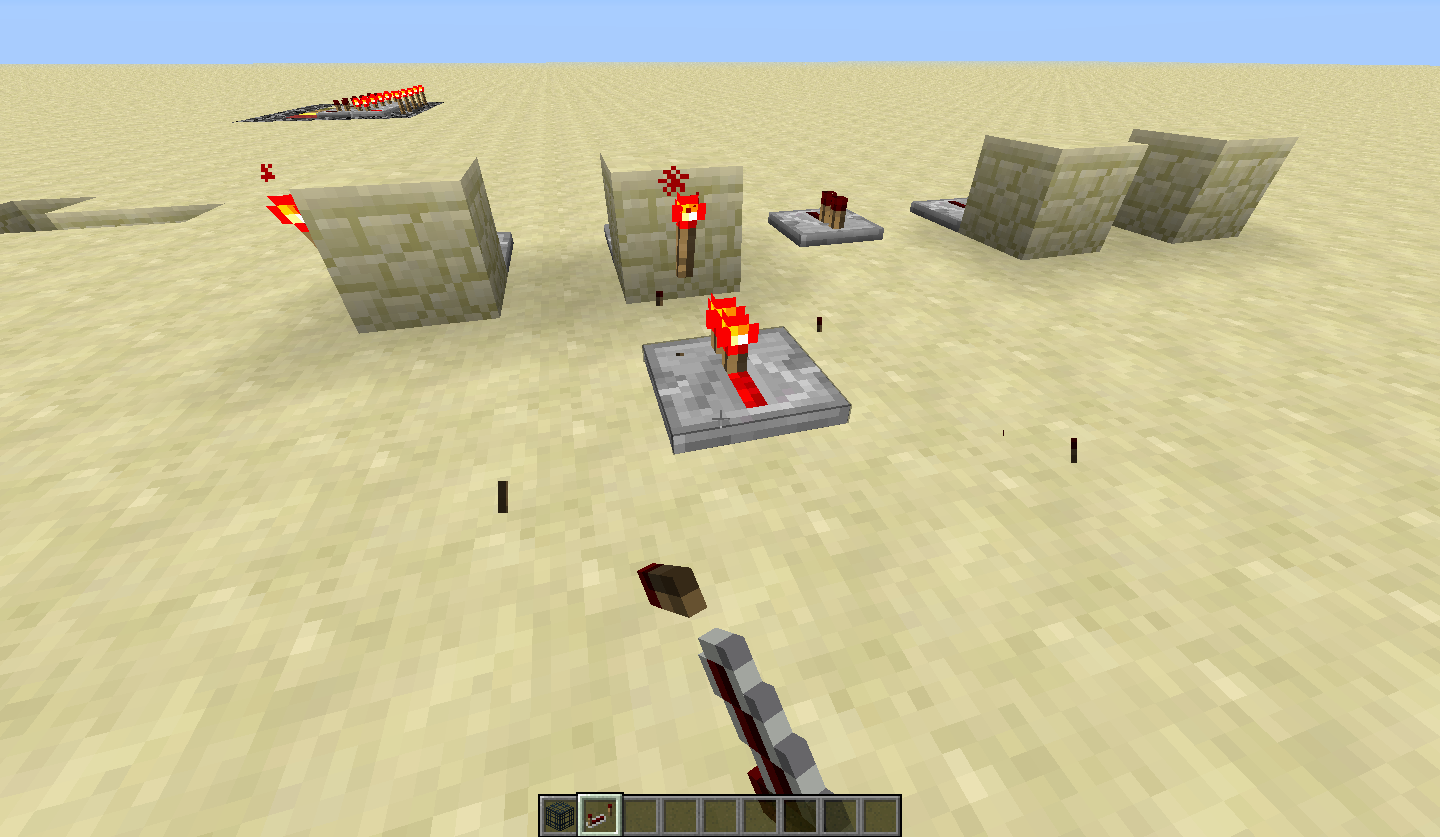



Most people don't want to find out the games mathamatical equations. So he must have not known the way fall damage works, or incorrectly counted how far the zombie fell. :3
Redstone Repeaters flick on when facing a redstone torch. Note this does not happen when it faces it pointing from any other block.
Redstone torches burn out when power goes on and off at extremely high speeds. Also repeaters will not update.
I will upload a vid in 1 min
Re
dstone torches burn out when power goes on and off at extremely high speeds. Also repeaters will not update.Repeaters will not update to a shot pulse.
2013-03-14_10.01.30.png
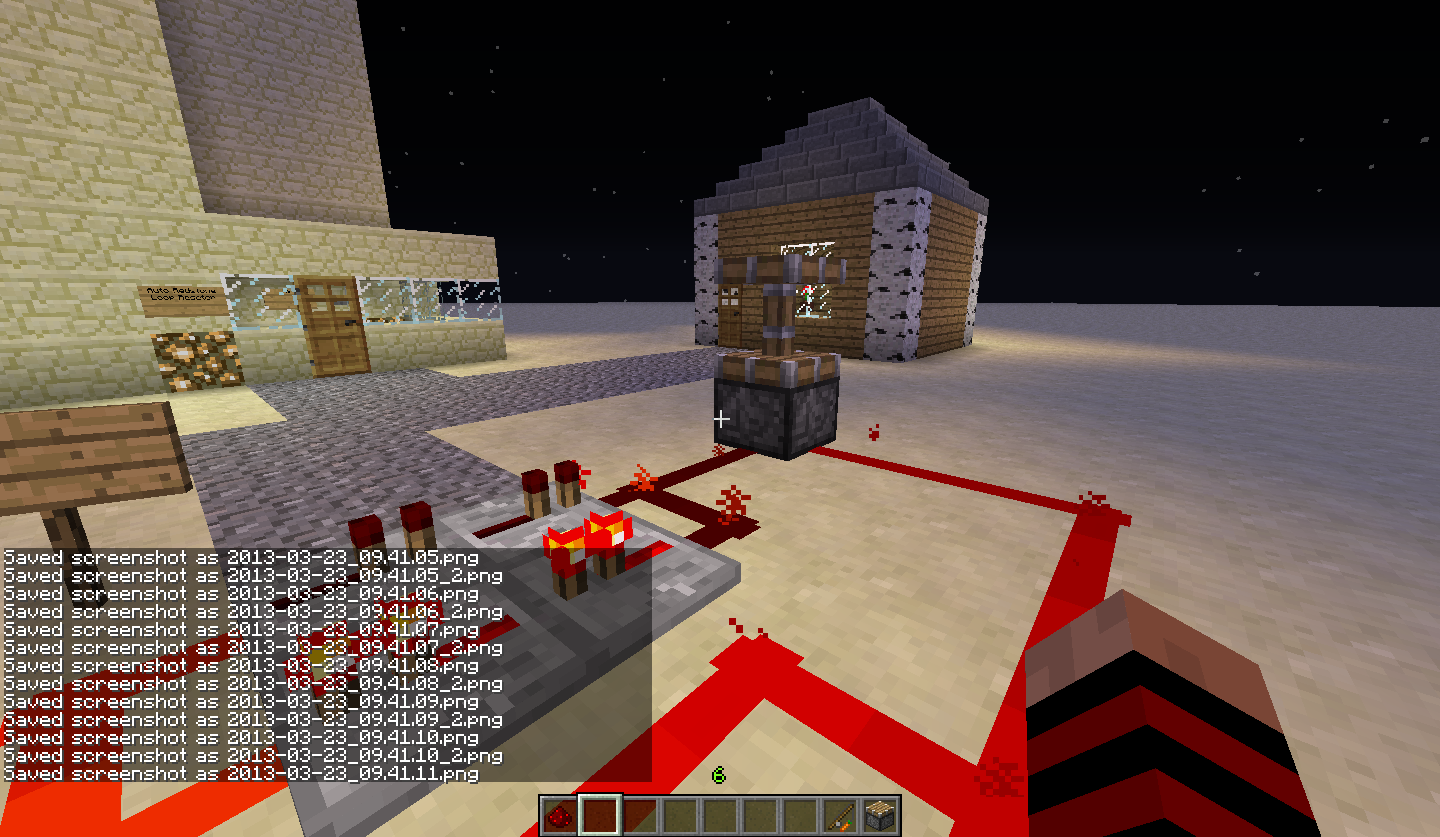
When you use rapid fire redstone pistons will glitch. (see screenshot)
When you use rapid fire redstone, pistons will glitch. (see screenshot) How to make:
1. Make a really fast circuit like this then destroy the torch really quickly.
rp:repeater r:redstone rt: redstone torch
r rp rp r rt
r rp rp r
2. If power is circulating you did it right.
3. Attach both sides of redstone to piston.
Tada.
Rapid Fire Redstone Connecting to Pistons Creates a Graphical GlitchPiston drops entity in creative
Piston when destoyed drops entity in creative
When you use rapid fire redstone, pistons will glitch. (see screenshot) How to make:
1. Make a really fast circuit like this then destroy the torch really quickly.
rp:repeater r:redstone rt: redstone torch
r rp rp r rt
r rp rp r
2. If power is circulating you did it right.
3. Attach both sides of redstone to piston.
4. Hit extended piston platform.
Tada.
Piston when destoyed drops entity in creativeRapid Fire Redstone Connecting to Pistons Creates a Graphical Glitch
When you use rapid fire redstone, pistons will glitch. (see screenshot) How to make:
1. Make a really fast circuit like this then destroy the torch really quickly.
rp:repeater r:redstone rt: redstone torch
r rp rp r rt
r rp rp r
2. If power is circulating you did it right.
3. Attach both sides of redstone to piston.
4. Hit extended piston platform.
Tada.
How about we say pistons don't update with rapid fire redstone
If you load a world while in a minecart the player is g
litchy in F5 modeIf you load a world while in a minecart the player is gitters back and forth in F5 mode. Small vid to show.
No the player jitters back and forth if you are moving and reload the world. In F5 mode
Added a tiny video so you can just see it.
Player in Moving Minecart is Glitchy
If you load a world while in a minecart the player is gitters back and forth in F5 mode. Small vid to show.
How to reproduce:
1. Create a world and get in a minecart. (Make sure it is moving to get see it better.)
2. Reload the world. Go into F5 mode while
Player in Moving Minecart is Glitchy in F5 Mode
If you load a world while in a minecart the player is gitters back and forth in F5 mode. Small vid to show.
How to reproduce:
1. Create a world and get in a minecart. (Make sure it is moving to get see it better.)
2. Reload the world. Go into F5 mode while in the minecart.
Attached crash report.
Windows 8 Standered Pack 64X Java Latest 64X
If you load a world while in a minecart the player is gitters back and forth in F5 mode.
Small vid to show.How to reproduce:
1. Create a world and get in a minecart. (Make sure it is moving to get see it better.)
2. Reload the world. Go into F5 mode while in the minecart.If you load a world while in a minecart the player is gitters back and forth in F5 mode.
How to reproduce:
1. Create a world and get in a minecart. (Make sure it is moving to get see it better.)
2. Reload the world. Go into F5 mode while in the minecart.Video from: Dirk Sohler. Link:
If you load a world while in a minecart the player is gitters back and forth in F5 mode.
How to reproduce:
1. Create a world and get in a minecart. (Make sure it is moving to get see it better.)
2. Reload the world. Go into F5 mode while in the minecart.Video from: Dirk Sohler. Link:
If you load a world while in a minecart the player is gitters back and forth in F5 mode.
How to reproduce:
1. Create a world and get in a minecart. (Make sure it is moving to get see it better.)
2. Reload the world. Go into F5 mode while in the minecart.Video from: Dirk Sohler. Link: http://www.youtube.com/watch?v=SYBZ74aCSSE
Windows 8 Standered Pack 64X Java Latest 64X
Operating System: Windows 8 (amd64) version 6.2
Java Version: 1.7.0_17, Oracle Corporation
Java VM Version: Java HotSpot(TM) 64-Bit Server VM (mixed mode), Oracle Corporation
Memory: 353406904 bytes (337 MB) / 839581696 bytes (800 MB) up to 954466304 bytes (910 MB)
JVM Flags: 2 total; -Xms512m -Xmx1024m
AABB Pool Size: 14931 (836136 bytes; 0 MB) allocated, 4 (224 bytes; 0 MB) used
Suspicious classes: No suspicious classes found.
IntCache: cache: 0, tcache: 0, allocated: 3, tallocated: 63
LWJGL: 2.4.2
OpenGL: AMD Radeon HD 7800 Series GL version 4.2.12002 Compatibility Profile Context 9.12.0.0, ATI Technologies Inc.
Is Modded: Probably not. Jar signature remains and client brand is untouched.
Type: Client (map_client.txt)
Texture Pack: Default
Profiler Position: N/A (disabled)
Vec3 Pool Size: 163 (9128 bytes; 0 MB) allocated, 18 (1008 bytes; 0 MB) used
If you load a world while in a minecart the player is gitters back and forth in F5 mode.
How to reproduce:
1. Create a world and get in a minecart. (Make sure it is moving to get see it better.)
2. Reload the world. Go into F5 mode while in the minecart.Video from: Dirk Sohler. Link: http://www.youtube.com/watch?v=SYBZ74aCSSE
If you load a world while in a minecart the player is gitters back and forth in F5 mode.
How to reproduce:
1. Create a world and get in a minecart. (Doing this on a horse also works)
1.a (Make sure it is moving to get see it better.)
2. Reload the world. Go into F5 mode while in the minecart.
Video from: Dirk Sohler. Link: http://www.youtube.com/watch?v=SYBZ74aCSSE
NPC'srun atfasterspeeds atnight.NPC's Run at Faster Than Normal Speeds at Night.
NPC's Run at Faster Than Normal Speedsat Night.NPC's Run at Faster Than Normal Speeds When Running to a House
When night comes, NPCs will run at extremely high speeds to get to the nearest house. As if they had a speed II potion on.
If you log into a world online with a Mojang account, it creates a Player.dat (Player being your username) and if you log in offline it will create another player.dat (player this time being your email address) Here is
If you log into a world online with a Mojang account, it creates a Player.dat (Player being your username) and if you log in offline it will create another player.dat (player this time being your email address) Here is
If you log into a world online with a Mojang account, it creates a Player.dat (Player being your username) and if you log in offline it will create another player.dat (player this time being your email address) Here is a link to my world's player foldier https://www.dropbox.com/sh/yrv1z5gzkl6ne59/oQt512LPiS
Jumping over redstone gives a gray particle effect similar to breaking it.
Whitelist must be reloadedevenif added from inside the server console
Whitelist must be reloaded if added from inside theserver consoleWhitelist must be reloaded if added from inside the Minecraft client
I run a Minecraft server on my home computer and if I make a change to the whitelist from inside the
server consoleI must reload it for the change to take place. The Minecraft Wiki states the command "whitelist reload" is used if changes have been made to the whitelist.txt from outside the Minecraft client or server.For example a friend a school asked to be whitelisted and I did from inside the
server console. He tried to connect and the server kicked him for not being whitelisted. I restarted the server and then he could get on.This is another story inside the Minecraft server
with a Minecraft client. You don't need to reload the whitelist if you modify the whitelistas a client connected to the server this bug doesn't exist.Steps to reproduce:
1. Make a server and whitelist it.
2. Add a person to the whitelist from inside theserver console.
3. Have the person try to connect.I run a Minecraft server on my home computer and if I make a change to the whitelist from inside the Minecraft client I must reload it for the change to take place. The Minecraft Wiki states the command "whitelist reload" is used if changes have been made to the whitelist.txt from outside the Minecraft client or server.
For example a friend a school asked to be whitelisted and I did from inside the game. He tried to connect and the server kicked him for not being whitelisted. I restarted the server and then he could get on.
This is another story inside the Minecraft server console. You don't need to reload the whitelist if you modify the whitelist from the console.
Steps to reproduce:
1. Make a server and whitelist it.
2. Add a person to the whitelist from inside the Minecraft client.
3. Have the person try to connect.
This a log section of my server log, I joined the game, added him to the whitelist and then when we tries to get on a few hours later, it kicks him for not being whitelisted.
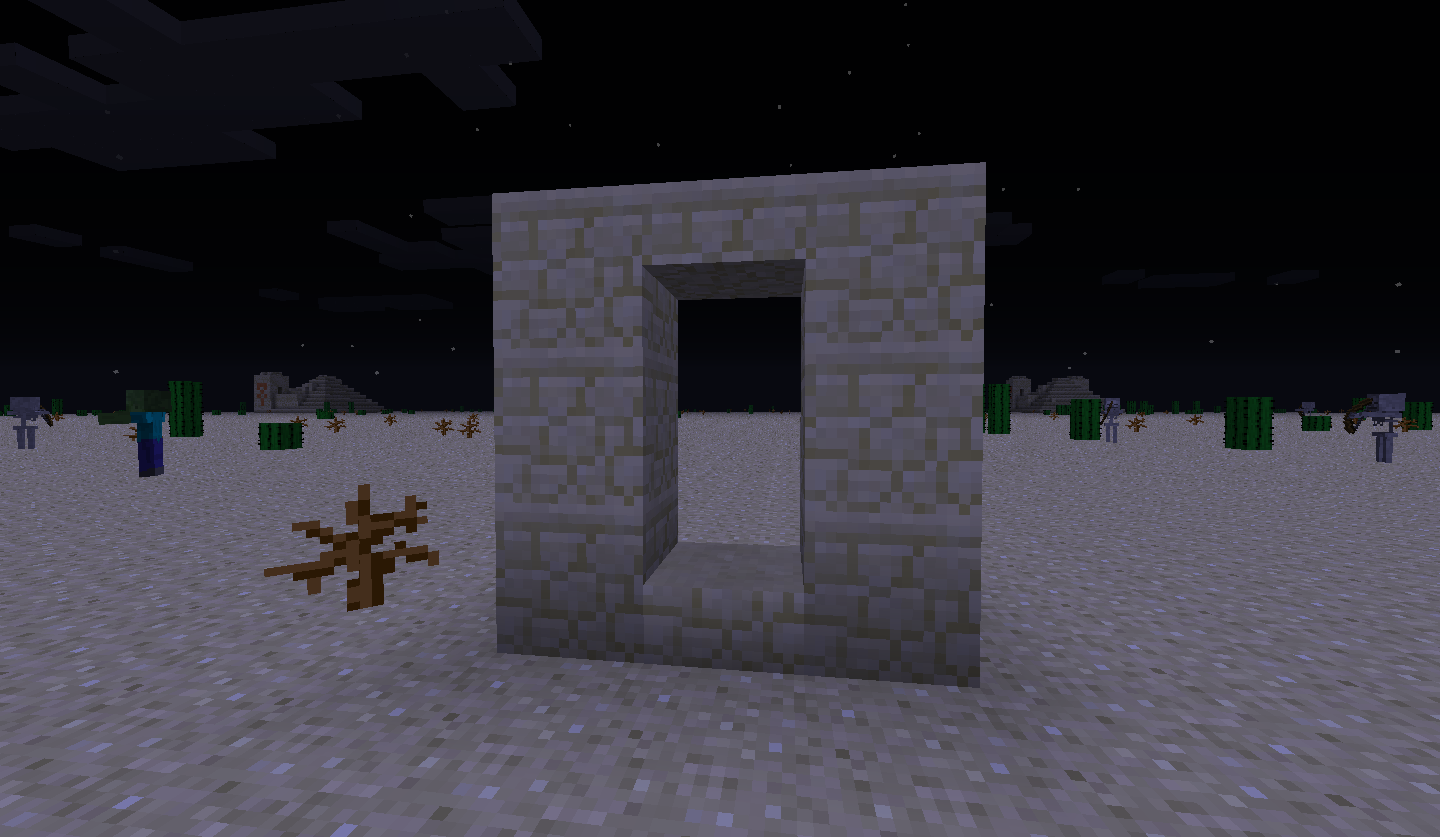
When you enter the nether through one of the nether portal blocks, the game loads the nether
indefinitely. Restarting Minecraft andloading the world causes the game to crash.When you enter the nether through one of the nether portal blocks, the game loads the nether, upon loading the nether it sends you back to the overworld where attempting to load it again crashes the game. At this point reloading the world causes the game to crash.
O.K. I was wondering about the burning out because it made a sound but the repeaters won't update power going at that fast of speed. Try setting it up like it is in the screen shots.
just did some testing and it does update if on first tick. But not on any other ticks. More testing it will update on the third tick.
yes that is it
MORE TESTING: Sometimes it will update on the 2nd tick but not always.
Yeah a bit like that. Now try hitting the repeater ticks. Make it go fast. It should update on 0 tick. Sometimes on 1 tick. Update at a slow speed on 2 tick. And not update on the 3 tick.
Sometimes it will update but if you wait it does not. If the repeater it powered it will not update. If it is not it will
This is a issue that has been around for quite awhile. There should be a gamerule that end portal frames can not be broken, even by generated structures.
This always keeps on happening on my world so it is very annoying.
Added a screenshot. I put sheep in the area, reloaded the world 2 times and the baby sheep glitches into the fence and gets out.
hm let me try on a seperate world
I reproduced it. @Daniel you need it on the right speed. There are two speeds you can put it at. 1. REALLY FAST: Piston does not update. or 2. Piston make a graphical glitch
@steve But still the piston does not update.
WAIT! I JUST FOUND A BUG ON THIS BUG. (that made no sense) Hit the piston on the piston platform and it drops a item in creative mode! Hit the bottom it does not
Oh ok sorry will change it back
I had a dog die in a wall when I walked back in a chunk. Will miss you Yapper.
I think I know why this is happening. When a animal/mob collides with a wall the game saves that mobs moment when you save the world or leave the chunk. The game generates entities first. That why you sometimes find mods bottom half's stuck in blocks. So when it generates entities the mobs start to move again causing them to go into blocks. Make sense?
That's weird. It just happened in my survival world. I had all of my dogs teleport to me when they all where in sitting possition in a unloaded chunk.
Just updated java. Problem still persists.
Assign this bug to Jeb or Dinnerbone. The community hates this bug so please get it fixed.
Animals are actually not suppose to move when the player is more than 35-50 (dont know the exact number) blocks away. (As seen in SethBling's 100% undetecable trap.)
This can also apear with right/left side of blocks. If you get a item to be moved by water and it hits the edge of a block a ghost item appears and constanty is moved back.
In the crash report I found it was tracking a item.tile.stonebrick. Explanation?
Found what a IllegalStateExeption is, it signals that a method has been invoked at an illegal or inappropriate time. In other words, the Java environment or Java application is not in an appropriate state for the requested operation.
More at http://docs.oracle.com/javase/6/docs/api/java/lang/IllegalStateException.html
Looked at 5 of these duplications. It seems that in the crash reports it's a exeption with "Ticking entities, blocks, world, ext."
Almost every crash report states "Adding entity to track." Two state "Ticking entity"
Odd. The 1.5.1 change log of the wiki says it was fixed in 1.5.1
I can confirm it. http://www.youtube.com/watch?v=BsAF_NSSY0g&feature=youtu.be
Could you possibly add a video showing how to do it. I'm not sure how to reproduce it.
They move in one speed in 1.5.2 and now they move as though they have speed II on them.
I use a last login. The game has my password saved to the PC.
This happens because if you have a spawn point in the air it will try to spawn you on the ground, but since there is no ground it spawns you on the last place it can spawn/render entities. Other wise know as Y: -64
Here is a video: http://www.youtube.com/watch?v=XGQywXzl_Fg&feature=youtu.be
Able to reproduce in 13w19a
Link: http://www.youtube.com/watch?v=lXune-sbVs4&feature=youtu.be
I can confirm this in survival/adventure mode as well.
On the bug that is related to this, villagers always go fast, not just when lots of zombies are after them.
I generated a world in 1.5.2 and I had this happen to me.
It also sends you to the Multiplayer Server selection
The Minecraft Wiki is made by the Curse Network and is not sponsored by Mojang. Also it can be modified by anyone and it's not a reliable source when trying to find facts. (they should write that down on every page of the wiki)
Can we stop making mods to fix this and resurfacing the links because that qualifies you as spamming.
Please post a crash report so a mod can see it.
(to force a crash, press F3+C for 10 seconds)
They could make an application as an optional download where it will reset all structures in game.
This is a continuing problem. On my private server I have a automatic subway station, but when ever it goes out of a spawn chunk, it stops until the chunk is loaded where it then continues to the next station.
Considering it forced me to set the server version back to 1.7.4 (don't do it, it deletes all NBT data in every file in the world folder) this is really annoying.
Most of the time you need a damn good processor (not a multi-core one unless you downright need it). Something in the 3.6-4.2 ghtz. RAM is good for holding world data so if lots of people are going to be in lots of different places then get about 8 GBs for about 10 people at most.
And Grum, those can't be the issues (at least on my server) because in 1.7.4 it works fine, but then when you update even my client that is running with the server on the same machine disconnect and I am unable to turn the server off through the stop command.
Very good, that is the only reason I updated my server software to 1.7.5. I hated my console being spammed with "Can't keep up!"
Just change the rate of which a chicken lays eggs, it can turn down the use of chicken farms.
You don't need to attach your Minecraft.exe, just for further reference.
@lisa The error message is not a bug.
How was this bug fixed? It doesn't affect me but if in the future when I am running a public server will it kick people after 23:59?
This happened to me, after this the server window becomes unresponsive and I have to shut it down from the task manager. It also kicks us off.
Have you tryed checking if the authentication servers are online?: help.mojang.com
When you join a snapshot or move your version back it can sometimes delete all NBT data in the world file (I have experienced it on a server)
It may be a problem with world data. Based on what Jenni said "I recently updated to 1.7.9, hoping that it might eliminate the problem. But still, players get kicked from the server.", it means that it does not get fixed with updating. Joe said "I get it on both the 13w41a and 13w41b snapshots." same world file? I updated to a snapshot and had the bug happen, forcing me go back down and use a back up I had made before. I have never encountered the problem since then. Tijl said "When i hosted the server instead of my friend, the same thing happend to him." using the same world. So maybe the server sends a faulty world file to the client and it disconnects.
But the error is made in many different ways so this may not be the cause.
This bug is invalid as your are playing on a modified Minecraft server.
Go into a single player world and hold F3 and C for 10 seconds and attach the crash report.
This bug occurred when I had VBOs off and I increased my render distance. When I increased the distance it made tons of new chunks and some nearby cow models and the extending area started to experience massive glitches.
Oh and I have this information about my video card found by AMD Overdrive
Name AMD Radeon(TM) HD 7800 Series
Description AMD Radeon(TM) HD 7800 Series
Vendor ATI Technologies Inc.
Core Frequency 450.00 MHz
Memory Capacity 2048 MB
Memory Frequency 1200.00 MHz
Memory Bit Width 256 Bit
Display Mode 1440 X 900 : 32 (60Hz)
They already are, (google is your friend, you'll learn all the good news quickly).
This might be an issue with redstone, most people here are saying that they have automatic farms. I just got disconnected after lagging a bit and we have a redstone clock running to change the scoreboard.
[13:05:00] [Server thread/INFO]: [@: Set the display objective in slot 'sidebar' to 'StoneMined']
[13:05:13] [Server thread/INFO]: [@: Set the display objective in slot 'sidebar' to 'DiamondsMined']
[13:05:26] [Server thread/INFO]: [@: Set the display objective in slot 'sidebar' to 'StoneMined']
[13:05:56] [Server thread/WARN]: Can't keep up! Did the system time change, or is the server overloaded? Running 26467ms behind, skipping 529 tick(s)
[13:05:56] [Server thread/INFO]: ObsidianMinor lost connection: TextComponent{text='Disconnected', siblings=[], style=Style{hasParent=false, color=null, bold=null, italic=null, underlined=null, obfuscated=null, clickEvent=null, hoverEvent=null, insertion=null}}
[13:05:56] [Server thread/INFO]: ObsidianMinor left the game
The Minecraft Wiki states that the /whitelist reload command is to reload the white list if it "has been modified outside of Minecraft", Implying that changes should take effect after a change to the whitelist has occurred from inside the Minecraft client without having to use the reload command.
Here is the command page: http://minecraft.gamepedia.com/Commands