 Seacraft Gaming
- SeacraftGaming
- seacraftgaming
- Europe/Stockholm
- Yes
- No
 MC-124537
 Low
Low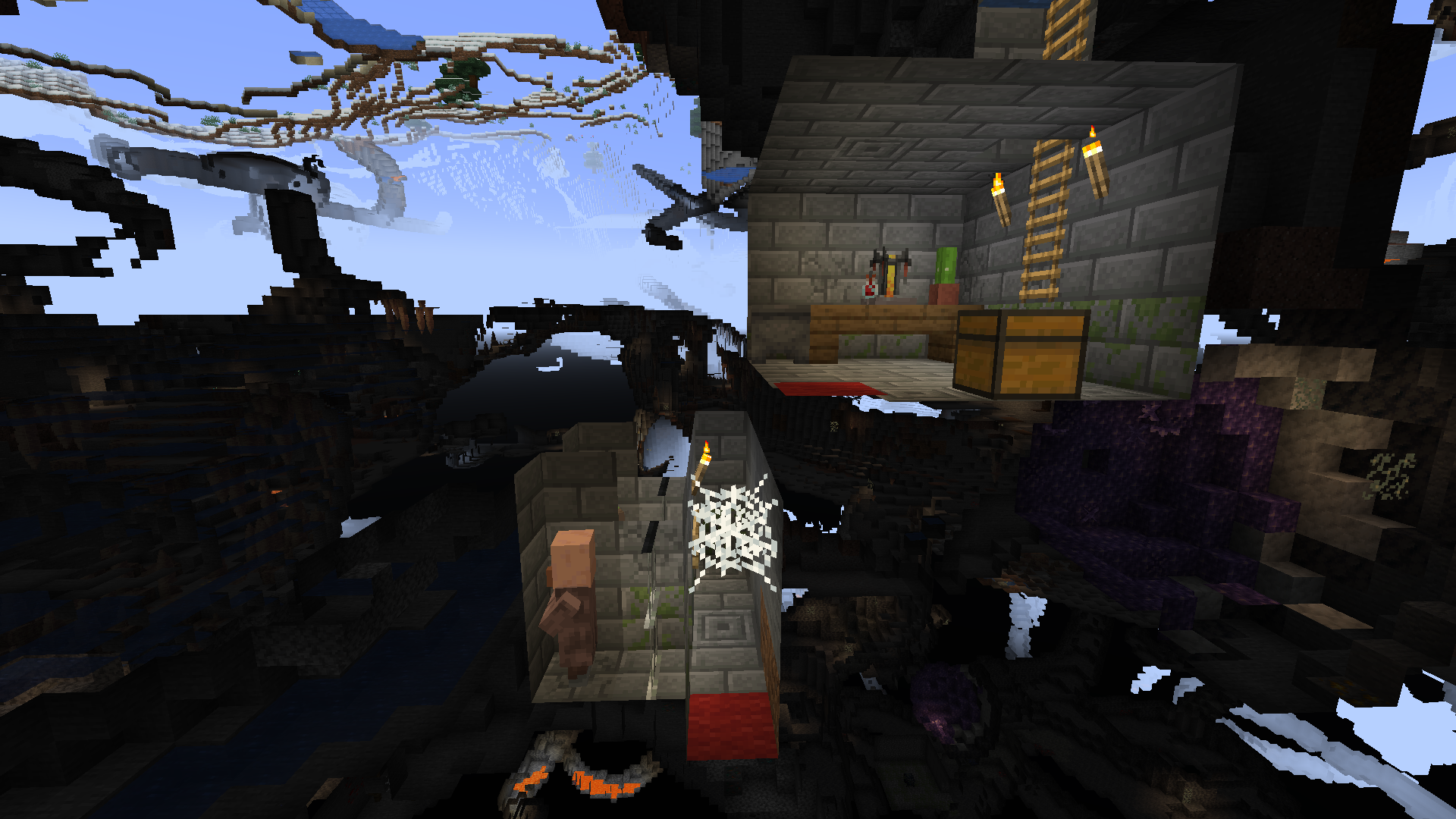


NBT target selector argument not working with mobs
Bug
Some world features appear to be inconsistent between different worlds generated with the same seed. Note: this does not appear to effect the terrain itself, but features like trees and sugar cane. Likely affects many other thing too.
Each of the screenshots provided are different worlds in the same location, generated with seed -451527090713527778 at -195.5 67 -52.5 facing west.
Expected behaviour
**World produces same trees and other features between worlds of the same seed.
Steps to reproduce:
- Create a new world.
- Go to a tree and note down its coordinates.
- Recreate the world with the same seed.
- Tree will likely be missing. (If not, try again).
Windows 10 Home, Version 20H2; Intel(R) Core(TM) i7-7700HQ CPU; NVIDIA GeForce GTX 1060 GPU; Java 16.0.1 64-bit.
I thought it would be possible to modify and reference the root tag of command storage using the {}{} NBT path. As an example, set up the following data:
data modify storage test:test example_data set value 1bNote that this can be displayed by using the {}{} path in a data get command:
data get storage test:test {}However, this tag cannot be modified with data modify or data remove; all the following commands fail:
data modify storage test:test {} set value {other_data:2b} data modify storage test:test {} set value {} data remove storage test:test {}The error message received from these is:
Nothing changed. The specified properties already have these valuesI suppose that the inability to change the root tag to any value may well be intended, but it still should allow for the setting of a valid compound and allow the removal of the tag. Additionally, the error is uninformative (though that may constitute a separate issue).
I thought it would be possible to modify and reference the root tag of command storage using the {} NBT path. As an example, set up the following data:
data modify storage test:test example_data set value 1bNote that this can be displayed by using the {} path in a data get command:
data get storage test:test {}However, this tag cannot be modified with data modify or data remove; all the following commands fail:
data modify storage test:test {} set value {other_data:2b} data modify storage test:test {} set value {} data remove storage test:test {}The error message received from these is:
Nothing changed. The specified properties already have these valuesI suppose that the inability to change the root tag to any value may well be intended, but it still should allow for the setting of a valid compound and allow the removal of the tag. Additionally, the error is uninformative (though that may constitute a separate issue).
Edit by [Mod] turbo:
It seems that friendly creatures like new wolf variants and armadillos don't spawn at all in old (upgraded) chunks, not even in new chunks, only once in newly generated chunks.
Steps to Reproduce by kelianor in this comment
- Create a single-biome savanna world in 1.20.4 with commands enabled
- Set simulation and render distance to 16 or more.
- Once you load in a world, fly around spawn to load new chunks.
- Upgrade it to 1.20.5
- Place 2 always active repeating command blocks with commands bellow
/execute as @e[type=armadillo] run say MC-271088 is false /execute as @e[type=armadillo] run effect give @s glowing infinite - Run /tick sprint 2d and stay still.
 Armadillos don't spawn.
 - Run /tick sprint stop otherwise chunks might not load
- Run /tp @s 30000 320 30000
- Repeat the same steps in 5, 6 points.
 At least one armadillo shoud have spawned
 - Wait until all chunks are loaded and run /kill @e[type=armadillo]
New armadillos don't spawn.
Note by Seacraft Gaming in this comment
I originally thought that this was intended behavior, and occurs because of something called a "mob cap", which prevents mobs from passively spawning after reaching a maximum capacity. For friendly creatures (which includes armadillos), this cap is only 10, and is likely already filled by existing mobs in the area like sheep, pigs, horses, etc. Therefore, no additional friendly creatures can spawn. On top of that, friendly creature spawns are also quite infrequent.
I ran steps 1 and 2 as instructed (in 1.20.6), and, sure enough, nothing spawned. However, I then ran /kill @e[type=!player] to kill all the mob-cap-filling mobs. I was expecting some creatures to spawn, maybe run the kill command a couple more times and wait until an armadillo spawns, putting this report to rest. However, I found that, despite waiting multiple in-game days, no friendly creatures spawned at all. It is possible that friendly creature spawns are just that rare, but I am highly doubtful of that. It is also possible that this is a savanna-specific issue, but I am not sure and do not have the time to test it right now, and I do not see any reason for that to be the case.
Old Description
With the Armadillo // Wolf Armor Update officially releasing yesterday, I assumed that I would be able see these little critters and new wolf variants on my Minecraft realm once it updated.
Unfortunately, that didn't happen. Despite traveling to the Savannah biome on my server, no Armadillos spawned. I tried downloading my realm to my Minecraft single player mode as an attempt to sync the update into my realm. Once that didn't work, I tried optimizing my world. Once that didn't work, I attempted to load back into Minecraft via the Installations menu and customizing a "most recent launch" through there. I tried loading back into my Realm World once more and.... nothing. No armadillos; no new wolf variants.
If you want to try this bug out for yourself, just try to find an armadillo on your realm in a pre-existing Savannah biome. They won't be there. And if they are, please let me know what I am doing wrong, because I have tried everything aside from deleting this world from my realm (which I would prefer not to do since I've had it for 2+ years now.
Thanks.
In wreck_prize.json, you have written one of the item ids as 'minecraft:minecraft:iron_nugget'.
I can also confirm. Quite a funny bug actually.
I think this is a problem with all waterlogable blocks, though it may be an intended feature. I do think that not being able to place lava or water next to double slabs is an issue though.
Look carefully. You need 26 emeralds and a book.
I have two monitors and do not have that problem.
You'll have to be more specific. I have not had this problem.
If grindstone is against a wall the XP orbs may be stuck behind it. That's what __I've experienced
As far as love hearts are concerned, I cannot reproduce. Try checking your particle settings.
If you only have one stack, the command should be:
/execute store success score @s scoreName run data get entity @s Inventory[{id:"minecraft:stone"}]If you have more than one stack, that failure works as intended. If you think this should not be the case, go to the Minecraft suggestions site.
Currently the best way to pull off multiple stacks is to check every slot in the inventory with commands like:
/execute if @s[nbt={Inventory:[{Slot:0b,id:"minecraft:stone"}]}] scoreboard players add @s scoreName 1Which ones?
Duplicate of
MC-151337Can confirm.
Proabably a better idea to put this on Minecraft's suggestion site as this is intended behaviour.
The real question is why isn't the loading screen background appearing (or rather becoming opaque) quick enough so that you don't see this issue?
Should be:
/execute at @e[type=arrow,nbt={OnGround:0b}] run summon minecraft:area_effect_cloud ~ ~ ~ {Radius:0.1, Duration:5, Particle:"minecraft:flame"}"if entity @r" is separate to "in minecraft:[dimension]". What is happening here is that you are detecting whether a random player exists and, if so, then running [command] in [dimension].
Fix for this:
84853000 is only really necessary if you're running this from the corner of the world and trying to look for a player at the opposite corner. In reality a much smaller number (say 10000) is needed, depending on your world size.
Can confirm in snapshot 21w41a. To reproduce, generate a world with seed -145871451501476358 and run the following:
Additionally, the igloo spawns on water.
Cannot reproduce. Are you sure that seed is correct?
Agreed. Didn't see it in my initial seach.
Duplicate of
MC-140460. Marked as "works as intended". The cave thing likely also works as intended.What exactly is the problem here? Looks like a normal aquifer to me.
May be due to spawn protection, although the one non-opped player being able to do stuff is odd. If the affected area is near world spawn, try setting spawn protection to zero (in the server.properties file).
Я использую переводчик Google, так что терпите меня.
Конечные рамы портала считаются меньше блока, поэтому ожидается, что ваши координаты будут немного ниже.
Кроме того, отчеты об ошибках принимаются только на английском языке и обычно требуют более подробной информации.
Minecraft now runs on Java 16 (as of 1.17), however the game comes with its own installation of Java, so you don't have to install Java 16 yourself in order to play the game.
It's likely WAI because the terrain generation is now independent of biome. In normal worlds, the placement of biomes depends on the generation parameters. In single biome worlds this restriction is removed, so the terrain generates however it likes even if the biome would not normally be placed in such a spot.
According to the F3 screen, it seems that the server is a Paper server, not vanilla Minecraft. Therefore, this is not a valid bug report.
Just to point out, values of the Motion tag are expressed in metres per tick rather than metres per second, so it can still express 8 metres per second for regular minecart travel (with a value of 0.4).
I see no difference. What do you mean by the "AO"?
I thought this looked poorly translated, and sure enough the original post (
MC-268302) is written in Polish. Here's a better translation (from Google):"Hello, I have a big problem that I have been struggling with for a long time (it occurs in every version of Minecraft). I would like to be able to capture the screen in the Obs Studio application, but my cursor disappears in Official Minecraft and in the non-official Launcher. I have already written messages to the creators of Obs Studio (they have not responded yet) and to the help from Badlion Client (unofficial Minecraft). The help from Badlion told me to write to Obs. I thought it was their fault, but I checked the official Launcher and there is also a problem with this cursor. My friend also checked it to see if it was my fault, but no, it disappears for him too. It is worth noting that in full screen mode this cursor disappears, but not in the window. I want to capture the game in full screen for better smoothness. I've captured the screen in OBS STUDIO before and there were no such problems, but now I've had this problem recently. I've already tried to solve it by updating drivers or running as administrator, but without success...
"With full regards."
Cannot reproduce, though I am running Windows 10 and not Windows 11. Also this may be invalid as it sounds like an OBS issue rather than a Minecraft issue.
In the source you are using to capture the game (whether display capture or game capture), have you enabled the "View cursor" option?
Below is a Polish translation for the author, per Google:
Tłumaczenie polskie (z Google):
Nie można odtworzyć, mimo że korzystam z systemu Windows 10, a nie Windows 11. Może to być również nieprawidłowe, ponieważ wygląda na problem z OBS, a nie z Minecraftem.
Czy w źródle, którego używasz do przechwytywania gry (niezależnie od tego, czy jest to przechwytywanie ekranu, czy przechwytywanie gry), czy włączyłeś opcję „Wyświetl kursor”?
WAI; using single quotes in JSON is malformed. The give command is allowed to use single quotes because it is not JSON.
I originally thought that this was intended behavior, and occurs because of something called a "mob cap", which prevents mobs from passively spawning after reaching a maximum capacity. For friendly creatures (which includes armadillos), this cap is only 10, and is likely already filled by existing mobs in the area like sheep, pigs, horses, etc. Therefore, no additional friendly creatures can spawn. On top of that, friendly creature spawns are also quite infrequent.
I ran steps 1 and 2 as instructed (in 1.20.6), and, sure enough, nothing spawned. However, I then ran /kill @e[type=!player] to kill all the mob-cap-filling mobs. I was expecting some creatures to spawn, maybe run the kill command a couple more times and wait until an armadillo spawns, putting this report to rest. However, I found that, despite waiting multiple in-game days, no friendly creatures spawned at all. It is possible that friendly creature spawns are just that rare, but I am highly doubtful of that. It is also possible that this is a savanna-specific issue, but I am not sure and do not have the time to test it right now, and I do not see any reason for that to be the case.
Flowing waterlogging does not exist on Java and is a parity issue from before 1.15, so invalid as a bug report. Seems like a reasonable suggestion though, but it has likely been considered already.
execute facing does not check if an entity is facing in a particular direction. Instead, it runs as if the entity is facing that direction. In your case you are running the command is run while facing the zombie, Bob, which has no impact on the output of the command. This command will always succeed so long as Bob is loaded and is within the volume specified.
In order to do this properly, you will need a predicate (and a command block or data pack, since this is too long to type in chat):
I have tested that this works, and I assume it should be identical to what you were intending to do.
Can confirm, though only with the first enchantment option. Also happens with the mace.
It's possible this happens because the enchantment table assigns an enchantment level to each slot (which is usually 1 or 2 for the first slot), but the minimum level for all the enchantments of the fishing rod and mace require higher levels then that, leading to a blank enchantment slot.
Minimum cost of each relevant enchantment according to the vanilla data pack:
Also present in 1.21-rc1 and affects the mace