 Steve Bob
- siberianhat
- siberianhat
- Europe/Stockholm
- Yes
- No
 MC-8204
![[Mojang] Searge (Michael Stoyke)](../../../data/assets/gravatar/searge.png)





Pistons don't respond to1tick pulseswith redstone dustPistons don't respond to 0 tick pulses at certain occasions
When given an one tick pulses with a redstone dust, pistons don't respond. The piston should had fired very fast and left the block behind, but insteat it didn't do anything.
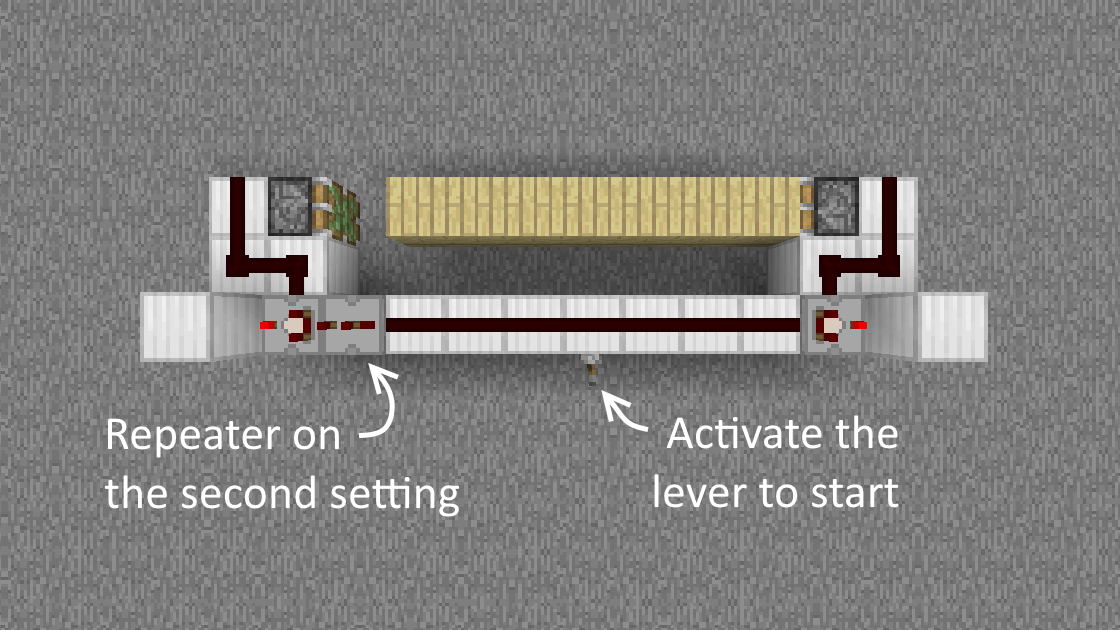
To reproduce:Make a monostable circuit (a sticky piston facing up with a block on top and a repeater pointing at the block, with redstone dust in the other side).
Put a sticky piston facing with a block on top of it, next to the redstone dust from the monostable circuit.
Power the monostable circuit.When given a 0 tick (half tick) pulse to a piston it doesn't always respond.
To reproduce:
Make a monostable circuit (a sticky piston facing up with a block on top and a repeater pointing at the block, with redstone dust in the other side).
Put a sticky piston facing with a block on top of it, next to the redstone dust from the monostable circuit.
Power the monostable circuit.
When
given a 0 tick (half tick)pulseto a piston it doesn't always respond.To reproduce:
Make a monostable circuit (a sticky piston facing up with a block on top and a repeater pointing at the block, with redstone dust in the other side).
Put a sticky piston facing with a block on topof it, next to the redstone dust from the monostable circuit.
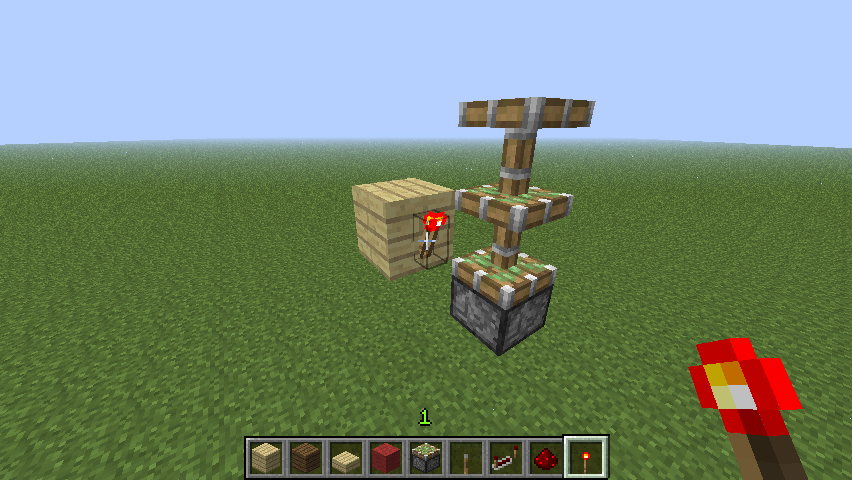
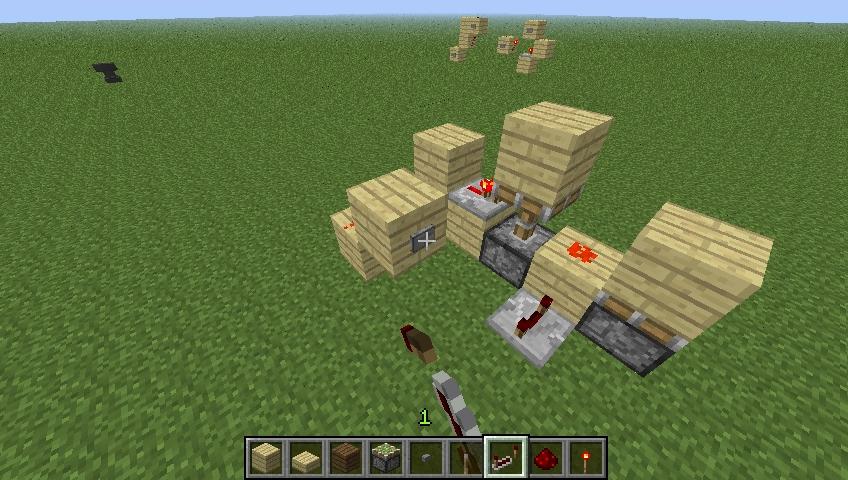
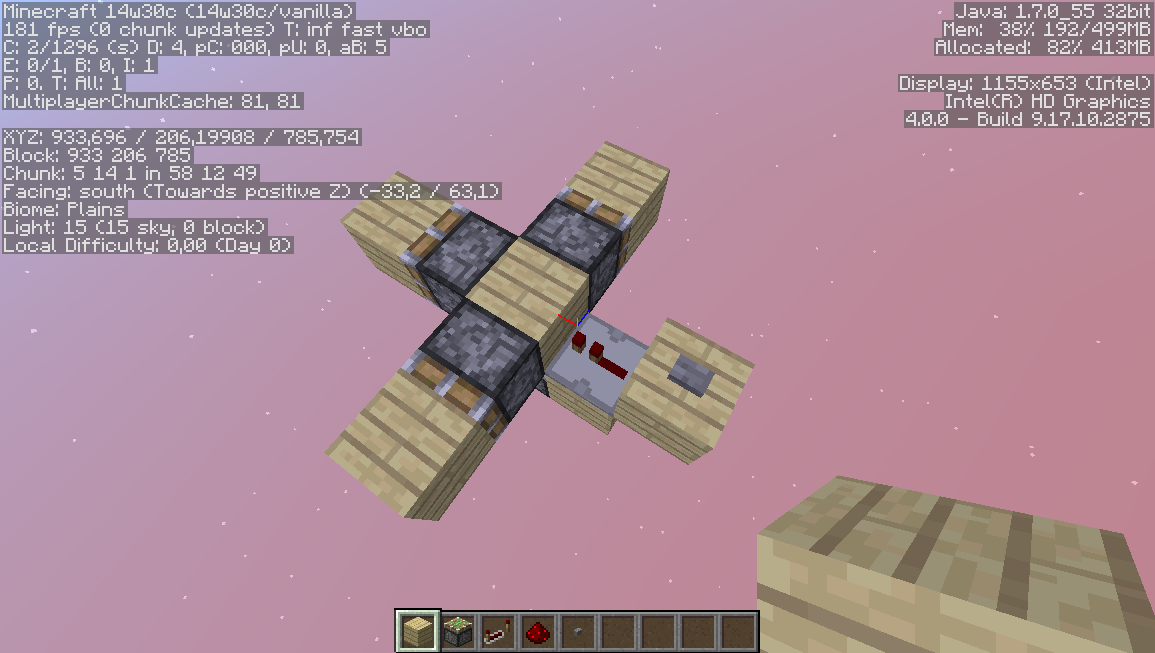
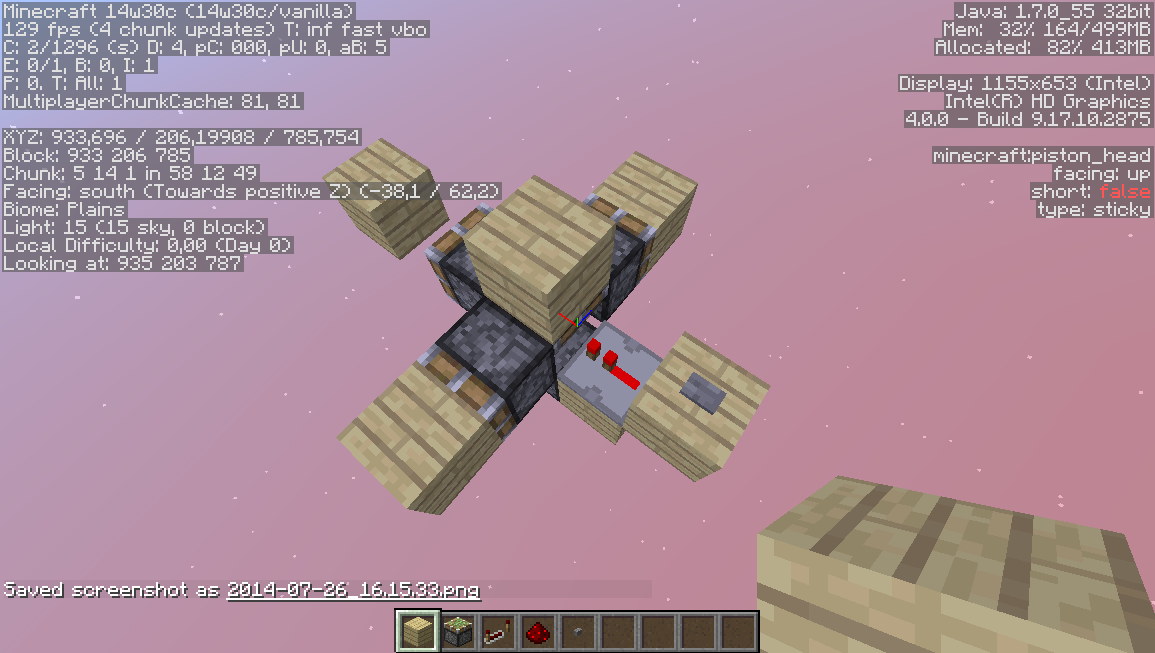
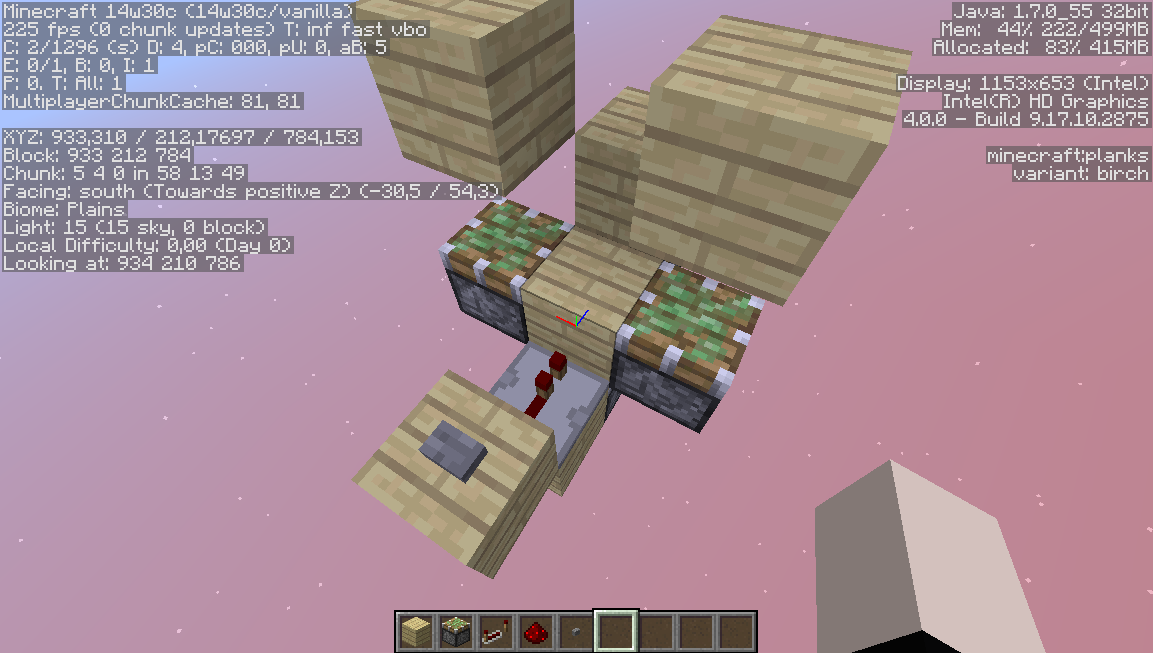
Power the monostable circuit.When a piston is powered with a 0 tick pulse (or a half tick pulse, meaning it's powered for only 1 game tick but not a full redstone tick), it only gives a pulse at some occasions, as it can be seen in the screenshots.
To reproduce:
Make a monostable circuit (a sticky piston facing up with a block on top and a repeater pointing at the block), put a sticky piston with a block on it's head, next to the monostable circuit (as it can be seen in the screenshots) and power it.
When a piston is powered with a 0 redstone tick pulse (or a half redstone tick pulse, meaning it's powered for only 1 game tick but not a full redstone tick), it only gives a pulse at some occasions, as it can be seen in the screenshots.
To reproduce:
Make a monostable circuit (a sticky piston facing up with a block on top and a repeater pointing at the block), put a sticky piston with a block on it's head, next to the monostable circuit (as it can be seen in the screenshots) and power it.
Windows Vista, Windows 8
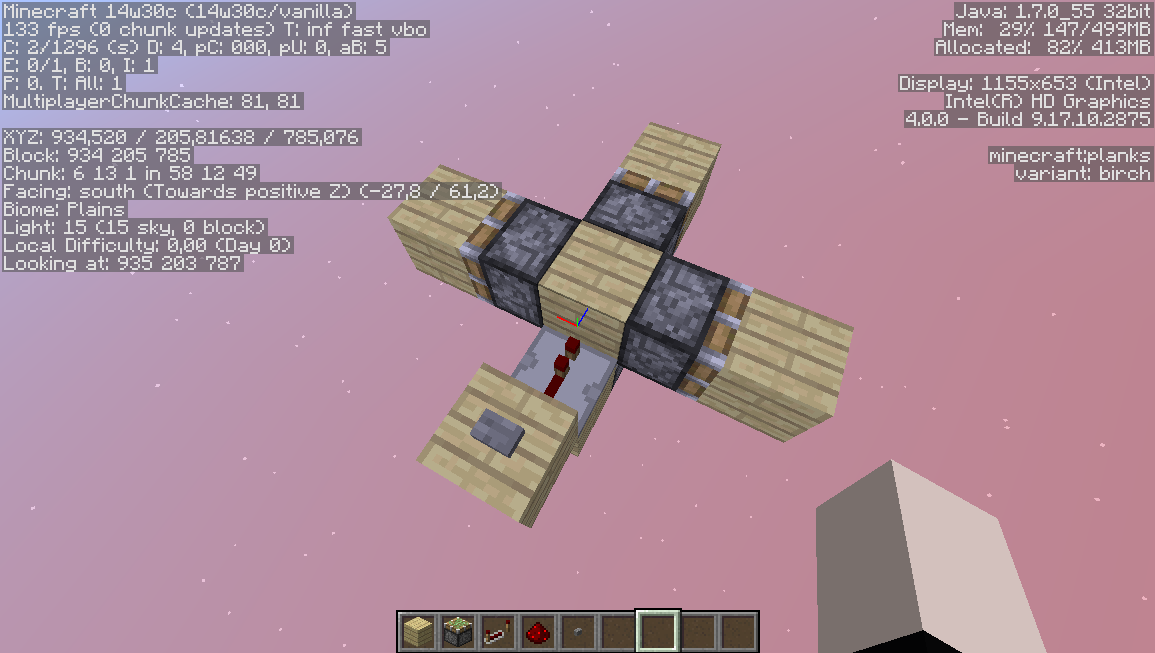
Only the pistons on the X-Axis of the powered block give a pulse.
Pistons don't respond to 0 redstone tick pulses at certain occasions
When a piston is powered with a 0 redstone tick pulse (or a half redstone tick pulse, meaning it's powered for only 1 game tick but not a full redstone tick), it only gives a pulse at some occasions, as it can be seen in the screenshots.
To reproduce:
Make a monostable circuit (a sticky piston facing up with a block on top and a repeater pointing at the block), put astickypiston with a block on it's head, next to the monostable circuit (as it can be seen in the screenshots) and power it.When a piston is powered with a 0 redstone tick pulse (or a half redstone tick pulse, meaning it's powered for only 1 game tick but not a full redstone tick), it only gives a pulse at some occasions, as it can be seen in the screenshots.
To reproduce:
Make a monostable circuit (a sticky piston facing up with a block on top and a repeater pointing at the block), put a piston with a block on its head, next to the monostable circuit (as it can be seen in the screenshots), and power it.
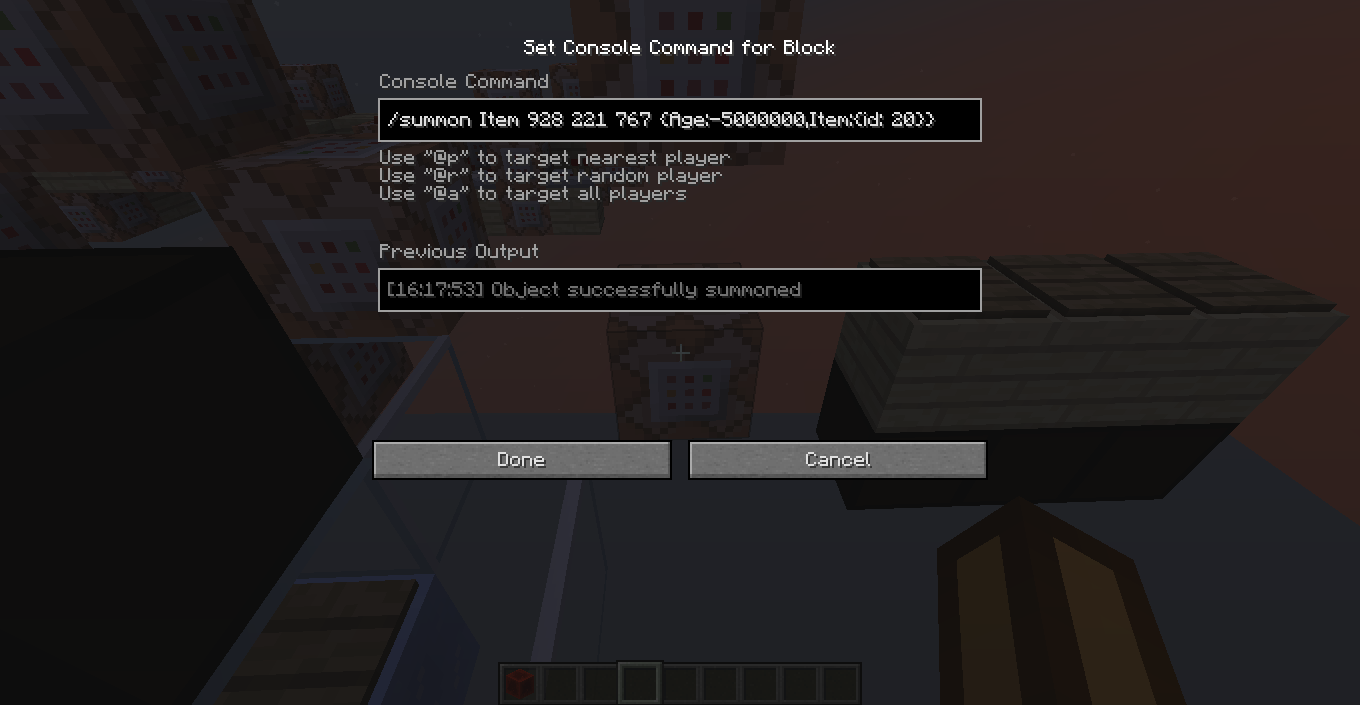
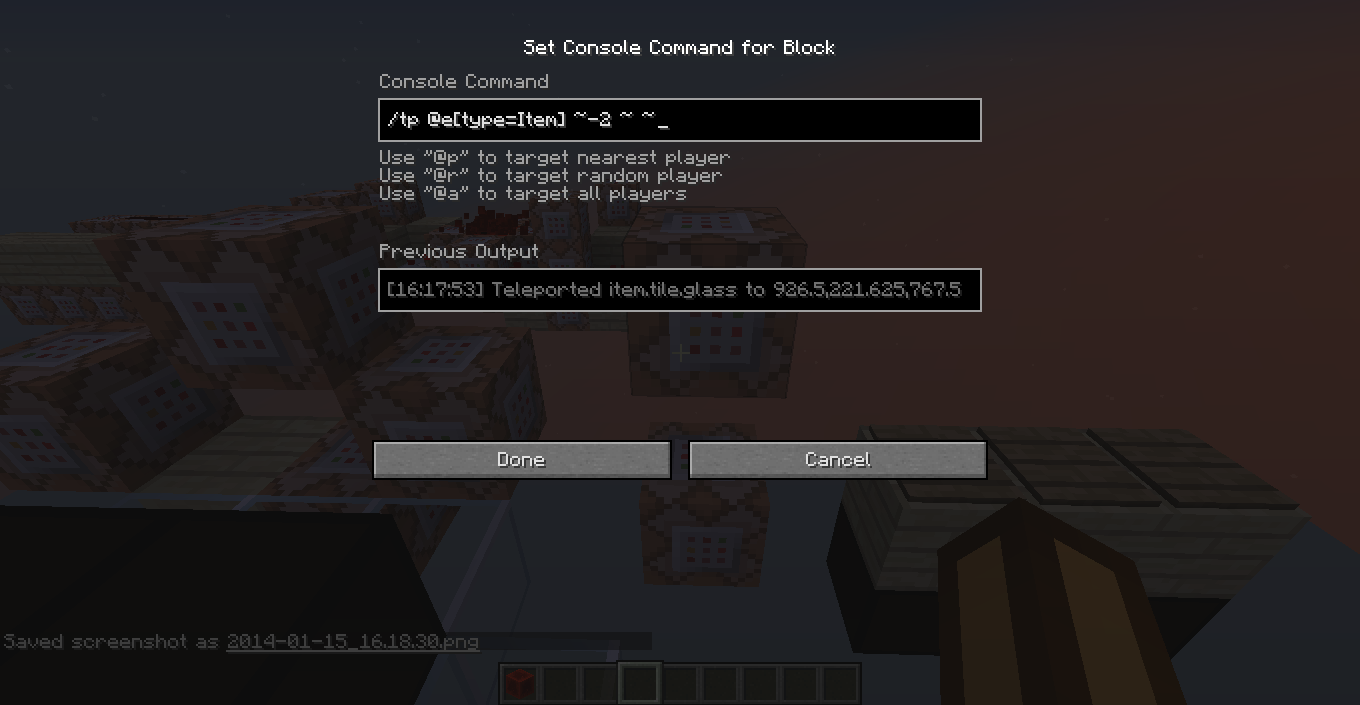
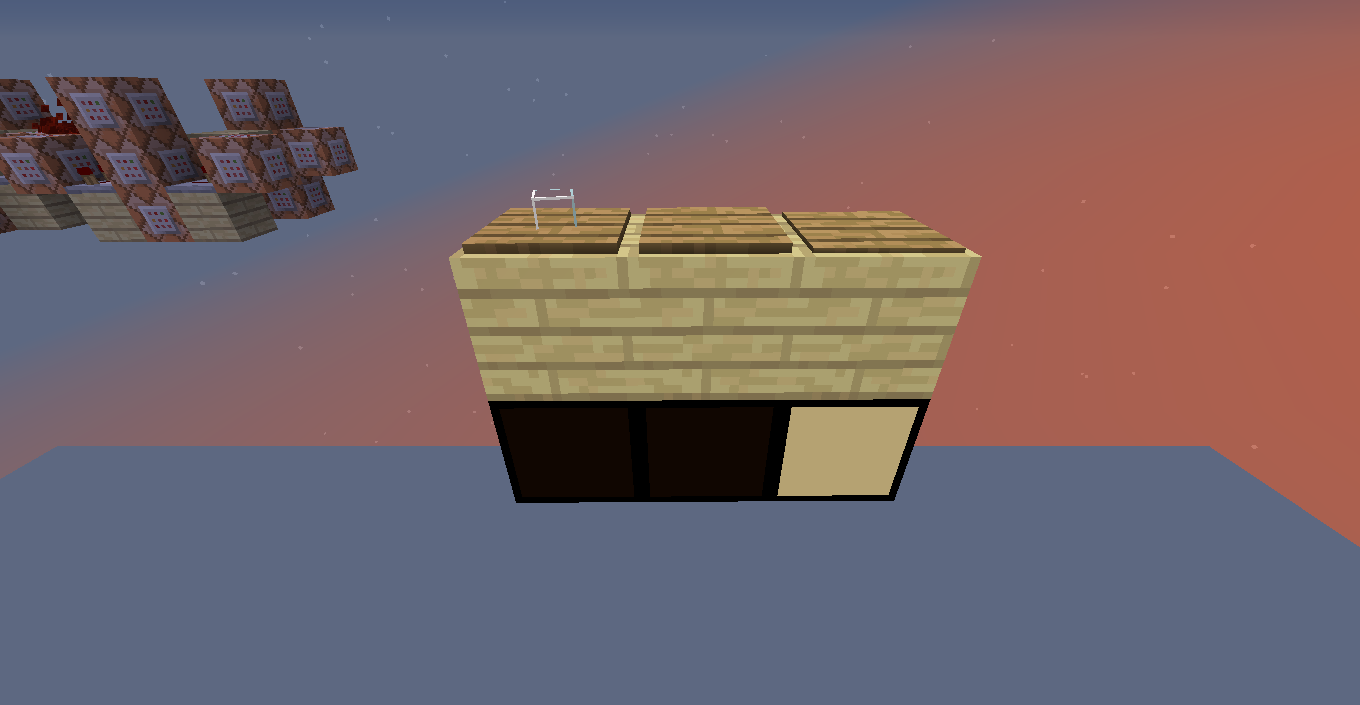
When you just spawn an item, by giving yourself one or using the /summon command, and, in the same tick but after it spawned, teleport it, it will be teleported in the game but not visually, as it can be seen in the screenshots.
To reproduce it (screenshots show that as well):
1. Put two command blocks, the second one being 2 blocks on top of the first, with a block gap between both. This will make the bottom command block activate first than the top one when you power both of them at the same time.
2. In the bottom command block write the command "/summon Item (x,y,z coords)" and "/tp @e[type=Item] (new x,y,z coords)" (the "type=Item" must be between square brackets) on the top one. Put wooden or weighted pressure plates on the coordenates you set in the command blocks to see where the item will be.
3. Put a redstone block in the gap between the two command blocks, to activate both of them at once.The item will appear on the location where you set it to spawn, but the pressure plate where you teleported it to will be the one triggered.
When you
justspawn an item, by giving yourself one or using the /summon command, and,in the same tick but after it spawned, teleport it, it will be teleported in the game but not visually, as it can be seen in the screenshots.To reproduce it (screenshots show that as well):
1. Put two command blocks, the second one being 2 blocks on top of the first, with a block gap between both. This will make the bottom command block activate first than the top one when you power both of them at the same time.
2. In the bottom command block write the command "/summon Item (x,y,z coords)" and "/tp @e[type=Item] (new x,y,z coords)"(the "type=Item" must be between square brackets)on the top one. Put wooden or weighted pressure plates on the coordenates you set in the command blocks to see where the item will be.
3. Put a redstone block in the gap between the two command blocks, to activate both of them at once.The item will appear on the location where you set it to spawn, but the pressure plate where you teleported it to will be the one triggered.
When you spawn an item, by giving yourself one or using the /summon command, and in the same tick, but after it has spawned, teleport it, it will be teleported in the game but not visually, as it can be seen in the screenshots.
To reproduce it (screenshots show that as well):
1. Put two command blocks, the second one being 2 blocks on top of the first, with a block gap between both. This will make the bottom command block activate first than the top one when you power both of them at the same time.
2. In the bottom command block write the command "/summon Item (x,y,z coords)" and "/tp @e[type=Item] (new x,y,z coords)" on the top one. Put wooden or weighted pressure plates on the coordenates you set in the command blocks to see where the item will be.
3. Put a redstone block in the gap between the two command blocks, to activate both of them at once.The item will appear on the location where you set it to spawn, but the pressure plate where you teleported it to will be the one triggered.
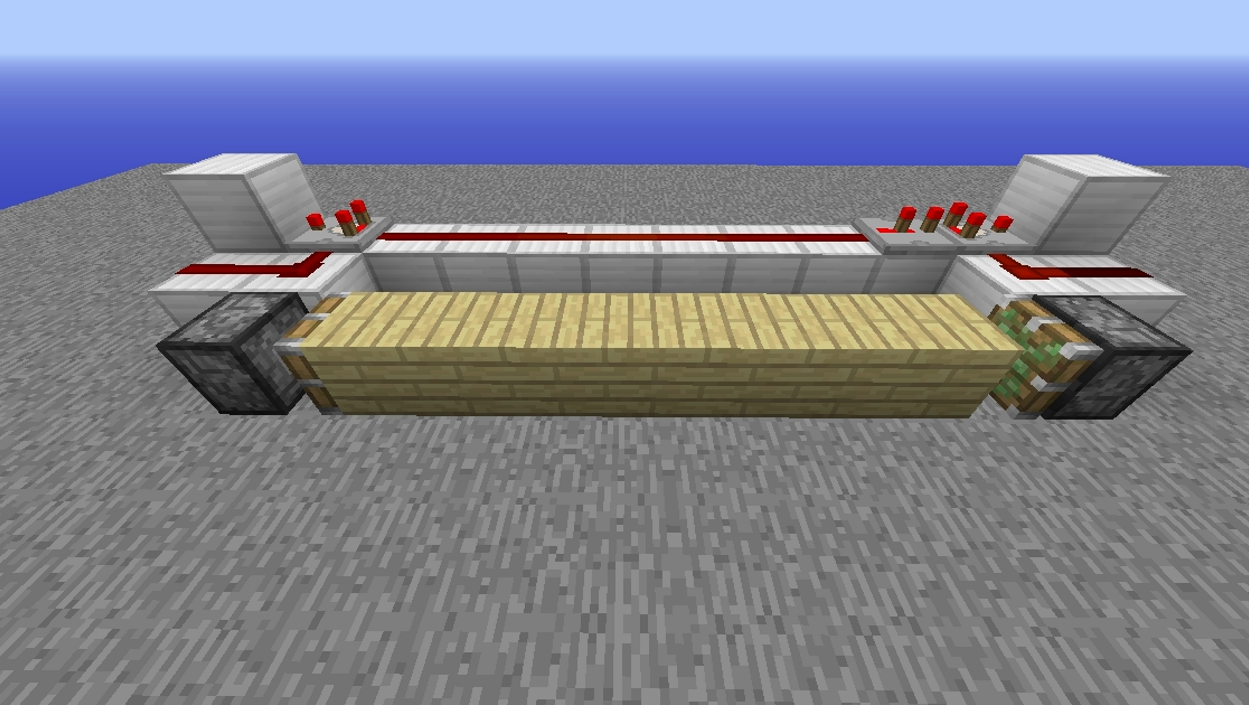
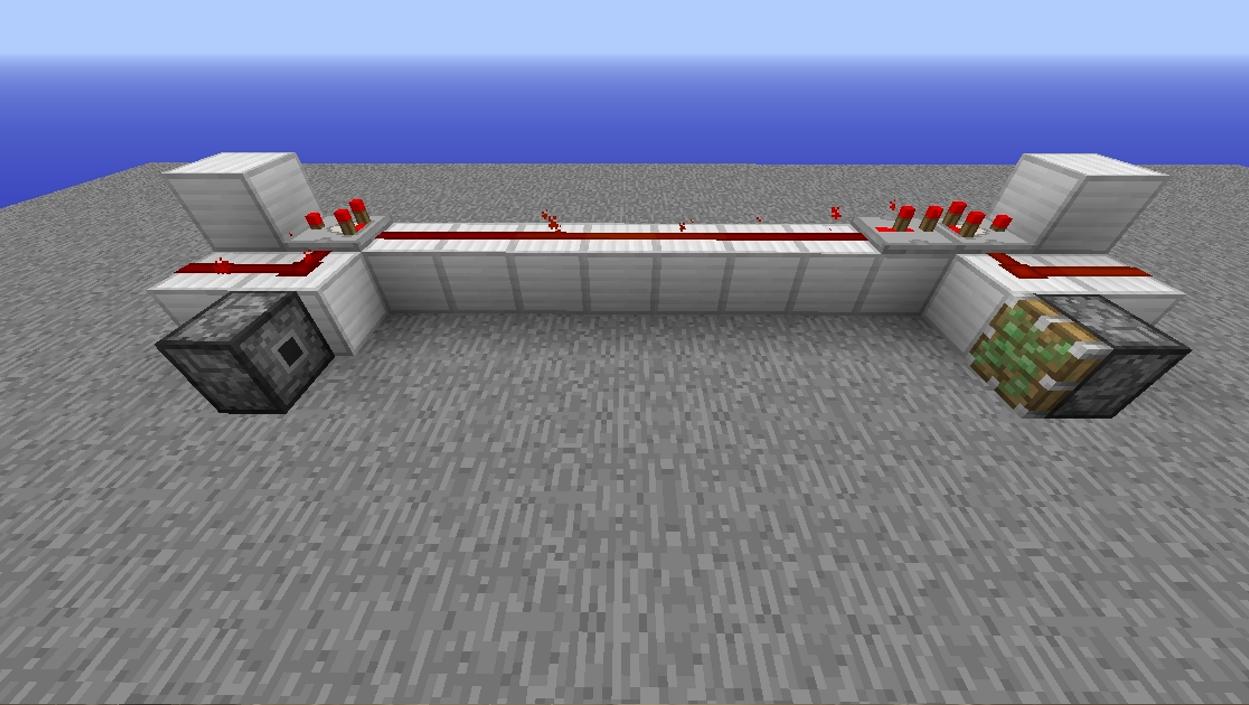
When pistons are powered and move blocks, both the pistons and the blocks don't render properly. The photo
s 1to 3 show thebehaviour and the 4th oneshowshow to reproduce the setup used.When pistons are powered and move blocks, both the pistons and the blocks don't render properly. The 1st photo shows a normal behaviour, the 2nd to 3rd show the render error and the 4th one how to reproduce the setup used.
It's a BUD, it's been in the game for a long time and many people want it to stay
Confirmed (on Windows 8)
Kumasasa, there's still the essue of spawned entities not having any score on objectives, instead of having it 0 as default as it should have.
Added more screenshots, updated the affected versions and changed the title as well as the description, explaining better what happens.
Works as intended.
If you don't want to power the dispenser, use a repeater instead of redstone dust.
Sand generators were already fixed.
This change was said to be made with the intention of pistons becoming more "reliable", but it doesn't work reliably as you can see in the screenshots in which some pistons get powered and others not, even when getting the same pulse; as well as the title and the description say.
I'm sorry, but this bug being flagged as "Works as intended" will leave pistons buggy, as they've always been. Sincerely, it feels like this bug wasn't even read by Mojang before being flagged by that.
Leaving the bug like that will also have something broken.
Confirmed in 15w51b
This should really be fixed. It doesn't make sense to let the shulker be visible if it has an invisibility effect.
Also happens in 19w36a
This also affects tridents