 MC-44957
Teleporting just spawned items doesn't visually teleports them
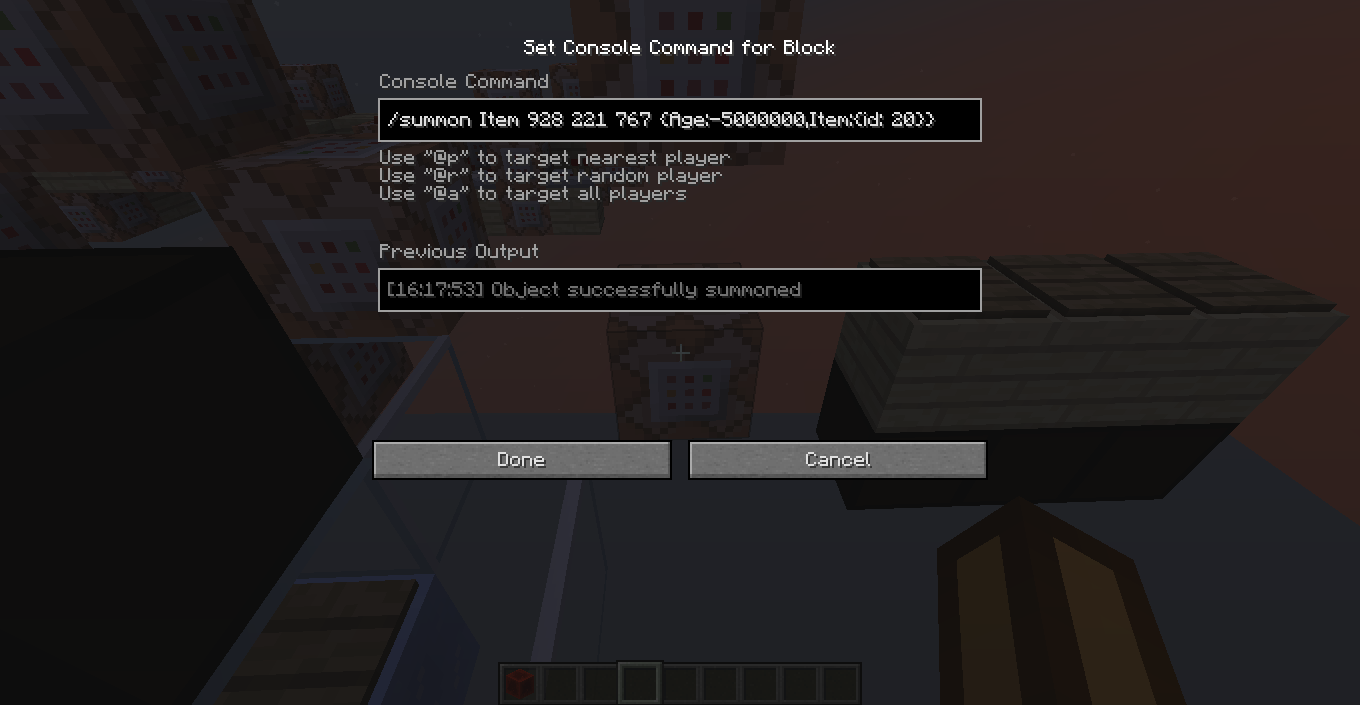
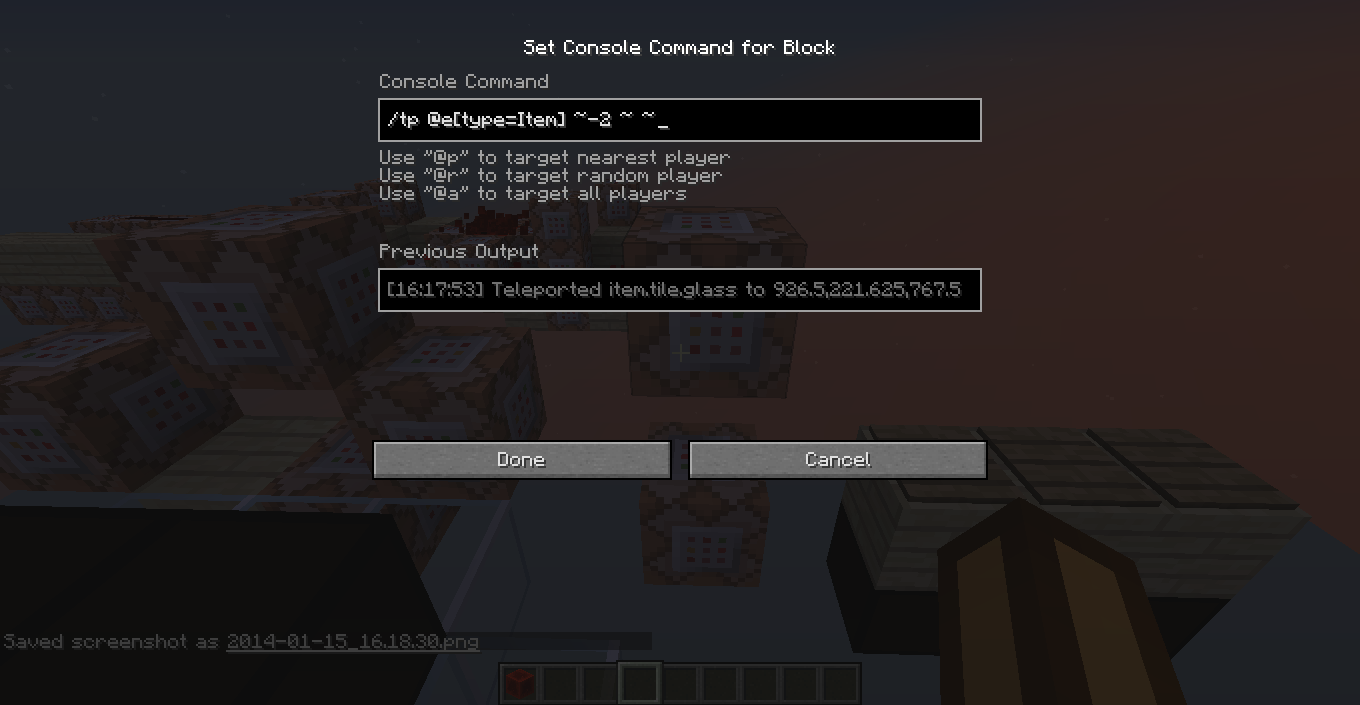
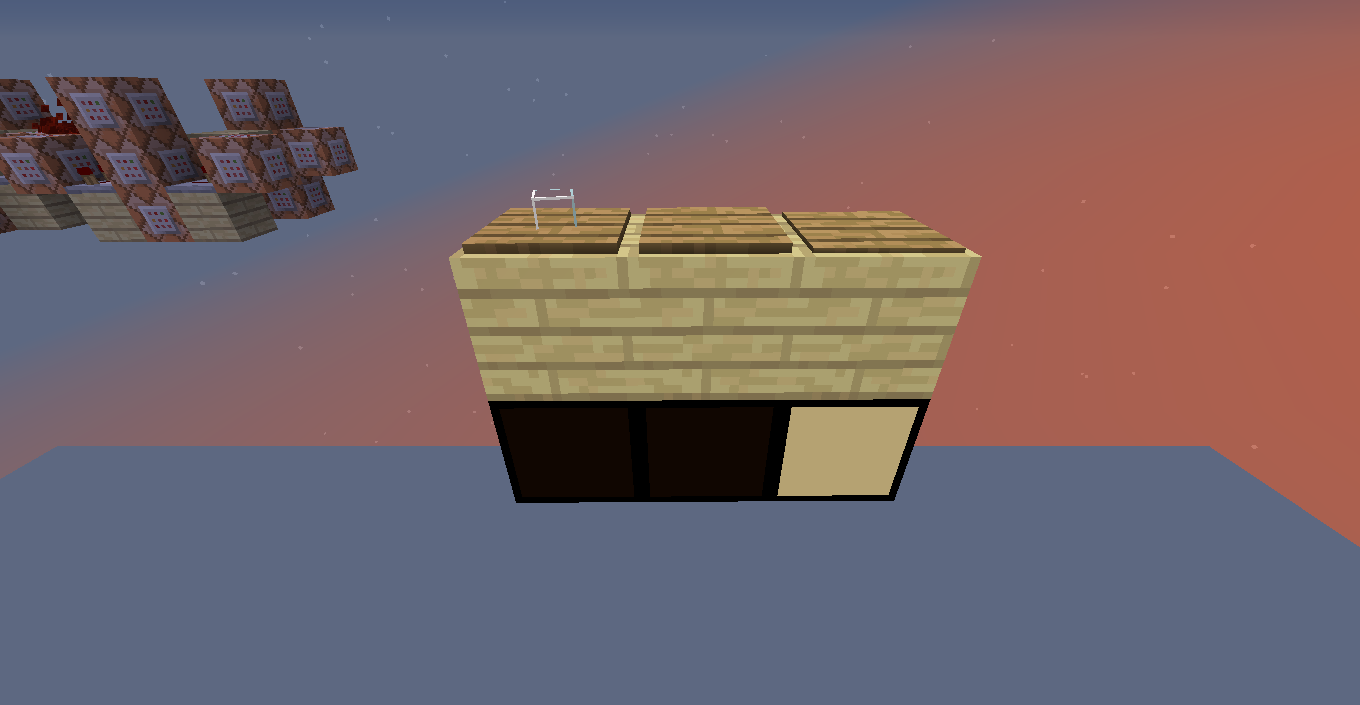
When you spawn an item, by giving yourself one or using the /summon command, and in the same tick, but after it has spawned, teleport it, it will be teleported in the game but not visually, as it can be seen in the screenshots.
To reproduce it (screenshots show that as well):
1. Put two command blocks, the second one being 2 blocks on top of the first, with a block gap between both. This will make the bottom command block activate first than the top one when you power both of them at the same time.
2. In the bottom command block write the command "/summon Item (x,y,z coords)" and "/tp @e[type=Item] (new x,y,z coords)" on the top one. Put wooden or weighted pressure plates on the coordenates you set in the command blocks to see where the item will be.
3. Put a redstone block in the gap between the two command blocks, to activate both of them at once.
The item will appear on the location where you set it to spawn, but the pressure plate where you teleported it to will be the one triggered.
Environment
Windows 8


Created Issue:
Teleporting just spawned items doesn't visually teleports them
When you just spawn an item, by giving yourself one or using the /summon command, and, in the same tick but after it spawned, teleport it, it will be teleported in the game but not visually, as it can be seen in the screenshots.
To reproduce it (screenshots show that as well):
1. Put two command blocks, the second one being 2 blocks on top of the first, with a block gap between both. This will make the bottom command block activate first than the top one when you power both of them at the same time.
2. In the bottom command block write the command "/summon Item (x,y,z coords)" and "/tp @e[type=Item] (new x,y,z coords)" on the top one. Put wooden or weighted pressure plates on the coordenates you set in the command blocks to see where the item will be.
3. Put a redstone block in the gap between the two command blocks, to activate both of them at once.The item will appear on the location where you set it to spawn, but the pressure plate where you teleported it to will be the one triggered.
Environment
Windows 8
Attachments4
When you just spawn an item, by giving yourself one or using the /summon command, and, in the same tick but after it spawned, teleport it, it will be teleported in the game but not visually, as it can be seen in the screenshots.
To reproduce it (screenshots show that as well):
1. Put two command blocks, the second one being 2 blocks on top of the first, with a block gap between both. This will make the bottom command block activate first than the top one when you power both of them at the same time.
2. In the bottom command block write the command "/summon Item (x,y,z coords)" and "/tp @e[type=Item] (new x,y,z coords)" (the "type=Item" must be between square brackets) on the top one. Put wooden or weighted pressure plates on the coordenates you set in the command blocks to see where the item will be.
3. Put a redstone block in the gap between the two command blocks, to activate both of them at once.The item will appear on the location where you set it to spawn, but the pressure plate where you teleported it to will be the one triggered.
When you
justspawn an item, by giving yourself one or using the /summon command, and,in the same tick but after it spawned, teleport it, it will be teleported in the game but not visually, as it can be seen in the screenshots.To reproduce it (screenshots show that as well):
1. Put two command blocks, the second one being 2 blocks on top of the first, with a block gap between both. This will make the bottom command block activate first than the top one when you power both of them at the same time.
2. In the bottom command block write the command "/summon Item (x,y,z coords)" and "/tp @e[type=Item] (new x,y,z coords)"(the "type=Item" must be between square brackets)on the top one. Put wooden or weighted pressure plates on the coordenates you set in the command blocks to see where the item will be.
3. Put a redstone block in the gap between the two command blocks, to activate both of them at once.The item will appear on the location where you set it to spawn, but the pressure plate where you teleported it to will be the one triggered.
When you spawn an item, by giving yourself one or using the /summon command, and in the same tick, but after it has spawned, teleport it, it will be teleported in the game but not visually, as it can be seen in the screenshots.
To reproduce it (screenshots show that as well):
1. Put two command blocks, the second one being 2 blocks on top of the first, with a block gap between both. This will make the bottom command block activate first than the top one when you power both of them at the same time.
2. In the bottom command block write the command "/summon Item (x,y,z coords)" and "/tp @e[type=Item] (new x,y,z coords)" on the top one. Put wooden or weighted pressure plates on the coordenates you set in the command blocks to see where the item will be.
3. Put a redstone block in the gap between the two command blocks, to activate both of them at once.The item will appear on the location where you set it to spawn, but the pressure plate where you teleported it to will be the one triggered.


![[Mod] Ezekiel (ezfe)](../../../data/assets/gravatar/ezekielelin.jpeg)
Confirmed on 14w04b
What's more, if you hook it to a clock, the item will appear in the last place before it's teleported again and again
Confirmed on 14w05a & 14w05b
Please fix this bug mojang, it interferes with testing for a player's rotation value. Either fix it or add a scoreboard objective that tells you a player's rotation value(both horizontal and vertical). That would be even better actually.
Happens with all entities.
They seem to have added a fix for this already. There is a delay but the object visually updates its location to the client a second after it has been teleported.