 Andreas Stürmer
- stuermer.andreas
- stuermer.andreas@gmail.com
- Europe/Stockholm
- Yes
- No
5 issues
Key
Summary
Status
Reporter
Assignee
Created
 MCPE-15543




Added Attachments:
Added Attachments:
Added Affects Versions: 0.15.6
Added Attachments:
Added Attachments:
Added Attachments:
Added Affects Versions: 1.0.9.1
Changed Summary:
Graphical sky-glitch on Tegra4 with "Fancy sky"Horizon doesn't render on Tegra4
Added Attachments:
Added Attachments:
Changed Description:
Hello
I experience several glitches on the latest versions of MCPE on the nVidia Shield Portable.
I have the latest updates - MCPE as well as Firmware of the device.
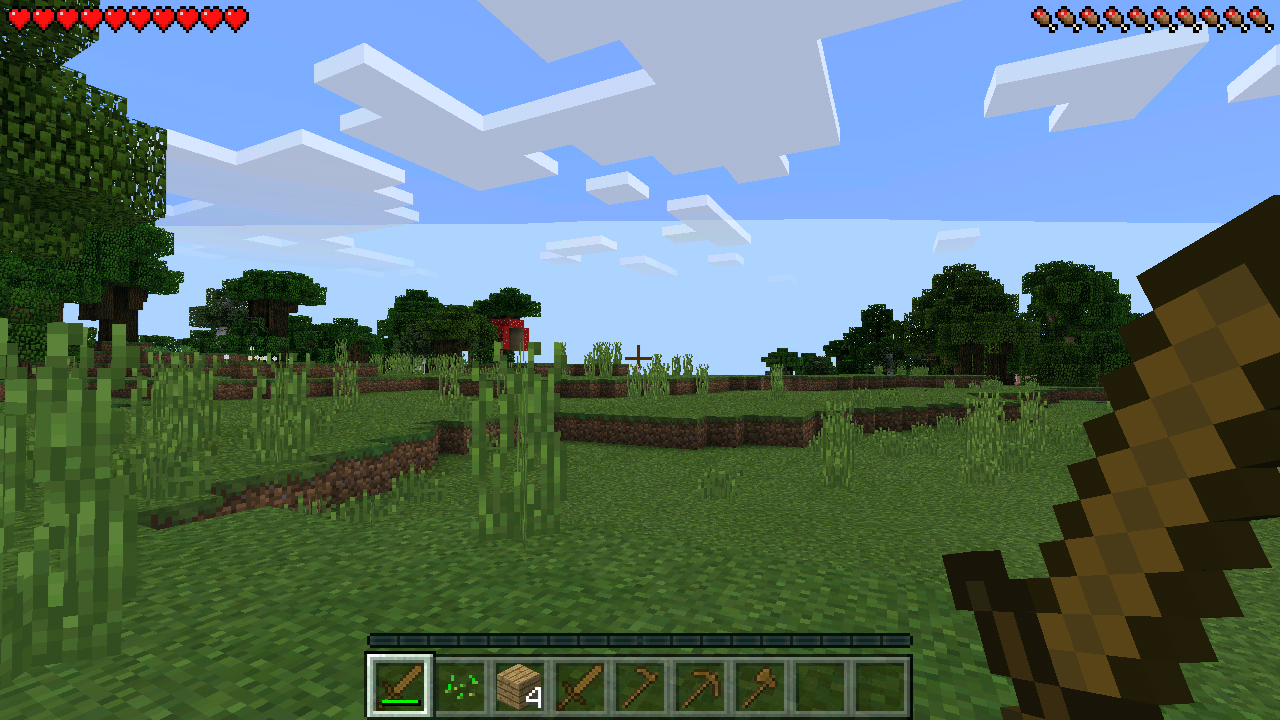
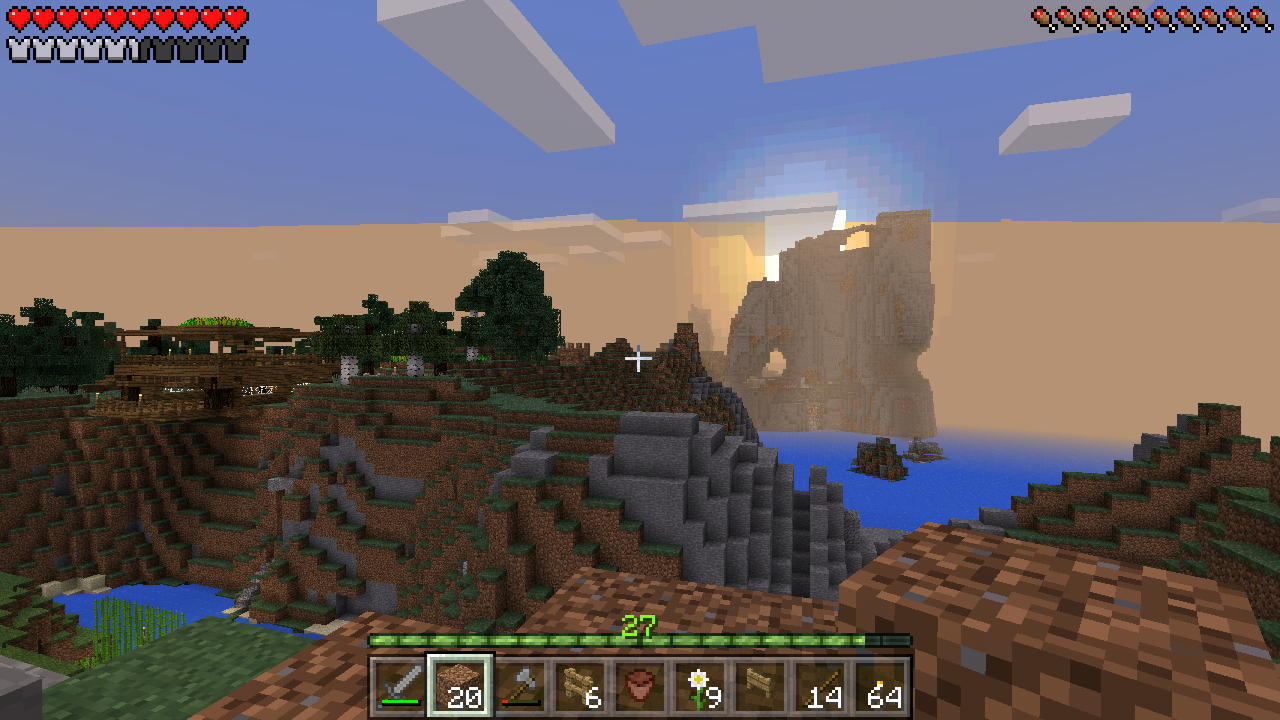
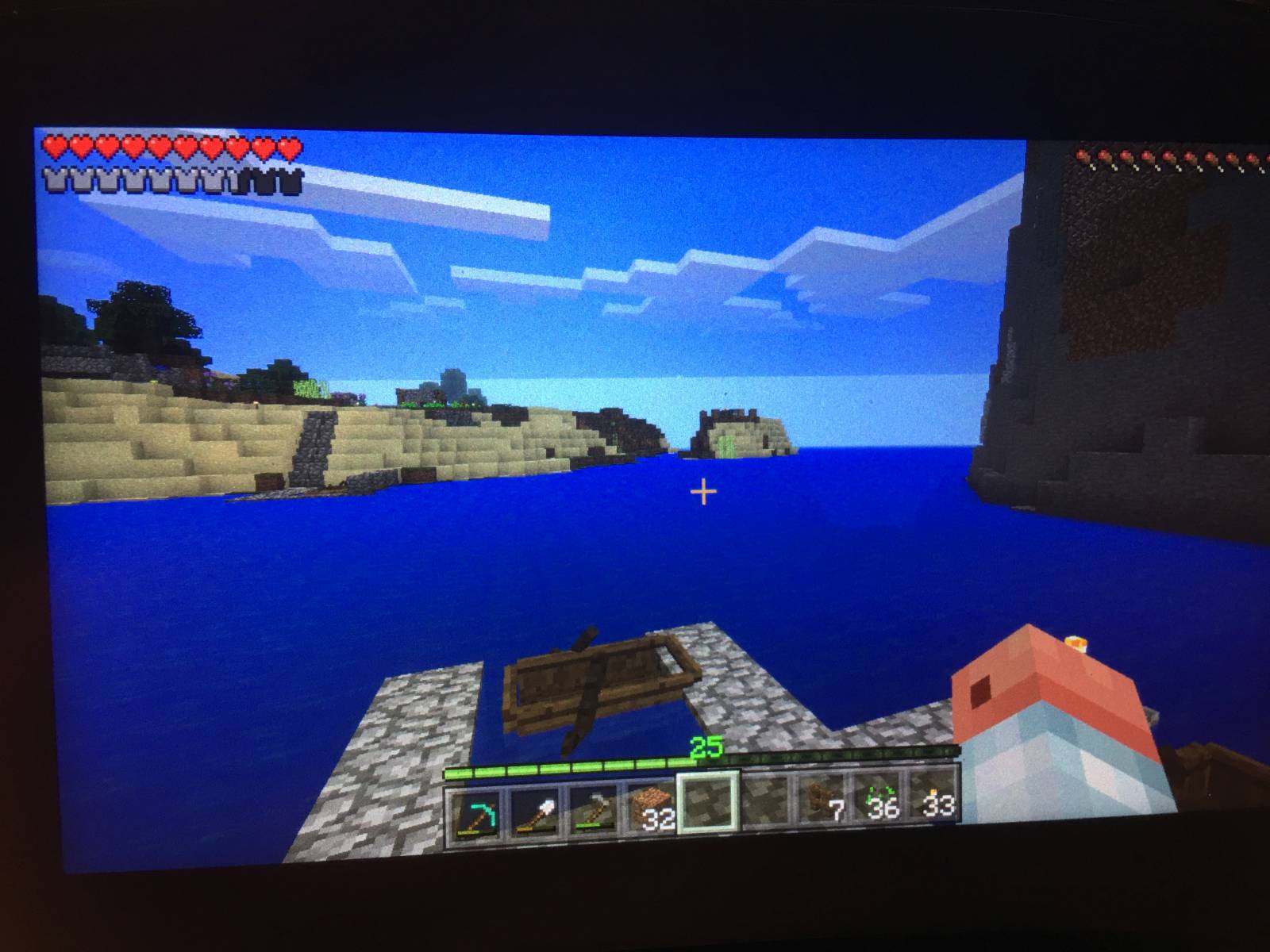
The sky and clouds gets cut at a fixed distance and behind that distance the sky is just white down to the horizon.
This issue only happens when I have set fancy sky to on. If I deactivate the sky I can't see clouds and the error isn't there too.BUG IS STILL THERE IN BETTER TOGETHER UPDATE
Kind regards
Andreas

Added Affects Versions: 1.2.0.81
Added Attachments:
Added Affects Versions: 0.15.6
Added Affects Versions: 0.15.6
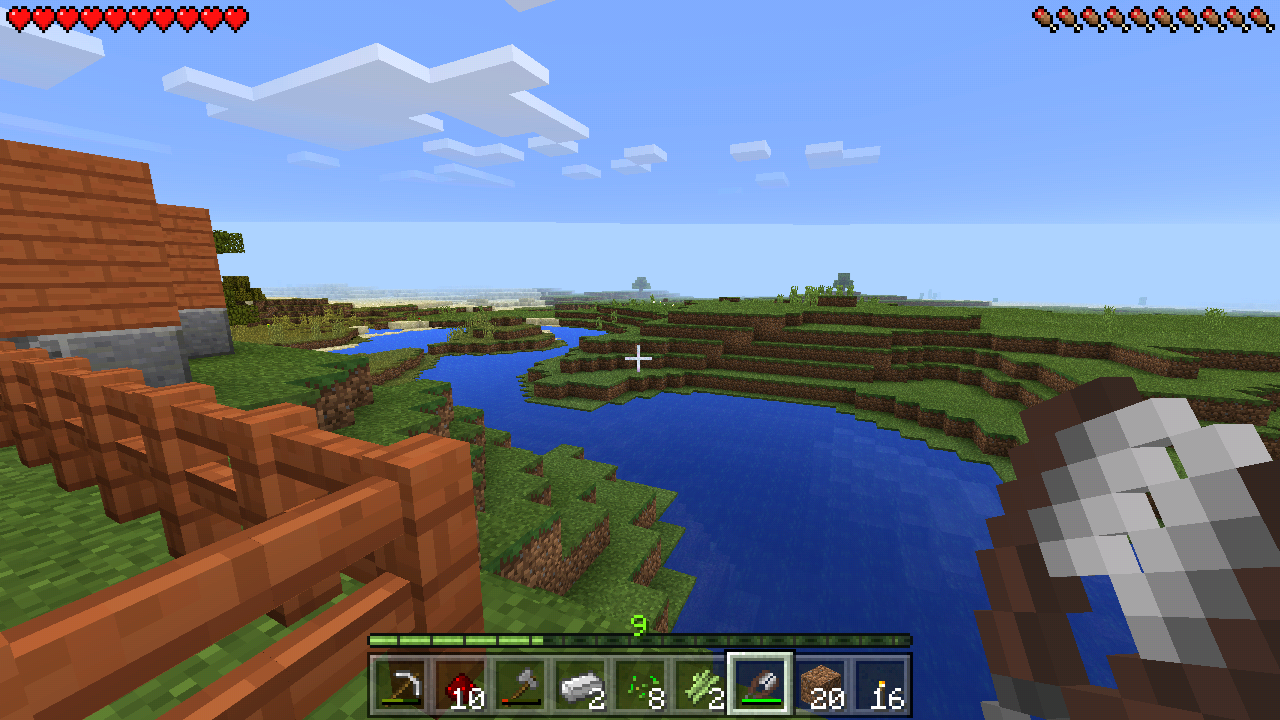
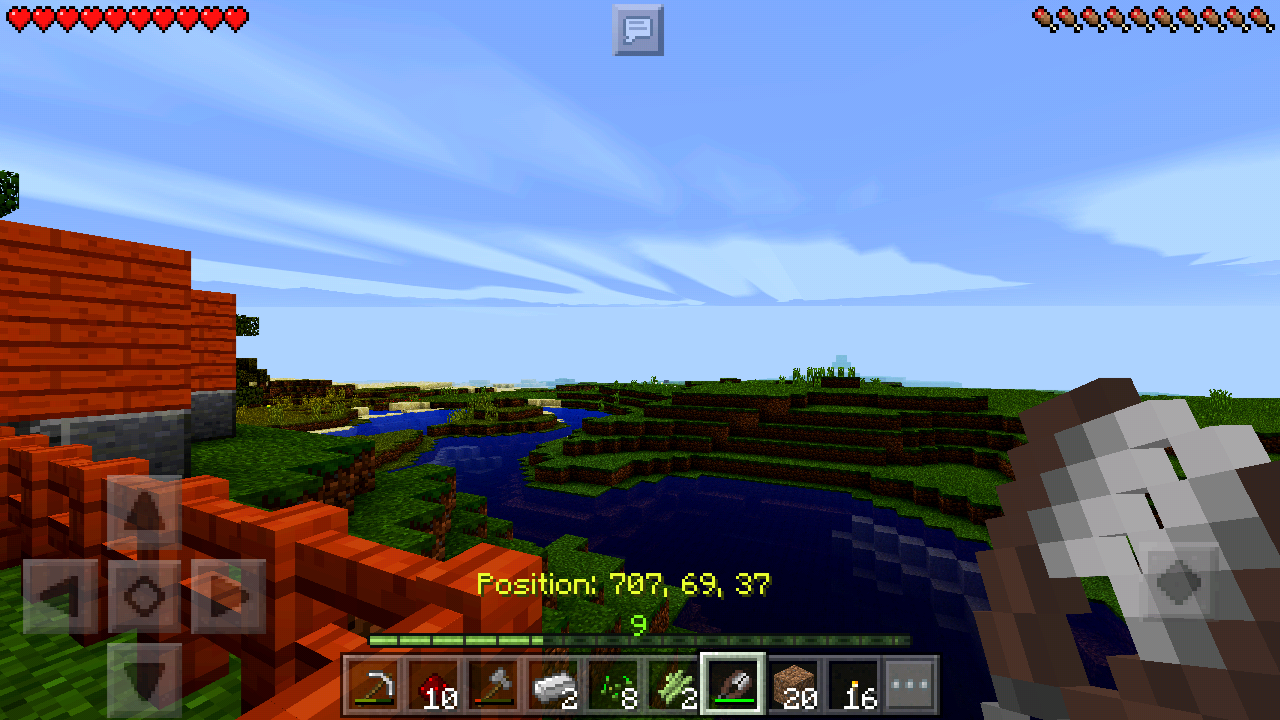
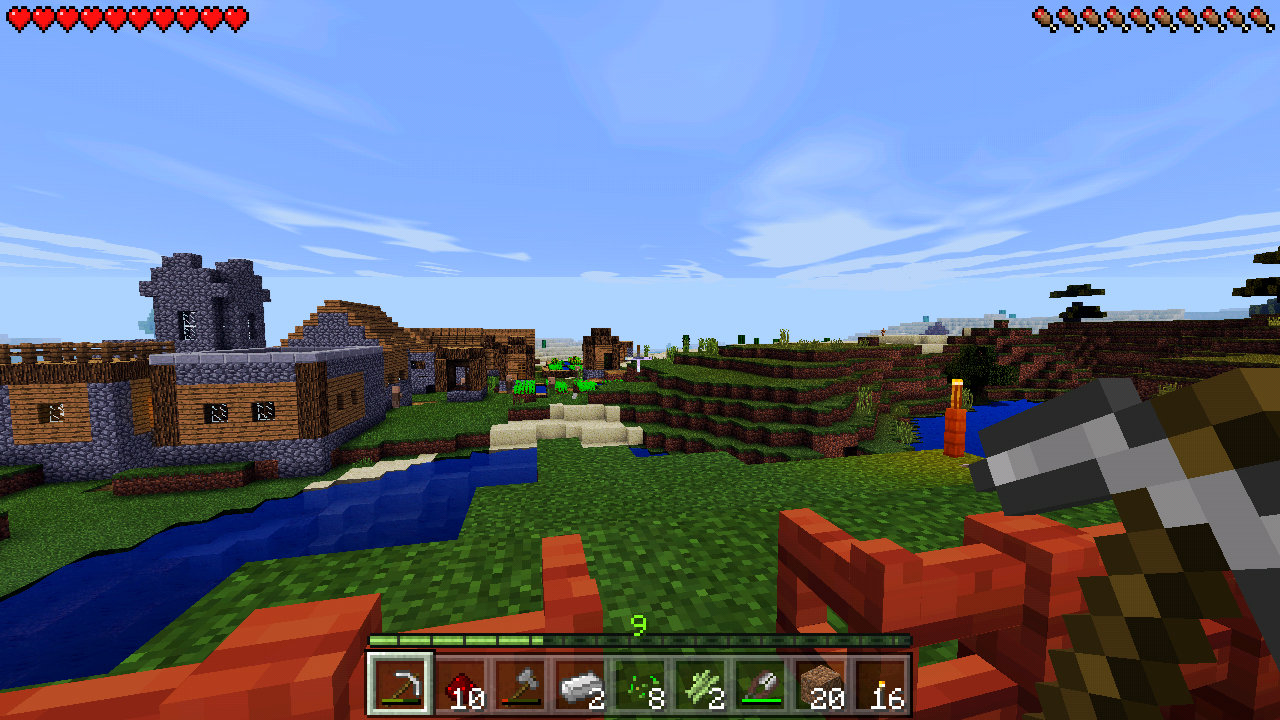
Attached two screenshots with "beautiful sky" set to "ON".
As you can see, there's a white area in the sky which stays at the same height and position - also when in creative mode and flying high above.
When switching "beautiful sky" to "OFF", the sky is just blue.
I think it has something to do with the clouds layer.
Version 0.15.4 still has the issue. No difference to the Screens I have posted before
nVidia Shield Portable
Official Android 5.1
Rooted
Attached a short video of how it looks like on the device itself... perhaps it helps finding the bug
Video of the artifacts
Graphical bug still there on 0.15.7
Graphical bug is still there! On 0.15.10.
This graphical issue as well as
MCPE-15543are still there in 0.15.10!I have a monthly Realm - please fix it, for paying customers like me
Glitch is still there in 0.16.x - Any plans to fix this?
Horrible to watch on my Realms...
nVidia Shield Portable
Tegra 4 GPU
2 GB RAM
Android 5.1
Also happens on TegraNote 7 tablet with Android 4.4 and Tegra4 GPU.
Sadly the bug is still there on my Tegra 4 devices here. Shield Portable and TegraNote 7.
Bug is still there in current version
This bug is still existing on Tegra 4.
Not resolved so far.
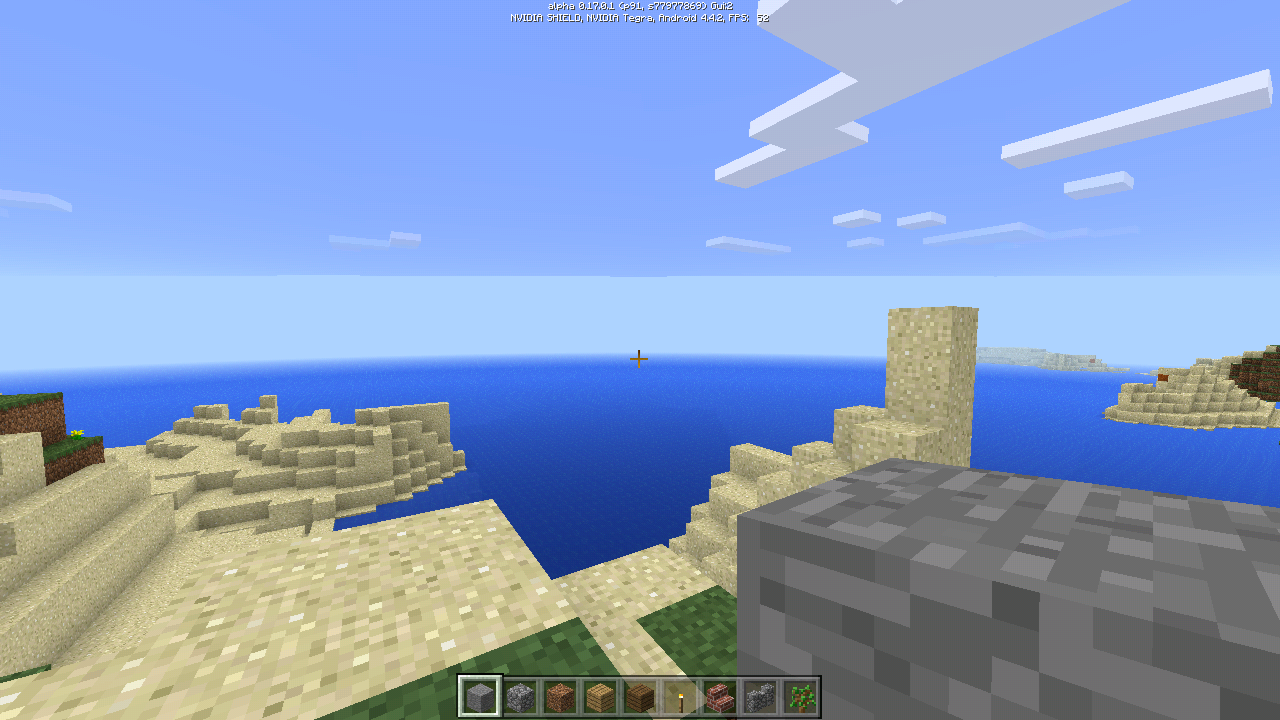
Here you can see the gradient-less sky on the 0.17.1 beta version. It is there since 0.15.x and is quite annyoing
Yep, the bug is still there! and quite annoying...
Attached a photograph from my Shield Protable (Tegra 4) with latest available firmware Android 5.1.1
Horizon has no gradient, it is a solid blue as you can see.
Hello!
Will this bug ever get resolved?
It's quite annoying to play with either this buggy sky - or a disabled sky without clouds.
PS: Using Shaders in MCPE doesn't resolve this issue. I've tried SSPE, SEUS and a few others. The solid horizon color is still there instead of a gradient.
Tested on nVidia Shield Portable (5.1.1) and nVidia TegraNote7 (4.4.2) - both Tegra 4 GPU.
MCPE Version 1.0.7.0
This issue exists since 0.15.x - on versions before the sky was rendered normal and correct.
Will this bug ever be solved? It is still existing in 1.0.9.x - It doesn't look like rocket-science But it's keeping me from playing MCPE since it looks awful with this glitch
How can we help? Logfiles? Screenshots?
Anybody respond from the devs? It looks like a monologue for a year now...
As you can see here - the horizon has no gradient at all...

And here you can see the whole glitch at night...

The same for mods - the horizon has no gradient...

Thanks for the response!!!
It seems to occur on any nVidia Tegra 4 device, like the Shield Portable or the TegraNote7 tablet. Please tell me if I can help...
Attached my device report...
It seems I've found a workaround for this bug.
1. The Android device must be rooted.
2. You have to install GLTools from the PlayStore.
3. You have to only select "Use non-linear depth buffer".
4. Horizon is OK again.
Perhaps your programmers can fix this directly in MCPE.
Attached a few screenshots to view the results...
The existing bug, where the horizon is a solid color and no gradient/fog.

The fixed rendering with activated GLTools.

And here the only GLTools selection I've made...

Bug is still there with BETTER TOGETHER update.
Any plans to fix this issue?