 Trevor Cloud
- tcloud
- tcloud
- Europe/Stockholm
- Yes
- No
 MCL-4903
![[Mojang] Nathan Adams](../../../data/assets/gravatar/dinnerbone.png)
 MC-117344





I should also note that this is in fact my first reported bug. i am sorry if i did anything wrong while reporting this.
I found upon opening Minecraft launcher 1.6.59 is a "new launcher"
This is the launcher i saw upon opening. http://prntscr.com/c6mel9What I expected to happen was...:
I expected to open Minecraft and play it normally until i found this bug.It should of just opened normally and i should of played without needing to go here and post a bug report about it.
What actually happened was...:
I opened minecraft and i saw this; http://prntscr.com/c6mel9
i had no idea what to do so i went to the bug tracker and i posted this report.Describe what happened here:
I opened Minecraft and i saw the launcher's normal menu at the bottom, but the version notes where replaced with strange pictures and buttons witch some don't even work. I have no idea what to think of it. at the very top of the launcher, it said to enable java script. witch i did not do because i thought it was some sort of hacked launcher or something. When i actually started playing and telling people on servers about the bug, i tried to open another launcher and paste the link in chat but apparently this only worked for the original launcher. the new launcher that i opened was the regular launcher i expected to see upon opening. at this point, i knew they wouldn't believe me so i exited the server and closed both launchers, i opened it again to see if the bug was still there and it was. If you couldn't tell, i was able to play the game with nothing changed. The version i played on was Minecraft release 1.10 The FrostBurn Update. Also i should note that the tabs at the very top of the bugged launcher where still all functional and where not changed.. (Launcher log, Profile editor, Game output.) I also never got any crashes while experimenting with the bugged launcher. (I Played with the buttons and some of them sent me to sites possibly not related to Minecraft)This bug occurred on
Tuesday August 16 2016 at 7:01 PM.Steps to Reproduce:
1. Open Minecraft with 1.10 selected (I double clicked)
2. Immediately, the bugged launcher was shown.I found upon opening Minecraft launcher 1.6.59 is a "new launcher"
This is the launcher i saw upon opening. http://prntscr.com/c6mel9What I expected to happen was...:
I expected to open Minecraft and play it normally until i found this bug.It should of just opened normally and i should of played without needing to go here and post a bug report about it.
What actually happened was...:
I opened minecraft and i saw this; http://prntscr.com/c6mel9
i had no idea what to do so i went to the bug tracker and i posted this report.Describe what happened here:
I opened Minecraft and i saw the launcher's normal menu at the bottom, but the version notes where replaced with strange pictures and buttons witch some don't even work. I have no idea what to think of it. at the very top of the launcher, it said to enable java script. witch i did not do because i thought it was some sort of hacked launcher or something. When i actually started playing and telling people on servers about the bug, i tried to open another launcher and paste the link in chat but apparently this only worked for the original launcher. the new launcher that i opened was the regular launcher i expected to see upon opening. at this point, i knew they wouldn't believe me so i exited the server and closed both launchers, i opened it again to see if the bug was still there and it was. If you couldn't tell, i was able to play the game with nothing changed. The version i played on was Minecraft release 1.10 The FrostBurn Update. Also i should note that the tabs at the very top of the bugged launcher where still all functional and where not changed.. (Launcher log, Profile editor, Game output.) I also never got any crashes while experimenting with the bugged launcher. (I Played with the buttons and some of them sent me to sites possibly not related to Minecraft) P.S; if you did not know, i did use liteloader, but it hasent caused anything like this before. This bug occurred on Tuesday August 16 2016 at 7:01 PM.Steps to Reproduce:
1. Open Minecraft with 1.10 selected (I double clicked)
2. Immediately, the bugged launcher was shown.
I found upon opening Minecraft launcher 1.6.59 is a "new launcher"
This is the launcher i saw upon opening. http://prntscr.com/c6mel9What I expected to happen was...:
I expected to open Minecraft and play it normally until i found this bug.It should of just opened normally and i should of played without needing to go here and post a bug report about it.
What actually happened was...:
I opened minecraft and i saw this; http://prntscr.com/c6mel9
i had no idea what to do so i went to the bug tracker and i posted this report.Describe what happened here:
I opened Minecraft and i saw the launcher's normal menu at the bottom, but the version notes where replaced with strange pictures and buttons witch some don't even work. I have no idea what to think of it. at the very top of the launcher, it said to enable java script. witch i did not do because i thought it was some sort of hacked launcher or something. When i actually started playing and telling people on servers about the bug, i tried to open another launcher and paste the link in chat but apparently this only worked for the original launcher. the new launcher that i opened was the regular launcher i expected to see upon opening. at this point, i knew they wouldn't believe me so i exited the server and closed both launchers, i opened it again to see if the bug was still there and it was. If you couldn't tell, i was able to play the game with nothing changed. The version i played on was Minecraft release 1.10 The FrostBurn Update. Also i should note that the tabs at the very top of the bugged launcher where still all functional and where not changed.. (Launcher log, Profile editor, Game output.) I also never got any crashes while experimenting with the bugged launcher. (I Played with the buttons and some of them sent me to sites possibly not related to Minecraft) P.S; if you did not know, i did use liteloader, but it hasent caused anything like this before.This bug occurred on Tuesday August 16 2016 at 7:01 PM.Steps to Reproduce:
1. Open Minecraft with 1.10 selected (I double clicked)
2. Immediately, the bugged launcher was shown.I found upon opening Minecraft launcher 1.6.59 is a "new launcher"
This is the launcher i saw upon opening. http://prntscr.com/c6mel9What I expected to happen was...:
I expected to open Minecraft and play it normally until i found this bug.It should of just opened normally and i should of played without needing to go here and post a bug report about it.
What actually happened was...:
I opened minecraft and i saw this; http://prntscr.com/c6mel9
i had no idea what to do so i went to the bug tracker and i posted this report.Describe what happened here:
I opened Minecraft and i saw the launcher's normal menu at the bottom, but the version notes where replaced with strange pictures and buttons witch some don't even work. I have no idea what to think of it. at the very top of the launcher, it said to enable java script. witch i did not do because i thought it was some sort of hacked launcher or something. When i actually started playing and telling people on servers about the bug, i tried to open another launcher and paste the link in chat but apparently this only worked for the original launcher. the new launcher that i opened was the regular launcher i expected to see upon opening. at this point, i knew they wouldn't believe me so i exited the server and closed both launchers, i opened it again to see if the bug was still there and it was. If you couldn't tell, i was able to play the game with nothing changed. The version i played on was Minecraft release 1.10 The FrostBurn Update. Also i should note that the tabs at the very top of the bugged launcher where still all functional and where not changed.. (Launcher log, Profile editor, Game output.) I also never got any crashes while experimenting with the bugged launcher. (I Played with the buttons and some of them sent me to sites possibly not related to Minecraft) P.S; if you did not know, i did use liteloader, but it hasent caused anything like this before.This bug occurred on Tuesday August 16 2016 at 7:01 PM.
Steps to Reproduce:
1. Open Minecraft with 1.10 selected (I double clicked)
2. Immediately, the bugged launcher was shown.
I found upon opening Minecraft launcher 1.6.59 is a "new launcher"
This is the launcher i saw upon opening. http://prntscr.com/c6mel9What I expected to happen was...:
I expected to open Minecraft and play it normally until i found this bug.It should of just opened normally and i should of played without needing to go here and post a bug report about it.
What actually happened was...:
I opened minecraft and i saw this; http://prntscr.com/c6mel9
i had no idea what to do so i went to the bug tracker and i posted this report.Describe what happened here:
I opened Minecraft and i saw the launcher's normal menu at the bottom, but the version notes where replaced with strange pictures and buttons witch some don't even work. I have no idea what to think of it. at the very top of the launcher, it said to enable java script. witch i did not do because i thought it was some sort of hacked launcher or something. When i actually started playing and telling people on servers about the bug, i tried to open another launcher and paste the link in chat but apparently this only worked for the original launcher. the new launcher that i opened was the regular launcher i expected to see upon opening. at this point, i knew they wouldn't believe me so i exited the server and closed both launchers, i opened it again to see if the bug was still there and it was. If you couldn't tell, i was able to play the game with nothing changed. The version i played on was Minecraft release 1.10 The FrostBurn Update. Also i should note that the tabs at the very top of the bugged launcher where still all functional and where not changed.. (Launcher log, Profile editor, Game output.) I also never got any crashes while experimenting with the bugged launcher. (I Played with the buttons and some of them sent me to sites possibly not related to Minecraft) P.S; if you did not know, i did use liteloader, but it hasent caused anything like this before.This bug occurred on Tuesday August 16 2016 at 7:01 PM.
Steps to Reproduce:
1. Open Minecraft with 1.10 selected (I double clicked)
2. Immediately, the bugged launcher was shown.I found upon opening Minecraft launcher 1.6.59 is a "new launcher"
This is the launcher i saw upon opening. http://prntscr.com/c6mel9What I expected to happen was...:
I expected to open Minecraft and play it normally until i found this bug.It should of just opened normally and i should of played without needing to go here and post a bug report about it.
What actually happened was...:
I opened minecraft and i saw this; http://prntscr.com/c6mel9
i had no idea what to do so i went to the bug tracker and i posted this report.Describe what happened here
I opened Minecraft and i saw the launcher's normal menu at the bottom, but the version notes where replaced with strange pictures and buttons witch some don't even work. I have no idea what to think of it. at the very top of the launcher, it said to enable java script. witch i did not do because i thought it was some sort of hacked launcher or something. When i actually started playing and telling people on servers about the bug, i tried to open another launcher and paste the link in chat but apparently this only worked for the original launcher. the new launcher that i opened was the regular launcher i expected to see upon opening. at this point, i knew they wouldn't believe me so i exited the server and closed both launchers, i opened it again to see if the bug was still there and it was. If you couldn't tell, i was able to play the game with nothing changed. The version i played on was Minecraft release 1.10 The FrostBurn Update. Also i should note that the tabs at the very top of the bugged launcher where still all functional and where not changed.. (Launcher log, Profile editor, Game output.) I also never got any crashes while experimenting with the bugged launcher. (I Played with the buttons and some of them sent me to sites possibly not related to Minecraft) P.S; if you did not know, i did use liteloader, but it hasent caused anything like this before.
This bug occurred on Tuesday August 16 2016 at 7:01 PM.
Steps to Reproduce:
1. Open Minecraft with 1.10 selected (I double clicked)
2. Immediately, the bugged launcher was shown.
I found upon opening Minecraft launcher 1.6.59 is a "new launcher"
This is the launcher i saw upon opening. http://prntscr.com/c6mel9What I expected to happen was...:
I expected to open Minecraft and play it normally until i found this bug.It should of just opened normally and i should of played without needing to go here and post a bug report about it.
What actually happened was...:
I opened minecraft and i saw this; http://prntscr.com/c6mel9
i had no idea what to do so i went to the bug tracker and i posted this report.Describe what happened here
I opened Minecraft and i saw the launcher's normal menu at the bottom, but the version notes where replaced with strange pictures and buttons witch some don't even work. I have no idea what to think of it. at the very top of the launcher, it said to enable java script. witch i did not do because i thought it was some sort of hacked launcher or something. When i actually started playing and telling people on servers about the bug, i tried to open another launcher and paste the link in chat but apparently this only worked for the original launcher. the new launcher that i opened was the regular launcher i expected to see upon opening. at this point, i knew they wouldn't believe me so i exited the server and closed both launchers, i opened it again to see if the bug was still there and it was. If you couldn't tell, i was able to play the game with nothing changed. The version i played on was Minecraft release 1.10 The FrostBurn Update. Also i should note that the tabs at the very top of the bugged launcher where still all functional and where not changed.. (Launcher log, Profile editor, Game output.) I also never got any crashes while experimenting with the bugged launcher. (I Played with the buttons and some of them sent me to sites possibly not related to Minecraft) P.S; if you did not know, i did use liteloader, but it hasent caused anything like this before.
This bug occurred on Tuesday August 16 2016 at 7:01 PM.
Steps to Reproduce:
1. Open Minecraft with 1.10 selected (I double clicked)
2. Immediately, the bugged launcher was shown.I found upon opening Minecraft launcher 1.6.59 is a "new launcher"
This is the launcher i saw upon opening. http://prntscr.com/c6mel9What I expected to happen was...:
I expected to open Minecraft and play it normally until i found this bug.It should of just opened normally and i should of played without needing to go here and post a bug report about it.
What actually happened was...:
I opened minecraft and i saw this; http://prntscr.com/c6mel9
i had no idea what to do so i went to the bug tracker and i posted this report.Describe what happened here
I opened Minecraft and i saw the launcher's normal menu at the bottom, but the version notes where replaced with strange pictures and buttons witch some don't even work. I have no idea what to think of it. at the very top of the launcher, it said to enable java script. witch i did not do because i thought it was some sort of hacked launcher or something. When i actually started playing and telling people on servers about the bug, i tried to open another launcher and paste the link in chat but apparently this only worked for the original launcher. the new launcher that i opened was the regular launcher i expected to see upon opening. at this point, i knew they wouldn't believe me so i exited the server and closed both launchers, i opened it again to see if the bug was still there and it was. If you couldn't tell, i was able to play the game with nothing changed. The version i played on was Minecraft release 1.10 The FrostBurn Update. Also i should note that the tabs at the very top of the bugged launcher where still all functional and where not changed.. (Launcher log, Profile editor, Game output.) I also never got any crashes while experimenting with the bugged launcher. (I Played with the buttons and some of them sent me to sites possibly not related to Minecraft) P.S; if you did not know, i did use liteloader, but it hasent caused anything like this before.
This bug occurred on Tuesday August 16 2016 at 7:01 PM.
Steps to Reproduce:
1. Open Minecraft with 1.10 selected (I double clicked)
2. Immediately, the bugged launcher was shown.
I found upon opening Minecraft launcher 1.6.59 is a "new launcher"
This is the launcher i saw upon opening. http://prntscr.com/c6mel9What I expected to happen was...:
I expected to open Minecraft and play it normally until i found this bug.It should of just opened normally and i should of played without needing to go here and post a bug report about it.
What actually happened was...:
I opened minecraft and i saw this; http://prntscr.com/c6mel9
i had no idea what to do so i went to the bug tracker and i posted this report.Describe what happened here
I opened Minecraft and i saw the launcher's normal menu at the bottom, but the version notes where replaced with strange pictures and buttons witch some don't even work. I have no idea what to think of it. at the very top of the launcher, it said to enable java script. witch i did not do because i thought it was some sort of hacked launcher or something. When i actually started playing and telling people on servers about the bug, i tried to open another launcher and paste the link in chat but apparently this only worked for the original launcher. the new launcher that i opened was the regular launcher i expected to see upon opening. at this point, i knew they wouldn't believe me so i exited the server and closed both launchers, i opened it again to see if the bug was still there and it was. If you couldn't tell, i was able to play the game with nothing changed. The version i played on was Minecraft release 1.10 The FrostBurn Update. Also i should note that the tabs at the very top of the bugged launcher where still all functional and where not changed.. (Launcher log, Profile editor, Game output.) I also never got any crashes while experimenting with the bugged launcher. (I Played with the buttons and some of them sent me to sites possibly not related to Minecraft) P.S; if you did not know, i did use liteloader, but it hasent caused anything like this before. To be honest, i dont really know if this is a bug or not, it could just be that you guys at mojang are experimenting with the actual new launcher, but i thought i should report this just in case this is an actual bug.
This bug occurred on Tuesday August 16 2016 at 7:01 PM.
Steps to Reproduce:
1. Open Minecraft with 1.10 selected (I double clicked)
2. Immediately, the bugged launcher was shown.
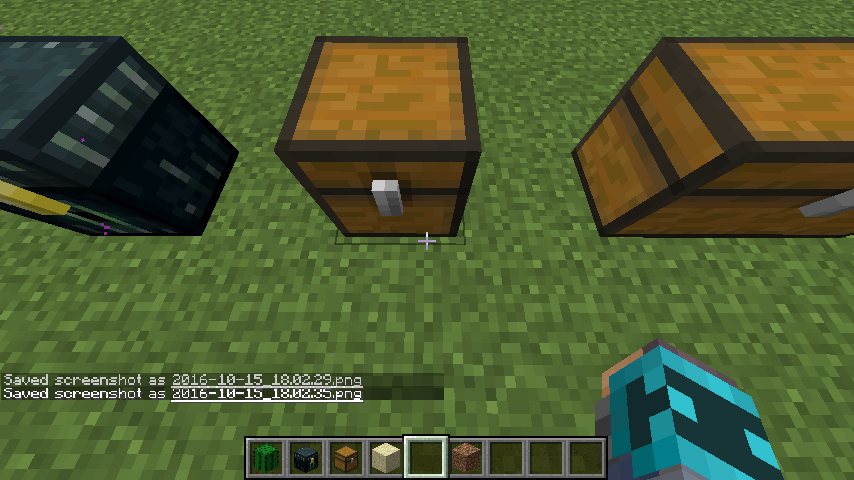
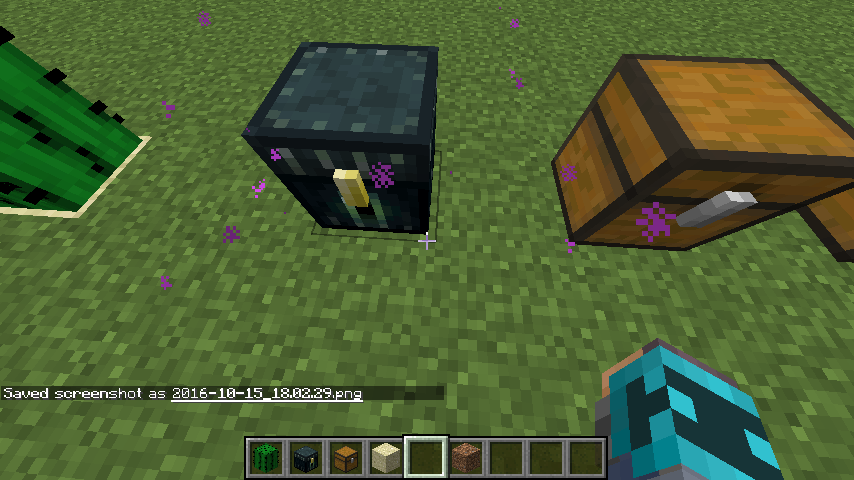
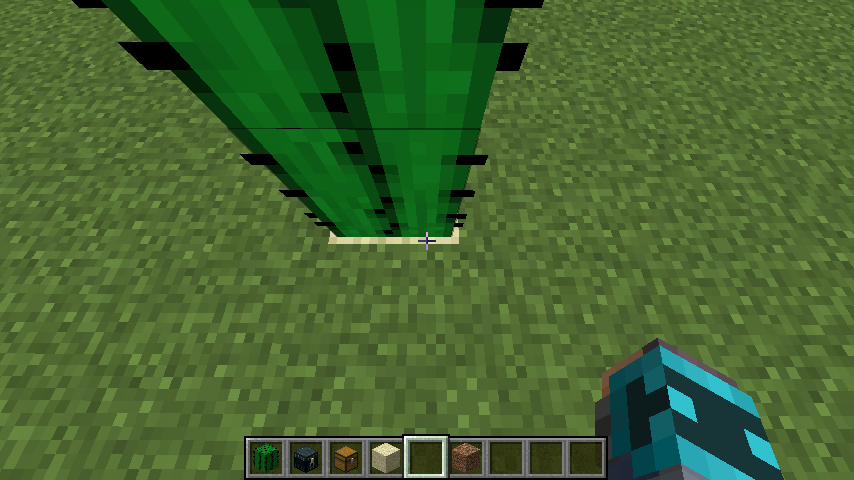
Cactus has simular hitboxes to chests and enderchests but it does not behanve the same way
on the new Staging Launcher for minecraft 1.11, i simply can not change the version from 16w42a to any other version. even if i press "SAVE" it still shows "16w42a - default" under "PLAY" on the play button.
(Effected: 2.0.164
on the new Staging Launcher for minecraft 1.11, i simply can not change the version from 16w42a to any other version. even if i press "SAVE" it still shows "16w42a - default" under "PLAY" on the play button.
(Effected: 2.0.164)
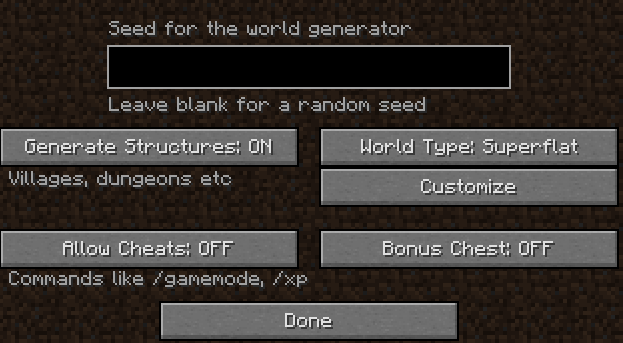
This is a little bug I found while creating a Hardcore world. When I pressed "More World Options," and I tried to enable "Bonus chest" and "Allow Cheats" they would not change even though they where not faded out. Sometimes however, the buttons will be faded out. I don't quite know the percentage of them not being faded out, but it is possible to get them not faded out.
The nether advancements called "A furious cocktail" and "How did we get here?" have the exact same description. the only difference I found that Furious cocktail has the word potion.
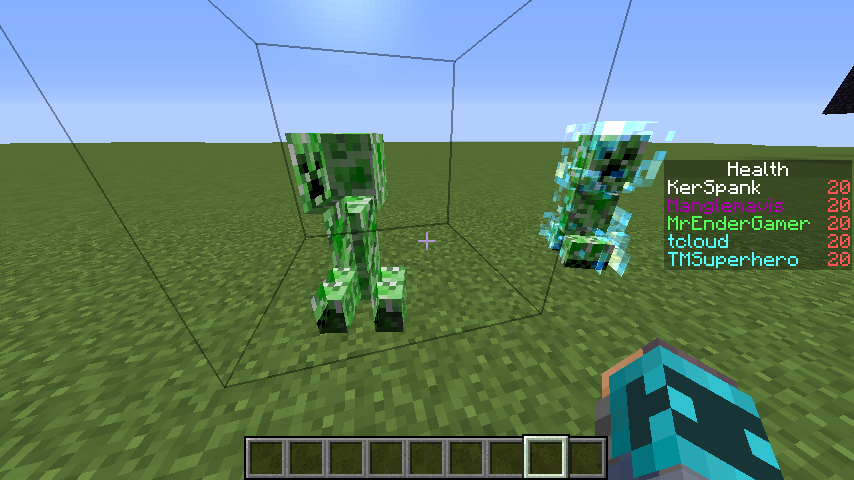
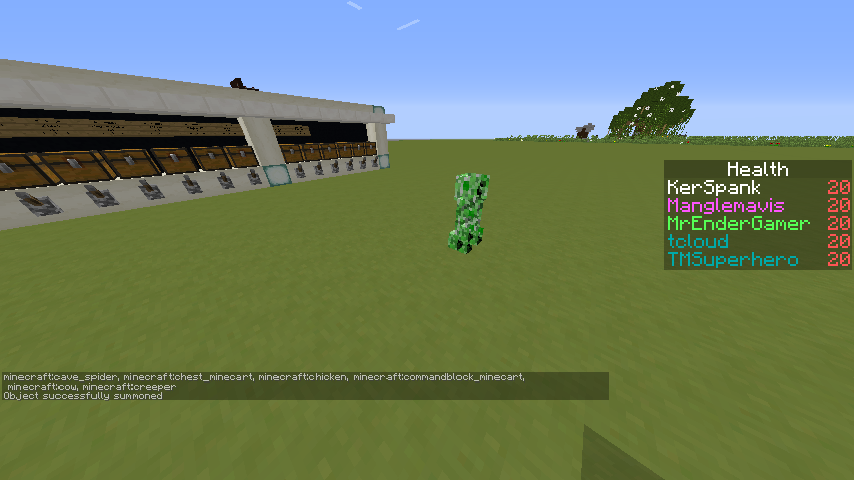
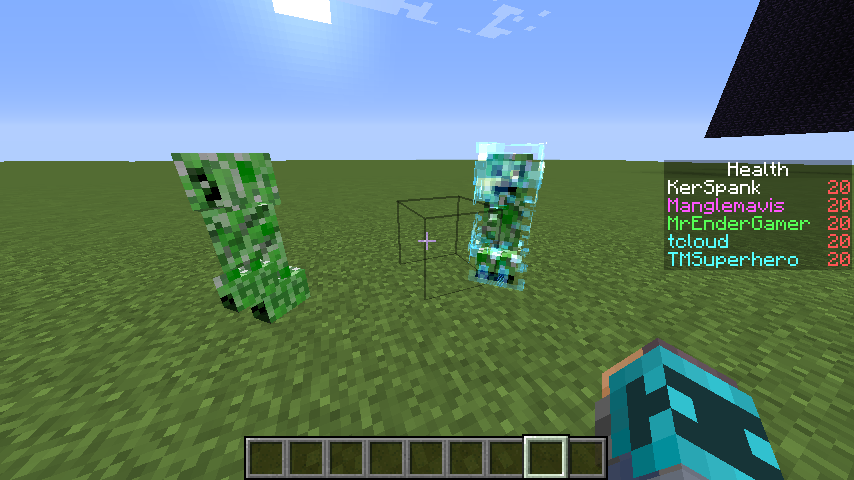
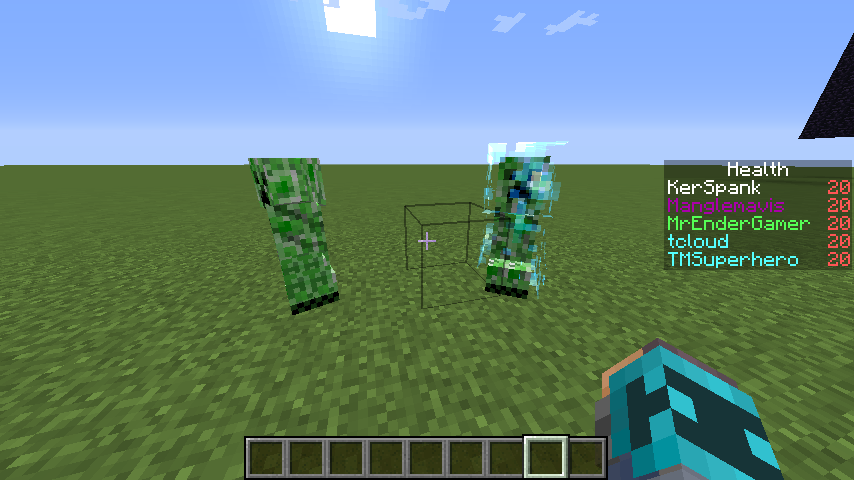
Charged creepers can make parts of regular creepers tranceparentCharged creepers can make parts of regular creepers transparent
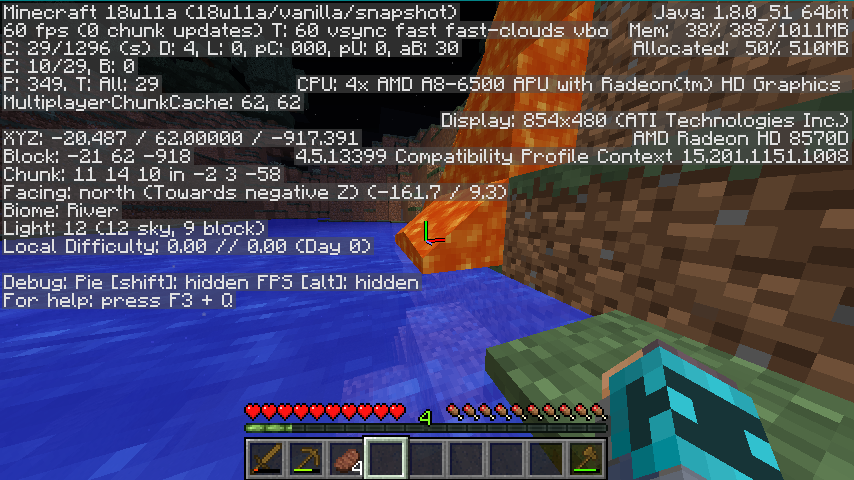
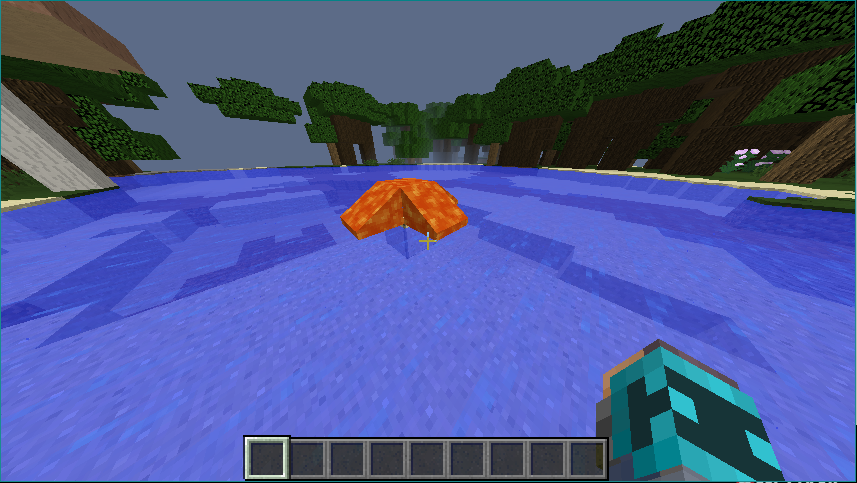
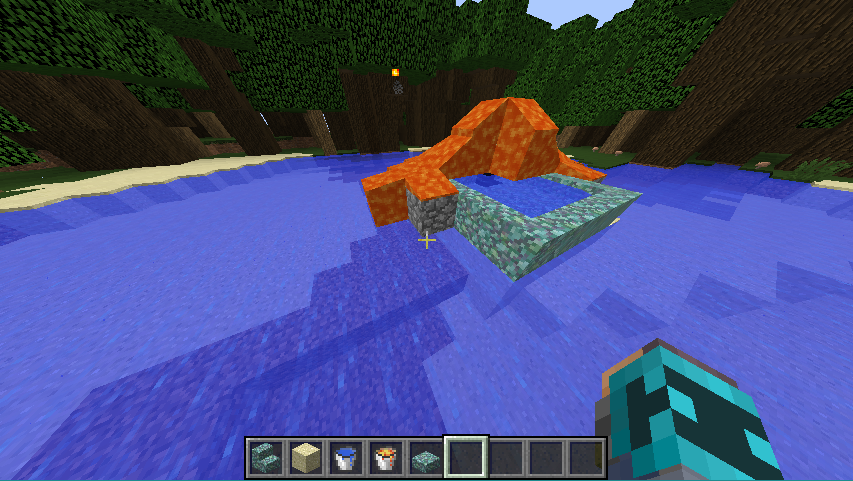
Lava doesn't interact with water properly
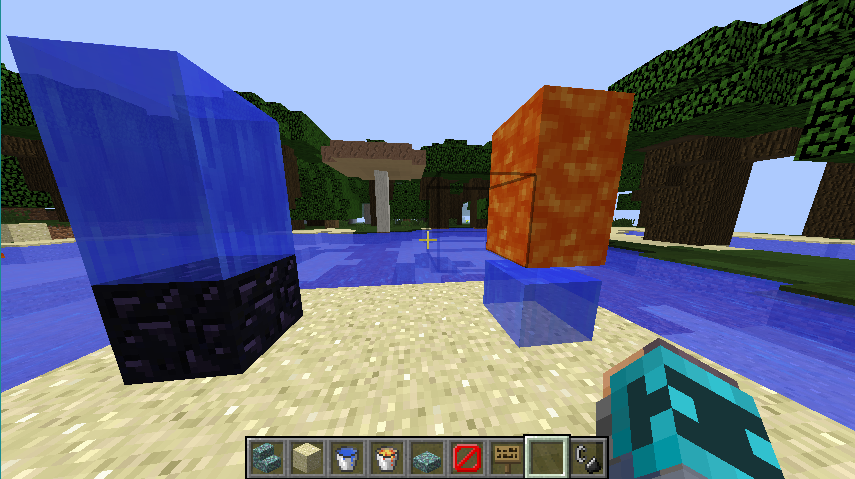
While I was playing in my new survival world, I came across a lava flow and I wait for it to reach the water. When it got to the bottom however, It just abruptly stopped flowing. The lava was generated and not hand-placed. I expected the lava to just turn into stone when it made contact but it just suddenly stopped. I successfully repeated this bug in a different world with creative mode and this time I placed the lava source block. Not too sure what causes this bug but i'm sure it has something to do with the new water mechanics/physics. I did find out that lava will turn to stone or cobblestone if is 1 block above the water before touching. If it is actually touching the water though, the bug will occur. If they are placed right next to each other, they will interact normally, so this bug only works in the Y direction.
While I was playing in my new survival world, I came across a lava flow and I wait for it to reach the water. When it got to the bottom however, It just abruptly stopped flowing. The lava was generated and not hand-placed. I expected the lava to just turn into stone when it made contact but it just suddenly stopped. I successfully repeated this bug in a different world with creative mode and this time I placed the lava source block. Not too sure what causes this bug but i'm sure it has something to do with the new water mechanics/physics. I did find out that lava will turn to stone or cobblestone if is 1 block above the water before touching. If it is actually touching the water though, the bug will occur. If they are placed right next to each other, they will interact normally, so this bug only works in the Y direction if lava is on top.
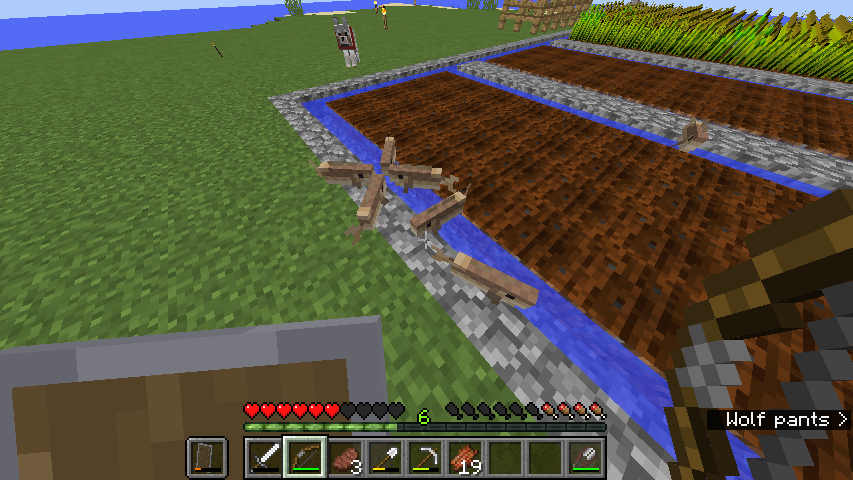
Fish nearbutoutside of waterlogged blocks don't suffocateFish near and outside of waterlogged blocks don't suffocate
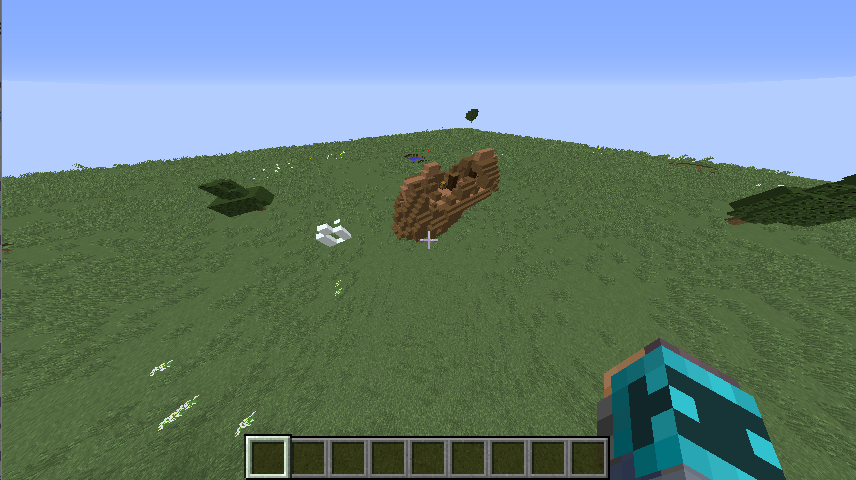
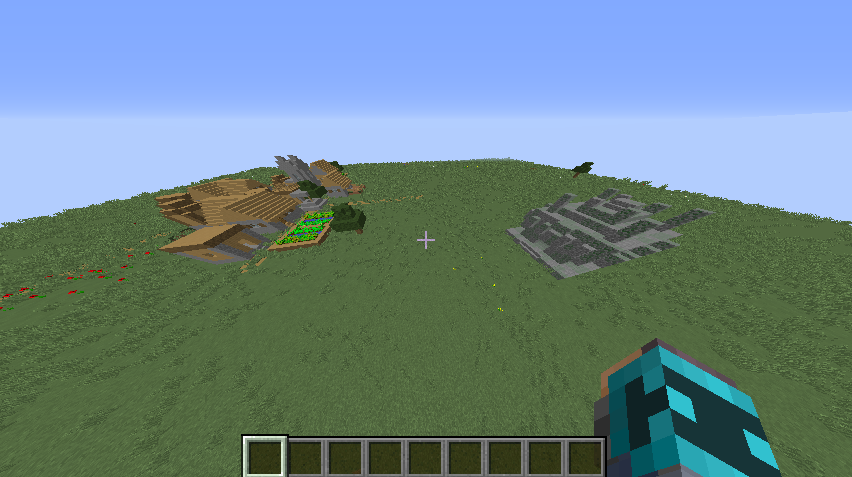
Structures will generate despite not being related to that biome. I explored for a while and found some structures such as a shipwreck, igloo, and jungle temple. (the village is normal)
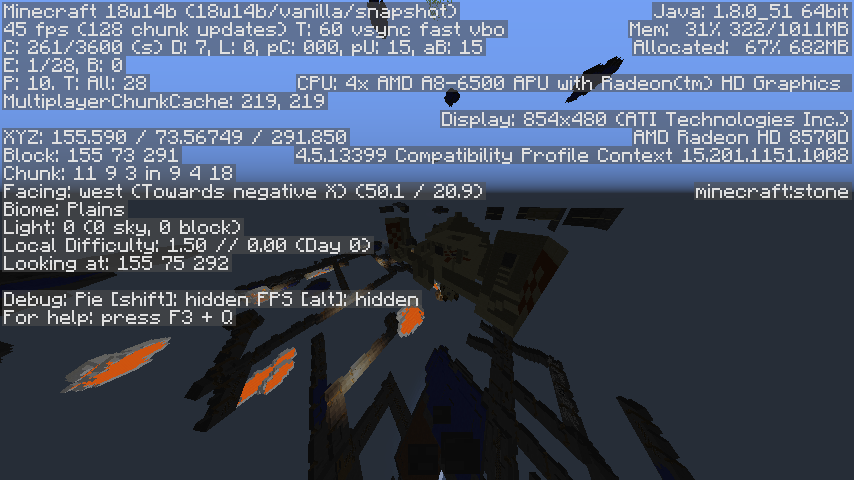
The desert temple I found was deep underground which is extremely strange.Steps to reproduce:
1. Click create a new world. Set the world with the preset "Tunneler's Dream"
2. Go to the text box located at the top of the screen.
3. change ";3;" to ";1;" and add the tag "village" to it. Should look like ";1;village"
note: only changing 1 part of the text. not the entire thing.
4. Create the world and use the /locate command on either an igloo or shipwreck.
Requires structure generation to be enabled.
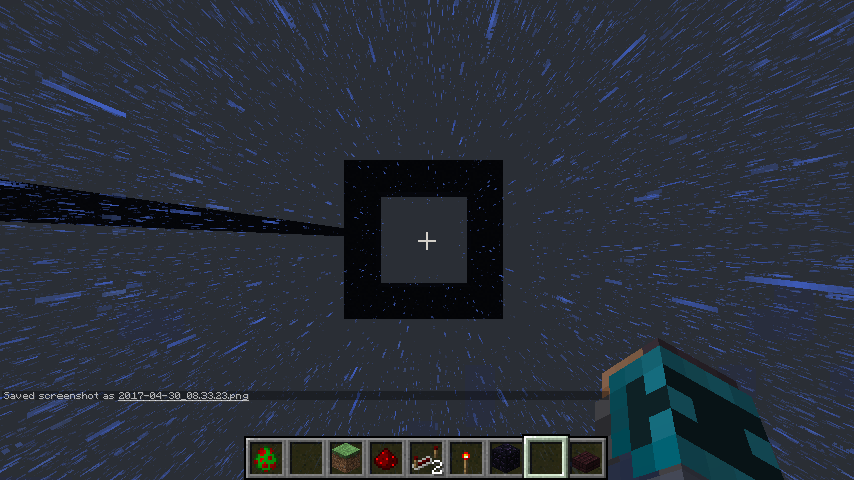
While inside a box of transparent blocks, the world'sunloads.
I should also note that this is in fact my first reported bug. i am sorry if i did anything wrong while reporting this.
I Could not find a way to attach the crash report to my Game Dir. (I did follow the instructions to change the version to 1.10.3, and this is the crash report i got at 8/27/16.) After i logged back into the Multiplayer 1.10-1.10.2 server, i obtained the map with the correct lore under it's name in my inventory, although it sometimes drops onto the floor after logging on without pressing any keys on my keyboard. I should also note that there where no other players on, just me. (tcloud) i dont know if that really changes events of this bug though. (Crashed without using any mods of any kind.)
I could only Show it here, as a comment. The crash report is as follows;
I was about to make a bug report about it until i found this, apparently the bob only floats if you cast it into water right in front of you, but if you cast it farther out, it wont float. This is probably the most annoying bug when fishing.
I have this error any time a new snapshot comes out, If I wanted to play a regular un-modded snapshot for example, 17w06a, It wouldn't let me. Instead, I get a message reading the following:
Unable to locate the Java runtime.
Show more details
Error details: The system cannot find the path specified
Filename on disk: javaw.exe
Path: C:/Users\Fall\AppData\Local\Temp\Rar$EXa0.557\minecraft_test_launcher\runtime\jre-x64\1.8.0_51\bin\javaw.exe
Exists: false
----------
I really dislike this bug and I hope for it to get fixed soon.
Really wish I could get a preview of new updates before their releases, all mods I use plus all versions besides snapshots work.