 TOSHI0912(※Google translation used)
- TOSHI0912
- JIRAUSER731600
- Asia/Tokyo
- Yes
- No
 MCPE-175137MCPE-177474MCPE-182704MCPE-185654



The save destination is set to external, but the world cannot be restored. (Android→data file is not displayed)
The save destination is set to external, but the world cannot be restored. (Android→data file is not displayed)
The save destination is set to external, but the world cannot be restored. (Android→data file is not displayed)
Postscript → It is not possible to save there due to Android specifications ... It would be nice to be able to restore the world from all files.As you can see in the picture... the location of the path where the current world is saved.
Screenshot_20220826-180248.png
The save destination is set to external, but the world cannot be restored. (Android→data file is not displayed)
Postscript → It is not possible to save there due to Android specifications ... It would be nice to be able to restore the world from all files.As you can see in the picture1... the location of the path where the current world is saved.
9/4 (Sunday) (Japan time) Postscript→I will send it again, but if you restore the world from the Minecraft app, the "data" will not be displayed. (*Photo 2 is the screen of Minecraft, Photo 3 is from the main unit setting file. (*Photos 2 and 3 are different terminals.)
↑I've attached a picture again, so you can see it now, right? Mojang company! 😡
I got a reply... ↑ Why is it an invalid report... I think this has a very high priority...? Japanese Android users are mad!
Mojang Company... People will hate you if you report too many invalids, right?😡
↑Hey! I sent a photo but no reply! hurry up! Mojang company!😡
Excuse my comment...(*I'm not a developer...) Once the world master goes offline, you can't enter...I think you can invite friends by restarting the app. (*translation used)
Today, when I updated to Ver.1.20, as the title says... please fix it. (*using Google Translate)
Today, when I updated to Ver.1.20, as the title says... please fix it.
→Normally, you can block with a shield when you do a sneak step, but since 1.20 there are times when you can't block.(*using Google Translate)
Today, when I updated to Ver.1.20, as the title says... please fix it.
→Normally, you can block with a shield when you do a sneak step, but since 1.20 there are times when you can't block.(*using Google Translate)Today, when I updated to Ver.1.20, as the title says... please fix it.
→Normally, you can block with a shield when you do a sneak step, but since 1.20 there are times when you can't block.
→I created a new world and played in a flat world, but no bugs were confirmed... However, in the world I always play, I was able to confirm this bug even when playing alone.(※using Google Translate)
Today, when I updated to Ver.1.20, as the title says... please fix it.
→Normally, you can block with a shield when you do a sneak step, but since 1.20 there are times when you can't block.
→I created a new world and played in a flat world, but no bugs were confirmed... However, in the world I always play, I was able to confirm this bug even when playing alone.(※using Google Translate)Today, when I updated to Ver.1.20, as the title says... please fix it.
→Normally, you can block with a shield when you do a sneak step, but since 1.20 there are times when you can't block.
→I created a new world and played in a flat world, but no bugs were confirmed... However, in the world I always play, I was able to confirm this bug even when playing alone.
→I took a screenshot, but the video uses a resource pack, but I don't think it has anything to do with the judgment operation. (※Ver.1.19 was able to defend with a shield as usual...)(※using Google Translate)
Today, when I updated to Ver.1.20, as the title says... please fix it.
→Normally, you can block with a shield when you do a sneak step, but since 1.20 there are times when you can't block.
→I created a new world and played in a flat world, but no bugs were confirmed... However, in the world I always play, I was able to confirm this bug even when playing alone.
→I took a screenshot, but the video uses a resource pack, but I don't think it has anything to do with the judgment operation. (※Ver.1.19 was able to defend with a shield as usual...)(※using Google Translate)Today, when I updated to Ver.1.20, as the title says... please fix it.
→Normally, you can block with a shield when you do a sneak step, but since 1.20 there are times when you can't block.
→I created a new world and played in a flat world, but no bugs were confirmed... However, in the world I always play, I was able to confirm this bug even when playing alone.
→I took a screenshot, but the video uses a resource pack, but I don't think it has anything to do with the judgment operation. (※Ver.1.19 was able to defend with a shield as usual...)
→As a result of trying various things... it turned out that the cause is that if you throw the trident while sneaking, the shield will not activate, this bug will appear... (※using Google Translate)
↑What is that screenshot?
↑I'm playing online with my family, but I'm getting hit by enemies, so please fix it as soon as possible.
Anyone else have this bug?🤔↓
Today, when I updated to Ver.1.20, as the title says... please fix it.
→Normally, you can block with a shield when you do a sneak step, but since 1.20 there are times when you can't block.
→I created a new world and played in a flat world, but no bugs were confirmed... However, in the world I always play, I was able to confirm this bug even when playing alone.→I took a screenshot, but the video uses a resource pack, but I don't think it has anything to do with the judgment operation. (※Ver.1.19 was able to defend with a shield as usual...)
→As a result of trying various things... it turned out that the cause is that if you throw the trident while sneaking, the shield will not activate, this bug will appear...(※using Google Translate)Today, when I updated to Ver.1.20, as the title says... please fix it.
→Normally, you can block with a shield when you do a sneak step, but since 1.20 there are times when you can't block.
→I created a new world and played in a flat world, but no bugs were confirmed... However, in the world I always play, I was able to confirm this bug even when playing alone.
→As a result of trying various things... it turned out that the cause is that if you throw the trident while sneaking, the shield will not activate, this bug will appear... (※using Google Translate)
Today, when I updated to Ver.1.20, as the title says... please fix it.
→Normally, you can block with a shield when you do a sneak step, but since 1.20 there are times when you can't block.
→I created a new world and played in a flat world, but no bugs were confirmed... However, in the world I always play, I was able to confirm this bug even when playing alone.
→As a result of trying various things... it turned out that the cause is that if you throw the trident while sneaking, the shield will not activate, this bug will appear...(※using Google Translate)
Ver.1.20.12 still not fixed! Please fix it now!
Please give me a satisfactory answer! mojang company!😡
↓
↑I can't play, so fix it now! 😡 How long will you leave the problem! It's the same reply, so I'm not convinced, so I'm repeating it on purpose! hurry up! This mojang company! ! 😡
I have no intention of responding... 😡 It's a disappointing game company... I'm quitting this game... That's it!
I did my best to translate, so please reply! ignoring me...😡
It's very difficult to create multiple items, suchaswhen converting sugarcane into paper, because you have to press multiple buttons repeatedly... Could you please return to the previous specifications?When I turn sugarcane into paper, I can only create a few items at a workbench, so it's very difficult to hold down the button for a long time... Could you please return it to the previous specifications? (*use translation)
When a creature spawns, when harvesting from a field, when there are too many villagers, when going in and out of water, when going to the Nether, the movement becomes very heavy temporarily... Also, the movement of the creature is heavy... After updating to Ver.1.20.31, it was resolved a little, but it's still a little heavy... (*I'm using translation...I'm an Android user.) Anyway, I'll vote.
I am a general user...Excuse me for commenting... 1.Is the internet connected? Or is the radio wave stable? 2. Why don't you try deleting the cache and force stopping once? 3. Restart the device... 4. If there are a lot of resource packs, worlds, etc., delete them to free up memory... How about that? (* Google translation (Japanese → English)
Duplicate report, attention... Mojang company! Please fix the problem soon!(*translation used)
Excuse me. (I'm not a developer.) I'm also an Android user, but for now it's "creating a world..." so let's all get in at the same time. (*translation used)
↓OK. When throwing the trident, canceling will activate the shield. No need to switch to other items. (Currently:Ver.1.20.31)
When a creature spawns, when harvesting from a field, when there are too many villagers, when going in and out of water, when going to the Nether, the movement becomes very heavy temporarily... Also, the movement of the creature is heavy... After updating to Ver.1.20.31, it was resolved a little, but it's still a little heavy... (*I'm using translation...I'm an Android user.) Anyway, I'll vote.
Why do you want to make it worse? ...Since Ver.1.20, things have become a lot more difficult. Is MOJANG having fun bullying mobile users?
→When a creature spawns, when you harvest a lot of items from a field, when there are too many villagers, when you set the camera movement sensitivity high and suddenly turn your back, the movement will stop temporarily. (*Translation used/Android13/Xperia5 Ⅲ(RAM8GB?)user/Current app Ver.1.20.32.03) Anyway, I'll vote.
↑MOJANG! Why do you delete comments without permission? 😡Not off topic! I left a comment with the play status, device information, and app version for the bug! (translation used)
When a creature spawns, when you harvest a lot of items from a field, when there are too many villagers, when you set the camera movement sensitivity high and suddenly turn your back, the movement will stop temporarily. (*Translation used/Android user/Current app Ver.1.20.50) Anyway, I'll vote.
Confirmed bugs when dashing, opening and closing chests, when there are mobs, and during raid events.(※App Ver.1.21.0.03, device used sony SOG09 Xperia5 Ⅳ Android14)
Is the fixed version still unknown? I hope it will be fixed before Ver1.22...
I don't know if it's been fixed, but it seems to have gotten lighter with the 1.21.50 update...
(※App Ver.1.21.50.20, device used: Sony SOG09 Xperia5Ⅳ Android14 / translation used)
↓For the time being, the bug has been confirmed and it is not a duplicate report. I hope they fix it... 🙏Also, regarding the deletion of reports, isn't there some kind of official bulletin board where people can freely comment? (*Please post a link if you have one) *Unrelated comments will be deleted... → There is no problem with water... (Translation used/App Ver. 1.20.41.02, Android 13)
As the title suggests...
Before I used to collect items with a bucket, I could collect them immediately, but now I can't... I need lava to erase unnecessary items... (*If it's the intended action, it's very It's a shame...Votes will be accepted on the proposal site...)Steps to Reproduce:
- Obtain a lava bucket
- Switch to Survival mode
- Place the lava
- Immediately try to pick up the lava
Observed Results:
The lava can't be picked up until after a few seconds have passed.Expected Results:
The lava can be picked up immediately, just like water.As the title suggests...Previously, it was possible to scoop with a bucket, but now (Ver.1.20.41), it is no longer possible to scoop.
Steps to Reproduce:
- Obtain a lava bucket
- Switch to Survival mode
- Place the lava
- Immediately try to pick up the lava
Observed Results:
The lava can't be picked up until after a few seconds have passed.Expected Results:
The lava can be picked up immediately, just like water.
↑Thank you to everyone who edited this. That's right... Thank you again for your vote! 😊(※Translation used)
Sending file description↓
1, (4.21MB) lava (※easy to understand)
2, (7.15MB) water (※hard to understand 😅)
3,(310KB)Added images by John Boone
↑I'm not arguing, I'm not sure if it's a bug or not...Don't pay attention...😭
↓Um...I'm using translation, so I'm bothered by long comments...but please leave a simple comment...1. Duplicate report? 2. Intended behavior? 3. Can you fix it properly? which one? please reply.
↓Hmm...It seems like this has been confirmed as a bug, not a duplicate report...I hope MOJANG fixes it...Also, it's hard to tell, but I couldn't scoop up water right away.. .With just lava... , there wasn't... I'm sorry... 😭 Thank you to the person who edited... (Translation used/App Ver. 1.20.41.02, Android13)
Regarding comments, is there an official bulletin board site where people can freely comment? (*If you have a link, please paste it...)
Transmission file description↓
1、(4.21MB) Lava
2 、(7.15MB) Water
3 、(310KB) Screenshot from John Boone
Don't delete this comment, leave it as is!
As the title suggests...Previously, it was possible to scoop with a bucket, but now (Ver.1.20.
41), it is no longer possible to scoop.Steps to Reproduce:
- Obtain a lava bucket
- Switch to Survival mode
- Place the lava
- Immediately try to pick up the lava
Observed Results:
The lava can't be picked up until after a few seconds have passed.Expected Results:
The lava can be picked up immediately, just like water.As the title suggests...Previously, it was possible to scoop with a bucket, but now (Ver.1.20.51.01), it is no longer possible to scoop.
Steps to Reproduce:
- Obtain a lava bucket
- Switch to Survival mode
- Place the lava
- Immediately try to pick up the lava
Observed Results:
The lava can't be picked up until after a few seconds have passed.Expected Results:
The lava can be picked up immediately, just like water.
Hangekisub » Description of the sent file. What do you think are irrelevant comments? I'm using Google Translate (English to Japanese) and when I see your comment it makes me feel like you're angry and it makes me uncomfortable. Are you a Mojang administrator? (*This comment has nothing to do with the bug comment, so please delete it.) Also, I don't know how to use Mojira Discord. I've given up...I won't comment anymore. And I deleted my comment myself. Solved, that's it
As the title suggests...Previously, it was possible to scoop with a bucket, but now (Ver.1.20.51.01), it is no longer possible to scoop.
Steps to Reproduce:
- Obtain a lava bucket
- Switch to Survival mode
- Place the lava
- Immediately try to pick up the lava
Observed Results:
The lava can't be picked up until after a few seconds have passed.Expected Results:
The lava can be picked up immediately, just like water.As the title suggests...Previously, it was possible to scoop with a bucket, but now (Ver.1.20.51.01), it is no longer possible to scoop.
Fixed with update Ver.1.20.80! thank you! (*App Ver.1.20.80.05, device used sony SOG09 Xperia5 Ⅳ Android14/(7.68MB)Screenshot after modification)Steps to Reproduce:
- Obtain a lava bucket
- Switch to Survival mode
- Place the lava
- Immediately try to pick up the lava
Observed Results:
The lava can't be picked up until after a few seconds have passed.Expected Results:
The lava can be picked up immediately, just like water.
As the title says. I also checked my friend's iOS. It was not displayed in Ver1.20.51.
You mentioned that the operation changes underwater, but in fact you can change the button position underwater in the detailed settings of the "Experimental Function". (※You have to set it twice, underwater and on land...) I think it's fine if the button position is the same... (※Translation used)
From Ver.1.21, in creative mode, you can now float or descend with the up and down buttons on either right button. However, for the movement buttons, the old D-pad might be better... (※As others have said, this is still unresolved.../ ※Translation used)
As the title says...
When "Experimental Customization" is turned on, the hotbar on iOS (my friend) is unresponsive and blocks are placed (e.g. holding a bucket of water → trying to switch items causes water to be spilled...) On Android (myself), the "..." button on the right side of the hotbar is unresponsive. For both my friend and I, it works fine when turned off. In 1.20.8, it was possible to use it normally, even though it was experimental, so I think the 1.21 update has a problem... Please fix it. (※Translation used)
As the title says...
When "Experimental Customization" is turned on, the hotbar on iOS (my friend) is unresponsive and blocks are placed (e.g. holding a bucket of water → trying to switch items causes water to be spilled...) On Android (myself), the "..." button on the right side of the hotbar is unresponsive. For both my friend and I, it works fine when turned off. In 1.20.8, it was possible to use it normally, even though it was experimental, so I think the 1.21 update has a problem... Please fix it. (※Translation used)
→1. (9.25MB) Android "..." unresponsive screen recorder
As the title says...
When "Experimental Customization" is turned on, the hotbar on iOS (my friend) is unresponsive and blocks are placed (e.g. holding a bucket of water → trying to switch items causes water to be spilled...) On Android (myself), the "..." button on the right side of the hotbar is unresponsive. For both my friend and I, it works fine when turned off. In 1.20.8, it was possible to use it normally, even though it was experimental, so I think the 1.21 update has a problem... Please fix it. (※Translation used)
→1. (9.25MB) Android "..." unresponsive screen recorder
As the title says...
When "Experimental Customization" is turned on, the hotbar on iOS (my friend) is unresponsive and blocks are placed (e.g. holding a bucket of water → trying to switch items causes water to be spilled...) On Android (myself), the "..." button on the right side of the hotbar is unresponsive. For both my friend and I, it works fine when turned off. In 1.20.8, it was possible to use it normally, even though it was experimental, so I think the 1.21 update has a problem... Please fix it. (※Translation used)
→1. (9.25MB) Android "..." unresponsive screen recorder
→※2. (980KB) Android (a little different issue) Screenshot of "The upper right (jump) button does not move"
As the title says...
When "Experimental Customization" is turned on, the hotbar on iOS (my friend) is unresponsive and blocks are placed (e.g. holding a bucket of water → trying to switch items causes water to be spilled...) On Android (myself), the "..." button on the right side of the hotbar is unresponsive. For both my friend and I, it works fine when turned off. In 1.20.8, it was possible to use it normally, even though it was experimental, so I think the 1.21 update has a problem... Please fix it. (※Translation used)
→1. (9
.25MB) Android"..." unresponsive screen recorder
→※2. (980KB) Android(a little different issue) Screenshot of "The upper right (jump) button does not move"As the title says...
When "Experimental Customization" is turned on, the hotbar on iOS (my friend) is unresponsive and blocks are placed (e.g. holding a bucket of water → trying to switch items causes water to be spilled...) On Android (myself), the "..." button on the right side of the hotbar is unresponsive. For both my friend and I, it works fine when turned off. In 1.20.8, it was possible to use it normally, even though it was experimental, so I think the 1.21 update has a problem... Please fix it. (※Translation used)
→※1. (980KB) Android (a little different issue) Screenshot of "The upper right (jump) button does not move"
→2. (5.09MB) Android "..." not responding screen recorder (※I opened it the first time, but the second and third times, "..." is green, but I don't open it and use lava (item, block, etc.)...)
As the title says...
When "Experimental Customization" is turned on,
the hotbaron iOS (my friend)is unresponsive and blocks are placed (e.g. holding a bucket of water → trying to switch itemscauses water to be spilled...)On Android (myself), the "..." button on the right side of the hotbaris unresponsive. For both my friend and I, it works fine when turned off. In 1.20.8, it was possible touseitnormally,even though it was experimental, so I thinkthe 1.21 updatehas a problem... Please fix it. (※Translation used)→※1. (980KB) Android (a little different issue) Screenshot of "The upper right (jump) button does not move"
→2. (5.09MB) Android "..." not responding screen recorder (※I opened it the first time, but the second and third times, "..." is green, but I don't open it and use lava (item, block, etc.)...)As the title says...
When "Experimental Customization" is turned on, on iOS (my friend), the hotbar becomes unresponsive and blocks are placed (e.g. holding a bucket of water → water spills when trying to switch items...). Currently, if you tap it 10 times in a row, you can switch items, but it is nearly unusable... On Android (myself), the "..." button on the right side of the hotbar responds to green, but is unresponsive... As you can see in the screenshot, it is difficult to switch items... When my friend and I both turn off customization, it works normally (but is inconvenient). In 1.20.8, it was experimental but could be used normally, so I think the problem has occurred with the 1.21 update... Please fix it. (※Translation used)
→※1. (980KB) Android (a little different issue) Screenshot of "The upper right (jump) button does not move"
→2. (5.09MB) Android "..." not responding screen recorder (※I opened it the first time, but the second and third times, "..." is green, but I don't open it and use lava (item, block, etc.)...)
As the title says...
When "Experimental Customization" is turned on, on iOS (my friend), the hotbar becomes unresponsive and blocks are placed (e.g. holding a bucket of water → water spills when trying to switch items...). Currently, if you tap it 10 times in a row, you can switch items, but it is nearly unusable... On Android (myself), the "..." button on the right side of the hotbar responds to green, but is unresponsive... As you can see in the screenshot, it is difficult to switch items... When my friend and I both turn off customization, it works normally (but is inconvenient). In 1.20.8, it was experimental but could be used normally, so I think the problem has occurred with the 1.21 update... Please fix it. (※Translation used)
→※1. (980KB) Android (
a little different issue) Screenshot of"The upper right (jump) buttondoes not move"
→2. (5.09MB) Android "..." not responding screen recorder (※I opened it the first time, but the second and third times, "..." is green, but I don't open it and use lava (item, block, etc.)...)As the title says...
When "Experimental Customization" is turned on, on iOS (my friend), the hotbar becomes unresponsive and blocks are placed (e.g. holding a bucket of water → water spills when trying to switch items...). Currently, if you tap it 10 times in a row, you can switch items, but it is nearly unusable... On Android (myself), the "..." button on the right side of the hotbar responds to green, but is unresponsive... As you can see in the screenshot, it is difficult to switch items... When my friend and I both turn off customization, it works normally (but is inconvenient). In 1.20.8, it was experimental but could be used normally, so I think the problem has occurred with the 1.21 update... Please fix it. (※Translation used)
→※1. (980KB) Android (separate issue) When editing customization buttons underwater, "the upper right (jump) button cannot be edited" (In the screenshot, there is a "□" in the sky even though it is not moving)
→2. (5.09MB) Android "..." not responding screen recorder (※I opened it the first time, but the second and third times, "..." is green, but I don't open it and use lava (item, block, etc.)...)
As the title says...
When "Experimental Customization" is turned on, on iOS (my friend), the hotbar becomes unresponsive and blocks are placed (e.g. holding a bucket of water → water spills when trying to switch items...). Currently, if you tap it 10 times in a row, you can switch items, but it is nearly unusable... On Android (myself), the "..." button on the right side of the hotbar responds to green, but is unresponsive... As you can see in the screenshot, it is difficult to switch items... When my friend and I both turn off customization, it works normally (but is inconvenient). In 1.20.8, it was experimental but could be used normally, so I think the problem has occurred with the 1.21 update... Please fix it. (※Translation used)
→※1. (980KB) Android (separate issue) When editing customization buttons underwater, "the upper right (jump) button cannot be edited" (In the screenshot, there is a "□" in the sky even though it is not moving)
→2. (5.09MB) Android "..." not responding screen recorder (※I opened it the first time, but the second and third times, "..." is green, but I don't open it and use lava (item, block, etc.)...)As the title says...
When "Experimental Customization" is turned on, on iOS (my friend), the hotbar becomes unresponsive and blocks are placed (e.g. holding a bucket of water → water spills when trying to switch items...). Currently, if you tap it 10 times in a row, you can switch items, but it is nearly unusable... On Android (myself), the "..." button on the right side of the hotbar responds to green, but is unresponsive... As you can see in the screenshot, it is difficult to switch items... When my friend and I both turn off customization, it works normally (but is inconvenient). In 1.20.8, it was experimental but could be used normally, so I think the problem has occurred with the 1.21 update... Please fix it. (※Translation used)
→※1. (980KB) Android (separate issue) When editing customization buttons underwater, "the upper right (jump) button cannot be edited" (In the screenshot, there is a "□" in the sky even though it is not moving)
→2. (5.09MB) Android "..." not responding screen recorder (※I opened it the first time, but the second and third times, "..." is green, but I don't open it and use lava (item, block, etc.)...)
As the title says...
When "Experimental Customization" is turned on, on iOS (my friend), the hotbar becomes unresponsive and blocks are placed (e.g. holding a bucket of water → water spills when trying to switch items...). Currently, if you tap it 10 times in a row, you can switch items, but it is nearly unusable... On Android (myself), the "..." button on the right side of the hotbar responds to green, but is unresponsive... As you can see in the screenshot, it is difficult to switch items... When my friend and I both turn off customization, it works normally (but is inconvenient). In 1.20.8, it was experimental but could be used normally, so I think the problem has occurred with the 1.21 update... Please fix it. (※Translation used)
→※1. (980KB) Android (separate issue) When editing customization buttons underwater, "the upper right (jump) button cannot be edited" (In the screenshot, there is a "□" in the sky even though it is not moving)
→2. (5.09MB) Android "..." not responding screen recorder (※I opened it the first time, but the second and third times, "..." is green, but I don't open it and use lava (item, block, etc.)...)
As the title says...
When "Experimental Customization" is turned on, on iOS (my friend), the hotbar becomes unresponsive and blocks are placed (e.g. holding a bucket of water → water spills when trying to switch items...). Currently, if you tap it 10 times in a row, you can switch items, but it is nearly unusable... On Android (myself), the "..." button on the right side of the hotbar responds to green, but is unresponsive... As you can see in the screenshot, it is difficult to switch items... When my friend and I both turn off customization, it works normally (but is inconvenient). In 1.20.8, it was experimental but could be used normally, so I think the problem has occurred with the 1.21 update... Please fix it. (※Translation used)
- In the previous version (1.20.8), the "Hotbar size (200%)" could be set, so it could be customized and used without any problems, but this was abolished in 1.21, so the affected versions are listed as 1.21 and onwards.
→※1. (980KB) Android (separate issue) When editing customization buttons underwater, "the upper right (jump) button cannot be edited" (In the screenshot, there is a "□" in the sky even though it is not moving)
→2. (5.09MB) Android "..." not responding screen recorder (※I opened it the first time, but the second and third times, "..." is green, but I don't open it and use lava (item, block, etc.)...)
As the title says...
When "Experimental Customization" is turned on, on iOS (my friend), the hotbar becomes unresponsive and blocks are placed (e.g. holding a bucket of water → water spills when trying to switch items...). Currently, if you tap it 10 times in a row, you can switch items, but it is nearly unusable... On Android (myself), the "..." button on the right side of the hotbar responds to green, but is unresponsive... As you can see in the screenshot, it is difficult to switch items... When my friend and I both turn off customization, it works normally (but is inconvenient). In 1.20.8, it was experimental but could be used normally, so I think the problem has occurred with the 1.21 update... Please fix it. (※Translation used)
- In the previous version (1.20.8), the "Hotbar size (200%)" could be set, so it could be customized and used without any problems, but this was abolished in 1.21, so the affected versions are listed as 1.21 and onwards.
→※1. (980KB) Android (separate
issue) When editing customizationbuttons underwater, "the upper right (jump) button cannot be edited" (In the screenshot,there is a "□"in the sky even though it is not moving)→2. (5.09MB) Android "..." not responding screen recorder (※I opened it the first time, but the second and third times, "..." is green, but I don't open it and use lava (item, block, etc.)...)
As the title says...
When "Experimental Customization" is turned on, on iOS (my friend), the hotbar becomes unresponsive and blocks are placed (e.g. holding a bucket of water → water spills when trying to switch items...). Currently, if you tap it 10 times in a row, you can switch items, but it is nearly unusable... On Android (myself), the "..." button on the right side of the hotbar responds to green, but is unresponsive... As you can see in the screenshot, it is difficult to switch items... When my friend and I both turn off customization, it works normally (but is inconvenient). In 1.20.8, it was experimental but could be used normally, so I think the problem has occurred with the 1.21 update... Please fix it. (※Translation used)
※ In the previous version (1.20.8), the "Hotbar size (200%)" could be set, so it could be customized and used without any problems, but this was abolished in 1.21, so the affected versions are listed as 1.21 and onwards.→※1. (980KB) Android (separate case) When editing custom buttons underwater, "the upper right (jump) button cannot be edited" (in the screenshot, a "□" is displayed in the sky even though it is not moving) / Addendum: When I edited it on a scaffold, the upper right button was edited normally. (However, all button sizes and positions that I set underwater were reset the moment I stepped on a scaffold.)
→2. (5.09MB) Android "..." not responding screen recorder (※I opened it the first time, but the second and third times, "..." is green, but I don't open it and use lava (item, block, etc.)...)
The creator of
MCPE-185654. (※App Ver.1.21.21.01, device used sony SOG09 Xperia5 Ⅳ Android14/Voted for this report./Translation used)
Could armor (or armor-related enchantments) have anything to do with the HP19 bug?
1、3.24MB (Screenshot of "It takes a while for the mineral to become visible after being placed in water")
Previously (1.21.31), you could see ahead the moment you entered the water, but since 1.21.41, it has become murky and you can no longer see ahead. (※You can see ahead after about 5 seconds of entering the water, but it's hard to see the ores and enemies... I thought it might be because of the resource pack, but it's the same when I play vanilla...)
.
Previously (1.21.41), I could get achievements even if I turned on "Experiment" by re-editing after creating a world. (However, I know that if you turn on "Experiment" when creating a new world, you will not be able to get them.) I can no longer get all the achievements from my previous world... I had to delete all my worlds and start over from scratch...
Previously (1.21.4
1), I could get achievements even if I turned on "Experiment" by re-editing after creating a world. (However, I know that if you turn on "Experiment" when creating a new world, you will not be able to get them.) I can no longer get all the achievements from my previous world... I had to delete all my worlds and start over from scratch...Previously (1.21.43), I could get achievements even if I turned on "Experiment" by re-editing after creating a world. (However, I know that if you turn on "Experiment" when creating a new world, you will not be able to get them.) I can no longer get all the achievements from my previous world... I had to delete all my worlds and start over from scratch...
…
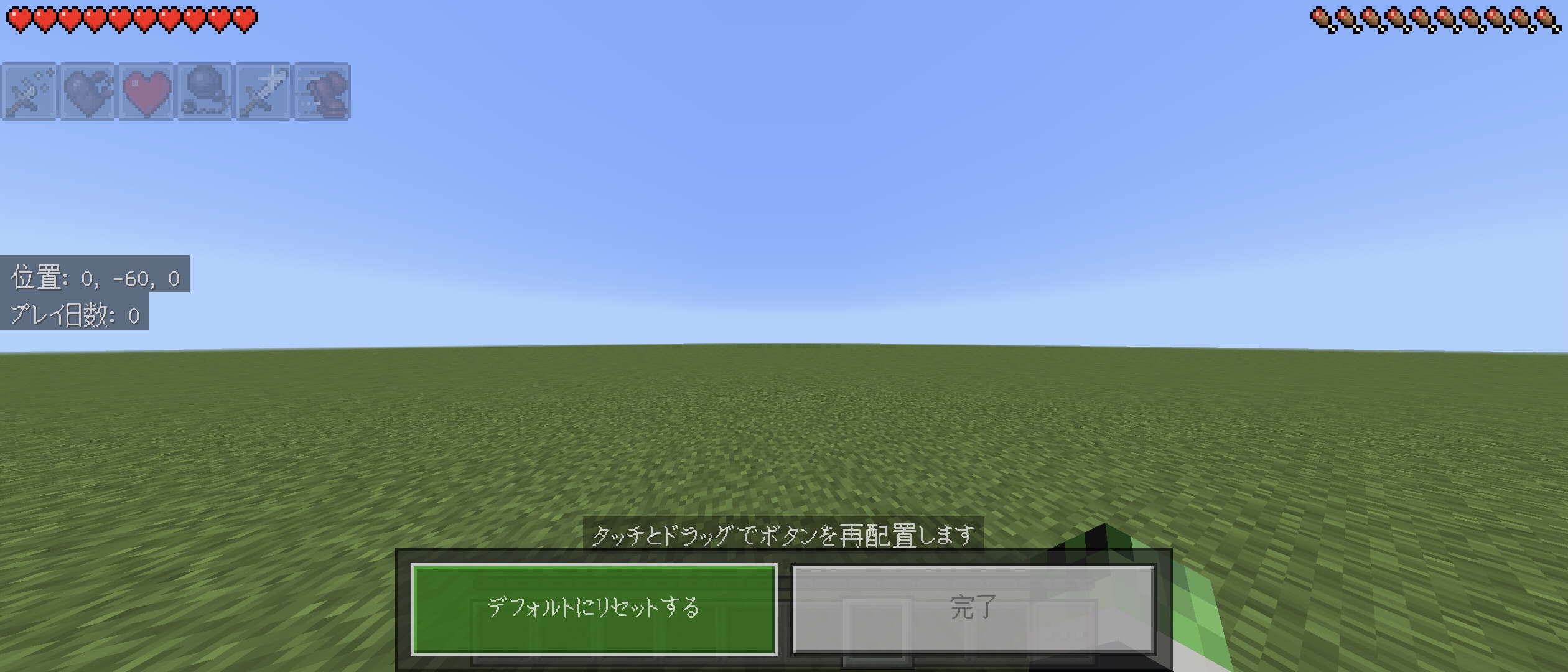
As the title says, the buttons are not displayed in the "Control Settings" so I can't change the button layout or size... (※There is a response if you tap randomly)
1、(1.50MB)→ Control Settings screen (As you can see, the buttons are not displayed)
If you find any duplicate reports, please let us know in the comments.
Steps to reproduce:
- Open a world
- Go to Settings -> Controls -> Touch
- Enable Customize Controls
- Go to Customize controls
Observed result:
All of the buttons are invisible.Expected result:
The buttons are visible.Original description:
As the title says, the buttons are not displayed in the "Control Settings" so I can't change the button layout or size... (※There is a response if you tap randomly)
1、(1.50MB)→ Control Settings screen (As you can see, the buttons are not displayed)
(*App Ver. 1.21.51.01, Device used: Sony SOG09 Xperia5Ⅳ Android14)
Steps to reproduce:
- Open a world
- Go to Settings -> Controls -> Touch
- Enable Customize Controls
- Go to Customize controls
Observed result:
All of the buttons are invisible.Expected result:
The buttons are visible.Original description:
As the title says, the buttons are not displayed in the "Control Settings" so I can't change the button layout or size... (※There is a response if you tap randomly)
1、(1.50MB)→ Control Settings screen (As you can see, the buttons are not displayed)
(*App Ver. 1.21.51.01, Device used: Sony SOG09 Xperia5Ⅳ Android14)
Steps to reproduce:
- Open a world
- Go to Settings -> Controls -> Touch
- Enable Customize Controls
- Go to Customize controls
Observed result:
All of the buttons are invisible.Expected result:
The buttons are visible.Original description:
As the title says, the buttons are not displayed in the "Control Settings" so I can't change the button layout or size... (※There is a response if you tap randomly)
1、(1.50MB)→ Control Settings screen (As you can see, the buttons are not displayed)
(*App Ver. 1.21.51.01, Device used: Sony SOG09 Xperia5Ⅳ Android14/Resolved/thank you!)
Steps to reproduce:
- Open a world
- Go to Settings -> Controls -> Touch
- Enable Customize Controls
- Go to Customize controls
Observed result:
All of the buttons are invisible.Expected result:
The buttons are visible.Original description:
As the title says, the buttons are not displayed in the "Control Settings" so I can't change the button layout or size... (※There is a response if you tap randomly)
1、(1.50MB)→ Control Settings screen (As you can see, the buttons are not displayed)
(*App Ver. 1.21.51.01, Device used: Sony SOG09 Xperia5Ⅳ Android14/Resolved/thank you!)Steps to reproduce:
- Open a world
- Go to Settings -> Controls -> Touch
- Enable Customize Controls
- Go to Customize controls
Observed result:
All of the buttons are invisible.Expected result:
The buttons are visible.Original description:
As the title says, the buttons are not displayed in the "Control Settings" so I can't change the button layout or size... (※There is a response if you tap randomly)
1、(1.50MB)→ Control Settings screen (As you can see, the buttons are not displayed)
(*App Ver. 1.21.51.02, Device used: Sony SOG09 Xperia5Ⅳ Android14/Resolved/thank you!)
Steps to reproduce:
- Open a world
- Go to Settings -> Controls -> Touch
- Enable Customize Controls
- Go to Customize controls
Observed result:
All of the buttons are invisible.Expected result:
The buttons are visible.Original description:
As the title says, the buttons are not displayed in the "Control Settings" so I can't change the button layout or size... (※There is a response if you tap randomly)
1、(1.50MB)→ Control Settings screen (As you can see, the buttons are not displayed)
(*App Ver. 1.21.51.02, Device used: Sony SOG09 Xperia5Ⅳ Android14/Resolved/thank you!)Steps to reproduce:
- Open a world
- Go to Settings -> Controls -> Touch
- Enable Customize Controls
- Go to Customize controls
Observed result:
All of the buttons are invisible.Expected result:
The buttons are visible.Original description:
As the title says, the buttons are not displayed in the "Control Settings" so I can't change the button layout or size... (※There is a response if you tap randomly)
1、(1.50MB)→ Control Settings screen (As you can see, the buttons are not displayed)
(*App Ver. 1.21.51.02, Device used: Sony SOG09 Xperia5Ⅳ Android14/Resolved(thank you!)
2、(778KB)→ (1.21.51.02)Control Settings screen
![[MCPE Mod] Auldrick](../../../data/avatars/users/10122.svg)
TOSHI0912(※Google translation used): Sorry, but the bug tracker is not able to provide status updates on bug reports. We do not have access to Mojang's internal systems and we only learn that a bug is fixed at the same time you do, namely when Mojang publishes it in the Changelog.
Comments are intended for providing additional information about the bug to the developers. Other comments, such as yours today, are considered off-topic and are subject to removal, to keep the report focused on helping the developers find and fix the problem. For more information, please refer to the Mojang Bug Tracker Guidelines and FAQ.
↑It's been reported before, so why not fix it sooner? Hurry up!😡
Excuse my comment...(*I'm not a developer...) I can open the marketplace. I wonder why... (However, I can't press it for 5 seconds after the app starts...)
Also, how about force quitting and clearing the cache…?
(*translation used)
Excuse my comment...(*I'm not a developer...) The content is a little different, but friendly mobs disappear even though I surrounded the fence...why...(*translation used)
There was a report. Please fix it. I will vote later.↓
↓I voted. Please fix it immediately! P.S.: It seems to be a specification... I wish I had been informed in advance... Very inconvenient 😡
me too. Since the default is "All" instead of "Craftable", it is difficult to find and inconvenient... I would like to return to the previous specification... (*Translation used/Android13/Xperia5 Ⅲ(RAM8GB?)user/Current app Ver.1.20.40.01)Ver.1.20.40…It's not fixed yet...
It was fixed after updating to Ver.1.20.50! thank you. (*Translation used/Android13/Xperia5 Ⅳ(RAM8GB?)user/Current app Ver.1.20.50.03)
↓OK. When throwing the trident, canceling will activate the shield. No need to switch to other items. (*Translation used/Android13/Xperia5 Ⅲ(RAM8GB?)user/Current app Ver.1.20.40.01)
It was fixed after updating to Ver.1.20.50! thank you. (*Translation used/Android13/Xperia5 Ⅳ(RAM8GB?)user/Current app Ver.1.20.50.03)
I pasted the URL of the proposal site before, but my comment was deleted by MOJANG without my permission, so I'll paste the URL of the proposal site I created again.(URL→https://feedback.minecraft.net/hc/en-us/community/posts/19894875417869-I-would-like-to-be-able-to-quickly-create-a-single-stack-by-long-pressing-Integrated-version-Smartphone-?page=1#community_comment_20184570947981←)
To those involved in mojang, please delete this report.
To those involved in mojang, please delete this report.
To those involved in mojang, please delete this report.
disappointing…
voting site「URL→https://feedback.minecraft.net/hc/en-us/community/posts/23959961167757-I-want-to-add-fall-reduction-to-horse-armor←」
Duplication of "MCPE-162670"
In the current version, it has become difficult to control underwater in survival mode and floating in creative mode, so I experimentally set up control customization, and found that switching items in the inventory became very slow... Also, compared to previous versions, the buttons have become opaque, making it difficult to see the map in the lower left of the off-hand...
Postscript → HBJrY2hybTM4 also said that the inventory becomes unresponsive when using experimental features, so I was relieved to know that I'm not the only one. I'm on Android, and although I can switch inventory items, it's unresponsive... Also, my family uses iOS, and on iOS it's almost impossible to switch inventory items... (Example: Holding a bucket of water → Switching to a pickaxe → No reaction and water is sprayed...) (※Translation used)
Confirmed bugs when dashing, opening and closing chests, when there are mobs, and during raid events.(※App Ver.1.21.0.03, device used sony SOG09 Xperia5 Ⅳ Android14)
Is the fixed version still unknown? I hope it will be fixed before Ver1.22...
If you have already reported the experimental feature "Button Customization", please reply in the comments with the link to "MCPE"...
Is this report a duplicate?
Minecraft App Ver.1.21.1.03, device used sony SOG09 Xperia5 Ⅳ OSVer.Android14
It can't be just my device. The hotbar has become unresponsive since 1.21, and the update has been worse. (It used to work fine.) I think it's probably the same problem with iOS. (Duplicate report? If MCPE-179659 fixes it, Android should change too...) I'm currently trying to switch items, but I've placed a block, and I'm pissed... (translation used)
Is this the same bug as number 1 in the description of MCPE-182704 that I created?
I use Android, so I don't have this bug. However, my friend uses iOS, so he is having trouble with this bug. (※I'll vote for this report just in case. / Translated)
Start the app as usual (it will turn pink) → (while in the background) close the app → press the app icon again to start it → it will return to normal. (※Friend's iOS: iPhone13 PRO MAX)
If you find any duplicate reports, please comment. (※Translation used)
「
MCPE-182594」※Resolved? Nothing has changed for me. I have horse armor equipped, but it looks like I have no equipment... (※I wonder if it's because I'm using an external resource pack? It's just for appearance, so I don't really care, so it's resolved (lol)
(※App Ver.1.21.41.01, device used sony SOG09 Xperia5 Ⅳ Android14/Voted for this report./Translation used)
I wonder if it was fixed in the update Ver.1.21.30? (※ App Ver.1.21.30.03, device used is Sony SOG09 Xperia 5 Ⅳ Android 14 / translated)
Thank you!
This has been fixed in the update Ver.1.21.30! Thank you! (※ App Ver.1.21.30.03, device used is Sony SOG09 Xperia5 Ⅳ Android14 / translation used)
I don't know if it's been fixed, but I think it's been made lighter with the 1.21.30 update...
(※ App Ver.1.21.30.03, device used is Sony SOG09 Xperia5 Ⅳ Android14 / translation used)
After the 1.21.31 update, it freezes again... What a shame... Mojang... It went from a 14-day dream to a hellish reality...😭
(※App Ver. 1.21.31.05, Device used: Sony SOG09 Xperia5 Ⅳ Android14/Translated)
→https://feedback.minecraft.net/hc/en-us/articles/30677359777805-Minecraft-1-21-31-Bedrock←I think the fixes in this link are what's causing the freezes...
(※※I don't know if it's been fixed, but it seems to have gotten lighter with the 1.21.50 update...
(※App Ver.1.21.50.20(β), Device used: Sony SOG09 Xperia5Ⅳ Android14 / Translated)
Similarly, if you update, it will automatically become the beta version...
(※App Ver.1.21.50.20, Device used: Sony SOG09 Xperia5Ⅳ Android14 / Translation used)
Additional note→ The regular version has been released on Google Play and has been reverted to the regular version.
(※App Ver.1.21.31.05, Device used: Sony SOG09 Xperia5Ⅳ Android14 / Translation used)
(※This is personal, but I'm glad I made a copy of the world after the update. Instead of playing the main world, I made a copy of the main world and played it. I hope this is helpful to everyone😊)
In the future, there may be more mistakes like this, so after updating, try test playing the game in a copy of the main world without opening the main world... (I know it's a bit late now...) (※Translated)
I think it's gotten a little lighter after updating to 1.21.41... (FPS no longer drops to 0 every 5 seconds.) I hope it won't happen again with the next update.
(*App Ver. 1.21.41.01, Device used: Sony SOG09 Xperia5Ⅳ Android14/Translated)
If you find any duplicate reports, please comment. Or is this a change in the specifications for 1.21.41? (※Note: All reports and comments are translated.)
I waited a day, but there was no response regarding the duplicate report or the specifications after the update, so I assume that it is not a duplicate or a specification. Please fix it!
↓The reply is so slow! If it's a duplicate report, I'd like a quick reply... I'll vote for the original report.
I looked at the report for MCPE-125147 and the comments and creation date are from last year, so does this mean the bug has reappeared in 1.21.41?
I'm the reporter of
MCPE-187706. I vote for this report.(*App Ver. 1.21.51.01, Device used: Sony SOG09 Xperia5Ⅳ Android14/Translated)
If you find any duplicate reports, please comment. Or is this a change in the specifications for 1.21.44? (※Note: All reports and comments are translated.)
Too bad. I'll have to start all the worlds over again😠(Thank you KINGOFEND7203 for your reply.🙏)
↓I understand the reason for the late response. Mojira Discord knows. I wish they had commented that this bug reappeared in 1.21.41.
I think this bug was fixed in Ver.1.21.50, but it's not marked as resolved... Does that mean it hasn't been fixed for other people yet? I'll ask my friend who uses iOS again. (※Translated)
I'm having this bug too. I'm having trouble with the player names not showing up. I'll vote for this report.(*App Ver. 1.21.51.02, Device used: Sony SOG09 Xperia5Ⅳ Android14/Translated/Resolved(※I played with a friend in World and his name was displayed! Thank you!)
※My friend is using iOS, but he doesn't have this bug.
※My friend is using iOS, but he doesn't have this bug.