 WojtekPod
- wojtekpod
- wojtekpod@gmail.com
- Europe/Stockholm
- Yes
- No
 MC-40268MC-41633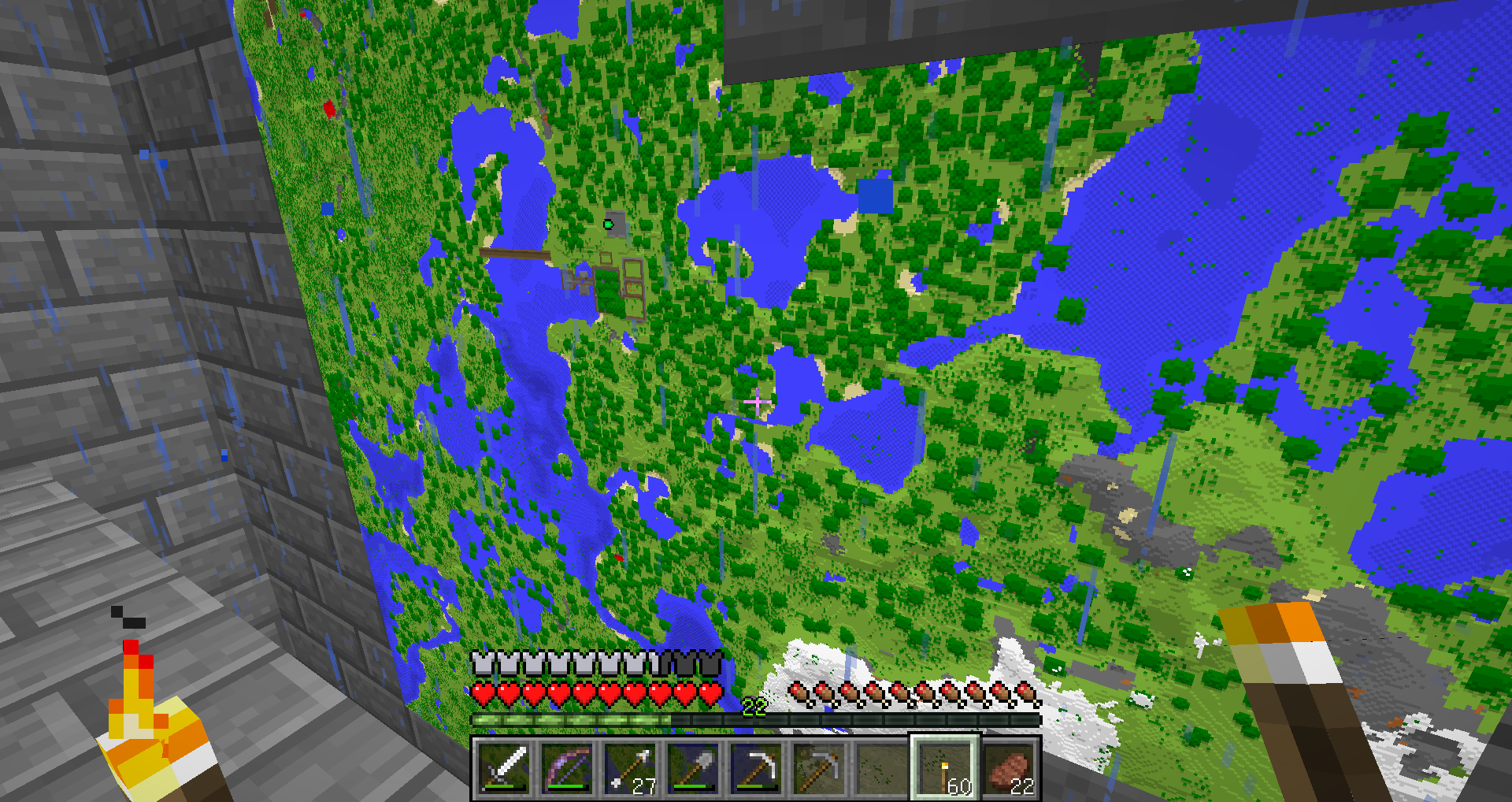
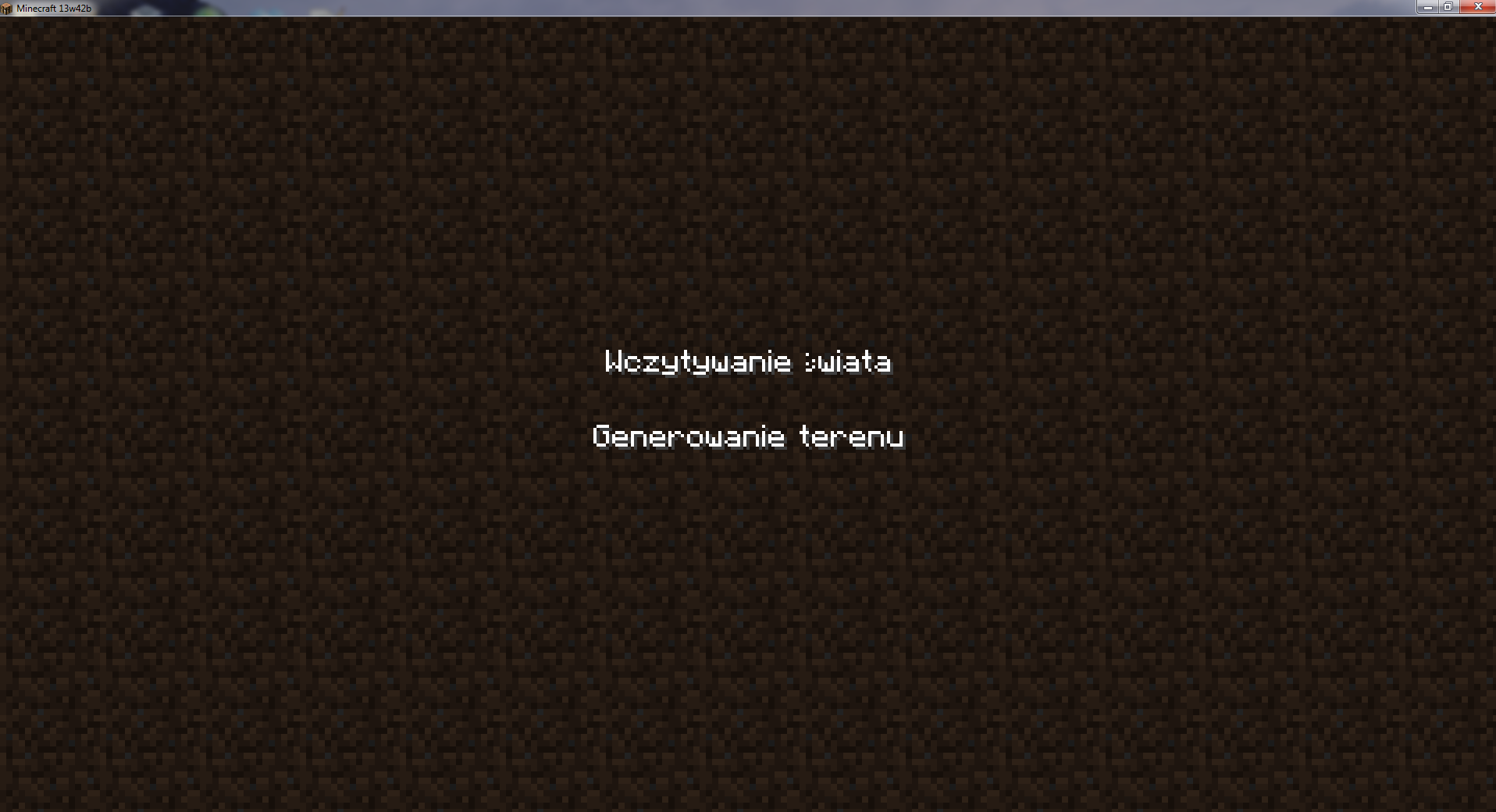
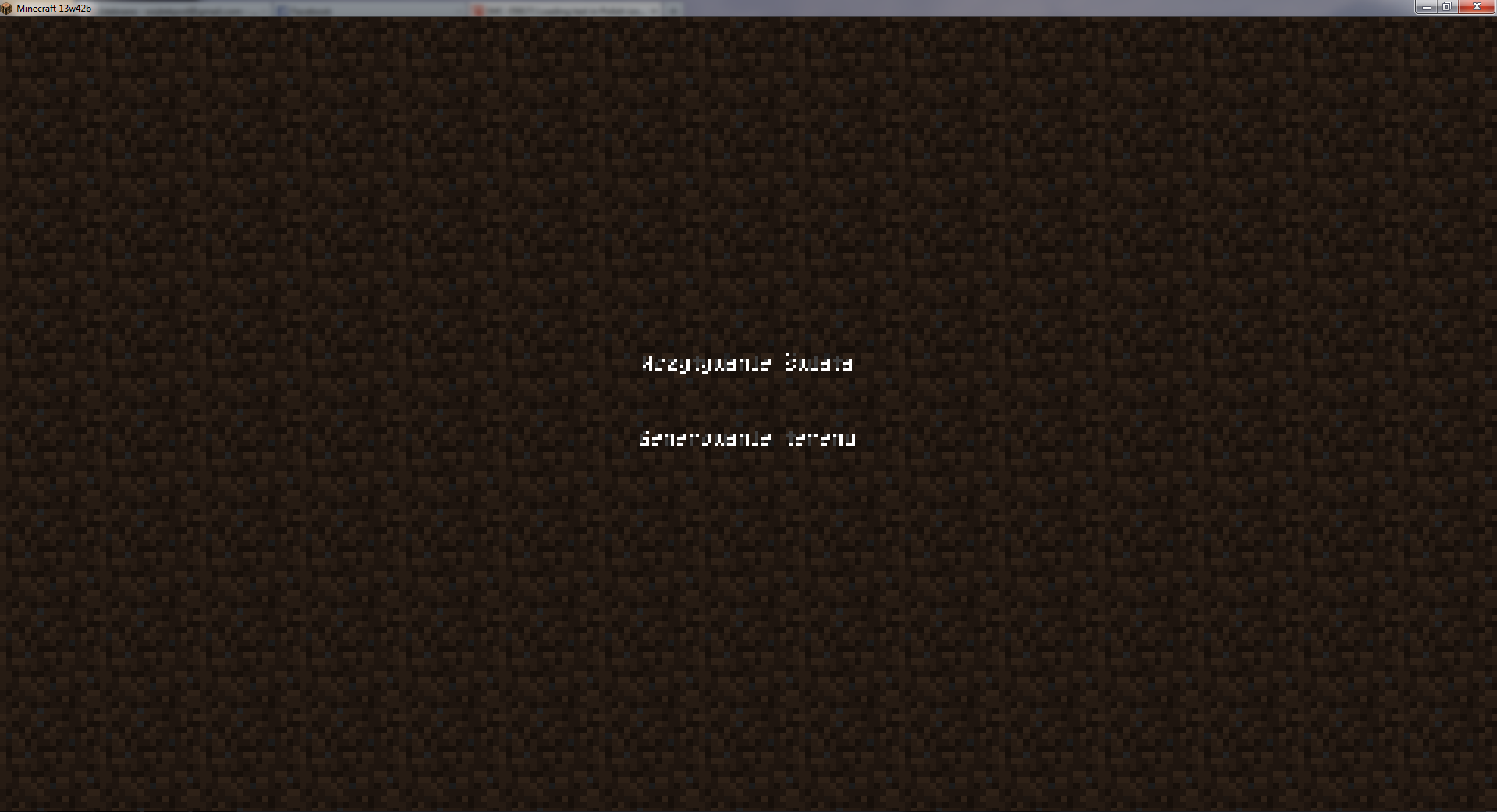

Loading text in Polish isn't showing properly - it shows some weird glyphs instead of proper text. (Polish uses unicode font.)
Loading text in English and German shows properly, however.
I belive it might be related to: https://mojang.atlassian.net/browse/MC-32322
Edited to add: As of 13w42b, only Polish letter "ś" isn't showing properly (in "Generowanie świata").
Windows 7 64-bit, Java 7 Update 4
0(64-bit) (from Oracle)Windows 7 64-bit, Java 7 Update 45 (64-bit) (from Oracle)
MissingLetter.png
I recently downloaded with minecraft launcher the new music but as I tried to listen the "boss.ogg" file with VLC player I noticed that it sounded as there was no music. So I opened it with Audacity editor and I saw that there was a music - but it was too quiet to be heard at all. Normalization with a sound editor fixes the problem, but I don't think it's supposed to be that way.
I recently downloaded with minecraft launcher the new music but as I tried to listen the "boss.ogg" file with VLC player I noticed that it sounded as there was no music. So I opened it with Audacity editor and I saw that there was a music - but it was too quiet to be heard at all. Normalization with a sound editor fixes the problem.
So there is the boss music (and can be heard after editing it), but I don't think it's supposed to be that quiet.
Music is too quiet in sound files, normalizing fixes.The End boss fight music is too quiet in the sound file, normalizing fixes.
I recently downloaded with minecraft launcher the new music but as I tried to listen the "boss.ogg" file with VLC player I noticed that it sounded as there was no music. So I opened it with Audacity editor and I saw that there was a music - but it was too quiet to be heard at all. Normalization with a sound editor fixes the problem.
So there is the boss music (and can be heard after editing it), but I don't think it's supposed to be that quiet.Edited summary to clear the ambiguity.
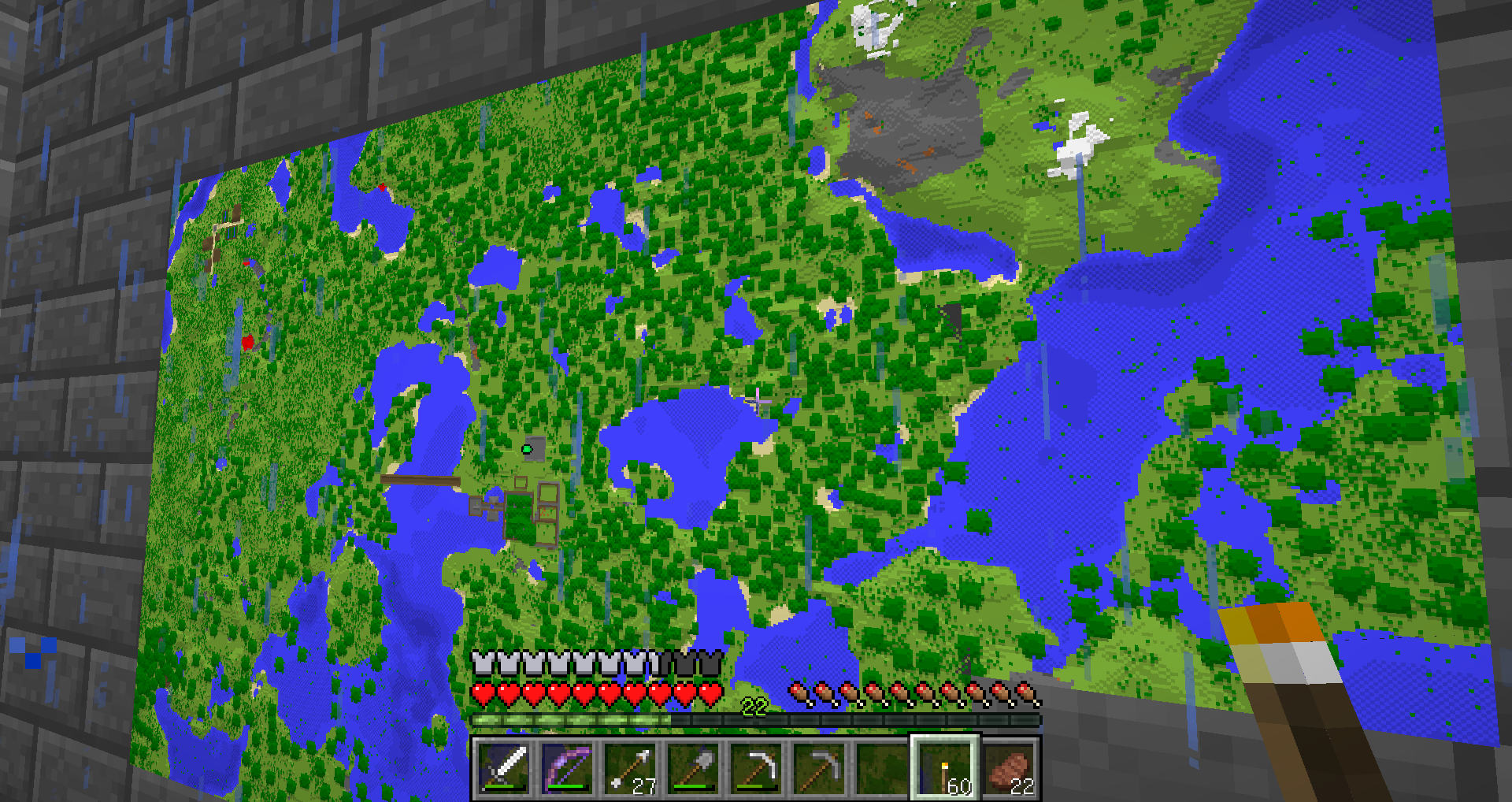
The game crashed after a severe lag during a boat travel. I was looking at a map at the time.
It happened after I exited the game and reloaded the same game (without quitting the program completely).
Actually the maps were explored properly (the fragment above T-shaped lake is visible on the second screenshot). The bug might be
MC-1058, but it wasn't visible to me in 13w39b, so something with rendering the map might have changed between two versions.As of 13w42b, only some letters aren't showing properly ("ś" in the case of the Polish version - in "Generowanie świata"). It might be because it's still using the Unicode font where it cannot find the language-specific letter in the font it normally uses.
The attachment "MissingLetter.png" shows how the loading screen looks like in 13w42b in Polish. The first line should contain "Wczytywanie świata" instead of "Wczytywanie wiata" (the letter "ś" is missing here).
The attachment "ForcedUnicode.png" as the name suggests shows that with forced unicode the loading screen text in Polish is unreadable (the same as in
MC-33035).Confirmed for a newly created world.
I got a similar effect when I was looking at the cloud from below as I was climbing a ladder in the middle of a mountain - I saw the moon. (It was one of the latest snapshots - I believe it was 13w42b.)
I disagree with the "Works as Intended" resolution to the bug - the boss music for The End is really too quiet, even in comparison to the other Minecraft tracks. Unless it was intended to be a silent fight, then it shouldn't be classified as "working as it should".
Please note that I only reported one track as a problem, not all. It's Talven81's later editing that changed the summary to a more general one.
I was fighting the ender dragon yesterday. I was really disappointed that I didn't hear any music during the long fight.
Edited summary to clear the ambiguity.
The bug is still present in 12w47c.
The bug affects 13w47d.
The bug is still in 13w47e.
According to
MC-35860, the jukebox music and the background music overlapping are working as intended. I don't know why (I can only guess it's because the jukebox is being heard only from one place.)Anyway, thank you for fixing this bug. It was really disrupting the music and making it basically unbearable.
The bug is still in 13w48a.
The bug is fixed in 13w48b (at least I could not recreate the same problem I had before with damaged armor). Thank you!
I can confirm that the bug is fixed in 1.7.3 prerelase. Thank you!
I guess that's the reason. It certainly sounds plausible - it happens often and regardless of the number of the chunks rendered (I checked it with 2 chunks rendered as well and it's a minimal setting).
It affects previous snapshot (13w49a) and 1.7.2 as well.
Thank you for the explanation - the falling sound effect at first sounded like a sound system glitch but it appears to be rather related to the chunk loading.
I see the problem also in 1.7.3 server.
I couldn't find the bug report you have linked to with "boat crash" "boat lag" keywords. After your comment, I see I should have used "tesselating" as the keyword.
I guess I should have started the bug report with analyzing the crash report and looking for the keywords. My problem was that I was unfamilar with the crash report format so I didn't know where to look at such words there , and instead just looked for the words describing what I was doing in the game at the moment it crashed. Perhaps it would be good idea to expand the bug report guide to include the hints about the crash report.
I still see stars while being in a mountain and looking at the clouds in 1.7.4.
Yes, the problem is still there in 14w08a.
This is a screenshot made from the ladder inside of a mountain. Needless to say, the sun shouldn't be seen there.
The game version was 14w08a.
I can confirm this bug - it's very annoying to me.
My game also crashed twice with this version of snapshot during a short period of time. In both cases, I was flying over ocean in a creative mode.
My computer:
Windows 7 64-bit
NVIDIA GeForce GTX 670 (driver version: 337.88)
Java 8 Update 5 (64-bit)
I can confirm this bug. It also happened when I was breaking a tall flower - I think it was lilac.
I attached my crash report.
It happened to me as well, just after loading my world.
I attached my crash report.
Now most of the high flowers near my home popped out and needed to be replanted after the latest snapshot update. There was also some lag between replanting the tall flower and being able to see the replanted flower. Popping up happened even in rather well-lit places further away from trees.
But so far the game didn't crash when I was picking up the tall flowers in 14w29b.
Should I post my new problems as a new bug?
I can confirm the bug in 14w29b.
I can confirm that giant mushrooms don't get generated in roofed forest biome in 14w30b. Mesa plateau is also without trees.
Confirmed. All my existing chests became invisible.
I can confirm Mark Loya's observation - my invisible chests became visible after a while.
The issue is still present in 14w34b. I attached a screenshot of a view inside a mountain.
The issue is present in 1.8-pre1 as well.
The issue is present in 1.8-pre3.
The bug is in 1.8.2-pre5 as well.
The bug is present in 1.8.2-pre6.
I can confirm this problem. It's very annoying and made chatting in the game much harder for Polish players.
The bug confirmed for Polish characters, like "ó" or "ł". Forcing Unicode makes the problem go away.
I don't think it does -
MC-77050is about typing (that is, about input - right alt+a is now treated as "select all" for some reason instead of "ą"), and this is about displaying the character.Yes, I just checked it in 1.8.1:
1. I started the game (version 1.8.1)
2. I typed "Testing", then right alt+a (should make Polish letter "ą", instead it selected the entire word), and then right alt+c (should make Polish letter "ć", instead it copied the text to the clipboard).
3. I started Notepad++ to check if I could paste the text. It worked as I suspected (after using Ctrl+v, I got "Testing").
How about this method of replicating the bug:
1. Switch the language for the keyboard to English (using the Windows widget for that) when the game is started.
2. After you entered the world, start the chat, and type right alt+c. When the language setting is set to English in Windows (when the window of the game is in focus), it should give "©" sign. (In the version 1.7.10 of the game, it works as it should.)
3. In 1.8.1 and in 1.8.2-pre6, instead it copies the marked text to the clipboard.
I have also checked how right alt+c works in another program when the language is set to English: in Notepad++, it also gives "©" sign.
This is how it can be replicated in most of computers using Windows (at least in Windows 7, which I use most of the time), as very often you can switch the input between English and native language.
The bug is present in 1.8.2-pre6.
Edited to add: The problem exists in Windows 7 and Windows 8.1, and Polish (programmer keyboard) and US English (American-international keyboard) as well. (In American-international you don't get special characters like "©").
The problem is for both latest Java 7 and Java 8 versions.
I checked my method with English language, and it works with American-international input method, so it requires to have US English language pack installed (for Windows). So the method is not as good as I thought at first.
The problem exists also in Windows 8.1 and Java 8, so it's not related just to Java 7 or Windows 7.
I can confirm it in 1.14.4. It is deadly in The End dimension.