 Worldwidebrine
- Worldwidebrine
- worldwidebrine
- Asia/Shanghai
- Yes
- No
 MCPE-37118
Big trees don't trun Coarse Dirt to Dirt!Big trees don't trun Coarse Dirt to Dirt.
But
normaltrees do.But classic trees do.
But classic trees do. I realised it when playing SkyGrid.
But classic trees do. I reali
sed it when playing SkyGrid.But classic trees do. I realized it when playing SkyGrid.
But classic trees do. I realized it when playing SkyGrid.
Growing a oak on a Coarse Dirt is supposed to turn the Coarse Dirt into Dirt, but if it is a big oak grown the Coarse Dirt will still be a Coarse Dirt.
Big trees don't trun Coarse Dirt into Dirt.
image.png
I was using v1.9.0.3.
After upgradingmy scripts are almost completely in vain.2019-01-13: I was using v1.9.0.3.
After upgrading Minecraft, my script(2.mcaddon) doesn't work.(unexpectedPack)2019-01-14: I rewrite it, then it works again.(v0.0.1.mcaddon)
But I'm not about to add new features until anyone find a way to reduce the unbearable lag.
2019-01-13: I was using v1.9.0.3.
After upgrading Minecraft, my script(2.mcaddon) doesn't work.(unexpectedPack)2019-01-14: I rewrite it, then it works again.(v0.0.1.mcaddon)
But I'm not about to add new featuresuntil anyone find a way to reduce the unbearable lag.2019-01-13: I was using v1.9.0.3.
After upgrading Minecraft, my script(2.mcaddon) doesn't work.(unexpectedPack)2019-01-14: I rewrite it, then it works again.(v0.0.1.mcaddon)
But I'm not about to add any new feature until anyone find a way to reduce the unbearable lag.
ScriptEnginewent wrong
2019-01-13: I was using v1.9.0.3.
After upgrading Minecraft, my script(2.mcaddon) doesn't work.(unexpectedPacket)2019-01-14: I rewrite it, then it works again.(v0.0.1.mcaddon)
But I'm not about to add any new feature until anyone find a way to reduce the unbearable lag.
"/clone ⋯⋯ move"is broken whenmovingwaterlogged blocks"/clone ⋯⋯ move" can't perfectly move waterlogged blocks
Because of my poor Xbox Live connection, it may take a long time to load those online skins.
Why not allow us to use Steve and Alex before all those skins are ready?
They are absolutely normal skins!!!!
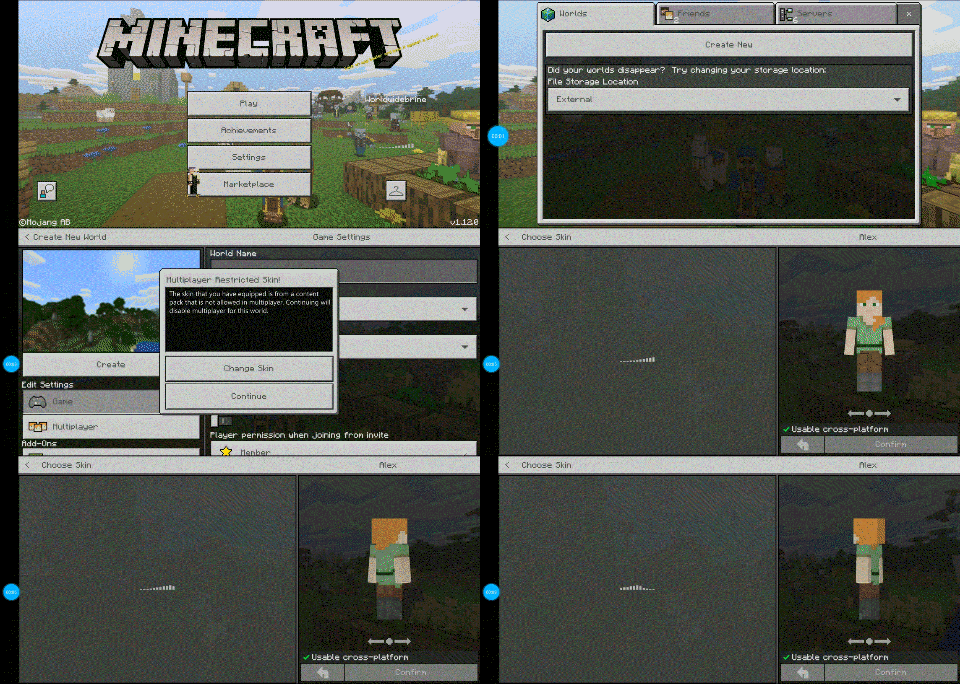
Please allow us tochoose Steve and Alex when skins are loading!I can't choose Steve and Alex when skins are loading!
[Scripting] I can't operate "minecraft:molang" in server-side scripts
Whycan'tIuse "minecraft:molang" in server-side scripts while MoLang isusable in server-side animation_controllers?I can't use "minecraft:molang" in server-side scripts, while MoLang is available in server-side animation_controllers.
I can't use "minecraft:molang" in server-side scripts, while MoLang is available in server-side animation_controllers and animations.
I can't use "minecraft:molang" in server-side scripts, while MoLang is available in server-side animation_controllers and animations.
Reproduce:
const system = server.registerSystem(0, 0);this.createEventData("minecraft:molang"); // null this.getComponent(player, "minecraft:molang"); // null
[Scripting]I can't operate"minecraft:molang" in server-side scripts[Scripting] Component "minecraft:molang" in server-side scripts is null
Reproduce:
const system = server.registerSystem(0, 0);Reproduce:
const system = server.registerSystem(0, 0);this.createEventData("minecraft:molang"); // null this.getComponent(/*any Entity JS API Object*/, "minecraft:molang"); // nullI have server-side animation_controller and animation. I do need this script component to control the MoLang scripts in animations.
The blocks will be moved.
But the water will only be cloned to the destination.Steps to reproduce:
- Execute three commands:
- /setblock ~ ~ ~ water
- /setblock ~ ~ ~ seagrass
- /clone ~ ~ ~ ~ ~ ~ ~2 ~ ~ masked move
Observed Results:
[briefly describe what happens]Expected Results:
[briefly describe what _should_ happen]The blocks will be moved.
But the water will only be cloned to the destination.Steps to reproduce:
- Execute three commands:
- /setblock ~ ~ ~ water
- /setblock ~ ~ ~ seagrass
- /clone ~ ~ ~ ~ ~ ~ ~2 ~ ~ masked move
Observed Results:
At ~2 ~ ~, a waterlogged seagrass appears. At ~ ~ ~, the water remains and can't be removed in the same tick. (To remove it, scripts have got to wait for next system.update()Expected Results:
~ ~ ~ should be completely empty after moving.

The blocks will be moved.
But the water will only be cloned to the destination.Steps to reproduce:
- Execute three commands:
- /setblock ~ ~ ~ water
- /setblock ~ ~ ~ seagrass
- /clone ~ ~ ~ ~ ~ ~ ~2 ~ ~ masked move
Observed Results:
At ~2 ~ ~, a waterlogged seagrass appears. At ~ ~ ~, the water remains and can't be removed in the same tick. (To remove it, scripts have got to wait for next system.update()Expected Results:
~ ~ ~ should be completely empty after moving.The blocks will be moved.
But the water will only be cloned to the destination.Steps to reproduce:
- Execute three commands:
- /setblock ~ ~ ~ water
- /setblock ~ ~ ~ seagrass
- /clone ~ ~ ~ ~ ~ ~ ~2 ~ ~ masked move
Observed Results:
At ~2 ~ ~, a waterlogged seagrass appears. At ~ ~ ~, the water remains and can't be removed in the same tick. ( To remove it, scripts have got to wait for next system.update(); )Expected Results:
~ ~ ~ should be completely empty after moving.
The blocks will be moved.
But the water will only be cloned to the destination.Steps to reproduce:
Execute three commands:- /setblock ~ ~ ~
water- /
setblock~ ~ ~seagrass- /clone ~ ~ ~ ~ ~ ~ ~2 ~ ~ masked move
Observed Results:
At ~2 ~ ~, a waterlogged seagrass appears. At ~ ~ ~, the water remains and can't be removed in the same tick. ( To remove it, scripts have got to wait for next system.update(); )Expected Results:
~ ~ ~ should be completely empty after moving.The blocks will be moved.
But the water will only be cloned to the destination then become a residual water block.Steps to reproduce:
- /setblock ~ ~ ~ water
- /setblock ~ ~ ~ seagrass
- /clone ~ ~ ~ ~ ~ ~ ~2 ~ ~ masked move
Observed Results:
At ~2 ~ ~, a waterlogged seagrass appears. At ~ ~ ~, the water remains and can't be removed in the same tick. ( To remove it, scripts have got to wait for next system.update(); )Expected Results:
~ ~ ~ should be completely empty after moving.
The block
swill be moved.
But the water will only be cloned to the destination thenbecome aresidual waterblock.Steps to reproduce:
- /setblock ~ ~ ~ water
- /setblock ~ ~ ~ seagrass
- /clone ~ ~ ~ ~ ~ ~ ~2 ~ ~ masked move
Observed Results:
At ~2 ~ ~, a waterlogged seagrass appears. At ~ ~ ~, the water remains and can't be removed in the same tick. ( To remove it, scripts have got to wait for next system.update(); )Expected Results:
~ ~ ~ should be completely empty after moving.The block(layer 0) will be moved.
But the water(layer 1) will only be cloned to the destination then the residual water(layer 1) will become a new water block(layer 0).Steps to reproduce:
- /setblock ~ ~ ~ water
- /setblock ~ ~ ~ seagrass
- /clone ~ ~ ~ ~ ~ ~ ~2 ~ ~ masked move
Observed Results:
At ~2 ~ ~, a waterlogged seagrass appears. At ~ ~ ~, the water remains and can't be removed in the same tick. ( To remove it, scripts have got to wait for next system.update(); )Expected Results:
~ ~ ~ should be completely empty after moving.
The block(layer 0) will be moved.
But the water(layer 1) willonlybe cloned to the destination then the residual water(layer 1) will become a new water block(layer 0).Steps to reproduce:
- /setblock ~ ~ ~ water
- /setblock ~ ~ ~ seagrass
- /clone ~ ~ ~ ~ ~ ~ ~2 ~ ~ masked move
Observed Results:
At ~2 ~ ~, a waterlogged seagrass appears. At ~ ~ ~, the water remains and can't be removed in the same tick. ( To remove it, scripts have got to wait for next system.update(); )Expected Results:
~ ~ ~ should be completely empty after moving.The block(layer 0) will be moved.
But the water(layer 1) will be cloned(rather than moved) to the destination then the residual water(layer 1) will become a new water block(layer 0).Steps to reproduce:
- /setblock ~ ~ ~ water
- /setblock ~ ~ ~ seagrass
- /clone ~ ~ ~ ~ ~ ~ ~2 ~ ~ masked move
Observed Results:
At ~2 ~ ~, a waterlogged seagrass appears. At ~ ~ ~, the water remains and can't be removed in the same tick. ( To remove it, scripts have got to wait for next system.update(); )Expected Results:
~ ~ ~ should be completely empty after moving.
The block(layer 0) will be moved.
But the water(layer 1) will be cloned(rather than moved) to the destination then(next tick) the residual water(layer 1) will become a new water block(layer 0).Steps to reproduce:
- /setblock ~ ~ ~ water
- /setblock ~ ~ ~ seagrass
- /clone ~ ~ ~ ~ ~ ~ ~2 ~ ~ masked move
Observed Results:
At ~2 ~ ~, a waterlogged seagrass appears. At ~ ~ ~, the water remains and can't be removed in the same tick. ( To remove it, scripts have got to wait for next system.update(); )Expected Results:
~ ~ ~ should be completely empty after moving.
The block(layer 0) will be moved.
But the water(layer 1) will be cloned(rather than moved) to the destination then(next tick) the residual water(layer 1) will become a new water block(layer 0).Steps to reproduce:
- /setblock ~ ~ ~ water
- /setblock ~ ~ ~ seagrass
- /clone ~ ~ ~ ~ ~ ~ ~2 ~ ~ masked move
Observed Results:
At ~2 ~ ~, a waterlogged seagrass appears. At ~ ~ ~, the water remains and can't be removed in the same tick. ( To remove it, scripts have got to wait for next "system.update();". or you will find ~ ~ ~ is air which is actually not, the waterlog takes 1 tick to become water block )Expected Results:
~ ~ ~ should be completely empty after moving.
The block(layer 0) will be moved.
But the water(layer 1) will be cloned(rather than moved) to the destination then(next tick) the residual water(layer 1) will become a new water block(layer 0).Steps to reproduce:
- /setblock ~ ~ ~ water
- /setblock ~ ~ ~ seagrass
- /clone ~ ~ ~ ~ ~ ~ ~2 ~ ~ masked move
Observed Results:
At ~2 ~ ~, a waterlogged seagrass appears. At ~ ~ ~, the water remains and can't be removed in the same tick. ( To remove it, scripts have got to wait for next "system.update();".or you will find ~ ~ ~ is air which is actually not,the waterlogtakes 1 tick tobecome water block )Expected Results:
~ ~ ~ should be completely empty after moving.The block(layer 0) will be moved.
But the water(layer 1) will be cloned(rather than moved) to the destination then(next tick) the residual water(layer 1) will become a new water block(layer 0).Steps to reproduce:
- /setblock ~ ~ ~ water
- /setblock ~ ~ ~ seagrass
- /clone ~ ~ ~ ~ ~ ~ ~2 ~ ~ masked move
Observed Results:
At ~2 ~ ~, a waterlogged seagrass appears. At ~ ~ ~, the water remains and can't be removed in the same tick. ( To remove it, scripts have got to wait for next "system.update();". Or you will find ~ ~ ~ is air, which is actually not. It's just the waterlog haven't become a water block )Expected Results:
~ ~ ~ should be completely empty after moving.
The block(layer 0) will be moved.
But the water(layer 1) will be cloned(rather than moved) to the destination then(next tick) the residual water(layer 1) will become a new water block(layer 0).Steps to reproduce:
- /setblock ~ ~ ~ water
- /setblock ~ ~ ~ seagrass
- /clone ~ ~ ~ ~ ~ ~ ~2 ~ ~ masked move
Observed Results:
At ~2 ~ ~, a waterlogged seagrass appears. At ~ ~ ~, the water remains and can't be removed in the same tick.( To remove it, scripts have got to wait for next "system.update();". Or you will find ~ ~ ~ is air, which is actually not. It's just the waterlog haven't become a water block )Expected Results:
~ ~ ~ should be completely empty after moving.The block(layer 0) will be moved.
But the water(layer 1) will be cloned(rather than moved) to the destination then(next tick) the residual water(layer 1) will become a new water block(layer 0).Steps to reproduce:
- /setblock ~ ~ ~ water
- /setblock ~ ~ ~ seagrass
- /clone ~ ~ ~ ~ ~ ~ ~2 ~ ~ masked move
Observed Results:
At ~2 ~ ~, a waterlogged seagrass appears. At ~ ~ ~, the water remains and can't be removed in the same tick.
To remove it, scripts have to wait for next "system.update" triggering. Or you will find ~ ~ ~ is air, which is actually not. It's just the waterlog haven't become a water block.Expected Results:
~ ~ ~ should be completely empty after moving.
The block(layer 0) will be moved.
But the water(layer 1) will be cloned(rather than moved) to the destination then(next tick) the residual water(layer 1) will become a new water block(layer 0).Steps to reproduce:
- /setblock ~ ~ ~ water
- /setblock ~ ~ ~ seagrass
- /clone ~ ~ ~ ~ ~ ~ ~2 ~ ~ masked move
Observed Results:
At ~2 ~ ~, a waterlogged seagrass appears. At ~ ~ ~, the water remains and can't be removed in the same tick.
To remove it, scripts have to wait for next "system.update" triggering. Or you will find ~ ~ ~ is air, which is actually not. It's just the waterlog haven't become a water block.Expected Results:
~ ~ ~ should be completely empty after moving.The block(layer 0) will be moved.
But the water(layer 1) will be cloned(rather than moved) to the destination then(next tick) the residual water(layer 1) will become a new water block(layer 0).Steps to reproduce:
- /setblock ~ ~ ~ water
- /setblock ~ ~ ~ seagrass
- /clone ~ ~ ~ ~ ~ ~ ~2 ~ ~ masked move
Observed Results:
At ~2 ~ ~, a waterlogged seagrass appears. At ~ ~ ~, the water remains and can't be removed in the same tick.
To remove it, scripts have to wait for next "system.update" triggering. Or you will find ~ ~ ~ is air, which is actually not. It's just the waterlog hasn't become a water block.Expected Results:
~ ~ ~ should be completely empty after moving.
The block(layer 0) will be moved.
But the water(layer 1) will be cloned(rather than moved) to the destination then(next tick) the residual water(layer 1) will become a new water block(layer 0).Steps to reproduce:
- /setblock ~ ~ ~ water
- /setblock ~ ~ ~ seagrass
- /clone ~ ~ ~ ~ ~ ~ ~2 ~ ~ masked move
Observed Results:
At ~2 ~ ~, a waterlogged seagrass appears. At ~ ~ ~, the water remains and can't be removed in the same tick.
To remove it, scripts have to wait for next "system.update" triggering. Or you will find~~ ~ is air, which is actually not. It's just the waterlog hasn't become a water block.Expected Results:
~~ ~ should be completely empty after moving.The block(layer 0) will be moved.
But the water(layer 1) will be cloned(rather than moved) to the destination then(next tick) the residual water(layer 1) will become a new water block(layer 0).Steps to reproduce:
- /setblock ~ ~ ~ water
- /setblock ~ ~ ~ seagrass
- /clone ~ ~ ~ ~ ~ ~ ~2 ~ ~ masked move
Observed Results:
At (2, ~, ~), a waterlogged seagrass appears. At (, ~, ~), the water remains and can't be removed in the same tick.
To remove it, scripts have to wait for next "system.update" triggering. Or you will find (~, ~, ~) is air, which is actually not. It's just the waterlog hasn't become a water block.Expected Results:
(~, ~, ~) should be completely empty after moving.
The block(layer 0) will be moved.
But the water(layer 1) will be cloned(rather than moved) to the destination then(next tick) the residual water(layer 1) will become a new water block(layer 0).Steps to reproduce:
- /setblock ~ ~ ~ water
- /setblock ~ ~ ~ seagrass
- /clone ~ ~ ~ ~ ~ ~ ~2 ~ ~ masked move
Observed Results:
At (2, ~, ~), a waterlogged seagrass appears. At (, ~, ~), the water remains and can't be removed in the same tick.
To remove it, scripts have to wait for next "system.update" triggering. Or you will find (~, ~, ~) is air, which is actually not. It's just the waterlog hasn't become a water block.Expected Results:
(~, ~, ~) should be completely empty after moving.The block(layer 0) will be moved.
But the water(layer 1) will be cloned(rather than moved) to the destination then(next tick) the residual water(layer 1) will become a new water block(layer 0).Steps to reproduce:
- /setblock ~ ~ ~ water
- /setblock ~ ~ ~ seagrass
- /clone ~ ~ ~ ~ ~ ~ ~2 ~ ~ masked move
Observed Results:
At ( ~+2, ~, ~), a waterlogged seagrass appears. At ( ~, ~, ~), the water remains and can't be removed in the same tick.
To remove it, scripts have to wait for next "system.update" triggering. Or you will find ( ~, ~, ~) is air, which is actually not. It's just the waterlog hasn't become a water block.Expected Results:
( ~, ~, ~) should be completely empty after moving.
The block(layer 0) will be moved.
But the water(layer 1) will be cloned(rather than moved) to the destination then(next tick) the residual water(layer 1) will become a new water block(layer 0).Steps to reproduce:
- /setblock ~ ~ ~ water
- /setblock ~ ~ ~ seagrass
- /clone ~ ~ ~ ~ ~ ~ ~2 ~ ~ masked move
Observed Results:
At ( ~+2, ~, ~), a waterlogged seagrass appears. At ( ~, ~, ~), the water remains and can't be removed in the same tick.
To remove it, scripts have to wait for next "system.update" triggering. Or you will find ( ~, ~, ~) is air, which is actually not. It's just the waterlog hasn't become a water block.Expected Results:
( ~, ~, ~) should be completely empty after moving.The block(layer 0) will be moved.
But the water(layer 1) will be cloned(rather than moved) to the destination then(next tick) the residual water(layer 1) will become a new water block(layer 0).Steps to reproduce:
- /setblock ~ ~ ~ water
- /setblock ~ ~ ~ seagrass
- /clone ~ ~ ~ ~ ~ ~ ~2 ~ ~ masked move
Observed Results:
- At ( ~+2, ~, ~), a waterlogged seagrass appears.
- At ( ~, ~, ~), the water remains and can't be removed in the same tick.
- To remove it, scripts have to wait for next "system.update" triggering. Or you will find ( ~, ~, ~) is air, which is actually not. It's just the waterlog hasn't become a water block.
Expected Results:
( ~, ~, ~) should be completely empty after moving.
The block(layer 0) will be moved.
But the water(layer 1) will be cloned(rather than moved) to the destination then(next tick) the residual water(layer 1) will become a new water block(layer 0).Steps to reproduce:
- /setblock ~ ~ ~ water
- /setblock ~ ~ ~ seagrass
- /clone ~ ~ ~ ~ ~ ~ ~2 ~ ~ masked move
Observed Results:
- At ( ~+2, ~, ~), a waterlogged seagrass appears.
- At ( ~, ~, ~), the water remains and can't be removed in the same tick.
- To remove it, scripts have to wait for next "system.update" triggering. Or you will find ( ~, ~, ~) is air, which is actually not. It's just the waterlog hasn't become a water block.
Expected Results:
( ~, ~, ~) should be completely empty after moving.The block(layer 0) will be moved.
But the water(layer 1) will be cloned(rather than moved) to the destination then(next tick) the residual water(layer 1) will become a new water block(layer 0).Steps to reproduce:
- /setblock ~ ~ ~ water
- /setblock ~ ~ ~ seagrass
- /clone ~ ~ ~ ~ ~ ~ ~2 ~ ~ masked move
Observed Results:
- At ( ~+2, ~, ~), a waterlogged seagrass appears.
- At ( ~, ~, ~), the water remains and can't be removed in the same tick. "/testforblock ~~~ air" shows that ( ~, ~, ~) is air, which is visually not. It's just the waterlog hasn't become a normal water block.
- Next tick, ( ~, ~, ~) is a water block.
Expected Results:
( ~, ~, ~) should be completely empty after moving.
Sometimes, the client-side position does not match the server-side position.
Reproduce:
1. Find a platform large enough.
2. Execute this command many times: /execute @a ~ ~ ~ summon xp_orb ~6 ~ ~
3. Most of them will be absorbed immediately. The rest will take longer.
4. Execute /execute @e[type=minecraft:xp_orb] ~ ~ ~ summon minecraft:arrow
5. Check the positions thst arrows just spawned. These positions are xp_orbs' server-side positions.Sometimes, the client-side position does not match the server-side position.
Reproduce:
1. Find a platform large enough.
2. Execute this command many times: /execute @a ~ ~ ~ summon xp_orb ~6 ~ ~
3. Most of them will be absorbed immediately. The rest will take longer.
4. Execute /execute @e[type=minecraft:xp_orb] ~ ~ ~ summon minecraft:arrow
5. Check the positions that arrows just spawned. These positions are xp_orbs' server-side positions.
For example, use the following animation_controller.
The interval before "/say on_exit" is too long.
There is no "animations" in "test_state" and the transition is "1" already, but the state still exits too late.If "on_entry" is "/setblock ~ ~ ~ grass" and "on_exit" is "/setblock ~ ~ ~ air", which means grass will disappear immediately, but the player is moving, the position where the second command be executed could be wrong.
Don't tell me"on_entry": ["/setblock ~ ~ ~ grass"and"on_exit","/setblock ~ ~ ~ air"]because it doesn't work! That's another bug I'm about to report.
{ "format_version": "1.10.0", "animation_controllers": { "controller.animation.player.__example__": { "initial_state": "default", "states": { "default": { "transitions": [ { "test_state": "query.is_sneaking" } ] }, "test_state": { "on_entry": [ "/say on_entry" ], "on_exit": [ "/say on_exit" ], "transitions": [ { "default": "1" } ] } } } } }For example, use the following animation_controller.
The interval before "/say on_exit" is too long.
There is no "animations" in "test_state" and the transition is "1" already, but the state still exits too late.If "on_entry" is "/setblock ~ ~ ~ grass" and "on_exit" is "/setblock ~ ~ ~ air", which means grass will disappear immediately, but the player is moving, the position where the second command be executed could be wrong.
Don't tell me"on_entry": ["/setblock ~ ~ ~ grass", "/setblock ~ ~ ~ air"]because it doesn't work in my case! That's another bug I'm about to report.
{
    "format_version": "1.10.0",
    "animation_controllers": {
        "controller.animation.player.__example__": {
            "initial_state": "default",
            "states": {
                "default": {
                    "transitions": [
                        {
                            "test_state": "query.is_sneaking"
                        }
                    ]
                },
                "test_state": {
                    "on_entry": [
                        "/say on_entry"
                    ],
                    "on_exit": [
                        "/say on_exit"
                    ],
                    "transitions": [
                        {
                            "default": "1"
                        }
                    ]
                }
            }
        }
    }
}
For example, use the following animation_controller.
The interval before "/say on_exit" is too long.
There is no "animations" in "test_state" and the transition is "1" already, but the state still exits too late.If "on_entry" is "/setblock ~ ~ ~ grass" and "on_exit" is "/setblock ~ ~ ~ air", which means grass will disappear immediately, but the player is moving, the position where the second command be executed could be wrong.
Don't tell me"on_entry": ["/setblock ~ ~ ~ grass", "/setblock ~ ~ ~ air"]because it doesn't work in my case! That's another bug I'm about to report.
{ "format_version": "1.10.0", "animation_controllers": { "controller.animation.player.__example__": { "initial_state": "default", "states": { "default": { "transitions": [ { "test_state": "query.is_sneaking" } ] }, "test_state": { "on_entry": [ "/say on_entry" ], "on_exit": [ "/say on_exit" ], "transitions": [ { "default": "1" } ] } } } } }For example, use the following animation_controller.
The interval before "/say on_exit" is too long.
There is no "animations" in "test_state" and the transition is "1" already, but the state still exits too late.If "on_entry" is "/setblock ~ ~ ~ grass" and "on_exit" is "/setblock ~ ~ ~ air", which means grass will disappear immediately, but the player is moving, the position where the second command be executed could be wrong.
Don't tell me"on_entry": ["/setblock ~ ~ ~ grass", "/setblock ~ ~ ~ air"]because it doesn't work in my case! That's another bug I'm about to report.
MCPE-116447{ "format_version": "1.10.0", "animation_controllers": { "controller.animation.player.__example__": { "initial_state": "default", "states": { "default": { "transitions": [ { "test_state": "query.is_sneaking" } ] }, "test_state": { "on_entry": [ "/say on_entry" ], "on_exit": [ "/say on_exit" ], "transitions": [ { "default": "1" } ] } } } } }
Currently, it is suspected that this bug occurs when there are too many commands.
The JSON is too complex. The size of JSON file is 7 MB. I give you my Java program designed to generate the JSON.
This animation controller is designed to flip the current chunk by moving blocks and entities from Y=127~0 to Y=128~255.It doesn't work.
But if you delete these lines at the end of my Java programwrite(','); write('\"'); write("/setblock ~" + xNonZeroString + " 255 ~" + zNonZeroString + " bedrock 0 keep"); write('\"');it will work.
Obviously the last command "/setblock x 255 z bedrock 0 keep" is not the last one being executed.
Then other commands, which should have been executed before, are all invalidated because the existence of the new bedrock.import java.io.FileOutputStream; import java.io.IOException; public class Main { public static void main(String[] args) { (new Main()).writeStates(); } private FileOutputStream o = null; private void write(String string) throws IOException { final byte[] s = string.getBytes(); if (s.length == string.codePointCount(0, string.length())) { o.write(s); } else { throw new IOException("multi-byte char"); } } private void write(char... codeUnits) throws IOException { final byte[] s = new byte[codeUnits.length]; for (int i = 0; i != s.length; i++) { final byte c = ((byte) codeUnits[i]); if (((char) c) == codeUnits[i]) { s[i] = ((byte) codeUnits[i]); } else { throw new IOException("multi-byte char"); } } o.write(s); } private static final String emptyString = new String(); private String nonZeroString(int value) { if (value == 0) { return emptyString; } else { return Integer.toString(value); } } public void writeStates() { try { o = new FileOutputStream("player.animation_controllers.json", false); write("{" + "\"format_version\":\"1.10.0\"," + "\"animation_controllers\":{" + "\"controller.animation.player.upside_down\":{" + "\"initial_state\":\"default\"," + "\"states\":{"); states(); write('}', '}', '}', '}'); write('\n'); } catch (IOException e) { e.printStackTrace(); } finally { try { o.close(); } catch (IOException e) { e.printStackTrace(); } } } private void states() throws IOException { write("\"default\":{\"transitions\":[{\"distribute\":\"query.biome_has_any_tag('overworld')\"}]}"); write(','); distribute(); func(); } private void distribute() throws IOException { write("\"distribute\":{"); write("\"transitions\":["); write("{\"default\":\"! query.biome_has_any_tag('overworld')\"}"); for (byte i = 0; i != 16; i++) { for (byte j = 0; j != 16; j++) { write(','); write('{'); write('\"'); write("x" + i + "z" + j); write('\"', ':', '\"'); write("(math.floor(query.position(0)) - (math.floor(query.position(0) / 16) * 16)) == " + i + " && (math.floor(query.position(2)) - (math.floor(query.position(2) / 16) * 16)) == " + j); write('\"'); write('}'); } } write(']'); write('}'); } private void func() throws IOException { for (byte i = 0; i != 16; i++) { for (byte j = 0; j != 16; j++) { write(','); write("\"x" + i + "z" + j + "\":{"); write("\"transitions\":[{\"default\":\"1\"}]"); write(','); cmd(-i, -j); write('}'); } } } private void cmd(int x, int z) throws IOException { write("\"on_entry\":["); byte y = 0; final String xNonZeroString = nonZeroString(x); final String zNonZeroString = nonZeroString(z); while (true) { write('\"'); write("/execute @s ~ ~ ~ detect ~" + xNonZeroString + " 255 ~" + zNonZeroString + " air -1 clone ~" + xNonZeroString + " " + (127 - y) + " ~" + zNonZeroString + " ~" + nonZeroString(x + 15) + " " + (127 - y) + " ~" + nonZeroString(z + 15) + " ~" + xNonZeroString + " " + (128 + y) + " ~" + zNonZeroString + " masked move"); write('\"'); write(','); write('\"'); write("/execute @s ~ ~ ~ detect ~" + xNonZeroString + " 255 ~" + zNonZeroString + " air -1 execute @e[ rm=0, x=~" + xNonZeroString + ", y=" + y + ", z=~" + zNonZeroString + ", dx=15, dy=0, dz=15 ] ~ ~ ~ teleport @s ~ ~" + nonZeroString(255 - ((int) y) * 2) + " ~"); write('\"'); if (y == 127) { break; } y++; write(','); } //////////////////////////////////////////////////////////////////////// write(','); write('\"'); write("/setblock ~" + xNonZeroString + " 255 ~" + zNonZeroString + " bedrock 0 keep"); write('\"'); //////////////////////////////////////////////////////////////////////// write(']'); } }
1.17.20.21 fixedCommands ran through animations now will run in the order defined in animation files on all platforms, including Realms
Currently, it is suspected that this bug occurs when there are too many commands.
The JSON is too complex. The size of JSON file is 7 MB. I give you my Java program designed to generate the JSON.
This animation controller is designed to flip the current chunk by moving blocks and entities from Y=127~0 to Y=128~255.It doesn't work.
But if you delete these lines at the end of my Java programwrite(','); write('\"'); write("/setblock ~" + xNonZeroString + " 255 ~" + zNonZeroString + " bedrock 0 keep"); write('\"');it will work.
Obviously the last command "/setblock x 255 z bedrock 0 keep" is not the last one being executed.
Then other commands, which should have been executed before, are all invalidated because the existence of the new bedrock.import java.io.FileOutputStream; import java.io.IOException; public class Main { public static void main(String[] args) { (new Main()).writeStates(); } private FileOutputStream o = null; private void write(String string) throws IOException { final byte[] s = string.getBytes(); if (s.length == string.codePointCount(0, string.length())) { o.write(s); } else { throw new IOException("multi-byte char"); } } private void write(char... codeUnits) throws IOException { final byte[] s = new byte[codeUnits.length]; for (int i = 0; i != s.length; i++) { final byte c = ((byte) codeUnits[i]); if (((char) c) == codeUnits[i]) { s[i] = ((byte) codeUnits[i]); } else { throw new IOException("multi-byte char"); } } o.write(s); } private static final String emptyString = new String(); private String nonZeroString(int value) { if (value == 0) { return emptyString; } else { return Integer.toString(value); } } public void writeStates() { try { o = new FileOutputStream("player.animation_controllers.json", false); write("{" + "\"format_version\":\"1.10.0\"," + "\"animation_controllers\":{" + "\"controller.animation.player.upside_down\":{" + "\"initial_state\":\"default\"," + "\"states\":{"); states(); write('}', '}', '}', '}'); write('\n'); } catch (IOException e) { e.printStackTrace(); } finally { try { o.close(); } catch (IOException e) { e.printStackTrace(); } } } private void states() throws IOException { write("\"default\":{\"transitions\":[{\"distribute\":\"query.biome_has_any_tag('overworld')\"}]}"); write(','); distribute(); func(); } private void distribute() throws IOException { write("\"distribute\":{"); write("\"transitions\":["); write("{\"default\":\"! query.biome_has_any_tag('overworld')\"}"); for (byte i = 0; i != 16; i++) { for (byte j = 0; j != 16; j++) { write(','); write('{'); write('\"'); write("x" + i + "z" + j); write('\"', ':', '\"'); write("(math.floor(query.position(0)) - (math.floor(query.position(0) / 16) * 16)) == " + i + " && (math.floor(query.position(2)) - (math.floor(query.position(2) / 16) * 16)) == " + j); write('\"'); write('}'); } } write(']'); write('}'); } private void func() throws IOException { for (byte i = 0; i != 16; i++) { for (byte j = 0; j != 16; j++) { write(','); write("\"x" + i + "z" + j + "\":{"); write("\"transitions\":[{\"default\":\"1\"}]"); write(','); cmd(-i, -j); write('}'); } } } private void cmd(int x, int z) throws IOException { write("\"on_entry\":["); byte y = 0; final String xNonZeroString = nonZeroString(x); final String zNonZeroString = nonZeroString(z); while (true) { write('\"'); write("/execute @s ~ ~ ~ detect ~" + xNonZeroString + " 255 ~" + zNonZeroString + " air -1 clone ~" + xNonZeroString + " " + (127 - y) + " ~" + zNonZeroString + " ~" + nonZeroString(x + 15) + " " + (127 - y) + " ~" + nonZeroString(z + 15) + " ~" + xNonZeroString + " " + (128 + y) + " ~" + zNonZeroString + " masked move"); write('\"'); write(','); write('\"'); write("/execute @s ~ ~ ~ detect ~" + xNonZeroString + " 255 ~" + zNonZeroString + " air -1 execute @e[ rm=0, x=~" + xNonZeroString + ", y=" + y + ", z=~" + zNonZeroString + ", dx=15, dy=0, dz=15 ] ~ ~ ~ teleport @s ~ ~" + nonZeroString(255 - ((int) y) * 2) + " ~"); write('\"'); if (y == 127) { break; } y++; write(','); } //////////////////////////////////////////////////////////////////////// write(','); write('\"'); write("/setblock ~" + xNonZeroString + " 255 ~" + zNonZeroString + " bedrock 0 keep"); write('\"'); //////////////////////////////////////////////////////////////////////// write(']'); } }
Reproduce:
Normal:
There are two valid entities. Both A and B are in overworld.this.applyComponentChanges(B, this.getComponent(A, "minecraft:position"));B will be teleported to A.
Bug:
There are two valid entities. C is in the_end and D is in overworld.this.applyComponentChanges(D, this.getComponent(C, "minecraft:position"));D will not be teleported to C!
We need API about dimensions!
Reproduce:
Normal:
There are two valid entities. Both A and B are in overworld.this.applyComponentChanges(B, this.getComponent(A, "minecraft:position"));B will be teleported to A.
Bug:
There are two valid entities. C is in the_end and D is in overworld.this.applyComponentChanges(D, this.getComponent(C, "minecraft:position"));D will not be teleported to C!
The scripting engine lacks API about dimensions! Not only "minecraft:position", but also commands, ticking areas and blocks will be buggy when the case involves dimensions.
Too many features are hard to implement without the ability to interact with dimensions.
[Scripting] Thescripting engine lacks API aboutdimensions.[Scripting] The JS API doesn't have ability to deal with dimensions.
Reproduce:
Normal:
There are two valid entities. Both A and B are in overworld.this.applyComponentChanges(B, this.getComponent(A, "minecraft:position"));B will be teleported to A.
Bug:
There are two valid entities. C is in the_end and D is in overworld.this.applyComponentChanges(D, this.getComponent(C, "minecraft:position"));D will not be teleported to C!
The scripting engine lacks API about dimensions! Not only "minecraft:position", but also
commands, ticking areas and blocks will be buggy when the case involves dimensions.
Too many features are hard to implement without the ability to interact with dimensions.Reproduce:
Normal:
There are two valid entities. Both A and B are in overworld.this.applyComponentChanges(B, this.getComponent(A, "minecraft:position"));B will be teleported to A.
Bug:
There are two valid entities. C is in the_end and D is in overworld.this.applyComponentChanges(D, this.getComponent(C, "minecraft:position"));D will not be teleported to C!
The scripting engine lacks API about dimensions! Not only "minecraft:position", but also commands, ticking areas and blocks will be buggy when the case involves dimensions.
Too many features are hard to implement without the ability to interact with dimensions. Don't tell me this is not a bug.
Reproduce:
Normal:
There are two valid entities. Both A and B are in overworld.this.applyComponentChanges(B, this.getComponent(A, "minecraft:position"));B will be teleported to A.
Bug:
There are two valid entities. C is in the_end and D is in overworld.this.applyComponentChanges(D, this.getComponent(C, "minecraft:position"));D will not be teleported to C!
The scripting engine lacks API about dimensions! Not only "minecraft:position", but also commands, ticking areas
andblocks will be buggy when the case involves dimensions.
Too many features are hard to implement without the ability to interact with dimensions. Don't tell me this is not a bug.Reproduce:
Normal:
There are two valid entities. Both A and B are in overworld.this.applyComponentChanges(B, this.getComponent(A, "minecraft:position"));B will be teleported to A.
Bug:
There are two valid entities. C is in the_end and D is in overworld.this.applyComponentChanges(D, this.getComponent(C, "minecraft:position"));D will not be teleported to C!
The scripting engine lacks API about dimensions! Not only "minecraft:position", but also commands, ticking areas, blocks and entity queries will be buggy when the case involves dimensions.
Too many features are hard to implement without the ability to interact with dimensions. Don't tell me this is not a bug.
Steps to reproduce:
- Host a game that Player Permission is Visitor.
- Let a player, who names 123Player for example, join in. 123Player is a visitor.
- /deop 123Player
Observed Results:
123Player is a member.Suggestion:
You should replace /deop with /visitor and /memberSteps to reproduce:
- Host a game that Player Permission is Visitor.
- Let a player, who names 123Player for example, join in. 123Player is a visitor.
- /deop 123Player
Observed Results:
123Player is a member.Suggestion:
You should replace /deop with /visitor and /member
Vanilla_Behavior_Pack_1.17.0/documentation/Scripting.html#Getting%20StartedYou can have as many or as few JavaScript files as you want here (the name of the files doesn't matter) and they will all be run independently of each other!
This is JavaScript. I think you should tell me if "they will all be run independently of each other" means that, like being run in their own Web Workers, they will not block each other.
In Addition, like Web Workers, there should be API allows scripts to interact with each other.
I have tried to interact with another script running on the same side using events but it doesn't work. Listeners will be called only when the broadcast happens on the other side.// server-side listener const system = server.registerSystem(0, 0); system.initialize = function () { this.registerEventData("TestNamespace:test_event", { msg: "MyString" }); this.listenForEvent("TestNamespace:test_event", (event) => { const msg = this.createEventData("minecraft:display_chat_event"); msg.data.message = event.data.msg; this.broadcastEvent("minecraft:display_chat_event", msg) }) };// client-side script const system = client.registerSystem(0, 0); system.initialize = function () { this.registerEventData("TestNamespace:test_event", { msg: "MyString" }); this.listenForEvent("minecraft:hit_result_changed", (event) => { constmsg= this.createEventData("minecraft:display_chat_event");msg.data.message= "from client"; this.broadcastEvent("minecraft:display_chat_event",msg) }) };// server-side script const system = server.registerSystem(0, 0); system.initialize = function () { this.registerEventData("TestNamespace:test_event", { msg: "MyString" }) }; system.update = function () { const event = this.createEventData("TestNamespace:test_event"); event.data.msg = "from server"; this.broadcastEvent("TestNamespace:test_event", event) };Vanilla_Behavior_Pack_1.17.0/documentation/Scripting.html#Getting%20StartedYou can have as many or as few JavaScript files as you want here (the name of the files doesn't matter) and they will all be run independently of each other!
This is JavaScript. I think you should tell me if "they will all be run independently of each other" means that, like being run in their own Web Workers, they will not block each other.
In Addition, like Web Workers, there should be API allows scripts to interact with each other.
I have tried to interact with another script running on the same side using events but it doesn't work. Listeners will be called only when the broadcast happens on the other side.// server-side listener const system = server.registerSystem(0, 0); system.initialize = function () { this.registerEventData("TestNamespace:test_event", { msg: "MyString" }); this.listenForEvent("TestNamespace:test_event", (event) => { const msg = this.createEventData("minecraft:display_chat_event"); msg.data.message = event.data.msg; this.broadcastEvent("minecraft:display_chat_event", msg) }) };// client-side script const system = client.registerSystem(0, 0); system.initialize = function () { this.registerEventData("TestNamespace:test_event", { msg: "MyString" }); this.listenForEvent("minecraft:hit_result_changed", () => { const event = this.createEventData("TestNamespace:test_event"); event.data.msg = "from client"; this.broadcastEvent("TestNamespace:test_event", event) }) };// server-side script const system = server.registerSystem(0, 0); system.initialize = function () { this.registerEventData("TestNamespace:test_event", { msg: "MyString" }) }; system.update = function () { const event = this.createEventData("TestNamespace:test_event"); event.data.msg = "from server"; this.broadcastEvent("TestNamespace:test_event", event) };
Vanilla_Behavior_Pack_1.17.0/documentation/Scripting.html#Getting%20StartedYou can have as many or as few JavaScript files as you want here (the name of the files doesn't matter) and they will all be run independently of each other!
This is JavaScript.
I think you should tell me if "they will all be run independently of each other" means that, like being run in their ownWeb Workers, they will not block each other.In Addition, like Web Workers, there should be API allows scripts to interact with each other.
I have tried to interact with another script runningonthe same side using events but it doesn't work. Listeners will be called only when the broadcast happens on the other side.// server-side listener const system = server.registerSystem(0, 0); system.initialize = function () { this.registerEventData("TestNamespace:test_event", { msg: "MyString" }); this.listenForEvent("TestNamespace:test_event", (event) => { const msg = this.createEventData("minecraft:display_chat_event"); msg.data.message = event.data.msg; this.broadcastEvent("minecraft:display_chat_event", msg) }) };// client-side script const system = client.registerSystem(0, 0); system.initialize = function () { this.registerEventData("TestNamespace:test_event", { msg: "MyString" }); this.listenForEvent("minecraft:hit_result_changed", () => { const event = this.createEventData("TestNamespace:test_event"); event.data.msg = "from client"; this.broadcastEvent("TestNamespace:test_event", event) }) };// server-side script const system = server.registerSystem(0, 0); system.initialize = function () { this.registerEventData("TestNamespace:test_event", { msg: "MyString" }) }; system.update = function () { const event = this.createEventData("TestNamespace:test_event"); event.data.msg = "from server"; this.broadcastEvent("TestNamespace:test_event", event) };Vanilla_Behavior_Pack/documentation/Scripting.html#Getting%20StartedYou can have as many or as few JavaScript files as you want here (the name of the files doesn't matter) and they will all be run independently of each other!
This is JavaScript. The Scripting Documentation is supposed to tell me if "they will all be run independently of each other" means that, like being run in their own Web Workers, they will not block each other.
In Addition, like Web Workers, there should be API allows scripts to interact with each other.
I have tried to interact with another script running on the same side using events but it doesn't work. Listeners will be called only when the broadcast happens on the other side.
Broadcasting an event should cause all of listeners of this event to be called, no matter which side the listener is on!// server-side listener const system = server.registerSystem(0, 0); system.initialize = function () { this.registerEventData("TestNamespace:test_event", { msg: "MyString" }); this.listenForEvent("TestNamespace:test_event", (event) => { const msg = this.createEventData("minecraft:display_chat_event"); msg.data.message = event.data.msg; this.broadcastEvent("minecraft:display_chat_event", msg) }) };// client-side script const system = client.registerSystem(0, 0); system.initialize = function () { this.registerEventData("TestNamespace:test_event", { msg: "MyString" }); this.listenForEvent("minecraft:hit_result_changed", () => { const event = this.createEventData("TestNamespace:test_event"); event.data.msg = "from client"; this.broadcastEvent("TestNamespace:test_event", event) }) };// server-side script const system = server.registerSystem(0, 0); system.initialize = function () { this.registerEventData("TestNamespace:test_event", { msg: "MyString" }) }; system.update = function () { const event = this.createEventData("TestNamespace:test_event"); event.data.msg = "from server"; this.broadcastEvent("TestNamespace:test_event", event) };
Vanilla_Behavior_Pack/documentation/Scripting.html#Getting%20StartedYou can have as many or as few JavaScript files as you want here (the name of the files doesn't matter) and they will all be run independently of each other!
This is JavaScript. The Scripting Documentation is supposed to tell me if "they will all be run independently of each other" means that, like being run in their own Web Workers, they will not block each other.
In Addition, like Web Workers, there should be API allows scripts to interact with each other.
I have tried to interact with another script running on the same side using events but it doesn't work. Listeners will be called only when the broadcast happens on the other side.
Broadcasting an event should cause all of listeners of this event to be called, no matter which side the listener is on!// server-side listener const system = server.registerSystem(0, 0); system.initialize = function () { this.registerEventData("TestNamespace:test_event", { msg: "MyString" }); this.listenForEvent("TestNamespace:test_event", (event) => { const msg = this.createEventData("minecraft:display_chat_event"); msg.data.message = event.data.msg; this.broadcastEvent("minecraft:display_chat_event", msg) }) };// client-side script const system = client.registerSystem(0, 0); system.initialize = function () { this.registerEventData("TestNamespace:test_event", { msg: "MyString" }); this.listenForEvent("minecraft:hit_result_changed", () => { const event = this.createEventData("TestNamespace:test_event"); event.data.msg = "from client"; this.broadcastEvent("TestNamespace:test_event", event) }) };// server-side script const system = server.registerSystem(0, 0); system.initialize = function () { this.registerEventData("TestNamespace:test_event", { msg: "MyString" }) }; system.update = function () { const event = this.createEventData("TestNamespace:test_event"); event.data.msg = "from server"; this.broadcastEvent("TestNamespace:test_event", event) };Vanilla_Behavior_Pack/documentation/Scripting.html#Getting%20StartedYou can have as many or as few JavaScript files as you want here (the name of the files doesn't matter) and they will all be run independently of each other!
This is JavaScript. The Scripting Documentation is supposed to tell me if "they will all be run independently of each other" means that, like being run in their own Web Workers, they will not block each other.
In Addition, like Web Workers, there should be API allows scripts to interact with each other.
I have tried to interact with another script running on the same side using events but it doesn't work. Listeners will be called only when the broadcast happens on the other side.
Broadcasting an event should cause all of listeners of this event to be called, no matter which side the listener is on! Even listeners in the same script should also be called, just like UDP broadcasting. To decide whether the event should be handled by a listener or not is not API's business, just like UDP broadcasting.// server-side listener const system = server.registerSystem(0, 0); system.initialize = function () { this.registerEventData("TestNamespace:test_event", { msg: "MyString" }); this.listenForEvent("TestNamespace:test_event", (event) => { const msg = this.createEventData("minecraft:display_chat_event"); msg.data.message = event.data.msg; this.broadcastEvent("minecraft:display_chat_event", msg) }) };// client-side script const system = client.registerSystem(0, 0); system.initialize = function () { this.registerEventData("TestNamespace:test_event", { msg: "MyString" }); this.listenForEvent("minecraft:hit_result_changed", () => { const event = this.createEventData("TestNamespace:test_event"); event.data.msg = "from client"; this.broadcastEvent("TestNamespace:test_event", event) }) };// server-side script const system = server.registerSystem(0, 0); system.initialize = function () { this.registerEventData("TestNamespace:test_event", { msg: "MyString" }) }; system.update = function () { const event = this.createEventData("TestNamespace:test_event"); event.data.msg = "from server"; this.broadcastEvent("TestNamespace:test_event", event) };
Vanilla_Behavior_Pack/documentation/Scripting.html#Getting%20StartedYou can have as many or as few JavaScript files as you want here (the name of the files doesn't matter) and they will all be run independently of each other!
This is JavaScript. The Scripting Documentation is supposed to tell me if "they will all be run independently of each other" means that, like being run in their own Web Workers, they will not block each other.
In Addition, like Web Workers, there should be API allows scripts to interact with each other.
I have tried to interact with another script running on the same side using events but it doesn't work. Listeners will be called only when the broadcast happens on the other side.
Broadcasting an event should cause all of listeners of this event to be called, no matter which side the listener is on! Even listeners in the same script should also be called, just like UDP broadcasting. To decide whether the event should be handled by a listener or not is not API's business, just like UDP broadcasting.// server-side listener const system = server.registerSystem(0, 0); system.initialize = function () { this.registerEventData("TestNamespace:test_event", { msg: "MyString" }); this.listenForEvent("TestNamespace:test_event", (event) => { const msg = this.createEventData("minecraft:display_chat_event"); msg.data.message = event.data.msg; this.broadcastEvent("minecraft:display_chat_event", msg) }) };// client-side script const system = client.registerSystem(0, 0); system.initialize = function () { this.registerEventData("TestNamespace:test_event", { msg: "MyString" }); this.listenForEvent("minecraft:hit_result_changed", () => { const event = this.createEventData("TestNamespace:test_event"); event.data.msg = "from client"; this.broadcastEvent("TestNamespace:test_event", event) }) };// server-side script const system = server.registerSystem(0, 0); system.initialize = function () { this.registerEventData("TestNamespace:test_event", { msg: "MyString" }) }; system.update = function () { const event = this.createEventData("TestNamespace:test_event"); event.data.msg = "from server"; this.broadcastEvent("TestNamespace:test_event", event) };
Meet Google Play's target API level requirement
Google Play's target API level requirementStarting in November 2021, app updates will be required to target API level 30 or above and adjust for behavioral changes in Android 11.
I know this isn't a typical bug. But considering this suggestion will be invalid after November, I've decided to post it here.
The Play Store is starting to require app updates to target Android 11 in November.
Starting in November, updates of Minecraft have to target API level 30 or the Play Store will not accept.The behavior changes of Android 11 include the scoped storage enforcement.
Scoped storage enforcementAccess into external storage directories is limited to an app-specific directory.
Obviously, the directory "/sdcard/games" that Minecraft uses
when "File Storage Location" is "External" is beyond the app-specific directory of Minecraft.Minecraft that targets API level 30 will lose the permissions for that directory.
Of course, apps that target API level 30 can still ask for read and write permissions for any specific directory using the SAF Picker. However, on various modified Android OS, the Picker doesn't always work. For example, on MIUI, the Picker doesn't have full privileges, which is different from other AOSP based OS.Minecraft on Android is supposed to migrate files to a directory under "/sdcard/Android/data/com.mojang.minecraftpe".
- Firstly, I suggest to inform Android players of the full details of the incoming migration as soon.
- Secondly, as the directory is "/sdcard/games/com.mojang", Minecraft is supposed to migrate the "com.mojang" folder only, because there could be other app(s) still using the "games" folder. Only when the folder is empty, Minecraft will be supposed to delete it.
- One last thing, the destination of migration "/sdcard/Android/data/com.mojang.minecraftpe" is private on Android 11. It will be a bit difficult for other apps to access. An "Export World" button should be offered to players, and add-on developers affected need new FAQs.
Meet Google Play's target API level requirement
Google Play's target API level requirementStarting in November 2021, app updates will be required to target API level 30 or above and adjust for behavioral changes in Android 11.
I know this isn't a typical bug. But considering this suggestion will be invalid after November, I've decided to post it here.
The Play Store is starting to require app updates to target Android 11 in November.
Starting in November, updates of Minecraft have to target API level 30 or the Play Store will not accept.The behavior changes of Android 11 include the scoped storage enforcement.
Scoped storage enforcementAccess into external storage directories is limited to an app-specific directory.
Obviously, the directory "/sdcard/games" that Minecraft uses when "File Storage Location" is "External" is beyond the app-specific directory of Minecraft. Minecraft that targets API level 30 will lose the permissions for that directory.
Of course, apps that target API level 30 can still ask for read and write permissions for any specific directory using the SAF Picker. However, on various modified Android OS, the Picker doesn't always work. For example, on MIUI, the Picker doesn't have full privileges, which is different from other AOSP based OS.Minecraft on Android is supposed to migrate files to a directory under "/sdcard/Android/data/com.mojang.minecraftpe".
- Firstly, I suggest to inform Android players of the full details of the incoming migration as soon.
- Secondly, as the directory is "/sdcard/games/com.mojang", Minecraft is supposed to migrate the "com.mojang" folder only, because there could be other app(s) still using the "games" folder. Only when the folder is empty, Minecraft will be supposed to delete it.
- One last thing, the destination of migration "/sdcard/Android/data/com.mojang.minecraftpe" is private on Android 11. It will be a bit difficult for other apps to access. An "Export World" button should be offered to players, and add-on developers affected need new FAQs.
Meet Google Play's target API level requirement
Google Play's target API level requirementStarting in November 2021, app updates will be required to target API level 30 or above and adjust for behavioral changes in Android 11.
I know this isn't a typical bug. But considering this suggestion will be invalid after November, I've decided to post it here.
The Play Store is starting to require app updates to target Android 11 in November.
Starting in November, updates of Minecraft have to target API level 30 or the Play Store will not accept.The behavior changes of Android 11 include the scoped storage enforcement.
Scoped storage enforcementAccess into external storage directories is limited to an app-specific directory.
Obviously, the directory "/sdcard/games" that Minecraft uses when "File Storage Location" is "External" is beyond the app-specific directory of Minecraft. Minecraft that targets API level 30 will lose the permissions for that directory.
Of course, apps that target API level 30 can still ask for read and write permissions for any specific directory using the SAF Picker. However, on various modified Android OS, the Picker doesn't always work. For example, on MIUI, the Picker doesn't have full privileges, which is different from other AOSP based OS.Minecraft on Android is supposed to migrate files to a directory under "/sdcard/Android/data/com.mojang.minecraftpe".
Firstly,I suggest to inform Android players of the full details of the incoming migration as soon.Secondly, as the directory is "/sdcard/games/com.mojang", Minecraft is supposed to migrate the "com.mojang" folder only, because there could be other app(s) still using the "games" folder. Only when the folder is empty, Minecraft will be supposed to delete it.One last thing, the destination of migration "/sdcard/Android/data/com.mojang.minecraftpe" is private on Android 11. It will be a bit difficult for other apps to access. An "Export World" button should be offered to players, and add-on developers affected need new FAQs.Meet Google Play's target API level requirement
Google Play's target API level requirementStarting in November 2021, app updates will be required to target API level 30 or above and adjust for behavioral changes in Android 11.
I know this isn't a typical bug. But considering this suggestion will be outdated after November, I've decided to post it here.
Not that all of players on the Feedback website know about app development. I don't expect players to vote for a suggestion they don‘t even understand.
Without enough votes, it's impossible for this suggestion to be watched by the developers before November.The Play Store is starting to require app updates to target Android 11 in November.
Starting in November, updates of Minecraft have to target API level 30 or the Play Store will not accept.The behavior changes of Android 11 include the scoped storage enforcement.
Scoped storage enforcementAccess into external storage directories is limited to an app-specific directory.
Obviously, the directory "/sdcard/games" that Minecraft uses when "File Storage Location" is "External" is beyond the app-specific directory of Minecraft. Minecraft that targets API level 30 will lose the permissions for that directory.
Of course, apps that target API level 30 can still ask for read and write permissions for any specific directory using the SAF Picker. However, on various modified Android OS, the Picker doesn't always work. For example, on MIUI, the Picker doesn't have full privileges, which is different from other AOSP based OS.Minecraft on Android is supposed to migrate files to a directory under "/sdcard/Android/data/com.mojang.minecraftpe".
- I suggest to inform Android players of the full details of the incoming migration as soon.
- As the directory is "/sdcard/games/com.mojang", Minecraft is supposed to migrate the "com.mojang" folder only, because there could be other app(s) still using the "games" folder. Only when the folder is empty, Minecraft will be supposed to delete it.
- The destination of migration "/sdcard/Android/data/com.mojang.minecraftpe" is private on Android 11. It will be a bit difficult for other apps to access. An "Export World" button should be offered to players, and add-on developers affected need new FAQs.
Meet Google Play's target API level requirement
Google Play's target API level requirementStarting in November 2021, app updates will be required to target API level 30 or above and adjust for behavioral changes in Android 11.
I know this isn't a typical bug. But considering this suggestion will be outdated after November, I've decided to post it here.
Not that all of players on the Feedback website know about app development. I don't expect players to vote for a suggestion they don‘t even understand.
Without enough votes, it's impossible for this suggestion to be watched by the developers before November.The Play Store is starting to require app updates to target Android 11 in November.
Starting in November, updates of Minecraft have to target API level 30 or the Play Store will not accept.The behavior changes of Android 11 include the scoped storage enforcement.
Scoped storage enforcementAccess into external storage directories is limited to an app-specific directory.
Obviously, the directory "/sdcard/games" that Minecraft uses when "File Storage Location" is "External" is beyond the app-specific directory of Minecraft. Minecraft that targets API level 30 will lose the permissions for that directory.
Of course, apps that target API level 30 can still ask for read and write permissions for any specific directory using the SAF Picker. However, on various modified Android OS, the Picker doesn't always work. For example, on MIUI, the Picker doesn't have full privileges, which is different from other AOSP based OS.Minecraft on Android is supposed to migrate files to a directory under "/sdcard/Android/data/com.mojang.minecraftpe".
I suggest to inform Android players of the full details of the incoming migration as soon.As the directory is "/sdcard/games/com.mojang", Minecraft is supposed to migrate the "com.mojang" folder only, because there could be other app(s) still using the "games" folder. Only when the folder is empty, Minecraft will be supposed to delete it.- The destination of migration "/sdcard/Android/data/com.mojang.minecraftpe" is private on Android 11. It will be a bit difficult for other apps to access. An "Export World" button should be offered to players, and add-on developers affected need new FAQs.
Meet Google Play's target API level requirement
Google Play's target API level requirementStarting in November 2021, app updates will be required to target API level 30 or above and adjust for behavioral changes in Android 11.
I know this isn't a typical bug. This is a privacy issue, and I will give my suggestion about it. Considering this suggestion will be outdated after November, I've decided to post it here.
Not that all of players on the Feedback website know about app development. I don't expect players to vote for a suggestion they don‘t even understand.
Without enough votes, it's impossible for this suggestion to be watched by the developers before November.The Play Store is starting to require app updates to target Android 11 in November.
Starting in November, updates of Minecraft have to target API level 30 or the Play Store will not accept.The behavior changes of Android 11 include the scoped storage enforcement.
Scoped storage enforcementAccess into external storage directories is limited to an app-specific directory.
Obviously, the directory "/sdcard/games" that Minecraft uses when "File Storage Location" is "External" is beyond the app-specific directory of Minecraft. Minecraft that targets API level 30 will lose the permissions for that directory.
Of course, apps that target API level 30 can still ask for read and write permissions for any specific directory using the SAF Picker. However, on various modified Android OSs, the Picker doesn't always work. For example, on MIUI, the Picker doesn't have full privileges, which is different from other AOSP based OSs.Minecraft on Android is supposed to migrate files to a directory under "/sdcard/Android/data/com.mojang.minecraftpe".
- I suggest to inform Android players of the full details of the incoming migration as soon.
- As the directory is "/sdcard/games/com.mojang", Minecraft is supposed to migrate the "com.mojang" folder only, because there could be other app(s) still using the "games" folder. Only when the folder is empty, Minecraft will be supposed to delete it.
- Stop asking for android.permission.READ_EXTERNAL_STORAGE and android.permission.WRITE_EXTERNAL_STORAGE. Neither calling the SAF Picker nor access into the app-specific directory requires any of them.
- The destination of migration "/sdcard/Android/data/com.mojang.minecraftpe" is private on Android 11. It will be a bit difficult for other apps to access. An "Export World" button should be offered to players, and add-on developers affected need new FAQs.
Meet Google Play's target API level requirement
Google Play's target API level requirementStarting in November 2021, app updates will be required to target API level 30 or above and adjust for behavioral changes in Android 11.
I know this isn't a typical bug. This is a privacy issue, and I will give my suggestion about it. Considering this suggestion will be outdated after November, I've decided to post it here.
Not that all of players on the Feedback website know about app development. I don't expect players to vote for a suggestion they don‘t even understand.
Without enough votes, it's impossible for this suggestion to be watched by the developers before November.The Play Store is starting to require app updates to target Android 11 in November.
Starting in November, updates of Minecraft have to target API level 30 or the Play Store will not accept.The behavior changes of Android 11 include the scoped storage enforcement.
Scoped storage enforcementAccess into external storage directories is limited to an app-specific directory.
Obviously, the directory "/sdcard/games" that Minecraft uses when "File Storage Location" is "External" is beyond the app-specific directory of Minecraft. Minecraft that targets API level 30 will lose the permissions for that directory.
Of course, apps that target API level 30 can still ask for read and write permissions for any specific directory using the SAF Picker. However, on various modified Android OSs, the Picker doesn't always work. For example, on MIUI, the Picker doesn't have full privileges, which is different from other AOSP based OSs.Minecraft on Android is supposed to migrate files to a directory under "/sdcard/Android/data/com.mojang.minecraftpe".
- I suggest to inform Android players of the full details of the incoming migration as soon.
- As the directory is "/sdcard/games/com.mojang", Minecraft is supposed to migrate the "com.mojang" folder only, because there could be other app(s) still using the "games" folder. Only when the folder is empty, Minecraft will be supposed to delete it.
Stop asking for android.permission.READ_EXTERNAL_STORAGE and android.permission.WRITE_EXTERNAL_STORAGE. Neither calling the SAF Picker nor access into the app-specific directory requires any of them.The destination of migration "/sdcard/Android/data/com.mojang.minecraftpe" is private on Android 11. It will be a bit difficult for other apps to access. An "Export World" button should be offered to players, and add-on developers affected need new FAQs.Meet Google Play's target API level requirement
Google Play's target API level requirementStarting in November 2021, app updates will be required to target API level 30 or above and adjust for behavioral changes in Android 11.
I know this isn't a typical bug. This is a privacy issue, and I will give my suggestion about it. Considering this suggestion will be outdated after November, I've decided to post it here.
Not that all of players on the Feedback website know about app development. I don't expect players to vote for a suggestion they don‘t even understand.
Without enough votes, it's impossible for this suggestion to be watched by the developers before November.The Play Store is starting to require app updates to target Android 11 in November.
Starting in November, updates of Minecraft have to target API level 30 or the Play Store will not accept.The behavior changes of Android 11 include the scoped storage enforcement.
Scoped storage enforcementAccess into external storage directories is limited to an app-specific directory.
Obviously, the directory "/sdcard/games" that Minecraft uses when "File Storage Location" is "External" is beyond the app-specific directory of Minecraft. Minecraft that targets API level 30 will lose the permissions for that directory.
Of course, apps that target API level 30 can still ask for read and write permissions for any specific directory using the SAF Picker. However, on various modified Android OSs, the Picker doesn't always work. For example, on MIUI, the Picker doesn't have full privileges, which is different from other AOSP based OSs. There are many other disadvantages, but I don't want to go into details.Minecraft on Android is supposed to migrate files to a new directory under "/sdcard/Android/data/com.mojang.minecraftpe" the correct directory for "external files" on Android 11.
Note that the destination is private. Files will be migrated from a public directory to a private directory. It will be a bit difficult for players to access their worlds, resource packs and behavior packs after the migration.
- Inform Android players of the full details of the incoming migration as soon.
- The old directory is "/sdcard/games/com.mojang". Minecraft is supposed to migrate the "com.mojang" folder only, because there could be other app(s) still using the "games" folder. Only when the folder is empty, Minecraft will be supposed to delete it.
- Considering the new directory is private, an "Export World" button should be offered to players, and add-on developers affected need new FAQs.
Meet Google Play's target API level requirement
Google Play's target API level requirementStarting in November 2021, app updates will be required to target API level 30 or above and adjust for behavioral changes in Android 11.
I know this isn't a typical bug. This is a privacy issue, and I will give my suggestion about it. Considering this suggestion will be outdated after November, I've decided to post it here.
Not that all of players on the Feedback website know about app development. I don't expect players to vote for a suggestion they don‘t even understand.
Without enough votes, it's impossible for this suggestion to be watched by the developers before November.The Play Store is starting to require app updates to target Android 11 in November.
Starting in November, updates of Minecraft have to target API level 30 or the Play Store will not accept.The behavior changes of Android 11 include the scoped storage enforcement.
Scoped storage enforcementAccess into external storage directories is limited to an app-specific directory.
Obviously, the directory "/sdcard/games" that Minecraft uses when "File Storage Location" is "External" is beyond the app-specific directory of Minecraft. Minecraft that targets API level 30 will lose the permissions for that directory.
Of course, apps that target API level 30 can still ask for read and write permissions for any specific directory using the SAF Picker. However, on various modified Android OSs, the Picker doesn't always work. For example, on MIUI, the Picker doesn't have full privileges, which is different from other AOSP based OSs. There are many other disadvantages, but I don't want to go into details.Minecraft on Android is supposed to migrate files to a new directory under "/sdcard/Android/data/com.mojang.minecraftpe" the correct directory for "external files" on Android 11.
Note that the destination is private. Files will be migrated from a public directory to a private directory.It will be a bitdifficult for players to access their worlds, resource packs and behavior packsafter the migration.
- Inform Android players of the full details of the incoming migration as soon.
- The old directory is "/sdcard/games/com.mojang". Minecraft is supposed to migrate the "com.mojang" folder only, because there could be other app(s) still using the "games" folder. Only when the folder is empty, Minecraft will be supposed to delete it.
- Considering the new directory is private, an "Export World" button should be offered to players, and add-on developers affected need new FAQs.
Meet Google Play's target API level requirement
Google Play's target API level requirementStarting in November 2021, app updates will be required to target API level 30 or above and adjust for behavioral changes in Android 11.
I know this isn't a typical bug. This is a privacy issue, and I will give my suggestion about it. Considering this suggestion will be outdated after November, I've decided to post it here.
Not that all of players on the Feedback website know about app development. I don't expect players to vote for a suggestion they don‘t even understand.
Without enough votes, it's impossible for this suggestion to be watched by the developers before November.The Play Store is starting to require app updates to target Android 11 in November.
Starting in November, updates of Minecraft have to target API level 30 or the Play Store will not accept.The behavior changes of Android 11 include the scoped storage enforcement.
Scoped storage enforcementAccess into external storage directories is limited to an app-specific directory.
Obviously, the directory "/sdcard/games" that Minecraft uses when "File Storage Location" is "External" is beyond the app-specific directory of Minecraft. Minecraft that targets API level 30 will lose the permissions for that directory.
Of course, apps that target API level 30 can still ask for read and write permissions for any specific directory using the SAF Picker. However, on various modified Android OSs, the Picker doesn't always work. For example, on MIUI, the Picker doesn't have full privileges, which is different from other AOSP based OSs. There are many other disadvantages, but I don't want to go into details.Minecraft on Android is supposed to migrate files to a new directory under "/sdcard/Android/data/com.mojang.minecraftpe" the correct directory for "external files" on Android 11.
Note that the destination is private. Files will be migrated from a public directory to a private directory. It will be a bit difficult for players to access their worlds, resource packs and behavior packs after the migration.
- Inform Android players of the full details of the incoming migration as soon.
- The old directory is "/sdcard/games/com.mojang". Minecraft is supposed to migrate the "com.mojang" folder only, because there could be other app(s) still using the "games" folder. Only when the folder is empty, Minecraft will be supposed to delete it.
- Considering the new directory is private, an "Export World" button should be offered to players, and add-on developers affected need new FAQs.
Meet Google Play's target API level requirement
Google Play's target API level requirementStarting in November 2021, app updates will be required to target API level 30 or above and adjust for behavioral changes in Android 11.
I know this isn't a typical bug. This is a privacy issue, and I will give my suggestion about it. Considering this suggestion will be outdated after November, I've decided to post it here.
Not that all of players on the Feedback website know about app development. I don't expect players to vote for a suggestion they don‘t even understand.
Without enough votes, it's impossible for this suggestion to be watched by the developers before November.The Play Store is starting to require app updates to target Android 11 in November.
Starting in November, updates of Minecraft have to target API level 30 or the Play Store will not accept.The behavior changes of Android 11 include the scoped storage enforcement.
Scoped storage enforcementAccess into external storage directories is limited to an app-specific directory.
Obviously, the directory "/sdcard/games" that Minecraft uses when "File Storage Location" is "External" is beyond the app-specific directory of Minecraft. Minecraft that targets API level 30
willlosethe permissions for that directory.
Of course, apps that target API level 30 can still ask for read and write permissions for any specific directory using the SAF Picker. However, on various modified Android OSs, the Picker doesn't always work. For example, on MIUI, the Picker doesn't have full privileges, which is different from other AOSP based OSs. There are many other disadvantages, but I don't want to go into details.Minecraft on Android is supposed to migrate files to a new directory under "/sdcard/Android/data/com.mojang.minecraftpe" the correct directory for "external files" on Android 11.
Note that the destination is private. Files will be migrated from a public directory to a private directory. It will be a bit difficult for players to access their worlds, resource packs and behavior packs after the migration.
- Inform Android players of the full details of the incoming migration as soon.
- The old directory is "/sdcard/games/com.mojang". Minecraft is supposed to migrate the "com.mojang" folder only, because there could be other app(s) still using the "games" folder. Only when the folder is empty, Minecraft will be supposed to delete it.
- Considering the new directory is private, an "Export World" button should be offered to players, and add-on developers affected need new FAQs.
Meet Google Play's target API level requirement
Google Play's target API level requirementStarting in November 2021, app updates will be required to target API level 30 or above and adjust for behavioral changes in Android 11.
I know this isn't a typical bug. This is a privacy issue, and I will give my suggestion about it. Considering this suggestion will be outdated after November, I've decided to post it here.
Not that all of players on the Feedback website know about app development. I don't expect players to vote for a suggestion they don‘t even understand.
Without enough votes, it's impossible for this suggestion to be watched by the developers before November.The Play Store is starting to require app updates to target Android 11 in November.
Starting in November, updates of Minecraft have to target API level 30 or the Play Store will not accept.The behavior changes of Android 11 include the scoped storage enforcement.
Scoped storage enforcementAccess into external storage directories is limited to an app-specific directory.
Obviously, the directory "/sdcard/games" that Minecraft uses when "File Storage Location" is "External" is beyond the app-specific directory of Minecraft. Minecraft that targets API level 30 is losing the permissions for that directory, which could result in disappearance of currently imported worlds, resource packs and behavior packs.
Of course, apps that target API level 30 can still ask for read and write permissions for any specific directory using the SAF Picker. However, on various modified Android OSs, the Picker doesn't always work. For example, on MIUI, the Picker doesn't have full privileges, which is different from other AOSP based OSs. There are many other disadvantages, but I don't want to go into details.Minecraft on Android is supposed to migrate files to a new directory under "/sdcard/Android/data/com.mojang.minecraftpe" the correct directory for "external files" on Android 11.
Note that the destination is private. Files will be migrated from a public directory to a private directory. It will be a bit difficult for players to access their worlds, resource packs and behavior packs after the migration.
- Inform Android players of the full details of the incoming migration as soon.
- The old directory is "/sdcard/games/com.mojang". Minecraft is supposed to migrate the "com.mojang" folder only, because there could be other app(s) still using the "games" folder. Only when the folder is empty, Minecraft will be supposed to delete it.
- Considering the new directory is private, an "Export World" button should be offered to players, and add-on developers affected need new FAQs.
Meet Google Play's target API level requirement
Google Play's target API level requirementStarting in November 2021, app updates will be required to target API level 30 or above and adjust for behavioral changes in Android 11.
I know this isn't a typical bug. This is a privacy issue, and I will give my suggestion about it. Considering this suggestion will be outdated after November, I've decided to post it here.
Not that all of players on the Feedback website know about app development. I don't expect players to vote for a suggestion they don‘t even understand.
Without enough votes, it's impossible for this suggestion to be watched by the developers before November.The Play Store is starting to require app updates to target Android 11 in November.
Starting in November, updates of Minecraft have to target API level 30 or the Play Store will not accept.The behavior changes of Android 11 include the scoped storage enforcement.
Scoped storage enforcementAccess into external storage directories is limited to an app-specific directory.
Obviously, the directory "/sdcard/games" that Minecraft uses when "File Storage Location" is "External" is beyond the app-specific directory of Minecraft. Minecraft that targets API level 30 is losing the permissions for that directory, which could result in disappearance of currently imported worlds, resource packs and behavior packs.
Of course, apps that target API level 30 can still ask for read and write permissions for any specific directory using the SAF Picker. However, on various modified Android OSs, the Picker doesn't always work. For example, on MIUI, the Picker doesn't have full privileges, which is different from other AOSP based OSs. There are many other disadvantages, but I don't want to go into details.Minecraft on Android is supposed to migrate files to a new directory under "/sdcard/Android/data/com.mojang.minecraftpe" the correct directory for "external files" on Android 11.
Note that the destination is private. Files will be migrated from a public directory to a private directory. It will be a bit difficult for players to access their worlds, resource packs and behavior packs after the migration.
- Inform Android players of the full details of the incoming migration as soon.
- The old directory is "/sdcard/games/com.mojang". Minecraft is supposed to migrate the "com.mojang" folder only, because there could be other app(s) still using the "games" folder. Only when the folder is empty, Minecraft will be supposed to delete it.
- Considering the new directory is private, an "Export World" button should be offered to players, and add-on developers affected need new FAQs.
Meet Google Play's target API level requirement
Google Play's target API level requirementStarting in November 2021, app updates will be required to target API level 30 or above and adjust for behavioral changes in Android 11.
I know this isn't a typical bug. This is a privacy issue, and I will give my suggestion about it. Considering this suggestion will be outdated after November, I've decided to post it here.
Not that all of players on the Feedback website know about app development. I don't expect players to vote for a suggestion they don‘t even understand.
Without enough votes, it's impossible for this suggestion to be watched by the developers before November.The Play Store is starting to require app updates to target Android 11 in November.
Starting in November, updates of Minecraft have to target API level 30 or the Play Store will not accept.
To readers don't know about API level: If apps target to a new API level, they have to behave as if they are installed on the correct Android version, regardless of the current Android version users are using.The behavior changes of Android 11 include the scoped storage enforcement.
Scoped storage enforcementAccess into external storage directories is limited to an app-specific directory.
Obviously, the directory "/sdcard/games" that Minecraft uses when "File Storage Location" is "External" is beyond the app-specific directory of Minecraft. Minecraft that targets API level 30 is losing the permissions for that directory, which could result in disappearance of currently imported worlds, resource packs and behavior packs.
Of course, apps that target API level 30 can still ask for read and write permissions for any specific directory using the SAF Picker. However, on various modified Android OSs, the Picker doesn't always work. For example, on MIUI, the Picker doesn't have full privileges, which is different from other AOSP based OSs. There are many other disadvantages, but I don't want to go into details.Minecraft on Android is supposed to migrate files to a new directory under "/sdcard/Android/data/com.mojang.minecraftpe" the correct directory for "external files" on Android 11.
Note that the destination is private on Android 11. Files will be migrated from a public directory to a private directory. It will be a bit difficult for players to access their worlds, resource packs and behavior packs after the migration.
- Inform Android players of the full details of the incoming migration as soon.
- The old directory is "/sdcard/games/com.mojang". Minecraft is supposed to migrate the "com.mojang" folder only, because there could be other app(s) still using the "games" folder. Only when the folder is empty, Minecraft will be supposed to delete it.
- Considering the new directory is private, an "Export World" button should be offered to players, and add-on developers affected need new FAQs.
Meet Google Play's target API level requirement
Google Play's target API level requirementStarting in November 2021, app updates will be required to target API level 30 or above and adjust for behavioral changes in Android 11.
I know this isn't a typical bug. This is a privacy issue, and I will give my suggestion about it. Considering this suggestion will be outdated after November, I've decided to post it here.
Not that all of players on the Feedback website know about app development. I don't expect players to vote for a suggestion they don‘t even understand.
Without enough votes, it's impossible for this suggestion to be watched by the developers before November.The Play Store is starting to require app updates to target Android 11 in November.
Starting in November, updates of Minecraft have to target API level 30 or the Play Store will not accept.
To readers don't know about API level: If apps target to a new API level, they have to behave as if they are installed on the correct Android version, regardless of the current Android versionusers areusing.The behavior changes of Android 11 include the scoped storage enforcement.
Scoped storage enforcementAccess into external storage directories is limited to an app-specific directory.
Obviously, the directory "/sdcard/games" that Minecraft uses when "File Storage Location" is "External" is beyond the app-specific directory of Minecraft. Minecraft that targets API level 30 is losing the permissions for that directory, which could result in disappearance of currently imported worlds, resource packs and behavior packs.
Of course, apps that target API level 30 can still ask for read and write permissions for any specific directory using the SAF Picker. However, on various modified Android OSs, the Picker doesn't always work. For example, on MIUI, the Picker doesn't have full privileges, which is different from other AOSP based OSs. There are many other disadvantages, but I don't want to go into details.Minecraft on Android is supposed to migrate files to a new directory
under"/sdcard/Android/data/com.mojang.minecraftpe"the correct directory for "external files" on Android 11.
Note that the destination is private on Android 11. Files will be migrated from a public directory to a private directory. It will be a bit difficult for players to access their worlds, resource packs and behavior packs after the migration.
- Inform Android players of the full details of the incoming migration as soon.
- The old directory is "/sdcard/games/com.mojang". Minecraft is supposed to migrate the "com.mojang" folder only, because there could be other app(s) still using the "games" folder. Only when the folder is empty, Minecraft will be supposed to delete it.
- Considering the new directory is private, an "Export World" button should be offered to players, and add-on developers affected need new FAQs.
To Android players:
- You don't have to understand the content below the horizontal ruler, but I'm also glad if you understand.
- A file migration might happen on your Android device later if your "File Storage Location" is "External".
- I'm asking the developers whether this migration will happen or not and what to do if it happens.
- Pay attention to the official announcement about this incoming migration. You might be advised to backup something.
- Don't worry. This is not a big deal. I just don’t want this small issue to postpone any Minecraft update for Android in November.
To developers:
Meet Google Play's target API level requirementGoogle Play's target API level requirementStarting in November 2021, app updates will be required to target API level 30 or above and adjust for behavioral changes in Android 11.
I know this isn't a typical bug. This is a privacy issue, and I will give my suggestion about it. Considering this suggestion will be outdated after November, I've decided to post it here.
Not that all of players on the Feedback website know about app development. I don't expect players to vote for a suggestion they don‘t even understand.
Without enough votes, it's impossible for this suggestion to be watched by the developers before November.The Play Store is starting to require app updates to target Android 11 in November.
Starting in November, updates of Minecraft have to target API level 30 or the Play Store will not accept.
To readers don't know about API level: If apps target to a new API level, they have to behave as if they are installed on the correct Android version, regardless of the current Android version the user is using.The behavior changes of Android 11 include the scoped storage enforcement. Storage updates in Android 11
Scoped storage enforcementAccess into external storage directories is limited to an app-specific directory.
Obviously, the directory "/sdcard/games" that Minecraft uses when "File Storage Location" is "External" is beyond the app-specific directory of Minecraft. Minecraft that targets API level 30 is losing the permissions for that directory, which could result in disappearance of currently imported worlds, resource packs and behavior packs.
Of course, apps that target API level 30 can still ask for read and write permissions for any specific directory using the SAF Picker. However, on various modified Android OSs, the Picker doesn't always work. For example, on MIUI, the Picker doesn't have full privileges, which is different from other AOSP based OSs. There are many other disadvantages, but I don't want to go into details.Minecraft on Android is supposed to migrate files to a new directory inside of "/sdcard/Android/data/com.mojang.minecraftpe"(the correct directory for "external files" on Android 11).
Note that the destination is private on Android 11. Files will be migrated from a public directory to a private directory. It will be a bit difficult for players to access their worlds, resource packs and behavior packs in the filesystem directly after the migration.
- Have migration tested in beta before adding it into release.
- Inform Android players of the full details of the incoming migration as soon.
- The old directory is "/sdcard/games/com.mojang". Minecraft is supposed to migrate the "com.mojang" folder only, because there could be other app(s) still using the "games" folder. Only when the folder is empty, Minecraft will be supposed to delete it.
- Considering the new directory is private, an "Export World" button should be offered to players, and add-on developers affected need new FAQs.
To Android players:
- Not resolved yet!
- You don't have to understand the content below the horizontal ruler, but I'm also glad if you understand.
- A file migration might happen on your Android device later if your "File Storage Location" is "External".
- I'm asking the developers whether this migration will happen or not and what to do if it happens.
- Pay attention to the official announcement about this incoming migration. You might be advised to backup something.
- Don't worry. This is not a big deal. I just don’t want this small issue to postpone any Minecraft update for Android in November.
To developers:
Meet Google Play's target API level requirementGoogle Play's target API level requirementStarting in November 2021, app updates will be required to target API level 30 or above and adjust for behavioral changes in Android 11.
I know this isn't a typical bug. This is a privacy issue, and I will give my suggestion about it. Considering this suggestion will be outdated after November, I've decided to post it here.
Not that all of players on the Feedback website know about app development. I don't expect players to vote for a suggestion they don‘t even understand.
Without enough votes, it's impossible for this suggestion to be watched by the developers before November.The Play Store is starting to require app updates to target Android 11 in November.
Starting in November, updates of Minecraft have to target API level 30 or the Play Store will not accept.
To readers don't know about API level: If apps target to a new API level, they have to behave as if they are installed on the correct Android version, regardless of the current Android version the user is using.The behavior changes of Android 11 include the scoped storage enforcement. Storage updates in Android 11
Scoped storage enforcementAccess into external storage directories is limited to an app-specific directory.
Obviously, the directory "/sdcard/games" that Minecraft uses when "File Storage Location" is "External" is beyond the app-specific directory of Minecraft. Minecraft that targets API level 30 is losing the permissions for that directory, which could result in disappearance of currently imported worlds, resource packs and behavior packs.
Of course, apps that target API level 30 can still ask for read and write permissions for any specific directory using the SAF Picker. However, on various modified Android OSs, the Picker doesn't always work. For example, on MIUI, the Picker doesn't have full privileges, which is different from other AOSP based OSs. There are many other disadvantages, but I don't want to go into details.Minecraft on Android is supposed to migrate files to a new directory inside of "/sdcard/Android/data/com.mojang.minecraftpe"(the correct directory for "external files" on Android 11).
Note that the destination is private on Android 11. Files will be migrated from a public directory to a private directory. It will be a bit difficult for players to access their worlds, resource packs and behavior packs in the filesystem directly after the migration.
- Have migration tested in beta before adding it into release.
- Inform Android players of the full details of the incoming migration as soon.
- The old directory is "/sdcard/games/com.mojang". Minecraft is supposed to migrate the "com.mojang" folder only, because there could be other app(s) still using the "games" folder. Only when the folder is empty, Minecraft will be supposed to delete it.
- Considering the new directory is private, an "Export World" button should be offered to players, and add-on developers affected need new FAQs.
To Android players:
- Not resolved yet!
- You don't have to understand the content below the horizontal ruler, but I'm also glad if you understand.
- A file migration might happen on your Android device later if your "File Storage Location" is "External".
- I'm asking the developers whether this migration will happen or not and what to do if it happens.
- Pay attention to the official announcement about this incoming migration. You might be advised to backup something.
- Don't worry. This is not a big deal. I just don’t want this small issue to postpone any Minecraft update for Android in November.
To developers:
Meet Google Play's target API level requirementGoogle Play's target API level requirementStarting in November 2021, app updates will be required to target API level 30 or above and adjust for behavioral changes in Android 11.
I know this isn't a typical bug. This is a privacy issue, and I will give my suggestion about it. Considering this suggestion will be outdated after November, I've decided to post it here.
Not that all of players on the Feedback website know about app development. I don't expect players to vote for a suggestion they don‘t even understand.
Without enough votes, it's impossible for this suggestion to be watched by the developers before November.The Play Store is starting to require app updates to target Android 11 in November.
Starting in November, updates of Minecraft have to target API level 30 or the Play Store will not accept.
To readers don't know about API level: If apps target to a new API level, they have to behave as if they are installed on the correct Android version, regardless of the current Android version the user is using.The behavior changes of Android 11 include the scoped storage enforcement. Storage updates in Android 11
Scoped storage enforcementAccess into external storage directories is limited to an app-specific directory.
Obviously, the directory "/sdcard/games" that Minecraft uses when "File Storage Location" is "External" is beyond the app-specific directory of Minecraft. Minecraft that targets API level 30 is losing the permissions for that directory, which could result in disappearance of currently imported worlds, resource packs and behavior packs.
Of course, apps that target API level 30 can still ask for read and write permissions for any specific directory using the SAF Picker. However, on various modified Android OSs, the Picker doesn't always work. For example, on MIUI, the Picker doesn't have full privileges, which is different from other AOSP based OSs. There are many other disadvantages, but I don't want to go into details.Minecraft on Android is supposed to migrate files to a new directory inside of "/sdcard/Android/data/com.mojang.minecraftpe"(the correct directory for "external files" on Android 11). With
Note that the destination is private on Android 11. Files will be migrated from a public directory to a private directory. It will be a bit difficult for players to access their worlds, resource packs and behavior packs in the filesystem directly after the migration.
- Have migration tested in beta before adding it into release.
- Inform Android players of the full details of the incoming migration as soon.
- The old directory is "/sdcard/games/com.mojang". Minecraft is supposed to migrate the "com.mojang" folder only, because there could be other app(s) still using the "games" folder. Only when the folder is empty, Minecraft will be supposed to delete it.
- Considering the new directory is private, an "Export World" button should be offered to players, and add-on developers affected need new FAQs.
To Android players:
- Not resolved yet!
- You don't have to understand the content below the horizontal ruler, but I'm also glad if you understand.
- A file migration might happen on your Android device later if your "File Storage Location" is "External".
- I'm asking the developers whether this migration will happen or not and what to do if it happens.
- Pay attention to the official announcement about this incoming migration. You might be advised to backup something.
- Don't worry. This is not a big deal. I just don’t want this small issue to postpone any Minecraft update for Android in November.
To developers:
Meet Google Play's target API level requirementGoogle Play's target API level requirementStarting in November 2021, app updates will be required to target API level 30 or above and adjust for behavioral changes in Android 11.
I know this isn't a typical bug. This is a privacy issue, and I will give my suggestion about it. Considering this suggestion will be outdated after November, I've decided to post it here.
Not that all of players on the Feedback website know about app development. I don't expect players to vote for a suggestion they don‘t even understand.
Without enough votes, it's impossible for this suggestion to be watched by the developers before November.The Play Store is starting to require app updates to target Android 11 in November.
Starting in November, updates of Minecraft have to target API level 30 or the Play Store will not accept.
To readers don't know about API level: If apps target to a new API level, they have to behave as if they are installed on the correct Android version, regardless of the current Android version the user is using.The behavior changes of Android 11 include the scoped storage enforcement. Storage updates in Android 11
Scoped storage enforcementAccess into external storage directories is limited to an app-specific directory.
Obviously, the directory "/sdcard/games" that Minecraft uses when "File Storage Location" is "External" is beyond the app-specific directory of Minecraft. Minecraft that targets API level 30 is losing the permissions for that directory, which could result in disappearance of currently imported worlds, resource packs and behavior packs.
Of course, apps that target API level 30 can still ask for read and write permissions for any specific directory using the SAF Picker. However, on various modified Android OSs, the Picker doesn't always work. For example, on MIUI, the Picker doesn't have full privileges, which is different from other AOSP based OSs. There are many other disadvantages, but I don't want to go into details.Minecraft on Android is supposed to migrate files to a new directory inside of "/sdcard/Android/data/com.mojang.minecraftpe"(the correct directory for "external files" on Android 11). With
Note that the destination is private on Android 11. Files will be migrated from a public directory to a private directory. It will be a bit difficult for players to access their worlds, resource packs and behavior packs in the filesystem directly after the migration.
- Have migration tested in beta before adding it into release.
- Inform Android players of the full details of the incoming migration as soon.
- The old directory is "/sdcard/games/com.mojang". Minecraft is supposed to migrate the "com.mojang" folder only, because there could be other app(s) still using the "games" folder. Only when the folder is empty, Minecraft will be supposed to delete it.
- Considering the new directory is private, an "Export World" button should be offered to players, and add-on developers affected need new FAQs.
To Android players:
- Not resolved yet!
- You don't have to understand the content below the horizontal ruler, but I'm also glad if you understand.
- A file migration might happen on your Android device later if your "File Storage Location" is "External".
- I'm asking the developers whether this migration will happen or not and what to do if it happens.
- Pay attention to the official announcement about this incoming migration. You might be advised to backup something.
- Don't worry. This is not a big deal. I just don’t want this small issue to postpone any Minecraft update for Android in November.
To developers:
Meet Google Play's target API level requirementGoogle Play's target API level requirementStarting in November 2021, app updates will be required to target API level 30 or above and adjust for behavioral changes in Android 11.
I know this isn't a typical bug. This is a privacy issue, and I will give my suggestion about it. Considering this suggestion will be outdated after November, I've decided to post it here.
Not that all of players on the Feedback website know about app development. I don't expect players to vote for a suggestion they don‘t even understand.
Without enough votes, it's impossible for this suggestion to be watched by the developers before November.The Play Store is starting to require app updates to target Android 11 in November.
Starting in November, updates of Minecraft have to target API level 30 or the Play Store will not accept.
To readers don't know about API level: If apps target to a new API level, they have to behave as if they are installed on the correct Android version, regardless of the current Android version the user is using.The behavior changes of Android 11 include the scoped storage enforcement. Storage updates in Android 11
Scoped storage enforcementAccess into external storage directories is limited to an app-specific directory.
Obviously, the directory "/sdcard/games" that Minecraft uses when "File Storage Location" is "External" is beyond the app-specific directory of Minecraft. Minecraft that targets API level 30 is losing the permissions for that directory, which could result in disappearance of currently imported worlds, resource packs and behavior packs.
Of course, apps that target API level 30 can still ask for read and write permissions for any specific directory using the SAF Picker. However, on various modified Android OSs, the Picker doesn't always work. For example, on MIUI, the Picker doesn't have full privileges, which is different from other AOSP based OSs. There are many other disadvantages, but I don't want to go into details.Minecraft on Android is supposed to migrate files to a new directory inside of "/sdcard/Android/data/com.mojang.minecraftpe"(the correct directory for "external files" on Android 11). With android:preserveLegacyExternalStorage="true"
Note that the destination is private on Android 11. Files will be migrated from a public directory to a private directory. It will be a bit difficult for players to access their worlds, resource packs and behavior packs in the filesystem directly after the migration.
- Have migration tested in beta before adding it into release.
- Inform Android players of the full details of the incoming migration as soon.
- The old directory is "/sdcard/games/com.mojang". Minecraft is supposed to migrate the "com.mojang" folder only, because there could be other app(s) still using the "games" folder. Only when the folder is empty, Minecraft will be supposed to delete it.
- Considering the new directory is private, an "Export World" button should be offered to players, and add-on developers affected need new FAQs.
To Android players:
- Not resolved yet!
- You don't have to understand the content below the horizontal ruler, but I'm also glad if you understand.
- A file migration might happen on your Android device later if your "File Storage Location" is "External".
- I'm asking the developers whether this migration will happen or not and what to do if it happens.
- Pay attention to the official announcement about this incoming migration. You might be advised to backup something.
- Don't worry. This is not a big deal. I just don’t want this small issue to postpone any Minecraft update for Android in November.
To developers:
Meet Google Play's target API level requirementGoogle Play's target API level requirementStarting in November 2021, app updates will be required to target API level 30 or above and adjust for behavioral changes in Android 11.
I know this isn't a typical bug. This is a privacy issue, and I will give my suggestion about it. Considering this suggestion will be outdated after November, I've decided to post it here.
Not that all of players on the Feedback website know about app development. I don't expect players to vote for a suggestion they don‘t even understand.
Without enough votes, it's impossible for this suggestion to be watched by the developers before November.The Play Store is starting to require app updates to target Android 11 in November.
Starting in November, updates of Minecraft have to target API level 30 or the Play Store will not accept.
To readers don't know about API level: If apps target to a new API level, they have to behave as if they are installed on the correct Android version, regardless of the current Android version the user is using.The behavior changes of Android 11 include the scoped storage enforcement. Storage updates in Android 11
Scoped storage enforcementAccess into external storage directories is limited to an app-specific directory.
Obviously, the directory "/sdcard/games" that Minecraft uses when "File Storage Location" is "External" is beyond the app-specific directory of Minecraft. Minecraft that targets API level 30 is losing the permissions for that directory, which could result in disappearance of currently imported worlds, resource packs and behavior packs.
Of course, apps that target API level 30 can still ask for read and write permissions for any specific directory using the SAF Picker. However, on various modified Android OSs, the Picker doesn't always work. For example, on MIUI, the Picker doesn't have full privileges, which is different from other AOSP based OSs. There are many other disadvantages, but I don't want to go into details.Minecraft on Android is supposed to migrate files to a new directory inside of "/sdcard/Android/data/com.mojang.minecraftpe"(the correct directory for "external files" on Android 11). With android:preserveLegacyExternalStorage="true"
Note that the destination is private on Android 11. Files will be migrated from a public directory to a private directory. It will be a bit difficult for players to access their worlds, resource packs and behavior packs in the filesystem directly after the migration.
- Have migration tested in beta before adding it into release.
- Inform Android players of the full details of the incoming migration as soon.
- The old directory is "/sdcard/games/com.mojang". Minecraft is supposed to migrate the "com.mojang" folder only, because there could be other app(s) still using the "games" folder. Only when the folder is empty, Minecraft will be supposed to delete it.
- Considering the new directory is private, an "Export World" button should be offered to players, and add-on developers affected need new FAQs.
To Android players:
- Not resolved yet!
- You don't have to understand the content below the horizontal ruler, but I'm also glad if you understand.
- A file migration might happen on your Android device later if your "File Storage Location" is "External".
- I'm asking the developers whether this migration will happen or not and what to do if it happens.
- Pay attention to the official announcement about this incoming migration. You might be advised to backup something.
- Don't worry. This is not a big deal. I just don’t want this small issue to postpone any Minecraft update for Android in November.
To developers:
Meet Google Play's target API level requirementGoogle Play's target API level requirementStarting in November 2021, app updates will be required to target API level 30 or above and adjust for behavioral changes in Android 11.
I know this isn't a typical bug. This is a privacy issue, and I will give my suggestion about it. Considering this suggestion will be outdated after November, I've decided to post it here.
Not that all of players on the Feedback website know about app development. I don't expect players to vote for a suggestion they don‘t even understand.
Without enough votes, it's impossible for this suggestion to be watched by the developers before November.The Play Store is starting to require app updates to target Android 11 in November.
Starting in November, updates of Minecraft have to target API level 30 or the Play Store will not accept.
To readers don't know about API level: If apps target to a new API level, they have to behave as if they are installed on the correct Android version, regardless of the current Android version the user is using.The behavior changes of Android 11 include the scoped storage enforcement. Storage updates in Android 11
Scoped storage enforcementAccess into external storage directories is limited to an app-specific directory.
Obviously, the directory "/sdcard/games" that Minecraft uses when "File Storage Location" is "External" is beyond the app-specific directory of Minecraft. Minecraft that targets API level 30 is losing the permissions for that directory, which could result in disappearance of currently imported worlds, resource packs and behavior packs.
Of course, apps that target API level 30 can still ask for read and write permissions for any specific directory using the SAF Picker. However, on various modified Android OSs, the Picker doesn't always work. For example, on MIUI, the Picker doesn't have full privileges, which is different from other AOSP based OSs. There are many other disadvantages, but I don't want to go into details.Minecraft on Android is supposed to migrate files to a new directory inside of "/sdcard/Android/data/com.mojang.minecraftpe"(the correct directory for "external files" on Android 11). With android:preserveLegacyExternalStorage="true", Minecraft will get the temporary permission for the file migration.
Note that the destination is private on Android 11. Files will be migrated from a public directory to a private directory. It will be a bit difficult for players to access their worlds, resource packs and behavior packs in the filesystem directly after the migration.
- Have migration tested in beta before adding it into release.
- Inform Android players of the full details of the incoming migration as soon.
- The old directory is "/sdcard/games/com.mojang". Minecraft is supposed to migrate the "com.mojang" folder only, because there could be other app(s) still using the "games" folder. Only when the folder is empty, Minecraft will be supposed to delete it.
- Considering the new directory is private, an "Export World" button should be offered to players, and add-on developers affected need new FAQs.
To Android players:
- Not resolved yet!
- You don't have to understand the content below the horizontal ruler, but I'm also glad if you understand.
- A file migration might happen on your Android device later if your "File Storage Location" is "External".
- I'm asking the developers whether this migration will happen or not and what to do if it happens.
- Pay attention to the official announcement about this incoming migration. You might be advised to backup something.
- Don't worry. This is not a big deal. I just don’t want this small issue to postpone any Minecraft update for Android in November.
To developers:
Meet Google Play's target API level requirementGoogle Play's target API level requirementStarting in November 2021, app updates will be required to target API level 30 or above and adjust for behavioral changes in Android 11.
I know this isn't a typical bug. This is a privacy issue, and I will give my suggestion about it. Considering this suggestion will be outdated after November, I've decided to post it here.
Not that all of players on the Feedback website know about app development. I don't expect players to vote for a suggestion they don‘t even understand.
Without enough votes, it's impossible for this suggestion to be watched by the developers before November.The Play Store is starting to require app updates to target Android 11 in November.
Starting in November, updates of Minecraft have to target API level 30 or the Play Store will not accept.
To readers don't know about API level: If apps target to a new API level, they have to behave as if they are installed on the correct Android version, regardless of the current Android version the user is using.The behavior changes of Android 11 include the scoped storage enforcement. Storage updates in Android 11
Scoped storage enforcementAccess into external storage directories is limited to an app-specific directory.
Obviously, the directory "/sdcard/games" that Minecraft uses when "File Storage Location" is "External" is beyond the app-specific directory of Minecraft. Minecraft that targets API level 30 is losing the permissions for that directory, which could result in disappearance of currently imported worlds, resource packs and behavior packs.
Of course, apps that target API level 30 can still ask for read and write permissions for any specific directory using the SAF Picker. However, on various modified Android OSs, the Picker doesn't always work. For example, on MIUI, the Picker doesn't have full privileges, which is different from other AOSP based OSs. There are many other disadvantages, but I don't want to go into details.Minecraft on Android is supposed to migrate files to a new directory inside of "/sdcard/Android/data/com.mojang.minecraftpe"(the correct directory for "external files" on Android 11). With android:preserveLegacyExternalStorage="true", Minecraft will get the temporary permission for the file migration.
Note that the destination is private on Android 11. Files will be migrated from a public directory to a private directory. It will be a bit difficult for players to access their worlds, resource packs and behavior packs in the filesystem directly after the migration.
- Have migration tested in beta before adding it into release.
- Inform Android players of the full details of the incoming migration as soon.
- The old directory is "/sdcard/games/com.mojang". Minecraft is supposed to migrate the "com.mojang" folder only, because there could be other app(s) still using the "games" folder. Only when the folder is empty, Minecraft will be supposed to delete it.
- Considering the new directory is private, an "Export World" button should be offered to players, and add-on developers affected need new FAQs.
To Android players:
- Not resolved yet!
- You don't have to understand the content below the horizontal ruler, but I'm also glad if you understand.
- A file migration might happen on your Android device later if your "File Storage Location" is "External".
I'm asking the developers whether this migration will happen or not and what to do if it happens.- Pay attention to the official announcement about this incoming migration. You might be advised to backup something.
- Don't worry. This is not a big deal. I just don’t want this small issue to postpone any Minecraft update for Android in November.
To developers:
Meet Google Play's target API level requirementGoogle Play's target API level requirementStarting in November 2021, app updates will be required to target API level 30 or above and adjust for behavioral changes in Android 11.
I know this isn't a typical bug. This is a privacy issue, and I will give my suggestion about it. Considering this suggestion will be outdated after November, I've decided to post it here.
Not that all of players on the Feedback website know about app development. I don't expect players to vote for a suggestion they don‘t even understand.
Without enough votes, it's impossible for this suggestion to be watched by the developers before November.The Play Store is starting to require app updates to target Android 11 in November.
Starting in November, updates of Minecraft have to target API level 30 or the Play Store will not accept.
To readers don't know about API level: If apps target to a new API level, they have to behave as if they are installed on the correct Android version, regardless of the current Android version the user is using.The behavior changes of Android 11 include the scoped storage enforcement. Storage updates in Android 11
Scoped storage enforcementAccess into external storage directories is limited to an app-specific directory.
Obviously, the directory "/sdcard/games" that Minecraft uses when "File Storage Location" is "External" is beyond the app-specific directory of Minecraft. Minecraft that targets API level 30 is losing the permissions for that directory, which could result in disappearance of currently imported worlds, resource packs and behavior packs.
Of course, apps that target API level 30 can still ask for read and write permissions for any specific directory using the SAF Picker. However, on various modified Android OSs, the Picker doesn't always work. For example, on MIUI, the Picker doesn't have full privileges, which is different from other AOSP based OSs. There are many other disadvantages, but I don't want to go into details.Minecraft on Android is supposed to migrate files to a new directory inside of "/sdcard/Android/data/com.mojang.minecraftpe"(the correct directory for "external files" on Android 11). With android:preserveLegacyExternalStorage="true", Minecraft will get the temporary permission for the file migration.
Note that the destination is private on Android 11. Files will be migrated from a public directory to a private directory. It will be a bit difficult for players to access their worlds, resource packs and behavior packs in the filesystem directly after the migration.
- Have migration tested in beta before adding it into release.
- Inform Android players of the full details of the incoming migration as soon.
- The old directory is "/sdcard/games/com.mojang". Minecraft is supposed to migrate the "com.mojang" folder only, because there could be other app(s) still using the "games" folder. Only when the folder is empty, Minecraft will be supposed to delete it.
- Considering the new directory is private, an "Export World" button should be offered to players, and add-on developers affected need new FAQs.
To Android players:
- Not resolved yet!
- You don't have to understand the content below the horizontal ruler, but I'm also glad if you understand.
- A file migration might happen on your Android device later if your "File Storage Location" is "External".
- Pay attention to the official announcement about this incoming migration. You might be advised to backup something.
- If you have installed 1.17.30.20 Beta on your Android 11 device and everything is just not working properly anymore, backup your files and set "File Storage Location" to "Application" temporarily.
To developers:
Meet Google Play's target API level requirementGoogle Play's target API level requirementStarting in November 2021, app updates will be required to target API level 30 or above and adjust for behavioral changes in Android 11.
I know this isn't a typical bug. This is a privacy issue, and I will give my suggestion about it. Considering this suggestion will be outdated after November, I've decided to post it here.
Not that all of players on the Feedback website know about app development. I don't expect players to vote for a suggestion they don‘t even understand.
Without enough votes, it's impossible for this suggestion to be watched by the developers before November.The Play Store is starting to require app updates to target Android 11 in November.
Starting in November, updates of Minecraft have to target API level 30 or the Play Store will not accept.
To readers don't know about API level: If apps target to a new API level, they have to behave as if they are installed on the correct Android version, regardless of the current Android version the user is using.The behavior changes of Android 11 include the scoped storage enforcement. Storage updates in Android 11
Scoped storage enforcementAccess into external storage directories is limited to an app-specific directory.
Obviously, the directory "/sdcard/games" that Minecraft uses when "File Storage Location" is "External" is beyond the app-specific directory of Minecraft. Minecraft that targets API level 30 is losing the permissions for that directory, which could result in disappearance of currently imported worlds, resource packs and behavior packs.
Of course, apps that target API level 30 can still ask for read and write permissions for any specific directory using the SAF Picker. However, on various modified Android OSs, the Picker doesn't always work. For example, on MIUI, the Picker doesn't have full privileges, which is different from other AOSP based OSs. There are many other disadvantages, but I don't want to go into details.Minecraft on Android is supposed to migrate files to a new directory inside of "/sdcard/Android/data/com.mojang.minecraftpe"(the correct directory for "external files" on Android 11). With android:preserveLegacyExternalStorage="true", Minecraft will get the temporary permission for the file migration.
Note that the destination is private on Android 11. Files will be migrated from a public directory to a private directory. It will be a bit difficult for players to access their worlds, resource packs and behavior packs in the filesystem directly after the migration.
- Have migration tested in beta before adding it into release.
- Inform Android players of the full details of the incoming migration as soon.
- The old directory is "/sdcard/games/com.mojang". Minecraft is supposed to migrate the "com.mojang" folder only, because there could be other app(s) still using the "games" folder. Only when the folder is empty, Minecraft will be supposed to delete it.
- Considering the new directory is private, an "Export World" button should be offered to players, and add-on developers affected need new FAQs.
To Android players:
- Not resolved yet!
- You don't have to understand the content below the horizontal ruler, but I'm also glad if you understand.
- A file migration might happen on your Android device later if your "File Storage Location" is "External".
- Pay attention to the official announcement about this incoming migration. You might be advised to backup something.
- If you have installed 1.17.30.20 Beta on your Android 11 device and everything is just not working properly anymore, backup your files and set "File Storage Location" to "Application" temporarily.
To developers:
Meet Google Play's target API level requirementGoogle Play's target API level requirementStarting in November 2021, app updates will be required to target API level 30 or above and adjust for behavioral changes in Android 11.
I know this isn't a typical bug. This is a privacy issue, and I will give my suggestion about it. Considering this suggestion will be outdated after November, I've decided to post it here.
Not that all of players on the Feedback website know about app development. I don't expect players to vote for a suggestion they don‘t even understand.
Without enough votes, it's impossible for this suggestion to be watched by the developers before November.The Play Store is starting to require app updates to target Android 11 in November.
Starting in November, updates of Minecraft have to target API level 30 or the Play Store will not accept.
To readers don't know about API level: If apps target to a new API level, they have to behave as if they are installed on the correct Android version, regardless of the current Android version the user is using.The behavior changes of Android 11 include the scoped storage enforcement. Storage updates in Android 11
Scoped storage enforcementAccess into external storage directories is limited to an app-specific directory.
Obviously, the directory "/sdcard/games" that Minecraft uses when "File Storage Location" is "External" is beyond the app-specific directory of Minecraft. Minecraft that targets API level 30 is losing the permissions for that directory, which could result in disappearance of currently imported worlds, resource packs and behavior packs.
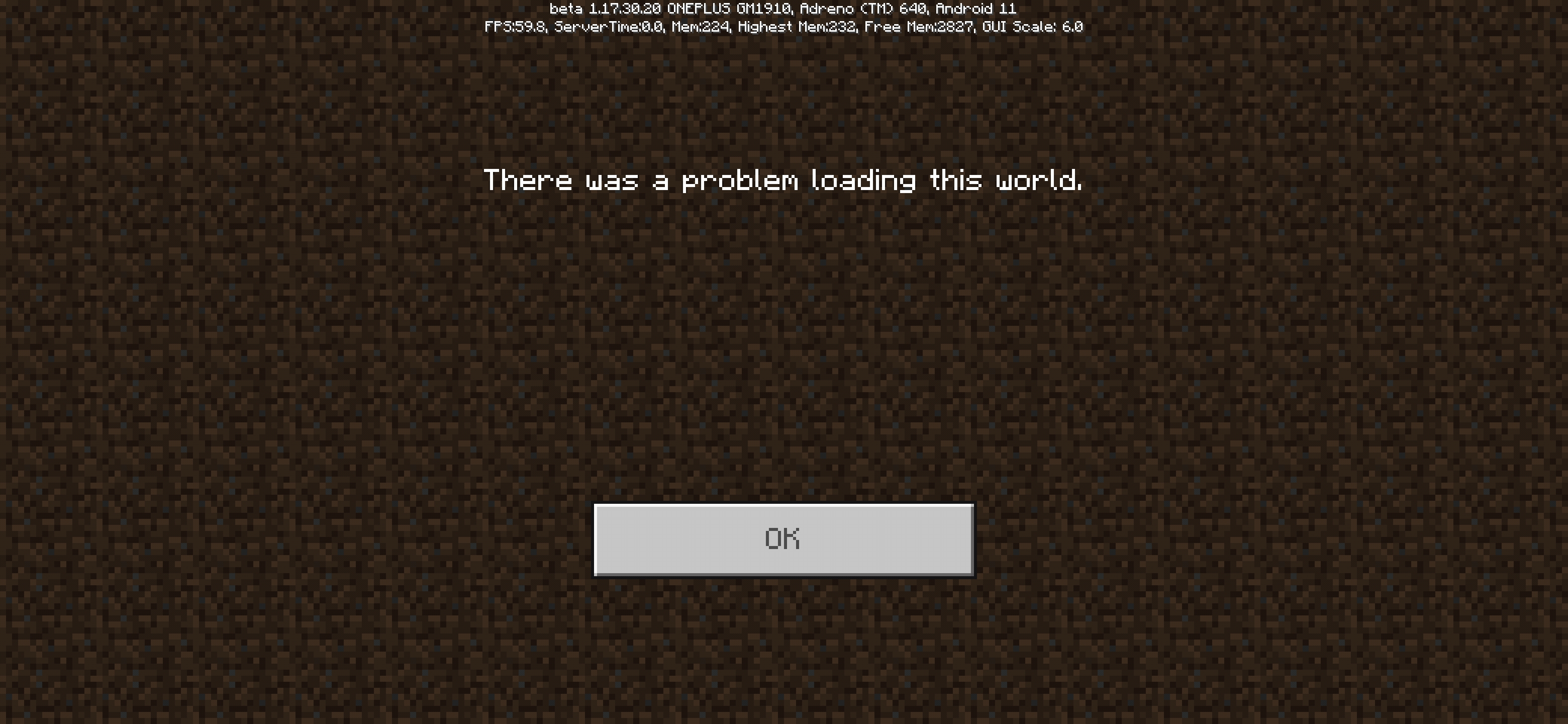
Of course, apps that target API level 30 can still ask for read and write permissions for any specific directory using the SAF Picker. However, on various modified Android OSs, the Picker doesn't always work. For example, on MIUI, the Picker doesn't have full privileges, which is different from other AOSP based OSs. There are many other disadvantages, but I don't want to go into details.Minecraft on Android is supposed to migrate files to a new directory inside of "/sdcard/Android/data/com.mojang.minecraftpe"(the correct directory for "external files" on Android 11). With android:preserveLegacyExternalStorage="true", Minecraft will get the temporary permission for the file migration.
Note that the destination is private on Android 11. Files will be migrated from a public directory to a private directory. It will be a bit difficult for players to access their worlds, resource packs and behavior packs in the filesystem directly after the migration.
- Have migration tested in beta before adding it into release.
- Inform Android players of the full details of the incoming migration as soon.
- The old directory is "/sdcard/games/com.mojang". Minecraft is supposed to migrate the "com.mojang" folder only, because there could be other app(s) still using the "games" folder. Only when the folder is empty, Minecraft will be supposed to delete it.
- Considering the new directory is private, an "Export World" button should be offered to players, and add-on developers affected need new FAQs.
To Android players:
- Not resolved yet!
- You don't have to understand the content below the horizontal ruler, but I'm also glad if you understand.
- A file migration might happen on your Android device later if your "File Storage Location" is "External".
- Pay attention to the official announcement about this incoming migration. You might be advised to backup something.
- If you have installed 1.17.30.20 Beta on your Android 11 device and everything is just not working properly anymore, backup your files and set "File Storage Location" to "Application" temporarily.
To developers:
Meet Google Play's target API level requirementGoogle Play's target API level requirementStarting in November 2021, app updates will be required to target API level 30 or above and adjust for behavioral changes in Android 11.
I know this isn't a typical bug. This is a privacy issue, and I will give my suggestion about it. Considering this suggestion will be outdated after November, I've decided to post it here.
Not that all of players on the Feedback website know about app development. I don't expect players to vote for a suggestion they don‘t even understand.
Without enough votes, it's impossible for this suggestion to be watched by the developers before November.The Play Store is starting to require app updates to target Android 11 in November.
Starting in November, updates of Minecraft have to target API level 30 or the Play Store will not accept.
To readers don't know about API level: If apps target to a new API level, they have to behave as if they are installed on the correct Android version, regardless of the current Android version the user is using.The behavior changes of Android 11 include the scoped storage enforcement. Storage updates in Android 11
Scoped storage enforcementAccess into external storage directories is limited to an app-specific directory.
Obviously, the directory "/sdcard/games" that Minecraft uses when "File Storage Location" is "External" is beyond the app-specific directory of Minecraft. Minecraft that targets API level 30 is losing the permissions for that directory, which could result in disappearance of currently imported worlds, resource packs and behavior packs.
Of course, apps that target API level 30 can still ask for read and write permissions for any specific directory using the SAF Picker. However, on various modified Android OSs, the Picker doesn't always work. For example, on MIUI, the Picker doesn't have full privileges, which is different from other AOSP based OSs. There are many other disadvantages, but I don't want to go into details.Minecraft on Android is supposed to migrate files to a new directory inside of "/sdcard/Android/data/com.mojang.minecraftpe"(the correct directory for "external files" on Android 11). With android:preserveLegacyExternalStorage="true", Minecraft will get the temporary permission for the file migration.
Note that the destination is private on Android 11. Files will be migrated from a public directory to a private directory. It will be a bit difficult for players to access their worlds, resource packs and behavior packs in the filesystem directly after the migration.
- Have migration tested in beta before adding it into release.
- Inform Android players of the full details of the incoming migration as soon.
- The old directory is "/sdcard/games/com.mojang". Minecraft is supposed to migrate the "com.mojang" folder only, because there could be other app(s) still using the "games" folder. Only when the folder is empty, Minecraft will be supposed to delete it.
- Considering the new directory is private, an "Export World" button should be offered to players, and add-on developers affected need new FAQs.
To Android players:
- Not resolved yet!
- You don't have to understand the content below the horizontal ruler, but I'm also glad if you understand.
- A file migration might happen on your Android device later if your "File Storage Location" is "External".
- Pay attention to the official announcement about this incoming migration. You might be advised to backup something.
- If you have installed 1.17.30.20 Beta on your Android 11 device and everything is just not working properly anymore, backup your files and set "File Storage Location" to "Application" temporarily.
To developers:
Meet Google Play's target API level requirementGoogle Play's target API level requirementStarting in November 2021, app updates will be required to target API level 30 or above and adjust for behavioral changes in Android 11.
I know this isn't a typical bug. This is a privacy issue, and I will give my suggestion about it. Considering this suggestion will be outdated after November, I've decided to post it here.
Not that all of players on the Feedback website know about app development. I don't expect players to vote for a suggestion they don‘t even understand.
Without enough votes, it's impossible for this suggestion to be watched by the developers before November.The Play Store is starting to require app updates to target Android 11 in November.
Starting in November, updates of Minecraft have to target API level 30 or the Play Store will not accept.
To readers don't know about API level: If apps target to a new API level, they have to behave as if they are installed on the correct Android version, regardless of the current Android version the user is using.The behavior changes of Android 11 include the scoped storage enforcement. Storage updates in Android 11
Scoped storage enforcementAccess into external storage directories is limited to an app-specific directory.
Obviously, the directory "/sdcard/games" that Minecraft uses when "File Storage Location" is "External" is beyond the app-specific directory of Minecraft. Minecraft that targets API level 30 is losing the permissions for that directory, which could result in disappearance of currently imported worlds, resource packs and behavior packs.
Of course, apps that target API level 30 can still ask for read and write permissions for any specific directory using the SAF Picker. However, on various modified Android OSs, the Picker doesn't always work. For example, on MIUI, the Picker doesn't have full privileges, which is different from other AOSP based OSs. There are many other disadvantages, but I don't want to go into details.Minecraft on Android is supposed to migrate files to a new directory inside of "/sdcard/Android/data/com.mojang.minecraftpe"(the correct directory for "external files" on Android 11). With android:preserveLegacyExternalStorage="true", Minecraft will get the temporary permission for the file migration.
Note that the destination is private on Android 11. Files will be migrated from a public directory to a private directory. It will be a bit difficult for players to access their worlds, resource packs and behavior packs in the filesystem directly after the migration.
- Have migration tested in beta before adding it into release.
- Inform Android players of the full details of the incoming migration as soon.
- The old directory is "/sdcard/games/com.mojang". Minecraft is supposed to migrate the "com.mojang" folder only, because there could be other app(s) still using the "games" folder. Only when the folder is empty, Minecraft will be supposed to delete it.
- Considering the new directory is private, an "Export World" button should be offered to players, and add-on developers affected need new FAQs.
To Android players:
- Not resolved yet!
- You don't have to understand the content below the horizontal ruler, but I'm also glad if you understand.
- A file migration might happen on your Android device later if your "File Storage Location" is "External".
- Pay attention to the official announcement about this incoming migration. You might be advised to backup something.
- If you have installed 1.17.30.20 Beta on your Android 11 device and everything is just not working properly anymore, backup your files and set "File Storage Location" to "Application" temporarily.
To developers:
Meet Google Play's target API level requirementGoogle Play's target API level requirementStarting in November 2021, app updates will be required to target API level 30 or above and adjust for behavioral changes in Android 11.
I know this isn't a typical bug. This is a privacy issue, and I will give my suggestion about it. Considering this suggestion will be outdated after November, I've decided to post it here.
Not that all of players on the Feedback website know about app development. I don't expect players to vote for a suggestion they don‘t even understand.
Without enough votes, it's impossible for this suggestion to be watched by the developers before November.The Play Store is starting to require app updates to target Android 11 in November.
Starting in November, updates of Minecraft have to target API level 30 or the Play Store will not accept.
To readers don't know about API level: If apps target to a new API level, they have to behave as if they are installed on the correct Android version, regardless of the current Android version the user is using.The behavior changes of Android 11 include the scoped storage enforcement. Storage updates in Android 11
Scoped storage enforcementAccess into external storage directories is limited to an app-specific directory.
Obviously, the directory "/sdcard/games" that Minecraft uses when "File Storage Location" is "External" is beyond the app-specific directory of Minecraft. Minecraft that targets API level 30 is losing the permissions for that directory, which could result in disappearance of currently imported worlds, resource packs and behavior packs
.
Of course, apps that target API level 30 can still ask for read and write permissions for any specific directory using the SAF Picker. However, on various modified Android OSs, the Picker doesn't always work. For example, on MIUI, the Picker doesn't have full privileges, which is different from other AOSP based OSs. There are many other disadvantages, but I don't want to go into details.Minecraft on Android is supposed to migrate files to a new directory inside of "/sdcard/Android/data/com.mojang.minecraftpe"(the correct directory for "external files" on Android 11). With android:preserveLegacyExternalStorage="true", Minecraft will get the temporary permission for the file migration.
Note that the destination is private on Android 11. Files will be migrated from a public directory to a private directory. It will be a bit difficult for players to access their worlds, resource packs and behavior packs in the filesystem directly after the migration.
- Have migration tested in beta before adding it into release.
- Inform Android players of the full details of the incoming migration as soon.
- The old directory is "/sdcard/games/com.mojang". Minecraft is supposed to migrate the "com.mojang" folder only, because there could be other app(s) still using the "games" folder. Only when the folder is empty, Minecraft will be supposed to delete it.
- Considering the new directory is private, an "Export World" button should be offered to players, and add-on developers affected need new FAQs.
To Android players:
- Not resolved yet!
- You don't have to understand the content below the horizontal ruler, but I'm also glad if you understand.
- A file migration might happen on your Android device later if your "File Storage Location" is "External".
- Pay attention to the official announcement about this incoming migration. You might be advised to backup something.
- If you have installed 1.17.30.20 Beta on your Android 11 device and everything is just not working properly anymore, backup your files and set "File Storage Location" to "Application" temporarily.
To developers:
Meet Google Play's target API level requirementGoogle Play's target API level requirementStarting in November 2021, app updates will be required to target API level 30 or above and adjust for behavioral changes in Android 11.
I know this isn't a typical bug. This is a privacy issue, and I will give my suggestion about it. Considering this suggestion will be outdated after November, I've decided to post it here.
Not that all of players on the Feedback website know about app development. I don't expect players to vote for a suggestion they don‘t even understand.
Without enough votes, it's impossible for this suggestion to be watched by the developers before November.The Play Store is starting to require app updates to target Android 11 in November.
Starting in November, updates of Minecraft have to target API level 30 or the Play Store will not accept.
To readers don't know about API level: If apps target to a new API level, they have to behave as if they are installed on the correct Android version, regardless of the current Android version the user is using.The behavior changes of Android 11 include the scoped storage enforcement. Storage updates in Android 11
Scoped storage enforcementAccess into external storage directories is limited to an app-specific directory.
Obviously, the directory "/sdcard/games" that Minecraft uses when "File Storage Location" is "External" is beyond the app-specific directory of Minecraft. Minecraft that targets API level 30 is losing the permissions for that directory, which could result in disappearance of currently imported worlds, resource packs and behavior packs and disability to create any world, which has happened in 1.17.30.20 Beta on my Android 11 device!
Of course, apps that target API level 30 can still ask for read and write permissions for any specific directory using the SAF Picker. However, on various modified Android OSs, the Picker doesn't always work. For example, on MIUI, the Picker doesn't have full privileges, which is different from other AOSP based OSs. There are many other disadvantages, but I don't want to go into details.Minecraft on Android is supposed to migrate files to a new directory inside of "/sdcard/Android/data/com.mojang.minecraftpe"(the correct directory for "external files" on Android 11). With android:preserveLegacyExternalStorage="true", Minecraft will get the temporary permission for the file migration.
Note that the destination is private on Android 11. Files will be migrated from a public directory to a private directory. It will be a bit difficult for players to access their worlds, resource packs and behavior packs in the filesystem directly after the migration.
- Have migration tested in beta before adding it into release.
- Inform Android players of the full details of the incoming migration as soon.
- The old directory is "/sdcard/games/com.mojang". Minecraft is supposed to migrate the "com.mojang" folder only, because there could be other app(s) still using the "games" folder. Only when the folder is empty, Minecraft will be supposed to delete it.
- Considering the new directory is private, an "Export World" button should be offered to players, and add-on developers affected need new FAQs.
To Android players:
- Not resolved yet!
- You don't have to understand the content below the horizontal ruler, but I'm also glad if you understand.
- A file migration might happen on your Android device later if your "File Storage Location" is "External".
- Pay attention to the official announcement about this incoming migration. You might be advised to backup something.
- If
you have installed 1.17.30.20 Beta on your Android 11 deviceand everything is justnot working properly anymore, backup your files and set "File Storage Location" to "Application" temporarily.
To developers:
Meet Google Play's target API level requirementGoogle Play's target API level requirementStarting in November 2021, app updates will be required to target API level 30 or above and adjust for behavioral changes in Android 11.
I know this isn't a typical bug. This is a privacy issue, and I will give my suggestion about it. Considering this suggestion will be outdated after November, I've decided to post it here.
Not that all of players on the Feedback website know about app development. I don't expect players to vote for a suggestion they don‘t even understand.
Without enough votes, it's impossible for this suggestion to be watched by the developers before November.The Play Store is starting to require app updates to target Android 11 in November.
Starting in November, updates of Minecraft have to target API level 30 or the Play Store will not accept.
To readers don't know about API level: If apps target to a new API level, they have to behave as if they are installed on the correct Android version, regardless of the current Android version the user is using.The behavior changes of Android 11 include the scoped storage enforcement. Storage updates in Android 11
Scoped storage enforcementAccess into external storage directories is limited to an app-specific directory.
Obviously, the directory "/sdcard/games" that Minecraft uses when "File Storage Location" is "External" is beyond the app-specific directory of Minecraft. Minecraft that targets API level 30 is losing the permissions for that directory, which could result in disappearance of currently imported worlds, resource packs and behavior packs and disability to create any world, which has happened in 1.17.30.20 Beta on my Android 11 device!
Of course, apps that target API level 30 can still ask for read and write permissions for any specific directory using the SAF Picker. However, on various modified Android OSs, the Picker doesn't always work. For example, on MIUI, the Picker doesn't have full privileges, which is different from other AOSP based OSs. There are many other disadvantages, but I don't want to go into details.Minecraft on Android is supposed to migrate files to a new directory inside of "/sdcard/Android/data/com.mojang.minecraftpe"(the correct directory for "external files" on Android 11). With android:preserveLegacyExternalStorage="true", Minecraft will get the temporary permission for the file migration.
Note that the destination is private on Android 11. Files will be migrated from a public directory to a private directory. It will be a bit difficult for players to access their worlds, resource packs and behavior packs in the filesystem directly after the migration.
- Have migration tested in beta before adding it into release.
- Inform Android players of the full details of the incoming migration as soon.
- The old directory is "/sdcard/games/com.mojang". Minecraft is supposed to migrate the "com.mojang" folder only, because there could be other app(s) still using the "games" folder. Only when the folder is empty, Minecraft will be supposed to delete it.
- Considering the new directory is private, an "Export World" button should be offered to players, and add-on developers affected need new FAQs.
To Android players:
- Not resolved yet!
- You don't have to understand the content below the horizontal ruler, but I'm also glad if you understand.
- A file migration might happen on your Android device later if your "File Storage Location" is "External".
- Pay attention to the official announcement about this incoming migration. You might be advised to backup something.
- If beta on your Android 11 device is not working properly anymore, backup your files and set "File Storage Location" to "Application" temporarily. If beta seems working correctly on your Android 11 device, don't re-install your Minecraft.
To developers:
Meet Google Play's target API level requirementGoogle Play's target API level requirementStarting in November 2021, app updates will be required to target API level 30 or above and adjust for behavioral changes in Android 11.
I know this isn't a typical bug. This is a privacy issue, and I will give my suggestion about it. Considering this suggestion will be outdated after November, I've decided to post it here.
Not that all of players on the Feedback website know about app development. I don't expect players to vote for a suggestion they don‘t even understand.
Without enough votes, it's impossible for this suggestion to be watched by the developers before November.The Play Store is starting to require app updates to target Android 11 in November.
Starting in November, updates of Minecraft have to target API level 30 or the Play Store will not accept.
To readers don't know about API level: If apps target to a new API level, they have to behave as if they are installed on the correct Android version, regardless of the current Android version the user is using.The behavior changes of Android 11 include the scoped storage enforcement. Storage updates in Android 11
Scoped storage enforcementAccess into external storage directories is limited to an app-specific directory.
Obviously, the directory "/sdcard/games" that Minecraft uses when "File Storage Location" is "External" is beyond the app-specific directory of Minecraft. Minecraft that targets API level 30 is losing the permissions for that directory, which could result in disappearance of currently imported worlds, resource packs and behavior packs and disability to create any world, which has happened in 1.17.30.20 Beta on my Android 11 device!
Of course, apps that target API level 30 can still ask for read and write permissions for any specific directory using the SAF Picker. However, on various modified Android OSs, the Picker doesn't always work. For example, on MIUI, the Picker doesn't have full privileges, which is different from other AOSP based OSs. There are many other disadvantages, but I don't want to go into details.Minecraft on Android is supposed to migrate files to a new directory inside of "/sdcard/Android/data/com.mojang.minecraftpe"(the correct directory for "external files" on Android 11). With android:preserveLegacyExternalStorage="true", Minecraft will get the temporary permission for the file migration.
Note that the destination is private on Android 11. Files will be migrated from a public directory to a private directory. It will be a bit difficult for players to access their worlds, resource packs and behavior packs in the filesystem directly after the migration.
- Have migration tested in beta before adding it into release.
- Inform Android players of the full details of the incoming migration as soon.
- The old directory is "/sdcard/games/com.mojang". Minecraft is supposed to migrate the "com.mojang" folder only, because there could be other app(s) still using the "games" folder. Only when the folder is empty, Minecraft will be supposed to delete it.
- Considering the new directory is private, an "Export World" button should be offered to players, and add-on developers affected need new FAQs.
To Android players:
- Not resolved yet!
- You don't have to understand the content below the horizontal ruler, but I'm also glad if you understand.
- A file migration might happen on your Android device later if your "File Storage Location" is "External".
- Pay attention to the official announcement about this incoming migration. You might be advised to backup something.
- If beta on your Android 11 device is not working properly anymore, backup your files and set "File Storage Location" to "Application" temporarily. If beta seems still working correctly on your Android 11 device, don't re-install your beta version of Minecraft.
To developers:
Meet Google Play's target API level requirementGoogle Play's target API level requirementStarting in November 2021, app updates will be required to target API level 30 or above and adjust for behavioral changes in Android 11.
I know this isn't a typical bug. This is a privacy issue, and I will give my suggestion about it. Considering this suggestion will be outdated after November, I've decided to post it here.
Not that all of players on the Feedback website know about app development. I don't expect players to vote for a suggestion they don‘t even understand.
Without enough votes, it's impossible for this suggestion to be watched by the developers before November.The Play Store is starting to require app updates to target Android 11 in November.
Starting in November, updates of Minecraft have to target API level 30 or the Play Store will not accept.
To readers don't know about API level: If apps target to a new API level, they have to behave as if they are installed on the correct Android version, regardless of the current Android version the user is using.The behavior changes of Android 11 include the scoped storage enforcement. Storage updates in Android 11
Scoped storage enforcementAccess into external storage directories is limited to an app-specific directory.
Obviously, the directory "/sdcard/games" that Minecraft uses when "File Storage Location" is "External" is beyond the app-specific directory of Minecraft. Minecraft that targets API level 30 is losing the permissions for that directory, which could result in disappearance of currently imported worlds, resource packs and behavior packs and disability to create any world, which has happened in 1.17.30.20 Beta on my Android 11 device!
Of course, apps that target API level 30 can still ask for read and write permissions for any specific directory using the SAF Picker. However, on various modified Android OSs, the Picker doesn't always work. For example, on MIUI, the Picker doesn't have full privileges, which is different from other AOSP based OSs. There are many other disadvantages, but I don't want to go into details.Minecraft on Android is supposed to migrate files to a new directory inside of "/sdcard/Android/data/com.mojang.minecraftpe"(the correct directory for "external files" on Android 11). With android:preserveLegacyExternalStorage="true", Minecraft will get the temporary permission for the file migration.
Note that the destination is private on Android 11. Files will be migrated from a public directory to a private directory. It will be a bit difficult for players to access their worlds, resource packs and behavior packs in the filesystem directly after the migration.
- Have migration tested in beta before adding it into release.
- Inform Android players of the full details of the incoming migration as soon.
- The old directory is "/sdcard/games/com.mojang". Minecraft is supposed to migrate the "com.mojang" folder only, because there could be other app(s) still using the "games" folder. Only when the folder is empty, Minecraft will be supposed to delete it.
- Considering the new directory is private, an "Export World" button should be offered to players, and add-on developers affected need new FAQs.
To Android players:
- Not resolved yet!
- You don't have to understand the content below the horizontal ruler, but I'm also glad if you understand.
- A file migration might happen on your Android device later if your "File Storage Location" is "External".
- Pay attention to the official announcement about this incoming migration. You might be advised to backup something.
- If beta on your Android 11 device is not working properly anymore, backup your files and set "File Storage Location" to "Application" temporarily. If beta seems still working correctly on your Android 11 device, don't re-install your beta version of Minecraft.
To developers:
Meet Google Play's target API level requirementGoogle Play's target API level requirementStarting in November 2021, app updates will be required to target API level 30 or above and adjust for behavioral changes in Android 11.
I know this isn't a typical bug. This is a privacy issue, and I will give my suggestion about it. Considering this suggestion will be outdated after November, I've decided to post it here.
Not that all of players on the Feedback website know about app development. I don't expect players to vote for a suggestion they don‘t even understand.
Without enough votes, it's impossible for this suggestion to be watched by the developers before November.The Play Store is starting to require app updates to target Android 11 in November.
Starting in November, updates of Minecraft have to target API level 30 or the Play Store will not accept.
To readers don't know about API level: If apps target to a new API level, they have to behave as if they are installed on the correct Android version, regardless of the current Android version the user is using.The behavior changes of Android 11 include the scoped storage enforcement. Storage updates in Android 11
Scoped storage enforcementAccess into external storage directories is limited to an app-specific directory.
Obviously, the directory "/sdcard/games" that Minecraft uses when "File Storage Location" is "External" is beyond the app-specific directory of Minecraft. Minecraft that targets API level 30 is losing the permissions for that directory, which could result in disappearance of currently imported worlds, resource packs and behavior packs and disability to create any world, which has happened in 1.17.30.20 Beta on my Android 11 device!
Of course, apps that target API level 30 can still ask for read and write permissions for any specific directory using the SAF Picker. However, on various modified Android OSs, the Picker doesn't always work. For example, on MIUI, the Picker doesn't have full privileges, which is different from other AOSP based OSs. There are many other disadvantages, but I don't want to go into details.Minecraft on Android is supposed to migrate files to a new directory inside of "/sdcard/Android/data/com.mojang.minecraftpe"(the correct directory for "external files" on Android 11). With android:preserveLegacyExternalStorage="true", Minecraft will get the temporary permission for the file migration.
Note that the destination is private on Android 11. Files will be migrated from a public directory to a private directory. It will be a bit difficult for players to access their worlds, resource packs and behavior packs in the filesystem directly after the migration.
- Have migration tested in beta before adding it into release.
- Inform Android players of the full details of the incoming migration as soon.
- The old directory is "/sdcard/games/com.mojang". Minecraft is supposed to migrate the "com.mojang" folder only, because there could be other app(s) still using the "games" folder. Only when the folder is empty, Minecraft will be supposed to delete it.
- Considering the new directory is private, an "Export World" button should be offered to players, and add-on developers affected need new FAQs.
Not resolved yet!
To Android players:
- You don't have to understand the content below the horizontal ruler, but I'm also glad if you understand.
- A file migration might happen on your Android device later if your "File Storage Location" is "External".
- Pay attention to the official announcement about this incoming migration. You might be advised to backup something.
- If beta on your Android 11 device is not working properly anymore, backup your files and set "File Storage Location" to "Application" temporarily. If beta seems still working correctly on your Android 11 device, don't re-install your beta version of Minecraft.
To developers:
Meet Google Play's target API level requirementGoogle Play's target API level requirementStarting in November 2021, app updates will be required to target API level 30 or above and adjust for behavioral changes in Android 11.
I know this isn't a typical bug. This is a privacy issue, and I will give my suggestion about it. Considering this suggestion will be outdated after November, I've decided to post it here.
Not that all of players on the Feedback website know about app development. I don't expect players to vote for a suggestion they don‘t even understand.
Without enough votes, it's impossible for this suggestion to be watched by the developers before November.The Play Store is starting to require app updates to target Android 11 in November.
Starting in November, updates of Minecraft have to target API level 30 or the Play Store will not accept.
To readers don't know about API level: If apps target to a new API level, they have to behave as if they are installed on the correct Android version, regardless of the current Android version the user is using.The behavior changes of Android 11 include the scoped storage enforcement. Storage updates in Android 11
Scoped storage enforcementAccess into external storage directories is limited to an app-specific directory.
Obviously, the directory "/sdcard/games" that Minecraft uses when "File Storage Location" is "External" is beyond the app-specific directory of Minecraft. Minecraft that targets API level 30 is losing the permissions for that directory, which could result in disappearance of currently imported worlds, resource packs and behavior packs and disability to create any world, which has happened in 1.17.30.20 Beta on my Android 11 device!
Of course, apps that target API level 30 can still ask for read and write permissions for any specific directory using the SAF Picker. However, on various modified Android OSs, the Picker doesn't always work. For example, on MIUI, the Picker doesn't have full privileges, which is different from other AOSP based OSs. There are many other disadvantages, but I don't want to go into details.Minecraft on Android is supposed to migrate files to a new directory inside of "/sdcard/Android/data/com.mojang.minecraftpe"(the correct directory for "external files" on Android 11). With android:preserveLegacyExternalStorage="true", Minecraft will get the temporary permission for the file migration.
Note that the destination is private on Android 11. Files will be migrated from a public directory to a private directory. It will be a bit difficult for players to access their worlds, resource packs and behavior packs in the filesystem directly after the migration.
- Have migration tested in beta before adding it into release.
- Inform Android players of the full details of the incoming migration as soon.
- The old directory is "/sdcard/games/com.mojang". Minecraft is supposed to migrate the "com.mojang" folder only, because there could be other app(s) still using the "games" folder. Only when the folder is empty, Minecraft will be supposed to delete it.
- Considering the new directory is private, an "Export World" button should be offered to players, and add-on developers affected need new FAQs.
Not resolved yet!
To Android players:
- You don't have to understand the content below the horizontal ruler, but I'm also glad if you understand.
- A file migration might happen on your Android device later if your "File Storage Location" is "External".
- Pay attention to the official announcement about this incoming migration. You might be advised to backup something.
- If beta on your Android 11 device is not working properly anymore, backup your files and set "File Storage Location" to "Application" temporarily. If beta seems still working correctly on your Android 11 device, don't re-install your beta version of Minecraft.
To developers:
Meet Google Play's target API level requirementGoogle Play's target API level requirementStarting in November 2021, app updates will be required to target API level 30 or above and adjust for behavioral changes in Android 11.
I know this isn't a typical bug. This is a privacy issue
, andI will give mysuggestion about it. Considering this suggestion will be outdated after November, I've decided to post it here.
Not that all of players on the Feedback website know about app development. I don't expect players to vote for a suggestion they don‘t even understand.
Without enough votes, it's impossible for this suggestion to be watched by the developers before November.The Play Store is starting to require app updates to target Android 11 in November.
Starting in November, updates of Minecraft have to target API level 30 or the Play Store will not accept.
To readers don't know about API level: If apps target to a new API level, they have to behave as if they are installed on the correct Android version, regardless of the current Android version the user is using.The behavior changes of Android 11 include the scoped storage enforcement. Storage updates in Android 11
Scoped storage enforcementAccess into external storage directories is limited to an app-specific directory.
Obviously, the directory "/sdcard/games" that Minecraft uses when "File Storage Location" is "External" is beyond the app-specific directory of Minecraft. Minecraft that targets API level 30 is losing the permissions for that directory, which could result in disappearance of currently imported worlds, resource packs and behavior packs and disability to create any world, which has happened in 1.17.30.20 Beta on my Android 11 device!
Of course, apps that target API level 30 can still ask for read and write permissions for any specific directory using the SAF Picker. However, on various modified Android OSs, the Picker doesn't always work. For example, on MIUI, the Picker doesn't have full privileges, which is different from other AOSPbased OSs. There are many other disadvantages, but I don't want to go into details.Minecraft on Android is supposed to migrate files to a new directory inside of "/sdcard/Android/data/com.mojang.minecraftpe"(the correct directory for "external files" on Android 11). With android:preserveLegacyExternalStorage="true", Minecraft will get the temporary permission for the file migration.
Note that the destination is private on Android 11. Files will be migrated from a public directory to a private directory. It will be a bit difficult for players to access their worlds, resource packs and behavior packs in the filesystem directly after the migration.
- Have migration tested in beta before adding it into release.
- Inform Android players of the full details of the incoming migration as soon.
- The old directory is "/sdcard/games/com.mojang". Minecraft is supposed to migrate the "com.mojang" folder only, because there could be other app(s) still using the "games" folder. Only when the folder is empty, Minecraft will be supposed to delete it.
- Considering the new directory is private, an "Export World" button should be offered to players, and add-on developers affected need new FAQs.
Not resolved yet!
To Android players:
- You don't have to understand the content below the horizontal ruler, but I'm also glad if you understand.
- A file migration might happen on your Android device later if your "File Storage Location" is "External".
- Pay attention to the official announcement about this incoming migration. You might be advised to backup something.
- If beta on your Android 11 device is not working properly anymore, backup your files and set "File Storage Location" to "Application" temporarily. If beta seems still working correctly on your Android 11 device, don't re-install your beta version of Minecraft.
To developers:
Meet Google Play's target API level requirementGoogle Play's target API level requirementStarting in November 2021, app updates will be required to target API level 30 or above and adjust for behavioral changes in Android 11.
I know this isn't a typical bug. This is a technical issue with a potential privacy issue. I will give my resolution. Considering this suggestion will be outdated after November, I've decided to post it here.
Not that all of players on the Feedback website know about app development. I don't expect players to vote for a suggestion they don‘t even understand.
Without enough votes, it's impossible for this suggestion to be watched by the developers before November.The Play Store is starting to require app updates to target Android 11 in November.
Starting in November, updates of Minecraft have to target API level 30 or the Play Store will not accept.
To readers don't know about API level: If apps target to a new API level, they have to behave as if they are installed on the correct Android version, regardless of the current Android version the user is using.The behavior changes of Android 11 include the scoped storage enforcement. Storage updates in Android 11
Scoped storage enforcementAccess into external storage directories is limited to an app-specific directory.
Obviously, the directory "/sdcard/games" that Minecraft uses when "File Storage Location" is "External" is beyond the app-specific directory of Minecraft. Minecraft that targets API level 30 is losing the permissions for that directory, which could result in disappearance of currently imported worlds, resource packs and behavior packs and disability to create any world, which has happened in 1.17.30.20 Beta on my Android 11 device!
Of course, apps that target API level 30 can still ask for read and write permissions for any specific directory using the SAF Picker. However, on various modified Android OSs, the Picker doesn't always work. For example, on MIUI, the Picker doesn't have full privileges, which is different from other AOSP powered OSs. There are many other disadvantages, but I don't want to go into details.Q. E. D.
My resolution:
Minecraft on Android is supposed to migrate files to a new directory inside of "/sdcard/Android/data/com.mojang.minecraftpe"(the correct directory for "external files" on Android 11). With android:preserveLegacyExternalStorage="true", Minecraft will get the temporary permission for the file migration.
Note that the destination is private on Android 11. Files will be migrated from a public directory to a private directory. It will be a bit difficult for players to access their worlds, resource packs and behavior packs in the filesystem directly after the migration.
- Have migration tested in beta before adding it into release.
- Inform Android players of the full details of the incoming migration as soon. Players have the right to get informed.
- The old directory is "/sdcard/games/com.mojang". Minecraft is supposed to migrate the "com.mojang" folder only, because there could be other app(s) still using the "games" folder. Only when the folder is empty, Minecraft will be supposed to delete it.
- Considering the new directory is private, an "Export World" button should be offered to players, and add-on developers affected need new FAQs.
Not resolved yet!
To Android players:
- You don't have to understand the content below the horizontal ruler, but I'm also glad if you understand.
- A file migration might happen on your Android device later if your "File Storage Location" is "External".
- Pay attention to the official announcement about this incoming migration. You might be advised to backup something.
- If beta on your Android 11 device is not working properly anymore, backup your files and set "File Storage Location" to "Application" temporarily. If beta seems still working correctly on your Android 11 device, don't re-install your beta version of Minecraft.
To developers:
Meet Google Play's target API level requirementGoogle Play's target API level requirementStarting in November 2021, app updates will be required to target API level 30 or above and adjust for behavioral changes in Android 11.
I know this isn't a typical bug. This is a technical issue with a potential privacy issue. I will give my resolution. Considering this suggestion will be outdated after November, I've decided to post it here.
Not that all of players on the Feedback website know about app development. I don't expect players to vote for a suggestion they don‘t even understand.
Without enough votes, it's impossible for this suggestion to be watched by the developers before November.The Play Store is starting to require app updates to target Android 11 in November.
Starting in November, updates of Minecraft have to target API level 30 or the Play Store will not accept.
To readers don't know about API level: If apps target to a new API level, they have to behave as if they are installed on the correct Android version, regardless of the current Android version the user is using.The behavior changes of Android 11 include the scoped storage enforcement. Storage updates in Android 11
Scoped storage enforcementAccess into external storage directories is limited to an app-specific directory.
Obviously, the directory "/sdcard/games" that Minecraft uses when "File Storage Location" is "External" is beyond the app-specific directory of Minecraft. Minecraft that targets API level 30 is losing the permissions for that directory, which could result in disappearance of currently imported worlds, resource packs and behavior packs and disability to create any world, which has happened in 1.17.30.20 Beta on my Android 11 device!
MCPE-137652
Of course, apps that target API level 30 can still ask for read and write permissions for any specific directory using the SAF Picker. However, on various modified Android OSs, the Picker doesn't always work. For example, on MIUI, the Picker doesn't have full privileges, which is different from other AOSP powered OSs. There are many other disadvantages, but I don't want to go into details.Q. E. D.
My resolution:
Minecraft on Android is supposed to migrate files to a new directory inside of "/sdcard/Android/data/com.mojang.minecraftpe"(the correct directory for "external files" on Android 11). With android:preserveLegacyExternalStorage="true", Minecraft will get the temporary permission for the file migration.
Note that the destination is private on Android 11. Files will be migrated from a public directory to a private directory. It will be a bit difficult for players to access their worlds, resource packs and behavior packs in the filesystem directly after the migration.
- Have migration tested in beta before adding it into release.
- Inform Android players of the full details of the incoming migration as soon. Players have the right to get informed.
- The old directory is "/sdcard/games/com.mojang". Minecraft is supposed to migrate the "com.mojang" folder only, because there could be other app(s) still using the "games" folder. Only when the folder is empty, Minecraft will be supposed to delete it.
- Considering the new directory is private, an "Export World" button should be offered to players, and add-on developers affected need new FAQs.
Not resolved yet!
To Android players:
- You don't have to understand the content below the horizontal ruler, but I'm also glad if you understand.
- A file migration might happen on your Android device later if your "File Storage Location" is "External".
- Pay attention to the official announcement about this incoming migration. You might be advised to backup something.
- If beta on your Android 11 device is not working properly anymore, backup your files and set "File Storage Location" to "Application" temporarily. If beta seems still working correctly on your Android 11 device, don't re-install your beta version of Minecraft.
To developers:
Meet Google Play's target API level requirementGoogle Play's target API level requirementStarting in November 2021, app updates will be required to target API level 30 or above and adjust for behavioral changes in Android 11.
I know this isn't a typical bug. This is a technical issue with a potential privacy issue. I will give my resolution. Considering this suggestion will be outdated after November, I've decided to post it here.
Not that all of players on the Feedback website know about app development. I don't expect players to vote for a suggestion they don‘t even understand.
Without enough votes, it's impossible for this suggestion to be watched by the developers before November.The Play Store is starting to require app updates to target Android 11 in November.
Starting in November, updates of Minecraft have to target API level 30 or the Play Store will not accept.
To readers don't know about API level: If apps target to a new API level, they have to behave as if they are installed on the correct Android version, regardless of the current Android version the user is using.The behavior changes of Android 11 include the scoped storage enforcement. Storage updates in Android 11
Scoped storage enforcementAccess into external storage directories is limited to an app-specific directory.
Obviously, the directory "/sdcard/games" that Minecraft uses when "File Storage Location" is "External" is beyond the app-specific directory of Minecraft. Minecraft that targets API level 30 is losing the permissions for that directory, which could result in disappearance of currently imported worlds, resource packs and behavior packs and disability to create any world, which has happened in 1.17.30.20 Beta on my Android 11 device!
MCPE-137652
Of course, apps that target API level 30 can still ask for read and write permissions for any specific directory using the SAF Picker. However, on various modified Android OSs, the Picker doesn't always work. For example, on MIUI, the Picker doesn't have full privileges, which is different from other AOSP powered OSs. There are many other disadvantages, but I don't want to go into details. It can only be a plan B.Q. E. D.
My resolution:
Minecraft on Android is supposed to migrate files to a new directory inside of "/sdcard/Android/data/com.mojang.minecraftpe"(the correct directory for "external files" on Android 11). With android:preserveLegacyExternalStorage="true", Minecraft will get the temporary permission for the file migration.
Note that the destination is private on Android 11. Files will be migrated from a public directory to a private directory. It will be a bit difficult for players to access their worlds, resource packs and behavior packs in the filesystem directly after the migration.
- Have migration tested in beta before adding it into release.
- Inform Android players of the full details of the incoming migration as soon. Players have the right to get informed.
- The old directory is "/sdcard/games/com.mojang". Minecraft is supposed to migrate the "com.mojang" folder only, because there could be other app(s) still using the "games" folder. Only when the folder is empty, Minecraft will be supposed to delete it.
- Considering the new directory is private, an "Export World" button should be offered to players, and add-on developers affected need new FAQs.
Not resolved yet!
To Android players:
- You don't have to understand the content below the horizontal ruler, but I'm also glad if you understand.
- A file migration might happen on your Android device later if your "File Storage Location" is "External".
- Pay attention to the official announcement about this incoming migration. You might be advised to backup something.
- If beta on your Android 11 device is not working properly anymore, backup your files and set "File Storage Location" to "Application" temporarily. If beta seems still working correctly on your Android 11 device, don't re-install your beta version of Minecraft.
To developers:
Meet Google Play's target API level requirementGoogle Play's target API level requirementStarting in November 2021, app updates will be required to target API level 30 or above and adjust for behavioral changes in Android 11.
I know this isn't a typical bug. This is a technical issue with a potential privacy issue. I will give my resolution. Considering this suggestion will be outdated after November, I've decided to post it here.
Not that all of players on the Feedback website know about app development. I don't expect players to vote for a suggestion they don‘t even understand.
Without enough votes, it's impossible for this suggestion to be watched by the developers before November.The Play Store is starting to require app updates to target Android 11 in November.
Starting in November, updates of Minecraft have to target API level 30 or the Play Store will not accept.
To readers don't know about API level: If apps target to a new API level, they have to behave as if they are installed on the correct Android version, regardless of the current Android version the user is using.The behavior changes of Android 11 include the scoped storage enforcement. Storage updates in Android 11
Scoped storage enforcementAccess into external storage directories is limited to an app-specific directory.
Obviously, the directory "/sdcard/games" that Minecraft uses when "File Storage Location" is "External" is beyond the app-specific directory of Minecraft. Minecraft that targets API level 30 is losing the permissions for that directory, which could result in disappearance of currently imported worlds, resource packs and behavior packs and disability to create any world, which has happened in 1.17.30.20 Beta on my Android 11 device!
MCPE-137652
Of course, apps that target API level 30 can still ask for read and write permissions for any specific directory using the SAF Picker. However, on various modified Android OSs, the Picker doesn't always work. For example, on MIUI, the Picker doesn't have full privileges, which is different from other AOSP powered OSs. There are many other disadvantages, but I don't want to go into details. It can only be a plan B.Q. E. D.
My resolution:
Minecraft on Android is supposed to migrate files to a new directory inside of "/sdcard/Android/data/com.mojang.minecraftpe"(the correct directory for "external files" on Android 11). With android:preserveLegacyExternalStorage="true", Minecraft will get the temporary permission for the file migration.
Note that the destination is private on Android 11.
Files will be migrated from a public directory to a private directory.It will be a bit difficult for players to access their worlds, resource packs and behavior packs in the filesystem directly after the migration.
- Have migration tested in beta before adding it into release.
- Inform Android players of the full details of the incoming migration as soon. Players have the right to get informed.
- The old directory is "/sdcard/games/com.mojang". Minecraft is supposed to migrate the "com.mojang" folder only, because there could be other app(s) still using the "games" folder. Only when the folder is empty, Minecraft will be supposed to delete it.
- Considering the new directory is private, an "Export World" button should be
offered to players, and add-on developers affected need new FAQs.Not resolved yet!
To Android players:
- You don't have to understand the content below the horizontal ruler, but I'm also glad if you understand.
- A file migration might happen on your Android device later if your "File Storage Location" is "External".
- Pay attention to the official announcement about this incoming migration. You might be advised to backup something.
- If beta on your Android 11 device is not working properly anymore, backup your files and set "File Storage Location" to "Application" temporarily. If beta seems still working correctly on your Android 11 device, don't re-install your beta version of Minecraft.
To developers:
Meet Google Play's target API level requirementGoogle Play's target API level requirementStarting in November 2021, app updates will be required to target API level 30 or above and adjust for behavioral changes in Android 11.
I know this isn't a typical bug. This is a technical issue with a potential privacy issue. I will give my resolution. Considering this suggestion will be outdated after November, I've decided to post it here.
Not that all of players on the Feedback website know about app development. I don't expect players to vote for a suggestion they don‘t even understand.
Without enough votes, it's impossible for this suggestion to be watched by the developers before November.The Play Store is starting to require app updates to target Android 11 in November.
Starting in November, updates of Minecraft have to target API level 30 or the Play Store will not accept.
To readers don't know about API level: If apps target to a new API level, they have to behave as if they are installed on the correct Android version, regardless of the current Android version the user is using.The behavior changes of Android 11 include the scoped storage enforcement. Storage updates in Android 11
Scoped storage enforcementAccess into external storage directories is limited to an app-specific directory.
Obviously, the directory "/sdcard/games" that Minecraft uses when "File Storage Location" is "External" is beyond the app-specific directory of Minecraft. Minecraft that targets API level 30 is losing the permissions for that directory, which could result in disappearance of currently imported worlds, resource packs and behavior packs and disability to create any world, which has happened in 1.17.30.20 Beta on my Android 11 device!
MCPE-137652
Of course, apps that target API level 30 can still ask for read and write permissions for any specific directory using the SAF Picker. However, on various modified Android OSs, the Picker doesn't always work. For example, on MIUI, the Picker doesn't have full privileges, which is different from other AOSP powered OSs. There are many other disadvantages, but I don't want to go into details. It can only be a plan B.Q. E. D.
My resolution:
Minecraft on Android is supposed to migrate files to a new directory inside of "/sdcard/Android/data/com.mojang.minecraftpe"(the correct directory for "external files" on Android 11).
Steps:
- Release a new version that targets API level 29. In this version, migration is not necessary but recommended. With android:requestLegacyExternalStorage="true", Minecraft can get the permission for the file migration.
- Release a new version that targets API level 30. Let players do not uninstall before updating. With android:preserveLegacyExternalStorage="true", Minecraft can keep the permission for the file migration temporarily. Migration must be done.
- In step 2, if the player has skipped step 1, Minecraft needs to ask the player whether the migration is needed. Actually, Minecraft doesn't have the permission now. Try asking for the permission using the SAF Picker.
Note that the destination is private on Android 11. Files will be migrated from a public directory to a private directory. It will be a bit difficult for players to access their worlds, resource packs and behavior packs in the filesystem directly after the migration.
Precautions:
- Have migration tested in beta before adding it into release.
- Inform Android players of the full details of the incoming migration as soon. Players have the right to get informed.
- The old directory is "/sdcard/games/com.mojang". Minecraft is supposed to migrate the "com.mojang" folder only, because there could be other app(s) still using the "games" folder. Only when the folder is empty, Minecraft will be supposed to delete it.
- The new directory will be deleted when uninstalling.
- Considering the new directory is private, an "Export World" button should be provided to players, and add-on developers affected need new FAQs.
Not resolved yet!
To Android players:
- You don't have to understand the content below the horizontal ruler, but I'm also glad if you understand.
- A file migration might happen on your Android device later if your "File Storage Location" is "External".
- Pay attention to the official announcement about this incoming migration. You might be advised to backup something.
- If beta on your Android 11 device is not working properly anymore, backup your files and set "File Storage Location" to "Application" temporarily. If beta seems still working correctly on your Android 11 device, don't re-install your beta version of Minecraft.
To developers:
Meet Google Play's target API level requirementGoogle Play's target API level requirementStarting in November 2021, app updates will be required to target API level 30 or above and adjust for behavioral changes in Android 11.
I know this isn't a typical bug. This is a technical issue with a potential privacy issue. I will give my resolution. Considering this suggestion will be outdated after November, I've decided to post it here.
Not that all of players on the Feedback website know about app development. I don't expect players to vote for a suggestion they don‘t even understand.
Without enough votes, it's impossible for this suggestion to be watched by the developers before November.The Play Store is starting to require app updates to target Android 11 in November.
Starting in November, updates of Minecraft have to target API level 30 or the Play Store will not accept.
To readers don't know about API level: If apps target to a new API level, they have to behave as if they are installed on the correct Android version, regardless of the current Android version the user is using.The behavior changes of Android 11 include the scoped storage enforcement. Storage updates in Android 11
Scoped storage enforcementAccess into external storage directories is limited to an app-specific directory.
Obviously, the directory "/sdcard/games" that Minecraft uses when "File Storage Location" is "External" is beyond the app-specific directory of Minecraft. Minecraft that targets API level 30 is losing the permissions for that directory, which could result in disappearance of currently imported worlds, resource packs and behavior packs and disability to create any world, which has happened in 1.17.30.20 Beta on my Android 11 device!
MCPE-137652
Of course, apps that target API level 30 can still ask for read and write permissions for any specific directory using the SAF Picker. However, on various modified Android OSs, the Picker doesn't always work. For example, on MIUI, the Picker doesn't have full privileges, which is different from other AOSP powered OSs. There are many other disadvantages, but I don't want to go into details. It can only be a plan B.Q. E. D.
My resolution:
Minecraft on Android is supposed to migrate files to a new directory inside of "/sdcard/Android/data/com.mojang.minecraftpe"(the correct directory for "external files" on Android 11).
Steps:
- Release a new version that targets API level 29. In this version, migration is not necessary but recommended. With android:requestLegacyExternalStorage="true", Minecraft can get the permission for the file migration.
- Release a new version that targets API level 30.
Let players do not uninstall before updating.With android:preserveLegacyExternalStorage="true", Minecraft can keep the permission for the file migration temporarily. Migration must be done.- In step 2, if the player has skipped step 1, Minecraft needs to ask the player whether the migration is needed. Actually, Minecraft doesn't have the permission now. Try asking for the permission using the SAF Picker.
Note that the destination is private on Android 11. Files will be migrated from a public directory to a private directory. It will be a bit difficult for players to access their worlds, resource packs and behavior packs in the filesystem directly after the migration.
Precautions:
- Have migration tested in beta before adding it into release.
- Inform Android players of the full details of the incoming migration as soon. Players have the right to get informed.
- The old directory is "/sdcard/games/com.mojang". Minecraft is supposed to migrate the "com.mojang" folder only, because there could be other app(s) still using the "games" folder. Only when the folder is empty, Minecraft will be supposed to delete it.
The new directory will be deleted when uninstalling.- Considering the new directory is private, an "Export World" button should be provided to players, and add-on developers affected need new FAQs.
Not resolved yet!
To Android players:
- You don't have to understand the content below the horizontal ruler, but I'm also glad if you understand.
- A file migration might happen on your Android device later if your "File Storage Location" is "External".
- Pay attention to the official announcement about this incoming migration. You might be advised to backup something.
- If beta on your Android 11 device is not working properly anymore, backup your files and set "File Storage Location" to "Application" temporarily. If beta seems still working correctly on your Android 11 device, don't re-install your beta version of Minecraft.
To developers:
Meet Google Play's target API level requirementGoogle Play's target API level requirementStarting in November 2021, app updates will be required to target API level 30 or above and adjust for behavioral changes in Android 11.
I know this isn't a typical bug. This is a technical issue with a potential privacy issue. I will give my resolution. Considering this suggestion will be outdated after November, I've decided to post it here.
Not that all of players on the Feedback website know about app development. I don't expect players to vote for a suggestion they don‘t even understand.
Without enough votes, it's impossible for this suggestion to be watched by the developers before November.The Play Store is starting to require app updates to target Android 11 in November.
Starting in November, updates of Minecraft have to target API level 30 or the Play Store will not accept.
To readers don't know about API level: If apps target to a new API level, they have to behave as if they are installed on the correct Android version, regardless of the current Android version the user is using.The behavior changes of Android 11 include the scoped storage enforcement. Storage updates in Android 11
Scoped storage enforcementAccess into external storage directories is limited to an app-specific directory.
Obviously, the directory "/sdcard/games" that Minecraft uses when "File Storage Location" is "External" is beyond the app-specific directory of Minecraft. Minecraft that targets API level 30 is losing the permissions for that directory, which could result in disappearance of currently imported worlds, resource packs and behavior packs and disability to create any world, which has happened in 1.17.30.20 Beta on my Android 11 device!
MCPE-137652
Of course, apps that target API level 30 can still ask for read and write permissions for any specific directory using the SAF Picker. However, on various modified Android OSs, the Picker doesn't always work. For example, on MIUI, the Picker doesn't have full privileges, which is different from other AOSP powered OSs. There are many other disadvantages, but I don't want to go into details. It can only be a plan B.Q. E. D.
My resolution:
Minecraft on Android is supposed to migrate files to a new directory inside of "/sdcard/Android/data/com.mojang.minecraftpe"(the correct directory for "external files" on Android 11).
Steps:
- Release a new version that targets API level 29. Let players do not uninstall before step 2. In this version, migration is not necessary but recommended. With android:requestLegacyExternalStorage="true", Minecraft can get the permission for the file migration.
- Release a new version that targets API level 30. With android:preserveLegacyExternalStorage="true", Minecraft can keep the permission for the file migration temporarily. Migration must be done.
- Repeat step 1 and step 2. If the player has still skipped step 1, Minecraft doesn't have the permission at this stage. Try asking for the permission using the SAF Picker.
Note that the destination is private on Android 11. Files will be migrated from a public directory to a private directory. It will be a bit difficult for players to access their worlds, resource packs and behavior packs in the filesystem directly after the migration.
Precautions:
- Have migration tested in beta before adding it into release.
- Inform Android players of the full details of the incoming migration as soon. Players have the right to get informed.
- The old directory is "/sdcard/games/com.mojang". Minecraft is supposed to migrate the "com.mojang" folder only, because there could be other app(s) still using the "games" folder. Only when the folder is empty, Minecraft will be supposed to delete it.
- The new directory will be deleted when uninstalling.
- Any first install of Minecraft could be a re-install.
- Considering the new directory is private, an "Export World" button should be provided to players, and add-on developers affected need new FAQs.
Anybody see?
The same (v1.14.60)
I feel this is still a valid issue
@osfanjoshua No, it's not.
The JS API has been so awkward that even teleporting will be one of the most important features. But even teleporting is buggy.
The scripts are not working as supposed.
How can you say this is not a bug?
@Miguel Avelar
You have GUI. You think this is not a issue because you have GUI.
What about me? I'm using BDS. I can only use commands! It takes me a quarter to change someone's permission by editing JSON and /ops reload.
@osfanjoshua The useless API can't even perform a perfect teleport. You want me to post this thing as a feedback then wait for years for a "NEW" feature should have been there already for years.
Please, let the dev team take a look. I know this is a suggestion.
But not that all of players on the Feedback website know about app development. You can not expect players to vote for a suggestion they don‘t even understand.
Without enough votes, it's impossible for this suggestion to be watched by the developers before November.
@Umija5895
Rahul: The directory "Android/media" has been deprecated. Don't use it. Although (as a app-specific directory) access into existing one is still allowed, without extra permission, Minecraft that targets API level 30 can't create "Android/media/com.mojang.minecraftpe" anymore.
[MCPE Mod] Auldrick: That's fake. The reason why the bug doesn't cause any problem in v1.17.30.21 beta is that this version targets API level 29. We're at step 1 that hasn't added the migration. It's not over.
This bug is confirmed previously and there is also a deadline from Google. Is it potential? I don't think so.
But you're right. I shouldn't waste your time. I'll stop updating this ticket.
Our purpose is the same, we all hope to help Minecraft.
If in October there is still no version that works fine targeting API level 30, I will ask to reopen this ticket. At least, reserve enough time for developers to prepare. Is this OK?