 Zytron
- Zytron
- JIRAUSER620116
- America/Chicago
- Yes
- No
 MC-223107


 MCL-16941
 MCPE-145788
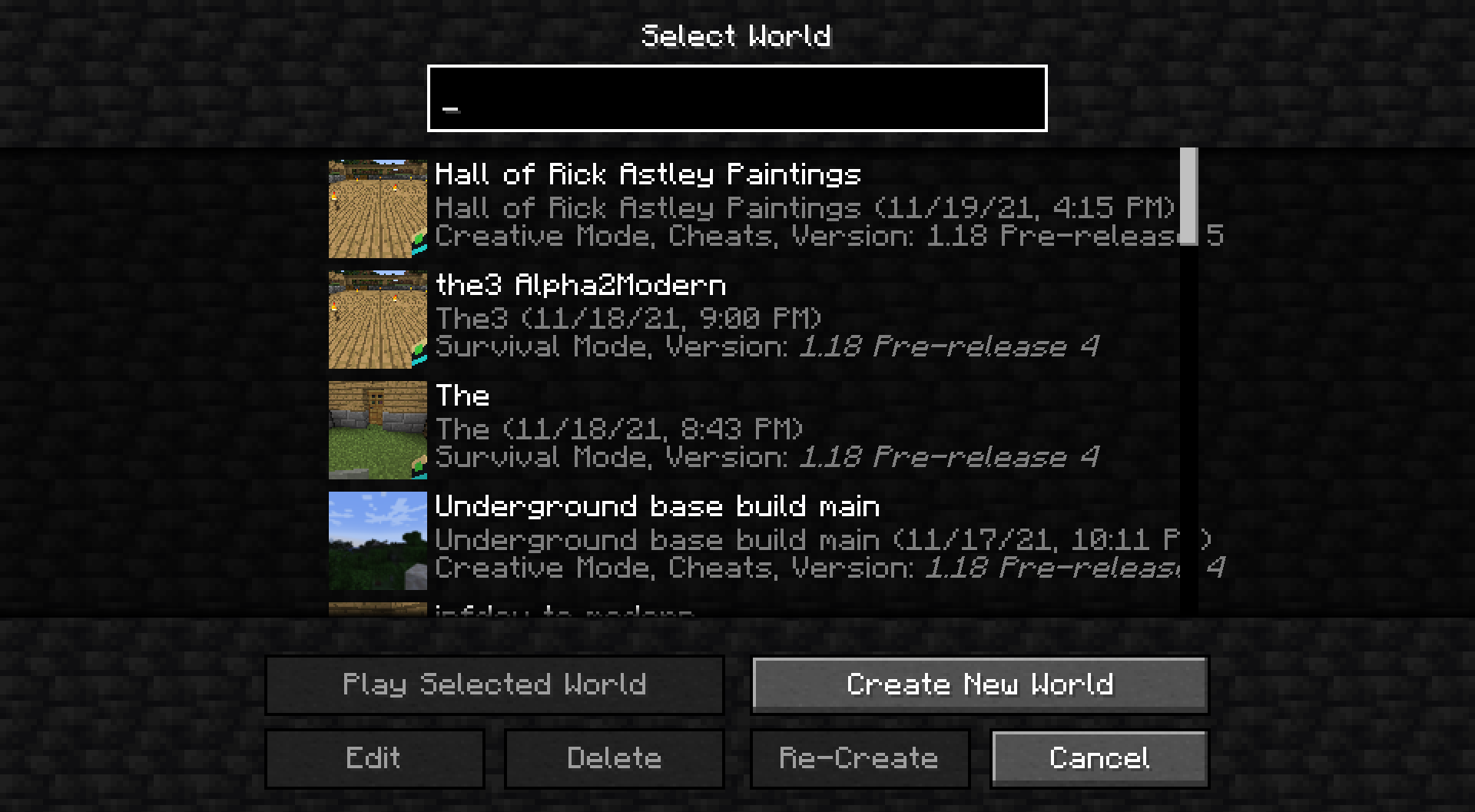


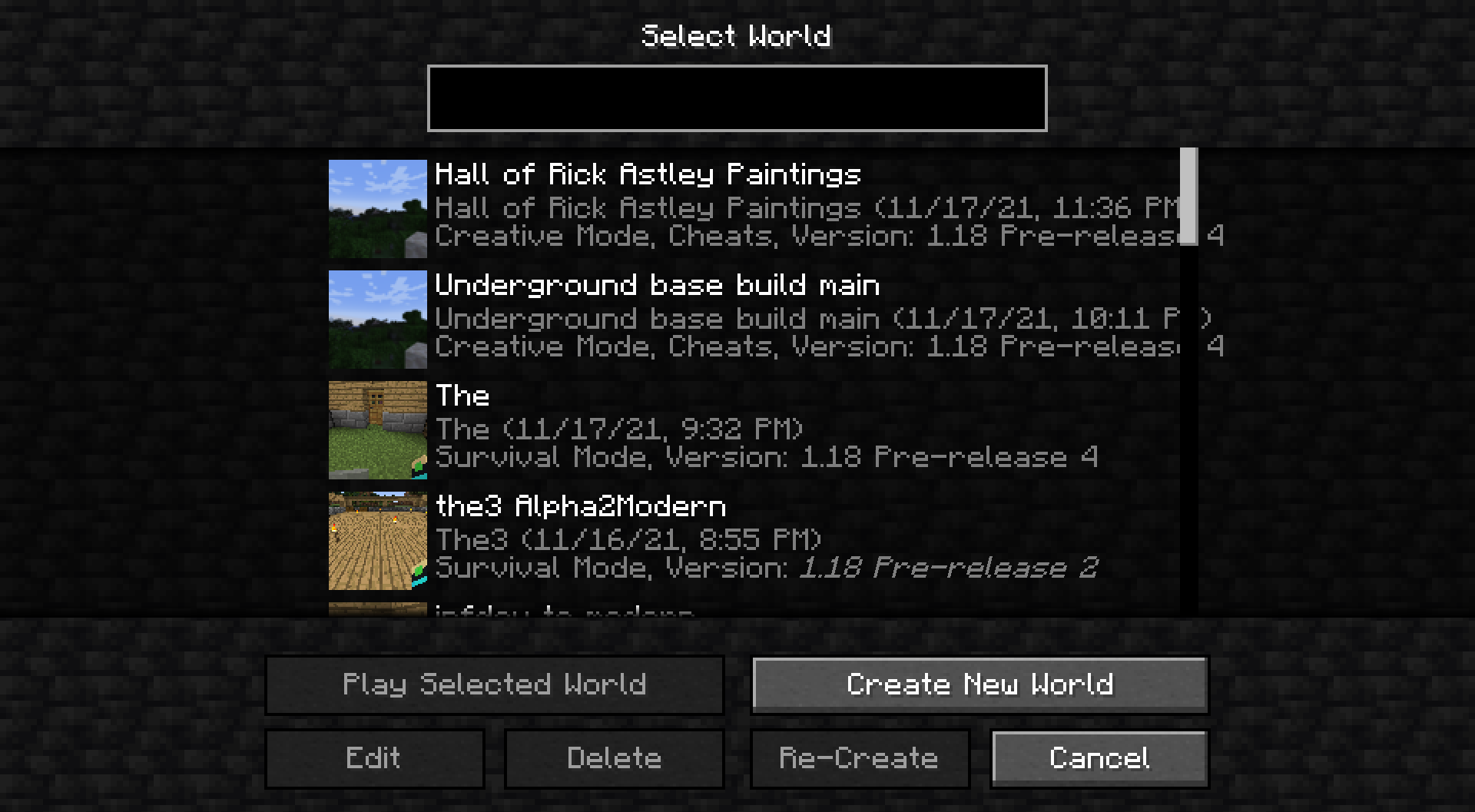
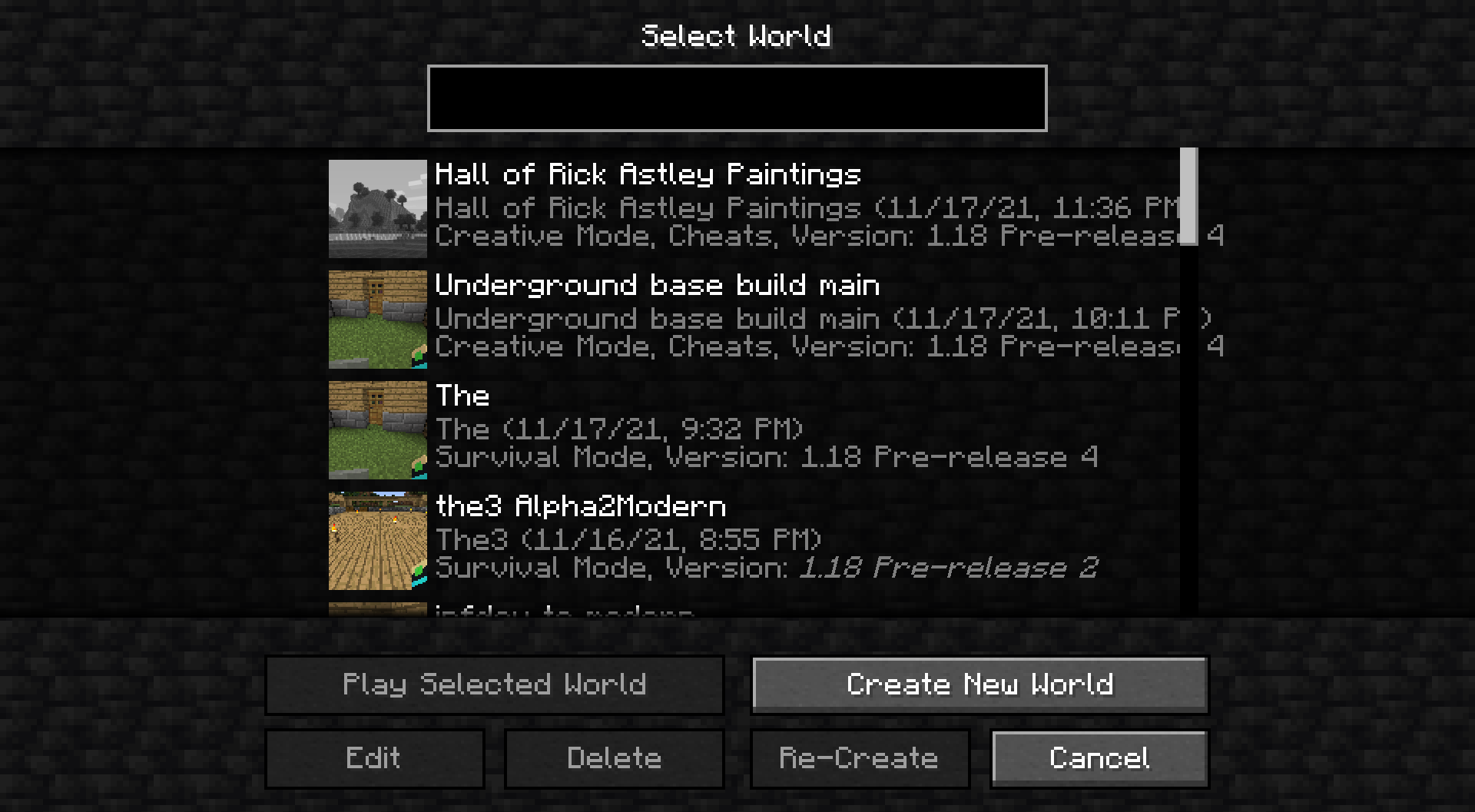
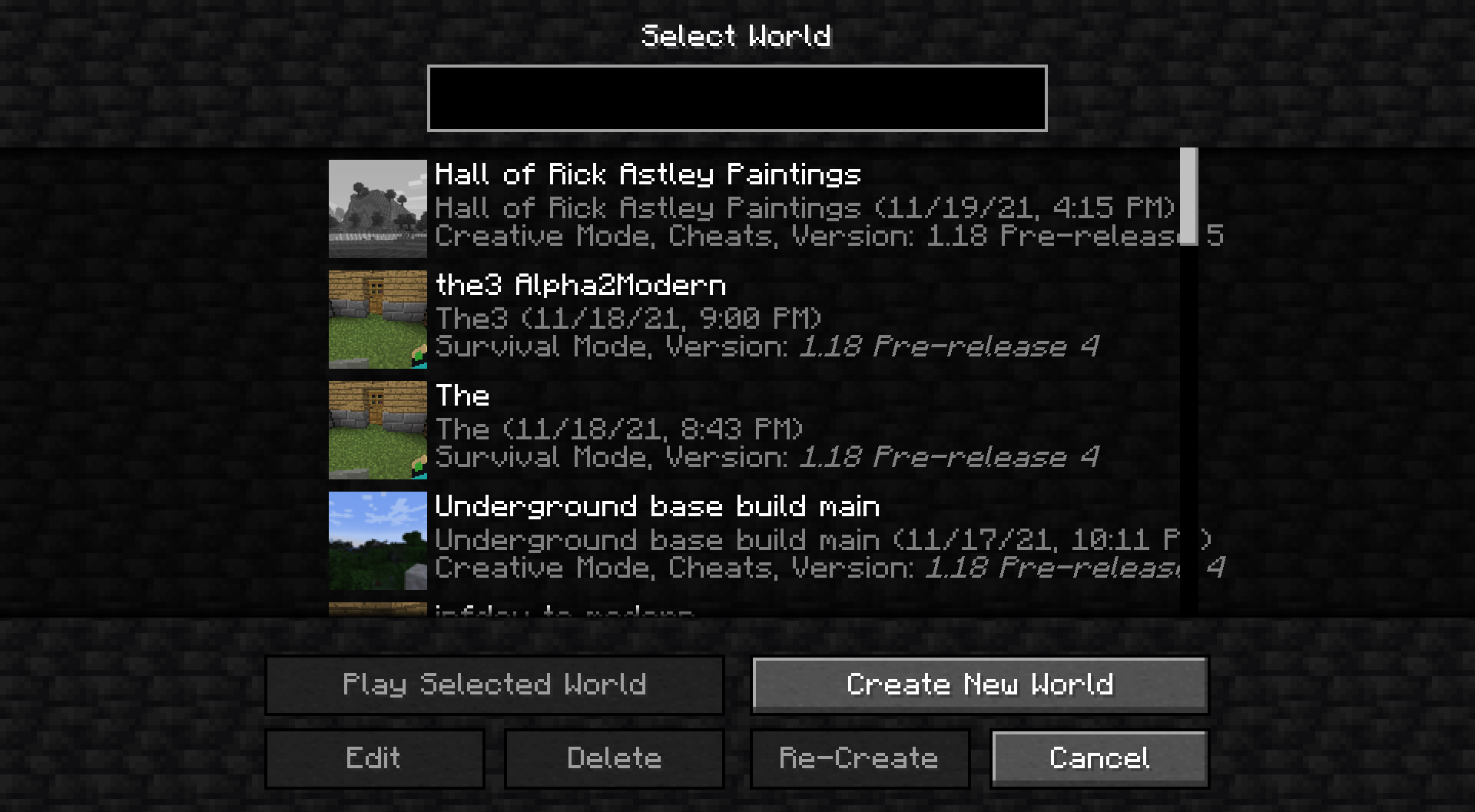
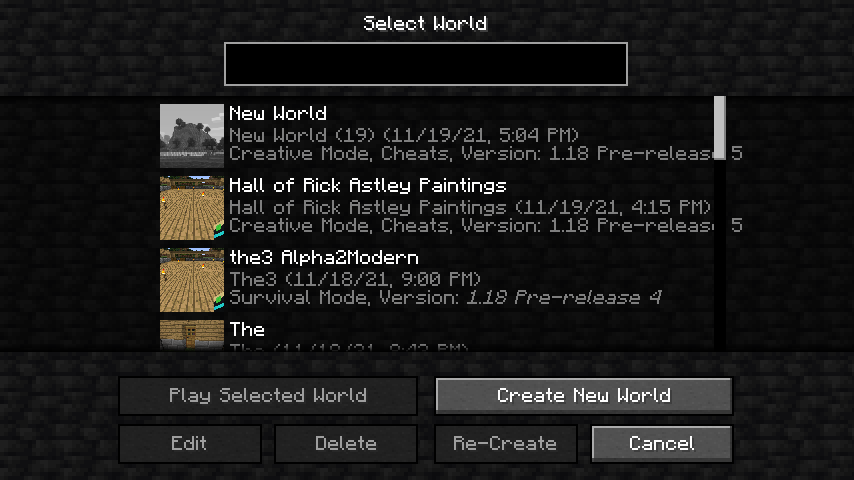

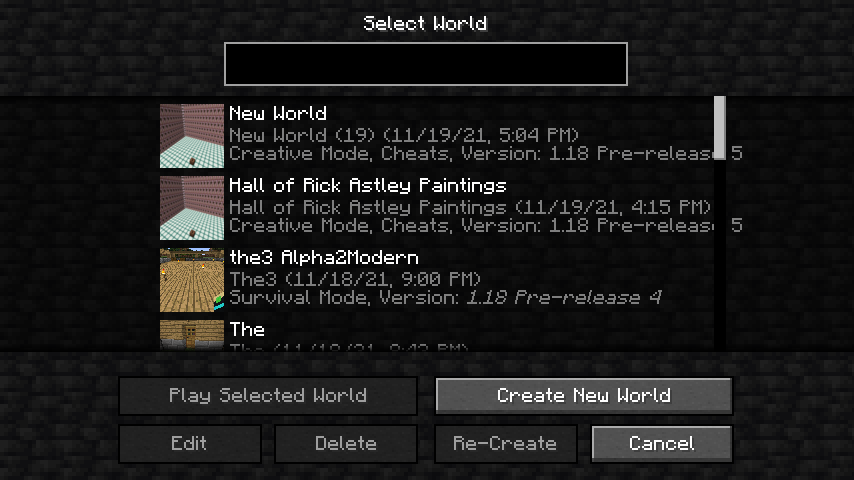

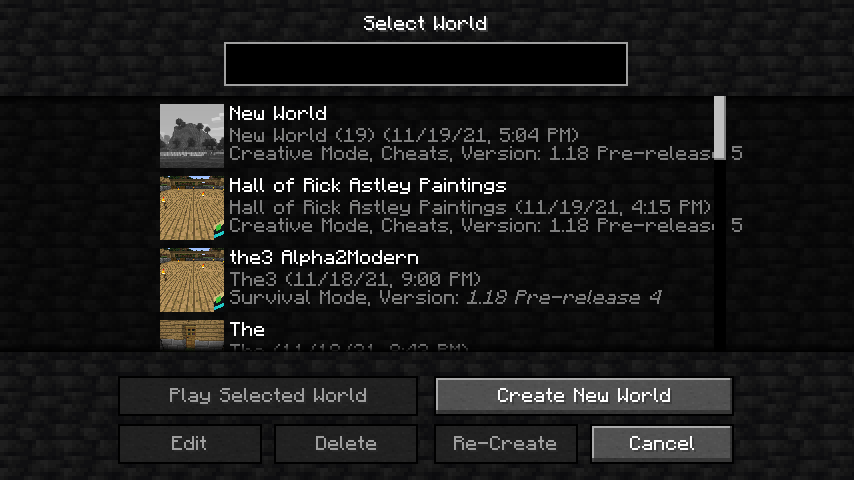
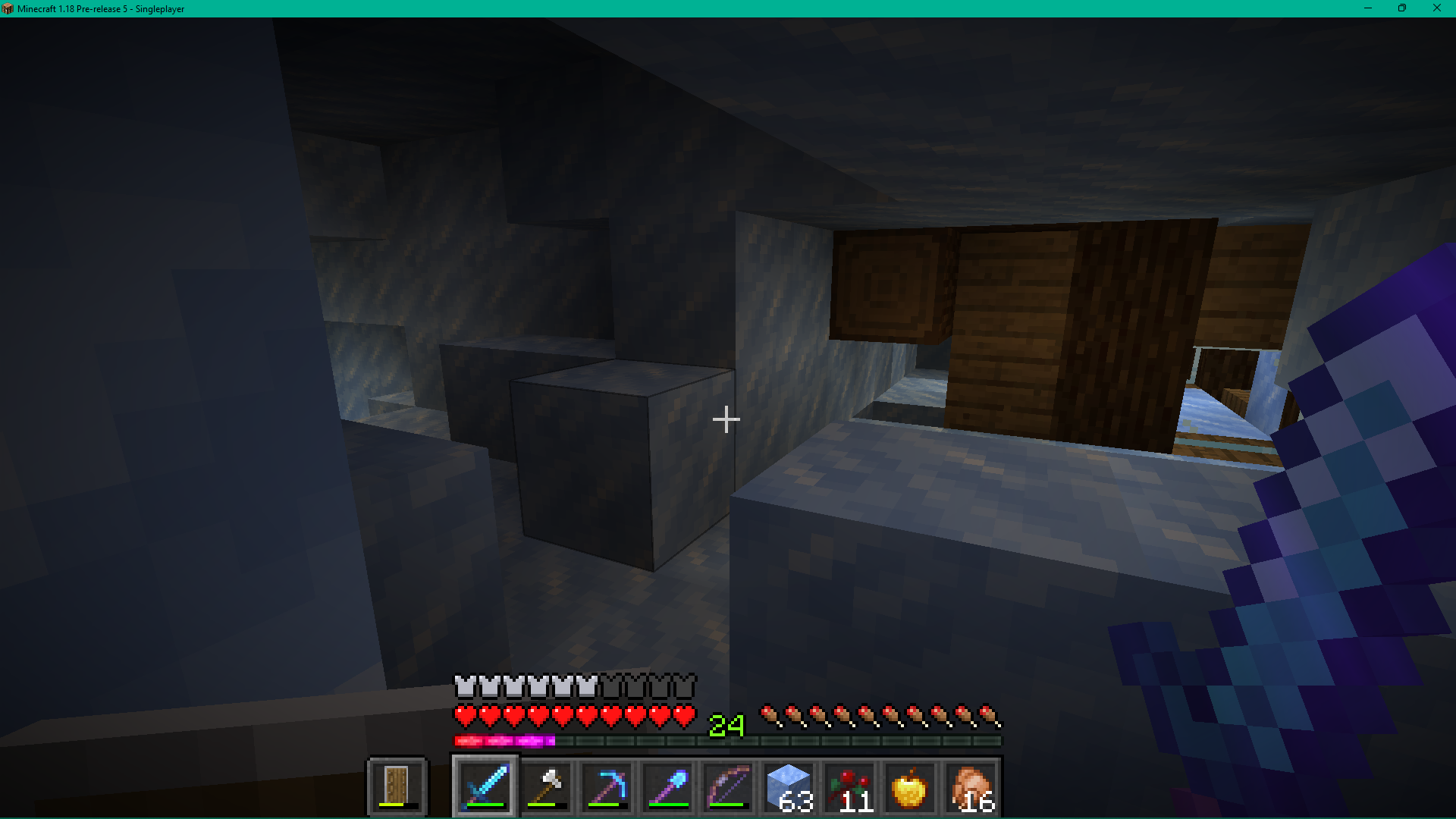


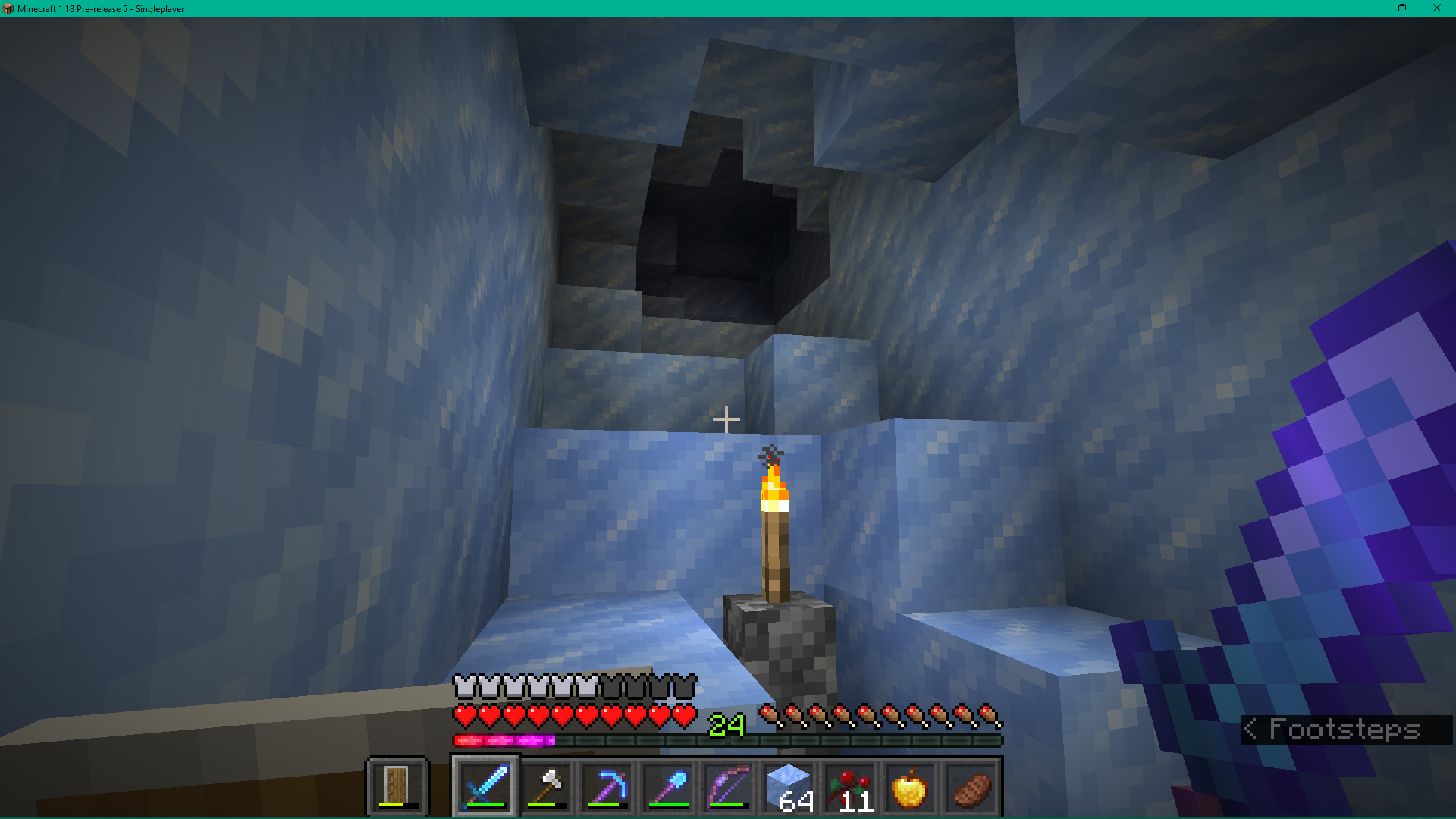



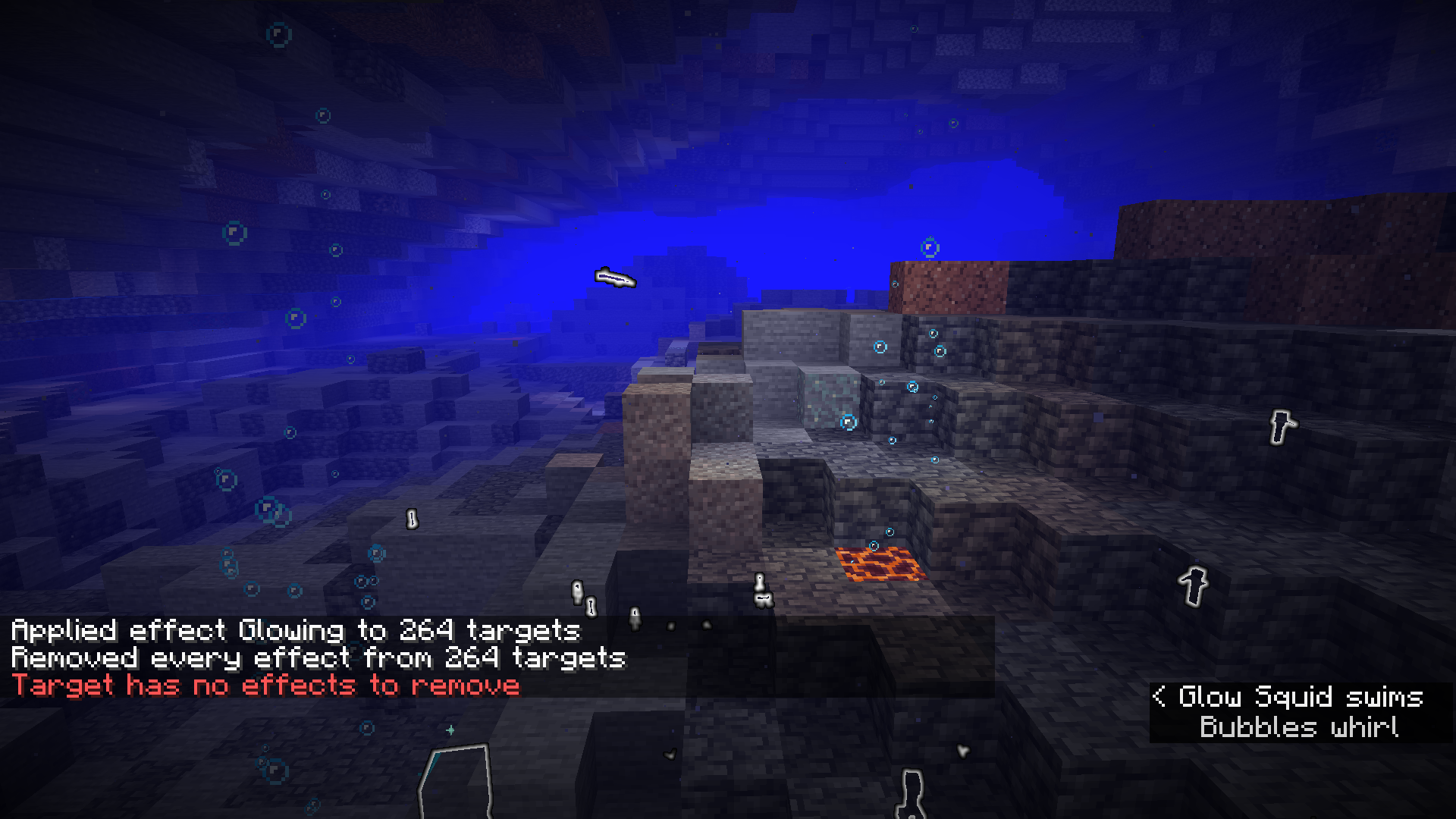
Effects like glowing don't go away sometimes/ever and they still wont be cleared when using /effect clear @e but the game still thinks it is cleared. The glowing effect still stays visible for all entities that had spawned before applying the effect to them.
What I expected to happen was...:
After waiting several minutes for the glowing effect to go away, I used /effect clear @e, and I expected the glowing effect to disappear visually.What actually happened was...:
The game thinks the effect is gone but I can still see the glowing effect. However the particles disappeared.Steps to Reproduce:
1. Open a singleplayer world in creative mode. (I also put keep inventory to true before generating it.
2. Apply glowing effect to all entities or only specific entities like glow squids or axolotls.
3. wait more than 30 seconds for the effect to go away and see that it doesn't (if it does try again)
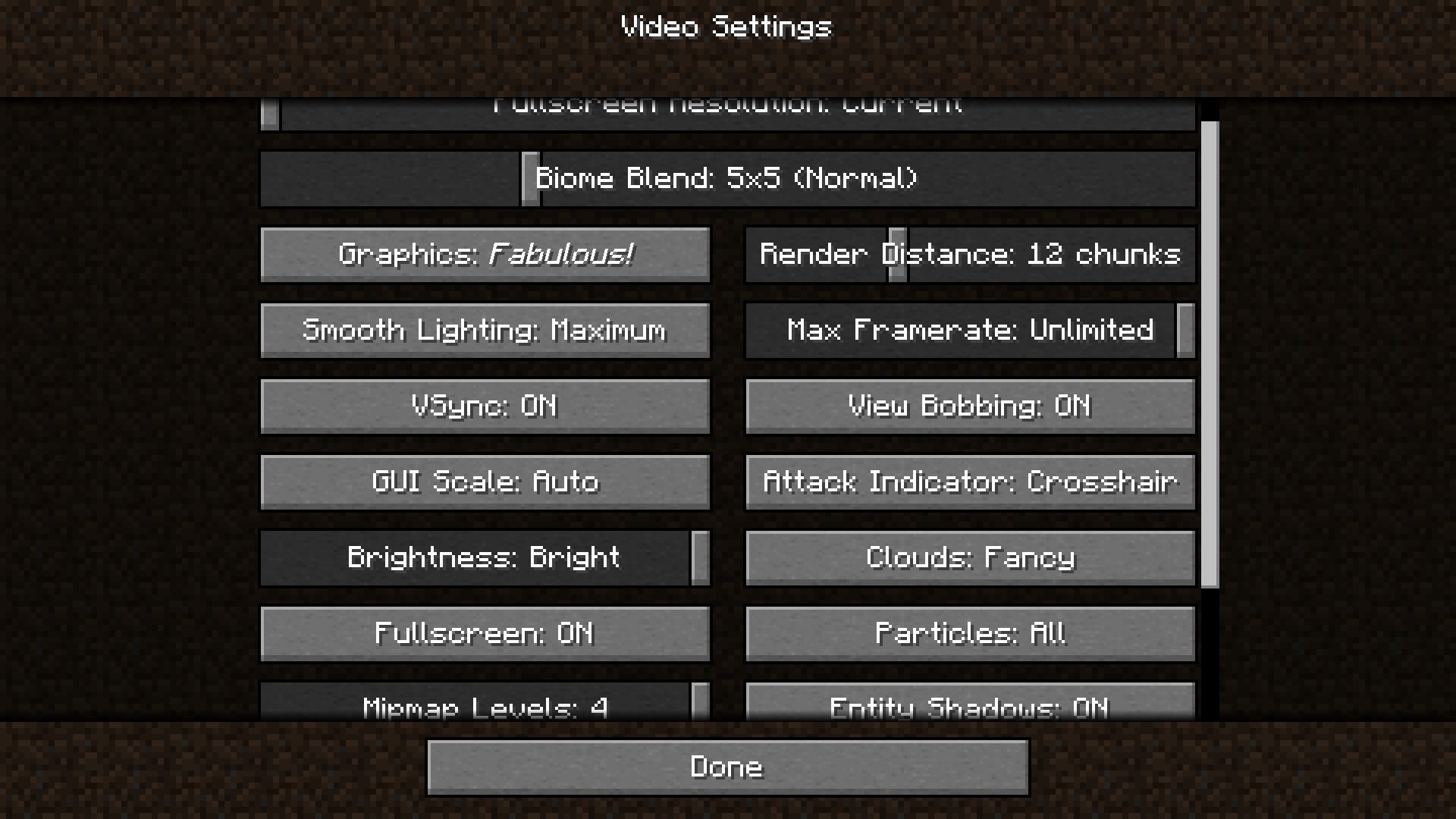
4. type /effect clear @e and it will say it removed all effects from x amount of entities but they are still glowing. use the same command again and it says there are no effects to remove.Some exact settings that might effect the bug (but I honestly have no idea and doubt it would) I have are smooth lighting on maximum and graphics at "fabulous!". more of my Video Settings are attached as a screenshot.
edit: I changed a bit of text because the particles also go away, I think this only applies to the glowing effect.
Effects such as glowing don'tevergo away even when clearing them with /effect clear @eEffects such as glowing don't visually go away even when clearing them with /effect clear @e
Effects like glowing don't go away sometimes/ever and they still wont be cleared when using /effect clear @e but the game still thinks it is cleared. The glowing effect still stays visible for all entities that had spawned before applying the effect to them.
What I expected to happen was...:
After waiting several minutes for the glowing effect to go away, I used /effect clear @e, and I expected the glowing effect to disappear visually.What actually happened was...:
The game thinks the effect is gone but I can still see the glowing effect. However the particles disappeared.Steps to Reproduce:
1. Open a singleplayer world in creative mode. (I also put keep inventory to true before generating it.
2. Apply glowing effect to all entities or only specific entities like glow squids or axolotls.
3. wait more than 30 seconds for the effect to go away and see that it doesn't (if it does try again)
4. type /effect clear @e and it will say it removed all effects from x amount of entities but they are still glowing. use the same command again and it says there are no effects to remove.Some exact settings that might effect the bug (but I honestly have no idea and doubt it would) I have are smooth lighting on maximum and graphics at "fabulous!". more of my Video Settings are attached as a screenshot.
edit: I changed a bit of text because the particles also go away, I think this bug only applies to the glowing effect.
This has been something I've experienced in many versions, including 1.12 (which is the earliest version I've played other than historical versions from like 2009 that I've tried for fun). When you leave the game open and don't do anything for a long time (for example 5 hours) all sound will disappear even after changing volume settings on both game sound and device sound. The sound comes back after either restarting the game or changing a texture pack. I haver no Idea if this has been reported before but I tend to experience this often when going afk in servers, singleplayer in pause menu, or the title screen.
What I expected to happen was...:
Everything would be normal and sound would never stop working.What actually happened was...:
All sounds of any kind stop working after a long time of having the game open.Steps to Reproduce:
1. Open the game in full screen(it probably still does this in windowed but I always play in full screen) and leave it running for a few hours (try between 3 and 6 hours). Don't do anything in the game during this time
2. Come back and try making sounds by clicking things or making sounds such as footsteps or block breaking in a world/server. There should be no sound if you have waited long enough.
3. If there is no sound change texture packs by taking off, putting on, or swapping any texture pack. The sound will work again.
Note: I actually don't think I have experienced this in 21w13a yet but I have in other very recent snapshots and I haven't been afk long enough to experience this yet in 21w13a
- This has been something I've experienced in many versions, including 1.12 (which is the earliest version I've played other than historical versions from like 2009 that I've tried for fun). When you leave the game open and don't do anything for a long time (for example 5 hours) all sound will disappear even after changing volume settings on both game sound and device sound. The sound comes back after either restarting the game or changing a texture pack. I haver no Idea if this has been reported before but I tend to experience this often when going afk in servers, singleplayer in pause menu, or the title screen.
What I expected to happen was...:
Everything would be normal and sound would never stop working.What actually happened was...:
All sounds of any kind stop working after a long time of having the game open.Steps to Reproduce:
1. Open the game in full screen(it probably still does this in windowed but I always play in full screen) and leave it running for a few hours (try between 3 and 6 hours). Don't do anything in the game during this time
2. Come back and try making sounds by clicking things or making sounds such as footsteps or block breaking in a world/server. There should be no sound if you have waited long enough.
3. If there is no sound change texture packs by taking off, putting on, or swapping any texture pack. The sound will work again.
Note: I actually don't think I have experienced this in 21w13a yet but I have in other very recent snapshots and I haven't been afk long enough to experience this yet in 21w13a
- This has been something I've experienced in many versions, including 1.12 (which is the earliest version I've played other than historical versions from like 2009 that I've tried for fun). When you leave the game open and don't do anything for a long time (for example 5 hours) all sound will disappear even after changing volume settings on both game sound and device sound. The sound comes back after either restarting the game or changing a texture pack. I haver no Idea if this has been reported before but I tend to experience this often when going afk in servers, singleplayer in pause menu, or the title screen.
What I expected to happen was...:
Everything would be normal and sound would never stop working.What actually happened was...:
All sounds of any kind stop working after a long time of having the game open.Steps to Reproduce:
1. Open the game in full screen(it probably still does this in windowed but I always play in full screen) and leave it running for a few hours (try between 3 and 6 hours). Don't do anything in the game during this time
2. Come back and try making sounds by clicking things or making sounds such as footsteps or block breaking in a world/server. There should be no sound if you have waited long enough.
3. If there is no sound change texture packs by taking off, putting on, or swapping any texture pack. The sound will work again.
Note: I actually don't think I have experienced this in 21w13a yet but I have in other very recent snapshots and I haven't been afk long enough to experience this yet in 21w13a
This has been something I've experienced in many versions, including 1.12 (which is the earliest version I've played other than historical versions from like 2009 that I've tried for fun). When you leave the game open and don't do anything for a long time (for example 5 hours) all sound will disappear even after changing volume settings on both game sound and device sound. The sound comes back after either restarting the game or changing a texture pack. I haver no Idea if this has been reported before but I tend to experience this often when going afk in servers, singleplayer in pause menu, or the title screen.
What I expected to happen was...:
Everything would be normal and sound would never stop working.What actually happened was...:
All sounds of any kind stop working after a long time of having the game open.Steps to Reproduce:
1. Open the game in full screen(it probably still does this in windowed but I always play in full screen) and leave it running for a few hours (try between 3 and 6 hours). Don't do anything in the game during this time
2. Come back and try making sounds by clicking things or making sounds such as footsteps or block breaking in a world/server. There should be no sound if you have waited long enough.
3. If there is no sound change texture packs by taking off, putting on, or swapping any texture pack. The sound will work again.
Note: I actually don't think I have experienced this in 21w13a yet but I have in other very recent snapshots and I haven't been afk long enough to experience this yet in 21w13a
This has been something I've experienced in many versions, including 1.12 (which is the earliest version I've played other than historical versions from like 2009 that I've tried for fun). When you leave the game open and don't do anything for a long time (for example 5 hours) all sound will disappear even after changing volume settings on both game sound and device sound. The sound comes back after either restarting the game or changing a texture pack. I haver no Idea if this has been reported before but I tend to experience this often when going afk in servers, singleplayer in pause menu, or the title screen.
What I expected to happen was...:
Everything would be normal and sound would never stop working.What actually happened was...:
All sounds of any kind stop working after a long time of having the game open.Steps to Reproduce:
1. Open the game in full screen(it probably still does this in windowed but I always play in full screen) and leave it running for a few hours (try between 3 and 6 hours). Don't do anything in the game during this time
2. Come back and try making sounds by clicking things or making sounds such as footsteps or block breaking in a world/server. There should be no sound if you have waited long enough.
3. If there is no sound change texture packs by taking off, putting on, or swapping any texture pack. The sound will work again.
Note: I actually don't think I have experienced this in 21w13a yet but I have in other very recent snapshots and I haven't been afk long enough to experience this yet in 21w13a
This has been something I've experienced in many versions, including 1.12 (which is the earliest version I've played other than historical versions from like 2009 that I've tried for fun). When you leave the game open and don't do anything for a long time (for example 5 hours) all sound will disappear even after changing volume settings on both game sound and device sound. The sound comes back after either restarting the game or changing a texture pack. I haver no Idea if this has been reported before but I tend to experience this often when going afk in servers, singleplayer in pause menu, or the title screen.
What I expected to happen was...:
Everything would be normal and sound would never stop working.What actually happened was...:
All sounds of any kind stop working after a long time of having the game open.Steps to Reproduce:
1. Open the game in full screen(it probably still does this in windowed but I always play in full screen) and leave it running for a few hours (try between 3 and 6 hours). Don't do anything in the game during this time
2. Come back and try making sounds by clicking things or making sounds such as footsteps or block breaking in a world/server. There should be no sound if you have waited long enough.
3. If there is no sound change texture packs by taking off, putting on, or swapping any texture pack. The sound will work again.
This has been something I've experienced in many versions, including 1.12 (which is the earliest version I've played other than historical versions from like 2009 that I've tried for fun). When you leave the game open and don't do anything for a long time (for example 5 hours) all sound will disappear even after changing volume settings on both game sound and device sound. The sound comes back after either restarting the game or changing a texture pack. I haver no Idea if this has been reported before but I tend to experience this often when going afk in servers, singleplayer in pause menu, or the title screen.
What I expected to happen was...:
Everything would be normal and sound would never stop working.What actually happened was...:
All sounds of any kind stop working after a long time of having the game open.Steps to Reproduce:
1. Open the game in full screen(it probably still does this in windowed but I always play in full screen) and leave it running for a few hours (try between 3 and 6 hours). Don't do anything in the game during this time
2. Come back and try making sounds by clicking things or making sounds such as footsteps or block breaking in a world/server. There should be no sound if you have waited long enough.
3. If there is no sound change texture packs by taking off, putting on, or swapping any texture pack. The sound will work again.
This has been something I've experienced in many versions, including 1.12 (which is the earliest version I've played other than historical versions from like 2009 that I've tried for fun). When you leave the game open and don't do anything for a long time (for example 5 hours) all sound will disappear even after changing volume settings on both game sound and device sound. The sound comes back after either restarting the game or changing a texture pack. I haver no Idea if this has been reported before but I tend to experience this often when going afk in servers, singleplayer in pause menu, or the title screen.
What I expected to happen was...:
Everything would be normal and sound would never stop working.What actually happened was...:
All sounds of any kind stop working after a long time of having the game open.Steps to Reproduce:
1. Open the game in full screen(it probably still does this in windowed but I always play in full screen) and leave it running for a few hours (try between3and 6 hours). Don't do anything in the game during this time
2. Come back and try making sounds by clicking things or making sounds such as footsteps or block breaking in a world/server. There should be no sound if you have waited long enough.
3. If there is no sound change texture packs by taking off, putting on, or swapping any texture pack. The sound will work again.
This has been something I've experienced in many versions, including 1.12 (which is the earliest version I've played other than historical versions from like 2009 that I've tried for fun). When you leave the game open and don't do anything for a long time (for example 5 hours) all sound will disappear even after changing volume settings on both game sound and device sound. The sound comes back after either restarting the game or changing a texture pack. I haver no Idea if this has been reported before but I tend to experience this often when going afk in servers, singleplayer in pause menu, or the title screen.
What I expected to happen was...:
Everything would be normal and sound would never stop working.What actually happened was...:
All sounds of any kind stop working after a long time of having the game open.Steps to Reproduce:
1. Open the game in full screen(it probably still does this in windowed but I always play in full screen) and leave it running for a few hours (try between 1 and 6 hours). Don't do anything in the game during this time
2. Come back and try making sounds by clicking things or making sounds such as footsteps or block breaking in a world/server. There should be no sound if you have waited long enough.
3. If there is no sound change texture packs by taking off, putting on, or swapping any texture pack. The sound will work again.
This has been something I've experienced in many versions, including 1.12 (which is the earliest version I've played other than historical versions from like 2009 that I've tried for fun). When you leave the game open and don't do anything for a long time (for example 5 hours) all sound will disappear even after changing volume settings on both game sound and device sound. The sound comes back after either restarting the game or changing a texture pack. I haver no Idea if this has been reported before but I tend to experience this often when going afk in servers, singleplayer in pause menu, or the title screen.
What I expected to happen was...:
Everything would be normal and sound would never stop working.What actually happened was...:
All sounds of any kind stop working after a long time of having the game open.Steps to Reproduce:
1. Open the game in full screen(it probably still does this in windowed but I always play in full screen) and leave it running for a few hours (try between 1 and 6 hours). Don't do anything in the game during this time
2. Come back and try making sounds by clicking things or making sounds such as footsteps or block breaking in a world/server. There should be no sound if you have waited long enough.
3. If there is no sound, change texture packs by taking off, putting on, or swapping any texture pack. Or f3+t to reload texture packs. The sound will work again.
This has been something I've experienced in many versions, including 1.12 (which is the earliest version I've played other than historical versions from like 2009 that I've tried for fun). When you leave the game open and don't do anything for a long time (for example 5 hours) all sound will disappear even after changing volume settings on both game sound and device sound. The sound comes back after either restarting the game or changing a texture pack. I haver no Idea if this has been reported before but I tend to experience this often when going afk in servers, singleplayer in pause menu, or the title screen.
This usually happens when I turn in game sound to 0% via the music and sounds menu, go afk for a few hours, come back and set in game volume to 100% but find it not working. I have tested for 1.17.1 but not the latest snapshot yet.
What I expected to happen was...:
Everything would be normal and sound would never stop working.What actually happened was...:
All sounds of any kind stop working after a long time of having the game open.Steps to Reproduce:
1. Open the game in full screen(it probably still does this in windowed but I always play in full screen) and leave it running for a few hours (try between 1 and 6 hours). Don't do anything in the game during this time
2. Come back and try making sounds by clicking things or making sounds such as footsteps or block breaking in a world/server. There should be no sound if you have waited long enough.
3. If there is no sound, change texture packs by taking off, putting on, or swapping any texture pack. Or f3+t to reload texture packs. The sound will work again.
This has been something I've experienced in many versions, including 1.12 (which is the earliest version I've played other than historical versions from like 2009 that I've tried for fun). When you leave the game open and don't do anything for a long time (for example 5 hours) all sound will disappear even after changing volume settings on both game sound and device sound. The sound comes back after either restarting the game or changing a texture pack. I haver no Idea if this has been reported before but I tend to experience this often when going afk in servers, singleplayer in pause menu, or the title screen.
This usually happens when I turn in game sound to 0% via the music and sounds menu, go afk for a few hours, come back and set in game volume to 100% but find it not working.
I have tested for 1.17.1 but not the latestsnapshotyet.What I expected to happen was...:
Everything would be normal and sound would never stop working.What actually happened was...:
All sounds of any kind stop working after a long time of having the game open.Steps to Reproduce:
1. Open the game in full screen(it probably still does this in windowed but I always play in full screen) and leave it running for a few hours (try between 1 and 6 hours). Don't do anything in the game during this time
2. Come back and try making sounds by clicking things or making sounds such as footsteps or block breaking in a world/server. There should be no sound if you have waited long enough.
3. If there is no sound, change texture packs by taking off, putting on, or swapping any texture pack. Or f3+t to reload texture packs. The sound will work again.
This has been something I've experienced in many versions, including 1.12 (which is the earliest version I've played other than historical versions from like 2009 that I've tried for fun). When you leave the game open and don't do anything for a long time (for example 5 hours) all sound will disappear even after changing volume settings on both game sound and device sound. The sound comes back after either restarting the game or changing a texture pack. I haver no Idea if this has been reported before but I tend to experience this often when going afk in servers, singleplayer in pause menu, or the title screen.
This usually happens when I turn in game sound to 0% via the music and sounds menu, go afk for a few hours, come back and set in game volume to 100% but find it not working. This is resolved in 1.18 as the new sound device toggle setting is in these snapshots.
What I expected to happen was...:
Everything would be normal and sound would never stop working.What actually happened was...:
All sounds of any kind stop working after a long time of having the game open.Steps to Reproduce:
1. Open the game in full screen(it probably still does this in windowed but I always play in full screen) and leave it running for a few hours (try between 1 and 6 hours). Don't do anything in the game during this time
2. Come back and try making sounds by clicking things or making sounds such as footsteps or block breaking in a world/server. There should be no sound if you have waited long enough.
3. If there is no sound, change texture packs by taking off, putting on, or swapping any texture pack. Or f3+t to reload texture packs. The sound will work again.
on a multiplayer vanilla server, you cannot smelt anything with any furnace. In singleplayer mode, you can smelt.
What I expected to happen was:
The furnace would smelt the items I put in it.What actually happened was:
Nothing. The furnace would not smelt items and wouldn't put the ingredients in when I used the crafting/smelting menu.Steps to Reproduce:
1. Download and run a multiplayer server on 21w14a. Join the server.
2. Try to smelt something such as raw meat or raw iron. It wont smelt.
3. Repeat in singleplayer mode. It will smelt.
edit: its a different bug than I thought and its actually most likely
on a multiplayer vanilla server, you cannot smelt anything with any furnace. In singleplayer mode, you can smelt.
What I expected to happen was:
The furnace would smelt the items I put in it.What actually happened was:
Nothing. The furnace would not smelt items and wouldn't put the ingredients in when I used the crafting/smelting menu.Steps to Reproduce:
1. Download and run a multiplayer server on 21w14a. Join the server.
2. Try to smelt something such as raw meat or raw iron. It wont smelt.
3. Repeat in singleplayer mode. It will smelt.
edit: its a different bug than I thought and its actually most likely
on a multiplayer vanilla server, you cannot smelt anything with any furnace. In singleplayer mode, you can smelt.
What I expected to happen was:
The furnace would smelt the items I put in it.What actually happened was:
Nothing. The furnace would not smelt items and wouldn't put the ingredients in when I used the crafting/smelting menu.Steps to Reproduce:
1. Download and run a multiplayer server on 21w14a. Join the server.
2. Try to smelt something such as raw meat or raw iron. It wont smelt.
3. Repeat in singleplayer mode. It will smelt.
edit: its a different bug than I thought and its actually most likely MC-215909 as I restarted the server and smelting works again.
on a multiplayer vanilla server, you cannot smelt anything with any furnace. In singleplayer mode, you can smelt.
What I expected to happen was:
The furnace would smelt the items I put in it.What actually happened was:
Nothing. The furnace would not smelt items and wouldn't put the ingredients in when I used the crafting/smelting menu.Steps to Reproduce:
1. Download and run a multiplayer server on 21w14a. Join the server.
2. Try to smelt something such as raw meat or raw iron. It wont smelt.
3. Repeat in singleplayer mode. It will smelt.
edit: its a different bug than I thought and its actually most likely
MC-215909as I restarted the server and smelting works again.on a multiplayer vanilla server, you cannot smelt anything with any furnace. In singleplayer mode, you can smelt.
What I expected to happen was:
The furnace would smelt the items I put in it.What actually happened was:
Nothing. The furnace would not smelt items and wouldn't put the ingredients in when I used the crafting/smelting menu.Steps to Reproduce:
1. Download and run a multiplayer server on 21w14a. Join the server.
2. Try to smelt something such as raw meat or raw iron. It wont smelt.
3. Repeat in singleplayer mode. It will smelt.
edit: its a different bug than I thought and its actually most likely
MC-215909as I restarted the server and smelting works again.
When I try to record, stream or just have OBS Studio open(which is a recording/streaming software) in this snapshot, the game lags, but not exactly lag. The screen occasionally freezes for a short time and when you die and respawn, it stays frozen for a long time. This problem has slowly gotten more frequent for me to the point where it freezes every 1 to 15 seconds and I rage quit my live stream. I have tested and it does not do this in 1.16 and I have not experienced it at all until I played in the latest snapshot (21w16a) This bug makes it very annoying to record/stream and I even tried reinstalling OBS Studio. (I did not reinstall minecraft because A, It only effects this version and B, I don't know how long it takes to reinstall minecraft or even how. ) It also seems to do this more when I move faster.
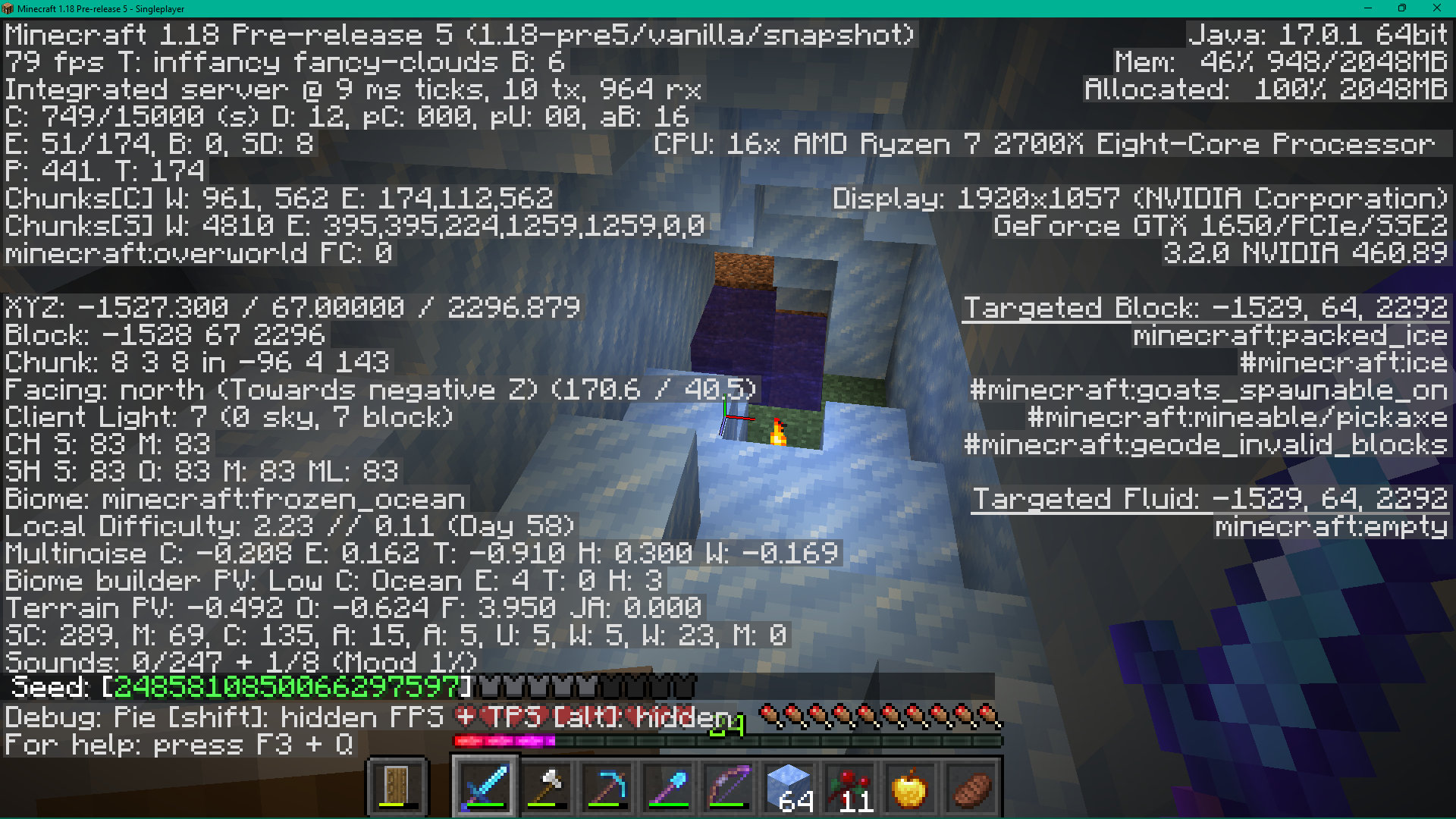
I don't know what other programs cause this or if its actually related to RAM or Memory usage, but I'll put everything for environment in this screenshot attachment of F3 mode, because that's the only place I can find that actually gives me most of my PC specs. (in the screenshot the terrain generation is not a bug, its from attaching the caves and cliffs data pack to a world right after generating it[very interesting] )
To see the lag this creates it is shown on my recent live streams on my YouTube channel, here is a link to one of them. https://youtu.be/j4qgcNKZ7W8?t=608 watch on low volume or muted if you care for your ears(I like to say stuff near the mic and it gets loud) just a quick warning
Steps to Reproduce:
1. Download and Open OBS Studio.
2. Open minecraft version 21w16a And play minecraft.
3. Repeat in other versions and it should not do this.hopefully you guys can reproduce this and fix it but if you cant reproduce this I guess I'll have to try reinstalling minecraft, thanks in advance
When I try to record, stream or just have OBS Studio open(which is a recording/streaming software) in this snapshot, the game lags, but not exactly lag. The screen occasionally freezes for a short time and when you die and respawn, it stays frozen for a long time. This problem has slowly gotten more frequent for me to the point where it freezes every 1 to 15 seconds and I rage quit my live stream. I have tested and it does not do this in 1.16 and I have not experienced it at all until I played in the latest snapshot (21w16a) This bug makes it very annoying to record/stream and I even tried reinstalling OBS Studio. (I did not reinstall minecraft because A, It only effects this version and B, I don't know how long it takes to reinstall minecraft or even how. ) It also seems to do this more when I move faster.
I don't know what other programs cause this or if its actually related to RAM or Memory usage, but I'll put everything for environment in a screenshot attachment of F3 mode, because that's the only place I can find that actually gives me most of my PC specs. (in the screenshot the terrain generation is not a bug, its from attaching the caves and cliffs data pack to a world right after generating it[very interesting] )
To see the lag this creates it is shown on my recent live streams on my YouTube channel, here is a link to one of them. https://youtu.be/j4qgcNKZ7W8?t=608 watch on low volume or muted if you care for your ears(I like to say stuff near the mic and it gets loud) just a quick warning
Steps to Reproduce:
1. Download and Open OBS Studio.
2. Open minecraft version 21w16a And play minecraft.
3. Repeat in other versions and it should not do this.hopefully you guys can reproduce this and fix it but if you cant reproduce this I guess I'll have to try reinstalling minecraft, thanks in advance
When I try to record, stream or just have OBS Studio open(which is a recording/streaming software) in this snapshot, the game lags, but not exactly lag. The screen occasionally freezes for a short time and when you die and respawn, it stays frozen for a long time. This problem has slowly gotten more frequent for me to the point where it freezes every 1 to 15 seconds and I rage quit my live stream. I have tested and it does not do this in 1.16 and I have not experienced it at all until I played in the latest snapshot (21w16a) This bug makes it very annoying to record/stream and I even tried reinstalling OBS Studio. (I did not reinstall minecraft because A, It only effects this version and B, I don't know how long it takes to reinstall minecraft or even how. ) It also seems to do this more when I move faster.
I don't know what other programs cause this or if its actually related to RAM or Memory usage, but I'll put everything for environment in
a screenshot attachment of F3 mode, because that's the only place I can find that actually gives me most of my PC specs. (in the screenshot the terrain generation is not a bug, its from attaching the caves and cliffs data pack to a world right after generating it[very interesting])
To see the lag this creates it is shown on my recent live streams on my YouTube channel, here is a link to one of them. https://youtu.be/j4qgcNKZ7W8?t=608 watch on low volume or muted if you care for your ears(I like to say stuff near the mic and it gets loud) just a quick warning
Steps to Reproduce:
1. Download and Open OBS Studio.
2. Open minecraft version 21w16a And play minecraft.
3. Repeat in other versions and it should not do this.hopefully you guys can reproduce this and fix it but if you cant reproduce this I guess I'll have to try reinstalling minecraft, thanks in advance
When I try to record, stream or just have OBS Studio open(which is a recording/streaming software) in this snapshot, the game lags, but not exactly lag. The screen occasionally freezes for a short time and when you die and respawn, it stays frozen for a long time. This problem has slowly gotten more frequent for me to the point where it freezes every 1 to 15 seconds and I rage quit my live stream. I have tested and it does not do this in 1.16 and I have not experienced it at all until I played in the latest snapshot (21w16a) This bug makes it very annoying to record/stream and I even tried reinstalling OBS Studio. (I did not reinstall minecraft because A, It only effects this version and B, I don't know how long it takes to reinstall minecraft or even how. ) It also seems to do this more when I move faster.
I don't know what other programs cause this or if its actually related to RAM or Memory usage, but I'll put everything for environment in this screenshot of F3 mode, because that's the only place I can find that actually gives me most of my PC specs. (in the screenshot the terrain generation is not a bug, its from attaching the caves and cliffs data pack to a world right after generating it[very interesting] )
To see the lag this creates it is shown on my recent live streams on my YouTube channel, here is a link to one of them. https://youtu.be/j4qgcNKZ7W8?t=608 watch on low volume or muted if you care for your ears(I like to say stuff near the mic and it gets loud) just a quick warning
Steps to Reproduce:
1. Download and Open OBS Studio.
2. Open minecraft version 21w16a And play minecraft.
3. Repeat in other versions and it should not do this.hopefully you guys can reproduce this and fix it but if you cant reproduce this I guess I'll have to try reinstalling minecraft, thanks in advance
When I try to record, stream or just have OBS Studio open(which is a recording/streaming software) in this snapshot, the game lags, but not exactly lag. The screen occasionally freezes for a short time and when you die and respawn, it stays frozen for a long time. This problem has slowly gotten more frequent for me to the point where it freezes every 1 to 15 seconds and I rage quit my live stream. I have tested and it does not do this in 1.16 and I have not experienced it at all until I played in the latest snapshot (21w16a) This bug makes it very annoying to record/stream and I even tried reinstalling OBS Studio. (I did not reinstall minecraft because A, It only effects this version and B, I don't know how long it takes to reinstall minecraft or even how. ) It also seems to do this more when I move faster.
I don't know what other programs cause this or if its actually related to RAM or Memory usage, but I'll put everything for environment in
this screenshot of F3 mode, because that's the only place I can find that actually gives me most of my PC specs. (in the screenshot the terrain generation is not a bug, its from attaching the caves and cliffs data pack to a world right after generating it[very interesting] )
To see the lag this creates it is shown on my recent live streams on my YouTube channel, here is a link to one of them. https://youtu.be/j4qgcNKZ7W8?t=608 watch on low volume or muted if you care for your ears(I like to say stuff near the mic and it gets loud) just a quick warning
Steps to Reproduce:
1. Download and Open OBS Studio.
2. Open minecraft version 21w16a And play minecraft.
3. Repeat in other versions and it should not do this.hopefully you guys can reproduce this and fix it but if you cant reproduce this I guess I'll have to try reinstalling minecraft, thanks in advance
When I try to record, stream or just have OBS Studio open(which is a recording/streaming software) in this snapshot, the game lags, but not exactly lag. The screen occasionally freezes for a short time and when you die and respawn, it stays frozen for a long time. This problem has slowly gotten more frequent for me to the point where it freezes every 1 to 15 seconds and I rage quit my live stream. I have tested and it does not do this in 1.16 and I have not experienced it at all until I played in the latest snapshot (21w16a) This bug makes it very annoying to record/stream and I even tried reinstalling OBS Studio. (I did not reinstall minecraft because A, It only effects this version and B, I don't know how long it takes to reinstall minecraft or even how. ) It also seems to do this more when I move faster.
I don't know what other programs cause this or if its actually related to RAM or Memory usage, but I'll put everything for environment in this screenshot of F3 mode, because that's the only place I can find that actually gives me most of my PC specs. (in the screenshot the terrain generation is not a bug, its from attaching the caves and cliffs data pack to a world right after generating it[very interesting] )
To see the lag this creates it is shown on my recent live streams on my YouTube channel, here is a link to one of them. https://youtu.be/j4qgcNKZ7W8?t=608 watch on low volume or muted if you care for your ears(I like to say stuff near the mic and it gets loud) just a quick warning
Steps to Reproduce:
1. Download and Open OBS Studio.
2. Open minecraft version 21w16a And play minecraft.
3. Repeat in other versions and it should not do this.hopefully you guys can reproduce this and fix it but if you cant reproduce this I guess I'll have to try reinstalling minecraft, thanks in advance
When I try to record, stream or just have OBS Studio open(which is a recording/streaming software) in this snapshot, the game lags, but not exactly lag. The screen occasionally freezes for a short time and when you die and respawn, it stays frozen for a long time. This problem has slowly gotten more frequent for me to the point where it freezes every 1 to 15 seconds and I rage quit my live stream. I have tested and it does not do this in 1.16 and I have not experienced it at all until I played in the latest snapshot (21w16a) This bug makes it very annoying to record/stream and I even tried reinstalling OBS Studio. (I did not reinstall minecraft because A, It only effects this version and B, I don't know how long it takes to reinstall minecraft or even how. ) It also seems to do this more when I move faster.
I don't know what other programs cause this or if its actually related to RAM or Memory usage, but I'll put everything for environment in
this screenshotof F3 mode, because that's the only place I can find that actually gives me most of my PC specs. (in the screenshot the terrain generation is not a bug, its from attaching the caves and cliffs data pack to a world right after generating it[very interesting] )
To see the lag this creates it is shown on my recent live streams on my YouTube channel, here is a link to one of them. https://youtu.be/j4qgcNKZ7W8?t=608 watch on low volume or muted if you care for your ears(I like to say stuff near the mic and it gets loud) just a quick warning
Steps to Reproduce:
1. Download and Open OBS Studio.
2. Open minecraft version 21w16a And play minecraft.
3. Repeat in other versions and it should not do this.hopefully you guys can reproduce this and fix it but if you cant reproduce this I guess I'll have to try reinstalling minecraft, thanks in advance
When I try to record, stream or just have OBS Studio open(which is a recording/streaming software) in this snapshot, the game lags, but not exactly lag. The screen occasionally freezes for a short time and when you die and respawn, it stays frozen for a long time. This problem has slowly gotten more frequent for me to the point where it freezes every 1 to 15 seconds and I rage quit my live stream. I have tested and it does not do this in 1.16 and I have not experienced it at all until I played in the latest snapshot (21w16a) This bug makes it very annoying to record/stream and I even tried reinstalling OBS Studio. (I did not reinstall minecraft because A, It only effects this version and B, I don't know how long it takes to reinstall minecraft or even how. ) It also seems to do this more when I move faster.
I don't know what other programs cause this or if its actually related to RAM or Memory usage, but I'll put everything for environment in of F3 mode, because that's the only place I can find that actually gives me most of my PC specs. (in the screenshot the terrain generation is not a bug, its from attaching the caves and cliffs data pack to a world right after generating it[very interesting] )
To see the lag this creates it is shown on my recent live streams on my YouTube channel, here is a link to one of them. https://youtu.be/j4qgcNKZ7W8?t=608 watch on low volume or muted if you care for your ears(I like to say stuff near the mic and it gets loud) just a quick warning
Steps to Reproduce:
1. Download and Open OBS Studio.
2. Open minecraft version 21w16a And play minecraft.
3. Repeat in other versions and it should not do this.hopefully you guys can reproduce this and fix it but if you cant reproduce this I guess I'll have to try reinstalling minecraft, thanks in advance
When I try to record, stream or just have OBS Studio open(which is a recording/streaming software) in this snapshot, the game lags, but not exactly lag. The screen occasionally freezes for a short time and when you die and respawn, it stays frozen for a long time. This problem has slowly gotten more frequent for me to the point where it freezes every 1 to 15 seconds and I rage quit my live stream. I have tested and it does not do this in 1.16 and I have not experienced it at all until I played in the latest snapshot (21w16a) This bug makes it very annoying to record/stream and I even tried reinstalling OBS Studio. (I did not reinstall minecraft because A, It only effects this version and B, I don't know how long it takes to reinstall minecraft or even how. ) It also seems to do this more when I move faster.
I don't know what other programs cause this or if its actually related to RAM or Memory usage, but I'll put everything for environment in
of F3 mode, because that's the only place I can find that actually gives me most of my PC specs. (in the screenshot the terrain generation is not a bug, its from attaching the caves and cliffs data pack to a world right after generating it[very interesting] )
To see the lag this creates it is shown on my recent live streams on my YouTube channel, here is a link to one of them. https://youtu.be/j4qgcNKZ7W8?t=608 watch on low volume or muted if you care for your ears(I like to say stuff near the mic and it gets loud) just a quick warning
Steps to Reproduce:
1. Download and Open OBS Studio.
2. Open minecraft version 21w16a And play minecraft.
3. Repeat in other versions and it should not do this.hopefully you guys can reproduce this and fix it but if you cant reproduce this I guess I'll have to try reinstalling minecraft, thanks in advance
When I try to record, stream or just have OBS Studio open(which is a recording/streaming software) in this snapshot, the game lags, but not exactly lag. The screen occasionally freezes for a short time and when you die and respawn, it stays frozen for a long time. This problem has slowly gotten more frequent for me to the point where it freezes every 1 to 15 seconds and I rage quit my live stream. I have tested and it does not do this in 1.16 and I have not experienced it at all until I played in the latest snapshot (21w16a) This bug makes it very annoying to record/stream and I even tried reinstalling OBS Studio. (I did not reinstall minecraft because A, It only effects this version and B, I don't know how long it takes to reinstall minecraft or even how. ) It also seems to do this more when I move faster.
I don't know what other programs cause this or if its actually related to RAM or Memory usage, but I'll put everything for environment in this screenshot attachment of F3 mode, because that's the only place I can find that actually gives me most of my PC specs. (in the screenshot the terrain generation is not a bug, its from attaching the caves and cliffs data pack to a world right after generating it[very interesting] )
To see the lag this creates it is shown on my recent live streams on my YouTube channel, here is a link to one of them. https://youtu.be/j4qgcNKZ7W8?t=608 watch on low volume or muted if you care for your ears(I like to say stuff near the mic and it gets loud) just a quick warning
Steps to Reproduce:
1. Download and Open OBS Studio.
2. Open minecraft version 21w16a And play minecraft.
3. Repeat in other versions and it should not do this.hopefully you guys can reproduce this and fix it but if you cant reproduce this I guess I'll have to try reinstalling minecraft, thanks in advance
When I try to record, stream or just have OBS Studio open(which is a recording/streaming software) in this snapshot, the game lags, but not exactly lag. The screen occasionally freezes for a short time and when you die and respawn, it stays frozen for a long time. This problem has slowly gotten more frequent for me to the point where it freezes every 1 to 15 seconds and I rage quit my live stream. I have tested and it does not do this in 1.16 and I have not experienced it at all until I played in the latest snapshot (21w16a) This bug makes it very annoying to record/stream and I even tried reinstalling OBS Studio. (I did not reinstall minecraft because A, It only effects this version and B, I don't know how long it takes to reinstall minecraft or even how. ) It also seems to do this more when I move faster.
I don't know what other programs cause this or if its actually related to RAM or Memory usage, but I'll put everything for environment in this screenshot attachment of F3 mode, because that's the only place I can find that actually gives me most of my PC specs. (in the screenshot the terrain generation is not a bug, its from attaching the caves and cliffs data pack to a world right after generating it[very interesting] )
To see the lag this creates it is shown on my recent live streams on my YouTube channel, here is a link to one of them. https://youtu.be/j4qgcNKZ7W8?t=608 watch on low volume or muted if you care for your ears(I like to say stuff near the mic and it gets loud) just a quick warning
Steps to Reproduce:
1. Download and Open OBS Studio.
2. Open minecraft version 21w16a And play minecraft.
3. Repeat in other versions and it should not do this.hopefully you guys can reproduce this and fix it but if you cant reproduce this I guess I'll have to try reinstalling minecraft, thanks in advance
When I try to record, stream or just have OBS Studio open(which is a recording/streaming software) in this snapshot, the game lags, but not exactly lag. The screen occasionally freezes for a short time and when you die and respawn, it stays frozen for a long time. This problem has slowly gotten more frequent for me to the point where it freezes every 1 to 15 seconds and I rage quit my live stream. I have tested and it does not do this in 1.16 and I have not experienced it at all until I played in the latest snapshot (21w16a) This bug makes it very annoying to record/stream and I even tried reinstalling OBS Studio. (I did not reinstall minecraft because A, It only effects this version and B, I don't know how long it takes to reinstall minecraft or even how. ) It also seems to do this more when I move faster.
I don't know what other programs cause this or if its actually related to RAM or Memory usage, but I'll put everything for environment in a screenshot attachment of F3 mode, because that's the only place I can find that actually gives me most of my PC specs. (in the screenshot the terrain generation is not a bug, its from attaching the caves and cliffs data pack to a world right after generating it[very interesting] )
To see the lag this creates it is shown on my recent live streams on my YouTube channel, here is a link to one of them. https://youtu.be/j4qgcNKZ7W8?t=608 watch on low volume or muted if you care for your ears(I like to say stuff near the mic and it gets loud) just a quick warning
Steps to Reproduce:
1. Download and Open OBS Studio.
2. Open minecraft version 21w16a And play minecraft.
3. Repeat in other versions and it should not do this.hopefully you guys can reproduce this and fix it but if you cant reproduce this I guess I'll have to try reinstalling minecraft, thanks in advance
When I try to record, stream or just have OBS Studio open(which is a recording/streaming software) in this snapshot, the game lags, but not exactly lag. The screen occasionally freezes for a short time and when you die and respawn, it stays frozen for a long time. This problem has slowly gotten more frequent for me to the point where it freezes every 1 to 15 seconds and I rage quit my live stream. I have tested and it does not do this in 1.16 and I have not experienced it at all until I played in the latest snapshot (21w16a) This bug makes it very annoying to record/stream and I even tried reinstalling OBS Studio. (I did not reinstall minecraft because A, It only effects this version and B, I don't know how long it takes to reinstall minecraft or even how. ) It also seems to do this more when I move faster.
I don't know what other programs cause this or if its actually related to RAM or Memory usage, but I'll put everything for environment in a screenshot attachment of F3 mode, because that's the only place I can find that actually gives me most of my PC specs. (in the screenshot the terrain generation is not a bug, its from attaching the caves and cliffs data pack to a world right after generating it[very interesting] )
Note: after some testing, I think it may not do it at all at first when a world is new, and the longer you play on the world the worse it gets. You also don't have to have something like OBS Studio open but I think it makes it occur more when it is open. I don't know as much about it as I thought I did, but whatever is causing it, it is pretty annoying for the screen to freeze up often, and only happen specifically in this snapshot. Also Both times I have experienced this were in a world with the most recent(as of reporting this bug) caves and cliffs data pack, one in single player and one on locally hosted server. I have not been able to recreate this bug in any other worlds because it does not start until I have spent some time on the world.
To see the lag this creates it is shown on my recent live streams on my YouTube channel, here is a link to one of them. https://youtu.be/j4qgcNKZ7W8?t=608 watch on low volume or muted if you care for your ears(I like to say stuff near the mic and it gets loud) just a quick warning
Steps to Reproduce:
1. Download and Open OBS Studio.
2. Open minecraft version 21w16a And play minecraft.
3. Repeat in other versions and it should not do this.hopefully you guys can reproduce this and fix it but if you cant reproduce this I guess I'll have to try reinstalling minecraft, thanks in advance
When I try to record, stream or just have OBS Studio open(which is a recording/streaming software) in this snapshot, the game lags, but not exactly lag. The screen occasionally freezes for a short time and when you die and respawn, it stays frozen for a long time. This problem has slowly gotten more frequent for me to the point where it freezes every 1 to 15 seconds and I rage quit my live stream. I have tested and it does not do this in 1.16 and I have not experienced it at all until I played in the latest snapshot (21w16a) This bug makes it very annoying to record/stream and I even tried reinstalling OBS Studio. (I did not reinstall minecraft because A, It only effects this version and B, I don't know how long it takes to reinstall minecraft or even how. ) It also seems to do this more when I move faster.
I don't know what other programs cause this or if its actually related to RAM or Memory usage, but I'll put everything for environment in a screenshot attachment of F3 mode, because that's the only place I can find that actually gives me most of my PC specs. (in the screenshot the terrain generation is not a bug, its from attaching the caves and cliffs data pack to a world right after generating it[very interesting] )
Note: after some testing, I
think itmay not do it at all at first when a world is new, and the longer you play on the world the worse it gets.You also don't have to have something like OBS Studio open but I think it makes it occur more when it is open. I don't know as much about it as I thought I did, but whatever is causing it, it is pretty annoying for the screen to freeze up often, and only happen specifically in this snapshot. AlsoBothtimes I have experienced this were in a world with the most recent(as of reporting this bug) caves and cliffs data pack,onein single player and one on locally hosted server.I havenotbeen able to recreate this bugin anyother worlds because it does not start until I have spent some time on the world.
To see the lag this creates it is shown on my recent live streams on my YouTube channel, here is a link to one of them. https://youtu.be/j4qgcNKZ7W8?t=608 watch on low volume or muted if you care for your ears(I like to say stuff near the mic and it gets loud) just a quick warning
Steps to Reproduce:
1. Download and Open OBS Studio.
2. Open minecraft version 21w16a And play minecraft.
3. Repeat in other versions and it should not do this.hopefully you guys can reproduce this and fix it but if you cant reproduce this I guess I'll have to try reinstalling minecraft, thanks in advance
When I try to record, stream or just have OBS Studio open(which is a recording/streaming software) in this snapshot, the game lags, but not exactly lag. The screen occasionally freezes for a short time and when you die and respawn, it stays frozen for a long time. This problem has slowly gotten more frequent for me to the point where it freezes every 1 to 15 seconds and I rage quit my live stream. I have tested and it does not do this in 1.16 and I have not experienced it at all until I played in the latest snapshot (21w16a) This bug makes it very annoying to record/stream and I even tried reinstalling OBS Studio. (I did not reinstall minecraft because A, It only effects this version and B, I don't know how long it takes to reinstall minecraft or even how. ) It also seems to do this more when I move faster.
I don't know what other programs cause this or if its actually related to RAM or Memory usage, but I'll put everything for environment in a screenshot attachment of F3 mode, because that's the only place I can find that actually gives me most of my PC specs. (in the screenshot the terrain generation is not a bug, its from attaching the caves and cliffs data pack to a world right after generating it[very interesting] )
Note: after some testing, It sometimes may not do it at all at first when a world is new, and the longer you play on the world the worse it gets. Other times, the lag starts as soon as you make your world. You also don't have to have something like OBS Studio open but I think it makes it occur more when it is open. I don't know as much about it as I thought I did, but whatever is causing it, it is pretty annoying for the screen to freeze up often, and only happen specifically in this snapshot. Also all times I have experienced this were in a world with the most recent(as of reporting this bug) caves and cliffs preview data pack, two in single player and one on a locally hosted server. I have only been able to recreate this bug once in other worlds since I first reported this bug, because it usually does not start until I have spent some time on the world. This one other world was a caves generation world using the most recent caves and cliffs preview data pack.
To see the lag this creates it is shown on my recent live streams on my YouTube channel, here is a link to one of them. https://youtu.be/j4qgcNKZ7W8?t=608 watch on low volume or muted if you care for your ears(I like to say stuff near the mic and it gets loud) just a quick warning
Steps to Reproduce:
1. Download and Open OBS Studio.
2. Open minecraft version 21w16a And play minecraft.
3. Repeat in other versions and it should not do this.hopefully you guys can reproduce this and fix it but if you cant reproduce this I guess I'll have to try reinstalling minecraft, thanks in advance
When I try to record, stream or just have OBS Studio open(which is a recording/streaming software) in this snapshot, the game lags, but not exactly lag. The screen occasionally freezes for a short time and when you die and respawn, it stays frozen for a long time. This problem has slowly gotten more frequent for me to the point where it freezes every 1 to 15 seconds and I rage quit my live stream. I have tested and it does not do this in 1.16 and I have not experienced it at all until I played in the latest snapshot (21w16a) This bug makes it very annoying to record/stream and I even tried reinstalling OBS Studio. (I did not reinstall minecraft because A, It only effects this version and B, I don't know how long it takes to reinstall minecraft or even how. ) It also seems to do this more when I move faster.
I don't know what other programs cause this or if its actually related to RAM or Memory usage, but I'll put everything for environment in a screenshot attachment of F3 mode, because that's the only place I can find that actually gives me most of my PC specs. (in the screenshot the terrain generation is not a bug, its from attaching the caves and cliffs data pack to a world right after generating it[very interesting] )
Note: after some testing, It sometimes may not do it at all at first when a world is new, and the longer you play on the world the worse it gets. Other times, the lag starts as soon as you make your world. You also don't have to have something like OBS Studio open but I think it makes it occur more when it is open. I don't know as much about it as I thought I did, but whatever is causing it, it is pretty annoying for the screen to freeze up often, and only happen specifically in this snapshot. Also all times I have experienced this were in a world with the most recent(as of reporting this bug) caves and cliffs preview data pack, two in single player and one on a locally hosted server. I have only been able to recreate this bug once in other worlds since I first reported this bug, because it usually does not start until I have spent some time on the world. This one other world was a caves generation world using the most recent caves and cliffs preview data pack. Also in worlds where this bug occurs, it can take forever to load the world, sometimes even crashing my game while joining the world.
To see the lag this creates it is shown on my recent live streams on my YouTube channel, here is a link to one of them. https://youtu.be/j4qgcNKZ7W8?t=608 watch on low volume or muted if you care for your ears(I like to say stuff near the mic and it gets loud) just a quick warning
Steps to Reproduce:
1. Download and Open OBS Studio.
2. Open minecraft version 21w16a And play minecraft.
3. Repeat in other versions and it should not do this.hopefully you guys can reproduce this and fix it but if you cant reproduce this I guess I'll have to try reinstalling minecraft, thanks in advance
Screenlags when programs such as OBS Studio are running in the backgroundScreen frequently lags in some specific worlds
When I try to record, stream or just have OBS Studio open(which is a recording/streaming software) in this snapshot, the game lags, but not exactly lag. The screen occasionally freezes for a short time and when you die and respawn, it stays frozen for a long time. This problem has slowly gotten more frequent for me to the point where it freezes every 1 to 15 seconds and I rage quit my live stream. I have tested and it does not do this in 1.16 and I have not experienced it at all until I played in the latest snapshot (21w16a) This bug makes it very annoying to record/stream and I even tried reinstalling OBS Studio. (I did not reinstall minecraft because A, It only effects this version and B, I don't know how long it takes to reinstall minecraft or even how. ) It also seems to do this more when I move faster.
I don't know what other programs cause this or if its actually related to RAM or Memory usage, but I'll put everything for environment in a screenshot attachment of F3 mode, because that's the only place I can find that actually gives me most of my PC specs. (in the screenshot the terrain generation is not a bug, its from attaching the caves and cliffs data pack to a world right after generating it[very interesting] )
Note: after some testing, It sometimes may not do it at all at first when a world is new, and the longer you play on the world the worse it gets. Other times, the lag starts as soon as you make your world. You also don't have to have something like OBS Studio open but I think it makes it occur more when it is open. I don't know as much about it as I thought I did, but whatever is causing it, it is pretty annoying for the screen to freeze up often, and only happen specifically in this snapshot. Also all times I have experienced this were in a world with the most recent(as of reporting this bug) caves and cliffs preview data pack, two in single player and one on a locally hosted server. I have only been able to recreate this bug once in other worlds since I first reported this bug, because it usually does not start until I have spent some time on the world. This one other world was a caves generation world using the most recent caves and cliffs preview data pack. In every caves generation world generated using this data pack, this bug has occurred for me. Also in worlds where this bug occurs, it can take forever to load the world, sometimes even crashing my game while joining the world.
To see the lag this creates it is shown on my recent live streams on my YouTube channel, here is a link to one of them. https://youtu.be/j4qgcNKZ7W8?t=608 watch on low volume or muted if you care for your ears(I like to say stuff near the mic and it gets loud) just a quick warning
Steps to Reproduce:
1. Download and Open OBS Studio.
2. Open minecraft version 21w16a And play minecraft.
3. Repeat in other versions and it should not do this.hopefully you guys can reproduce this and fix it but if you cant reproduce this I guess I'll have to try reinstalling minecraft, thanks in advance
When I try to record, stream or just have OBS Studio open(which is a recording/streaming software) in this snapshot, the game lags, but not exactly lag. The screen occasionally freezes for a short time and when you die and respawn, it stays frozen for a long time. This problem has slowly gotten more frequent for me to the point where it freezes every 1 to 15 seconds and I rage quit my live stream. I have tested and it does not do this in 1.16 and I have not experienced it at all until I played in the latest snapshot (21w16a) This bug makes it very annoying to record/stream and I even tried reinstalling OBS Studio. (I did not reinstall minecraft because A, It only effects this version and B, I don't know how long it takes to reinstall minecraft or even how. ) It also seems to do this more when I move faster.
I don't know what other programs cause this or if its actually related to RAM or Memory usage, but I'll put everything for environment in a screenshot attachment of F3 mode, because that's the only place I can find that actually gives me most of my PC specs. (in the screenshot the terrain generation is not a bug, its from attaching the caves and cliffs data pack to a world right after generating it[very interesting] )
Note: after some testing, It sometimes may not do it at all at first when a world is new, and the longer you play on the world the worse it gets. Other times, the lag starts as soon as you make your world. You also don't have to have something like OBS Studio open but I think it makes it occur more when it is open. I don't know as much about it as I thought I did, but whatever is causing it, it is pretty annoying for the screen to freeze up often, and only happen specifically in this snapshot. Also all times I have experienced this were in a world with the most recent(as of reporting this bug) caves and cliffs preview data pack, two in single player and one on a locally hosted server. I have only been able to recreate this bug once in other worlds since I first reported this bug, because it usually does not start until I have spent some time on the world. This one other world was a caves generation world using the most recent caves and cliffs preview data pack. In every caves generation world generated using this data pack, this bug has occurred for me. Also in worlds where this bug occurs, it can take forever to load the world, sometimes even crashing my game while joining the world.
To see the lag this creates it is shown on my recent live streams on my YouTube channel, here is a link to one of them. https://youtu.be/j4qgcNKZ7W8?t=608 watch on low volume or muted if you care for your ears(I like to say stuff near the mic and it gets loud) just a quick warning
Steps to Reproduce:
1. Download and Open OBS Studio.2.Open minecraft version 21w16a And play minecraft.
3. Repeat in other versions and it should not do this.hopefully you guys can reproduce this and fix it but if you cant reproduce this I guess I'll have to try reinstalling minecraft, thanks in advance
When I try to record, stream or just have OBS Studio open(which is a recording/streaming software) in this snapshot, the game lags, but not exactly lag. The screen occasionally freezes for a short time and when you die and respawn, it stays frozen for a long time. This problem has slowly gotten more frequent for me to the point where it freezes every 1 to 15 seconds and I rage quit my live stream. I have tested and it does not do this in 1.16 and I have not experienced it at all until I played in the latest snapshot (21w16a) This bug makes it very annoying to record/stream and I even tried reinstalling OBS Studio. (I did not reinstall minecraft because A, It only effects this version and B, I don't know how long it takes to reinstall minecraft or even how. ) It also seems to do this more when I move faster.
I don't know what other programs cause this or if its actually related to RAM or Memory usage, but I'll put everything for environment in a screenshot attachment of F3 mode, because that's the only place I can find that actually gives me most of my PC specs. (in the screenshot the terrain generation is not a bug, its from attaching the caves and cliffs data pack to a world right after generating it[very interesting] )
Note: after some testing, It sometimes may not do it at all at first when a world is new, and the longer you play on the world the worse it gets. Other times, the lag starts as soon as you make your world. You also don't have to have something like OBS Studio open but I think it makes it occur more when it is open. I don't know as much about it as I thought I did, but whatever is causing it, it is pretty annoying for the screen to freeze up often, and only happen specifically in this snapshot. Also all times I have experienced this were in a world with the most recent(as of reporting this bug) caves and cliffs preview data pack, two in single player and one on a locally hosted server. I have only been able to recreate this bug once in other worlds since I first reported this bug, because it usually does not start until I have spent some time on the world. This one other world was a caves generation world using the most recent caves and cliffs preview data pack. In every caves generation world generated using this data pack, this bug has occurred for me. Also in worlds where this bug occurs, it can take forever to load the world, sometimes even crashing my game while joining the world.
To see the lag this creates it is shown on my recent live streams on my YouTube channel, here is a link to one of them. https://youtu.be/j4qgcNKZ7W8?t=608 watch on low volume or muted if you care for your ears(I like to say stuff near the mic and it gets loud) just a quick warning
Steps to Reproduce:
1. Open minecraft version 21w16a And play minecraft.2. Travel at high speeds in different worlds using the caves and cliffs preview data pack
3. Repeat in other versions and it should not do this.hopefully you guys can reproduce this and fix it but if you cant reproduce this I guess I'll have to try reinstalling minecraft, thanks in advance
When I try to record, stream or just have OBS Studio open(which is a recording/streaming software) in this snapshot, the game lags, but not exactly lag. The screen occasionally freezes for a short time and when you die and respawn, it stays frozen for a long time. This problem has slowly gotten more frequent for me to the point where it freezes every 1 to 15 seconds and I rage quit my live stream. I have tested and it does not do this in 1.16 and I have not experienced it at all until I played in the latest snapshot (21w16a) This bug makes it very annoying to record/stream and I even tried reinstalling OBS Studio. (I did not reinstall minecraft because A, It only effects this version and B, I don't know how long it takes to reinstall minecraft or even how. ) It also seems to do this more when I move faster.
I don't know what other programs cause this or if its actually related to RAM or Memory usage, but I'll put everything for environment in a screenshot attachment of F3 mode, because that's the only place I can find that actually gives me most of my PC specs. (in the screenshot the terrain generation is not a bug, its from attaching the caves and cliffs data pack to a world right after generating it[very interesting] )
Note: after some testing, It sometimes may not do it at all at first when a world is new, and the longer you play on the world the worse it gets. Other times, the lag starts as soon as you make your world. You also don't have to have something like OBS Studio open but I think it makes it occur more when it is open. I don't know as much about it as I thought I did, but whatever is causing it, it is pretty annoying for the screen to freeze up often, and only happen specifically in this snapshot. Also all times I have experienced this were in a world with the most recent(as of reporting this bug) caves and cliffs preview data pack, two in single player and one on a locally hosted server. I have only been able to recreate this bug once in other worlds since I first reported this bug, because it usually does not start until I have spent some time on the world. This one other world was a caves generation world using the most recent caves and cliffs preview data pack. In every caves generation world generated using this data pack, this bug has occurred for me. Also in worlds where this bug occurs, it can take forever to load the world, sometimes even crashing my game while joining the world.
To see the lag this creates it is shown on my recent live streams on my YouTube channel, here is a link to one of them. https://youtu.be/j4qgcNKZ7W8?t=608 watch on low volume or muted if you care for your ears(I like to say stuff near the mic and it gets loud) just a quick warning
Steps to Reproduce:
1. Open minecraft version 21w16a And play minecraft.2. Travel at high speeds in different worlds using the caves and cliffs preview data pack
3. Repeat in other versions and it should not do this.hopefully you guys can reproduce this and fix it but if you cant reproduce this I guess I'll have to try reinstalling minecraft, thanks in advance
When I try to record, stream or just have OBS Studio open(which is a recording/streaming software) in this snapshot, the game lags, but not exactly lag. The screen occasionally freezes for a short time and when you die and respawn, it stays frozen for a long time. This problem has slowly gotten more frequent for me to the point where it freezes every 1 to 15 seconds and I rage quit my live stream. I have tested and it does not do this in 1.16 and I have not experienced it at all until I played in the latest snapshot (21w16a) This bug makes it very annoying to record/stream and I even tried reinstalling OBS Studio. (I did not reinstall minecraft because A, It only effects this version and B, I don't know how long it takes to reinstall minecraft or even how. ) It also seems to do this more when I move faster.
I don't know what other programs cause this or if its actually related to RAM or Memory usage, but I'll put everything for environment in a screenshot attachment of F3 mode, because that's the only place I can find that actually gives me most of my PC specs. (in the screenshot the terrain generation is not a bug, its from attaching the caves and cliffs data pack to a world right after generating it[very interesting] )
Note: after some testing, It sometimes may not do it at all at first when a world is new, and the longer you play on the world the worse it gets. Other times, the lag starts as soon as you make your world. You also don't have to have something like OBS Studio open but I think it makes it occur more when it is open. I don't know as much about it as I thought I did, but whatever is causing it, it is pretty annoying for the screen to freeze up often, and only happen specifically in this snapshot. Also all times I have experienced this were in a world with the most recent(as of reporting this bug) caves and cliffs preview data pack, two in single player and one on a locally hosted server. I have only been able to recreate this bug once in other worlds since I first reported this bug, because it usually does not start until I have spent some time on the world. This one other world was a caves generation world using the most recent caves and cliffs preview data pack. In every caves generation world generated using this data pack, this bug has occurred for me. Also in worlds where this bug occurs, it can take forever to load the world, sometimes even crashing my game while joining the world.
To see the lag this creates it is shown on my recent live streams on my YouTube channel, here is a link to one of them. https://youtu.be/j4qgcNKZ7W8?t=608 watch on low volume or muted if you care for your ears(I like to say stuff near the mic and it gets loud) just a quick warning
Steps to Reproduce:
1. Open minecraft version 21w16aAnd play minecraft.2. Travel at high speeds in different worlds using the caves and cliffs preview data pack
3. Repeat in other versions and it should not do this.hopefully you guys can reproduce this and fix it but if you cant reproduce this I guess I'll have to try reinstalling minecraft, thanks in advance
When I try to record, stream or just have OBS Studio open(which is a recording/streaming software) in this snapshot, the game lags, but not exactly lag. The screen occasionally freezes for a short time and when you die and respawn, it stays frozen for a long time. This problem has slowly gotten more frequent for me to the point where it freezes every 1 to 15 seconds and I rage quit my live stream. I have tested and it does not do this in 1.16 and I have not experienced it at all until I played in the latest snapshot (21w16a) This bug makes it very annoying to record/stream and I even tried reinstalling OBS Studio. (I did not reinstall minecraft because A, It only effects this version and B, I don't know how long it takes to reinstall minecraft or even how. ) It also seems to do this more when I move faster.
I don't know what other programs cause this or if its actually related to RAM or Memory usage, but I'll put everything for environment in a screenshot attachment of F3 mode, because that's the only place I can find that actually gives me most of my PC specs. (in the screenshot the terrain generation is not a bug, its from attaching the caves and cliffs data pack to a world right after generating it[very interesting] )
Note: after some testing, It sometimes may not do it at all at first when a world is new, and the longer you play on the world the worse it gets. Other times, the lag starts as soon as you make your world. You also don't have to have something like OBS Studio open but I think it makes it occur more when it is open. I don't know as much about it as I thought I did, but whatever is causing it, it is pretty annoying for the screen to freeze up often, and only happen specifically in this snapshot. Also all times I have experienced this were in a world with the most recent(as of reporting this bug) caves and cliffs preview data pack, two in single player and one on a locally hosted server. I have only been able to recreate this bug once in other worlds since I first reported this bug, because it usually does not start until I have spent some time on the world. This one other world was a caves generation world using the most recent caves and cliffs preview data pack. In every caves generation world generated using this data pack, this bug has occurred for me. Also in worlds where this bug occurs, it can take forever to load the world, sometimes even crashing my game while joining the world.
To see the lag this creates it is shown on my recent live streams on my YouTube channel, here is a link to one of them. https://youtu.be/j4qgcNKZ7W8?t=608 watch on low volume or muted if you care for your ears(I like to say stuff near the mic and it gets loud) just a quick warning
Steps to Reproduce:
1. Open minecraft version 21w16a or later and play minecraft.2. Travel at high speeds in different worlds using the caves and cliffs preview data pack. It will lag a lot
3. Repeat in other versions and it should not do this.hopefully you guys can reproduce this and fix it but if you cant reproduce this I guess I'll have to try reinstalling minecraft, thanks in advance
When I try to record, stream or just have OBS Studio open(which is a recording/streaming software) in this snapshot, the game lags, but not exactly lag. The screen occasionally freezes for a short time and when you die and respawn, it stays frozen for a long time. This problem has slowly gotten more frequent for me to the point where it freezes every 1 to 15 seconds and I rage quit my live stream. I have tested and it does not do this in 1.16 and I have not experienced it at all until I played in the latest snapshot (21w16a) This bug makes it very annoying to record/stream and I even tried reinstalling OBS Studio. (I did not reinstall minecraft because A, It only effects this version and B, I don't know how long it takes to reinstall minecraft or even how. ) It also seems to do this more when I move faster.
I don't know what other programs cause this or if its actually related to RAM or Memory usage, but I'll put everything for environment in a screenshot attachment of F3 mode, because that's the only place I can find that actually gives me most of my PC specs. (in the screenshot the terrain generation is not a bug, its from attaching the caves and cliffs data pack to a world right after generating it[very interesting] )
Note: after some testing, It sometimes may not do it at all at first when a world is new, and the longer you play on the world the worse it gets. Other times, the lag starts as soon as you make your world. You also don't have to have something like OBS Studio open but I think it makes it occur more when it is open. I don't know as much about it as I thought I did, but whatever is causing it, it is pretty annoying for the screen to freeze up often, and only happen specifically in this snapshot. Also all times I have experienced this were in a world with the most recent(as of reporting this bug) caves and cliffs preview data pack, two in single player and one on a locally hosted server. I have only been able to recreate this bug once in other worlds since I first reported this bug, because it usually does not start until I have spent some time on the world. This one other world was a caves generation world using the most recent caves and cliffs preview data pack. In every caves generation world generated using this data pack, this bug has occurred for me. Also in worlds where this bug occurs, it can take forever to load the world, sometimes even crashing my game while joining the world.
To see the lag this creates it is shown on my recent live streams on my YouTube channel, here is a link to one of them. https://youtu.be/j4qgcNKZ7W8?t=608 watch on low volume or muted if you care for your ears(I like to say stuff near the mic and it gets loud) just a quick warning
Steps to Reproduce:
1. Open minecraft version 21w16a orlaterand play minecraft.2. Travel at high speeds in different worlds using the caves and cliffs preview data pack. It will lag a lot
3. Repeat in other versions and it should not do this.hopefully you guys can reproduce this and fix it but if you cant reproduce this I guess I'll have to try reinstalling minecraft, thanks in advance
Note: This bug seems to have been fixed in the latest snapshot 21w18a. Its probably related to the fact that a bug about extreme lag when generating terrain was fixed in this snapshot.
now here's what the bug was about:
When I try to record, stream or just have OBS Studio open(which is a recording/streaming software) in this snapshot, the game lags, but not exactly lag. The screen occasionally freezes for a short time and when you die and respawn, it stays frozen for a long time. This problem has slowly gotten more frequent for me to the point where it freezes every 1 to 15 seconds and I rage quit my live stream. I have tested and it does not do this in 1.16 and I have not experienced it at all until I played in the latest snapshot (21w16a) This bug makes it very annoying to record/stream and I even tried reinstalling OBS Studio. (I did not reinstall minecraft because A, It only effects this version and B, I don't know how long it takes to reinstall minecraft or even how. ) It also seems to do this more when I move faster.
I don't know what other programs cause this or if its actually related to RAM or Memory usage, but I'll put everything for environment in a screenshot attachment of F3 mode, because that's the only place I can find that actually gives me most of my PC specs. (in the screenshot the terrain generation is not a bug, its from attaching the caves and cliffs data pack to a world right after generating it[very interesting] )
Note: after some testing, It sometimes may not do it at all at first when a world is new, and the longer you play on the world the worse it gets. Other times, the lag starts as soon as you make your world. You also don't have to have something like OBS Studio open but I think it makes it occur more when it is open. I don't know as much about it as I thought I did, but whatever is causing it, it is pretty annoying for the screen to freeze up often, and only happen specifically in this snapshot. Also all times I have experienced this were in a world with the most recent(as of reporting this bug) caves and cliffs preview data pack, two in single player and one on a locally hosted server. I have only been able to recreate this bug once in other worlds since I first reported this bug, because it usually does not start until I have spent some time on the world. This one other world was a caves generation world using the most recent caves and cliffs preview data pack. In every caves generation world generated using this data pack, this bug has occurred for me. Also in worlds where this bug occurs, it can take forever to load the world, sometimes even crashing my game while joining the world.
To see the lag this creates it is shown on my recent live streams on my YouTube channel, here is a link to one of them. https://youtu.be/j4qgcNKZ7W8?t=608 watch on low volume or muted if you care for your ears(I like to say stuff near the mic and it gets loud) just a quick warning
Steps to Reproduce:
1. Open minecraft version 21w16a or 21w17a and play minecraft.2. Travel at high speeds in different worlds using the caves and cliffs preview data pack. It will lag a lot
3. Repeat in other versions and it should not do this.hopefully you guys can reproduce this and fix it but if you cant reproduce this I guess I'll have to try reinstalling minecraft, thanks in advance
Note: This bug seems to have been fixed in the latest snapshot 21w18a. Its probably related to the fact that a bug about extreme lag when generating terrain was fixed in this snapshot. I'm extremely happy this has been fixed because I always play with the preview data pack and its so bad I've been playing on 1.16.5 instead of snapshots. I can finally get back on my 1.17 worlds without experiencing extreme lag whenever I move!
now here's what the bug was about:
When I try to record, stream or just have OBS Studio open(which is a recording/streaming software) in this snapshot, the game lags, but not exactly lag. The screen occasionally freezes for a short time and when you die and respawn, it stays frozen for a long time. This problem has slowly gotten more frequent for me to the point where it freezes every 1 to 15 seconds and I rage quit my live stream. I have tested and it does not do this in 1.16 and I have not experienced it at all until I played in the latest snapshot (21w16a) This bug makes it very annoying to record/stream and I even tried reinstalling OBS Studio. (I did not reinstall minecraft because A, It only effects this version and B, I don't know how long it takes to reinstall minecraft or even how. ) It also seems to do this more when I move faster.
I don't know what other programs cause this or if its actually related to RAM or Memory usage, but I'll put everything for environment in a screenshot attachment of F3 mode, because that's the only place I can find that actually gives me most of my PC specs. (in the screenshot the terrain generation is not a bug, its from attaching the caves and cliffs data pack to a world right after generating it[very interesting] )
Note: after some testing, It sometimes may not do it at all at first when a world is new, and the longer you play on the world the worse it gets. Other times, the lag starts as soon as you make your world. You also don't have to have something like OBS Studio open but I think it makes it occur more when it is open. I don't know as much about it as I thought I did, but whatever is causing it, it is pretty annoying for the screen to freeze up often, and only happen specifically in this snapshot. Also all times I have experienced this were in a world with the most recent(as of reporting this bug) caves and cliffs preview data pack, two in single player and one on a locally hosted server. I have only been able to recreate this bug once in other worlds since I first reported this bug, because it usually does not start until I have spent some time on the world. This one other world was a caves generation world using the most recent caves and cliffs preview data pack. In every caves generation world generated using this data pack, this bug has occurred for me. Also in worlds where this bug occurs, it can take forever to load the world, sometimes even crashing my game while joining the world.
To see the lag this creates it is shown on my recent live streams on my YouTube channel, here is a link to one of them. https://youtu.be/j4qgcNKZ7W8?t=608 watch on low volume or muted if you care for your ears(I like to say stuff near the mic and it gets loud) just a quick warning
Steps to Reproduce:
1. Open minecraft version 21w16a or 21w17a and play minecraft.2. Travel at high speeds in different worlds using the caves and cliffs preview data pack. It will lag a lot
3. Repeat in other versions and it should not do this.hopefully you guys can reproduce this and fix it but if you cant reproduce this I guess I'll have to try reinstalling minecraft, thanks in advance
[Fixed In 21w18a]Screen frequently lags in some specific worlds
image_2021-05-12_104342.png
Update: download Java 16 to fix this. download it here: https://adoptopenjdk.net/?variant=openjdk16&jvmVariant=hotspot
I cannot launch any servers for 21w19a, probably due to the upgrade to Java 16. This may only be something I need to do on my side to fix but I am unsure how to fix it. here is what pops up when I try to launch a server using a start.bat file or just the server.jar file. If I try to launch a fresh server, it wont even generate the needed files such as EULA or Properties. If this is faxable on my side, please tell me how to do it. (I assume I need to download Java 16?)

I first started noticing this right after I updated to windows 11, and I believe it only occurs on windows 11.
When I look away from the source of the sound being played, for example, a jukebox or a block that has been broken, the sound gets very quiet, as if I'm almost out of range from hearing it, when I'm actually right next to it. When I am farther away from it and look right at it, it gets super loud, though not as loud as it would be if I were standing right Infront of the jukebox. It would probably be more accurately described as loud compared to if I were facing away from it, but really just normal volume.This bug occurs on both Java edition and Bedrock edition.
How to reproduce:
1. open minecraft on Windows 11.
2. insert a music disc into a jukebox.
3. look away from the jukebox. The sound will get much quieter.
4. look back at the jukebox. The sound will seem loud.
5. go far away from the music so that you can still hear it but not much, then look back at the jukebox. It will sound as if you are close to it.
I first started noticing this right after I updated to windows 11, and I believe it only occurs on windows 11. When I look away from the source of the sound being played, for example, a jukebox or a block that has been broken, the sound gets very quiet, as if I'm almost out of range from hearing it, when I'm actually right next to it. When I am farther away from it and look right at it, it gets super loud, though not as loud as it would be if I were standing right Infront of the jukebox. It would probably be more accurately described as loud compared to if I were facing away from it, but really just normal volume. If I put Bluetooth headphones on, this bug does not occur.
This bug occurs on both Java edition and Bedrock edition.
How to reproduce:
1. open minecraft on Windows 11.
2. insert a music disc into a jukebox.
3. look away from the jukebox. The sound will get much quieter.
4. look back at the jukebox. The sound will seem loud.
5. go far away from the music so that you can still hear it but not much, then look back at the jukebox. It will sound as if you are close to it.
I first started noticing this right after I updated to windows 11, and I believe it only occurs on windows 11. When I look away from the source of the sound being played, for example, a jukebox or a block that has been broken, the sound gets very quiet, as if I'm almost out of range from hearing it, when I'm actually right next to it. When I am farther away from it and look right at it, it gets super loud, though not as loud as it would be if I were standing right Infront of the jukebox. It would probably be more accurately described as loud compared to if I were facing away from it, but really just normal volume.
If I put Bluetooth headphones on, this bug does not occur.This bug occurs on both Java edition and Bedrock edition.
How to reproduce:
1. open minecraft on Windows 11.
2. insert a music disc into a jukebox.
3. look away from the jukebox. The sound will get much quieter.
4. look back at the jukebox. The sound will seem loud.
5. go far away from the music so that you can still hear it but not much, then look back at the jukebox. It will sound as if you are close to it.
I first started noticing this right after I updated to windows 11, and I believe it only occurs on windows 11. When I look away from the source of the sound being played, for example, a jukebox or a block that has been broken, the sound gets very quiet, as if I'm almost out of range from hearing it, when I'm actually right next to it. When I am farther away from it and look right at it, it gets super loud, though not as loud as it would be if I were standing right Infront of the jukebox. It would probably be more accurately described as loud compared to if I were facing away from it, but really just normal volume.
I have recently noticed that on certain sound devices, this bug does not occur. If I use my Bluetooth headphones, or my monitor's built in speakers it does not occur, but with the speakers I always use, it does.
This bug occurs on both Java edition and Bedrock edition.
How to reproduce:
1. open minecraft on Windows 11.
2. insert a music disc into a jukebox.
3. look away from the jukebox. The sound will get much quieter.
4. look back at the jukebox. The sound will seem loud.
5. go far away from the music so that you can still hear it but not much, then look back at the jukebox. It will sound as if you are close to it.
I first started noticing this right after I updated to windows 11, and I believe it only occurs on windows 11. When I look away from the source of the sound being played, for example, a jukebox or a block that has been broken, the sound gets very quiet, as if I'm almost out of range from hearing it, when I'm actually right next to it. When I am farther away from it and look right at it, it gets super loud, though not as loud as it would be if I were standing right Infront of the jukebox. It would probably be more accurately described as loud compared to if I were facing away from it, but really just normal volume.
I have recently noticed that on certain sound devices, this bug does not occur. If I use my Bluetooth headphones, or my monitor's built in speakers it does not occur, but with the speakers I always use, it does. This also might not be a bug Minecraft can fix, I have noticed other sound issues on other games like Roblox that also only occur on my main speakers and not other sound devices.
This bug occurs on both Java edition and Bedrock edition.
How to reproduce:
1. open minecraft on Windows 11.
2. insert a music disc into a jukebox.
3. look away from the jukebox. The sound will get much quieter.
4. look back at the jukebox. The sound will seem loud.
5. go far away from the music so that you can still hear it but not much, then look back at the jukebox. It will sound as if you are close to it.
the icons seem to not reset properly if you exit the world shortly after entering it after resetting the icon.
steps to reproduce:
reset icon for a world in the world's settings
open the world and stay in it for any short amount of timego back to main menu and look at your worlds
the world Icon will match a different world's icon.
the icons seem to not reset properly if you exit the world shortly after entering it after resetting the icon.
steps to reproduce:
reset icon for a world in the world's settings
close minecraft and then relaunch it
open the world that has no icon and then leave it. The icon will correctly change
reset the icon again without closing minecraft
open the world and then leave again. The world Icon will now match a different world's icon.
the icons seem to not reset properly if you exit the world shortly after entering it after resetting the icon.
steps to reproduce:
reset icon for a world in the world's settings
close minecraft and then relaunch it
open the world that has no icon and then leave it. The icon will correctly change
reset the icon again without closing minecraft
open the world and then leave again. The world Icon will now match a different world's icon.
the icons seem to not reset properly if you exit the world shortly after entering it after resetting the icon, unless you have relaunched minecraft since the last time you reset the icon without joining that world.
steps to reproduce:
reset icon for a world in the world's settings.
close minecraft and then relaunch it.
open the world that has no icon and then leave it. The icon will correctly change.
reset the icon again without closing minecraft. In my situation, the world that will later share this world's icon, now shares the icon of the world below it.
open the world and then leave again. The world Icon will now match a different world's icon. In my situation, its the icon of the world below it which no longer shares the icon of the world below itself.
![[Mod] SPGoding](../../../data/avatars/users/44622.png)
Zytron, that is a different issue than this bug. You need to install Java 16 to be able to run the server after 21w19a, and I'd suggest you go to Community Support if you need further assistance.
![[Mod] ampolive](../../../data/avatars/users/18949.svg)
I have experienced this too in the latest snapshot 21w13a.
the item that disappears is actually still there and reappears once interacting with that slot (such as pressing the throw item key in that slot or clicking that slot)
here is a video attached 2021-03-31 18-20-22_Trim.mp4
I restarted the server and it works now, it probably is
MC-215909like Tryashtar said.I think this is the same bug that I experienced, uploaded video of it and screenshot of my video settings in 21w15a ~PIAF7B.mp4
was gonna make my own bug report but I saw this and this is close enough,
servers for 21w19a crash when loading my world that was created in 21w18a

so if this is fixable by me (I assume I need to download Java 16?) how do I fix it and how do I upgrade to Java 16
It also wont start a fresh server with no worlds yet. Wont even generate the needed files such as the Eula or server properties. This is bad for me because I play 80% on servers so my friend can join when we want instead of having them visit me and use LAN.
EDIT: This was simply because I didn't have Java 16 installed.
The community support helped me and I got the problem fixed. For anyone else experiencing this issue, download Java 16 here https://adoptopenjdk.net/?variant=openjdk16&jvmVariant=hotspot
edit: (ah the helper beat me to it by 1 minute lol)
have just experienced this in the latest snapshot 21w20a. So I can confirm for 1.17 snapshots
I can confirm for 1.17 release candidate 2, Assuming this is what I experienced. I logged on to a world on my main account, logged off, and back on with my second account using the same PC. We shared inventories. I then hosted a LAN world on my main and joined the LAN world on my alt, the alt had the same inventory as it did before, therefore, I was able to dupe items an infinite amount of times with this as the alt account's inventory changed to my main's every time I logged on to it in singleplayer. when you log onto a world in single player the inventory becomes the same as the last time the world was loaded, regardless of which account. This allows for duplicating an entire inventory as many times as you want as long as you have 2 accounts open on the same device. Although if your looking to dupe items and your using LAN to do so, its easier to just turn on cheats with LAN and go into creative mode.
Seems to happen more often in 1.17 full release
I do not have this exact issue, but instead a similar one.
release 1.0 and 1.1 are misplaced between 1.6 and 1.7 for me
It still happens in 1.17.1 but based on my test, I believe it doesn't in 21w42a
I predicted that might be the case, since it has new sound device settings
this was tested with it set to "default" device. It might happen when set a a specific device such as my speakers, but I haven't tested this. I'm pretty sure its not my speakers though because it would happen on my old laptop before I got a desktop PC to replace it.
I believe I have found areas where there is no bedrock at all in alpha versions while mining for diamonds, this could be related. I don't think bedrock generated at all yet in the alpha version I experienced this in
I am experiencing a similar issue, though its more like what William Johnson showed in their linked video than what is shown in the other videos. This happens in all versions as far as I've tested and started when I updated my OS to Windows 11. When I look away from the source of the sound, for example, a jukebox, the sound gets insanely quiet, as if I'm almost out of range from hearing it. when I am far from it and face right at it, it gets super loud, though not as loud as it would be if I were standing right Infront of the jukebox. I'm not sure if this fits the same bug as described here so I'm going to make a new bug report if I don't find anything identical.
this was actually already a thing as when you switch or reload resource packs all sound, including(and most notably) background music, stops.
I am experiencing this issue, I was about to give up looking for identical bug reports and make a new one and I found this. This started when I updated my OS to Windows 11. When I look away from the source of the sound being played, for example, a jukebox or a block that has been broken, the sound gets very quiet, as if I'm almost out of range from hearing it, when I'm actually right next to it. When I am farther from it and face right at it, it gets super loud, though not as loud as it would be if I were standing right Infront of the jukebox. It would probably be more accurately described as loud compared to if I were facing away from it, and really just normal volume.
However I have been experiencing this on Java edition, but when I just tested it on bedrock edition, it happens here.
I don't know if I should make a separate bug report for Java or if this one should be for bedrock and Java but I can confirm this happens and is most likely caused by Windows 11.
I can record and attach a short video of this bug.
edit: After reading the description of this bug again, it doesn't exactly sound like what I'm experiencing. I will make a new bug report.
Ampolive nither of those describe my issue
can confirm for 1.13.2
just happened to be playing on it. Background music seems to apply to this bug too somehow.
that picture is for Bedrock edition it looks like, but this is for reporting Java Edition bugs.
this is odd, however, it may seem like a bug but it is normal for minecraft, just extremely rare.
there's no dragon egg in the creative inventory period. This is not a bug.
Mr_Quasi here. https://www.chunkbase.com/apps/seed-map
this is a technical issue therefore this is invalid, However I think I can help. I'm assuming you are still trying to log in via Mojang account. This will not work since you migrated. Select Microsoft account instead. I hope this helped. If this is not why you can't login, I probably sound like I'm assuming your stupid, but I made this mistake several times and so did my best friend.
BillHo I hope thats not your real IP lol. It can be dangerous to post that publicly
Last night the issue was occurring (as that's how I was able to get the 2 screenshots) but when I tried again this morning it works fine. Then I tried one more time just after that and it happened again. The world had no icon overnight while minecraft was not open and pc was shut off. When I joined the world to test again and then left, it updated correctly this time, however, when I proceeded to reset the icon again and rejoin, it did exactly what happened last night in the screenshots. I'll try to make a short video if I can reproduce it again.
can confirm for 1.18 pre-5, however, this is the first time I've ever experienced this bug, and sometimes it changes the inventory background instead.
can confirm for 1.18 pre-5. here's a video of how to reproduce it https://youtu.be/H0TSsU3VQqk
I think this should have been resolved as "wont fix" not works as intended but whatever. I personally haven't ever reset chunks but if you guys do I recommend looking for a program that will allow for those deleted chunks to blend.
can confirm for 1.18 pre 5 for icebergs. I also found caves inside the iceberg, this doesn't count as part of the bug, does it?
I just encountered this on 1.4. Specifically, I tried 1.4.5 and 1.4.7. I've been updating my world every hour or so starting in alpha, and all the previous versions had sound until 1.4. My current launcher version is v.2.28.11-1.11.6, or Linux 6.10.3-200.fc40.x86_64 2.28.11. I am running Linux Fedora 40.
In case it's relevant, the installation I'm using for 1.4 has the following JVM Arguments, which I added a while ago so I could use my skin and hear sound in early alpha:
-Xmx2G -XX:+UnlockExperimentalVMOptions -XX:+UseG1GC -XX:G1NewSizePercent=20 -XX:G1ReservePercent=20 -XX:MaxGCPauseMillis=50 -XX:G1HeapRegionSize=32M -Dhttp.proxyHost=betacraft.uk -Djava.util.Arrays.useLegacyMergeSort=true
Update: Upon resetting the JVM Arguments for the installation, the sound works again.